Categories
Uncategorized

Learning About Advanced Data Wrangling Techniques with SQL: Mastering Complex Data Tasks

Understanding Data Wrangling in SQL

Data wrangling is an essential process in handling vast amounts of information. It involves cleaning, structuring, and enhancing raw data.

SQL is a powerful tool for these tasks due to its ability to efficiently query and manipulate large databases.

Data manipulation in SQL allows users to select, insert, update, and delete records. These operations help in organizing data to extract meaningful insights.

Data transformation is another key aspect. It includes altering the format, structure, or values of data. SQL functions like CAST and CONVERT are commonly used to change data types.

Many data wrangling tasks involve combining data from various sources. SQL’s JOIN operation is crucial here, enabling the merging of tables based on related columns. This ability simplifies complex datasets.

Common Techniques:

  • Filtering Data: Using WHERE clauses to select specific records.
  • Sorting Data: The ORDER BY clause organizes results in ascending or descending order.
  • Aggregating Data: Functions such as SUM, AVG, and COUNT summarize data.

For example, using GROUP BY in SQL helps in grouping data to perform aggregations on each group.

Benefits of SQL:

  • Efficiency: Handles large datasets quickly and can perform complex queries.
  • Flexibility: Supports various data operations, making it ideal for diverse needs.
  • Portability: SQL syntax is supported by many database systems.

Exploring Basic to Advanced SQL Functions

SQL includes a range of powerful functions that allow data analysis to be more efficient and insightful. Key functions include operations like aggregating large datasets, manipulating strings, and analyzing date and time data. Advanced usage involves window functions which enable complex query analyses.

Aggregate Functions

Aggregate functions are used to perform calculations on multiple rows of a data set, such as sums or averages. Functions like SUM, MIN, and COUNT are commonly used in SQL.

SUM adds up all the values in a numeric column. MIN finds the smallest value, which is useful in identifying minimum sales amounts or earliest dates. COUNT tallies the number of rows that match a specific condition, such as determining how many sales were made in a certain period.

These functions are essential for compiling reports and summaries that inform business decisions. As datasets grow, using these tools helps in managing and interpreting the data effectively and ensuring accurate insights without manually calculating each data point.

String Functions

String functions are vital for manipulating and querying text-based data within SQL databases. Operations like LEFT, RIGHT, or LENGTH allow users to extract characters from strings or determine the size of text entries.

For example, the CONCAT function can combine two strings into one. This is useful when assembling full names from two separate columns. Similarly, UPPER and LOWER functions change text case, ensuring data uniformity, which aids in consistency checks and data cleansing processes.

Mastering string functions makes handling text data more intuitive and error-free.

Date and Time Functions

Handling date and time data accurately is crucial for time-based analyses and reporting. Date functions like GETDATE retrieve the current date, while DATEDIFF calculates the difference between two dates.

This can be particularly useful in tracking the span of customer engagements or the duration of projects.

Time functions allow users to format and manipulate time values efficiently. For instance, DATEADD can add a specific interval to a date, such as adding 30 days to delivery schedules.

By understanding these functions, users can better organize and interpret time series data, improving forecasting and timeline management in various fields.

Window Functions

Window functions enable users to perform calculations across a set of table rows that are somehow related to the current row. Important in analytics, these help in computing running totals, ranks, or moving averages.

For instance, using a window function like ROW_NUMBER assigns a unique rank to each row within a window.

These functions are more robust than traditional SQL functions as they can access more than just the current row of the query result. SUM used within a window function can calculate cumulative totals over a subset of data, enhancing data analysis capabilities.

Mastering window functions provides a significant edge in data manipulation and insight extraction, making them indispensable in advanced data tasks.

Working with Different Data Types
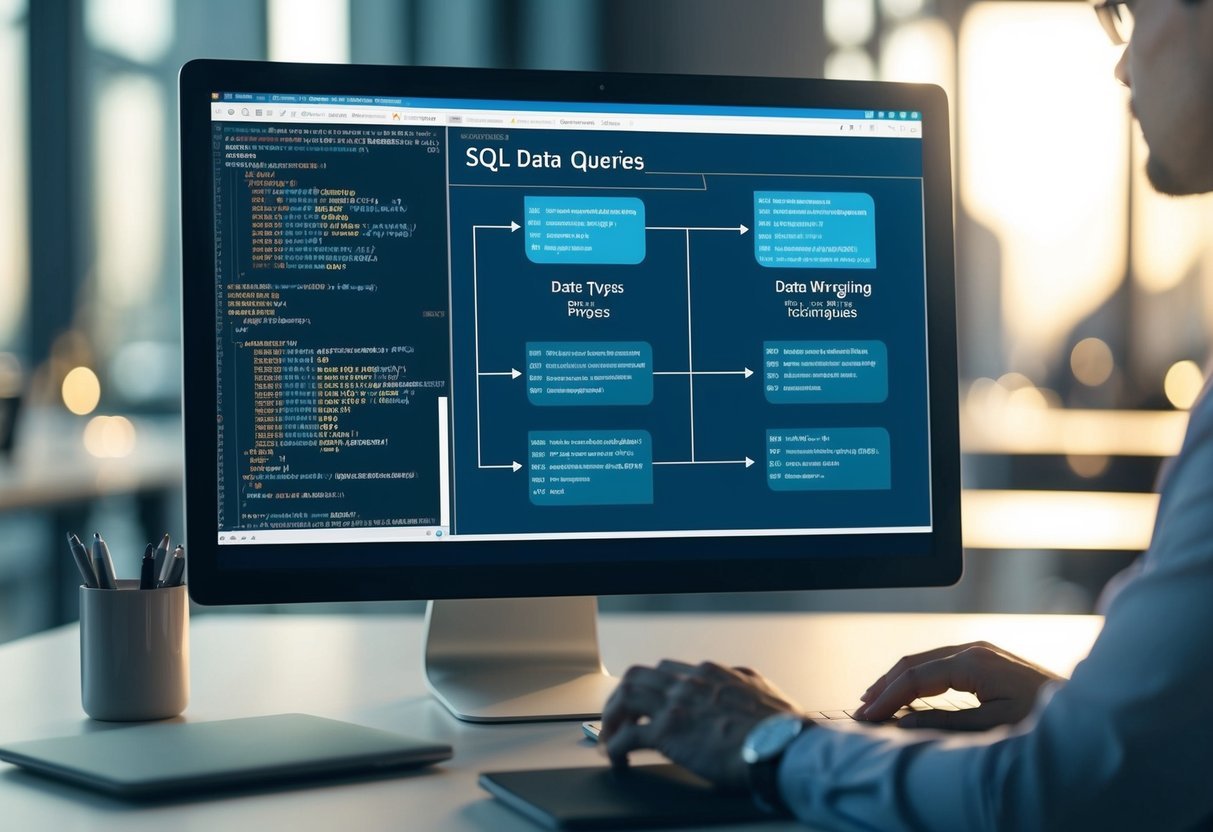
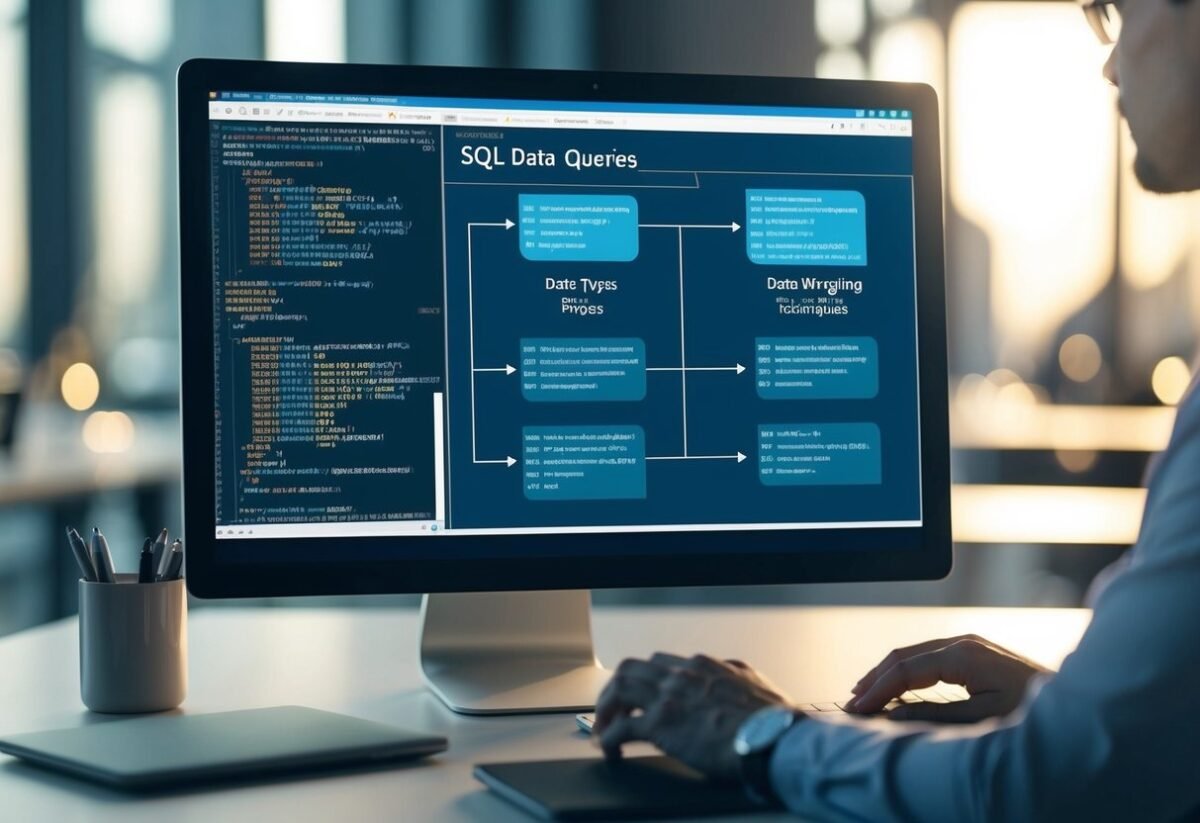
A computer screen displaying SQL queries and data types with various data wrangling techniques in progress

SQL databases handle several data types, each playing a specific role. Common types include integers, decimals, and character strings. These data types help structure and organize data in logical ways.

When working on a project, understanding the different SQL data types is essential. The data type defines the operations that can be performed and the way SQL stores the information.

Numeric Data Types

SQL uses several numeric types like INT for whole numbers. For decimal numbers, FLOAT and DECIMAL are common. It’s important to choose the correct type to ensure precision, especially in financial calculations.

String Data Types

String manipulation in SQL can use types like VARCHAR and TEXT. VARCHAR is suitable for shorter strings with a specified limit, while TEXT supports more extensive text data. Functions like CONCAT and SUBSTR can manipulate these strings effectively.

Date and Time

Working with different data types also involves handling dates and times. The DATE, TIME, and DATETIME types enable users to store temporal data efficiently. You can format and extract elements using functions like DATEPART.

Conversion Functions

Sometimes, converting between data types is necessary. Functions such as CAST and CONVERT help transition data from one type to another smoothly.

This is particularly useful when performing operations that require uniform data formats.

Each data type in SQL has its place and purpose, making data management more efficient. Understanding these data types ensures the correct handling and manipulation of data within SQL databases.

Effective Use of Subqueries

Subqueries in SQL are essential for performing complex data operations. These are queries nested within a larger query, allowing for more nuanced data analysis. They can appear in various clauses like SELECT, FROM, and WHERE.

Subqueries enable the filtering of data based on more specific criteria. For example, they can help identify records that meet conditions in related tables without joining them directly.

Using subqueries is advantageous when breaking down problems into smaller, manageable pieces. This makes it easier to tackle complex queries by handling each subquery individually. Subqueries can be used to perform calculations and then return results to the main query.

Common Types of Subqueries:

  • Scalar Subqueries: Return a single value and are often used in SELECT clauses.
  • Row Subqueries: Return a single row with multiple columns.
  • Table Subqueries: Return multiple rows and columns.

Optimizing subqueries can significantly enhance performance by reducing execution time. Techniques such as indexing, avoiding unnecessary columns, and using EXISTS instead of IN can improve efficiency.

For advanced data manipulation, subqueries are useful when combined with window functions. They can calculate running totals or perform cumulative operations while maintaining readability.

Subqueries also play a crucial role in the modularization of queries. This helps maintain clarity in complex SQL scripts. By isolating tasks within subqueries, it becomes easier for data analysts to debug and maintain code.

Example Usage:

Here’s a simple example of a subquery:

SELECT name
FROM employees
WHERE department_id = (
  SELECT id
  FROM departments
  WHERE name = 'Sales'
);

This query selects employees from a specific department, showcasing how subqueries achieve specific results efficiently.

Mastering Common Table Expressions (CTEs)

Common Table Expressions (CTEs) in SQL provide an efficient way to organize complex queries. By using CTEs, one can simplify and enhance query readability. They can be non-recursive, often used for breaking down complex queries, or recursive, helpful for operations like hierarchy traversal.

Non-Recursive CTEs

Non-recursive CTEs act like temporary result sets in SQL, allowing users to write more organized and readable queries. They are typically used to break large queries into smaller, more manageable sections. This makes debugging and optimization easier.

To use a non-recursive CTE, define it at the beginning of the query using the WITH clause. This defines a name and the query that generates the result set. Then, refer to this CTE later in the main query. It helps in avoiding subqueries and complex joins, offering a cleaner structure.

A practical example could be fetching sales data where a CTE first selects the required customer data, and then the main query filters and processes results. Learning to implement non-recursive CTEs can greatly improve query efficiency and readability.

Recursive Queries in CTEs

Recursive CTEs are used to deal with hierarchical data and require a slightly different setup. They begin similarly to non-recursive CTEs with a base query but include a recursive part that refers back to itself. This enables operations like traversing organizational charts or file systems.

The typical structure involves a base case query and a recursive query section separated by a UNION ALL statement. Recursive queries continue to execute until a specific condition is met.

For example, when working with a hierarchical structure in SQL, recursive CTEs can effectively keep track of parent-child relationships, helping to query items at various levels. Mastery of recursive queries can significantly simplify complex hierarchical data interactions.

Grouping Data with GROUP BY Clause

The GROUP BY clause in SQL is a powerful tool for organizing data. It allows users to gather rows that have the same values into summary rows. This is particularly useful in data analysis, where you want to perform calculations across groups of data.

To use GROUP BY, it is often combined with aggregate functions like SUM(), COUNT(), AVG(), MAX(), and MIN(). These functions help calculate metrics for each group.

For instance, to find total sales per region, you might write:

SELECT region, SUM(sales)
FROM sales_data
GROUP BY region;

This query collects sales data, then groups it by region to give the total sales for each. The results can help identify which regions are performing best.

A special feature is the HAVING clause, which sets conditions on groups. Unlike WHERE, which filters rows before grouping, HAVING applies conditions after the data has been grouped.

Example:

SELECT department, AVG(salary)
FROM employees
GROUP BY department
HAVING AVG(salary) > 50000;

This finds departments where average salaries exceed $50,000. By grouping data, SQL simplifies complex data wrangling tasks.

For those wanting to dive deeper, advanced techniques for GROUP BY provide additional insights and methods to handle more intricate data scenarios.

Leveraging Advanced SQL Skills

A computer screen displaying complex SQL queries and data tables

Advanced SQL skills are crucial for handling complex data tasks. This section will explore the techniques of pivoting data, dynamic SQL, and performance tuning to enhance data processing and analysis.

Pivoting Data

Pivot tables are a powerful way to reorganize data. By using SQL to create pivot tables, users can transform rows into columns, making data easier to analyze and report.

This technique is particularly useful for aggregating numeric data, such as sales figures over time.

In SQL, pivoting can be achieved using functions like PIVOT and UNPIVOT. These functions offer a way to summarize data for better insights.

Understanding and applying these SQL skills can greatly enhance a user’s ability to manipulate and view data effectively. Familiarity with pivoting helps in reporting tasks and across different industries.

Dynamic SQL

Dynamic SQL allows for the execution of SQL code generated at runtime. This feature is essential when dealing with complex queries that need flexibility.

It can be used to build queries dynamically based on conditions that are not known until runtime.

Using techniques like EXEC or sp_executesql, users can write scripts that adapt to various scenarios, optimizing workflow.

For example, generating reports that require different data sets can benefit from dynamic SQL. Mastery of this skill ensures efficiency and adaptability in database management, which is especially valuable in environments that require rapid data processing adjustments.

Performance Tuning

Performance tuning is a critical skill for optimizing SQL queries and database systems. It involves analyzing and improving query execution times and database response.

Techniques like indexing, query optimization, and analyzing execution plans are important for this task.

By focusing on reducing resource usage and execution times, users can improve the speed and performance of their SQL operations.

Regularly tuning performance helps in managing large datasets and ensures that SQL queries run efficiently. This skill is vital for maintaining robust, responsive database systems, providing a smoother experience for end-users and applications relying on the data.

Data Cleaning Techniques in SQL

A computer screen displaying SQL code for data cleaning techniques, with various data sets and tables in the background

Data cleaning is an essential part of data wrangling to prepare datasets for analysis. SQL offers several techniques to ensure data accuracy and consistency.

One common method is removing duplicates. This involves identifying and deleting redundant rows to maintain data integrity.

The DISTINCT keyword or GROUP BY clause in SQL can be used for this purpose.

Managing null values is another crucial step. These are handled by replacing them with default values or using the COALESCE function to provide alternatives. This ensures that calculations are accurate and do not result in errors.

Trimming unnecessary spaces from text data improves consistency. SQL functions like TRIM, LTRIM, and RTRIM are often used to clean up strings.

Inconsistent data formats, particularly in handling dates and times, can be standardized using SQL’s date functions. These include CONVERT or CAST, which help transform data into uniform formats, facilitating better analysis.

Detecting and correcting typos or errors is another aspect of data cleaning. Using SQL’s pattern matching with LIKE or regular expressions, users can identify common errors in text fields and rectify them systematically.

Data type consistency is vital to prevent errors in calculations or data processing. Ensuring columns have the appropriate data types using CAST or CONVERT functions ensures operations perform correctly.

Each of these techniques supports effective data wrangling by enhancing data quality. By mastering these techniques, users can create reliable datasets ready for analysis. These cleaning practices lay the groundwork for accurate data insights and model predictions.

Integrating SQL with Data Science Workflows

A person typing SQL queries into a computer while surrounded by data science workflow diagrams and charts

SQL for Data Analysis: SQL is a crucial part of data science workflows. It helps in retrieving and analyzing large datasets efficiently.

When data scientists work with complex data, SQL can simplify tasks like filtering, sorting, and aggregating data.

SQL and data science are closely connected. SQL creates a solid foundation for preparing data for further analysis.

Data scientists often use SQL to perform data cleaning, which is a vital step in data preparation. This process involves removing inconsistencies and dealing with missing values.

Integrating SQL into data science workflows allows for smooth handling of large data volumes. SQL queries can extract relevant subsets of data, making it easier to identify patterns and insights.

This is essential for building predictive models or conducting exploratory data analysis.

Data wrangling often involves transforming raw data into a more usable format. This process can include normalization, filtering, and union operations. Advanced data wrangling techniques with SQL are especially valuable when dealing with unstructured or incomplete data.

For machine learning tasks, SQL’s role extends to feature engineering. SQL’s ability to manipulate and join tables helps generate features that improve model accuracy. This step is crucial in optimizing machine learning workflows.

Benefits of Using SQL in Data Science:

  • Efficiency: Large datasets can be processed quickly.
  • Versatility: SQL works well with various data sources.
  • Scalability: Handles big data with ease.

Data Analysis and Reporting with SQL

A computer screen displaying SQL code and data visualization charts

SQL is a powerful tool for data analysis. It allows analysts to efficiently sort and filter large datasets. This makes it easier to find patterns and insights.

SQL queries like SELECT and JOIN are fundamental. They help retrieve and combine relevant data from different tables for more comprehensive analysis.

Grouping and Aggregation
Using SQL, you can aggregate data with functions such as SUM, AVG, and COUNT. These functions help summarize datasets.

For example, an analyst can quickly find total sales per region or average spending per customer. They can also group the data based on certain criteria using the GROUP BY clause.

Advanced Techniques
Advanced queries often utilize window functions such as RANK() and ROW_NUMBER(). These functions allow detailed ranking and ordering within datasets.

For example, an analyst can rank products based on sales, providing deeper insights into product performance.

Temporary Tables and CTEs
With advanced data wrangling techniques, analysts can use temporary tables and Common Table Expressions (CTEs). These structures help organize and simplify complex queries, especially in multi-stage analyses.

CTEs allow breaking down tasks into smaller, manageable parts.

Reporting Tools
SQL also supports creating reports that are insightful and easy to read. Combining SQL with reporting tools helps visualize data more effectively.

Reports can include tables, charts, and dashboards that convey key findings clearly to stakeholders.

Optimizing SQL Queries for Large Datasets

A person working on a laptop with a large dataset on the screen, while a book on advanced data wrangling techniques sits open nearby

Efficient handling of large datasets requires careful SQL performance tuning. By leveraging specific techniques, one can greatly improve query speed and reduce resource consumption.

  • Indexing: Using indexes speeds up data retrieval. When working with extensive data, organizing indexes can limit scan time, which boosts query performance.

  • Partitioning: Divides a large dataset into smaller, manageable pieces. This technique allows SQL to target only the relevant sections of data, reducing retrieval time significantly.

  • Using LIMIT: This command controls the amount of data returned, handling only necessary information. This approach minimizes processing time and resource use for large datasets.

For more advanced SQL practices, learning about query optimization can be beneficial.

Identifying inefficient patterns and optimizing them can prevent high resource consumption and enhance database efficiency.

Properly tuned queries not only perform faster but also conserve system resources, enabling better processing of complex datasets.

Advanced SQL techniques, like using user-defined functions, further enhance query flexibility and optimization.

To further explore SQL optimization best practices, reviewing various strategies can provide deeper insights into improving performance. Understanding these techniques is key to efficiently managing large datasets and achieving optimal database performance.

Best Practices for SQL Data Wrangling

A computer screen displaying a complex SQL query with multiple tables joined together, while a person takes notes on a notebook

Data wrangling is crucial in transforming raw data into a usable format. Here are some best practices to enhance SQL data wrangling.

1. Clean Your Data:

Data cleaning involves removing duplicates, correcting errors, and handling missing values. Using SQL functions like TRIM, COALESCE, and REPLACE can help keep your data tidy and accurate. Data wrangling with SQL emphasizes the importance of clean data for reliable analysis.

2. Normalize Data:

Normalization reduces redundancy by splitting data into related tables. This practice improves efficiency and data integrity. Use JOIN and FOREIGN KEY constraints to maintain relationships between tables.

3. Use Indexing:

Indexing speeds up data retrieval processes. Creating indexes on frequently queried columns can optimize performance, making data wrangling tasks faster and more efficient.

4. Write Efficient Queries:

Writing efficient SQL queries is essential. Use EXPLAIN to understand query execution plans and optimize accordingly. This helps in minimizing resource usage and speeding up data operations.

5. Document Your Work:

Maintaining clear documentation of your SQL queries and data transformations aids collaboration and future troubleshooting. It ensures everyone involved understands the changes and logic applied during data wrangling.

Table Example:

SQL Function Purpose
TRIM Remove whitespace
COALESCE Handle null values
REPLACE Replace specific values

Implementing these best practices not only streamlines data wrangling tasks but also ensures more accurate and reliable data analysis outcomes. Leveraging tools such as SQL Server functions further enhances the data wrangling process.

Frequently Asked Questions

A person at a desk surrounded by computer screens, books, and papers, studying advanced data wrangling techniques with SQL

Advanced data wrangling with SQL involves using specific SQL functions, choosing the right tools, and understanding the process. It also compares how SQL and Python handle data wrangling tasks. Various resources can help users improve their skills in these areas.

What are the essential advanced SQL functions for data wrangling?

Advanced SQL functions like window functions, Common Table Expressions (CTEs), and recursive queries play a key role in handling complex data manipulation tasks. These functions enhance precision and efficiency in data analysis, helping users handle large datasets with ease.

Which SQL server tools are best for advanced data wrangling tasks?

SQL Server Management Studio (SSMS) and Oracle SQL Developer are popular tools for advanced data wrangling. Tools such as Apache Spark and Apache Airflow may also be used, offering robust capabilities for handling large datasets and complex queries.

How does data wrangling differ from data cleaning in SQL?

Data wrangling involves transforming and organizing raw data into a usable format. On the other hand, data cleaning focuses on correcting or removing corrupt or inaccurate records from a database. Both are crucial for ensuring data quality, but they serve different purposes in the data preparation pipeline.

What are the key steps involved in the data wrangling process?

The data wrangling process typically includes collecting data, cleaning it, enriching it with additional information, and validating the final results. Each step is essential to prepare the data for analysis, ensuring it is accurate and ready for detailed examination.

Where can one find learning resources for advanced data wrangling techniques in SQL?

Books such as Data Wrangling with SQL: A hands-on guide offer practical examples and in-depth insights into SQL techniques. Online platforms like LearnSQL.com provide tutorials and strategies to enhance SQL skills for data wrangling.

How do Python and SQL compare in terms of data wrangling capabilities?

SQL excels in handling large-scale data operations. Meanwhile, Python, with libraries like Pandas and NumPy, offers flexibility and integration with other data science tools.

Users often choose based on the complexity of their data tasks and personal preference. Some also combine both for comprehensive solutions.

Categories
Uncategorized

Learning about Pandas Data Frames: A Comprehensive Guide

Understanding Pandas and DataFrames

Pandas is a popular Python library used for data manipulation and analysis. It provides powerful tools that make working with data easy and efficient.

One of its key features is the DataFrame, a flexible and intuitive way to handle structured data.

A DataFrame is a two-dimensional data structure. It looks like a table with rows and columns, similar to an Excel spreadsheet.

Each column in a DataFrame can hold different data types, making it versatile for various data tasks.

To start using Pandas in Python, the first step is to import the library:

import pandas as pd

DataFrames are at the heart of Pandas. They help organize data for analysis.

Pandas DataFrames provide easy ways to clean, transform, and analyze data. You can find more about this in the Python Pandas tutorial.

Some basic operations with DataFrames include:

  • Creating a DataFrame: You can create one from a Python dictionary, list, or another DataFrame.
  • Viewing data: Methods like .head() and .info() are useful for inspecting the top rows and summary information of a DataFrame.
  • Filtering: Use conditions to extract specific data from DataFrames.

Pandas and its DataFrame structure make handling two-dimensional data simple, efficient, and powerful. They are essential tools in data science, helping manage data cleanly and efficiently. For more detailed information about DataFrames, refer to the Pandas DataFrame guide.

Installing and Importing Pandas

To start working with Pandas, users first need to install it. The easiest method to install pandas is to use the pip command.

Open the terminal or command prompt and type the following:

pip install pandas

This command downloads and installs the latest version.

Another way to install pandas is through the Anaconda distribution. This is useful for data analysis since it comes with many scientific libraries.

Once Anaconda is set up, pandas can be installed using:

conda install pandas

After installation, pandas can be imported into a Python script. This is done with a simple command:

import pandas as pd

Here, pd is a common alias used in the data science community. It makes the code cleaner and easier to read.

Using pandas, data can be managed and analyzed efficiently. It integrates well with other popular libraries, such as matplotlib for plotting and scikit-learn for machine learning tasks.

By simply importing pandas, users gain access to all its powerful data manipulation capabilities.

Creating a DataFrame

Creating a DataFrame in Python can be done through different methods, two of which include using lists and dictionaries, or directly utilizing the DataFrame constructor. Each method offers unique advantages, making it easier to handle data according to specific needs.

From Lists and Dictionaries

DataFrames can be constructed from lists and dictionaries in a straightforward manner. When using lists, they should be made uniform in length to ensure proper alignment in columns.

For example, a list of lists can be turned into a DataFrame, where each inner list represents a row.

import pandas as pd

data = [[1, 'Alice'], [2, 'Bob'], [3, 'Charlie']]
df = pd.DataFrame(data, columns=['ID', 'Name'])

Alternatively, dictionaries provide a convenient way to create DataFrames, especially when the data is already organized by categories. A dictionary of lists can be transformed, with keys serving as column names.

data = {'ID': [1, 2, 3], 'Name': ['Alice', 'Bob', 'Charlie']}
df = pd.DataFrame(data)

This approach provides flexibility and clarity, making it simple to input data with pre-defined categories.

Using DataFrame Constructor

The DataFrame() constructor is a powerful tool for creating DataFrames in a flexible and customized manner. This method allows the use of any data structure supported by pandas, such as lists, dictionaries, and even NumPy arrays.

import pandas as pd
import numpy as np

data_array = np.array([[1, 'Alice'], [2, 'Bob'], [3, 'Charlie']])
df = pd.DataFrame(data_array, columns=['ID', 'Name'])

This constructor can also incorporate additional parameters like index to specify custom row labels, or columns to define column names explicitly, providing even more control.

Users can leverage this approach for its adaptability, ensuring that the construction of DataFrames meets particular requirements or formats.

DataFrame Indexing and Selection

Pandas offers powerful ways to access and select data within DataFrames. This includes using .loc[] and .iloc[] for row and column selection, as well as boolean indexing for filtering based on conditions.

Using .loc[] and .iloc[]

The .loc[] attribute in Pandas is used to access a DataFrame using labels. Users can select specific rows and columns by specifying the index labels.

The syntax looks like df.loc[row_label, column_label]. This makes it easy to select columns like “Name” or “Age” without knowing their position.

On the other hand, .iloc[] allows selection based on integer indexes. This is useful when the order of rows or columns is more meaningful than their labels, or when labels are not available.

The syntax for .iloc[] is df.iloc[row_index, column_index]. Both methods support slicing, enabling selection of ranges, and they handle both single and multiple selections.

Boolean Indexing

Boolean indexing is another powerful way to select data. It involves creating a condition that returns a boolean series, which can then be used to filter rows in the DataFrame.

For instance, to select rows where a column “A” is greater than 10, the syntax would be df[df['A'] > 10].

Boolean indexing works with multiple conditions using logical operators such as & (AND) and | (OR), allowing for complex filtering.

This method is efficient, enabling precise control over which rows are displayed based on specific criteria. It provides a flexible approach to data selection, making it indispensable for data analysis tasks.

Importing and Exporting Data

Working with pandas involves efficiently handling various data formats. Learning to import and export data using functions like read_csv() and to_csv() is crucial.

Additionally, pandas offers methods to interface with other formats like Excel, JSON, and SQL databases, allowing seamless integration with diverse data sources.

Reading From CSV and Excel

Pandas provides simple methods for reading from CSV and Excel files. The read_csv() function is commonly used for reading CSV files, enabling users to easily import data into a DataFrame.

For instance, using pd.read_csv('data.csv'), data in a CSV file is quickly transformed into a DataFrame.

Handling Excel files is just as straightforward with the read_excel() method. By using pd.read_excel('file.xlsx'), users can import data from Excel files directly into pandas, making it easy to access complex multi-sheet spreadsheets.

Both functions also offer a range of parameters to specify delimiters, handle missing values, and parse dates.

Working With JSON and SQL Databases

Pandas also supports JSON and SQL database interactions. To import data from a JSON file, the read_json() function is used, allowing data stored in JSON format to be read into a DataFrame efficiently.

This feature is particularly helpful for web-based data.

For integrating with SQL databases, the function read_sql() serves as a bridge between SQL queries and pandas DataFrames. By executing queries on SQL databases using this method, pandas can easily handle data stored in different tables.

Exporting data back to JSON or a SQL database is also possible, providing flexibility to switch between analysis and storage.

These capabilities make pandas a versatile tool for data management.

Missing Data Handling

Handling missing data is crucial in data analysis to ensure accurate results. In Pandas, identifying and handling missing values efficiently can prevent errors and improve data quality.

Different strategies are used to manage and replace missing entries, ensuring data integrity.

Identifying Missing Values

When working with data, detecting missing values is essential. In Pandas, missing values are typically represented as NaN (Not a Number).

To check for these, the isnull() function is valuable. This function returns a DataFrame of the same shape, indicating if each value is missing.

Using these functions, analysts can quickly identify gaps in datasets. It’s crucial to identify missing data to decide on the appropriate strategy for handling it.

Strategies for Imputation

Once missing values are identified, choosing a strategy to handle them is important.

One common approach is using fillna(), which allows users to fill missing data with a specified value.

Another method, interpolate(), estimates missing values within a sequence by following a linear trend.

Additionally, the replace() function is versatile for replacing NaNs with more meaningful entries.

These methods ensure that the dataset remains useful for analysis while addressing potential gaps in the data. Proper imputation strategies can greatly enhance the quality and reliability of the analysis.

Data Manipulation Techniques

Pandas provides a robust framework for altering and understanding data through various techniques. Learning how to modify, delete, aggregate, and summarize data is essential for effective data handling in real-world scenarios.

These operations streamline data analysis processes and facilitate the extraction of meaningful insights.

Modifying and Deleting Data

Pandas allows users to modify data effortlessly within a DataFrame. Users can change data by renaming columns or replacing specific values using the replace() method.

In addition, there are simple ways to add new columns by assigning values or using existing data.

Deleting data is just as straightforward. The drop() function removes unwanted columns or rows, allowing for targeted data refinement.

By specifying which axis to target, users can clean up DataFrames to focus on the most relevant information. Efficient data manipulation ensures that data is accurate and neatly organized.

Aggregating and Summarizing Data

Aggregating data with Pandas involves using functions like groupby() to organize data and perform operations on grouped subsets.

This technique is useful for calculating summary statistics such as mean, median, and sum, which provide a broader view of the data patterns.

Pandas also enables summarization to capture essential details of a dataset. Functions like describe() generate quick statistics, offering insights into data shape and distribution.

By leveraging these tools, users can interpret data more efficiently, transforming raw figures into comprehensible summaries. This empowers users to perform DataFrame operations with confidence and precision.

Row and Column Operations

Pandas offers robust features for managing rows and columns in a DataFrame. This includes modifying indexes and efficiently handling columns to make data manipulation straightforward and efficient.

Setting and Resetting Index

Adjusting the index of a DataFrame can improve data retrieval and organization. An index serves as row labels, allowing for quick data access.

You can set a new index using set_index() and can specify any column or a combination of columns to become the new index. Here’s an example:

df.set_index('column_name', inplace=True)

Resetting the index can revert the DataFrame to its default integer index. The reset_index() function helps restore the original structure.

Consider using drop=True to avoid retaining the old index as a column:

df.reset_index(drop=True, inplace=True)

Selecting specific data rows can be done through the modified index, enhancing data analysis efforts.

Adding and Removing Columns

Columns in a DataFrame can be easily managed to aid clear data presentation.

To add columns, assign a new column name to your desired data. This can include calculations on existing columns. For example:

df['new_column'] = df['existing_column'] * 2

To remove columns, the drop() method is utilized. Specify the column name and set axis=1 to indicate column removal:

df.drop('column_name', axis=1, inplace=True)

Columns can be referenced through DataFrame.columns, allowing for verification of changes and ensuring the data remains structured to needs.

Exploratory Data Analysis

Understanding Exploratory Data Analysis (EDA) helps in examining data sets and summarizing their main characteristics. This process often involves the use of statistical graphics and other data visualization tools.

Two key methods used in EDA with Pandas and Python are using the .describe() and .head() functions and visualizing data with Matplotlib.

Using .describe() and .head()

The .describe() function is essential for summarizing the main characteristics of a Pandas Data Frame. It provides insight into key statistical metrics like mean, standard deviation, and percentiles for numerical data columns.

This function aids in identifying trends and potential anomalies within datasets, offering a quick overview that’s crucial for data analysis.

Additionally, the .head() function is used to quickly preview the top rows of a dataset. This function is beneficial for confirming data integrity and structure before diving deeper into analysis.

Together, these functions offer a strong starting point for any data science task, allowing analysts to uncover the basic attributes of their data effectively.

Visualizing Data with Matplotlib

Matplotlib is a powerful tool for visualizing data that enhances the EDA process. By creating graphs like histograms, scatter plots, and line charts, it allows data analysts to see patterns and relationships that might not be apparent through numerical summaries alone.

Visual representations can also reveal outliers and insights into the distribution and correlation of variables.

Matplotlib supports a wide range of plotting options, making it versatile for conveying complex data interpretations simply and clearly. It transforms static data into informative visuals, aiding deeper comprehension and data-driven decision-making.

Handling Different Data Types

Working with pandas DataFrames involves managing different data types, which require specific handling methods. Key data types include numerical, categorical, date, and text data. Understanding these helps ensure efficient data analysis.

Numerical and Categorical Data

Pandas provides powerful tools to manage numerical and categorical data types. Numerical data often uses data types like int64 and float64. This representation supports various numeric operations, which are crucial in data analysis.

Categorical data represents data that can take on one of a limited set of categories. This is stored as category dtype in pandas.

Using categorical data types can make algorithms faster and reduce memory usage. Conversion functions like astype() allow users to switch between numerical and categorical types efficiently.

The pandas library often relies on NumPy for numerical computations, making operations faster and more reliable. Understanding the data types involved in numerical and categorical data can significantly impact the readability and performance of pandas operations.

More details can be found about data types in pandas casting.

Date and Text Data Handling

Dates and text data often involve special handling due to their complexity. In pandas, date data is typically represented using datetime64 dtype. This allows for easy manipulation of dates, like extraction of day, month, or year components.

Pandas provides functions like pd.to_datetime() to convert strings into proper date formats.

Text data, stored as object dtype, can be manipulated using various string functions. Tasks such as splitting, replacing, or changing case are handled with the .str accessor.

When working with large datasets, converting text data to categorical can optimize storage and processing times.

DataFrames offer flexibility in handling different data types through methods that simplify complex operations and improve data integrity.

Explore more strategies for handling text and date data with pandas and Python.

Advanced DataFrame Operations

A person working on a laptop, surrounded by open tabs and notebooks, with charts and graphs displayed on the screen

Mastering advanced operations on Pandas DataFrames involves techniques like merging datasets and advanced indexing. These skills let users manipulate large datasets effectively, providing deeper insights from data.

Merge, Join, and Concatenate

Merging, joining, and concatenating are crucial for combining data from different sources.

The merge() function combines DataFrames based on a common key. For example, pd.merge(df1, df2, on='key') matches rows from both dataframes by the ‘key’ column.

Joining is similar but is used on indexes. The join() function aligns indexes of the DataFrames, making it great for labelled data.

Concatenation with concat() stacks DataFrames either vertically or horizontally. pd.concat([df1, df2], axis=1) appends df2 columns to df1 side by side.

Advanced Indexing Techniques

Advanced indexing in Pandas provides precise ways to select and modify data.

The loc[] function allows label-based indexing. For instance, df.loc['row_label'] selects all columns for the specified row.

On the other hand, iloc[] uses integer-based indexing, useful for selecting by row and column positions, like df.iloc[0, 1].

Single scalar access is efficient with at[] and iat[].

Use at['row_label', 'column_label'] for a single value access by label, or iat[0, 1] when using integer positions.

These techniques offer precise control over data slicing, especially when working with a numpy array, enabling efficient and detailed data manipulation.

Application of DataFrames in Data Science

A computer screen displaying a code editor with Python code for manipulating and analyzing data using Pandas DataFrames

DataFrames are crucial for managing and analyzing data in data science. They help in structuring data for algorithms used in machine learning and scientific computing.

With libraries like Scikit-Learn and SciPy, DataFrames enable efficient data manipulation for various applications.

Machine Learning with Scikit-Learn

In machine learning, DataFrames are frequently used to organize data for training models. Using the Scikit-Learn library, they provide a convenient format for preprocessing tasks.

Scikit-Learn supports tasks like scaling features, encoding categorical variables, and splitting data into training and testing sets.

DataFrames also simplify feature selection, where only the most relevant data is extracted. This method enhances model accuracy by eliminating noise and redundancy.

Furthermore, DataFrames integrate seamlessly with Scikit-Learn’s pipelines, which automate workflows from preprocessing to model training and evaluation.

Scikit-Learn’s extensive documentation and support for DataFrames make it a popular choice among data scientists. The library’s ability to work directly with DataFrames ensures compatibility and ease of use, thereby streamlining the training and testing of models in various machine learning projects.

Scientific Computing with SciPy

When dealing with scientific computing, DataFrames play a critical role in preprocessing and managing data for SciPy applications. They allow efficient data organization and manipulation, which is essential for numerical operations.

SciPy uses DataFrames to handle large datasets by converting them into suitable formats for computations.

DataFrames enable seamless data manipulation, such as filtering, aggregation, and statistical analysis. This capability is particularly useful for performing complex calculations and visualizing data trends.

Through DataFrames, data scientists can feed well-structured data directly into SciPy functions to carry out tasks like optimization, signal processing, and statistical modeling.

Integration with pandas series allows for detailed and high-performance computations on one-dimensional labeled data, improving accuracy and execution speed.

These capabilities make DataFrames an indispensable tool in scientific calculations and data-driven insights.

Frequently Asked Questions

A computer screen displaying a webpage with a list of frequently asked questions about Pandas data frames, surrounded by open books and a notebook

This section covers some common questions related to using Pandas DataFrames. It includes how to create DataFrames, handle data selection, manage missing data, and perform operations like merging, pivoting, and aggregation.

How can I create a Pandas DataFrame from a CSV file?

To create a DataFrame from a CSV file, use the pd.read_csv() function from the Pandas library. Provide the file path as an argument, and it reads the data into a DataFrame. This method is widely used for importing large datasets quickly.

What steps are involved in selecting a subset of data from a DataFrame?

Selecting data requires using methods like loc[] and iloc[].

loc[] filters data by labels or boolean arrays, while iloc[] uses index-based selections. These methods give control over which data to select based on rows and columns.

Can you explain how to handle missing data within a Pandas DataFrame?

To manage missing data, use the fillna() or dropna() functions.

fillna() replaces missing values with specified data, while dropna() removes rows or columns containing them. These tools help maintain data integrity and ensure clean datasets.

How do I merge multiple DataFrames in Pandas?

Use the merge() function to join DataFrames based on a common column or index. It is similar to SQL joins and supports different merge operations like inner, outer, left, and right. This method is essential for combining related datasets.

What is the best method to pivot data in a DataFrame?

Pivoting can be done using the pivot_table() function. This method helps in reshaping data by specifying index and columns for aggregation. It is particularly useful for creating summary tables from long data formats.

Could you guide me through performing data aggregation in Pandas?

Data aggregation is achieved using GroupBy operations. The groupby() function groups data based on specified columns, allowing for aggregation with functions like sum(), mean(), and others.

It offers a structured way to compute statistics on grouped data.

Categories
Uncategorized

Learning Window Functions – Window Aggregate Functions and Framing Explained

Understanding Window Functions in SQL

Window functions in SQL are a powerful way to perform calculations across a set of query rows, known as a “window.”

Unlike standard aggregate functions, window functions allow each row to retain its original data while adding new insights. This feature makes them particularly useful in advanced SQL for detailed data analysis.

Key Features of Window Functions:

  • Operate on a set of rows known as a window.
  • Return values for each row while maintaining their context.
  • Use the OVER() clause to define the window.

Common Window Functions

Some frequently used window functions include:

  • ROW_NUMBER(): Assigns a unique number to each row within a partition.
  • RANK(): Similar to ROW_NUMBER but assigns the same rank to ties.
  • SUM() and AVG(): Provide cumulative totals or averages across the window.

These functions enable analysts to perform complex tasks, like calculating rolling averages or running totals.

Defining a Window Frame

The window frame determines how rows are grouped and ordered within the window.

For example, it can be defined to include all previous rows up to the current one, making cumulative calculations possible.

Learn more about window frames at GeeksforGeeks.

Using window functions can significantly expand the capabilities of SQL beyond basic operations. By understanding and applying these tools, analysts can gain deeper insights and make more informed decisions.

Basic Syntax of SQL Window Functions

SQL window functions are powerful for handling complex queries by allowing calculations across a set of table rows related to the current row.

Key elements include the OVER() clause, partitioning data with PARTITION BY, and ordering results using ORDER BY.

The OVER() Clause

The OVER() clause is essential in SQL window functions. This clause defines the window’s boundary, specifying how the function is applied across rows.

With OVER(), window functions like ROW_NUMBER(), RANK(), and SUM() can be used effectively.

Example Syntax:

SELECT column, ROW_NUMBER() OVER (ORDER BY column2) AS rank
FROM table;

This statement ranks each row based on column2 values. The function, in this case ROW_NUMBER(), works on a logical window defined by OVER().

Use cases include ranking data, cumulative sums, and moving averages.

Partitioning Data with PARTITION BY

The PARTITION BY clause segments data into partitions. Each partition is processed separately by the window function. It functions like GROUP BY but doesn’t merge rows.

Example Syntax:

SELECT column, SUM(column2) OVER (PARTITION BY column3) AS cumulative_sum
FROM table;

In this setup, SUM(column2) calculates a cumulative sum for each partition defined by column3.

This is particularly useful for computing aggregates within groups while preserving row individuality.

Without PARTITION BY, it considers all rows together. Thus, it is crucial for tasks like calculating running totals and achieving precise dataset segmentation.

Ordering Data with ORDER BY

The ORDER BY clause specifies the sequence of row processing within each partition. It controls the order in which the window function is applied to the data.

Example Syntax:

SELECT column, AVG(column2) OVER (PARTITION BY column3 ORDER BY column4) AS avg_value
FROM table;

Here, each partition is organized by column4, influencing how the AVG(column2) is calculated.

This ordering is vital for functions that need a specific sequence, such as cumulative sums or calculating ranks.

Common Aggregate Window Functions

Aggregate window functions are essential for complex data analysis in SQL. These functions allow calculations across data sets while keeping access to individual records. This ability makes them useful for tasks like finding totals and averages or identifying extremes and counts within specific data windows.

SUM(): Calculating Running Totals

The SUM() function is used to calculate running totals for a set of rows within a specified frame.

This function includes each row’s value to build upon the sum as it progresses through the window.

Running totals can help track cumulative sales over time or monitor increasing quantities within partitions.

In practice, the SUM() function can be paired with an OVER() clause to define the window frame.

By specifying rows between unbounded preceding and current row, users can calculate the running total from the start of the data set to the current row, which is often used in aggregate window functions.

AVG(): Finding Moving Averages

The AVG() function computes moving averages across windows of data. This function helps in smoothing out fluctuations over a period, which is particularly useful in financial markets or temperature data analysis.

To calculate moving averages, define a window using the OVER() clause with frame specifications like rows or date ranges.

By setting specific bounds for the window frame, users can observe trends and patterns without the noise of short-term volatility.

Calculations might involve rows 2 preceding and the current row to average over a three-day period, for example, making use of common SQL window functions.

MIN() and MAX(): Extracting Extremes

MIN() and MAX() functions identify the smallest and largest values within a window.

These functions are useful for spot-checking data ranges and detecting outliers.

For instance, finding the minimum or maximum of sales within quarterly windows helps in understanding seasonal performance.

To use these functions effectively, apply them with a window definition using OVER(). This setup allows extraction of extreme values per partition or order.

Identifying extremes in temperature or pricing over specific periods is a typical application of such aggregate window functions.

COUNT(): Counting Rows in a Frame

The COUNT() function tallies the number of rows within a window frame, making it valuable for various data exploration tasks.

It’s frequently used to count events, transactions, or entries within specific time frames or data partitions.

This can be particularly helpful in evaluating customer interactions or transaction volumes.

Using COUNT() with OVER() allows users to define precise data windows, and by incorporating conditions, users can focus counts on relevant subsets.

For example, counting the rows that fit specific criteria within partitions aids in more precise data analysis.

Ranking Window Functions for Sorting and Analysis

Ranking window functions in SQL are essential tools for sorting and analyzing data. They help in assigning ranks, managing ties, and creating groups.

These functions include ROW_NUMBER(), RANK(), DENSE_RANK(), and NTILE() and are used widely in business and data analysis. Understanding these can greatly enhance analysis tasks, such as sales data evaluation.

ROW_NUMBER(): Assigning Unique Ranks

The ROW_NUMBER() function is used to assign a unique rank to each row within a partition of a result set.

This function is handy when each row needs a distinct identifier, even if there are identical values.

The syntax involves partition and order clauses, which determine how the rows are numbered.

For example, using ROW_NUMBER() with ordering on sales data can help identify the top salesperson without ties, as each salesperson will receive a sequential number, ensuring clarity in reports and charts.

This feature is crucial in databases where precise row identification is necessary for processing business data effectively.

RANK() and DENSE_RANK(): Handling Ties in Rankings

RANK() and DENSE_RANK() are ranking functions that handle ties differently in datasets.

The RANK() function assigns the same rank to identical values and then skips subsequent ranks, creating gaps. Conversely, DENSE_RANK() assigns the same rank for tied values but doesn’t leave gaps.

These functions are particularly useful when analyzing competitive scenarios or hierarchical data.

For example, in a sales leaderboard, using RANK() might show two top sellers as rank 1, and then jump to rank 3. DENSE_RANK() would rank similar high performers as 1 and then list the next rank sequentially as 2.

Both approaches provide valuable insights depending on the needs of the analysis and the importance of handling ties.

NTILE(): Dividing Rows into Buckets

NTILE() is designed to divide rows into equal-sized buckets, useful for creating quantiles or deciles in analysis.

This function is ideal for performance-based grouping, such as splitting sales records into top, middle, and lower tiers.

By specifying a number, like 4 for quartiles, NTILE() can evenly distribute sales data, revealing percentage-based performance distinctions among employees or products.

This method of dividing data assists organizations in understanding distribution and making informed strategic decisions by evaluating competitive performance within specific sales brackets or trend patterns, offering clear segmentation for enhanced business strategies.

Offset Window Functions for Comparative Analysis

A series of offset windows with varying sizes and shapes, each containing a set of data points for comparative analysis

Offset window functions like LAG() and LEAD() are essential tools for comparing rows of data in SQL, especially useful for analyzing changes over time or between events.

These functions enable analysts to look backward or forward in a dataset, providing valuable insights into trends and variations.

LAG(): Retrieving Previous Values

The LAG() function is used to access data from a preceding row within the same result set. This feature is pivotal in performing comparative analysis, such as identifying changes in financial metrics, like revenue difference between months or quarters.

By specifying the number of preceding rows to shift, LAG() helps calculate differences in sales data historically.

For instance, analysts can utilize LAG(sales_amount, 1) in queries to obtain previous sales figures, allowing for a direct comparison against current data.

This method is especially useful for pinpointing growth patterns or declines in performance metrics.

In practical applications, such as budgeting or earnings reports, LAG() can clarify whether strategic adjustments or market conditions impacted financial outcomes from one period to the next.

Its implementation simplifies complex analyses and supports actionable decision-making processes.

LEAD(): Looking Ahead to Subsequent Values

Conversely, the LEAD() function allows access to subsequent rows in a dataset.

It is ideal for forecasting or understanding future trends based on current or past performance data.

By examining upcoming data points through LEAD(), analysts might predict changes in consumer behavior or sales momentum.

For example, the query LEAD(sales_amount, 1) retrieves the next row’s sales data, assisting in forecasting future trends or preparing for anticipated business fluctuations.

This predictive analysis is critical in sectors where anticipating shifts is necessary for maintaining a competitive edge.

Whether assessing future opportunities or risks, the LEAD() function augments the ability to refine strategies based on expected outcomes.

It is particularly beneficial in the dynamic sectors of retail and finance, where proactive adaptability can significantly influence success metrics.

Advanced Window Framing Techniques

Window framing in SQL provides a powerful way to analyze data by defining subsets of data for window functions. This process involves using specific terms and techniques such as ROWS, RANGE, UNBOUNDED PRECEDING, and FOLLOWING to control the set of rows considered by a window function.

Defining Window Frames with ROWS or RANGE

The ROWS or RANGE keywords are used to specify how the window frame is constructed in relation to the current row.

ROWS defines a frame of a fixed number of contiguous rows, allowing for precise control over the selection. This is useful when exact offsets from a row are needed.

For example, using ROWS BETWEEN 1 PRECEDING AND 1 FOLLOWING selects the previous, current, and next row.

In contrast, RANGE is based on value ranges instead of row numbers. It is ideal when dealing with time intervals or numerical ranges.

Choosing between ROWS and RANGE impacts the calculation significantly, making them essential tools in advanced SQL window function framing.

Window Frame Bounds: UNBOUNDED PRECEDING and FOLLOWING

Window frame bounds define the start and end of a frame in relation to the current row.

UNBOUNDED PRECEDING denotes the start of the frame from the first row in the partition. This is often used to include all prior rows in calculations, such as running totals.

UNBOUNDED FOLLOWING, on the other hand, indicates the end of the frame at the last row of the partition. This is helpful for cumulative operations that need to consider all subsequent rows.

Combining these bounds with specific rows or ranges allows for the creation of flexible, insightful data analyses. By leveraging these advanced SQL techniques, users can extract meaningful insights from complex datasets.

Statistical Analysis with Distribution Window Functions

A computer screen displaying statistical analysis charts with distribution window functions and learning window functions

Statistical analysis often involves understanding data in a deeper way.

Distribution window functions like PERCENT_RANK() and CUME_DIST() help determine the position of data within a dataset, which is crucial in data analysis. These functions are used to gain insights into the distribution and ranking of data points.

PERCENT_RANK(): Calculating Relative Rank

The PERCENT_RANK() function calculates the relative rank of a row within a result set. This function returns a value between 0 and 1, indicating the percentile position of a row.

It provides insights into how a data point compares to others. For instance, a rank of 0.75 means the value is higher than 75% of the other values.

To use PERCENT_RANK(), the data set must be ordered.

It doesn’t consider the entire dataset uniformly; rather, it’s influenced by ties. If multiple rows have the same value, they share the same rank, impacting the percentage calculation. This function is especially useful in fields such as finance and social sciences, where understanding data distribution is key.

CUME_DIST(): Cumulative Distribution

CUME_DIST() determines the cumulative distribution of a value, showing the proportion of rows with a value less than or equal to the current row. Like PERCENT_RANK(), it returns a value between 0 and 1.

This function helps in understanding how values accumulate.

Unlike PERCENT_RANK(), CUME_DIST() considers ties by including all equal values in its calculation, making it ideal for identifying how clustered data points are. For example, if a value has a cumulative distribution of 0.6, it means 60% of the values in the data set are below or equal to it.

CUME_DIST() is useful in scenarios where relative frequency and data clustering are important, such as market analysis and logistics.

Practical Applications in Business and Science

A graph showing the application of window aggregate functions in business and science, with labeled framing and window functions

Window functions are powerful tools used for various real-world applications in both business and science. They allow analysts to perform complex calculations that can reveal deeper insights from data.

In business, one common use is in analyzing sales data. Using window functions, analysts can calculate rolling averages and totals, helping businesses track performance trends over time. This leads to better revenue reports as businesses can compare current metrics against past data with precision.

In data science, these functions are valuable in machine learning for feature engineering. They help in creating new variables that capture trends and patterns across datasets. This aids in building more accurate predictive models.

Data engineering also benefits from window functions. They are used in cleaning and transforming datasets, making the process efficient. For instance, handling time-series data becomes easier with functions like ROW_NUMBER() and RANK().

A practical example shows use in a revenue report where analysts use the SUM() function to aggregate revenue over different windows of time, providing insights into seasonal sales patterns.

In science, window functions assist in analyzing large datasets, like those from experiments or observations. For example, they can process data from climate studies, where patterns over time are crucial for understanding trends.

Optimizing Queries with Analytic Functions

Optimizing SQL queries can significantly enhance performance and efficiency.

By leveraging analytic functions like FIRST_VALUE(), LAST_VALUE(), and strategic use of subqueries with the OVER() clause and GROUP BY, complex data analysis tasks become smoother and more efficient.

Using FIRST_VALUE() and LAST_VALUE()

The FIRST_VALUE() and LAST_VALUE() functions help identify the initial and final records in a dataset, respectively. This is particularly useful when dealing with ordered data. For instance, they can be used to retrieve the first and last sales figures within a specified time frame.

In SQL Server and PostgreSQL, these functions work efficiently with large datasets by reducing the need for nested queries. Using FIRST_VALUE() helps to highlight early trends, while LAST_VALUE() can provide insights into more recent data points. The key to utilizing these functions effectively is in their interaction with the OVER() clause, ensuring the data is correctly partitioned and ordered.

Subqueries and OVER() with GROUP BY

Subqueries combined with the OVER() clause are a powerful way to manage grouped data without losing row-level details. This approach is useful for generating aggregates while maintaining the context of individual entries.

In contexts like sales analysis, it allows for seamless calculation of running totals or averages across different product categories.

The GROUP BY clause refines this further by grouping specific records for aggregate function application, while the OVER() clause maintains row detail. In T-SQL and PostgreSQL environments, proper use of these tools fosters query optimization by minimizing the number of processed rows. This reduces computational load and accelerates query execution.

Educational Resources for Mastering SQL Window Functions

Learning SQL window functions can be enhanced by tapping into targeted educational resources.

Such materials often provide structured content, hands-on practice, and expert guidance, making them invaluable for anyone keen on mastering these skills.

Online SQL Courses and Tutorials

There are excellent online courses available for those interested in SQL window functions. Platforms like Udemy offer a wide range of SQL courses that cover window functions in detail. These courses include video lectures, practice exercises, and quizzes to reinforce learning.

Another valuable resource is learnsql.com, which provides targeted exercises on window functions. Their materials include explanations and solutions, helping learners grasp complex concepts more effectively.

These courses are suitable for both beginners and advanced users, providing insights into the practical application of SQL window functions.

Interactive Learning Platforms

Interactive learning platforms present a practical approach to learning SQL window functions. Websites like Dataquest offer step-by-step tutorials that encourage active participation from learners.

These platforms often use a hands-on approach, allowing users to apply what they’ve learned immediately.

By working with real datasets, learners can better understand how window functions operate within various contexts. These interactive methods help solidify knowledge through practice, enhancing one’s skills in a meaningful way.

Additionally, resources like LearnSQL offer cheat sheets and comprehensive guides to facilitate quick reference and ongoing learning.

In-Depth Understanding Through Case Studies

Studying real-world cases can offer valuable insights into how SQL window functions are used in practical situations. These functions are instrumental for complex data analysis tasks, especially when applied to business scenarios like evaluating a salesperson’s performance.

One case involves analyzing a sales team’s performance by calculating rankings and averages. For instance, rankings can be assigned to each salesperson based on monthly sales figures, which can help identify top performers and those needing improvement.

In another case, a company uses window functions to enhance their revenue reports. By viewing individual transactions alongside aggregated data, managers can better understand sales trends and make informed decisions on product promotions or discontinuations.

Analyzing a customer engagement trend through SQL window functions is another important application. For example, tracking how often users engage with a product over time allows businesses to adjust strategies efficiently, highlighting spikes or drops in user behavior.

A comparative revenue analysis can also be constructed using window functions. Businesses can compare current sales data with previous periods, revealing growth patterns or areas needing attention. This approach aids managers in reacting promptly to market changes.

In each of these scenarios, SQL window functions enable a detailed view of data while maintaining the context of individual records. These functions are powerful tools for data analysis, helping uncover insights that straightforward aggregation methods may not reveal. By applying these case studies, organizations can refine their strategies and boost overall performance.

Frequently Asked Questions

Understanding window functions in SQL can enhance query capabilities beyond standard aggregate calculations. This section covers how to use window functions effectively, including their differences from aggregate functions and their use across different SQL databases.

How do you use aggregate functions within SQL window functions?

In SQL, window functions extend the capabilities of aggregate functions. They allow calculations across a set of table rows related to the current row.

Functions like SUM, AVG, and COUNT can be applied using a PARTITION BY clause for more nuanced results.

Can you provide examples of window functions applied in SQL queries?

Window functions are commonly used to rank records, calculate running totals, or compute averages over partitions of rows. For example, using ROW_NUMBER() can assign a unique ranking to rows in a result set based on specific criteria like sales figures or dates.

What are the differences between standard aggregate functions and window functions in SQL?

Standard aggregate functions like SUM or AVG return a single value for a set of rows.

In contrast, SQL window functions perform similar operations but do not collapse the result set. They maintain row details and calculate the result over a defined window.

What are the key types of window functions available in SQL?

There are several types of window functions, including ranking functions like RANK() and DENSE_RANK(), aggregate functions such as SUM(), and value functions like LEAD() and LAG(). Each serves different purposes, from ranking to accessing data in other rows.

In what scenarios would you use window frames in SQL queries?

Window frames in SQL help define the subset of a result set for performing calculations.

They are useful when calculating moving averages, cumulative sums, or defining time-based frames to analyze trends over specific periods, which is crucial for financial and trend analyses.

How do window functions differ across various SQL database systems like Oracle?

While the core functionality of window functions remains consistent, specific implementations can vary slightly between SQL database systems like Oracle, SQL Server, or PostgreSQL.

Differences might exist in syntax or feature support, and it’s essential to consult specific documentation for each database.

Categories
Uncategorized

Learning How To Master Dynamic SQL: Essential Tips Beyond Typical Database Courses

Dynamic SQL Essentials

Dynamic SQL allows the creation of SQL statements as text strings, which are then executed later. This technique is crucial for handling more flexible and complex queries in real-world business scenarios.

Understanding Dynamic SQL

Dynamic SQL refers to the ability to construct and execute SQL statements dynamically at runtime. This flexibility is particularly useful for cases where the SQL query structure cannot be fully determined at compile time.

It enables developers to build more adaptable and efficient solutions, especially when dealing with conditional logic or variable input parameters.

In Structured Query Language, this functionality is especially beneficial for applications requiring a high degree of customization, like reporting tools and user-driven queries.

Dynamic SQL can be implemented using various methods, including stored procedures and scripts. Erland Sommarskog provides insights into creating and executing these dynamic statements effectively, emphasizing the unique capabilities they offer.

Best Practices for Dynamic SQL

Using dynamic SQL requires attention to detail to avoid common pitfalls such as SQL injection vulnerabilities. Developers can mitigate such risks by employing parameterized queries and validating all inputs effectively.

It’s also essential to thoroughly test dynamic queries in various environments to ensure they perform well under different conditions.

Another best practice is to maintain clear documentation and use dynamic SQL sparingly to reduce complexity and improve maintainability. Brent Ozar suggests refining queries through iterative testing and adjustment, ensuring that performance and security standards are met.

Always ensure that dynamic SQL usage aligns with the overall database architecture and the specific needs of the application in context.

Advanced SQL Techniques

Advanced SQL techniques play a crucial role in making database operations more efficient and effective. By mastering complex joins, subqueries, and common table expressions (CTEs), users can handle complicated queries and streamline data processing.

Writing Complex Joins

In SQL, complex joins allow users to combine data from multiple tables. This can include inner joins, outer joins, and cross joins. Understanding the differences between these types is important.

Inner Joins: Fetch records that have matching values in both tables. It’s used when only records with matches in both sets are needed.

Outer Joins: Bring in unmatched rows. They come in three types: left, right, and full outer joins. Left join retrieves all records from the first table and the matched records from the second. Right join does the opposite. Full outer join shows all records when there is a match in either table.

Cross Joins: Multiply each row in the first table with all rows in the second table. This is useful for generating combinations but results in a large dataset.

Understanding these join types will help users select the right one to fit specific query needs, ultimately optimizing database performance and accuracy.

Mastering Subqueries and CTEs

Subqueries are nested queries that allow users to perform operations within another query. They can be used in SELECT, INSERT, UPDATE, and DELETE statements. A common use is to calculate aggregates or filter results.

Common Table Expressions (CTEs) provide a way to simplify complex queries. They allow breaking down complicated joins and nested subqueries into more manageable parts. CTEs facilitate recursive queries where a data set refers back to itself. This can be essential for hierarchical data, such as organizational charts or product categories.

By structuring queries with CTEs and subqueries, users enhance the readability and maintainability of SQL code, leading to more efficient data retrieval processes. These techniques are essential for dealing with intricate database interactions and large-scale data manipulations.

Optimizing Queries for Performance

When optimizing SQL queries, using indexes effectively and restructuring queries can greatly enhance performance, especially with large datasets.

Index Utilization and Management

Indexes play a crucial role in optimizing SQL performance. They allow faster retrieval of records by creating a data structure that enhances search capabilities. Index usage can significantly reduce query response time.

However, it’s important to maintain these indexes regularly. Over time, as data is added or removed, indexes can become less efficient. Rebuilding or reorganizing indexes helps in maintaining their effectiveness.

Care should be taken to avoid excessive indexing which can increase storage costs and slow down data-modification operations like INSERT and UPDATE.

Always ensure that frequently queried columns are indexed. Use tools from your database management system to identify unused or infrequently utilized indexes.

Query Refactoring for Large Datasets

Handling large datasets requires strategic query refactoring to improve performance. Simple techniques include breaking complex queries into smaller parts to isolate and optimize individual components. This not only improves execution speed but also makes queries easier to debug and maintain.

Using techniques like avoiding SELECT * can reduce overhead by fetching only the required columns. Another tip is to ensure that queries filter using indexed columns whenever possible. Crafting SARGable queries can also make the best use of indexes and speed up query execution.

By restructuring queries using appropriate JOINs and WHERE clauses, efficiency is improved, especially when working with extensive datasets.

Procedural SQL Programming

In Procedural SQL Programming, developers leverage techniques such as variables and control flow structures to create dynamic and efficient database interactions. This approach involves creating stored procedures that enhance the functionality and manageability of databases.

Variables and Control Flow

Variables in SQL allow the storage of temporary data within a session. They are essential for storing results of queries or calculations that will be used later in the session.

Declaring variables typically involves specifying a data type and naming the variable to ensure it can be recognized and used effectively.

Control flow structures like IF statements enable decision-making in SQL scripts. They help execute certain parts of a script based on specific conditions. For instance, using an IF statement, a query could perform an update only if a given condition is met.

These elements of procedural programming techniques make SQL scripts more robust and adaptable, offering the capability to handle complex data manipulation tasks efficiently. Learning to use these techniques can significantly improve the performance and scalability of SQL operations.

Creating and Using Stored Procedures

Stored procedures are precompiled collections of SQL statements stored in a database. They perform actions like data validation, inserting, updating, or deleting records, making repetitive tasks easier to manage.

Using stored procedures enhances performance as they reduce the amount of information sent between a client and a server.

Creating a stored procedure involves defining a procedure name and writing SQL code to complete a task. For example, a stored procedure might check if a user exists in a table and add them if they do not.

This allows SQL developers to supercharge their SQL knowledge by automating redundant tasks and optimizing database operations.

These procedures ensure consistency, accuracy, and security by controlling access and modifying interaction with the database at a higher level. The use of stored procedures aligns closely with best practices in SQL programming, ensuring maintainability and efficiency in managing large-scale databases.

Data Analysis with SQL

Data analysis with SQL involves using its powerful features to explore and manipulate datasets. Key practices include leveraging window functions and applying data wrangling techniques to perform transformations.

Leveraging Window Functions

Window functions in SQL provide a method to perform calculations across a set of table rows related to the current row. They are essential for tasks like calculating moving averages, ranking data, and computing running totals.

Unlike aggregate functions, window functions do not reduce the result set. This feature allows the function to maintain row-level detail while adding computational power.

Common window functions include ROW_NUMBER(), RANK(), and SUM() OVER(). For instance, using RANK() can identify the position of rows within a partition of a dataset, giving insights into patterns and trends.

Window functions enable detailed analysis by providing more complex queries while remaining easy to use. Understanding these functions can transform basic data analysis into advanced insights.

Data Wrangling and Transformations

Data wrangling and transformations are crucial in preparing datasets for analysis. SQL offers robust capabilities to clean, manipulate, and standardize data, ensuring it’s ready for examination.

Techniques like filtering, joining tables, and modifying data types are fundamental. Common operations include using JOIN to combine data from multiple tables or employing CASE statements to create new categorized columns.

The GROUP BY clause is another fundamental feature in data transformation, allowing users to summarize data efficiently. SQL’s versatility in handling missing data and creating temporary tables also supports complex transformations.

By mastering these techniques, analysts can significantly enhance the efficiency and accuracy of their data analysis, making SQL an indispensable tool in the analytical process.

SQL Server Deep Dive

A computer screen displaying intricate SQL code with highlighted sections on Dynamic SQL

This section covers key aspects of working with SQL Server, focusing on management and security practices. Readers will gain insights into using SQL Server Management Studio and applying security best practices effectively.

Exploring SQL Server Management Studio

SQL Server Management Studio (SSMS) is an essential tool for database developers and administrators. It offers a user-friendly interface for managing SQL Server instances. Users can execute queries, design tables, and create stored procedures efficiently.

SSMS also features tools for monitoring database activities. It helps in optimizing queries and does performance tuning, allowing users to identify and resolve bottlenecks quickly.

The integration with Microsoft SQL Server ensures seamless navigation and management of database components.

Customization is another benefit. SSMS allows users to personalize their workspace, including setting keyboard shortcuts and customizing menu layouts, which can significantly enhance productivity.

Moreover, the support for extensions increases functionality, enabling users to tailor the tool to their specific needs.

SQL Server Security Best Practices

Implementing strong security measures is crucial for safeguarding SQL Server environments. One fundamental practice is to use strong authentication methods. Enabling Windows Authentication ensures a higher security standard compared to SQL Server Authentication.

Regular updates of SQL Server instances help protect against vulnerabilities. Keeping software up to date with patches provided by Microsoft can prevent many security issues.

Additionally, restricting user permissions to the least privilege necessary minimizes potential threats.

Encrypting sensitive data both at rest and in transit is critical. Use Transparent Data Encryption (TDE) for protecting stored data, and SSL certificates for data in transit.

Regularly audit database activities and maintain logs of user actions to detect and respond to suspicious activities promptly.

Hands-on SQL Learning Strategies

A person typing on a laptop, surrounded by open books on SQL, with notes and diagrams scattered around the workspace

Effective hands-on strategies for learning SQL involve engaging with practical exercises and working with real datasets. These approaches help learners develop SQL skills that are applicable to real-world business scenarios and nuanced analysis.

Practical Coding Exercises

Hands-on exercises are essential in solidifying SQL skills. They allow learners to apply theoretical knowledge to practical situations, making learning more effective.

Using platforms that provide coding exercises can be beneficial. These platforms often simulate real-world business scenarios, which help learners think critically.

Exercises can vary in complexity, starting from basic queries to more advanced topics like dynamic SQL. By consistently practicing, learners can develop an intuition for problem-solving and build confidence in writing and debugging SQL code.

Regular practice also helps retain knowledge by reinforcing concepts. Incorporating daily or weekly challenges can be a fun way to keep skills sharp.

Building Projects with Real Datasets

Building projects with real datasets offers learners the chance to apply their SQL skills in realistic contexts. This method not only enhances understanding of SQL concepts but also improves analytical skills.

Learners can start by identifying a dataset of interest, perhaps from open data repositories.

Working on a project involves writing queries to extract insights, which supports nuanced analysis.

Projects often include creating reports or visualizations, enabling learners to see the impact of their work. By tackling real datasets, learners gain a clearer understanding of how SQL is used in real-world business scenarios, making them better prepared for professional challenges.

Engaging with real datasets also fosters creativity in finding unique solutions to complex problems. It encourages learners to explore different SQL techniques and optimize their queries for better performance.

Working with Database Objects

A computer screen displaying a database schema with various objects and SQL queries, surrounded by reference books and notes

Working efficiently with database objects, like tables and schema, is vital for optimizing SQL performance and ensuring smooth data management. This section discusses designing efficient schema and using temporary tables effectively, which are crucial for handling dynamic SQL tasks.

Designing Efficient Schema

An efficient schema design lays a solid foundation for any database system. It’s important to define data types consistently across tables. This helps in reducing storage needs and improving query speed.

She should also use indexes strategically. Indexes speed up retrieval by allowing faster search operations.

Normalization is another key step. By organizing data to eliminate redundancy, it ensures data integrity. However, keep an eye on the balance between normalized tables and performance issues linked to excess joins.

Additionally, naming conventions play an important role. Clear and consistent names for tables, columns, and other objects make it easier for team members to understand and manage the database. This can also streamline collaboration and maintenance.

Using Temporary Tables Effectively

Temporary tables provide a way to store data that only needs to be used during a session. These tables are useful for aggregating complex query results.

By using them, one can break down larger operations into smaller, manageable tasks.

When working with temporary tables, it’s crucial to keep track of their lifecycle. They exist until the session ends or they’re dropped manually. Properly managing these tables ensures that system resources aren’t wasted.

One should also be aware of their scope. Local temporary tables are visible only to the session that created them, while global temporary tables can be accessed by any session. Understanding these differences aids in choosing the right type for the task at hand.

SQL Syntax and Statement Mastery

A person studying SQL syntax and dynamic SQL, surrounded by open textbooks and computer screens

Mastering SQL syntax involves a deep comprehension of complex statements and clauses. Key areas include effective usage of SELECT statements and understanding the power of joins, WHERE, and NOT IN clauses. These skills are crucial for creating efficient queries and are a step beyond basic SQL covered in many courses.

Comprehensive SELECT Statement Usage

The SELECT statement is the backbone of most SQL queries. It is essential for retrieving data from databases.

Understanding how to specify which columns to pull from tables using the SELECT keyword is crucial. An efficient SELECT query can significantly reduce the load on a database by narrowing down the result set to only the necessary data.

Using SELECT with the FROM clause dictates the source table for data. To sharpen efficiency, combine it with filtering conditions, such as WHERE clauses. These allow users to extract only the rows that meet specific criteria, making data retrieval faster and more relevant to the task at hand.

Using Joins, WHERE, and NOT IN Clauses

Joins are fundamental for combining data from multiple tables, essential when information is spread across several sources. SQL joins include INNER JOIN, LEFT JOIN, RIGHT JOIN, and FULL OUTER JOIN, each serving a different purpose depending on the data relationship and the query requirements.

The WHERE clause is often used with joins to refine search results, ensuring only relevant records are combined and returned. NOT IN can be particularly powerful within these clauses to exclude specific entries from a result set, offering precise control over data selection. Advanced understanding of these clauses helps extract meaningful insights, well beyond basic SQL knowledge found in many SQL courses.

Database Platforms Comparative Analysis

A stack of open textbooks on various database platforms, with a laptop displaying Dynamic SQL code, surrounded by scattered notes and highlighters

This analysis explores differences between SQL-based database systems, focusing on SQL Server, MySQL, and PostgreSQL. These platforms vary in functionality and performance, particularly in handling big data contexts.

SQL Server versus MySQL

SQL Server and MySQL are both widely used SQL databases, but they cater to different needs. SQL Server is robust, with advanced features for enterprise-level applications. It includes tools for integration and data analysis, making it ideal for businesses requiring comprehensive solutions. SQL Server often excels in security and scalability, critical for handling large datasets securely.

MySQL, meanwhile, is open-source and popular for web-based applications. It is recognized for its ease of use and strong community support. MySQL is suitable for smaller projects or businesses seeking cost-effective solutions without sacrificing performance. It integrates well with web technologies and has flexible licensing options.

Performance: PostgreSQL and Big Data Contexts

PostgreSQL stands out for its powerful performance and support for big data environments. It offers advanced indexing and supports JSON/JSONB for document storage, which is useful for analyzing large, complex datasets.

PostgreSQL’s flexibility is advantageous for handling varied data types and supporting diverse queries.

In big data contexts, PostgreSQL’s extensive customization options enable it to optimize performance for specific workloads. It integrates well with big data tools, making it a reliable choice for data scientists and analysts. Additionally, its open-source nature allows organizations to tailor solutions and develop plugins to fit unique data processing needs.

Frequently Asked Questions

A computer screen displaying a database query with dynamic SQL code, surrounded by books and notes on advanced database techniques

This section explores advanced techniques in SQL, like Dynamic SQL, that go beyond standard courses. It includes effective methods for data manipulation, strategies for improving query performance, and resources for developing advanced skills.

What are some uncommon but highly effective SQL techniques for complex data manipulations?

One technique involves using window functions to perform calculations across a set of table rows related to the current row. Recursive Common Table Expressions (CTEs) also help in querying hierarchical data structures efficiently. Both techniques provide powerful solutions for complex data tasks.

Which strategies can enhance SQL query performance for large data sets?

Indexing is vital for speeding up access to large datasets. Optimizing queries by choosing the appropriate JOIN type and limiting the number of rows fetched can also enhance performance. Understanding execution plans to identify bottlenecks is another key strategy.

Can you identify essential skills for mastering advanced SQL not typically covered in standard courses?

Mastering subqueries and using CASE statements are crucial for advanced data analysis. Knowledge of database design principles and normalization can lead to better organized data. Learning about transaction management ensures data integrity and consistency in complex operations.

How can someone with no technical background approach learning advanced SQL concepts?

Interactive online tutorials and practical exercises can simplify complex SQL topics for beginners. Starting with visual SQL query builders can help in understanding query structures. Participating in forums and communities provides support and additional learning opportunities.

In what ways can Dynamic SQL be used to solve unconventional database problems?

Dynamic SQL allows the construction of SQL queries based on input parameters at runtime. This flexibility is useful for handling scenarios like report generation where queries vary based on user choices. It also supports automating complex database administration tasks.

What are key resources to transition from intermediate to advanced SQL proficiency?

Books like “SQL Performance Explained” provide insights into query optimization.

Online platforms offer advanced SQL courses with hands-on projects.

Engaging with SQL-focused blogs can also keep learners updated on the latest techniques and best practices.

Categories
Uncategorized

Learning T-SQL – Manipulating JSON Data for Database Optimization

Understanding JSON in SQL Server

JSON, or JavaScript Object Notation, is a lightweight data format used for data interchange. In SQL Server, JSON functions help manipulate this data format.

SQL Server’s native support allows developers to integrate JSON documents into databases efficiently.

When handling JSON, SQL Server treats it as a text type. This means JSON data is not stored as a native JSON data type, but as NVARCHAR.

Developers use SQL Server functions to parse, query, and modify JSON. These include OPENJSON, JSON_VALUE, and JSON_QUERY.

Each of these functions serves specific purposes for managing the JSON structure.

An important feature is how JSON collections can be processed. For example, an array of objects in a JSON document can be transformed into rows, simplifying data analysis and report generation.

JSON’s simple, textual nature allows it to easily represent complex hierarchies. SQL Server benefits by seamlessly integrating JSON, making it easy to communicate with web services and applications that rely on JSON data.

Incorporating JSON in SQL Server enhances data exchange possibilities, especially in applications using RESTful APIs. Developers gain the ability to work flexibly with varied data formats, streamlining processes involving multiple data ecosystems.

Setting Up the SQL Environment

A computer screen showing SQL code manipulating JSON data

To work effectively with T-SQL and manipulate JSON data, certain preparations are necessary. This includes setting up the AdventureWorks database and configuring SQL Server 2016 or later versions.

These steps ensure a stable environment for testing and development.

Preparing AdventureWorks Database

AdventureWorks is a sample database widely used for learning and experimentation. To begin, download the AdventureWorks database from Microsoft’s official site.

After downloading, attach the database to your SQL Server using SQL Server Management Studio (SSMS).

Once attached, verify the database by running a few simple queries. This helps ensure the data is accessible and correctly configured.

The proper functioning of AdventureWorks is crucial, as it provides real-world data scenarios for learning T-SQL and experimenting with JSON.

Configuring SQL Server 2016 and Later

To manipulate JSON data efficiently, it’s essential to configure SQL Server 2016 or newer.

First, ensure that you have the latest updates and service packs installed. This guarantees stability and access to the latest features, such as JSON support.

Within SQL Server, enable necessary settings for JSON data handling. This includes setting the compatibility level appropriately.

Utilize developer tools and resources like Microsoft’s official guides or community forums to troubleshoot any potential issues.

Configuring SQL Server adequately is vital for seamless integration and functionality when working with JSON and T-SQL.

Fundamentals of T-SQL for JSON

When working with JSON in SQL Server, Transact-SQL (T-SQL) provides useful tools to handle JSON data efficiently. Key aspects include basic T-SQL knowledge and understanding of JSON functions and operators that enable seamless data manipulation.

Basics of Transact-SQL

Transact-SQL, often abbreviated as T-SQL, is an extension of SQL used by Microsoft SQL Server and Sybase ASE. It is essential for interacting with relational databases.

T-SQL supports querying, inserting, updating, and deleting data.

Users must understand T-SQL commands like SELECT, INSERT, UPDATE, and DELETE to manage data.

T-SQL also allows for procedural programming elements. This means users can use loops and conditions, enhancing SQL’s capabilities.

Mastery of T-SQL syntax and operations ensures efficient database interaction, which is crucial when working with JSON data.

Having a firm grasp of T-SQL basics lays the foundation for manipulating JSON effectively.

JSON Functions and Operators

JSON in SQL Server can be manipulated using various T-SQL functions and operators.

Functions like JSON_VALUE and JSON_QUERY extract scalar values and objects from JSON text.

Meanwhile, JSON_MODIFY is used to update parts of a JSON string, allowing dynamic data changes.

Operators like ISJSON help verify if a string is in a valid JSON format.

These tools are pivotal when handling key-value pairs in JSON files.

T-SQL’s JSON support features make it easy to convert relational data to JSON and vice versa.

Leveraging these functions ensures effective manipulation and retrieval of JSON data within SQL databases.

Querying JSON Data with T-SQL

Querying JSON data with T-SQL involves extracting and manipulating JSON stored in SQL Server using specific functions and queries. Key methods include using SELECT with FOR JSON to format results as JSON, and functions like JSON_VALUE and JSON_QUERY to navigate JSON structures.

Using SELECT and FOR JSON

The SELECT statement paired with FOR JSON is essential for converting SQL query results into JSON format.

Using SELECT, you can choose specific columns you want in your JSON output.

For example, SELECT column1, column2 FROM table_name FOR JSON PATH formats the result set into a structured JSON output. This method uses JSON path expressions to specify the hierarchy in the generated JSON.

Additionally, FOR JSON AUTO can automatically create a JSON structure based on the queried data without manual JSON path expressions.

Knowing when to use FOR JSON PATH versus FOR JSON AUTO depends on the desired output control and complexity.

Navigating JSON with JSON_VALUE and JSON_QUERY

To extract specific values from JSON data using T-SQL, JSON_VALUE and JSON_QUERY are crucial.

JSON_VALUE retrieves single scalar values like strings or numbers from a JSON text.

For example, JSON_VALUE(column, '$.key') fetches the value associated with “key.” Use this when needing precise, single data points.

For more complex retrievals involving entire JSON fragments, JSON_QUERY is the tool. This function returns JSON objects and arrays from a specified JSON text.

For instance, JSON_QUERY(column, '$.path') extracts JSON data at the specified JSON path expressions, supporting nested data retrieval.

Both functions help handle and parse JSON stored in SQL databases.

Modifying JSON Data with T-SQL

T-SQL offers powerful tools to work with JSON data, allowing users to update and append data efficiently. By understanding the functionality of UPDATE and JSON_MODIFY, users can manage JSON structures within databases more effectively.

The UPDATE Command and JSON_MODIFY

The UPDATE command works together with the JSON_MODIFY function to change existing values within a JSON object.

Using JSON_MODIFY, users can specify the exact path where changes need to be made. For example, to update a value, the syntax might look like this: JSON_MODIFY(json_column, 'path.to.element', newValue).

This is useful for altering specific data without affecting other parts of the JSON. It’s important to ensure that the path used in JSON_MODIFY is accurate, as a wrong path can lead to errors or unchanged data.

While updating, no extra data is added; the focus is solely on changing what already exists. This makes updates precise and controlled.

Knowing how to tweak JSON data through this method can significantly boost the performance and reliability of database applications.

Appending Data Using JSON_MODIFY

Appending data to a JSON array requires careful handling to maintain structure and integrity. The JSON_MODIFY function can also add new elements to JSON arrays.

To do this, users can apply a syntax like JSON_MODIFY(json_column, 'append path', newValue). This will add the newValue to the end of the specified JSON array.

Maintaining a well-defined path helps ensure that new elements are placed in the correct array. When working with complex JSON objects, creating lists or nested arrays requires attention to detail.

Errors in path specification or data type mismatches can lead to failures. Understanding how to append correctly aids in expanding JSON data structures without loss or corruption.

The ability to append efficiently enhances how dynamic applications manage and store data within SQL Server.

Working with Nested JSON Data

When working with nested JSON data, understanding its structure is crucial. Nested JSON involves JSON objects inside other JSON objects or arrays. This creates a hierarchical data format that can be challenging to navigate but is highly useful for representing complex data relationships.

A typical JSON array can contain multiple elements, including other arrays or objects. Accessing these elements requires iterating over the array and extracting each component.

For instance, in SQL, functions like JSON_VALUE and JSON_QUERY can help retrieve data from nested structures.

Handling hierarchical data effectively requires mapping its structure to SQL tables. This often involves creating a table for each JSON object and linking them with foreign keys to maintain relationships.

This mapping process allows for efficient querying and manipulation of the data.

Using specific T-SQL functions, one can manipulate JSON data to extract or modify nested elements. Functions such as OPENJSON are especially useful, as they parse JSON text and return relational data, facilitating straightforward integration into SQL operations.

For those dealing with complex JSON hierarchies, tools such as SQL Server advanced data types can provide advanced techniques. These tools extend traditional SQL capabilities, enabling developers to handle JSON with greater finesse and precision.

Importing and Exporting JSON Data

Working with JSON in SQL Server involves both importing and exporting data. SQL Server offers tools like OPENJSON and OPENROWSET for importing JSON, while FOR JSON is useful for exporting data as JSON.

Importing JSON with OPENJSON and OPENROWSET

OPENJSON is a table-valued function that parses JSON text and transforms it into a set of rows and columns. This is useful when dealing with JSON strings containing structured data.

To use OPENJSON, the JSON text is supplied, and the function exposes it as a relational format. This method is efficient for accessing nested JSON objects and arrays.

OPENROWSET expands capabilities by fetching JSON from external data sources. This function allows you to access JSON data stored in files or remote servers directly from SQL Server.

Whether using bulk operations or simple queries, OPENROWSET offers flexible data retrieval options to ensure seamless integration with external JSON data.

Exporting Data as JSON

Exporting data from SQL Server as JSON can be achieved using the FOR JSON clause. This feature allows SQL queries to return results formatted as JSON.

Two modes are supported: FOR JSON PATH and FOR JSON AUTO.

FOR JSON PATH gives developers fine-grained control over the output structure. This is achieved by specifying the JSON path expressions, allowing complex nesting and custom key names.

On the other hand, FOR JSON AUTO provides quick JSON conversion by automatically generating nested JSON based on table hierarchy and joins.

The ability to export complex SQL results as JSON makes it a valuable tool for applications that require consistent data transmission and storage. The process supports both document-style and array-based outputs, catering to diverse application needs.

Handling Special JSON Data Types and Values

Working with JSON data in T-SQL involves understanding various data types such as nvarchar and dealing with null values.

Dates and times embedded in JSON can also present challenges that need specific solutions. Effective handling of these elements ensures data integrity and accurate processing.

Dealing with NVARCHAR and Null Values

In T-SQL, JSON data is usually stored in an nvarchar column. This format supports a wide range of characters and international languages.

When processing JSON data, it’s important to consider how null values are represented and managed. In JSON, null signifies missing or undefined data, which might lead to discrepancies if not properly accounted for in queries.

Handling null values requires using the appropriate functions and checks. For example, using ISNULL() or COALESCE() can help replace null with default values in SQL queries.

Ensuring that the JSON data conforms to the expected schema is also crucial. Additionally, using the ISJSON() function can verify if a given nvarchar value is a well-formed JSON.

Date and Time in JSON

Dates and times in JSON may be represented in several formats, like ISO 8601. T-SQL does not directly support all JSON date formats, so conversion is necessary.

JSON dates often need to be converted into SQL’s datetime or datetime2 formats for further manipulation. This requires the use of functions such as CAST() or CONVERT().

Careful conversion ensures that time zones and formats are correctly handled, preventing data errors.

For managing various formats, formatting functions can be used to reformat dates within JSON strings. This is significant when JSON data from different sources is integrated into a single dataset. Consistency in date formats improves data accuracy and access.

Best Practices for JSON Data in SQL Databases

Storing JSON data in SQL databases requires thoughtful approaches to ensure efficiency and performance.

Data types: Use appropriate data types in SQL database tables for storing JSON values. This ensures data integrity and optimizes storage.

Normalization: Keep JSON data organized. While JSON can handle complex structures, storing excessively nested or large data can slow queries.

Indexes: Create indexes on frequently queried JSON fields. Good indexing helps improve query performance, especially when dealing with large datasets.

Use SQL functions designed to handle JSON data like JSON_VALUE, JSON_QUERY, and JSON_MODIFY. These functions make it easier to extract, search, and modify JSON data.

For better performance in NoSQL databases, use data structures like BSON for efficient storage and querying. This can be beneficial compared to traditional SQL handling of JSON.

Schema design: Consider separating JSON data into separate columns if it contains attributes often used separately. This can enhance the overall design by aligning with relational database norms.

Apply validation to JSON data before storing it. This practice helps prevent data corruption. Having a process to validate ensures the JSON is well-formed and follows the required schema.

Remember to keep JSON files backed up and versioned. This is important for data recovery and to track changes over time.

Advanced JSON Features and Performance

Advanced JSON features in T-SQL provide powerful tools for manipulating and analyzing data. Performance in Azure SQL Database can be optimized by using these features effectively.

JSON Path expressions are particularly valuable for accessing nested data structures.

JSON Performance in Azure SQL Database

Azure SQL Database offers various methods to optimize JSON data handling.

Indexes on JSON columns can significantly enhance lookup speeds. Using computed columns to extract and index specific JSON values also helps in speeding up queries.

Azure’s adaptive query processing aids performance by automatically adjusting plans based on previous executions. It reduces latency by dynamically optimizing the retrieval of JSON data.

Batch processing and caching frequently accessed JSON data in memory further ensure faster response times for high-demand applications.

Advanced JSON Path Expression Features

JSON Path expressions are essential for navigating through complex JSON structures. They allow users to access and manipulate nested data efficiently. This is crucial when dealing with large and intricate datasets.

Advanced features include the use of wildcards to search through JSON arrays, making it easier to extract data without specifying exact indexes.

Support for conditional filters ensures that only relevant data is retrieved, saving processing time and resources.

Azure SQL Database’s JSON query capabilities further enable handling of semi-structured data with greater precision and speed.

Troubleshooting and Common Challenges

When working with T-SQL and JSON data, developers often face challenges related to syntax errors, data type mismatches, and compatibility issues. Addressing these challenges efficiently can significantly streamline the process of managing JSON data in SQL environments.

Debugging Common JSON Errors

JSON manipulation in T-SQL can be tricky due to syntax intricacies. A common error occurs when JSON content has an incorrect format, such as missing commas or brackets. T-SQL uses strict mode by default, which requires proper JSON formatting.

Lax mode can be used to handle certain missing elements, but it’s essential to use it cautiously to avoid unexpected results.

Developers often encounter issues with mismatched data types between JSON and SQL tables. It’s crucial to ensure that data types in the JSON content align with those expected by the T-SQL tables.

Using functions like ISJSON and JSON_VALUE can help troubleshoot errors, indicating where JSON content might not be parsing correctly.

Compatibility and Interoperability Issues

Compatibility between SQL Server versions can impact JSON functionality. Certain functions, like JSON_QUERY, might behave differently across versions, affecting data retrieval.

Ensuring your SQL Server is updated can minimize these issues.

Interoperability with other systems can also present challenges. Data can be stored or structured differently on other platforms, leading to problems when integrating JSON data with T-SQL processes.

It’s important to validate JSON data before importing or exporting it to ensure that it meets the required structure and format for SQL operations. Tools that verify schema conformity can help identify and correct interoperability issues.

Leveraging JSON in Modern Applications

A computer screen displaying JSON data being manipulated using T-SQL

JSON is a versatile format extensively used in integrating REST APIs and web services. It is efficient for storing and retrieving data during application development, making it a popular choice among developers.

Integrating with REST APIs and Web Services

REST APIs frequently use JSON for data exchange, providing a streamlined method of communication between clients and servers.

JSON’s lightweight structure enables efficient data transmission, essential for web services that require quick responses. By utilizing a JSON fragment, developers can send partial data updates, reducing the need for full payload transfers.

Code samples are often used to illustrate the handling of JSON documents in web service interactions. They help visualize how data is parsed, manipulated, and communicated.

Implementing JSON with REST APIs makes the process of consuming and producing data more reliable and scalable.

Storing and Retrieving JSON for Application Development

In application development, JSON data storage and retrieval are integral for managing unstructured or semi-structured data.

JSON documents can be stored in databases, allowing easy access and manipulation, which is crucial for dynamic applications.

Using libraries and tools that support JSON parsing and serialization, applications can efficiently process user inputs or configuration settings. This compatibility enhances flexibility, allowing applications to adapt to various input formats without extensive code changes.

JSON’s schema-free nature simplifies database design but requires understanding JSON structure to ensure efficient querying and indexing practices.

Frequently Asked Questions

Handling JSON data in SQL Server involves various functions and methods. Whether you’re extracting values or querying JSON fields directly, understanding the tools available in SQL Server can simplify the process.

How can I extract values from a nested JSON field in SQL Server?

To extract values from a nested JSON field, SQL Server provides the JSON_VALUE function. This allows access to individual properties within a JSON object. By specifying the JSON path, users can retrieve nested fields effectively.

What is the approach to storing JSON data in SQL Server using C#?

Using C#, developers can store JSON data by first serializing objects into JSON strings. These strings are then inserted into a nvarchar column in SQL Server. Libraries such as Newtonsoft.Json in C# can assist in the serialization and deserialization process.

What SQL Server functions are available for JSON data manipulation?

SQL Server includes several functions for manipulating JSON data, such as OPENJSON, JSON_VALUE, and JSON_QUERY. Each function serves specific purposes, like parsing JSON text or extracting elements. These functions help in transforming and processing JSON data within SQL.

How can SQL query results be converted to JSON format in SQL Server?

To convert SQL query results to JSON, SQL Server provides the FOR JSON clause. This clause can be used in SELECT statements to format the output as JSON. It supports both path and auto modes, dictating how the output is structured.

Can you query JSON fields directly with SQL, and if so, how?

Yes, JSON fields can be queried directly using OPENJSON, which treats JSON text as a table. This allows SQL queries to extract data from JSON fields seamlessly, acting like rows and columns in a regular table.

Does Azure SQL support JSON data types and what are the specifics?

Azure SQL Database supports JSON natively, similar to on-premises SQL Server instances. It doesn’t have dedicated JSON data types. However, functions for processing and querying JSON data, such as those mentioned earlier, are fully supported in Azure environments.

Categories
Uncategorized

Learning OOP Inheritance Theory and Applications: Mastering Practice Techniques

Understanding the Basics of OOP

Object-oriented programming (OOP) is a powerful methodology used in languages like Java, Python, and C++. It focuses on real-world entities, allowing for efficient code organization through concepts such as encapsulation and inheritance.

Mastering these basics is essential for developing robust and scalable software.

Introduction to Object-Oriented Programming

Object-oriented programming is a paradigm centered around “objects” and “classes.” Classes are blueprints defining properties and behaviors for objects. An object is an instance of a class, containing data and methods that perform actions.

This model closely mirrors real-life objects, making it intuitive for developers to manage complex applications.

OOP emphasizes data encapsulation, where an object’s internal details are hidden. This approach helps protect data integrity and promotes modular code. It also allows for better maintenance and clearer interfaces.

Languages like Java, Python, and C++ widely use OOP principles. Each of these languages implements these concepts in its unique way, providing flexibility in how programmers solve problems.

Core OOP Concepts

Understanding core OOP concepts is essential for developing effective software. Encapsulation involves placing an object’s data and methods in a single unit, preventing unauthorized access to information.

Inheritance allows a new class to derive properties from an existing one, promoting reusability and reducing redundancy. This is a central tenet in languages like Java.

Abstraction simplifies complex processes by exposing only necessary parts of an object, promoting code clarity.

Polymorphism lets objects be treated as instances of their parent class, allowing methods to be redefined. This concept is crucial in OOP, as it provides flexibility in code implementation.

Each of these principles effectively helps manage complex code bases and aids in building scalable applications across various programming languages.

Inheritance in OOP

Inheritance is a key feature of object-oriented programming (OOP), allowing a new class to inherit properties and methods from an existing class. By leveraging this concept, programmers can write efficient and maintainable code.

This section explores how inheritance works, the various types, and the significance of superclasses and subclasses.

Defining Inheritance

Inheritance in OOP refers to the mechanism where a new class, known as the subclass or derived class, inherits attributes and behaviors (methods) from another class called the superclass or parent class. This concept allows developers to create a hierarchy where common functionality is shared, promoting code reuse and reducing duplication.

For example, in Java or C++, a base class Animal may have subclasses like Dog and Cat, each inheriting common traits. Similarly, in Python, the syntax enables seamless inheritance by simply passing the superclass name within parentheses.

Understanding inheritance is crucial for grasping the structure and design of class-based systems, enabling streamlined development processes.

Types of Inheritance

There are several types of inheritance in OOP:

  • Single Inheritance: A subclass inherits from one superclass, common in languages like Java.
  • Multiple Inheritance: A subclass inherits from multiple superclasses, supported in Python but not directly in Java. C++ also supports this feature.
  • Multilevel Inheritance: A class inherits from a superclass, which itself is a subclass of another class.
  • Hierarchical Inheritance: Multiple subclasses inherit from a single superclass, sharing its features.

Each type serves distinct purposes and fits different scenarios, providing flexibility in code architecture. Understanding these types helps developers choose the best structure for their applications.

The Role of Superclass and Subclass

The superclass is the foundation, defining common traits and behaviors for subclasses. It sets the attributes and methods that can be inherited, ensuring consistent behavior across different subclasses.

Subclasses provide specialization. They inherit all the features of the superclass but can also add or modify behaviors.

This relationship allows for an organized codebase where changes to the superclass automatically propagate to subclasses, simplifying maintenance and enhancing code quality.

Polymorphism and Reusability

Polymorphism allows objects to be treated as instances of their parent class, while code reusability helps developers avoid redundancy. Both concepts enhance efficiency in object-oriented programming.

Understanding Polymorphism

Polymorphism in programming refers to methods that can do different things based on the object they are acting upon. One way to achieve this is by method overriding. This is when a subclass provides a specific implementation for a method already defined in its superclass.

Another approach is method overloading, where multiple methods have the same name but differ in the type or number of their parameters. This allows a single method to handle different inputs, adjusting its behavior accordingly.

The flexibility that polymorphism offers makes programs easier to build and alter, aligning them with varying needs.

Achieving Code Reusability

Code reusability in object-oriented programming reduces redundancy and simplifies program maintenance. It is primarily achieved through inheritance, allowing a subclass to inherit fields and methods from its superclass.

This means shared functionality only needs to be written once, reducing the likelihood of errors and saving development time.

Besides inheritance, method overriding plays a significant role in reusability. It enables subclasses to customize what they inherit to better fit their purpose.

Through inheritance and polymorphic techniques, developers create robust code structures that can be easily adapted to expanding needs. This approach is a vital aspect of reducing redundancy and fostering efficient coding practices, as seen in flexible OOP methods.

Encapsulation and Data Security

A padlock surrounded by layers of shields and barriers, with smaller locks nested inside, symbolizing encapsulation and data security in OOP inheritance

Encapsulation is a key concept in object-oriented programming that enhances data security by controlling how data is accessed and modified. It is achieved through the use of classes and access modifiers, which help in safeguarding sensitive information and maintaining the integrity of code.

Encapsulating Data

Encapsulation involves wrapping data and the methods that manipulate it within a single unit called a class. This technique restricts direct access to some components of an object and can prevent unauthorized interference and misuse.

By defining properties and functions within a class, encapsulation allows a class to control its internal state more securely.

Developers use encapsulation to hide the details of an implementation and expose only what is necessary. This not only simplifies the interface of the class but also reduces complexity and increases security.

By separating concerns, encapsulation makes it easier to manage changes in the codebase, as changes to hidden parts of the class do not affect other parts of the program.

Access Modifiers and Their Role

Access modifiers are keywords used in programming to set the access level for classes, variables, and methods. They play a crucial role in implementing encapsulation and enhancing data security.

Common access modifiers include private, protected, and public.

  • Private: Restricts access to members of a class from code outside the class.
  • Protected: Allows access within its class and by derived class instances.
  • Public: Grants access to any other code.

By using these modifiers, programmers can control which parts of the code can interact with the data. For example, marking a variable as private ensures that it can only be modified through public methods.

This adds a layer of validation and control, protecting the data integrity within the application.

Design Patterns and Best Practices

In object-oriented programming, adopting effective design patterns and best practices is crucial. These approaches ensure software is scalable and maintainable. When implemented properly, they enhance code quality and structure.

Applying SOLID Principles

The SOLID principles are a foundation for designing robust software systems. They include Single Responsibility Principle, which ensures a class has one job. This reduces code complexity and makes maintenance simpler.

Open/Closed Principle advocates for systems being open to extension but closed to modification. This prevents altering existing code when adding new features, reducing bugs.

The Liskov Substitution Principle requires that subclasses should be replaceable with their parent classes. Violation of this can lead to system errors.

Interface Segregation Principle emphasizes creating specific interfaces rather than one general interface.

Dependency Inversion Principle suggests that higher-level modules should not depend on lower-level ones, but both should depend on abstractions.

Common Design Patterns

Design patterns offer solutions to common problems in software design. The Decorator Pattern is used to extend the functionality of objects without altering their structure. It’s ideal when using inheritance isn’t suitable.

Composition over Inheritance prefers composition because it offers greater flexibility and avoids the complexities of deep inheritance hierarchies. This leads to more modular and reusable code.

Patterns like the Singleton ensure that a class has only one instance, which is perfect for scenarios where a single point of control is necessary.

These patterns offer time-tested solutions, enabling developers to create behaviorally rich yet concise systems robustly. For more insights on design patterns, visit this comprehensive guide.

Programming Language-Specific OOP

Understanding how different programming languages implement object-oriented programming (OOP) can enhance a developer’s ability to utilize inheritance and other key concepts effectively. This section looks into specific features and idioms of OOP as used in Java, Python, and C++.

Java OOP Features

Java is well known for its robust OOP features. The language emphasizes encapsulation, inheritance, and polymorphism with a clear structure.

Inheritance in Java is achieved through extending classes, allowing a subclass to inherit fields and methods from the superclass. Interfaces in Java allow multiple inheritance of types, a feature not supported by classes in Java.

Java’s syntax supports creating abstract classes and methods, letting developers define methods without implementation for subclasses to implement. Java OOP features create a clean design and promote reusability of code.

Python’s Approach to OOP

Python uses a sophisticated but flexible approach to OOP, making it easier to learn. In Python, classes can be created quickly and new objects instantiated with minimal syntax.

Python supports multiple inheritance allowing a class to be derived from more than one superclass, making it unique in managing complex hierarchies.

Thanks to Python’s dynamic typing, attributes can be added or modified at runtime. This adds flexibility but requires careful management to avoid unintended errors.

Python’s simple syntax provides a smooth OOP learning curve, attracting beginners to programming.

C++ OOP Idioms

C++ offers powerful OOP features, balancing control and complexity. It includes traditional OOP concepts like classes, inheritance, and polymorphism.

In C++, multiple inheritance is directly supported, unlike Java, which complicates the development process but enriches functionality.

C++ also introduces concepts such as templates and operator overloading, which extend the OOP paradigm further. This provides advanced ways to manipulate data and objects but demands a deep understanding of the C++ OOP idioms for efficient use. C++’s strong emphasis on control makes it favored in systems programming and game development.

Constructors and Destructors

In object-oriented programming, constructors and destructors handle the creation and destruction of objects. This section covers their importance, how they work in different programming languages like Java and C++, and special types like the copy constructor.

Understanding Constructors

Constructors are special functions used to initialize objects when a class is instantiated. They share the same name as their class and do not return any value.

In C++, constructors can be default, parameterized, or copy constructors. The copy constructor duplicates an existing object’s state into a new one.

In Java, constructors play a similar role, ensuring objects start with a consistent state. Unlike C++, Java does not support copy constructors directly but can mimic similar functionality using other methods.

Java constructors can be overloaded, allowing multiple versions for different initialization scenarios.

The Role of Destructors

Destructors are crucial for resource management, particularly in languages like C++ where manual memory management is common. A destructor is called automatically when an object is no longer needed, ensuring that resources, such as memory, are freed correctly.

In C++, destructors have the same name as the class, prefixed with a tilde (~).

Java, however, does not use destructors. Instead, it relies on its garbage collector to manage memory automatically. When objects are no longer reachable, the garbage collector reclaims their memory, eliminating the need for explicit destructors.

This process simplifies memory management but may result in less control over the exact timing of resource release.

Special Constructors in Java and C++

Special constructors offer unique functionalities within Java and C++.

In C++, a copy constructor creates a new object as a copy of an existing one. This is important when objects dynamically allocate memory, as shallow copying might lead to issues.

Java does not have built-in copy constructors but often uses a prototype pattern or cloning.

C++ also supports move constructors, which optimize the transfer of resources from one object to another without unnecessary copying.

Both languages use assignment operators to assign values from one object to another, but C++ provides flexibility for overloading this operator to fit specific needs.

Exception Handling and Safety

Exception handling in programming languages like Python and Java is crucial for building robust applications. Understanding how to properly handle exceptions ensures that unexpected errors don’t crash the entire system. It’s important to use these techniques to maintain program flow and data integrity.

Basics of Exception Handling

In many programming languages, exception handling allows developers to manage errors gracefully.

Python uses try, except, and finally blocks to manage exceptions. In Python, the try block lets the program test a block of code for errors, while the except block handles them. The finally block runs code, whether errors occur or not.

Java uses try, catch, finally, and throw to handle exceptions. The try block identifies code for potential exceptions, and the catch block manages those exceptions.

C++ offers similar structures, allowing developers to catch and manage exceptions effectively. Understanding these basic techniques is essential for writing safe and reliable code.

Custom Exception Classes

Custom exception classes allow developers to define their error types, making it easier to handle unique errors relevant to specific applications.

In Python, a custom exception can be created by subclassing the built-in Exception class. This approach makes error messages more descriptive and programs easier to debug.

Java allows creating custom exceptions by extending the Exception class. This custom approach is beneficial when the standard set of exceptions doesn’t fit the specific error scenario.

C++ provides flexibility through its hierarchical exception class system, enabling developers to introduce custom exception handlers tailored to their application’s needs.

Applications of OOP

Object-Oriented Programming (OOP) is widely used in various fields due to its capacity to create organized and maintainable code. It plays a significant role in game development, enterprise software, and web development, offering a robust framework for building scalable systems.

Game Development Using OOP

In game development, OOP is fundamental. It allows developers to model game entities as objects, each with specific attributes and methods.

For example, a character in a game can be an object with properties like health, speed, and strength, and methods to move or attack. This approach promotes code reusability and ease of maintenance.

Games often require complex interactions between objects, such as characters, weapons, and environments. OOP helps manage these interactions efficiently by keeping code modular and easy to update.

This modularity is essential for large teams working on different parts of a game simultaneously, facilitating collaboration and version control.

Enterprise Software and OOP

Enterprise software relies heavily on OOP because it supports building complex systems that can handle large amounts of data and transactions. OOP enables the creation of classes that can be reused and adapted, saving time and reducing errors.

This is crucial for business applications that require continuous updates and scalability.

For instance, in a customer relationship management system, different classes might represent customers, leads, and sales teams. These classes can interact seamlessly, allowing for efficient data management and reporting.

OOP ensures that software can grow with the business, accommodating new features and changes in a controlled manner.

OOP in Web Development

OOP has a strong presence in web development, especially with the rise of frameworks that utilize object-oriented principles. Languages like JavaScript, Python, and Ruby use OOP to create dynamic and responsive web applications.

Developers can model elements like users, sessions, and data entries as objects, leading to a more intuitive code structure.

Using OOP in web development helps manage the complexity of applications by organizing code into objects and classes. This structure allows for easier testing and debugging, which enhances reliability and security.

As web applications become more complex, OOP provides the tools needed to manage growth and change efficiently.

Advanced OOP Concepts

Advanced object-oriented programming (OOP) concepts provide a deeper understanding of programming by exploring dynamic behaviors and efficient memory usage. These concepts enhance code flexibility and performance, making them essential for effective software development.

Runtime Polymorphism and Dynamic Binding

Runtime polymorphism allows objects to be treated as instances of their parent class, while the specific method implementation is chosen at runtime. This is achieved through dynamic binding, which defers method resolution until runtime. This feature supports flexibility in code design as methods can be overridden in subclasses.

Dynamic binding improves code maintenance by allowing changes to subclass methods without altering the parent class. It also benefits from interfaces in languages like Java, where different classes implement the same interface, allowing for seamless method invocation.

This results in more robust and adaptable software systems.

Memory Management in OOP

Effective memory management is crucial in OOP to ensure efficient application performance.

Garbage collection is a key feature in languages like Java and Python, where the system automatically reclaims memory by removing objects no longer in use. This reduces the risk of memory leaks.

Manual memory management is common in languages like C++, where programmers allocate and deallocate memory using keywords like new and delete.

Understanding memory allocation, stack vs. heap memory, and object lifetime is important for optimizing resource use and application performance.

Well-managed memory is essential for avoiding issues like fragmentation and ensuring system stability.

Building Maintainable and Modular Code

Object-oriented programming (OOP) helps create software that is both maintainable and modular. Key strategies include using clear code structures and embracing modular design. Maintaining clean code is vital for efficiency.

Strategies for Writing Maintainable Code

Writing maintainable code in OOP involves several key strategies. Developers should prioritize clear naming conventions for variables and functions, making the code self-explanatory.

Comments and documentation are also critical, as they help future developers understand the codebase quickly.

Unit testing plays a crucial role in maintainability. These tests, often automated, catch bugs early and ensure changes do not break the existing functionality.

Consistent testing makes it easier to expand or refactor code without introducing new issues.

Following design patterns can further enhance maintainability. Patterns like the Model-View-Controller (MVC) offer a structured approach for complex applications, ensuring that parts of the code remain independent but well-coordinated.

Modularity in OOP

Modularity is a cornerstone of effective OOP. It breaks down complex software systems into smaller, manageable pieces or modules. Each module focuses on a specific functionality, enhancing reusability and reducing redundancy.

In OOP, encapsulation is essential for achieving modularity. This principle ensures that data and methods relevant to an object are bundled together.

This packaging allows developers to isolate changes to specific parts without affecting the entire system.

Applying inheritance supports modular designs by allowing new classes to adopt properties and behaviors from existing ones. This feature makes code extensions straightforward and ensures that changes to base classes automatically propagate to derived classes, maintaining consistency across the application.

Resources and Tools for Learning OOP

When learning object-oriented programming (OOP), leveraging the right resources can greatly enhance understanding and application. The following tools provide various means to explore OOP concepts effectively.

Online Learning Platforms

Online platforms are valuable for guided learning and interactive exercises. Platforms like Codecademy and Coursera offer courses in OOP using languages like Java. These courses introduce key concepts such as classes, inheritance, and polymorphism, often with hands-on projects.

YouTube is another essential tool. Numerous YouTube channels feature tutorials that break down complex OOP concepts into digestible segments, enhancing comprehension through visual learning. These platforms cater to various learning styles, making them indispensable for anyone eager to learn to code.

OOP in Open Source Curriculum

Open source projects offer practical exposure to OOP. GitHub is a hub for these projects, allowing learners to engage in real-world scenarios.

By studying or contributing to these repositories, one gains insight into best practices and innovative solutions in OOP.

Many open source curricula incorporate popular tools like the Java Development Kit (JDK) and IntelliJ IDEA. These tools are crucial in implementing OOP principles effectively.

Such curriculums often emphasize hands-on learning, enabling learners to build projects that reinforce theoretical knowledge and develop problem-solving skills in a collaborative environment.

Frequently Asked Questions

Learning inheritance in object-oriented programming (OOP) involves understanding various concepts and applying them to practical situations. These questions address strategies, real-world applications, and key principles central to mastering OOP inheritance.

What are some effective strategies for practicing OOP inheritance in Java?

To effectively practice OOP inheritance in Java, learners should start by identifying common patterns in programming tasks.

Building small projects that use parent and child class relationships helps solidify understanding. Utilizing platforms with coding challenges like GeeksforGeeks can further enhance practice by providing structured problems and solutions.

Can you give a practical example of inheritance in OOP applied to a real-world scenario?

In a real-world scenario, consider a vehicle simulation. A base class Vehicle might include methods common to all vehicles, such as start and stop. Derived classes like Car and Truck inherit from Vehicle and add specific features. This mirrors OOP principles of reusability and scalability.

Which exercises can help to reinforce the concept of polymorphism in object-oriented programming?

To reinforce polymorphism, exercises involving method overriding and interfaces should be practiced. These tasks can include designing a payment processing system with generic methods that are overridden in classes like CreditCardPayment and PayPalPayment.

Exercises on sites like Flexiple offer valuable practice scenarios.

What are the four pillars of object-oriented programming and how do they relate to inheritance?

The four pillars of OOP are encapsulation, abstraction, inheritance, and polymorphism. Inheritance allows a new class to take on properties of an existing class, promoting code reuse.

Learning about inheritance in Java often involves understanding how these pillars support creating well-structured, modular code.

How much time should a beginner allocate to become proficient in object-oriented programming principles?

A dedicated beginner might spend several months learning OOP principles, setting aside 5 to 10 hours per week for consistent practice. Building projects gradually increases proficiency.

Resources like InterviewBit provide structured learning paths that guide beginners through comprehensive OOP topics.

What are the best resources or practices for beginners to learn about encapsulation in OOP?

For encapsulation, tutorials, textbooks, and online courses serve as valuable resources.

Books like “Clean Code” and interactive platforms such as Codecademy offer practical exercises on data hiding and interface implementation.

Regular practice through coding challenges can further reinforce these concepts in real-world scenarios.