Categories
Uncategorized

Machine Learning Integration with SQL: Enhancing Data Analysis Capabilities

Integrating machine learning with SQL can transform how organizations handle data-driven tasks.

SQL enables seamless data extraction, while machine learning offers the capability to draw valuable insights from that data.

Combining these technologies can improve decision-making and business operations.

Companies that adopt this approach can harness the predictive power of machine learning within a familiar SQL environment.

A computer screen displaying a flowchart connecting machine learning algorithms with SQL database tables

The integration process involves setting up an environment where SQL statements and machine learning models work together.

Tools like SQL Server Machine Learning Services allow for running scripts in languages like Python and R alongside SQL data.

Organizations can utilize both open-source and proprietary packages to enhance their analytical capabilities.

Successful integration of machine learning models with SQL databases leads to efficient, scalable, and actionable data analytics solutions.

This makes it possible to leverage data effectively, reducing the time to gain actionable insights.

This streamlined approach helps companies stay competitive in an increasingly data-driven world.

Key Takeaways

  • SQL and machine learning together boost data-driven insights.
  • Machine learning models can be integrated into SQL services.
  • Using both technologies enhances business decisions.

Understanding SQL

SQL, or Structured Query Language, is a powerful tool used to interact with relational databases.

It enables users to manage and manipulate data effectively, using commands and functions to retrieve, update, and delete data.

Fundamentals of SQL

SQL enables users to interact with data stored in relational databases with precision. It is used for defining data structures and editing database records.

The language consists of statements that can create tables, add records, and perform complex queries.

Familiarity with SQL syntax is essential because it includes keywords such as SELECT, INSERT, and UPDATE.

Clear understanding of data types and constraints is necessary. These define the type of data that can be stored in database columns.

Constraints such as PRIMARY KEY and NOT NULL ensure data integrity.

SQL Commands and Functions

SQL commands are the backbone of database operations. They are divided into categories like Data Query Language (DQL), Data Definition Language (DDL), Data Control Language (DCL), and Data Manipulation Language (DML).

Common commands include SELECT for querying data and INSERT for adding records.

SQL functions enhance data retrieval by performing calculations and grouping data. Functions such as COUNT, SUM, and AVG assist in aggregating data.

String functions, like CONCAT and LENGTH, help manipulate text data, while date functions allow for handling of time-based data.

Relational Databases

Relational databases organize data into tables that relate to each other, making data organized and accessible.

These tables consist of rows and columns, where each row represents a record and each column represents a data field. The relational model promotes data integrity and minimizes redundancy.

Relational databases use keys to link tables. Primary keys uniquely identify records within a table, while foreign keys link tables.

This structure allows for complex queries involving multiple tables, enhancing data analysis capabilities.

Understanding the relational model is crucial for efficient SQL use, ensuring that databases are scalable and maintainable.

Fundamentals of Machine Learning

A computer screen displaying a machine learning algorithm integrated with a SQL database, with lines of code and data visualizations

Machine learning involves using algorithms to find patterns in data, enabling predictions and decisions without explicit programming. Key concepts include different algorithm types, a structured workflow, and various models to tackle tasks like regression, clustering, and classification.

Types of Machine Learning Algorithms

Machine learning can be divided into three main categories: supervised, unsupervised, and reinforcement learning.

Supervised learning involves labeled data and aims to predict outcomes like in regression and classification tasks.

Unsupervised learning works with unlabeled data, identifying patterns or groupings, such as clustering.

Reinforcement learning involves an agent learning to make decisions by receiving feedback through rewards or penalties, often used in gaming and simulations.

Selecting the right machine learning algorithm depends on the problem’s nature and data availability.

The Machine Learning Workflow

The machine learning workflow consists of several critical steps.

First, data collection gathers insights for the task. Then, data preprocessing ensures the information is clean and ready for analysis by handling missing values and normalizing data.

After that, selecting the appropriate machine learning algorithm takes center stage, followed by model training with a segment of the data.

The trained model is then tested with unseen data to evaluate its performance.

Model evaluation often uses metrics like accuracy, precision, or recall, depending on the task.

Refining the model through hyperparameter tuning can enhance its accuracy before applying it to real-world scenarios.

Common Machine Learning Models

Common models in machine learning address various tasks.

Regression models, like linear and logistic regression, predict continuous outcomes based on input variables.

Clustering models, such as k-means and hierarchical clustering, group data points based on similarities.

Classification models include decision trees, support vector machines, and neural networks, which assign data to distinct categories.

Each model type applies to specific use cases and comes with strengths and limitations. Understanding these models helps in choosing the right one based on the problem and dataset characteristics, leading to better analysis and predictive accuracy.

Machine Learning Tools and Packages

Machine learning tools are pivotal for analyzing large datasets and extracting valuable insights. Python and R are significant in this field, with each offering unique capabilities. Both languages provide a variety of libraries and frameworks essential for efficient machine learning.

Python in Machine Learning

Python is widely used in machine learning due to its simplicity and robust libraries. Scikit-Learn is a key library for implementing various algorithms, such as classification and clustering. It is ideal for beginners and experts alike.

TensorFlow and PyTorch are popular for deep learning tasks. Both offer dynamic computational graphs, making them flexible for research and production.

Anaconda is frequently used as a distribution platform, simplifying package management and deployment of Python environments.

R for Data Analysis

R is a powerful tool for data analysis and statistical modeling. It’s known for its comprehensive collection of packages for data manipulation and visualization. Microsoft R Open enhances R’s performance and provides additional features for reproducibility.

The language offers numerous packages to support machine learning, including the popular Caret package, which simplifies the process of creating predictive models.

R’s integration with SQL Server allows for seamless in-database analytics, ensuring efficient data processing.

Essential Machine Learning Libraries

A variety of libraries are essential in the machine learning landscape, facilitating diverse tasks.

Pandas is crucial for data manipulation in Python, enabling users to handle datasets of different sizes and complexities effectively.

Both TensorFlow and PyTorch are integral for developing machine learning models, supporting various layers and architectures necessary for feature extraction and prediction.

Additionally, Anaconda helps in managing libraries and dependencies, ensuring that data scientists can focus on model development without technical disruptions.

Data Preprocessing and Analysis

Effective integration of machine learning with SQL begins with a strong foundation in data preprocessing and analysis. Key elements include data cleaning techniques, feature selection and engineering, and utilizing SQL and Python for robust data analysis.

Data Cleaning Techniques

Data cleaning is crucial for reliable machine learning results. Common techniques include handling missing data, removing duplicates, and correcting inconsistencies.

Missing values can be addressed by using methods like mean substitution or median interpolation. Identifying outliers is also vital, as these can distort model predictions.

SQL offers powerful commands for data filtering and cleaning operations. Functions like COALESCE allow easy handling of null values, while GROUP BY assists in identifying duplicates. Regular expressions can detect inconsistencies, ensuring a clean dataset ready for analysis.

Feature Selection and Engineering

Feature selection reduces data dimensionality, improving model performance and preventing overfitting. Techniques such as recursive feature elimination or correlation-based selection can be used.

Feature engineering involves creating new input variables from the existing data, which can boost model accuracy. This may include techniques like scaling, normalizing, or encoding categorical data.

SQL is handy for these tasks, using CASE statements or joins for feature creation. Coupled with Python’s data libraries, such as Pandas, more complex operations, like polynomial feature creation, can be performed to enhance the dataset for machine learning purposes.

Data Analysis in SQL and Python

Data analysis with SQL focuses on querying databases to uncover trends and patterns. SQL queries, including aggregations with SUM, AVG, and COUNT, extract valuable insights from big data. It helps in structuring data for further analysis.

Python, with libraries like NumPy and Pandas, complements SQL by performing intricate statistical analyses on dataframes.

The integration allows users to maintain large data sets in SQL, run complex analyses in Python, and optimize data manipulation across both platforms. This approach leverages the strengths of each tool, ensuring efficient and comprehensive data understanding for machine learning applications.

SQL Server Machine Learning Services

SQL Server Machine Learning Services allows users to run Python and R scripts directly in SQL Server. It integrates with SQL Server to enhance data analysis and predictive modeling.

Introduction to SQL Server ML Services

SQL Server Machine Learning Services provides an extensibility framework that supports running Python and R scripts within the database. It allows data scientists and developers to easily execute machine learning algorithms without moving data out of the database.

With these services, SQL Server combines traditional database functions with new predictive tools, enabling advanced analytics and data processing. Key components include the ability to integrate scripts and a focus on data security and performance.

Configuring ML Services in SQL Server

Configuring Machine Learning Services involves installing the necessary components during SQL Server setup.

Ensure Machine Learning Services are not installed on a domain controller, as this can cause configuration issues. This service should also not be on the same instance as the shared features, to avoid resource contention.

Administrators can configure these services through SQL Server Management Studio, allowing them to allocate resources like CPU and memory.

Proper setup optimizes machine learning models’ performance and makes sure analysis tasks run smoothly.

Running Python and R Scripts

Python and R scripts can be executed in SQL Server as external scripts. These scripts leverage SQL Server’s processing power, allowing complex data analysis directly within the database environment.

By using external scripts, Machine Learning Services execute models efficiently. This approach is particularly useful for large datasets, as it minimizes data movement.

Supported tools include Jupyter Notebooks and SQL Server Management Studio, making script execution and development accessible to both Python and SQL developers.

Training Machine Learning Models
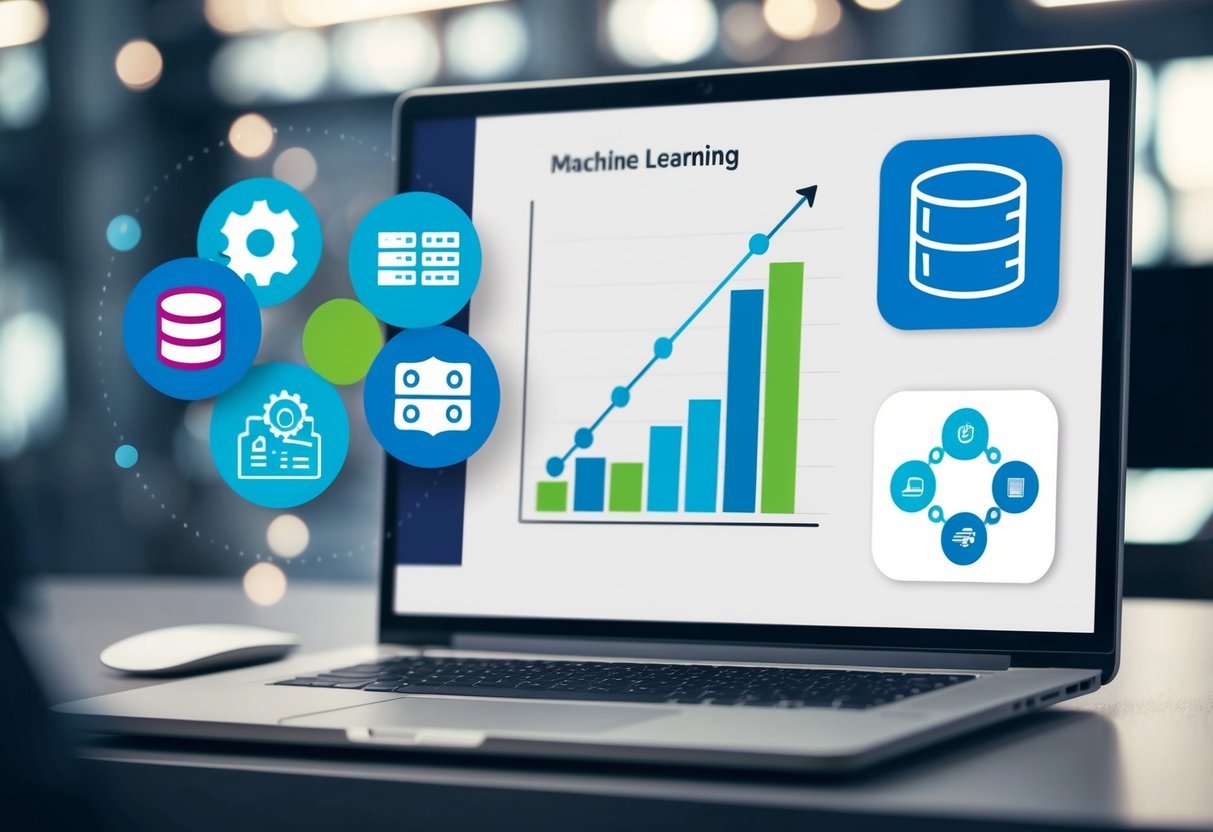
A computer screen displaying a graph with data points connected by a line, while a database icon and a machine learning icon are shown side by side

SQL can play a crucial role in training machine learning models by managing and retrieving large datasets needed for model development. Key processes involve preparing the data, splitting it into training and testing sets, and using SQL commands to evaluate model performance.

Model Training and Evaluation

Model training involves preparing the dataset to create a predictive model. Data is often divided into a Train-Test-Split format. This method involves splitting the dataset into two parts: training data and test data. The training portion is used to build the model, while the test data assesses its performance.

Evaluation metrics such as accuracy, precision, and recall help determine how well the model forecasts outcomes.

SQL queries can retrieve these metrics, aiding in a precise understanding of model effectiveness. By executing the right queries, users can refine their models to improve predictions thoroughly.

Machine Learning Techniques in SQL

SQL facilitates integrating machine learning techniques like regression models directly within databases.

Common methods include implementing a Logistic Regression Model when working with categorical data.

SQL’s ability to execute R and Python scripts enables these analyses within the database engine.

Additionally, platforms like PostgreSQL allow the execution of machine learning algorithms via queries.

Users can leverage SQL to run predictive models without leaving the database, which streamlines the process and reduces overhead. This direct interaction ensures efficient model application and management, becoming indispensable for data-driven businesses.

Deploying Machine Learning Models

A computer screen displaying a machine learning model being integrated with SQL, with lines of code and data visualizations

Deploying machine learning models involves ensuring they work seamlessly within the production environment. This requires attention to integration with database engines and enabling real-time predictions.

Integration with Database Engine

To deploy machine learning models effectively, it’s essential to ensure seamless integration with the database engine. This involves configuring the data flow between the machine learning model and the database.

Many use SQL databases for their robust data storage and querying capabilities. Tools like MLflow can facilitate saving and deploying models in such environments.

Configuration plays a critical role. The database must efficiently handle model inputs and outputs. For models trained using platforms like PostgresML, deploying becomes part of querying, ensuring users can leverage SQL for executing predictive tasks.

This setup must be scalable, accommodating data growth without compromising performance.

Real-Time Predictions

Real-time predictions require the model to process data as it streams through the system. This is crucial for applications that depend on up-to-the-moment insights, such as recommendation systems or monitoring tools.

The deployed model must be capable of handling requests swiftly to maintain service performance.

In such environments, scalability is essential. Models used for online prediction on Google Cloud need to be optimized to handle fluctuating loads.

Proper configuration will ensure responses stay fast while managing large volumes of data, ensuring the system remains responsive and reliable.

Predictive Analytics and Business Applications

A computer screen displaying predictive analytics graphs, with a machine learning algorithm integrated with SQL for business applications

Predictive analytics uses data, statistical algorithms, and machine learning to identify future outcomes based on historical data. It is powerful in various business applications, including identifying customer churn, analyzing customer sentiment, and creating recommendation systems.

Customer Churn Prediction

Predictive analytics helps businesses anticipate customer churn by analyzing purchasing patterns, engagement levels, and other behaviors. Companies can develop tailored strategies by understanding the warning signs that might lead a customer to leave.

For instance, a spike in customer complaints could signal dissatisfaction. By addressing these issues proactively, businesses can improve retention rates.

Leveraging predictively-driven insights also aids in customer segmentation. This allows for personalized marketing efforts and better resource allocation. Incorporating models such as logistic regression or decision trees can enhance the accuracy of these predictions.

Sentiment Analysis

Sentiment analysis interprets and classifies emotions expressed in text data. By using predictive analytics and machine learning, businesses can extract opinions from customer feedback, social media, and surveys. This helps organizations grasp how customers feel about their products or services.

Techniques like natural language processing (NLP) play a crucial role. Businesses can detect sentiment trends and respond swiftly to customer needs.

For example, a surge in negative sentiment on a social media post can trigger an immediate response from the customer service team to prevent reputational damage.

Recommendation Systems

Recommendation systems use predictive analytics to offer personalized product or service suggestions to customers. By analyzing user data such as past purchases and browsing behavior, businesses can predict what customers might be interested in next.

These systems are widely used in online platforms like streaming services and e-commerce sites. Collaborative filtering and content-based filtering are common techniques.

Recommendations not only enhance the user experience by making relevant suggestions but also drive sales by increasing customer engagement.

Advanced Topics in Machine Learning

A computer screen displaying a machine learning algorithm being integrated with a SQL database

Machine learning has expanded its scope beyond basic algorithms. It encompasses deep learning applications, natural language processing interlinked with SQL, and ethical considerations of machine learning. Each area plays a crucial role in advancing technology while maintaining ethical standards.

Deep Learning Applications

Deep learning is a subfield of machine learning that uses neural networks to process large datasets. These networks consist of layers that transform input data into meaningful outputs.

A common use is in image recognition, where deep learning models identify patterns and objects in images with high accuracy. GPUs and TPUs often enhance the speed and efficiency of training these models.

Deep learning’s flexibility allows it to adapt to various data types, making it indispensable in fields like healthcare and autonomous vehicles.

Natural Language Processing and SQL

Natural language processing (NLP) interacts with databases through SQL, enabling machines to understand human language. By integrating machine learning with SQL, organizations can automate tasks like sentiment analysis, chatbots, and voice recognition.

SQL’s ability to query and manage structured data complements NLP’s focus on unstructured text, providing a powerful tool for data analysis. This partnership enhances data-driven decision-making by allowing machines to extract insights from textual data stored in SQL databases.

Ethical Considerations of ML

As machine learning advances, ethical considerations become critical. Issues like bias and privacy risks are significant concerns.

Algorithms must be designed to minimize bias, ensuring equal treatment for all users. Privacy laws demand that data used in training machine learning models be handled responsibly.

Researchers and developers must adhere to ethical standards, fostering trust in AI technologies. Transparency in algorithm design and decision-making processes can mitigate risks, building public confidence in machine learning applications.

Development Best Practices

A computer displaying code for machine learning integration with SQL

Effective development practices ensure seamless integration of machine learning with SQL, enhancing both maintainability and performance. It’s crucial to focus on code and query quality while optimizing for better speed and resource usage.

Maintaining Code and Query Quality

Maintaining high-quality code and queries is essential for reliable machine learning processes. Developers should use SQL Server Management Studio or Azure Data Studio for an organized development environment.

Ensuring external scripts are enabled allows the use of languages like Python for complex calculations, adding flexibility.

Consistent code format and clear commenting can prevent errors. Implementing version control helps track changes and manage collaboration efficiently. Using a T-SQL structured approach can also enhance readability and maintainability.

Regular reviews and refactoring help identify and correct inefficient parts of the code, promoting stability.

Performance Optimization

Optimizing performance is key for efficient machine learning tasks. Use indexing effectively to speed up data retrieval.

Azure Data Studio provides insights on query performance that can help identify bottlenecks.

Batch processing can minimize resource usage, especially when handling large data sets. Enabling external scripts allows integration with Python packages which can handle heavy computations outside SQL, reducing the load.

Keeping queries as specific as possible reduces data overhead and improves speed.

Regular performance monitoring ensures queries run optimally, allowing for timely adjustments.

Installation and Setup

A computer connected to a server with SQL database, displaying code for machine learning integration

For efficient integration of machine learning with SQL Server, start by installing SQL Server with Machine Learning Services. Ensure you have the right version, such as SQL Server 2022, which supports R and Python scripts. Check compatibility and system requirements before beginning the setup.

Step-by-step installation:

  1. Begin your SQL Server setup and choose the Machine Learning Services feature.
  2. Select the languages you want to enable, like Python.

To configure Python, you may need additional packages. Microsoft Python Packages are essential for enhanced functionality. This includes libraries like RevoScalePy for scalable computations and MicrosoftML for machine learning tasks.

During setup, verify essential components. These might include the Database Engine and Machine Learning Services.

Always ensure components like Machine Learning Services are enabled before proceeding.

For those setting up without internet access, an offline installation method is available. This requires pre-downloaded files for installing runtimes. Refer to the offline install guide for specific steps.

After installation, restart your SQL Server instance to apply changes. This step is crucial for full integration.

Ensure this is done to activate the machine learning scripts within the server environment.

This setup allows SQL Server to execute R and Python scripts, enabling advanced data analysis capabilities directly within the database.

Frequently Asked Questions
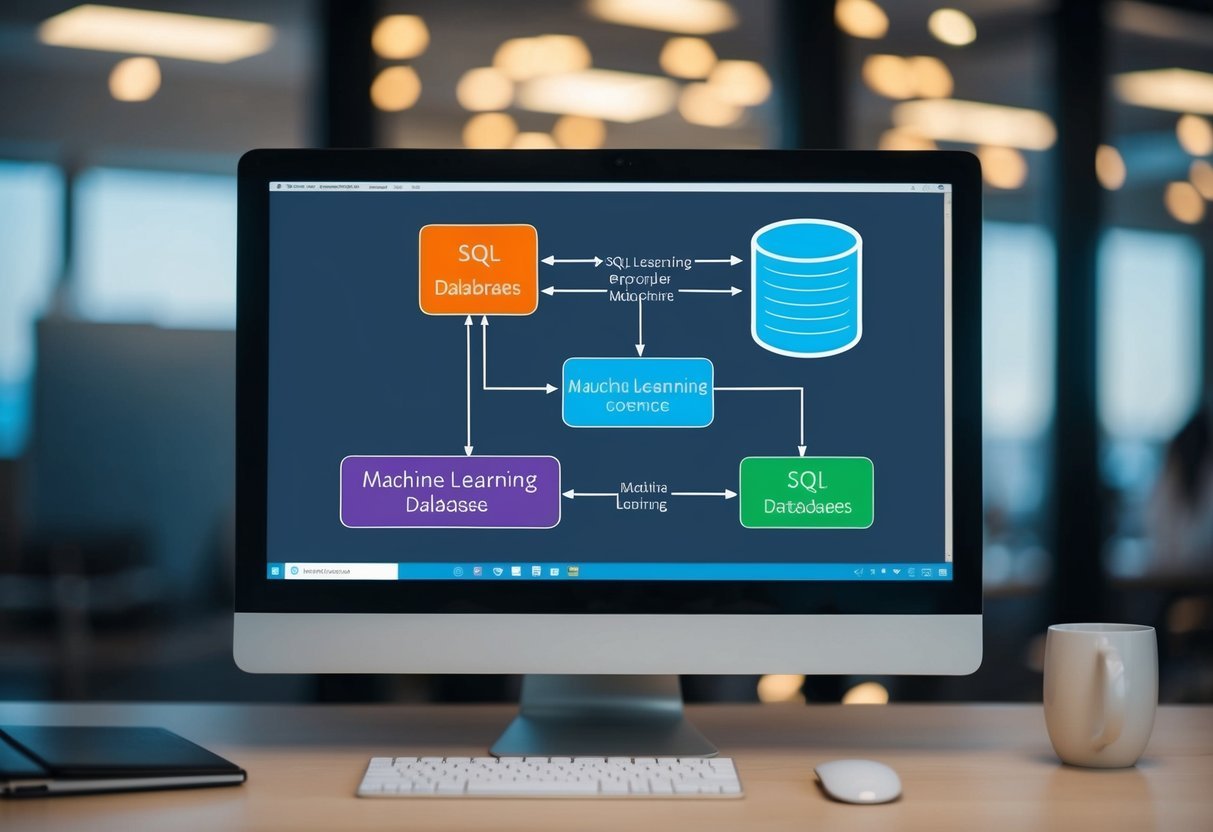
A computer screen displaying a flowchart connecting machine learning and SQL databases

Integrating machine learning with SQL involves combining relational database capabilities with predictive analytics. This can offer robust tools for data analysis and real-time decision-making.

How can machine learning models be integrated with SQL databases?

Machine learning models can be integrated with SQL databases by using stored procedures to call machine learning algorithms. Tools like Python or R can be used to connect to SQL databases, allowing for seamless interaction between data storage and machine learning processing.

What are examples of implementing machine learning within SQL Server?

SQL Server provides features like SQL Server Machine Learning Services, which allow models written in Python or R to run within the server. This setup lets users perform complex data analysis and predictions directly within the database environment.

In what ways is SQL critical for developing machine learning applications?

SQL is important for managing the large datasets needed for machine learning. It efficiently handles data extraction, transformation, and loading (ETL) processes, which are essential for preparing and maintaining datasets for training machine learning models.

How to connect a machine learning model with an SQL database for real-time predictions?

To connect a model with an SQL database for real-time predictions, machine learning models can be deployed as web services. These services can then be called from SQL queries using APIs, enabling real-time prediction capabilities directly from the database.

What are the steps to deploy a Python-based machine learning model in SQL environments?

Deploying a Python-based model in SQL involves training the model using Python libraries and then integrating it with SQL Server Machine Learning Services. This allows for running the model’s predictions through SQL queries, leveraging the server’s computational power.

Can SQL be utilized effectively for AI applications, and how?

Yes, SQL can be effectively used for AI applications by serving as a backend for data storage and retrieval.

SQL’s ability to handle complex queries and large datasets makes it a powerful tool in the preprocessing and serving phases of AI applications.


Categories
Uncategorized

Learning Power BI – Data Analysis: Enhancing Reports for Optimal Insights

Understanding Power BI

Power BI is a powerful tool that helps users create detailed reports and analyze data efficiently. Its features support businesses in making smart decisions through straightforward data visualization and robust analysis.

What is Power BI?

Power BI, developed by Microsoft, stands for Power Business Intelligence. It is a service that turns unrelated data sources into coherent, visually immersive, and interactive insights.

Businesses use it to combine data from various sources, shaping them into reports that can drive decisions.

This tool connects and integrates with multiple data sources, including Excel spreadsheets, cloud-based and on-premises hybrid data warehouses.

Users appreciate its ability to provide a comprehensive view of data across different platforms. It empowers organizations to monitor their operations and make informed choices based on the insights gained.

Key Features of Power BI

Power BI offers a range of features that enhance its value as a top-tier business intelligence tool.

  • Data Analysis: It supports extensive data modeling, enabling users to create and tailor reports efficiently.
  • Interactive Visualizations: Users can explore data with interactive visual elements that make details clear and engaging.
  • Accessibility: Power BI reports and dashboards are accessible across devices, ensuring information is available wherever needed.

Additionally, a case study involving a retail company highlighted how its reporting automation capabilities can significantly improve efficiency. Moreover, the platform supports self-service BI, allowing more employees to generate insights without relying on dedicated data teams.

Getting Started with Power BI

A person using a computer to analyze and enhance data reports in Power BI

To begin with Power BI, users should know how to install Power BI Desktop and navigate its interface. These steps will ensure an efficient setup and ease of use for data analysis.

Installing Power BI Desktop

Power BI Desktop is essential for creating reports and dashboards. To install it, users need to download the software from the official Microsoft website.

The installation file is easy to find and is available for both Windows and Mac operating systems.

After downloading the software, follow the on-screen prompts for installation. The process involves accepting license terms and selecting an installation location.

System requirements:

  • Windows 10, 8.1, 7, or a compatible Mac OS
  • Minimum 1 GB of RAM (recommended: 4 GB or more)
  • .NET 4.6 or later

Having the right setup ensures smooth operation and access to the latest features.

Navigating the Power BI Interface

The Power BI interface is user-friendly but can seem overwhelming at first. It consists of several key components such as the ribbon, panes, and canvas.

The ribbon at the top provides access to different tools and features like importing data and creating visuals.

Main parts of the interface:

  • Fields Pane: Lists all datasets that can be used for report building.
  • Visualizations Pane: Offers tools to create charts and graphs.
  • Canvas: The central work area to design and view reports.

Understanding how to use each part helps users create effective and visually appealing reports, making data analysis more intuitive.

Connecting to Data Sources

Connecting to data sources in Power BI is crucial for effective data analysis. It allows users to pull data from various platforms, enhancing report accuracy and insight.

Supported Data Sources

Power BI supports a wide range of data sources. Users can connect to popular databases like SQL Server, Oracle, and PostgreSQL.

For those working with cloud services, options include Azure, Salesforce, and SharePoint.

Excel and CSV files are commonly used for more straightforward datasets. Power BI also supports DirectQuery, which allows real-time data querying without importing the data into Power BI. This feature is helpful for large datasets that require frequent updates, as it ensures users always see the most current data.

Importing Data

Importing data into Power BI is a straightforward process. After selecting the data source, users can preview the dataset to ensure it’s the correct one. They then choose the tables or fields they want to import.

Power BI provides tools like the Power Query Editor to clean and transform data before importing. This step is essential for ensuring data quality and readiness for analysis.

Users can also set up scheduled refreshes for their data, keeping reports updated automatically without manual intervention.

Data Modeling Basics

Data modeling in Power BI revolves around organizing and optimizing data using relationships and calculations. This ensures efficient data analysis and insightful reporting.

Creating Relationships

Creating relationships in Power BI is crucial for connecting tables. This process allows users to perform cross-table calculations and analyses.

A relationship typically involves linking a column in one table with a corresponding column in another, usually a primary key linked to a foreign key.

Power BI supports various types of relationships, such as one-to-one and one-to-many. Users can manage these in the Relationships view, which visually represents connections between different tables.

Users should aim for a star schema to optimize performance and simplify queries.

Properly set relationships enable users to drag related fields into reports and have calculations work seamlessly across connected tables.

Data Calculations

Data calculations in Power BI are critical for generating insights. Calculated columns and measures help in this process.

Calculated columns are added to tables and usually depend on row context. They are created using DAX, a powerful formula language in Power BI.

Measures provide dynamic calculations that update as data changes. Unlike calculated columns, measures focus on overall aggregates and adapt to the context within reports.

Understanding DAX functions is essential for crafting effective calculations to enhance data models. Calculations streamline data insights and visualization, revealing trends and patterns.

Creating Visualizations

Creating visualizations in Power BI is a vital part of data analysis, transforming raw data into comprehensible insights. This process involves using various tools to craft visual representations such as charts and graphs, along with the possibility for custom visualizations to fit specific needs.

Charts and Graphs

Charts and graphs are essential components of data visualization in Power BI. They offer a straightforward way to represent data trends and patterns.

Bar charts and line graphs are commonly used for comparing data points over time.

Line graphs are excellent for showing data changes over continuous intervals. They highlight trends or fluctuations effectively.

Users can enhance their report design by choosing the right chart type to fit the data set they are analyzing.

Pie charts are best for showing proportions or percentages of a whole. While visually appealing, they must be used wisely to avoid confusion, particularly with a high number of categories.

You can learn more about data visualization like real-time data visualization in Data Visualization with Power BI.

Custom Visualizations

Custom visualizations offer flexibility and creativity in displaying data. Users can create visuals that cater specifically to unique business needs or personal preferences.

Power BI supports a wide array of custom visuals available in the marketplace, developed by the community.

These visuals range from interactive maps to animated graphics, providing a rich variety for any analysis needs.

Custom visuals can be integrated into reports, enhancing storytelling by making data interpretation more engaging.

Explore some methods for integrating custom visuals in Power BI Dashboard.

Creating your custom visuals can also be accomplished by using Power BI’s development tools, which allow for detailed customization beyond the standard offerings.

Enhancing Reports with Advanced Features

Advanced features in Power BI can greatly improve report customization and user experience. These features, like using parameters and integrating interactive elements, help tailor reports to meet specific needs and make data easier to explore.

Using Parameters

Parameters in Power BI offer a flexible way to customize reports. They allow users to set boundaries or inputs that adjust data views without altering the entire dataset.

By using parameters, users can quickly change the focus of their reports, such as adjusting time frames or category filters.

This not only offers insights tailored to user preferences but also saves time by reducing the need for multiple, static versions of a report.

Leveraging parameters enables users to interact dynamically with the data, offering more tailored insights and enhancing decision-making processes.

Interactive Elements

Incorporating interactive elements like slicers in Power BI reports transforms static data presentations into dynamic, engaging tools.

Slicers enable users to filter data directly on the report page, adjusting views with just a few clicks.

This interactivity makes it easier to highlight trends and patterns without sifting through extensive static data.

Furthermore, these elements allow for a more intuitive exploration of data, which is especially beneficial in complex datasets.

Interactive elements foster a more engaging user experience, making reports insightful and easy to navigate. This level of engagement can help users derive strategic insights with minimal effort.

Mastering DAX for Data Analysis

Data Analysis Expressions (DAX) are vital for unlocking advanced data analysis features in Power BI. This section covers both fundamental functions and advanced techniques that can help anyone enhance their Power BI reports effectively.

Fundamental DAX Functions

Understanding basic DAX functions is crucial for anyone working with Power BI. These functions allow users to perform calculations and data manipulations effectively.

One key set of functions includes SUM, AVERAGE, and MIN/MAX, which compute aggregated values.

Another important set involves IF and SWITCH, which help in creating conditional statements that enhance report analysis.

Time intelligence functions like DATEADD and TOTALYTD allow users to perform complex time-based calculations. They are useful for year-over-year analysis, which is common in financial reporting.

DAX functions are not limited to simple calculations; they can also dynamically adjust based on the context of data in reports. This makes them powerful tools for creating interactive and insightful reports.

Advanced DAX Techniques

Mastering advanced DAX techniques can massively boost data analysis capabilities. Techniques like CALCULATE allow users to modify filter contexts vital for detailed insights.

Using RELATED and RELATEDTABLE can help create relationships between different tables, enhancing model complexity and analytics precision.

Advanced users often utilize variables to simplify complex DAX scripts, making them easier to manage and debug. This practice is especially useful in long calculations.

Another essential technique is employing patterns and templates for repeating calculations. This makes it easier to maintain consistency across reports and reduces the need for rewriting DAX code. Understanding these advanced techniques enables analysts to perform more in-depth data analysis and build robust business intelligence solutions.

Publishing and Sharing Reports

Publishing and sharing reports in Power BI involves using the Power BI Service to distribute insights across teams and organizations. Understanding how to effectively use publishing tools and collaboration features ensures that users can maximize the platform’s potential for data-driven decisions.

Publishing to Power BI Service

When users are ready to distribute reports, the first step is to publish them to the Power BI Service. This allows reports to be accessible via the web, which facilitates ease of access for team members across various locations.

Publishing requires a Power BI Pro license, often needed for those managing multiple app workspaces within an organization.

It is crucial to check the layouts and permissions before publishing. This ensures that sensitive data is protected and only visible to authorized viewers.

Using the Power BI Service, users can also schedule refreshes, which keeps data up-to-date without manual intervention.

Sharing and Collaboration

Once the reports are on the Power BI Service, sharing with colleagues and stakeholders enhances teamwork. Sharing can be done through links or by embedding reports in apps or websites.

The Power BI app workspace is an ideal feature for collaboration as it allows for shared development and review of reports and dashboards.

Collaborative tools in Power BI allow for commenting and discussion directly within the report interface. This facilitates feedback and iterative improvements.

Users should ensure that everyone involved has the necessary permissions to view and interact with reports, maintaining seamless communication and decision-making.

Power BI Administration and Governance

Managing Power BI effectively involves understanding both administration and governance. Setting up the Power BI environment and establishing governance policies ensures data security and efficient operations.

Setting Up Power BI Environment

Setting up the Power BI environment requires careful configuration to meet organizational needs. This begins with configuring tenant settings, which control how users interact with Power BI features.

Tenant settings determine things like who can publish content and how users share dashboards.

Admins should also focus on user roles and permissions. It’s crucial to clearly define roles to ensure proper access control.

Different roles like global admin, user, or developer have varying levels of access, impacting how they can modify and view reports.

Integrating with existing IT infrastructure for data sourcing and storage is also essential. Administrators oversee the connections between Power BI and data sources, ensuring secure and smooth data flow.

They implement policies for data refresh schedules, ensuring data is current and available.

Governance Policies

Governance policies in Power BI ensure data is managed and used correctly. This includes establishing rules for data sharing and usage to maintain data security and privacy.

Policies should define who can access certain datasets and what they can do with the data.

A robust governance framework also covers data quality standards. Regular checks on data integrity and accuracy help prevent errors.

Organizations often form a governance team responsible for overseeing data use and compliance.

Security measures are key components of governance policies. Admins must implement security protocols such as data encryption and frequent security audits.

Monitoring and auditing user activity ensure compliance with organizational policies and help identify any suspicious behavior.

Optimization and Performance Tuning

Performance tuning and optimization in Power BI are vital for creating efficient and responsive reports. By focusing on report optimization and data refresh strategies, users can enhance report performance and ensure timely data availability.

Report Optimization

To optimize Power BI reports, begin by simplifying complex visuals. Reducing the number of visuals on a dashboard can significantly improve performance.

Overloading a report with too many elements can slow down load times and make it hard to manage. Setting visuals to load on user interaction rather than automatically can further enhance responsiveness.

Effective data modeling is also crucial. Using star schema structures simplifies queries and enhances performance.

Wherever possible, avoid using calculated columns and instead use calculated measures for better efficiency.

Keeping datasets concise by filtering unnecessary data is another effective strategy. This reduces load times and improves report responsiveness.

Data Refresh Strategies

Implementing efficient data refresh strategies is essential for maintaining up-to-date reports.

Determining the optimal refresh schedule is key for balancing performance and resource use. In large datasets, consider using incremental refreshes, which update only a portion of the dataset instead of reloading everything.

This method minimizes the load on data sources and shortens the refresh time.

Additionally, scheduling refreshes during low-usage periods can help avoid performance bottlenecks.

Utilizing Power BI’s dataflows can further streamline refresh processes. This separates data transformation from the report load, reducing strain on the dataset during refresh operations.

Automating Power BI Processes

Automating Power BI processes enhances efficiency and accuracy in data handling and reporting. It uses tools like Power Query, Power BI Dataflows, and APIs to streamline tasks.

Data Flows

Power BI Dataflows automate data integration by connecting various data sources. They transform and clean data using Power Query, making it ready for analysis.

Dataflows act as a centralized location to manage data transformations, reducing redundancy in data processing tasks.

Using Power BI Dataflows helps maintain data consistency and accuracy. It supports reusability of data transformation logic across different reports and dashboards.

This allows users to update data sources without altering individual reports, saving time and reducing errors.

Dataflows can refresh data automatically, ensuring that users always have the most up-to-date information. This is essential for making timely, informed decisions.

Using Power BI APIs

Power BI APIs provide comprehensive functionality for automation. They facilitate embedding reports, creating dashboards, and managing workspaces programmatically.

The APIs support tasks like adding and updating data, which improves the agility of data reporting processes.

The APIs enable seamless integration with other systems, allowing businesses to automate workflows. They grant access to a wide range of analysis and integration capabilities.

This makes it possible to automate repetitive tasks, ensuring consistency and reducing the likelihood of human error.

Developers can leverage Power BI APIs to create custom applications that enhance reporting capabilities. This flexibility supports various business needs, improving efficiency and delivering real-time insights.

Frequently Asked Questions

Users can improve Power BI report performance, create various report types, and enhance interactivity effectively. Understanding how Power BI compares to other tools and learning best design practices can elevate report creation skills. Advanced tutorials are also available for those seeking to expand their expertise.

How can I improve the performance of Power BI reports?

Improving performance often involves optimizing data models and reducing dataset size. Using Power Query to filter out unnecessary data before loading it into Power BI can help.

Minimizing complex calculations and using measures instead of calculated columns also tends to enhance speed and efficiency.

What are the different types of reports you can create with Power BI?

Power BI offers a wide variety of reports, including paginated reports, interactive dashboards, and visual reports.

Users can also create operational reports, which are useful for day-to-day management, or analytical reports for deeper insights. Each type serves a unique purpose catering to specific business needs.

Which Power BI features are most useful for enhancing report interactivity?

Features like slicers, drill-through, and bookmarks add interactivity to reports.

Using Power BI data visualization tools, users can create dynamic visual elements. Power BI’s ability to add custom visuals or buttons to navigate pages further enhances the user experience.

How does Power BI facilitate data analysis compared to other tools?

Power BI integrates with Excel, SQL Server, and other Microsoft services, allowing seamless data import and manipulation.

Its intuitive interface and robust analytics capabilities, including DAX functions, make it distinct from other tools. Power BI also supports real-time data access, which is ideal for quick decision-making.

What are the best practices for designing dashboards in Power BI?

Effective dashboards focus on simplicity and clarity, emphasizing key insights without overcrowding visuals.

Consistent color schemes and clear chart labels improve readability.

It’s crucial to align visuals with business objectives and ensure logical data flow to enhance user understanding.

Where can I find advanced tutorials for data analysis using Power BI?

For in-depth learning, explore tutorials from Microsoft or platforms like LinkedIn Learning. Communities and online forums frequently share resources for advanced techniques. Some institutions offer courses on building Power BI skills. They provide guided learning pathways for data analysis enthusiasts.

Categories
Uncategorized

Learning Linear Algebra for Data Science – Matrix Spaces Explained for Beginners

Understanding Linear Algebra Concepts

Linear algebra is essential in data science. It provides tools to manipulate and understand data efficiently. Key concepts include vectors and vector spaces, which present data in multi-dimensional forms. Matrices and their properties are also vital for operations like transformations and system solutions.

Vectors and Vector Spaces

Vectors are one-dimensional arrays of numbers, representing points in space. They are the building blocks of linear algebra. Vectors can be added together or scaled by a number, called a scalar, which modifies their direction and magnitude.

Vector spaces consist of vectors and provide a structure where these operations can happen. A vector space is defined by a set of vectors, a field of scalars, and operations of vector addition and scalar multiplication. Understanding how vectors operate within these spaces is crucial for data manipulation and machine learning applications.

Matrices and Their Properties

Matrices are two-dimensional arrays of numbers. They can represent systems of linear equations, perform transformations, and store data.

Common operations with matrices include addition, subtraction, and multiplication.

Special properties of matrices, such as their dimensions and rank, profoundly affect their applications. Square matrices, having the same number of rows and columns, are particularly important because certain operations, like finding the determinant or inverse, only apply to them. Knowing these properties helps in understanding how matrices can be used to solve complex problems in data science.

Special Types of Matrices

Certain matrices have unique attributes. The identity matrix acts like the number one in multiplication; multiplying any matrix by it leaves the original matrix unchanged.

A zero matrix contains all zeros and acts like zero in addition.

Symmetric matrices have identical entries across their main diagonal, while scalar matrices are diagonal matrices with the same value repeated throughout the diagonal. A sparse matrix has mostly zero elements, useful for efficiently storing large datasets without wasting memory. Recognizing these types of matrices is vital for efficiently performing calculations in linear algebra and optimizing algorithms.

Matrix Operations and Transformations

Matrix operations are fundamental in data science for processing and manipulating data. Understanding these operations enables efficient computation and transformation of data, which is essential for tasks such as feature extraction and model training.

Matrix Addition and Scalar Multiplication

Matrix addition involves adding two matrices of the same dimensions by summing corresponding elements. This operation is essential in combining datasets or adjusting data points.

Each element in the resultant matrix is the sum of the corresponding elements from the matrices being added.

Scalar multiplication is the process of multiplying each element of a matrix by a constant number, called a scalar. This operation is used to scale data, which is crucial in normalizing values or modifying data intensity.

These operations maintain the dimensions of the original matrix and are fundamental in preparing data for more complex computations.

Matrix Multiplication and Its Rules

Matrix multiplication combines two matrices to produce a new matrix. Unlike addition, the number of columns in the first matrix must match the number of rows in the second matrix.

Each element in the new matrix results from the sum of products of elements from the rows of the first matrix and the columns of the second.

This operation is vital in combining datasets in ways that emphasize specific features or interactions. For example, multiplying a matrix by its transpose can produce a symmetric matrix useful in optimization problems.

Matrix multiplication is non-commutative, meaning the order of multiplication matters, which can impact computational approaches significantly.

Determinants and Inverse Matrices

The determinant of a matrix is a scalar value that provides information about the matrix’s properties, such as singularity and invertibility. A nonzero determinant indicates that the matrix is invertible and has a well-defined volume transformation in space.

Inverse matrices are used primarily to solve systems of linear equations. If matrix A is invertible, multiplying it by its inverse A^-1 results in the identity matrix.

Calculating an inverse involves more complex operations, often utilizing determinants. Inverse matrices are crucial when data manipulation requires reversing transformations or computations.

Linear Transformations

Linear transformations map input vectors to output vectors through matrices. These transformations preserve properties like linearity and proportion.

In data science, linear transformations are vital for procedures such as feature scaling and dimensionality reduction.

A powerful tool within linear transformations is the dot product. This operation helps measure the angle or similarity between vectors, influencing tasks like clustering and classification.

Such transformations make it easier to visualize and understand relationships in data, as they can reshape datasets while maintaining their essential characteristics.

Solving Systems of Linear Equations

In the study of linear algebra, solving systems of linear equations is crucial. This process involves methods such as Gaussian elimination and LU decomposition, each serving practical roles in data science for optimizing algorithms and making predictions.

Gaussian Elimination

Gaussian elimination is a method to solve systems of linear equations by transforming the system’s matrix into a simpler form, usually the row-echelon form. This transformation involves performing row operations to achieve zeros below the diagonal, simplifying the problem into a sequence of simpler equations.

Once in this form, back substitution is used to find the variable values. This method is especially useful because it can be systematically applied to any matrix, offering a straightforward approach to solving linear systems. In data science, Gaussian elimination helps in training algorithms that require matrix solutions.

LU Decomposition

LU decomposition involves breaking down a matrix into the product of a lower triangular matrix (L) and an upper triangular matrix (U). This process simplifies solving systems of linear equations by allowing solutions to be found through forward and backward substitution more efficiently than with Gaussian elimination alone.

By creating these triangular matrices, complex matrix equations become easier to manage. LU decomposition is widely applied in data science, particularly when solutions need to be recalculated multiple times with different right-hand sides, offering computational speed advantages.

Applications in Data Science

In data science, solving systems of linear equations is pivotal for various algorithms. Techniques like Gaussian elimination and LU decomposition assist in performing regression analysis and optimizing machine learning models. These methods allow data scientists to handle large datasets efficiently and accurately.

Solving linear systems could also contribute to methods like classification and clustering, which rely on algebraic solutions to improve model precision and performance. By understanding these techniques, data scientists can leverage them to enhance predictive modeling and data manipulation tasks, ensuring rigorous and efficient computation.

Vectors and Matrix Spaces in Data Science

Vectors and matrix spaces are essential in data science. They help represent data and perform operations needed for various algorithms. Understanding how vectors add up and form combinations, as well as how spaces like span and null space work, is key for efficient data analysis.

Vector Addition and Linear Combinations

Vector addition involves combining two or more vectors to create a new vector. In data science, this operation is useful for combining different data features.

A linear combination is formed by multiplying each vector with a scalar and adding the results. These combinations are instrumental in forming complex models and algorithms, like regression analysis.

Consider vectors A and B. Adding them results in:
A + B = (a1 + b1, a2 + b2, …, an + bn)

In machine learning, this process aids in compiling and transforming data sets. By understanding vector addition and linear combinations, data scientists can manipulate data efficiently to fit different models.

Basis and Dimensions

A basis is a set of vectors in a vector space that are linearly independent and span the space. The number of vectors in the basis defines the dimension of the space.

Knowing the basis helps in simplifying data by reducing dimensions without losing essential information. This technique is critical for dimensionality reduction methods like Principal Component Analysis (PCA).

For a matrix space, if the basis is found, it can be expressed in terms of minimal vectors, making operations simpler. In data science, this is crucial for optimizing algorithms and processing data sets efficiently.

Span, Null Space, and Column Space

The span of a set of vectors is all possible vectors that can be formed through linear combinations of the given vectors. In data science, the span represents the total space that data can take within the confines of the models. It informs about the potential reach and coverage of the data.

The null space consists of all vectors that, when multiplied by the matrix, result in a zero vector. It’s important for understanding constraints within data models.

The column space is formed by the set of all linear combinations of a matrix’s columns. It shows the range of the matrix and is useful for solving system of linear equations, impacting how solutions to data problems are found and interpreted.

These concepts form the backbone of data manipulation and model optimization in data science. They provide the mathematical foundation needed for robust data analysis and are indispensable tools for any data scientist.

Eigenvalues, Eigenvectors, and Diagonalization

Understanding eigenvalues, eigenvectors, and the process of diagonalization is integral to grasping advanced concepts in linear algebra. These concepts are pivotal in fields like data science, especially when dealing with dimensionality reduction and matrix transformations.

Calculating Eigenvalues and Eigenvectors

Calculating eigenvalues and eigenvectors involves solving specific mathematical equations. For a given square matrix, an eigenvalue is found by determining the scalar values for which there is a non-zero vector (the eigenvector) that satisfies the equation Av = λv. Here, A is the matrix, λ is the eigenvalue, and v is the eigenvector.

To solve this, one typically finds solutions by calculating determinants and solving characteristic polynomials. This involves rearranging the matrix to form A – λI, where I is the identity matrix, and finding values where the determinant equals zero. Understanding this process is essential, especially in higher dimensions where manual calculations become challenging.

Applications in Dimensionality Reduction

Eigenvalues and eigenvectors are crucial for dimensionality reduction techniques like principal component analysis (PCA). In PCA, data is transformed to a new coordinate system, which is defined by the eigenvectors of the covariance matrix of the data.

The eigenvectors determine the directions of the new axes, and the eigenvalues indicate the importance or amount of variance captured by each axis. Larger eigenvalues signify more significant variance.

By selecting components with the largest eigenvalues, PCA reduces data dimensionality while retaining most of the variance, which is valuable in machine learning where processing lower-dimensional data is computationally efficient.

Eigenvalue Decomposition and Diagonalization

Eigenvalue decomposition involves breaking down a square matrix into a product of its eigenvectors and eigenvalues. Specifically, it transforms it into PDP⁻¹, where P is a matrix formed by the eigenvectors and D is a diagonal matrix formed by the eigenvalues.

This process, known as diagonalization, simplifies many matrix operations, such as computing matrix powers and exponentials. Diagonalization is not always possible but is of great use in systems that can be decomposed in this way.

When diagonalization is applicable, it offers efficient computation methods, aiding in solving linear differential equations and conducting sophisticated simulations in dynamical systems.

Advanced Matrix Operations and Decompositions

Advanced matrix operations like Singular Value Decomposition (SVD), QR Decomposition, and Cholesky Decomposition are crucial for solving complex problems in data science, particularly in machine learning and data transformation. Understanding these techniques can significantly enhance data analysis and modeling capabilities.

Singular Value Decomposition (SVD)

Singular Value Decomposition (SVD) is a technique that breaks down a matrix into three distinct matrices—U, Σ, and V*. This method is important for data scientists because it simplifies matrix operations and is used in applications like noise reduction or data compression.

SVD helps to reveal latent information by decomposing data into a set of orthogonal vectors, known as feature vectors.

In machine learning, SVD supports dimensionality reduction, making it easier to work with large datasets. This decomposition reduces the complexity of data, which improves the efficiency of algorithms, such as Principal Component Analysis (PCA).

Additionally, SVD is vital for recommendation systems, like those used by streaming services.

QR Decomposition and Cholesky Decomposition

QR Decomposition is a technique that decomposes a matrix into an orthogonal matrix Q and an upper triangular matrix R. This is particularly useful for solving linear equations and least squares optimization problems. QR Decomposition also plays a role in computing eigenvalues and eigenvectors.

Cholesky Decomposition is used for more specialized cases where the matrix is symmetric and positive definite. It breaks down a matrix into a product of a lower triangular matrix and its transpose.

This method is faster than other decompositions and is especially useful for efficient numerical solutions in simulations and optimizations.

These decompositions are essential tools in computational mathematics and are frequently used in algorithms for regression analysis and machine learning model evaluation.

Applications to Machine Learning

In machine learning, matrix decompositions play a critical role in algorithms and data preprocessing. SVD is widely used in reducing dimensions of large data, facilitating more efficient model training and enhancing prediction accuracy. It simplifies the dataset while retaining essential patterns and relationships.

QR and Cholesky decompositions support optimization tasks, particularly in training models that rely on solving linear equations, such as linear regression. These techniques allow for improved model performance by optimizing data handling and algorithm operations.

In real-world scenarios, they are also employed in natural language processing and image classification tasks.

Optimization Techniques in Linear Algebra

Optimization is central to many data science applications, especially in developing and refining models. Techniques such as Gradient Descent, Least Squares, and different types of regression are essential for solving optimization problems effectively.

Gradient Descent

Gradient Descent is an iterative method used to find the minimum of a function. It is critical in training machine learning models, especially neural networks.

The process involves taking iterative steps proportional to the negative gradient of the function at the current point. This means moving in the direction that reduces the function’s value the fastest.

Learning rates control the size of the steps. Too large a rate might overshoot the minimum, while too small a rate results in slow convergence.

A crucial part of Gradient Descent is its variants, such as Stochastic Gradient Descent, which updates the parameters for each training example. This variant can handle large datasets efficiently by approximating the gradient across small batches of data.

Least Squares and Projections

The Least Squares method is widely used for optimization in linear algebra, especially in linear regression models. It solves the problem of minimizing the sum of the squares of differences between observed and predicted values. By doing this, it calculates the best-fitting line through a set of points.

In mathematical terms, this involves the projection of data points onto a subspace spanned by the feature vectors. The goal is to find the vector that minimizes the distance between the actual data and the model’s predictions.

Projections help simplify complex data sets into lower dimensions, retaining the most important features. They turn optimization problems into manageable challenges by reducing computation complexity.

Ridge and Lasso Regression

Ridge and Lasso are two regularization methods that handle multicollinearity in linear regression.

Ridge Regression adds a penalty equal to the square of the magnitude of coefficients to the loss function. This results in shrinkage of coefficients, addressing potential optimization problems in overfitting.

Lasso Regression, on the other hand, adds a penalty equal to the absolute value of the magnitude of coefficients. This technique can drive some coefficients to zero, selecting a simpler model that is easier to interpret.

Both methods balance bias and variance, ensuring a robust predictive model that generalizes well to new data.

Applications of Linear Algebra in Machine Learning

Linear algebra plays a critical role in the development of machine learning models. It provides the mathematical framework necessary for algorithms used in support vector machines, neural networks, and various clustering techniques. Understanding these applications can enhance model performance significantly.

Support Vector Machines

Support vector machines (SVM) utilize linear algebra to separate data using hyperplanes. The goal is to find the optimal hyperplane that maximizes the margin between data points of different classes. Linear algebra is used to compute these margins efficiently.

To construct hyperplanes, SVMs rely on dot products between feature vectors. This allows the algorithm to determine similarities and differences between data points.

In some cases, the kernel trick is employed, which transforms data into higher dimensions, allowing for separation when it is not linearly separable.

Neural Networks and Deep Learning

Neural networks and deep learning architectures benefit greatly from linear algebra. These models consist of multiple layers, with each layer applying transformations to data using matrices and vectors. Matrix multiplication is central to calculating activations as data passes through each layer.

Weight matrices and bias vectors are adjusted during training using techniques such as backpropagation. This process relies on gradients computed through linear algebra operations.

Understanding these operations is essential for optimizing the networks and improving model accuracy. Linear algebra also aids in efficient computations, making training faster and more scalable.

Clustering and Dimensionality Reduction Techniques

Clustering and dimensionality reduction methods like Principal Component Analysis (PCA) and t-Distributed Stochastic Neighbor Embedding (t-SNE) heavily rely on linear algebra concepts. These techniques reduce data dimensions while preserving relevant information, which aids in visualizing and understanding datasets.

PCA uses eigenvectors and eigenvalues to identify principal components, which capture the most variance in the data. It simplifies datasets, making them easier to analyze.

t-SNE, on the other hand, focuses on preserving local structures within data. Clustering algorithms classify data points into groups based on similarity, leveraging distance metrics calculated via linear algebra.

Statistical Methods and Data Representation

A chalkboard filled with mathematical equations and graphs, surrounded by books on statistics and data representation

Statistical methods are essential in analyzing large data sets and extracting significant patterns. Data representation involves techniques like matrices and vectors to organize and manipulate data efficiently.

Statistics in Data Science

Statistics play a crucial role in data science by helping to understand and interpret data. Key concepts include mean, median, and standard deviation, which summarize data sets. Probability concepts help predict outcomes and assess risks.

Hypothesis testing is used to determine if data insights are significant. This forms a foundation for machine learning algorithms that rely on statistical principles to make predictions about future data points.

Statistical tools like regression analysis assess relationships between variables, aiding in predictive modeling. Descriptive statistics, which include graphs and charts, also help in visualizing data patterns and trends.

Covariance Matrix and Correlation

The covariance matrix is a vital tool in data science for understanding relationships between multiple variables. It provides insights into how two or more datasets vary together.

Covariance, an essential element, measures how changes in one variable relate to changes in another. It helps identify variables with similar trends.

The correlation extends this idea by normalizing covariance values, offering a scaled measure ranging from -1 to 1, where values close to 1 or -1 indicate strong relationships.

These concepts are crucial for feature selection in machine learning, where identifying dependent variables can improve model accuracy and efficiency.

Data Compression and Reconstruction

Data compression reduces the amount of data needed to store or transmit information, which is crucial for handling large datasets. Techniques like Principal Component Analysis (PCA) reduce dimensionality by transforming features into a lower-dimensional space while retaining important patterns. This helps improve computing efficiency and data analysis speed.

Data reconstruction involves reversing the compression process to restore the original data, as seen in lossy and lossless compression methods. It is important in maintaining data integrity and ensuring meaningful results in applications like image processing and signal transmission.

Effective data compression and reconstruction streamline data handling and enhance storage capabilities.

Programming and Tools for Linear Algebra

Mastering linear algebra involves understanding various programming tools that make the process efficient and interactive. Python with NumPy, MATLAB, and specialized libraries play a crucial role in implementing and solving linear algebra problems.

Python and NumPy

Python is a widely used language in data science due to its simplicity and powerful libraries. NumPy is one of the most important libraries for linear algebra in Python.

It provides support for arrays, matrices, and a large number of mathematical functions. With NumPy, users can perform matrix operations like addition, multiplication, and finding determinants easily.

Moreover, NumPy is optimized for performance, making it suitable for handling large datasets common in data science. Its ability to integrate with other libraries like SciPy and Pandas enhances its functionality, offering a comprehensive toolkit for linear algebra.

MATLAB and Its Functions

MATLAB is another key tool for linear algebra, especially popular in academic and engineering circles. It offers a variety of built-in functions that simplify complex linear algebra tasks.

MATLAB’s environment is optimized for matrix computations, allowing for efficient manipulation and visualization of data. It supports advanced operations like eigenvalue decomposition, singular value decomposition, and solving systems of linear equations.

MATLAB’s intuitive syntax and extensive documentation make it a suitable choice for both beginners and experts.

Additionally, it includes toolboxes that extend its capabilities to various technological and engineering fields, making it a versatile platform for linear algebra applications.

Linear Algebra Libraries and Algorithms

Beyond general programming tools, there are specialized linear algebra libraries that focus on performance and advanced algorithms. Libraries such as SciPy in Python build on NumPy and provide additional functions for optimization and statistics.

SciPy offers modules for solving differential equations and advanced algebraic equations, which are crucial in data science.

Other libraries like LAPACK and BLAS are written in low-level languages for maximum efficiency. These libraries implement sophisticated algorithms for critical operations like LU decomposition and matrix factorizations, facilitating faster computation.

These tools are essential for data scientists dealing with large-scale data and complex model building, offering a range of efficient solutions for various linear algebra problems.

Frequently Asked Questions

A chalkboard filled with matrices and equations, surrounded by students taking notes and asking questions

Learning linear algebra is crucial for understanding data science, especially in matrix spaces. This section provides answers to common questions related to key topics such as essential concepts, recommended courses, and practical applications.

What are the essentials of matrix spaces I should learn for data science?

For data science, understanding vectors, matrices, vector spaces, and linear transformations is vital. Concepts like matrix multiplication, eigenvalues, and eigenvectors help in handling data operations and machine learning algorithms effectively.

Can you recommend any comprehensive online courses for linear algebra in the context of data science?

Coursera offers a course called Linear Algebra for Machine Learning and Data Science that covers vector representation, matrix operations, and more. It’s designed to help beginners and those needing a refresher.

How crucial is a thorough understanding of linear algebra for a career in data science?

A deep understanding of linear algebra is essential for success in data science. It forms the foundation for many techniques and models used to analyze and manipulate data, such as regression analysis and dimensionality reduction.

What are some practical applications of linear algebra in data science?

Linear algebra enables data manipulation through operations like matrix multiplication and vector addition. It is crucial in algorithms like regression, classification, and in optimization models such as gradient descent which are essential for machine learning techniques.

Could you suggest some textbooks that cover linear algebra for data science?

Several textbooks cater to this field, including “Linear Algebra and Its Applications” by David C. Lay and “Introduction to Linear Algebra” by Gilbert Strang. These books emphasize the practical applications of linear algebra in data science.

Why are matrices fundamental in data analysis and how are they applied?

Matrices are fundamental because they efficiently handle large datasets and perform linear transformations. These transformations are key for algorithms like PCA (Principal Component Analysis). They help summarize and simplify complex data operations.

Categories
Uncategorized

Learning T-SQL – Create and Alter DML Triggers: A Practical Guide

Understanding DML Triggers in SQL Server

DML triggers in SQL Server react to changes made to table data. They are crucial for controlling operations that modify data, such as insert, update, and delete commands. A solid grasp of these triggers helps in maintaining data integrity and automating responses to data changes.

Definition and Importance of DML Triggers

DML triggers are special kinds of procedures in SQL Server that automatically execute when certain data modification events occur on a table. They act as a safeguard by enforcing rules and constraints on data changes. By triggering actions automatically, they ensure that data remains consistent with business logic and rules.

These triggers are integral because they allow developers to automate tasks such as logging changes or validating data. They provide a robust mechanism to maintain data consistency without manual intervention. The automatic nature of triggers helps prevent unauthorized or incorrect data modifications. This automation can lead to more efficient database management and improved data quality.

Types of DML Triggers: AFTER and INSTEAD OF

There are two main types of DML triggers in SQL Server: AFTER triggers and INSTEAD OF triggers.

AFTER triggers execute following the completion of an insert, update, or delete operation. They ensure that the changes successfully happened before carrying out additional actions. This feature is particularly important for tasks like synchronizing changes or auditing data modifications.

INSTEAD OF triggers replace the standard operation with the trigger’s defined action. Instead of executing the typical database operation, SQL Server carries out the alternative steps defined in the trigger. This is useful when specific checks or transformations are necessary before data changes are permanently applied.

Understanding the Insert, Update, and Delete Operations

Insert triggers activate when new records are added. They can validate incoming data or adjust related tables appropriately.

Update triggers respond to modifications in existing rows. They ensure that updates follow predefined rules and prevent unwanted changes from breaching data integrity.

Delete triggers execute when records are removed. They can prevent deletions if certain conditions aren’t met or log deleted records for auditing.

Each of these triggers plays a vital role in database operations, serving to automate complex tasks and maintain a secure and consistent data environment.

Preparing for Trigger Implementation

When preparing to implement DML triggers in T-SQL, it’s crucial to set up the database environment correctly, identify existing triggers within the schema, and ensure appropriate permissions and security settings.

Setting Up the Database Environment

Before creating or altering DML triggers, it is essential to have a well-configured database environment.

Ensure that your server and databases are updated to the latest versions to avoid any compatibility issues. Reliable backups should be in place to safeguard data during development or changes.

Configuring the logging and auditing settings ensures that any modifications can be tracked for further analysis.

Set up a development environment that mirrors the production setup. This reduces unexpected behavior when moving changes live.

Explore using database tools for efficient management and setup to keep processes streamlined.

Identifying Triggers in a Schema

Understanding the existing triggers within a schema is important. Start by querying the database to list triggers, as this gives insight into current automation and logic handled by existing triggers.

Using queries that check the schema_name helps in organizing and identifying which schema contains specific triggers.

Knowing the purpose and effect of each trigger will help in planning further implementations. Documentation of existing triggers can aid in maintaining or extending the current setup without introducing conflicts.

Use tools and scripts that can visualize the relationship between triggers and tables for better comprehension.

Permissions and Security Considerations

Granting the correct permissions is essential for creating and modifying triggers. A user must have the right level of access to make adjustments.

Restrict modification permissions to trusted individuals to prevent unauthorized changes.

Regular audits of the permissions can help ensure security is maintained.

Securing trigger codes against SQL injection and other vulnerabilities is crucial. Use parameterized queries and validations to safeguard data integrity.

Always test security settings in a controlled environment before applying them to the production database.

Creating Triggers with T-SQL

When working with SQL Server, triggers are special stored procedures that execute automatically in response to certain events on a table or view. This section covers T-SQL commands to create and modify triggers, explaining their syntax and how T-SQL handles them.

Basic SQL Server Trigger Syntax

In T-SQL, triggers are defined to respond to specific changes like inserts, updates, or deletes in a table. The basic syntax includes the CREATE TRIGGER statement followed by the trigger_name. Here’s a simple structure:

CREATE TRIGGER trigger_name
ON table_name
AFTER INSERT, UPDATE, DELETE
AS
BEGIN
    -- SQL statements to execute
END

This shows the type of event that the trigger responds to and the table involved.

CREATE TRIGGER Statements

The CREATE TRIGGER statement is essential in defining a trigger’s behavior in SQL Server. It specifies the timing (AFTER, INSTEAD OF), the events (INSERT, UPDATE, DELETE), and the logic contained in the trigger. For example:

CREATE TRIGGER trgAfterInsert
ON Employees
AFTER INSERT
AS
BEGIN
    PRINT 'An insert occurred on the Employees table.';
END

In this example, the trigger trgAfterInsert activates after an insert operation on the Employees table.

Trigger Execution Context

Understanding the execution context is crucial for working with triggers. The EXECUTE AS clause can define the security context under which the trigger contractually operates. It ensures the trigger actions perform with specific permissions. Here’s how it can be defined:

CREATE TRIGGER trgExecuteAs
ON Sales
AFTER UPDATE
EXECUTE AS 'User'
AS
BEGIN
    -- Actions with 'User' permissions
END

The trigger runs with the privileges of the specified user, impacting how data is handled securely and effectively within the T-SQL environment. This is particularly helpful in managing permissions and ensuring only authorized actions occur during trigger execution.

Altering and Managing Triggers

Altering and managing triggers in SQL involves using specific commands to modify and control trigger behaviors. This is crucial for maintaining database integrity and ensuring procedures execute under the correct conditions.

The ALTER TRIGGER Statement

The ALTER TRIGGER statement is used to change an existing trigger’s behavior or logic. It allows developers to update the trigger without having to drop and recreate it. This can save time and reduce errors in a database environment.

In SQL Server Management Studio, altering a trigger is straightforward. Users can open the trigger’s script, make necessary changes, and execute the script to apply updates.

This statement can also be used to rename the trigger, or modify its conditions and actions efficiently.

Common Uses for Modifying Triggers

Modifying triggers often involves updating the logic due to changes in business requirements or database structures.

For instance, a trigger might need to adjust its logic if new columns are added to a table.

Additionally, triggers can be changed to improve performance, such as reducing overhead by modifying trigger logic.

Developers may also need to modify triggers to handle new types of data operations or conditions to ensure robust and efficient database management.

Managing Trigger States

Managing the states of triggers involves enabling or disabling them based on specific needs.

In SQL Server, triggers can be temporarily disabled to prevent them from executing during maintenance periods.

Using the DISABLE TRIGGER statement, users can stop a trigger from running without deleting it. Conversely, the ENABLE TRIGGER statement reactivates it.

This flexibility is essential for maintaining uninterrupted operations and ensuring that triggers only execute when required.

Managing trigger states helps in conducting systematic troubleshooting and updates without impacting the overall system.

Working with AFTER Triggers

AFTER triggers in T-SQL are key for operations that need to occur after a specific DML event has been successfully executed. Each type of AFTER trigger serves a particular purpose, such as for inserts, updates, or deletions.

AFTER INSERT Triggers

AFTER INSERT triggers activate after new records are added to a table. They allow for actions like logging changes or validating data integrity.

For instance, when a new entry is made, the trigger can automatically add a record to a history table.

These triggers can also help maintain relationships between tables by updating related records elsewhere in the database. This ensures that dependent data stays consistent with the newly inserted information.

Using AFTER INSERT triggers is essential in scenarios where subsequent actions must rely on the successful insertion of new data. This type of trigger provides a safeguard, ensuring that necessary steps are taken immediately after a record is inserted, enhancing both data consistency and integrity.

AFTER UPDATE Triggers

AFTER UPDATE triggers are used when actions are required right after data in a table is updated. They can be set up to track changes and notify other systems of the update.

This is particularly useful for synchronizing data across different databases or applications.
These triggers can validate whether the updated values meet specific business rules, serving as a backup to enforce data integrity and business logic.

They play a vital role in maintaining accurate and reliable data operations.

Additionally, AFTER UPDATE triggers can log previous values before the update to maintain a history of changes. This feature aids in auditing and can help revert changes if needed, supporting robust data management practices.

AFTER DELETE Triggers

AFTER DELETE triggers are executed after a data row is deleted from a table. They are important for cleaning up related data, such as removing child records in related tables to prevent orphaned records.

These triggers can also assist in archiving deleted data to another table for future reference or analysis.

Another use is to ensure that related systems or components are notified of deletions so that they can adjust their operations accordingly. This helps maintain overall system harmony and prevent potential issues from orphaned or unsynchronized data.

Creating INSTEAD OF Triggers

INSTEAD OF triggers in T-SQL replace standard data modification operations and offer more control over how data is inserted or updated in a table or view. They are particularly useful for complex scenarios where standard constraints might not apply effectively.

Use Cases and Syntax

INSTEAD OF triggers are used to override standard actions like INSERT or UPDATE. These triggers execute instead of the usual operations, providing flexibility for more complex processing.

A common use is handling data changes in views, where modifications might be restricted.

To create an INSTEAD OF trigger, use the CREATE TRIGGER statement. The syntax starts with declaring the trigger name, specifying the modification type (INSERT, UPDATE), and defining the logic to execute. Here’s a basic format:

CREATE TRIGGER TriggerName
ON TableOrView
INSTEAD OF INSERT
AS
BEGIN
    -- Trigger logic here
END

These triggers provide exceptions handling and specialized data processing where standard operations fall short.

INSTEAD OF INSERT Triggers

An INSTEAD OF INSERT trigger allows custom handling of data insertion into tables or views. They are often used with views that join multiple tables.

This type of trigger is useful when the direct INSERT operations are either unsupported due to view complexity or need additional logic before committing the data.

When an insert operation is attempted, the INSTEAD OF INSERT trigger captures this attempt and processes the data as specified in its logic block. For instance, it can redistribute data across several tables or validate data before insertion.

A simple example:

CREATE TRIGGER ValidInsert
ON MyView
INSTEAD OF INSERT
AS
BEGIN
    -- Custom logic to handle insert
END
```### INSTEAD OF UPDATE Triggers

When updates are needed but standard update operations cannot be applied directly, INSTEAD OF UPDATE triggers become invaluable. They are especially relevant for views that aggregate or join data from multiple sources. 

This trigger type captures an update attempt and applies custom procedures instead.

An INSTEAD OF UPDATE trigger ensures consistency and can perform additional processing like logging updates or enforcing complex business rules. The setup is similar to the INSERT version, allowing developers to tailor the update logic to specific needs.

Example:

```sql
CREATE TRIGGER CustomUpdate
ON MyView
INSTEAD OF UPDATE
AS
BEGIN
    -- Logic to handle update appropriately
END

These triggers are integral in situations demanding precise control over data modifications beyond typical constraints.

Designing Triggers for Data Integrity

Triggers in T-SQL play a crucial role in maintaining data integrity. They enforce business rules and protect data from invalid changes.

These automated mechanisms act on specific data manipulation language (DML) operations like insert, update, and delete. Understanding how to design these triggers effectively can ensure data remains consistent and reliable.

Enforcing Business Rules with Triggers

Triggers are invaluable for enforcing complex business rules within a database. They can automatically check conditions when a specific DML operation occurs.

For instance, a trigger might enforce that no order is processed unless the customer has sufficient credit. Triggers ensure that these operations do not proceed if the conditions aren’t met, maintaining business logic directly in the database.

Using triggers to enforce rules can reduce errors since the database itself handles the logic rather than application code. This centralized approach helps maintain consistency across different applications accessing the same database.

Triggers can be particularly useful when multiple tables are involved in validating a business rule, ensuring that all necessary checks are made before committing changes.

Safeguarding Data Against Invalid Modifications

Safeguarding data against invalid modifications is critical for preserving data integrity. Triggers can automatically reverse changes or log attempts when invalid data manipulations occur.

For example, a trigger can prevent deletion if a table contains related records in another table, ensuring referential integrity.

Triggers also help in maintaining data accuracy by validating new data entries and updates. For instance, it can check if the entered data type complies with the existing data standards before allowing the operation.

In this way, triggers prevent invalid data from corrupting the database, providing an essential layer of protection for maintaining database accuracy and reliability.

For more information on triggers and data integrity, you can explore topics on exploring their use in various database scenarios.

Advanced T-SQL Trigger Concepts

Understanding advanced T-SQL triggers involves exploring transactions, error handling, optimizing trigger performance, and managing nested triggers and recursive events. These concepts enhance data integrity and system efficiency by handling complex interactions within the database.

Transactions and Error Handling

Transactions in T-SQL are crucial for maintaining data consistency. When a trigger executes, it automatically runs within the scope of the transaction that fired the trigger. This ensures that the trigger’s operations are atomic.

If any part of the trigger fails, the entire transaction rolls back, preventing partial updates.

Effective error handling is vital. Using the TRY...CATCH construct in triggers can manage errors gracefully. This allows logging of errors or taking specific actions when issues arise.

However, careful design is necessary, as improper handling can lead to unhandled exceptions or incomplete transactions.

Optimizing Triggers for Performance

Optimizing trigger performance is key for reducing unnecessary resource use. One approach is to minimize the operations performed within a trigger.

It’s important to only include essential logic, as complex operations can slow down processes.

Consider using conditional logic to reduce the frequency of trigger execution. For example, evaluate whether the data change necessitates firing the trigger.

Indexing involved columns can improve performance by speeding up data retrieval. Monitoring execution time and resource utilization helps identify performance bottlenecks and optimize them for faster execution.

Nesting Triggers and Recursive Events

Nested triggers occur when one trigger causes another to fire. This can lead to complex chains of events that need careful management.

In SQL Server, nesting triggers is supported, and up to 32 levels can be configured.

Recursive triggers re-invoke themselves, either directly or indirectly. To manage these, SQL Server provides settings to enable or disable recursion.

By default, recursive triggers are off, preventing potential infinite loops. When using recursion, ensure business logic supports such behavior and that it doesn’t lead to unexpected results or performance issues.

Structured use of nested and recursive triggers ensures complex data operations are handled safely and effectively, preserving database stability and data integrity.

Understanding the Inserted and Deleted Tables

In T-SQL, the Inserted and Deleted tables are special tables that are used within triggers to monitor changes in the database. They hold data temporarily during insert, update, and delete operations, aiding in tracking changes.

Working with the Inserted Table in Triggers

The Inserted table is crucial for monitoring changes in data during insert and update operations. When a new row is added to a table, this virtual table stores the row’s data temporarily. It allows users to check and utilize the new data without directly accessing the main database table.

In update operations, it contains the data for the new version of the row, making it useful for comparisons or logging.

For example, if a trigger is set to log whenever a salary is updated, the Inserted table lets you see the new salary value.

By referencing the Inserted table, database administrators can ensure data integrity and enforce business rules when new data is introduced into the system. It provides a way to react dynamically to newly-inserted data.

Utilizing the Deleted Table in Data Changes

The Deleted table comes into play during delete and update operations. Whenever a row is removed or updated, this table holds the old version of the data.

It’s useful when it’s necessary to keep track of changes or maintain a record of deleted information.

For instance, if a table logs departing employees, the Deleted table can capture details before a row is permanently removed from the main table. In update scenarios, it stores the original row data prior to changes, allowing a comparison between old and new values.

This functionality is essential for rollbacks, audits, or maintaining historical data trends. By accessing the Deleted table, developers can ensure operations such as data recovery or historical tracking are effectively managed.

Deployment and Testing of DML Triggers

When deploying and testing DML triggers in SQL Server, ensuring robust verification of trigger logic and seamless deployment processes is essential. This ensures data integrity and effective system operations.

Verifying Trigger Logic and Data Flow

Proper testing of trigger logic involves confirming that triggers activate under correct conditions. This process includes checking if the trigger modifies data as expected and audits the changes accurately.

Use test databases to run typical and edge-case scenarios to ensure reliability.

Verify interactions between triggers and other database objects to avoid conflicts or unwanted dependencies that might disrupt workflows.

Employ SQL Server’s profiling tools to monitor trigger performance and identify potential bottlenecks.

Deploying Triggers to Production

Deploying triggers to a production environment requires careful planning. Use scripts to automate deployment, which minimizes the risk of errors from manual input.

Before deployment, ensure the testing phase has accounted for potential performance impacts.

Database administrators should review and approve deployment scripts. Backup current database states to prevent data loss in case of errors.

It’s important to monitor trigger performance post-deployment to adjust configurations if needed, ensuring smooth operation.

Troubleshooting Common Trigger Issues

When working with T-SQL, triggers can sometimes lead to problems. Common issues include errors causing transactions to fail or unexpected results.

Error Handling

  1. Use TRY...CATCH blocks in T-SQL to manage errors. They help identify issues without halting operations.
  2. Check trigger logic for accurate condition handling.

Performance
Triggers may affect performance.

  • Keep them simple and efficient.
  • Avoid complex logic that can cause delays or blocking.

Testing
Always test triggers in a controlled environment. This helps detect issues before deployment. Ensure that scenarios cover all possible data inputs and edge cases.

Debugging

  1. Use PRINT statements or logging to trace execution.
  2. Analyze SQL Server logs for error messages related to trigger execution.

Deadlocks and Blocking
In some cases, triggers might cause deadlocks.

  • Review transaction scope.
  • Use SET DEADLOCK_PRIORITY LOW to avoid conflicts.

For more details, you can explore T-SQL troubleshooting techniques here. Keep your approach methodical and well-documented to minimize future issues.

Best Practices for DML Triggers

Effective management of DML triggers in T-SQL involves maintaining clean and simple code while minimizing potential performance issues. Here are two important practices to enhance code maintenance and reduce complexity.

Writing Maintainable Trigger Code

To ensure DML triggers are easy to maintain, clear and concise code is crucial. Developers should use meaningful names for triggers and related components, keeping track of their purpose.

Commenting the code helps others understand the logic and purpose without wading through complex sections. Consistent formatting, such as indentation and spacing, makes the code readable.

Organizing triggers by functionality can also aid maintenance. Use separate triggers for different operations instead of one catch-all trigger that handles multiple tasks.

This modular approach makes troubleshooting easier, as each trigger has a distinct role. For further reading on T-SQL activities, check out this introduction to T-SQL programming.

Minimizing Trigger Complexity

Keeping triggers simple improves database performance and reduces debugging time. Avoid performing complex operations within triggers, as they execute automatically with DML statements and can significantly slow down database operations.

Instead, consider using stored procedures for more involved logic, which can be called by the trigger.

Use only necessary trigger events. For example, if an action is needed only on insertions, avoid setting the trigger to respond to updates and deletions.

Monitoring performance metrics can help identify triggers that are too demanding or inefficient. For more information on triggers’ efficiency, review the practices in managing SQL implementations.

Frequently Asked Questions

This section addresses common inquiries about creating and modifying DML triggers in SQL Server. It covers the necessary steps, provides an example of a trigger after an INSERT operation, explains how to modify existing triggers, and differentiates DDL from DML triggers. Best practices for creating and altering triggers are also discussed.

What are the steps for creating a DML trigger in SQL Server?

To create a DML trigger in SQL Server, first decide on the table and the event that should trigger the action. Then, use the CREATE TRIGGER statement along with the event type, such as INSERT, UPDATE, or DELETE.

Specify the logic to execute when the event occurs.

Can you provide an example of a trigger after an INSERT operation in SQL?

An example of a trigger after an INSERT operation could be:

CREATE TRIGGER trgAfterInsert
ON tableName
AFTER INSERT
AS
BEGIN
    -- Trigger logic
    PRINT 'Row inserted'
END

This code prints a message after an INSERT into tableName.

How does one modify an existing trigger in SQL Server?

To modify an existing trigger in SQL Server, use the ALTER TRIGGER statement. This allows changes to the trigger definition without needing to drop and recreate it.

Specify the trigger name and begin with ALTER TRIGGER, followed by the new logic.

What would differentiate a DDL trigger from a DML trigger?

A DDL trigger responds to changes in the definition of database objects like tables or views (CREATE, ALTER commands). A DML trigger, on the other hand, activates in response to data manipulation events such as INSERT, UPDATE, or DELETE on a table or view.

Is it possible to define multiple DML triggers on a single table in SQL Server, and if so, how many?

Yes, multiple DML triggers can be defined on a single table in SQL Server. There is no strict limit to the number of triggers, allowing flexibility to address different business logic scenarios.

Each trigger can handle different or overlapping sets of operations and logic.

What are some best practices to follow when creating and altering triggers in SQL Server?

When creating and altering triggers in SQL Server, it’s important to ensure clear and efficient logic to avoid performance issues. Triggers should be used sparingly and only when necessary.

Additionally, testing triggers thoroughly can help prevent unexpected behaviors or conflicts with existing database operations.

Categories
Uncategorized

Learning T-SQL – Manage Transactions for Database Efficiency

Understanding T-SQL and Transactions

T-SQL is crucial for interfacing with SQL Server databases. It facilitates data management and querying. Understanding T-SQL and its transaction management capabilities ensures that database operations are efficient and reliable.

Defining T-SQL and Its Importance in SQL Server

T-SQL, short for Transact-SQL, is Microsoft’s extension of SQL (Structured Query Language) used in SQL Server. It includes additional features like procedural programming and error handling which are not available in standard SQL. This makes T-SQL powerful for complex database operations.

In SQL Server, T-SQL allows users to create and manage relational databases efficiently. It is crucial for developing robust applications as it provides tools to manipulate and retrieve data with precision and speed. T-SQL’s ability to handle transactions ensures that all database changes are consistent and atomic.

Essentials of Database Transactions

A transaction is a sequence of operations treated as a single unit. In database management, transactions follow the ACID properties: Atomicity, Consistency, Isolation, and Durability.

Atomicity means that a transaction is all-or-nothing; it either completes fully or not at all. Meanwhile, Consistency ensures that a database remains in a valid state before and after the transaction.

Isolation ensures that transactions do not interfere with each other. This is particularly vital in environments with multiple users. Durability guarantees that once a transaction is committed, it remains so, even in the event of a system failure.

Managing transactions properly is key to maintaining data integrity and the smooth functioning of SQL Server databases.

Transaction Control Commands

Transaction control commands in T-SQL ensure reliable management of data by defining clear processes for handling database transactions. Key commands such as BEGIN, COMMIT, and ROLLBACK safeguard data from corruption and empower database administrators with precise control over changes.

BEGIN TRANSACTION and Its Roles

The BEGIN TRANSACTION command marks the start of a transaction. It acts as a checkpoint, allowing multiple operations to be grouped as one. This command ensures that all subsequent operations are treated as part of a single unit, which is crucial for maintaining data integrity.

When a large set of changes is made, BEGIN TRANSACTION ensures that either all changes are committed or none at all. This means if an error occurs mid-way, changes can be reverted to the state at the start of the transaction. This process helps in avoiding partial updates, which can lead to data inconsistency.

COMMIT TRANSACTION to Ensure Data Integrity

A COMMIT TRANSACTION command finalizes all operations since the BEGIN command. This action ensures that all changes are permanently saved to the database.

By doing so, it helps prevent data corruption and secures that all operations have been executed successfully. A database administrator uses the COMMIT command to confirm that the transaction is complete and data is consistent.

It is a protective measure that reinforces the integrity of data within the database. Once committed, the changes can’t be undone without a new transaction, giving the transaction lifecycle a definitive end.

ROLLBACK TRANSACTION for Undoing Changes

The ROLLBACK TRANSACTION command is vital for undoing errors or cancelling unwanted changes. It reverts the database to the state it was in before the BEGIN TRANSACTION.

This rollback feature is critical when unexpected errors occur, allowing the administrator to discard all incomplete or unwanted changes. ROLLBACK provides an essential safety net, especially in complex transaction processes where maintaining data accuracy is crucial.

This command gives the database administrator powerful control in ensuring the database is free from undesired modifications, thereby maintaining data integrity and consistency.

Transaction States and @@TRANCOUNT

Transaction management is a crucial part of working with T-SQL. Transactions help maintain data integrity by ensuring that sequences of operations are completed successfully before the changes are saved to the database.

An explicit transaction begins with a BEGIN TRANSACTION statement and ends with either a COMMIT or ROLLBACK.

In contrast, an implicit transaction does not require explicit control statements. The system automatically manages the transaction states. When a task is completed, it starts another transaction only when the previous transaction is completed.

The @@TRANCOUNT function is valuable for checking the nesting level of transactions. When @@TRANCOUNT equals zero, there are no active transactions. If you start a new explicit transaction, this count increases.

Here’s an example:

  • Starting a transaction: BEGIN TRANSACTION increases @@TRANCOUNT by 1.
  • Committing the transaction: COMMIT decreases the count.
  • Nested Transactions: You can nest transactions, which further increments the @@TRANCOUNT.

Checking the count with SELECT @@TRANCOUNT; helps troubleshoot transaction scopes. If errors occur, and the count is not zero, a ROLLBACK may be necessary to return to a previous state.

Locking Mechanisms and Isolation Levels

Locking mechanisms and isolation levels are essential in managing database transactions safely and efficiently. These mechanisms prevent unwanted interactions between concurrent transactions and ensure accurate data handling.

Isolation Levels and Their Impact on Transactions

Isolation levels determine how data in a transaction is visible to other transactions in a database. There are several levels, including Read Uncommitted, Read Committed, Repeatable Read, and Serializable. Each level dictates how much data integrity and performance might be impacted.

For instance, Read Uncommitted allows the most concurrency but risks dirty reads, where a transaction reads uncommitted data from another transaction. Serializable, the strictest level, ensures complete isolation but can significantly reduce system performance due to increased locking and reduced concurrency.

Choosing the right isolation level is a balance between performance needs and data accuracy. Higher isolation may involve more locking overhead, which can lead to possible increased transaction waiting times or deadlocks.

Concurrency and Preventing Data Anomalies

Concurrency involves the simultaneous execution of transactions, which can lead to issues like dirty reads, non-repeatable reads, and phantom reads. To prevent these anomalies, locking mechanisms are employed.

Locks ensure that only one transaction can access a specific piece of data at a time. Common lock types include row-level and table-level locks, which control the granularity of data control. Row-level locks allow more flexibility and better performance in high-concurrency environments.

Ensuring proper lock management is crucial for optimizing system performance while maintaining data consistency. Locking mechanisms are the backbone of managing concurrent access and preventing data anomalies. They help maintain database reliability and safeguard the integrity of the transactions processed by the system.

T-SQL Data Manipulation Statements

T-SQL offers crucial statements for managing data in databases, forming the core of SQL operations. These statements allow developers to insert, update, or delete data efficiently, making them essential for handling transactions. Understanding these operations helps maintain data integrity and optimize database applications.
INSERT Statement for Adding Data

The INSERT statement in T-SQL is used to add new rows of data to a table. Developers must specify the table name and the values for each column they want to fill. Typically, INSERT statements involve columns with a primary key to ensure unique entries.

For example, to add a new customer in a database, a developer might use:

INSERT INTO Customers (CustomerID, Name, Contact)
VALUES (1, 'John Doe', '555-0100');

If the table has a foreign key relationship, ensuring the referenced primary key exists is crucial. This verification maintains database normalization and prevents orphaned records.

Proper use of the INSERT statement helps maintain consistent data entry in database applications.

UPDATE Statement for Modifying Data

The UPDATE statement allows changing existing data in a table. It is necessary to specify both the table and the columns that need updates, as well as the new information.

It’s crucial to include a condition, such as a WHERE clause, to specify which rows to update, ensuring precise changes.

For instance, if a customer’s contact number needs updating, the statement might look like this:

UPDATE Customers
SET Contact = '555-0111'
WHERE CustomerID = 1;

This operation is sensitive as modifying the wrong data can lead to inconsistencies. Developers often link updates to transactions to ensure changes are fully completed or rolled back if errors occur. This use highlights the importance of understanding data manipulation when working with database applications.

DELETE Statement for Removing Data

The DELETE statement is used to remove data from a table. Like UPDATE, it requires a WHERE clause to specify which records to remove, preventing accidental deletion of all data in a table.

For example, a developer can remove a customer’s record by using:

DELETE FROM Customers
WHERE CustomerID = 1;

Using DELETE affects database integrity, especially where foreign keys are present. Care must be taken to ensure that referential integrity is maintained, avoiding orphaned foreign key records.

Understanding the implications of DELETE helps maintain a stable and reliable database environment.

Utilizing Savepoints in Transactions

Savepoints are crucial in managing transactions within T-SQL. They allow users to set a point in a transaction that can be rolled back to without affecting the rest of the transaction. This feature is especially useful for error handling. Developers can use savepoints to ensure data integrity by undoing changes up to a specific point.

When executing complex operations, it’s common to use multiple savepoints. Creating a savepoint is done using the SAVE TRANSACTION command. Syntax Example:

SAVE TRANSACTION savepoint_name;

If an error occurs, users can roll back to a savepoint using the ROLLBACK TRANSACTION command. This command restores the transaction to the state at the specified savepoint, helping correct issues without discarding all changes made in the transaction.

Key Commands:

  • Savepoint: Sets a savepoint in the transaction.
  • Rollback Transaction: Reverts to a specified savepoint to handle errors efficiently.

Savepoints are particularly beneficial when different parts of a transaction depend on success. If an issue arises, the transaction can revert to a point where the state was stable, without discarding successful operations. This ensures a smooth and logical flow in the transaction process.

For more details on handling transactions and savepoints effectively, check resources like Expert SQL Server Transactions and Locking.

Understanding Autocommit and Implicit Transactions

In SQL, transactions help ensure that a series of operations are completed successfully. Two common transaction modes are autocommit transactions and implicit transactions.

Autocommit Transactions
This mode automatically commits each individual statement once it is completed. In many databases, autocommit is the default setting. Each SQL command is treated as a single transaction, so any change made is permanent after execution.

Implicit Transactions
When using implicit transactions, the database does not automatically commit each statement. Instead, a new transaction starts automatically after the previous one is completed or rolled back. To commit or roll back, a command like COMMIT or ROLLBACK is necessary. This mode offers more control over transaction completion.

Enabling Implicit Transactions
To work with implicit transactions, users often need to execute a specific command. For example, in T-SQL, they can use the SET IMPLICIT_TRANSACTIONS ON statement to enable this mode. This gives them more flexibility in handling multiple operations as a single logical transaction.

Advantages and Disadvantages

Mode Advantages Disadvantages
Autocommit Simple and fast Less control over transactions
Implicit Transactions Greater control over commits Requires manual commit/rollback

Both modes have their uses. Choosing the right one depends on the specific requirements of the task and the level of control desired.

You can find more detailed information on these concepts in many database management resources. For instance, some technical literature on transactions and locking offers additional insights into autocommit and implicit transactions.

Advanced T-SQL Transaction Concepts

When working with T-SQL, it’s important to understand how to efficiently manage transactions. This involves using stored procedures and triggers to control and automate how transactions are executed and committed.

Working with Stored Procedures within Transactions

Stored procedures play a key role in managing T-SQL transactions. They allow users to encapsulate complex logic into a single callable unit. Within a transaction, stored procedures can help maintain data integrity by ensuring that all operations either complete successfully or are rolled back if an error occurs.

To start, a transaction is initiated within a stored procedure using BEGIN TRANSACTION. Operations like INSERT, UPDATE, or DELETE can then take place. If all these operations succeed, the transaction is finalized with COMMIT. In case of errors, using ROLLBACK ensures that the database remains consistent by reverting all actions performed within the transaction. This process reduces the chance of errors and improves data reliability when making multiple changes at once.

Implementing Triggers to Automate Transaction Logic

Triggers are automatic operations that respond to specific changes in the database. They are written to react to events such as updates, deletions, or insertions. By implementing triggers, users can automate processes and enforce rules without manual input.

For instance, a trigger can be set up to automatically create a log entry whenever a transaction modifies a record. This is especially useful for auditing purposes or maintaining a history of changes. Another example is using triggers to validate data during an insert operation. They check for certain conditions and trigger an error, rolling back the transaction if the data doesn’t meet predefined criteria. This ensures data quality and enhances the transaction management process.

Transactions in Azure SQL Environments

Managing transactions is crucial for ensuring data integrity in Azure SQL environments. This includes understanding the specific transaction capabilities of Azure SQL Database and Azure SQL Managed Instance, which offer different environments for working with SQL Server transactions.

Introducing Azure SQL Database Transactions

Azure SQL Database provides robust support for transactions, allowing users to maintain data consistency. Transactions in Azure SQL Database are similar to those in traditional SQL Server environments, using commands like BEGIN TRANSACTION, COMMIT, and ROLLBACK.

One key benefit of Azure SQL Database is its scalability. It allows for dynamic resource allocation, supporting large-scale operations without compromising transaction reliability. High availability and resilience are standard, thanks to built-in redundancy and automated backups. Users find these features make Azure SQL Database an appealing choice for mission-critical applications.

Best Practices for Azure SQL Managed Instance Transactions

Azure SQL Managed Instance offers enhanced compatibility with SQL Server, making it easier to migrate existing SQL applications. It supports complex transaction settings, which can handle advanced workload requirements.

One best practice is to leverage stateful architectures. These architectures maintain transaction state even when interruptions occur, ensuring data remains consistent and reliable. Additionally, users should take advantage of the managed instance’s support for cross-database transactions, providing more flexibility in complex database environments. Properly setting lock timeouts and using isolation levels can help manage transaction control efficiently.

Ensuring Recovery and Data Integrity

Managing transactions in T-SQL involves both safeguarding data integrity and ensuring efficient recovery mechanisms. The integration of these elements is crucial for reliable database operations, protecting against data loss, and guaranteeing data accuracy.

Principles of Recovery in Database Systems

Recovery mechanisms aim to restore databases to a consistent state after disruptions. Transactions play a key role here. Incomplete transactions should not affect the database’s final state. This requires the implementation of strategies like transaction logs, which record all transaction operations.

Incorporating transaction log backups is vital. These backups enable point-in-time recovery, ensuring that data rollback is possible. The ACID properties (Atomicity, Consistency, Isolation, Durability) guide recovery processes, providing a framework that guarantees both data reliability and consistency.

Maintaining Data Integrity Through Transactions

Data integrity involves maintaining the accuracy and consistency of data over time. In T-SQL, this is achieved through well-structured transactions. Data manipulation, such as INSERT, UPDATE, and DELETE operations, must protect integrity by ensuring that any change meets specified integrity constraints.

Transactions should be atomic, meaning they should completely occur or not happen at all. This maintains data definition and prevents partial updates. Utilizing locks and blocks aids in data control, preventing simultaneous conflicting transactions, which is essential for maintaining data integrity across all operations.

Roles and Responsibilities in Transaction Management

Transaction management is a crucial part of dealing with databases, ensuring that operations are completed fully and consistently. This section explores the specific roles of developers and database administrators, providing insights into how each contributes to maintaining transaction integrity.

The Developer’s Role in Managing Transactions

Developers play a vital role in transaction management by writing and maintaining the code that interacts with the database. They ensure that transactions meet the ACID properties: Atomicity, Consistency, Isolation, and Durability. These properties guarantee that transactions are processed reliably.

Using T-SQL, developers create scripts that begin, commit, or roll back transactions as needed. This control helps to prevent data corruption and maintain accuracy.

Best practices for developers involve writing efficient queries and handling exceptions carefully to avoid unwarranted data changes. Regular testing and debugging of transaction-related code are also essential to identify potential issues early. By understanding these responsibilities, developers keep database applications stable and reliable.

The Database Administrator’s Perspective on Transactions

Database administrators (DBAs) are responsible for overseeing the database environment and ensuring its health. From a transaction management perspective, they focus on configuring database settings to optimize performance and reliability. This includes setting proper isolation levels and managing locks to prevent deadlocks and performance bottlenecks.

DBAs regularly monitor transaction logs to track database activity, which helps in troubleshooting issues or auditing transactions. They also ensure that backup and recovery plans are in place, safeguarding data against unexpected failures.

Through a thorough understanding of both technical settings and business needs, DBAs align transaction management strategies with organizational goals. Their role is essential in maintaining a reliable and secure database system that supports critical applications.

Frequently Asked Questions

Understanding transactions in T-SQL can greatly enhance data handling skills in SQL Server. Key aspects include starting transactions, using ROLLBACK, managing transaction logs, and employing transaction control keywords effectively. These elements help ensure data integrity and efficient processing.

How can I effectively manage transactions in SQL Server?

Managing transactions in SQL Server involves using T-SQL commands like BEGIN TRANSACTION, COMMIT, and ROLLBACK. These commands help control the flow of transactions, ensuring data accuracy and consistency. Regularly reviewing the transaction log can also aid in understanding transaction behavior and performance.

What is the correct syntax for starting a transaction in T-SQL?

To start a transaction in T-SQL, the syntax used is BEGIN TRANSACTION. This command opens a new transaction, allowing a series of operations to be executed as a single unit. This ensures that all operations either complete successfully or fail as a group, maintaining data integrity.

Can you demonstrate how to use ROLLBACK within a transaction in SQL?

Using ROLLBACK within a transaction involves initiating a transaction with BEGIN TRANSACTION, executing several operations, and then calling ROLLBACK if a condition requires undoing changes. This reverts the database to its state before the transaction began, preventing partial updates or errors from impacting data.

What are the best practices for cleaning up a SQL transaction log?

Cleaning up a SQL transaction log involves regularly backing it up and truncating the log file. This helps in managing disk space and ensures the log does not become unmanageable. Configuring the database in Simple recovery mode can also make log management easier while still protecting data integrity.

In T-SQL, what keywords are essential for transaction control?

Essential keywords for transaction control in T-SQL include BEGIN TRANSACTION, COMMIT, and ROLLBACK. These commands enable developers to start, complete, or undo transactions as necessary, ensuring that complex operations behave predictably and maintain the integrity of the database.

How does SQL Server handle transaction isolation and concurrency?

SQL Server manages transaction isolation and concurrency through various isolation levels. These levels include Read Committed, Repeatable Read, and Serializable. They control how transaction locks behave. This balances data accuracy with system performance by managing how visible changes are to other transactions.

Categories
Uncategorized

Learning T-SQL – WITH Statement: A Comprehensive Guide

Understanding the WITH Statement in T-SQL

The WITH statement in T-SQL is key for structuring complex queries. It defines temporary result sets called Common Table Expressions (CTEs). These CTEs simplify sub-query handling and improve readability. The use of CTEs in T-SQL helps organize code, especially in SQL Server environments.

Essentials of the WITH Clause

The WITH clause in T-SQL provides a way to create a temporary named result set, known as a CTE. This temporary set can be used multiple times within the query it’s defined in. This feature is especially useful for improving query readability and maintaining cleaner code.

By using the WITH clause, developers can organize longer queries neatly. It allows for referencing CTEs like regular tables or views. The clause must be placed before the main query statement. In SQL Server, this can also enable recursion, which is beneficial for hierarchical data tasks.

Common Table Expressions (CTEs)

CTEs are often used to streamline complex queries. They remove the need for subqueries by letting programmers define a table expression. This not only makes the code easier to read but also allows reusing the expression in other parts of the query.

CTEs are defined in the WITH statement, followed by the CTE name and AS keyword. The CTE itself includes a query, which can be used like a table in subsequent queries. In SQL Server, CTEs can use recursive capabilities to solve problems like managing hierarchical data in Transact-SQL.

Setting Up the Environment

Before diving into T-SQL, it’s vital to prepare the system. Important steps include ensuring the SQL Server is correctly installed and ready for use. It’s also helpful to create sample tables and data for hands-on practice. This ensures that anyone can efficiently follow along with examples and gain practical experience.

SQL Server Installation Requirements

To use T-SQL effectively, the first step is installing SQL Server. This software is a key component of any relational database management system. A computer with a 64-bit processor is usually recommended. The user should confirm they have administrative permissions to install the software.

During installation, follow the setup wizard carefully. Select the features needed based on personal or organizational use. Typical choices include the Database Engine Services and SQL Server Management Studio.

Configuring server and authentication modes is also necessary. This involves setting up access via Windows Authentication or mixed mode. These setups ensure that the Server is ready and secured for developing T-SQL queries.

Creating Sample Tables and Data

After installing SQL Server, it’s time to create sample databases and tables to practice T-SQL. Users can start by creating a database using commands like CREATE DATABASE SampleDB. Follow this by constructing tables with sample data entries.

For example, the command CREATE TABLE Employees can be used to set up an employees table. Including columns like ID, Name, and Position makes it possible to populate the table.

This step is crucial for practicing queries with real data. Creating these tables gives a solid foundation for learning T-SQL commands. Familiarity with these setups will facilitate understanding SQL’s structure and functionalities in practical scenarios.

Querying Data with the WITH Clause

The WITH clause is a key feature in T-SQL that simplifies complex queries and improves readability. It allows the creation of Common Table Expressions (CTEs), making it easier to manage and manipulate query data.

Retrieving Data Using WITH

In SQL Server, CTEs are used to simplify queries in relational databases. They help retrieve data by allowing a temporary result set that can be referenced within a SELECT, INSERT, UPDATE, or DELETE statement.

The basic syntax starts with the keyword WITH, followed by the CTE name and the query defining it.

For example, using the WITH clause can help break down complicated queries into more manageable parts. Consider retrieving customer names and their total purchase amounts. Using a CTE, one could first calculate purchase totals in a subquery and then select the required columns from the CTE. The CTE appears just before the main query, which improves readability and maintenance.

Joining Tables with CTEs

CTEs are useful for joining tables, particularly when dealing with complex joins in SQL Server. They allow for the use of multiple CTEs, which can be referenced in the main query. This is particularly helpful when data needs to be aggregated or filtered before being used in further join operations.

Consider a scenario where a company needs to join employee information from different tables and aggregate total sales. Using a CTE makes it easier to first create a temporary result, simplifying multi-table joins.

Also, CTEs can nest within themselves, enabling more intricate operations, like multi-level joins in relational databases.

Advanced WITH Statement Techniques

Advanced techniques using the WITH statement in T-SQL include recursive common table expressions (CTEs) which are used for hierarchical data, and performance considerations to optimize queries. These aspects are useful when dealing with complex SQL statements and large relational databases.

Recursive CTEs

Recursive CTEs allow SQL statements to repeat within the query itself. They help manage hierarchical data such as organizational charts or file directories.

A recursive CTE includes two parts: an anchor member and a recursive member. The anchor member is the base query, while the recursive member references the CTE itself to maintain the loop. Each execution adds a new result set and passes it back to itself.

This technique is valuable for tasks like calculating cumulative totals or working through parent-child relationships. When using recursive CTEs, make sure to include a STOP condition to prevent infinite loops.

Performance Considerations

Performance is a critical factor when using WITH statements in relational databases. Queries often require joins, aggregations with GROUP BY, and indexing.

Indexes help speed up data retrieval operations. Proper use of indexes can reduce I/O operations and improve query performance. However, using too many indexes can negatively affect performance due to the overhead on data modification operations.

Joins and GROUP BY can also impact performance. Efficient query design involves minimizing unnecessary joins and ensuring that GROUP BY operations use indexed columns.

Monitoring and tuning are essential to maintaining optimal execution time in complex queries.

Modifying Data with the WITH Statement

A computer screen displaying T-SQL code with the WITH statement, surrounded by open textbooks and a pen

The WITH statement in T-SQL is a useful tool for organizing complex queries. It allows users to create Common Table Expressions (CTEs) that can simplify modifying data operations in SQL Server. Both updating and deleting data can be streamlined by using CTEs in structured ways.

Updating Data within CTEs

Using CTEs to update data can enhance clarity and efficiency. By defining a CTE before an update statement, users can separate logic from execution. This method is helpful when changes involve complex calculations or join operations across multiple tables.

After defining a CTE, you can reference it in the update clause, reducing repetition and potential errors.

When updating data, SQL Server processes the CTE first, then applies the changes. This approach keeps query logic tidy and ensures updates occur in a defined order. It also provides a temporary named result, making it easier to test and adjust parts of the query without affecting the underlying data directly.

Deleting Data in Complex Queries

Deleting data using CTEs helps manage complicated deletion requirements, particularly when targeting rows from multiple linked tables. A CTE can be used to isolate rows that need to be removed based on specific conditions.

Once the CTE is defined, a delete statement can refer to it, ensuring only the selected rows are affected.

Implementing CTEs for deletions reduces the risk of performance issues and unintended data loss. By organizing the conditions within a CTE, users can better visualize the data removal process. This method supports more transparent and flexible query development, particularly for complex applications that involve numerous tables and conditions.

Error Handling and Debugging

Effective error handling and debugging are crucial when working with T-SQL, especially when using the WITH statement for Common Table Expressions (CTEs). Understanding common errors and how to debug them can significantly improve efficiency and reliability in database programming.

Common CTE Errors

When using the WITH statement in T-SQL, encountering errors can be frustrating. Common errors include syntax issues, name conflicts, and incorrect data types.

It’s important to ensure that the CTE is correctly defined and follows SQL Server rules. Misnaming columns or tables is a frequent issue.

Another typical error involves recursive CTEs. They must include a termination condition to prevent infinite loops.

To avoid these problems, carefully validate each part of the CTE. Check for missing keywords or statements. Using clear naming conventions helps reduce conflicts.

By understanding these errors, programmers can write faster and more reliable T-SQL code.

Debugging WITH Queries

Debugging WITH statements requires a strategic approach. SQL Server contains several tools for effective debugging.

SQL Server Profiler can be used to monitor query performance. This helps identify slow or problematic queries within a WITH expression.

The SQL Server Management Studio (SSMS) offers built-in debugging features. These include the ability to set breakpoints and step through queries line by line.

This approach helps isolate errors in complex queries.

Another technique is to break down complex queries. Testing each part separately can make it easier to find issues. By focusing on individual parts, developers gain insights into how the entire query functions, making debugging more manageable and efficient.

Security and Permissions

Security and permissions are crucial in relational database management, particularly in SQL Server environments. Understanding how to manage these can help prevent unauthorized access and ensure data integrity.

WITH Clause and Security Best Practices

The WITH clause in T-SQL allows creating common table expressions (CTEs) which temporarily hold result sets for further queries. Establishing row-level security can be enhanced through the use of the WITH clause. Using this clause, one can implement security precautions by defining specific user access to data.

It’s critical to focus on adhering to security best practices.

Ensure that permissions are only granted to necessary users or roles. Regularly audit the database to detect any unauthorized access.

Applying the principle of least privilege helps limit users’ access rights only to what is necessary for them to perform their duties.

Managing Access with WITH Queries

Managing permissions effectively requires a detailed approach. In SQL Server, assigning permissions begins with statements like GRANT, REVOKE, and DENY.

When using the WITH clause, it’s possible to manage access more specifically within a relational database.

This feature of SQL allows for a controlled environment where user permissions are finely tuned. For example, permissions can be managed at the column level by expanding typical queries to check necessary column permissions.

By setting up these controls and continuously monitoring access, administrators can maintain a secure database environment that meets organizational security standards.

Advanced SQL Server Features

Advanced SQL Server features enhance how data is managed and retrieved. They allow for more complex queries and efficient database operations. Key aspects include integrating Common Table Expressions (CTEs) with stored procedures and leveraging synonyms in queries to simplify database interactions.

Integrating CTEs with Stored Procedures

Integrating Common Table Expressions (CTEs) with stored procedures in SQL Server can streamline query processes. CTEs allow for temporary result sets that can be referenced within a SQL statement. When combined with stored procedures, which store and execute SQL code efficiently, users can gain flexibility and performance benefits.

Incorporating CTEs within stored procedures can lead to improved readability and maintenance. This is because CTEs help break down complex queries into more manageable parts. Stored procedures benefit from this clarity, making debugging and updates more straightforward. Additionally, users can use CTEs for recursive queries within stored procedures, enabling operations like hierarchical data processing. This integration supports SQL Server’s role in handling complex data operations within relational databases.

Leveraging Synonyms in Queries

Synonyms in SQL Server enable easier management of object names by providing alternative names. This is especially useful in large databases where object names might be lengthy or complex. Synonyms simplify queries and make them more intuitive, which can save time for database administrators and developers.

Using synonyms can enhance query flexibility and portability. When a database schema changes, synonyms can act as an abstraction layer, reducing the need for extensive query rewrites. This feature is beneficial when migrating or integrating different databases. Synonyms also support security by restricting direct access to base objects. They offer a powerful mechanism to manage and shield the underlying database structure while maintaining efficient query processes in relational databases.

Optimizing Performance with WITH Clause

Optimizing performance with the WITH clause in T-SQL involves careful attention to execution plans and index usage in Common Table Expressions (CTEs). Proper use can speed up query data retrieval and improve overall SQL Server efficiency.

Understanding Execution Plans

Execution plans are crucial for understanding how SQL Server processes queries with CTEs. They show the steps taken to retrieve query data, helping identify bottlenecks. To view a query’s execution plan, use SQL Server Management Studio’s “Display Estimated Execution Plan” feature.

Studying the execution plan reveals how the database engine accesses data. It provides insight into the operations performed, such as scans or seeks. Efficient execution plans minimize costly operations, like full table scans, which can slow down performance.

By analyzing execution plans, users can optimize queries leveraging the WITH clause. This involves adjusting the query structure or rewriting parts to ensure an optimal path. Understanding the plan can lead to more effective data retrieval and faster query execution.

Index Usage in CTEs

Indexes are essential for speeding up data access in SQL Server. When using CTEs with the WITH clause, proper indexing is key to performance. Indexes allow the database engine to locate rows quickly, reducing the need for full table scans.

Careful index planning can result in significant performance gains. When defining a CTE, evaluate if existing indexes meet the requirements or if additional indexing is necessary. The right indexes can lead to better query speed and efficiency.

Additionally, consider the impact of using clustered vs. non-clustered indexes with CTEs. Understanding their roles and planning accordingly can enhance query performance and data retrieval. Effective index management in CTEs ensures that SQL Server can handle complex queries efficiently.

Database Design and CTEs

Common Table Expressions (CTEs) play a crucial role in improving the clarity and efficiency of database queries. They provide a structured approach to dealing with complex queries that involve relational database concepts, such as joins and aggregations. These subsections explore the benefits of incorporating CTEs into database design and their impact on database normalization.

Incorporating CTEs into Database Design

Integrating CTEs into database design can enhance query readability and maintenance. By structuring complex queries in a logical and compartmentalized way, CTEs allow developers to simplify their SQL code. This results in more understandable and manageable database objects, such as views or stored procedures.

In modern relational databases, CTEs can be used to build hierarchical data structures or perform recursive queries effectively. This means that problems requiring such logic can be tackled with fewer lines of code. Moreover, employing CTEs in database design can lead to improved system performance by making complex operations more efficient.

CTEs and Database Normalization

CTEs also influence database normalization by facilitating the creation of elegant and efficient SQL queries that adhere to normalized forms. By using CTEs, repetitive data structures are avoided, promoting cleaner separation of data, which supports the goals of normalization.

Normalization ensures minimal redundancy and reliance on raw data. CTEs allow designers to express complex relationships among normalized data in an understandable manner, which complements the efforts of creating a well-structured RDBMS. By leveraging the capabilities of CTEs, developers can more easily maintain relational consistency and enforce integrity constraints, leading to a robust and efficient database management system.

Educational Resources

To effectively learn T-SQL, utilizing a variety of educational resources can be incredibly helpful. Both online courses and textual guides offer comprehensive learning opportunities for beginners and advanced learners alike.

Online Courses and Tutorials

Online platforms offer extensive resources for learning T-SQL. Microsoft Learn provides a structured video series that includes practical examples and SQL tutorials. These courses often feature interactive exercises to solidify understanding. Websites such as Udemy and Coursera host comprehensive tutorials tailored to different learning speeds and styles.

These platforms often include quizzes to test progress and provide certifications upon completion. Learners can benefit from the flexibility of online education, accessing lessons anytime that fits their schedule. This accessibility makes online courses a valuable tool for anyone aiming to master T-SQL commands and statements.

Books and Textual Guides

Books provide detailed insights into T-SQL, often serving as reference materials for both newcomers and seasoned programmers. Titles like Beginning T-SQL offer step-by-step instructions on writing SQL queries and understanding complex statements.

Textual guides usually include examples that illustrate key concepts and common pitfalls. Physical and digital formats are available, allowing learners to choose what suits them best. For any programmer looking to deepen their SQL skills, these books can serve as invaluable resources, providing thorough explanations that are essential for understanding and using T-SQL effectively.

Preparing for Certification

A person studying T-SQL, surrounded by books and a computer, practicing writing WITH statements

To prepare for a SQL certification successfully, candidates should focus on using study guides and practice tests and understand key topics for the SQL certification exam. This targeted approach can aid individuals aiming to master T-SQL and related SQL concepts.

Study Guides and Practice Tests

Study guides provide structured learning for the SQL certification. They often break down complex topics into understandable sections, which is helpful for anyone new to SQL or T-SQL programming. Using materials like books or online resources focused on T-SQL or SQL Server can be beneficial.

Practice tests are another essential resource. They help familiarize candidates with the exam format and types of questions. By regularly taking these tests, individuals can identify areas where they need more study, increasing their chances of success in the actual exam.

Key Topics for the SQL Certification Exam

Understanding key topics is crucial for certification success. These include SQL syntax, relational databases, and the use of the T-SQL programming language. It is vital to have a solid grasp of database design, the manipulation of data with DML statements, and how to manage a SQL database efficiently.

Candidates should also explore resources on Microsoft Learn to supplement their study. This platform offers tutorials and documentation that focus on practical applications and help strengthen theoretical understanding.

Frequently Asked Questions

The WITH statement in T-SQL is important for creating Common Table Expressions (CTEs), which can aid in making SQL queries more readable. This section covers various aspects of the WITH statement, including its purpose, benefits for query performance, common use cases, and how it compares to temporary tables.

What is the purpose of the WITH statement in T-SQL?

The WITH statement is used to define CTEs, which act as temporary result sets that can be referenced within a query. By using CTEs, complex queries become easier to structure and debug, as they can be broken down into more manageable parts.

How can the WITH statement enhance SQL query readability and performance?

CTEs created with the WITH statement improve the readability of SQL queries by simplifying complex joins and subqueries. They provide a way to reference results multiple times in a query without redundant coding, which can also optimize query performance by reducing execution time.

What are common use cases for Common Table Expressions (CTEs) in T-SQL?

CTEs are frequently used for recursive queries, hierarchical data retrieval, and to simplify aggregations or window functions. They are ideal in scenarios where data needs to be referenced multiple times in a concise and efficient manner, helping to manage temporary data sets within queries.

Can you provide examples of recursive queries using the WITH statement in T-SQL?

In T-SQL, recursive queries using the WITH statement allow traversing hierarchical data, such as organizational charts. A CTE defines a base case and recursively calls itself to process parent-child relationships, effectively handling data that includes levels, hierarchies, or dependencies.

What are the differences between temporary tables and WITH statement CTEs in T-SQL?

While both temporary tables and CTEs provide ways to handle temporary data, they function differently. Temporary tables persist during the session and may require manual cleanup. CTEs, however, exist only during the execution of a single query and are lighter in terms of resource usage.

Are there any limitations or precautions to consider when using the WITH statement in T-SQL?

CTEs have limitations in terms of scope and usage. They cannot be indexed or referenced by other CTEs directly. Recursive CTEs can also lead to performance issues if not optimally designed.

It’s crucial to be mindful of the complexity and potential impacts on execution plans.

Categories
Uncategorized

Learning Intermediate SQL Skills for Data Science: Boost Your Analytical Abilities

Foundation of SQL for Data Science

A solid grasp of SQL is crucial for anyone delving into data science.

This section focuses on understanding relational database concepts and reviewing basic SQL queries, both fundamental for managing and analyzing data efficiently.

Relational Database Concepts

Relational databases organize data into tables, where each table consists of rows and columns. The primary key is essential as it uniquely identifies each row in a table.

Foreign keys establish relationships between tables, allowing for data integration across different tables.

Tables can be joined using SQL to extract meaningful insights from multiple datasets. Normalization is a process often applied to minimize redundancy and dependency by organizing fields and table connections.

Understanding these concepts helps optimize database performance and ensures data integrity.

Basic SQL Queries Review

Basic SQL queries form the foundation for more complex data analysis.

Understanding commands like SELECT, INSERT, UPDATE, and DELETE is essential. These commands allow the retrieval and manipulation of data in tables.

The SELECT statement is used to retrieve specific data, while WHERE clauses filter records according to conditions.

JOIN operations combine data from multiple tables, making them a powerful tool in SQL.

Practicing these fundamental queries is a stepping stone to mastering intermediate and advanced SQL for data science. Skills in crafting efficient queries are key for any data scientist.

Advanced Data Selection Techniques

A person working at a computer, selecting and manipulating data in a database using SQL

Advanced data selection in SQL involves optimizing queries to extract precise information. This includes crafting detailed where clauses and using limit to manage output efficiently. These techniques are essential for extracting and handling large datasets effectively.

Complex WHERE Clauses

Complex WHERE clauses allow users to filter data with multiple conditions. By using logical operators like AND, OR, and NOT, users can create very specific queries.

For instance, a data scientist might select data from a weather database that shows days with both high temperature and humidity.

By combining multiple conditions, it becomes possible to pinpoint records that meet precise criteria.

The use of parentheses is crucial in these queries. They help to group conditions together, ensuring the logic is applied correctly.

This can be particularly useful when dealing with compound conditions, such as finding customers who made purchases either in January or February and spent more than $50.

This kind of specificity helps in tuning results to fit analysis needs and optimizes workflows during complex analysis tasks.

Using LIMIT to Constrain Outputs

The LIMIT clause is vital for managing large datasets by restricting the number of rows returned by a query.

This ensures queries return manageable data sizes, especially during testing or working with vast databases.

For instance, a data scientist could retrieve only the top 100 sales records by sorting sales data by amount.

By combining the LIMIT clause with the ORDER BY clause, users can quickly access the most important slices of data. This is particularly helpful in scenarios like previewing data trends or checking the highest-earning products without overloading the system.

Implementing LIMIT in SQL queries not only improves performance but also helps in maintaining clarity when examining outputs, thereby ensuring efficiency and focus during data exploration tasks.

Mastering SQL Joins for Data Analysis

A laptop displaying SQL join queries with data analysis charts in the background

SQL joins are essential for combining data from multiple tables. They allow users to gather comprehensive insights, enabling efficient data analysis.

This section will discuss different join types and how set operations can further enhance data retrieval.

Inner and Outer Joins

Inner joins link records from two tables based on a common field, showing only the rows with matching values. This is particularly useful when focusing on relationships or interactions.

Outer joins, such as LEFT JOIN and RIGHT JOIN, include all records from one table and matched records from another. These are beneficial when analyzing all data points, even if some do not have matches.

Understanding the differences helps in selecting the best approach for your data needs.

Cross JOIN and Self-JOIN Patterns

A Cross JOIN combines all rows from two tables, resulting in a Cartesian product. This method can be useful in scenarios where all combinations need examination.

Self-JOINs, meanwhile, allow a table to join with itself. This is crucial for analyzing hierarchical data or comparing rows within the same set.

Knowing when to apply these patterns can greatly enhance data manipulation capabilities.

Set Operations with JOINs

Set operations like UNION, INTERSECT, and EXCEPT are powerful tools when used with joins.

UNION combines results from multiple queries without duplicates, providing a holistic view. INTERSECT returns only rows present in both data sets, which is useful for pinpointing commonalities.

EXCEPT subtracts one dataset from another, highlighting differences.

Mastering these operations allows for more precise and effective data analysis.

Crafting Subqueries and Common Table Expressions

Crafting subqueries and using common table expressions (CTEs) are essential skills in SQL that greatly enhance data manipulation and retrieval capabilities. They offer different methods to manage complex queries efficiently.

Subqueries for Nested Data Retrieval

Subqueries allow users to execute a query within another query. This technique is particularly useful when dealing with nested data needs.

Subqueries can be either from a single column or multiple columns and are often used to fetch intermediate results for further calculations.

For instance, a subquery can be placed in a SELECT, FROM, or WHERE clause to find records meeting specific criteria.

One common use is filtering data by selecting items from a secondary query result.

For deeper analysis, subqueries help break down complex tasks into manageable parts.

There are different subquery types, such as scalar, which returns a single value, and correlated subqueries, which use values from the outer query.

Understanding when and how to use these can optimize query performance in large databases.

Leveraging CTEs for Readability and Performance

Common table expressions, or CTEs, provide a way to simplify and organize SQL queries for improved readability and performance.

Defined with the WITH keyword, CTEs create a temporary result set used in a SELECT, INSERT, UPDATE, or DELETE query.

CTEs are particularly helpful in breaking down complex queries into smaller, more understandable parts. They are ideal for tasks like recursive queries and can improve maintainability by avoiding multiple subquery layers.

With CTEs, it’s easier to manage queries and enhance data analysis efficiency.

By leveraging CTEs, users can improve both the readability of their SQL code and the implementation of recursive operations. This enhances the clarity of complex query logic and can lead to better performance.

Utilizing SQL Aggregate Functions

SQL aggregate functions are vital tools for data analysis. These functions help to summarize large sets of data, making it easier to extract meaningful insights.

Overview of Aggregate Functions

Aggregate functions perform calculations on multiple rows of data, returning a single value.

Common functions include SUM, which adds up values in a column; AVG, which calculates the average; and COUNT, which counts rows.

Functions such as MIN and MAX find the smallest and largest values in a dataset.

These tools are essential for data scientists who need to quickly analyze large databases. By using these functions, analysts can identify trends and patterns efficiently.

GROUP BY and HAVING Clauses

The GROUP BY clause works with aggregate functions to organize data into groups based on one or more columns.

For instance, to find the total sales per department, you would group sales data by department name.

The HAVING clause filters the results of these groups. Unlike WHERE, which filters rows before aggregation, HAVING filters aggregated results.

This is critical for narrowing down data to only show groups that meet specific criteria.

For example, when only looking for departments with sales over a certain amount, HAVING ensures only relevant groups are displayed.

This combination makes SQL powerful for analyzing aggregated data. For more on aggregate functions and how they are used in data science, see basic aggregate functions offered by LinkedIn Learning.

Sophisticated Data Manipulation with Window Functions

SQL window functions are crucial for analysts who want to extract deeper insights from their data. These functions enable complex queries, reveal patterns, and highlight trends within datasets.

Understanding Window Functions

Window functions perform calculations across a set of table rows related to the current row. Unlike aggregate functions, which return a single result for a set of rows, window functions return a value for each row while considering the surrounding data.

They are often used with partitions, which group the data into subsets.

For instance, ranking functions like ROW_NUMBER() give each row a unique number within its partition.

The flexibility of window functions allows analyzing data trends without the need for complex joins or subqueries.

Applying Window Functions for Advanced Insights

Using window functions can solve various analytic challenges.

For instance, calculating running totals or moving averages becomes efficient. They enable the detection of patterns, like increasing sales trends or discovering top-performing segments in datasets.

Functions like LEAD() and LAG() are useful for accessing data in previous or subsequent rows, essential for trend analysis.

By applying partition and order clauses, window functions deliver detailed insights without altering the original datasets, offering a powerful tool for data scientists aiming to conduct in-depth analyses and pinpoint specific trends among vast amounts of data.

Database Views for Efficient Data Access

Database views are powerful tools for data scientists. They allow users to simplify complex queries by presenting data in an accessible way.

Rather than dealing directly with raw tables, a view provides a virtual table. This feature makes data access more efficient and user-friendly, especially when dealing with large databases.

Views can streamline data retrieval processes. They enable users to focus on key data without needing to understand the complexities of the underlying table structures.

By using views, it’s easier to ensure that everyone accesses the required data consistently and securely.

Views also enhance security. They can limit access to certain data by exposing only specific columns or rows.

This is crucial for maintaining data privacy, as it allows sensitive information to remain confidential while still providing access to non-sensitive data.

Data scientists benefit from views when working with SQL databases. They enable efficient data analysis by providing a layer of abstraction.

This reduces the amount of SQL code needed, making queries simpler and easier to maintain.

For organizations, using views can improve analytical capabilities. For more details on how views enhance data efficiency, please refer to SQL Views and Their Role.

By using database views, data scientists are better equipped to perform complex data manipulations with ease and precision.

Handling SQL Null Values and Errors

A computer screen displaying SQL code with a mix of null values and error messages, surrounded by reference books and a notebook with handwritten notes

Handling null values is crucial for maintaining data quality in SQL databases. Null represents missing or unknown data and can cause errors if not addressed properly.

In SQL, functions like SUM() treat null as zero, while MIN() and MAX() ignore nulls. If all values are null, operations like SUM() still result in null.

Null values can lead to unexpected results in logical expressions. For example, NULL = NULL evaluates to false because null is not considered equal to any value, including itself.

Aggregate functions like AVG() also ignore nulls, affecting calculations. As an example, the average of (1, 2, NULL, 3) computes as 2, not 1.5.

Join clauses don’t match nulls automatically. To include null values in joins, SQL provides the IS NULL and IS NOT NULL operators.

Additionally, functions like COALESCE() can replace nulls with a default value to ensure accurate data representation. This helps in creating more robust and error-free queries.

Writing Conditional Logic in SQL

Conditional logic in SQL allows users to perform dynamic data analysis by evaluating conditions and guiding data flow.

Two critical aspects include CASE statements and best practices to ensure efficient query execution.

Utilizing CASE Statements

CASE statements are vital in SQL queries for handling conditional logic. They let developers execute different actions based on conditions, enhancing flexibility and control.

Using a CASE statement, one can return specific values when a condition is true. This allows for categorizing data, such as transforming numerical values into categorical labels.

Consider this example:

SELECT 
    employee_id,
    salary,
    CASE 
        WHEN salary > 50000 THEN 'High'
        ELSE 'Low'
    END AS salary_group
FROM employees;

This query classifies each employee’s salary into high or low categories.

When writing CASE statements, it’s crucial to ensure all necessary conditions are included to prevent unexpected results. For complex logic, the ELSE clause acts as a safety net if none of the conditions match, maintaining comprehensive coverage.

Conditional Logic Best Practices

Adhering to best practices in SQL ensures reliable and maintainable code.

It’s crucial to consider query performance and readability when implementing SQL’s conditional logic. Avoiding overly complicated conditions within the CASE statement can prevent errors and improve clarity.

Prioritizing efficient data structure usage can help optimize queries. It’s also key to reduce redundancy by reusing logic in multiple queries, which streamlines maintenance efforts.

Including comments in the query enriches team collaboration and makes the logic easier to understand for others, an essential aspect of business training.

Optimizing SQL Query Performance

A computer screen displaying a complex SQL query with multiple tables and joins, surrounded by notes and reference materials

Optimizing SQL query performance is essential for handling complex queries efficiently. Reducing run time helps in managing large datasets, which is especially important in data science.

Use Indexes Smartly: Indexes are crucial for getting faster query results. They help in quickly locating data without scanning entire tables. Choosing the right type of index can greatly improve performance.

*Avoid Select : Instead of fetching all columns with SELECT *, only retrieve the columns necessary. This saves time and resources by avoiding unnecessary data processing.

Query Execution Order: Understand the order of execution in SQL queries. Knowing how the database processes SQL syntax, as explained in Improving Query Performance in SQL Server, aids in writing more efficient queries.

Optimize Joins: Use appropriate join strategies like hash joins or nested loops. Proper joins can reduce the time it takes to process complex queries.

Use Tools and Monitoring: Regularly monitor query performance. This involves checking execution plans to identify bottlenecks and optimize accordingly.

Batch Processing: Break down large queries into smaller, manageable parts. This helps in efficiently handling large volumes of data. Query batch processing minimizes system load, enhancing performance.

Integrating SQL with Other Tools

A laptop displaying SQL queries being integrated with other data science tools

Learning to integrate SQL with other tools like Python and R enhances a data scientist’s ability to handle complex data tasks. This combination supports advanced machine learning and statistical analysis, providing powerful insights and efficient data management.

SQL and Python for Machine Learning

Python and SQL are a dynamic duo in the world of data science. SQL’s robust data handling capabilities optimize data retrieval and preparation, which are crucial for machine learning projects.

By using Python libraries such as Pandas or SQLAlchemy, learners can seamlessly execute SQL queries from within Python code.

This integration allows data scientists to prepare datasets directly from databases, ensuring data is clean and ready for machine learning models.

After fetching the data, Python’s extensive machine learning libraries, such as Scikit-learn or TensorFlow, can be utilized to build predictive models. This streamlined workflow from database to model training enhances efficiency.

Moreover, Python scripts can automate recurring tasks like data extraction and update operations, improving productivity in data science projects.

The synergy of these tools enables learners to start with raw data and end with actionable insights using a consistent environment for data manipulation and modeling.

SQL within R for Statistical Analysis

R offers exceptional tools for statistical analysis, making it a favorite among statisticians and data scientists. When combined with SQL, R provides a powerful environment to analyze data stored across databases.

By using integrations like RPostgreSQL or RMySQL, users can directly fetch data into R for analysis.

This capability supports various statistical operations without needing to export datasets manually.

R’s rich suite of statistical packages, such as ggplot2 for visualization and dplyr for data manipulation, complements SQL’s data retrieval strengths. This setup allows learners to perform complex analyses and create detailed visualizations rapidly.

Furthermore, the ability to integrate SQL queries into R scripts ensures that data is up-to-date and reflects the latest information.

As a result, combining SQL and R in statistical analysis offers a seamless workflow for managing and analyzing large datasets efficiently.

Cultivating SQL Best Practices for Data Professionals

A data professional writing SQL queries on a laptop, surrounded by books on best practices and data science concepts

Mastering SQL best practices improves efficiency and accuracy for data professionals. This section explores effective practice strategies and highlights useful resources to help boost SQL skills.

Effective Practice Strategies

Regular practice is crucial for data professionals honing SQL skills.

Practicing with real-world datasets can provide hands-on experience. Data analysts and business analysts should focus on writing clean, efficient SQL code.

Regularly reviewing and refactoring SQL queries helps identify inefficiencies and improve performance.

Engaging in peer reviews and discussions can also be beneficial. Collaborating with colleagues on SQL code encourages learning from each other’s experiences.

Committing to daily practice sessions, even if they are short, can lead to continuous improvement and deeper understanding of SQL commands and logic.

SQL Resources: Coursera, DataCamp, LinkedIn Learning

Several online platforms offer valuable learning resources for SQL practitioners.

Coursera provides comprehensive courses designed by top universities and companies. These courses cover various SQL topics, helping users build foundational and advanced skills.

DataCamp’s courses focus on intermediate SQL skills, teaching users to filter, compare, and aggregate data. They also emphasize data presentation and cleaning techniques.

LinkedIn Learning offers specialized courses targeting data scientists. Their content covers how SQL is used to manage business intelligence data, helping professionals understand SQL’s application in real-world scenarios.

These resources enable learners to advance their skills and stay competitive in the field.

Frequently Asked Questions

A computer screen showing a list of frequently asked questions about learning intermediate SQL skills for data science, with a person typing on a keyboard nearby

Intermediate SQL skills are crucial for data manipulation, resume building, and tackling advanced concepts in data science. Addressing these aspects will help you navigate the transition from basic skills to more complex techniques in SQL.

What SQL techniques are essential for performing data manipulations as an intermediate user?

Intermediate users should focus on mastering SQL joins like INNER, LEFT, RIGHT, and FULL.

Additionally, understanding subqueries, aggregations, and data grouping with GROUP BY is crucial. Set operations such as UNION, INTERSECT, and EXCEPT allow for powerful data amalgamation and refinement.

How can one effectively demonstrate SQL proficiency on a resume for a data science position?

Demonstrating SQL proficiency involves listing key skills relevant to SQL data analysis, including complex query writing and data manipulation.

Highlight any real projects where these skills were applied, and mention specific achievements. Incorporating keywords such as “data grouping” or “performance optimization” can also enhance the impact.

Which online resources are considered the best for advancing SQL skills in the context of data science?

For advancing SQL skills, platforms like DataCamp offer comprehensive courses. They cover SQL concepts extensively and provide practical exercises.

Other recommended resources include Interview Query for targeted interview preparation and concept reinforcement.

How much time is typically required to develop intermediate proficiency in SQL for data science applications?

Typically, a few months of consistent study and practice can lead to intermediate proficiency in SQL. The time required may vary based on the learner’s background and dedication.

Engaging in practical exercises and real-world projects accelerates skill acquisition.

What are some common challenges faced when transitioning from basic to intermediate SQL in data analysis?

The transition can involve grappling with more complex concepts like nested queries and handling large data sets efficiently.

Users often find performance optimization difficult to master, requiring an understanding of execution plans and indexes. Adapting to these advanced practices can be challenging but rewarding.

In the realm of data science, are there advanced SQL concepts that an intermediate user should prioritize learning?

Intermediate users in data science should prioritize learning window functions. These functions allow for advanced data analysis within result sets. Mastering this, alongside performance tuning techniques and understanding transaction control, will prepare them for higher-level SQL demands in data science applications.

Categories
Uncategorized

Learning about Pandas Working with Columns: A Comprehensive Guide

Introduction to Pandas and Data Structures

A person studying a book on Pandas, surrounded by various data structures and columns

Pandas is a powerful Python library used for data manipulation and analysis. Its main data structures include DataFrames and Series, which are crucial for handling and organizing data.

Overview of Pandas Library

Pandas is an open-source Python package that provides tools for working with structured data. It is built on top of NumPy and offers fast, flexible data structures designed to make data analysis easy and straightforward. One of its key features is the ability to handle large datasets efficiently, which is important for data scientists and analysts.

The library is widely used for data cleaning, transformation, and exploration. It allows users to perform various data operations, including merging, reshaping, and aggregating data. This versatility makes it a favorite in various fields, such as finance, economics, and any domain that relies on data-driven decision-making.

Understanding DataFrames and Series

A DataFrame is a two-dimensional, mutable data structure like a table, with rows and columns. Each column in a DataFrame can be of a different data type, making it similar to a spreadsheet or an SQL table. It supports a range of operations like filtering, grouping, and aggregation, which are essential for data manipulation tasks.

On the other hand, a Series is a one-dimensional array, comparable to a list or a column in a table. It is similar to a numpy array but with labels for each element, which makes it more flexible for accessing data. Combining Series can form a DataFrame, providing a comprehensive tool for analysis.

Pandas data structures are key to managing tabular data and are a foundational aspect of data science workflows. For more on the structure and behavior of these objects, refer to Pandas Intro.

Setting Up Your Environment

A person at a desk with a computer, books, and papers. A panda illustration on the wall. A spreadsheet with columns open on the screen

Preparing your environment for data analysis with Pandas involves crucial steps like installing the necessary libraries and using platforms like Jupyter Notebook for efficient coding and data manipulation.

Installing Pandas

To get started with Pandas, Python must be installed on your system, preferably version 3.x.

To install Pandas, use the Python package manager, pip. You can execute the following command in your terminal:

pip install pandas

This command downloads and sets up the Pandas library on your system. It’s important to ensure that your installation is successful by trying to import Pandas in a Python script or interactive shell:

import pandas as pd

If there are no errors, you’re ready to move on to working with data. For those using Anaconda, Pandas is typically pre-installed, but you can update it with:

conda update pandas

Working with Jupyter Notebook

Jupyter Notebook is a popular platform for data science projects. It allows you to write and run Python code in an interactive environment.

To use it, you should first install the Jupyter package:

pip install jupyter

Once installed, you can start a notebook with the command:

jupyter notebook

This opens a web interface where you can create new notebooks, write code, and execute it in real-time. Notebooks are helpful for documenting your code, visualizing data, and sharing your analysis easily. They work seamlessly with Pandas for loading and manipulating datasets, making them ideal for data scientists.

Importing Data into Pandas

A person using a computer to import data into Pandas, learning about the software, and working with columns

Importing data into Pandas is crucial for data analysis. By using methods like reading CSV files, loading Excel spreadsheets, accessing SQL databases, and importing JSON files, users can handle data effectively.

Reading CSV Files

Pandas provides a simple yet powerful function, read_csv, to import data from CSV files. This method can read data from a URL or a local file path.

It is possible to specify parameters such as the delimiter, encoding, and column names to tailor the data reading process to specific needs.

When working with large datasets, you can speed up the reading process by using the chunksize parameter. This feature allows you to read the file in smaller parts, which can be processed separately.

Additionally, specifying data types can optimize memory usage and improve performance. Discover more about this in the pandas read_csv() Tutorial.

Loading Data from Excel

Pandas also supports importing data from Excel files through the read_excel function. You can load data from a specific sheet by mentioning the sheet_name parameter. The function can handle both .xls and .xlsx file formats.

When dealing with multiple sheets, you can create a dictionary of DataFrames by setting sheet_name=None. This method allows for greater flexibility in analyzing data from various sheet selections.

If your Excel file contains various data types, using the dtype parameter ensures data consistency in the resulting DataFrame. Explore more tips on handling Excel data efficiently in this Python Pandas Tutorial.

Accessing SQL Databases

Pandas can connect with SQL databases to import data using functions like read_sql or read_sql_query. These functions allow users to execute SQL queries directly from Python and convert the results into Pandas DataFrames.

To establish a connection, you might need a Python library like SQLAlchemy or SQLite3, depending on the database being accessed.

With these tools, you can easily filter, transform, and analyze large volumes of data stored in databases. Accessing SQL databases provides the advantage of leveraging powerful SQL queries to refine data before processing it in Pandas.

Importing Data from JSON Files

For importing JSON files into Pandas, the read_json function is used. It allows for flexibility by supporting different JSON orientations like ‘split’, ‘records’, ‘index’, etc.

This flexibility helps in matching the structure of the JSON file to the desired DataFrame layout.

When working with deeply nested JSON files, employing the json_normalize() function can be beneficial. This function flattens the JSON data, making it easier to analyze complex datasets.

For those managing JSON data regularly, these methods streamline transforming intricate file structures into manageable Pandas DataFrames. To see JSON imports in action, dive into a detailed guide at Python pandas tutorial.

Exporting Data from Pandas

A person using a computer to export and manipulate data in a pandas dataframe

When working with Pandas, exporting data efficiently is essential. This involves writing data to formats like CSV, Excel, and JSON. Understanding these methods allows for flexibility and compatibility with various data processing needs.

Writing to CSV and Excel Formats

Pandas provides a straightforward way to export data to CSV files. Users can access this through the to_csv() method. This function is quite versatile, allowing for the selection of specific columns and rows when exporting. This is useful for maintaining data privacy or editing datasets.

When exporting to Excel, Pandas uses the to_excel() function. This function supports various options, such as setting the sheet name or excluding the index.

Excel is popular in business settings, so utilizing this function well is beneficial for professionals in this space.

Exporting Data to JSON

For those dealing with web data, exporting to JSON format is often required. Pandas offers the to_json() function for this purpose.

The JSON export feature supports parameters like orient to control the format. Choices include ‘records’, ‘index’, and more, offering flexibility in how the data is structured. This helps when the data needs to integrate with different systems that expect specific JSON formats, ensuring smooth data interchange across platforms.

Data Selection and Indexing

Data selection and indexing in Pandas equip users to efficiently manipulate and filter data. It allows pinpointing specific columns and utilizing advanced methods like iloc and loc for precise data retrieval.

Selecting Columns in a DataFrame

Selecting columns in a DataFrame is one of the foundational skills for anyone working with Pandas.

Users can access columns by using bracket notation, which involves specifying the column name in square brackets. For example, df['column_name'] will fetch the desired column.

An alternative is to use dot notation, which is more concise: df.column_name. However, this method isn’t recommended if the column name contains spaces or conflicts with DataFrame methods.

Column selection is important for data manipulation and analysis, enabling users to focus on specific data slices and apply functions or aggregations to them. When dealing with large datasets, efficient column selection can significantly speed up processing time.

Additionally, Pandas supports selecting multiple columns at once by passing a list of column names inside the brackets, like df[['col1', 'col2']].

Indexing with iloc and loc

Indexing with iloc and loc provides powerful tools for accessing data by position or label.

iloc is used for index-based selection, allowing users to fetch rows and columns by their integer positions. For example, df.iloc[0] retrieves the first row, while df.iloc[:, 1] fetches the second column. It’s useful for iterating over datasets or accessing data in a structured manner.

loc provides label-based access, which can be more intuitive when working with datasets that have meaningful row or column labels. With loc, users can specify labels to select sections of data, like df.loc['row_label'] to get a specific row or df.loc[:, 'column_label'] for a specific column.

Both methods support slicing, making it easier to select data ranges. Understanding and using these indexing tools effectively can greatly enhance data analysis capabilities. For those wishing to learn more about these tools, the Pandas documentation offers further insights.

Data Cleaning Techniques

Data cleaning is crucial for making datasets usable and accurate. This involves handling missing values, removing unnecessary columns, and renaming columns for better clarity.

Handling Missing Values

Missing values can significantly affect data analysis.

One technique to address this issue is to use functions like fillna() in pandas to replace null values with a specific value or statistical measure like the mean or median of the column.

Another technique involves using the dropna() method to remove rows or columns with missing values entirely.

Both approaches can be useful depending on the dataset and the analysis requirements. Careful consideration is needed to choose the right method, as filling or dropping data without understanding its context might lead to misleading results. Consistency and accuracy should be the main objectives when dealing with these null values.

Dropping Unnecessary Columns

Dropping unnecessary columns streamlines data management, making it easier to focus on the most relevant information.

This can be achieved using the drop() function in pandas, which removes specified columns from the dataset. It’s crucial to evaluate each column to ensure that only those lacking importance or relevance are removed.

By eliminating these columns, data becomes more manageable, leading to faster processing. This practice also reduces the noise in the dataset, improving the clarity of subsequent analyses. A careful assessment of what adds value to the analysis helps maintain data integrity.

Renaming Columns for Clarity

Renaming columns for improved clarity enhances data readability and contributes to better understanding. This can be done with the rename() function in pandas.

Clear, descriptive column names help avoid confusion and ensure that information is easily accessible and interpretable.

Using meaningful names also aids in preventing errors during analysis, especially in large datasets with multiple columns. While renaming, it’s wise to use names that accurately reflect the data they represent, as this practice supports better communication and collaboration.

Statistical Analysis with Pandas

A person using a computer to analyze data with Pandas, focusing on columns and statistical analysis

Pandas is a powerful tool for statistical analysis in Python. It provides functions for calculating summary statistics, performing correlation analysis, and grouping data for detailed insights. These features are essential for data scientists who need to handle and analyze large datasets efficiently.

Calculating Summary Statistics

Summary statistics offer a quick overview of data, highlighting key metrics like mean, median, mode, and standard deviation.

By using the describe() function in pandas, users can easily access these statistics for numerical columns in a DataFrame.

This function generates a table of statistics, which helps in assessing the central tendency and variability of the data.

For specific metrics like the mean, the mean() method can be used on the desired column, providing a clear view of the data distribution.

Additionally, pandas facilitates the calculation of summary statistics not just for individual columns, but also for entire datasets.

This flexibility allows data analysts to perform more detailed evaluations, making it easier to identify patterns and outliers.

Performing Correlation and Grouping Analysis

Correlation analysis in pandas helps identify relationships between variables.

The corr() method calculates the correlation coefficient, indicating how strongly two variables are related. This is crucial for understanding dependencies within datasets in data science.

Grouping data is another useful feature. Using the groupby() method, pandas can summarize data by categories, allowing for a deeper examination of subgroups.

For example, grouping sales data by region or product provides insights into performance patterns across different sectors.

By combining grouping with functions like mean() or sum(), pandas becomes an invaluable tool for exploring and interpreting complex datasets in statistical analysis.

Advanced Data Transformation

In the realm of data analysis, mastering advanced data transformation techniques is crucial. This involves not just manipulating data, but also aggregating it meaningfully and applying complex functions to enhance its usability.

Applying Aggregations on Data

Aggregation allows data to be summarized for clearer insights. Using Pandas, users can perform functions like calculating sums, means, or counts.

For example, to find the average sales price, one might use groupby on a product column and then apply mean() on the price column.

Aggregations aren’t limited to standard functions. Custom aggregation functions can analyze data frames further, tailoring results to specific needs.

Consider using agg() to execute multiple functions at once on your dataset, streamlining the process and reducing complexity in data handling.

Pandas’ aggregation methods are efficient, making them suitable for large datasets.

By properly aggregating data, users can uncover patterns and trends that aren’t immediately apparent, enhancing decision-making and insights. For more advanced techniques, advanced Pandas techniques offer deeper exploration into optimizing data frames.

Complex Transformations using Apply and Map

For intricate data manipulation, the apply and map functions in Pandas are invaluable. They allow custom operations on data frames, enabling users to apply operations to rows or columns with flexibility.

For instance, apply() can be used to compute complex calculations across rows or modify entire columns.

Map is ideal for element-wise operations, such as converting temperature units across data entries. Users can use it with dictionary mappings or functions for quick transformations.

This is efficient for modifying or cleaning data without iterating manually, ensuring streamlined processes.

Harnessing apply() and map() leads to more dynamic data analysis.

With these tools, users can transform datasets to meet exact specifications, enhancing their analytical capabilities. For a deeper dive, consider exploring how to create new features from existing ones.

Time Series Analysis in Pandas

Time series analysis in pandas involves examining data collected over time to identify trends, patterns, or cycles. Handling date and time data efficiently and converting between different frequencies can offer valuable insights.

Handling Date and Time Data

Date and time data in pandas are managed using the datetime module. This allows for easy manipulation, such as setting a column as a datetime index.

Using this index, one can perform operations like date-based filtering or accessing specific time ranges. For example, extracting records falling within a specific month or year becomes straightforward.

Recognizing different data types is crucial for effective analysis.

Flexibility in converting between strings and datetime objects is a key feature of pandas. This ensures data is in the correct format for processing and visualization.

By plotting a time series, patterns or trends become more apparent, aiding in data exploration. Time information can also help identify outliers or significant events.

Resampling and Frequency Conversion

Resampling allows changing the frequency of time series data. For instance, hourly data can be resampled to daily or monthly averages.

This operation is similar to a groupby operation, providing time-based grouping.

The resample function in pandas is highly versatile, supporting aggregation, interpolation, and applying various functions to the resampled data.

Frequency conversion helps in aligning different time series data for comparative analysis.

Using specific codes like ‘M’ for monthly or ‘H’ for hourly, one can easily convert data into desired frequencies.

This simplifies tasks like combining datasets of different time intervals, ensuring consistent time series for further statistical analysis or machine learning models. By handling different frequencies, the time series becomes more adaptable for comprehensive data exploration.

Data Visualization Tools

A person using a computer to analyze and visualize data using Pandas, focusing on manipulating and working with columns

Data visualization tools are essential for creating and sharing visual insights from data. Using libraries like Matplotlib, Seaborn, and Plotly, users can generate various plots such as histograms and scatter plots. These tools help in illustrating trends that are crucial for data analysis and machine learning.

Creating Graphs with Matplotlib and Seaborn

Matplotlib is a foundational tool for plotting in Python. It supports various plot types including bar plots, line plots, and scatter plots. These visualizations are key for analyzing complex data sets and uncovering trends.

Users can customize these graphs extensively, adjusting everything from color schemes to axis labels.

Seaborn builds on Matplotlib, simplifying complex graph creation. It excels in statistical data visualization and includes support for more engaging styles and aesthetics.

This makes it easier for researchers and analysts to create visually appealing plots that convey intricate data relationships. Whether it’s a distribution plot or a regression line, Seaborn enhances the clarity and impact of data presentations.

Interactive Plots with Plotly

Plotly is another powerful tool for data visualization, especially for interactive plots. It supports a wide variety of chart types, such as interactive scatter plots and histograms.

These plots allow users to engage directly with the data, enhancing understanding through features like zoom and hover tooltips.

For projects involving machine learning, Plotly is particularly useful due to its ability to create dynamic visualizations that illustrate model performance and data distributions.

It is ideal for presentations where interactive elements can drive decisions. This capability makes Plotly a favored choice for users who need to share insights in a clear and interactive manner.

Applying Pandas in Machine Learning

Pandas is a powerful tool for data manipulation and preparation that plays a vital role in machine learning workflows. It seamlessly integrates with popular libraries like Scikit-Learn and helps preprocess data for machine learning models.

Integrating with Scikit-Learn

Pandas works well with Scikit-Learn by allowing the user to prepare data frames for training models. It provides functions to slice and transform data into formats that Scikit-Learn can use.

Data can be split into features and target variables efficiently.

Features can be read directly into Pandas and scaled using tools from Scikit-Learn. This integration lets data scientists move cleaned data smoothly into machine learning pipelines.

The use of Pandas ensures that the data is structured in a way that machine learning models require, thus maintaining consistency and accuracy throughout the process.

Preprocessing Data for Machine Learning Models

Before training a model, preprocessing is crucial.

Pandas offers methods to handle missing values, encode categorical variables, and standardize data formats. Missing values can be filled or dropped based on the situation.

Categorical data can be transformed into numerical values using techniques like one-hot encoding.

This transformation is key for preparing inputs for many machine learning models.

Through its data manipulation capabilities, Pandas cleans and readies the data, helping to mitigate errors in the subsequent model training stages. This makes Pandas an essential tool for preprocessing tasks, which are critical for the success of machine learning applications.

Frequently Asked Questions

Pandas offers many tools for working with columns in a DataFrame. Users often seek guidance on renaming columns, selecting and iterating over them, performing operations, using groupby, and aggregating data.

How can you rename columns in a Pandas DataFrame?

Renaming columns in Pandas can be achieved using the rename method or by directly setting the columns attribute. The rename method allows flexibility by renaming specific columns and keeping others unchanged.

Assigning a new list of names to the columns attribute replaces all existing column names.

What are the ways to select a specific column from a Pandas DataFrame?

In Pandas, selecting a column can be done using the column label inside brackets, like df['column_name']. Another method is using dot notation if the column name is a valid Python identifier.

The loc and iloc functions also provide options for selection based on labels and positions.

How do you perform column-wise operations in Pandas?

Column-wise operations in Pandas involve using methods like apply, which allows a function to be applied to each column. Operations can also be performed directly using operators or functions such as sum, mean, or max, which apply these computations across the columns.

Can you explain how to use the ‘groupby’ function on DataFrame columns in Pandas?

The groupby function in Pandas is vital for splitting the data into groups based on column values. Users can then apply a function to each group independently.

It’s particularly useful for aggregations and transformations. Be aware that columns grouped by become indices, altering the resulting DataFrame structure if not reset.

How can one aggregate data using columns in a Pandas DataFrame?

Aggregating data in Pandas leverages functions like sum, count, and mean, typically paired with groupby.

Users can pass these functions to agg to perform multiple aggregations on different columns simultaneously, creating comprehensive summary statistics of the data.

What methods are available for iterating over columns in a Pandas DataFrame?

Iterating over columns in a Pandas DataFrame can be done with iteritems, which iterates over each column as a key-value pair.

Other methods include using loops over the DataFrame’s columns attribute or list comprehension for more control over the columns of interest.

Categories
Uncategorized

Learning How To Leverage Variables in SQL Stored Procedures: Enhance Your Database Skills

Understanding Stored Procedures in SQL Server

Stored procedures are an essential feature of SQL Server, providing structured ways to work with SQL queries.

They allow users to group multiple SQL statements, making database operations more efficient and easier to manage.

Definition and Uses

A stored procedure in SQL Server is a set of SQL statements that perform a specific task. These procedures are precompiled, which means they are stored permanently in the SQL database and can be reused.

To define a new stored procedure, the CREATE PROCEDURE command is used, followed by the procedure’s logic.

Stored procedures help with repetitive tasks, like querying or updating data, by enabling users to call the procedure’s name instead of writing SQL code repeatedly.

Stored procedures are useful in environments where the same SQL code needs to be executed multiple times.

They are also beneficial for maintaining consistency in SQL execution and for reducing the amount of network traffic.

Additionally, they promote better code organization by keeping SQL code development separate from application code.

Advantages of Using Stored Procedures

One major advantage of stored procedures is their ability to enhance performance. Because they are precompiled, SQL Server stores the execution plan, avoiding the need to recompile the SQL statements every time they are executed. This can lead to faster query results.

Stored procedures also improve security. By using parameterized procedures, they help prevent SQL injection attacks.

Since users can be granted permission to execute a stored procedure without giving direct access to the underlying tables, this offers an extra layer of security.

Using stored procedures can also simplify maintenance. Any changes to database logic can be made in a single location within the procedure itself, without impacting application code. This leads to easier debugging and updates within the SQL database.

Fundamentals of SQL Variables

SQL variables are essential in optimizing database tasks by storing temporary data and enabling dynamic code execution.

They allow for efficient data manipulation and querying, enhancing database performance. Understanding how to declare and utilize SQL variables is crucial for writing effective stored procedures.

Variable Declaration

Variables in SQL are initiated using the DECLARE statement. This command sets aside a specific memory location for holding data temporarily.

They must begin with a name starting with an “@” symbol. For example: DECLARE @product_count INT;. This line declares an integer variable named @product_count.

Variables remain in memory only during the batch execution.

Initiating them properly is key to managing data within stored procedures.

Transact-SQL variables can streamline coding by reducing redundancy and making the code more readable.

Data Types and Their Purposes

Variables in SQL can be defined with various data types like int, varchar, and nvarchar. These data types determine the kind of values the variable can hold.

For instance, int is for whole numbers, while varchar and nvarchar are for strings of text.

The choice between varchar and nvarchar depends on whether you need to store Unicode data, as nvarchar supports Unicode characters.

It is crucial to choose the correct data type for efficient memory usage and to prevent errors during data manipulation.

In SQL Server, local variables cannot use certain data types such as text, ntext, or image.

Using the appropriate data type for each variable ensures the stored procedure runs smoothly and efficiently.

More detailed information can be found in resources like SQL Shack’s guide on SQL Variables.

Designing Stored Procedures with Variables

Designing stored procedures involves using variables effectively to make SQL queries dynamic and flexible. These procedures can enhance performance by storing blocks of code and using control flow statements to manage the execution order.

Incorporating Variables in SQL Stored Procedures

Variables play a crucial role in SQL stored procedures by enabling the storage and manipulation of temporary data.

They are declared using the DECLARE statement and can hold data types like int, varchar, or datetime.

This storage flexibility allows programmers to easily manage and use data within the stored procedures.

Incorporating variables allows procedures to take dynamic input, process it, and return output, making them more adaptable to different datasets.

For instance, a procedure can accept a customer ID as input, use it within the procedure to query customer details, and output the results.

These procedures also help reduce repetitive code, improving both efficiency and readability.

Control-of-Flow in Stored Procedures

Control-of-flow statements determine the flow of execution within a stored procedure. Common statements include IF...ELSE, WHILE, and BEGIN...END.

These statements help manage logical decisions and loops, allowing procedures to respond to different conditions and repeat actions as needed.

For instance, an IF...ELSE statement can be used to execute different blocks of code based on a condition, such as checking if a record exists before attempting to update it.

Meanwhile, the WHILE loop can repeat operations until a specific condition is met.

By using control-of-flow, SQL Server stored procedures become more robust and dynamic.

Parameterizing Stored Procedures

Parameterizing stored procedures allows dynamic input and output, making them more flexible and efficient. By using input and output parameters, you can tailor database operations and retrieve necessary results effectively.

Using Input Parameters

Input parameters are crucial for passing values to a stored procedure. When creating a stored procedure, define these parameters with the CREATE PROCEDURE statement.

They are specified with a data type, such as int or nvarchar.

For example, when creating a procedure to retrieve data for a specific city, you might declare it like this:

CREATE PROCEDURE GetCityData @City nvarchar(30) AS
BEGIN
    SELECT * FROM Cities WHERE CityName = @City
END

This setup lets users input a city name, which the procedure uses to filter results.

Utilizing input parameters improves code reusability and maintainability.

It allows the same procedure to run different queries based on varying inputs, minimizing redundancy.

Manipulating Output Parameters

Output parameters retrieve specific results from a stored procedure, which can be used later in different contexts. They are defined similarly to input parameters but utilize the OUTPUT keyword.

Here’s a simple example:

CREATE PROCEDURE GetTotalSales @SalesAmount int OUTPUT AS
BEGIN
    SELECT @SalesAmount = SUM(Amount) FROM Sales
END

This procedure calculates total sales and assigns it to the @SalesAmount variable for use outside the procedure.

To retrieve the value, the OUTPUT keyword must be used while calling the procedure.

Using output parameters is effective for capturing single values without returning full result sets, making data retrieval more efficient.

They help in capturing data like totals or status codes from procedures. For more on specifying parameters, visit the Microsoft Learn documentation.

SQL Statements in Stored Procedures

Stored procedures in SQL Server can execute various types of SQL statements, making them valuable for database management. They can handle everything from data retrieval to data modification.

Select Queries within Stored Procedures

Stored procedures often use select statements to retrieve data. This makes them essential for reporting and data analysis.

When using a stored procedure to execute a select query, it minimizes redundancy since the query is predefined and can be reused.

Defining parameters within stored procedures allows for dynamic queries. This means inputs, like filtering conditions, can be changed without altering the structure.

For instance, a procedure can query customer data based on the provided customer_id.

Moreover, procedures can return multiple result sets. This is useful when a single call needs to gather various related data points.

Properly designing procedures helps in optimizing performance by reducing network traffic and centralizing complex logic on the server.

Insert, Update, and Delete Operations

Stored procedures also handle insert, update, and delete operations efficiently.

By using a stored procedure for insertions, it ensures data integrity and consistency, as it can include validation checks before data entries.

For updates, procedures let users modify existing records while enforcing business rules.

For instance, updating inventory levels in response to new stock should be part of a transaction to prevent data inconsistencies.

Deleting data with a stored procedure also promotes safety, as it can include logical checks to confirm deletion criteria are met.

This could mean ensuring no related records depend on the one marked for deletion.

This level of control is crucial for maintaining database integrity and avoiding accidental data loss.

Working with Local Variables

A person writing SQL code on a computer, with various local variables and stored procedures displayed on the screen

Local variables in SQL stored procedures are essential for storing temporary data and managing the flow of complex queries. They play a vital role in making SQL scripts more dynamic and reusable by allowing assignments and value changes within the procedure.

Declaring and Setting Local Variables

To declare local variables in SQL, the DECLARE statement is used. Each variable name must begin with an “@”.

Variables need a specific data type like int, varchar, or decimal.

For instance, to declare an integer variable, use: DECLARE @product_count INT.

After declaring a variable, it can be set using the SET statement.

For setting a value, SET @product_count = 25 assigns 25 to @product_count.

Alternatively, the SELECT statement can also assign a value by storing query results in the variable.

This flexibility in setting and declaring helps in keeping the stored procedures efficient and organized.

Scope and Lifecycle of Local Variables

Local variables in SQL have a well-defined scope and lifecycle. They are accessible only within the batch or procedure where they are declared.

Once the batch or procedure execution is completed, the local variables are automatically disposed of.

The lifecycle begins when a variable is declared and ends when the procedure finishes.

Understanding scope is essential to avoid errors and ensure variables are used effectively.

Local variables allow for isolated data handling without affecting other transactions or procedures.

This isolation is crucial for maintaining data integrity and program stability in SQL environments.

Advanced SQL Variable Usage

A computer screen with a SQL code editor open, showing a stored procedure using advanced variable usage

Using SQL variables effectively can enhance database operations. This section examines how table variables can benefit SQL stored procedures and the execution of dynamic SQL within these contexts.

Table Variables and Their Advantages

Table variables in SQL are temporary storage solutions that are often preferred for their efficiency within stored procedures.

Unlike traditional temporary tables, table variables are stored in memory, making them faster for small datasets.

They are defined using the DECLARE statement and offer a way to handle data within the life of a single batch of SQL code.

Table variables have scope limited to the function, stored procedure, or batch where they are created. They automatically clean up when the SQL execution ends, reducing overhead and maintenance.

This makes them ideal for operations requiring quick access and disposal without persisting data.

Moreover, table variables can simplify code logic and improve performance in certain scenarios.

Since the data is stored in memory, they provide faster data retrieval and less disk I/O.

Understanding when to use table variables can significantly improve the efficiency of SQL operations.

Dynamic SQL Execution

Dynamic SQL involves building SQL statements at runtime, allowing for a flexible and adaptable code base.

It is executed using the EXEC command or sp_executesql stored procedure, offering the means to adapt queries based on runtime conditions.

Dynamic SQL is valuable in scenarios where queries must adjust based on varying input parameters or complex conditional logic.

This flexibility can make SQL stored procedures more powerful and streamline decision-making processes based on real-time data.

Careful handling of dynamic SQL is crucial to avoid security risks such as SQL injection.

Using parameterized queries with sp_executesql can mitigate these risks by binding parameters, ensuring safer execution and maintaining the stability of the SQL server environment.

Mastering dynamic SQL allows developers to create more responsive and tailored SQL applications, capable of addressing diverse requirements within the stored procedure executions.

Error Handling and Debugging

A programmer at a desk, surrounded by computer monitors and code, troubleshooting and debugging SQL stored procedures

In SQL stored procedures, efficient error handling and debugging are crucial skills.

Leveraging TRY-CATCH blocks and understanding how to use RAISERROR and THROW statements can greatly improve the robustness and maintainability of your SQL code.

Implementing Try-Catch Blocks

TRY-CATCH blocks in Transact-SQL (T-SQL) help manage errors by capturing exceptions in the database code. These blocks are similar to error handling structures in other programming languages.

When a TRY block encounters an error, control is passed to the CATCH block, where you can handle the error, log details, or perform corrective actions.

To set up a TRY-CATCH block, begin with the TRY portion that includes your main SQL commands. If these commands cause an error, the flow then moves to the CATCH segment.

Implementing this efficiently can prevent transactions from failing silently, thus giving more control over error responses.

Understanding its role in supporting error management is key for any database administrator or developer working with SQL Server. The process is widely used in managing complex operations across multiple tables or databases.

Using RAISERROR and THROW

RAISERROR and THROW are statements in T-SQL that provide ways to generate error messages explicitly from a stored procedure.

RAISERROR allows specifying an error message with a severity and state level. It’s useful to track issues by sending custom error messages, which can guide the debugging process.

THROW, introduced in SQL Server 2012, provides a simpler syntax for error handling. It re-throws an error without requiring parameters like severity or state.

This is particularly useful for passing caught errors up the stack in a clean and concise manner.

Understanding these tools enhances the ability to manage exceptions effectively and communicate important information to end-users or monitoring systems. Both help to provide better control over how errors are logged and reported, allowing developers to respond to issues quickly and efficiently.

For more insights, refer to articles like on SQL Shack’s debugging guide and error handling practices on MSSQLTips.

Optimizing Stored Procedure Performance

A computer screen with a SQL stored procedure code, highlighted variables, and a performance optimization graph

Effective stored procedure performance is crucial for efficient database operations in SQL Server.

Managing variables properly and considering performance impacts ensures streamlined processing and resource optimization.

Best Practices for Variable Usage

When utilizing variables in stored procedures, it is important to adopt best practices to maximize efficiency.

Declare variables just before their use to reduce memory usage. This keeps the procedure light and avoids unnecessary memory allocation.

Using descriptive names for variables helps in code readability and maintenance. This practice aids developers in understanding the code flow.

Additionally, the SET NOCOUNT ON statement should be used to prevent the message about the number of rows affected from being returned. This reduces unnecessary communication between the server and client, making execution faster.

Incorporate local variables instead of repeatedly calculating expressions within loops. Doing so minimizes the effort the server needs for computation and expedites query completion.

Organize and comment on the code to make troubleshooting easier and facilitate collaboration among team members.

Performance Considerations for SQL Variables

Variables can impact performance, so recognizing how they interact with the SQL Server engine is important.

Stored procedures that use variables need careful optimization to avoid bottlenecks.

Avoid using variables in WHERE clauses indiscriminately. They can hinder the query optimizer from selecting optimal execution plans, leading to slower query performance.

The SQL Server Management Studio can be a valuable tool, providing insights into query execution plans. It helps in identifying parts of the procedure that may need refining for better performance.

Additionally, managing variable types is key. Ensure that variable data types are appropriate for the data being handled to prevent runtime errors and unwanted conversions.

Proper indexing can also play a significant role. By ensuring indexes on columns used in conditional statements, stored procedures can benefit from faster data retrieval, improving overall efficiency.

Integrating Stored Procedures with SQL Transactions

A computer screen displaying SQL code with stored procedures and transaction commands, surrounded by various variables and data tables

Integrating stored procedures with SQL transactions ensures data integrity and consistency.

Transactions allow multiple SQL statements to be executed as a single unit, which is crucial during stored procedure execution.

Managing Transactions within Stored Procedures

Stored procedures act as a powerful tool when combined with transactions.

To manage transactions within stored procedures, developers can use the BEGIN TRANSACTION command. Each transaction can be wrapped around multiple SQL statements to ensure they execute together.

If any statement within this group fails, the entire transaction can be rolled back to maintain data consistency.

A crucial practice is to ensure that all database changes are completed successfully before a transaction commits. This can be done by carefully checking the success of each SQL statement.

Proper transaction management helps avoid partial updates, which could lead to data corruption or loss.

Rollback Strategies on Failure

Rollback strategies are vital to handling any errors during transactions in stored procedures.

When a failure occurs, rolling back the transaction undoes any changes that were made. This is particularly useful in ensuring that the database remains in a consistent state even if unexpected issues arise during procedure execution.

To implement a rollback, developers can use the ROLLBACK TRANSACTION command.

It’s important to define rollback points or save points in complex procedures. However, one must assign unique names to these save points to avoid conflicts, as explained in this discussion about SQL transaction strategies.

By employing robust rollback strategies, developers can significantly minimize data-related errors.

Security Aspects of Stored Procedures

A database schema with stored procedures, highlighted variable declarations and SQL code

Stored procedures in SQL bring significant security advantages, such as controlling data access and mitigating SQL injection risks. These mechanisms help protect sensitive information and ensure that only authorized users can perform specific actions in a database.

Understanding Permissions and Privileges

In SQL Server, permissions define who can access or modify data in stored procedures. By configuring these permissions, administrators can restrict or grant access based on roles.

For instance, a stored procedure can allow data entry without giving direct table access. This helps in maintaining data integrity and security.

Stored procedures can also group complex operations under one permission set, reducing the need for multiple permissions across different tables. This streamlined approach means fewer security policies, which reduces errors.

By implementing role-based access control, compliance with organizational policies becomes effective and straightforward.

Safeguarding against SQL Injection

SQL injection is a significant threat to databases, but stored procedures minimize this risk by separating user input from the SQL code execution.

By using parameterized queries, inputs are treated as data, not executable code, thereby preventing malicious scripts from altering operations.

Additionally, when stored procedures are combined with input validation techniques, the risk of executing harmful commands further reduces.

Ensuring input follows an expected format enhances security. For developers using SQL Server, leveraging stored procedures with these safeguards effectively protects against unauthorized data manipulation attempts.

Frequently Asked Questions

A person at a computer, reading a book on SQL stored procedures, with a notepad and pen nearby for taking notes

SQL stored procedures allow for the use of variables to enhance functionality and manage data effectively. Understanding how to declare, set, and utilize variables within these procedures can improve efficiency and control.

What are the steps to declare and set local variables within a SQL stored procedure?

To declare a local variable in a SQL stored procedure, use the DECLARE statement. For example, DECLARE @product_count INT;.

Once declared, use the SET statement to assign a value, such as SET @product_count = (SELECT COUNT(*) FROM Products);. This allows storing query results in the variable.

How can you pass parameters to a SQL stored procedure?

Parameters can be used to pass data into a stored procedure, enabling dynamic operations.

Define parameters in the procedure’s header, like CREATE PROCEDURE GetProduct @ProductID INT. Then, reference these parameters in the procedure’s SQL code to filter or manipulate data accordingly.

In what ways can you use variables to control the flow of execution in a SQL stored procedure?

Variables help control the flow by storing conditions or intermediate calculations.

For instance, they can be used in IF...ELSE statements or loops, directing the procedure’s execution based on variable values. This makes the code adaptable to different inputs or states.

How does one create and use a temporary table within a SQL stored procedure?

Temporary tables can be created using the CREATE TABLE #TempTable syntax. These tables store intermediate results and are accessible only during the session.

Use them for complex calculations or data transformations where multiple steps are needed.

What are the best practices for naming and using variables in SQL stored procedures?

Use clear, descriptive names for variables to convey their purpose, such as @TotalSales. Avoid reserved keywords and adhere to a consistent naming convention throughout the code to enhance readability and maintainability.

How can you debug and troubleshoot variable assignment issues in SQL stored procedures?

Debugging often involves checking for syntax errors or logic faults.

Use PRINT statements to output variable values at different points. This can help identify where assignments go wrong, allowing you to adjust the code or logic as needed.

Categories
Uncategorized

Learning T-SQL – Implementing Try/Catch/Throw for Robust Error Handling

Understanding Try/Catch in T-SQL

In T-SQL, the Try/Catch block is essential for handling errors and managing control flow in SQL Server. It helps keep the database tasks running smoothly by catching and responding to exceptions.

Fundamentals of Try…Catch Blocks

A Try/Catch block in T-SQL is used to handle exceptions that occur during SQL operations. The structure includes BEGIN TRY and END TRY blocks, encompassing code that might throw an error. If an error is encountered, control transfers to the BEGIN CATCH block.

Within the BEGIN CATCH block, users can define what should happen if an error occurs. This might involve logging the error, rolling back transactions, or cleaning up resources. T-SQL offers several system functions to retrieve error details like ERROR_NUMBER() and ERROR_MESSAGE(), which provide specifics about the encountered issue.

Understanding these elements helps improve error handling strategies in database applications.

Error Handling Flow Control

Error handling in T-SQL is vital for maintaining application stability. When an error arises, Try/Catch blocks allow the code to manage the situation without crashing. This feature supports graceful error recovery, helping maintain the integrity of ongoing operations.

Using error handling strategically, users can manage transactions efficiently. For instance, if an error occurs during a transaction, a rollback can be executed within the BEGIN CATCH block to ensure the database remains consistent. This organized approach to managing errors enhances performance and reliability in T-SQL applications.

Implementing a Catch Block

In T-SQL, implementing a Catch block is crucial for handling exceptions and maintaining robust database operations. This section discusses how to capture error information and use specific error functions to manage errors effectively.

Capturing Error Information

A Catch block in T-SQL is used to handle errors that occur within a Try block. When an error is detected, control passes to the Catch block where error details are captured. Key pieces of information include error_message, error_number, error_severity, error_state, and error_line.

These details provide insights into what went wrong and where.

Understanding these components is vital. The error_message gives a descriptive message about the error. The error_number, error_severity, and error_state offer numeric codes that indicate the type and seriousness of the issue. Meanwhile, error_line identifies the line of code where the error occurred.

With this information, developers can diagnose and respond to errors more effectively.

Using Error Functions

T-SQL provides several functions to extract error details in the Catch block. Functions like error_message(), error_number(), error_severity(), error_state(), and error_line() allow developers to retrieve specific error information. This makes error handling more precise.

For instance, using error_message() within a Catch block returns the error description. Similarly, error_number() provides the error code, which helps in identifying the error type.

Developers often log these details or use them to determine the next steps in error recovery. With clear information, it becomes easier to resolve errors and ensure smooth database operations.

Utilizing the Throw Statement

The Throw statement in T-SQL is crucial for handling errors effectively. It is used to generate user-defined error messages and allows for clear error management by raising exceptions when needed. Understanding how to use Throw is key for writing robust T-SQL scripts.

Raising Custom Errors

Creating custom error messages helps in making the T-SQL code more understandable. By using Throw, developers can specify the error message, severity, and state. The message gives a description of the error, while severity levels, from 0 to 25, indicate the seriousness of the error. A state provides additional information about where the error occurred.

To raise an exception, the syntax for the Throw statement is as follows:

THROW 50001, 'Custom error message.', 1;

In this example, 50001 is a user-defined error number, 'Custom error message.' is the message, and 1 is the state. Using custom exceptions helps in troubleshooting specific issues in the code quickly.

Re-Throwing Exceptions with Throw

Often, errors need to be caught and then re-thrown to the calling environment. The Throw statement makes this possible in T-SQL by being used inside a Try/Catch block.

When an error is caught inside a Catch block, it can be re-thrown without changing the original error information.

Consider the following example:

BEGIN TRY
    -- SQL Statements
END TRY
BEGIN CATCH
    THROW;
END CATCH;

Here, THROW; is used to propagate the caught exception. This retains the original error message, severity, and state, preserving the context of the error. This approach ensures that higher-level procedures or applications can handle the error appropriately.

Managing Transactions in Error Handling

Effective management of transactions is crucial when handling errors in T-SQL. By properly rolling back or committing transactions, the integrity of the database is maintained even when issues arise.

Rolling Back Transactions

When an error occurs in a transaction, using the ROLLBACK TRANSACTION command is vital. It ensures that any changes made during the transaction are undone, preserving the database’s consistency.

The XACT_STATE() function helps determine the transaction’s status, indicating whether a rollback can be performed safely. A return value of -1 signifies an uncommittable transaction, requiring a rollback.

Implementing a TRY/CATCH block is a common approach to error handling in T-SQL. When an error is caught, conditions within the CATCH block trigger the rollback process.

Transactions can be rolled back to a specific save point, if defined earlier, using SAVE TRANSACTION. This method is helpful when partial transactions need undoing without affecting the entire transaction series.

Committing Transactions

Once a transaction successfully completes without errors, it must be finalized using the COMMIT TRANSACTION command. This step saves all changes made during the transaction sequence permanently in the database.

Before committing, it is crucial to check the transaction’s state using XACT_STATE(). A state value of 1 means the transaction can be committed safely.

For ensuring data accuracy, it’s common practice to place the COMMIT within the TRY block where the transaction logic resides. This guarantees all operations are completed successfully before committing.

Well-structured transactions increase reliability and efficiency, reducing the risk of data corruption and ensuring smooth database operations. Applying these practices in T-SQL programming aids in maintaining robust and error-free databases.

Integrating Try/Catch with Stored Procedures

In SQL Server, using Try/Catch with stored procedures is a key technique for handling errors. Implementing this construct helps manage exceptions gracefully and ensures the integrity of transactions. The subsections below focus on critical elements of error handling and the use of nested Try/Catch blocks within the stored procedures.

Error Handling in Stored Procedures

Error handling is essential when working with stored procedures in SQL Server. By using the Try/Catch construct, developers can catch errors that occur during the procedure execution. This helps prevent the procedure from failing unexpectedly and allows for more controlled error management.

To use Try/Catch, the developer wraps the SQL statements within a TRY block. If an error occurs, the control is passed to a CATCH block where the error can be logged or handled appropriately.

It is important to include statements like BEGIN TRY and BEGIN CATCH within the CREATE PROC block to ensure the flow is captured correctly.

Inside the CATCH block, functions like ERROR_NUMBER(), ERROR_MESSAGE(), and ERROR_PROCEDURE() can be used to get detailed information about the error.

Handling errors this way gives developers the ability to fix issues without interrupting the workflow, maintaining a smooth operation for the system.

Nested Try/Catch Blocks

Sometimes, handling errors within a single level is not enough, especially in complex stored procedures. Nested Try/Catch blocks offer a way to manage errors that happen at different stages of the procedure execution. This approach allows for more precise error handling, targeting specific sections of the procedure where errors might occur.

Developers can nest a Try/Catch block within another Try block. If an error happens in the nested block, it gets caught there. The outer level can address broader errors or take additional actions if needed.

This hierarchy of error handling enhances control and specificity, allowing for tailored responses to different error types.

Advanced Try/Catch Applications

In advanced T-SQL programming, the TRY/CATCH construct is essential for error handling. Utilizing it with triggers and User-Defined Functions (UDFs) enhances application reliability, by catching errors that might occur during these processes. This section delves into these advanced applications, offering detailed guidance for their implementation.

Using Try/Catch with Triggers

Triggers can automatically respond to certain events on a table, such as INSERT, UPDATE, or DELETE operations. Integrating TRY/CATCH within triggers helps manage errors gracefully.

When a trigger executes and an error occurs, the TRY block captures the error. Then, the corresponding CATCH block handles it without stopping the entire transaction.

This approach ensures robust error reporting and logging, which is crucial for maintaining data integrity. Implementing TRY/CATCH allows the developer to log specific error details into a separate table or use it for alerting.

It also helps in rolling back transactions safely without affecting the complete data operation.

Try/Catch in User-Defined Functions (UDF)

User-Defined Functions (UDFs) are vital for creating reusable SQL code. When using TRY/CATCH in UDFs, it allows capturing exceptions that may arise during function execution.

While SQL Server has limitations on using TRY/CATCH directly within UDFs, it can be cleverly managed by using inline error handling techniques.

For functions that are prone to division by zero or other arithmetic errors, placing error-prone code within a TRY block helps handle these issues without breaking the execution flow.

The CATCH block can then redirect an error message or return a default value, making UDFs more robust and user-friendly.

This technique improves the stability of database operations by providing developers a method to manage errors proactively.

Error Handling in Different Programming Contexts

Error handling is a vital part of programming, allowing developers to manage unexpected issues gracefully. Different programming languages offer varied methods for handling errors, each tailored to their specific use cases.

T-SQL vs. Other Languages

T-SQL, used primarily for managing SQL Server databases, relies on the TRY/CATCH syntax to handle errors. This approach helps in logging errors, rolling back transactions, and ensuring that the database remains consistent.

Unlike procedural languages, T-SQL emphasizes transactions and data integrity, which can differ from file or network I/O concerns found in languages like C# and Java.

In contrast, C# and Java also use try/catch blocks, but they focus on a wide range of exceptions beyond database errors, including file access and network issues. These languages provide more detailed stack traces and exception objects to diagnose the error context.

The method of catching exceptions and ensuring application stability is key in all three, but the environments and types of issues they deal with vary greatly.

Try/Catch in C# and Java

In both C# and Java, the try/catch mechanism allows programmers to manage exceptions robustly. A try block contains the code that might throw an exception, while the catch block specifies how to handle specific exceptions. This helps prevent abrupt program termination and allows for smoother error recovery.

C# offers the finally block, ensuring certain code runs regardless of whether an exception occurred. Java provides similar functionality, reinforcing reliable resource management, such as closing files or freeing memory. Both languages encourage defining custom exception classes, which can offer a more granular approach to error handling, giving developers flexibility in managing varied error scenarios. These capabilities make C# and Java adaptable for complex application development.

Common T-SQL Error Handling Patterns

T-SQL offers structured ways to manage errors. One key approach involves managing specific error types using the TRY/CATCH block. Another approach is creating custom error messages. These practices improve clarity and stability in SQL Server applications.

Handling Specific Error Types

Handling specific error types is crucial in T-SQL for maintaining smooth operations. TRY/CATCH blocks allow for efficient error trapping.

Within a TRY block, SQL statements are executed, while errors are caught in the CATCH block. This separation ensures that unforeseen errors are managed without disrupting transactions.

Errors in SQL Server have attributes such as severity and state. The severity indicates the gravity of the error, often determining whether it’s recoverable. Meanwhile, state provides additional context about the error’s origin, aiding in debugging.

Using SSMS, developers can access details about errors using the sys.messages view. This view organizes error messages by message ID, severity, and language.

Creating simple alerts or logs for different severity levels can enhance monitoring and inform quick responses to significant issues.

Custom Error Message Templates

Custom error messages enhance the clarity and user-friendliness of applications. Developers can define specific messages for various error conditions, making troubleshooting more manageable.

By utilizing the RAISEERROR statement, custom error IDs and messages are crafted, allowing precise control over the feedback that users or developers receive.

Defining these messages involves choosing an appropriate severity level and creating consistent formatting. The sys.messages table is updated to include custom messages, assigning each a unique ID.

This setup ensures standardized communication about errors, contributing to a more organized and predictable error management process.

When designing these templates, it’s vital to focus on clarity and relevance, avoiding technical jargon when possible. This approach makes it easier for non-developers to understand and respond to issues, improving overall system interaction and reliability.

Best Practices for Error Logging and Response

Implementing effective error logging and responses in T-SQL is critical for maintaining robust systems. Successful management ensures errors are tracked for future analysis and responses guide users in resolving issues.

Centralizing Error Logging

Centralizing error logging helps in managing and reviewing errors systematically. It allows developers to collect all error data in one place, making it easier to determine patterns and solve recurring issues.

Establishing a common table or database dedicated to error logs can provide efficient access and analysis.

Centralizing logs prevents data loss. By ensuring all error information is stored in one location, teams can improve collaboration when troubleshooting.

Consider including details like error messages, timestamps, and user IDs to enhance data richness. This centralized approach supports better error handling and helps in maintaining the system’s reliability.

Providing Actionable Error Responses

Actionable error responses guide users in addressing issues without causing confusion. Write error messages that are clear and specific, providing meaningful information about what went wrong.

For instance, an error message should suggest possible steps to resolve the issue. Including guidance, like checking input data or retrying a transaction, empowers users to take corrective action quickly.

This approach encourages efficient exception handling, allowing quicker recovery from errors. Avoid technical jargon in messages to ensure they are understandable to users who may not have technical expertise.

Troubleshooting and Debugging Techniques

When working with T-SQL, effectively identifying and fixing errors is crucial. Tools like SQL Server Management Studio (SSMS) aid in managing and troubleshooting SQL code, while isolating the sources of errors streamlines the debugging process.

Using SQL Server Management Studio (SSMS)

SQL Server Management Studio (SSMS) is a powerful tool for managing SQL Server and debugging T-SQL code. It provides features like query execution, server management, and an interactive user interface.

Users can execute queries to identify and troubleshoot issues directly within the environment.

SSMS offers an integrated environment where users can observe how specific queries affect the database. This helps to identify syntax errors or performance bottlenecks.

SSMS also includes graphical execution plans, which visually represent how queries are executed, making it easier to spot inefficiencies or misconceptions in the code.

Moreover, SSMS provides the ability to step through T-SQL code execution using the debugging feature. This allows users to inspect variable values, step into stored procedures, and even modify data types.

These capabilities facilitate in-depth understanding of how T-SQL scripts perform, assisting users in identifying where issues may arise.

Isolating Error Sources

Isolating error sources is a systematic process that helps in pinpointing the cause of a problem in T-SQL code. By isolating sections of code, developers can identify which part is causing errors or unexpected behavior.

This might include isolating specific stored procedures, functions, or queries to test them individually.

Developers might start by reviewing error messages and logs for clues about what went wrong. Breaking down complex queries into simpler components can also reveal hidden issues.

This approach reduces complexity and allows for a detailed examination of how code behaves under different conditions.

Additionally, isolating error sources is enhanced by using TRY/CATCH blocks in T-SQL. These help trap errors at runtime, providing clear feedback on what errors occurred and where.

Developers can use these blocks to log error details, including error numbers and messages, which can significantly aid in debugging efforts. This structured handling of errors not only improves readability but also helps in systematically troubleshooting complex issues.

Ensuring Data Integrity with Error Handling

Ensuring data integrity in a database system is crucial for maintaining accurate and reliable data. This involves managing errors effectively and using constraints like primary keys to prevent issues like duplicate keys.

Handling Data Integrity Errors

Data integrity errors occur when the data does not meet defined standards, such as unique values for primary key constraints. When an error arises, it is crucial to use effective error handling to maintain system reliability.

T-SQL offers tools like TRY/CATCH/THROW to detect and manage these errors.

Within a TRY block, the system can attempt to execute code and catch specific errors if they arise.

For example, when inserting a record that violates a unique constraint, the error can be caught and addressed in the CATCH block. The THROW statement can then provide precise error messages, letting users and admins know what went wrong.

This approach helps maintain data accuracy and system stability.

Maintaining Consistency with Constraints

A primary key constraint ensures that each record in a table is unique. This prevents duplicate keys, which can corrupt the database system’s integrity.

Such constraints are essential for data consistency and reliability.

By defining primary keys and other constraints, databases limit which types of data are valid for specific columns. These limits reduce errors and ensure data stays consistent throughout various operations.

Constraints serve as a first line of defense against data integrity issues, allowing systems to automatically reject incorrect or duplicate data. Using these constraints effectively across tables creates a robust framework for maintaining database accuracy.

Frequently Asked Questions

T-SQL provides tools like TRY, CATCH, and THROW to manage errors more effectively. These tools help handle transactions and control error messages in a structured way, ensuring smoother database operations.

How can you implement error handling in T-SQL using TRY, CATCH, and THROW?

In T-SQL, error handling can be managed by enclosing code within a TRY block and using a CATCH block to handle errors. When an error occurs, control transfers to the CATCH block, where the error can be managed or logged.

What is the difference between THROW and RAISERROR in T-SQL, and when should each be used?

The THROW statement re-raises errors with simpler syntax, automatically including the original error number and message. RAISERROR allows for more customization, such as defining custom messages and severity levels.

Use THROW for straightforward error rethrows and RAISERROR when more detailed error communication is needed.

Can you provide an example of using BEGIN TRANSACTION with TRY, CATCH, and ROLLBACK in SQL Server?

Begin a transaction with BEGIN TRANSACTION. Place the operation inside a TRY block. If errors occur, handle them in the CATCH block with ROLLBACK. Finally, commit the transaction with COMMIT if no errors arise.

What are the best practices for using TRY/CATCH blocks in T-SQL for error management?

Ensure that error handling is comprehensive by wrapping critical operations within TRY/CATCH blocks. Log errors to understand the system’s behavior better. Place cleanup operations in the CATCH block to maintain data integrity when errors occur.

How do you rethrow an error within a CATCH block in T-SQL?

To rethrow an error in a CATCH block, use the THROW statement without parameters. This action passes the original error information, preserving its context and aiding in debugging efforts.

What are some common scenarios where implementing TRY/CATCH in T-SQL is recommended?

You should implement TRY/CATCH in scenarios like transactions involving multiple operations that must succeed together. Also, use it when calling external procedures. These blocks help ensure that errors do not leave the database in an inconsistent state.