
Understanding the Basics of SQL
Structured Query Language (SQL) is key for managing and using data in relational databases.
It includes fundamental concepts like data types, commands, and syntax that are essential for data analysis.
Essential SQL Data Types
SQL uses a variety of data types to ensure data is stored correctly. Numeric data types such as INT and FLOAT accommodate whole numbers and decimals.
Character data types, like CHAR and VARCHAR, handle strings of text. Date and time data types, such as DATE and TIMESTAMP, handle date and time information.
It’s important to select the appropriate data type for each field to ensure data integrity and optimize database performance.
Knowing these types helps efficiently store and retrieve data across different SQL operations.
Database Structure and Schemas
Each SQL database typically follows a certain structure. A database schema defines the organization of data, detailing tables, fields, and their relationships. Schemas ensure that data is organized consistently.
Tables are the core components, consisting of rows and columns. Each table might represent a different entity, like customers or orders, with a set of fields to hold data.
Understanding how tables are connected through keys, such as primary and foreign keys, enables complex data queries and operations.
Fundamental SQL Commands
SQL commands are vital for database management. Data Definition Language (DDL) commands like CREATE, ALTER, and DROP are used to define and modify database structures.
Data Manipulation Language (DML) commands such as INSERT, UPDATE, and DELETE manage the data within tables.
Data Query Language (DQL) commands, with SELECT being the most common, allow users to retrieve and view data.
Mastery of these commands enables precise data handling and is essential for executing tasks related to data analysis and manipulation.
SQL Syntax and Statements
A solid grasp of SQL syntax is necessary. SQL statements follow a structured format, beginning with a command followed by clauses that specify actions and conditions.
Clauses like WHERE, ORDER BY, and GROUP BY refine queries to target specific data and organize results.
Understanding syntax helps craft efficient queries and commands, ensuring that operations yield correct and useful data results.
Familiarity with statements such as joins and subqueries enhances data analysis capabilities by allowing for more complex data manipulations.
Writing Basic SQL Queries
Learning how to write basic SQL queries is essential for data analysis. The ability to craft select statements, filter data, and sort results using SQL gives analysts the power to interact effectively with databases.
Crafting Select Statements
The SELECT statement is the foundation of SQL queries. It is used to retrieve data from one or more tables in a database.
The syntax begins with the keyword SELECT, followed by the columns you want to retrieve.
For example, SELECT name, age FROM employees; fetches the name and age columns from the employees table.
If you need to select all columns, you can use the asterisk (*) wildcard.
It’s important to use this feature carefully, as retrieving unnecessary columns can impact performance, especially in large datasets.
By mastering the SELECT statement, users can efficiently extract data tailored to their needs.
Filtering Results with the Where Clause
The WHERE clause is vital for filtering data in SQL queries. It allows users to specify conditions that the data must meet.
For example, SELECT * FROM employees WHERE age > 30; retrieves records where the age is greater than 30.
Several operators help refine conditions in the WHERE clause. These include LIKE for pattern matching, IN for specifying multiple values, and BETWEEN for selecting a range.
The use of logical operators like OR enhances flexibility, enabling complex conditions.
For instance, SELECT * FROM employees WHERE department = 'Sales' OR age > 40; filters based on department or age criteria.
Sorting Results with Order By
The ORDER BY clause is used to sort query results. It defaults to ascending order (ASC) but can be changed to descending (DESC) to reverse the order.
The syntax follows the column name with ORDER BY, such as SELECT * FROM employees ORDER BY age DESC;, which sorts employees by age in descending order.
Multiple columns can be included, allowing for secondary sorting criteria.
For example, ORDER BY department ASC, age DESC; sorts primarily by department in ascending order, then by age in descending order within each department.
This sorting flexibility allows users to display data in the most informative way.
Data Retrieval Techniques
Extracting useful insights from databases is crucial in data analysis. Knowing how to retrieve data efficiently can transform raw information into actionable knowledge. These techniques highlight how to work with multiple tables, integrate data using joins, and leverage advanced queries.
Retrieving Data from Multiple Tables
To work with data spread across multiple tables, using SQL effectively is key. Retrieving data from multiple tables often involves managing relationships between them.
Joins play a critical role here, allowing users to fetch coordinated information without duplicating datasets.
Another technique is the use of foreign keys. These help in maintaining relationships between tables, ensuring data consistency.
For larger databases, setting clear relationships is important for maintaining accuracy and avoiding errors during retrieval. Indexes are also essential; they speed up data retrieval by reducing the amount of data SQL has to scan.
Utilizing SQL Joins for Data Integration
SQL joins are fundamental when it comes to data integration.
An inner join is used to return records with matching values in both tables. It’s helpful when users need only the common data between two tables.
Meanwhile, a left join retrieves all records from the left table and the matched ones from the right. It is useful when there are missing values in one table.
A right join, on the other hand, returns all records from the right table. This is less common but still valuable for specific data needs.
The full outer join includes records when there’s a match in either table. These joins enable complex queries, facilitating comprehensive data integration across diverse tables.
Mastering Subqueries and CTEs
Subqueries and Common Table Expressions (CTEs) provide advanced data retrieval options.
A subquery, or nested query, is a query inside another query. It’s used to perform operations like filtering and complex aggregations.
Subqueries can be used in SELECT, INSERT, UPDATE, or DELETE statements, offering flexibility in data retrieval.
CTEs, introduced by the WITH clause, improve readability and maintainability of complex queries. They allow the definition of temporary result sets which can be referenced within the main query.
This makes it easier to break down and understand parts of complex queries, facilitating data management and analysis.
Data Manipulation and Modification
Data manipulation and modification in SQL focus on managing and altering the data within tables. Key operations include inserting new rows, updating existing records, and deleting unwanted data. These actions ensure the database remains accurate and up-to-date.
Inserting Rows with Insert
The INSERT command is fundamental for adding new data into a table. It involves specifying the table where the new data will reside and providing values for each column.
For instance, to add a new student record, you might use:
INSERT INTO Students (Name, Age, Grade)
VALUES ('John Doe', 16, '10th');
This command places a new row with the specified values into the Students table.
Understanding how to insert rows is crucial for expanding your dataset effectively.
Be mindful of primary keys; these must be unique and defined when inserting to maintain data integrity.
Updating Records with Update
Updating records involves modifying existing data within a table. The UPDATE command allows for specific changes to be made, targeting only the necessary fields.
For example, adjusting a student’s grade would look like this:
UPDATE Students
SET Grade = '11th'
WHERE Name = 'John Doe';
It’s important to pair the UPDATE command with a WHERE clause. This ensures changes are made only to selected records, preventing accidental modifications to all rows.
This controlled approach helps maintain the reliability of data while reflecting real-time updates or corrections.
Deleting Records with Delete
The DELETE command removes data from tables and is used when data is no longer needed. This might happen when entries become outdated or unnecessary.
The basic syntax is:
DELETE FROM Students
WHERE Name = 'John Doe';
Like updates, deletions should use a WHERE clause to avoid removing more data than intended.
Deletion should be handled with care, as it permanently removes information from the database.
Regular use and understanding of this command help keep the database organized and efficient by getting rid of obsolete data.
Managing Data Aggregation
Data aggregation in SQL involves collecting and summarizing information from databases. Techniques like using aggregate functions, grouping, and filtering are crucial for analyzing large datasets and generating insightful summary reports.
Applying Aggregate Functions
Aggregate functions in SQL perform calculations on multiple rows and return a single value. Common functions include SUM, MIN, MAX, AVG, and COUNT.
These functions help identify trends and anomalies within datasets.
For example, using SUM can total sales figures, while COUNT can determine the number of customers.
Applying these functions is straightforward: just include them in the SELECT statement.
For instance, SELECT SUM(sales) FROM sales_data provides the total sales.
These functions are essential for generating comprehensive summary reports that highlight important dataset characteristics.
Grouping Data with Group By
The GROUP BY clause sorts data into groups based on column values, facilitating detailed analysis. By grouping data, SQL users can apply aggregate functions to each group, revealing deeper insights.
For instance, grouping sales data by region or product line allows analysts to evaluate performance in each category.
To use GROUP BY, specify the columns to group within the SELECT statement, like SELECT region, SUM(sales) FROM sales_data GROUP BY region.
This approach efficiently organizes data, enabling multi-level summaries that improve understanding of patterns and trends in datasets with varying characteristics.
Enhancing Summaries with Having
The HAVING clause filters grouped data based on specified conditions. It acts as a filter for aggregate function results, whereas WHERE filters individual rows.
HAVING is crucial for refining summary reports, ensuring only relevant groups are displayed.
To apply the HAVING clause, include it after GROUP BY to set conditions on grouped data.
For example, SELECT region, SUM(sales) FROM sales_data GROUP BY region HAVING SUM(sales) > 10000 shows only regions with sales over 10,000.
This selective approach enhances the quality of reports by focusing on significant data points without unnecessary details.
Implementing Advanced SQL Functions
Advanced SQL functions are crucial for extracting deeper insights from data. This section will explore two important sets of functions—window functions and text functions—to enhance analytical capabilities and maintain clean, formatted datasets.
Utilizing Window Functions for Advanced Analysis
Window functions are a powerful tool for carrying out complex calculations across SQL data sets. They allow users to perform operations like calculating moving averages and running totals without altering the original data set.
Using the OVER clause with PARTITION BY, they can define specific data groups on which functions like RANK() are applied. By segmenting data this way, analysts can understand trends and patterns over defined categories.
Examples of Common Window Functions:
- Moving Averages: Helps smooth out data fluctuations for better trend analysis.
- Running Totals: Accumulates a total over a range of rows in the data set.
These functions empower users to conduct precise and detailed analyses, essential for strategic data-driven decisions.
Applying Text Functions for Data Cleaning
Text functions in SQL are essential for maintaining clean and usable datasets. They aid in text manipulation, allowing analysts to standardize and format string data for consistency.
Key functions include UPPER() and LOWER(), which adjust the casing of text, and TRIM(), which removes unwanted spaces. These functions are crucial to ensure uniformity and readability in data analysis.
Important Text Functions:
CONCAT(): Combines strings for consolidated fields.SUBSTRING(): Extracts specific portions of text for focused analysis.
By applying these functions, data analysts can effectively tidy up messy datasets, boosting accuracy and reliability in their work. This standardization process is vital for delivering consistent data insights.
Working with SQL for Analytics

SQL is a powerful tool for data analysis, enabling users to make data-driven decisions through comprehensive data manipulation.
When working with SQL for analytics, it is crucial to focus on generating detailed reports, calculating summary statistics, and constructing informative data visualizations.
Generating Data-Driven Reports
Creating SQL reports is an essential aspect of data analysis. Reports help identify patterns and provide insights. Analysts often use SELECT statements to gather specific data from large datasets.
Aggregation functions like COUNT, SUM, and AVG help in compiling meaningful data summaries.
By filtering and sorting, users can tailor reports to specific business needs, allowing decision-makers to evaluate performance metrics effectively.
Reports are a core component in understanding how a business functions, leading to informed data-driven decisions.
Calculating Summary Statistics
Summary statistics are vital in transforming raw data into useful information. SQL provides several functions to calculate statistics such as averages, medians, and variance.
Using functions like MIN, MAX, and AVG, professionals can assess data trends and variability.
GROUP BY ensures data is organized effectively, allowing detailed breakdowns for deeper analysis.
These statistics are foundational for interpreting data and are often crucial for identifying areas of improvement and optimizing operations.
Constructing Data Visualizations
Visualizing data with SQL aids in simplifying complex datasets. Analysts can export SQL data into visualization tools, enabling the creation of charts and graphs that are easy to understand.
For instance, integrating SQL databases with tools like Tableau and Power BI enhances the ability to spot trends and anomalies.
Visual representation is important for communicating results to stakeholders clearly, ensuring that insights lead to strategic actions.
Learning SQL through Practical Exercises

Practical exercises are key to mastering SQL. Engaging with interactive tutorials and tackling hands-on challenges help build and refine SQL skills effectively. These methods offer real-world applications and make learning both engaging and productive.
Interactive SQL Tutorials and Courses
Interactive tutorials provide a structured way to learn SQL. They often include step-by-step guides and real-time feedback, which helps to reinforce learning.
Platforms like Dataquest offer comprehensive SQL tutorials with exercises built into the courses. A good tutorial should cover the basics, including SQL queries, joins, and data manipulation.
Many online courses also provide a free trial, allowing learners to explore the content before committing.
These courses often come with interactive coding environments. This setup allows learners to write and test SQL queries within the course itself, enhancing their learning experience.
Hands-On SQL Exercises and Challenges
Hands-on exercises are vital for deeply grasping SQL concepts. Websites like LearnSQL.com offer beginner-friendly SQL practice exercises, which are perfect for those new to data analysis.
These exercises focus on real-world scenarios and help learners gain practical experience.
Challenges can range from basic queries to more complex problems involving multiple tables and joins. Working through these challenges helps learners understand how SQL can solve real-world data analysis tasks.
A mix of easy and challenging exercises ensures a comprehensive learning path suitable for various skill levels.
Optimizing SQL Query Performance

Optimizing SQL query performance is crucial to handle large datasets efficiently. By focusing on indexing strategies and query optimization techniques, users can significantly improve the speed and performance of their SQL queries.
Effective Indexing Strategies
Indexing is a fundamental part of enhancing performance in SQL databases. It allows faster retrieval of rows from a table by creating a data structure that makes queries more efficient.
For beginners, understanding which columns to index is important. Key columns often used in WHERE clauses or as JOIN keys are good candidates for indexing.
Avoid over-indexing as it can slow down INSERT, UPDATE, and DELETE operations. A balance is needed to improve query performance without compromising data modification speed.
Clustered indexes sort and store data rows of the table in order, allowing faster access to data. On the other hand, non-clustered indexes create more flexible paths by keeping a separate structure from the data rows themselves.
For a practical SQL tutorial on indexing, users can explore SQLPad’s detailed guides to understand these strategies better.
Query Optimization Techniques
Optimizing SQL queries is about crafting precise and efficient commands to improve performance.
Using specific column names instead of the asterisk (*) in SELECT statements reduces the amount of data load.
It is also beneficial to filter records early using the WHERE clause to limit the data processed.
Joining tables with explicit conditions helps in reducing unnecessary computation. Opting for JOIN instead of subqueries can also enhance performance because SQL engines typically execute joins more efficiently.
Understanding how to leverage database query optimization techniques can further aid in maintaining efficient data retrieval times and manage to scale effectively with growing datasets.
Understanding SQL Database Systems

SQL database systems are crucial for managing and analyzing data efficiently. Each system offers unique features and capabilities. PostgreSQL, SQL Server, and SQLite are popular choices, each providing specific advantages for data handling and manipulation tasks.
Exploring PostgreSQL Features
PostgreSQL is an open-source database system known for its robustness and versatility. It includes advanced features like support for complex queries and extensive indexing options.
Users can rely on its ability to handle large volumes of data with high accuracy.
PostgreSQL also supports various data types, including JSON, which is useful for web applications. Its community-driven development ensures continuous improvements and security updates.
Postgres is favored in scenarios where data integrity and extensibility are priorities. For beginners, exploring its features can provide a strong foundation in database management.
Leveraging SQL Server Capabilities
SQL Server, developed by Microsoft, is renowned for its integration with other Microsoft products. It offers a wide range of tools for data management and business intelligence.
Its robust security features make it suitable for enterprises that require stringent data protection.
Enhancements like SQL Server Management Studio facilitate easier database management. SQL Server is optimized for high availability and disaster recovery, ensuring that data is consistently accessible.
For beginners, leveraging the capabilities of SQL Server can enhance their skills, particularly in environments that already utilize Microsoft technologies.
Working with SQLite Databases
SQLite is a lightweight database system often embedded in applications and devices. It requires minimal setup, making it a great choice for projects with limited resources.
Unlike other database systems, SQLite stores data in a single file, simplifying backup and distribution.
It supports most SQL syntax and is useful for situations where a full-scale database server is unnecessary.
SQLite offers portability across platforms and is often used in mobile apps and browsers. Beginners can benefit from its simplicity, making it an excellent starting point for learning SQL and database concepts.
Building Relationships with SQL Joins
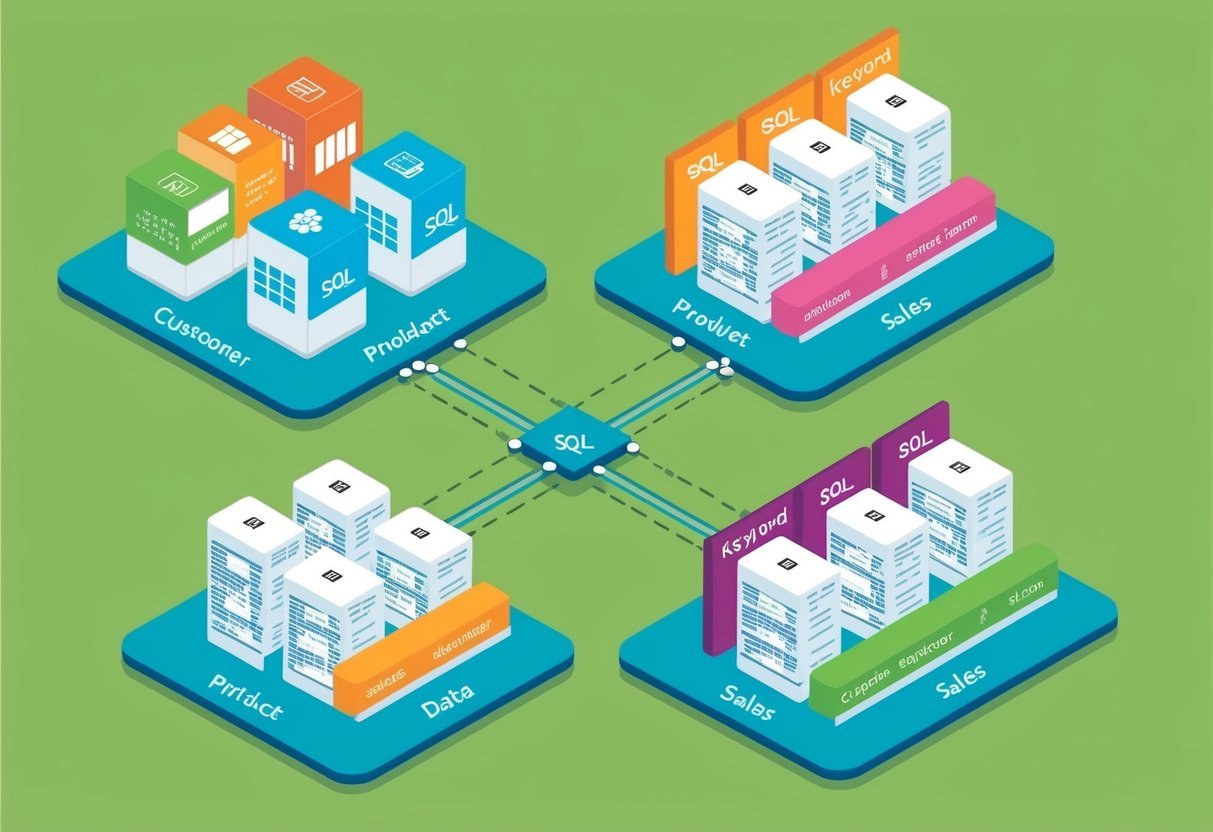
SQL joins are essential for combining data from multiple tables. They enable users to merge and analyze complex datasets effectively. The following sections discuss how different types of joins work.
Inner Joins for Table Merging
Inner joins are a powerful tool for merging tables based on a common column. They retrieve rows with matching values in both tables, providing a way to explore connected data points.
For example, if a student table and a course table share an ID, an inner join helps find which students are enrolled in specific courses.
To execute an inner join, use the INNER JOIN keyword in an SQL query. It ensures that only the rows with overlapping values in both tables appear in the result set.
This type of join is widely used in data analysis and can handle large datasets efficiently. Inner joins are particularly helpful when clear relationships need to be established between datasets.
Outer Joins and Complex Data Relationships
Outer joins, including left and right joins, are used when data from one or both tables need to be retained even if there is no match.
A left join keeps all records from the left table and matching records from the right one. A right join does the opposite.
These joins are vital for analyzing more complicated data sets, where incomplete information could be important.
Consider using a left join or right join when some records should appear in the results regardless of having matches in the related table. They are particularly useful in scenarios where data availability varies across tables. Outer joins allow users to preserve context and ensure critical insights are not lost when working with large datasets.
SQL for Data Analysts

SQL is crucial for data analysts because it allows them to effectively retrieve and manipulate data. By mastering SQL, analysts can efficiently clean, sort, and transform data into actionable insights.
The Role of SQL in Data Analysis Professions
In data analysis professions, SQL plays a vital role in handling large datasets. Analysts often use SQL to sort, filter, and compute data. This is crucial for companies that rely on data-driven decision-making.
SQL skills allow analysts to extract insights from databases, making their work more efficient and precise.
SQL’s ability to handle structured data sets is essential for businesses that deal with complex data relationships. This makes SQL a valuable tool for any data-driven role, including business intelligence and data science.
SQL Skills Essential for Data Analysts
Data analysts need a solid foundation in key SQL skills to succeed.
Understanding SQL basics such as SELECT statements, JOIN operations, and WHERE clauses is crucial. These allow analysts to efficiently query databases and extract necessary information.
Advanced SQL skills, like writing complex queries and using aggregate functions, enable analysts to perform deeper data analysis.
Consistent SQL practice, such as through a structured SQL tutorial, helps build these skills.
Developing proficiency in SQL makes data manipulation and analysis efficient and precise, which are vital for success in data analysis roles.
Frequently Asked Questions

Learning SQL for data analysis can be approached from several angles. Beginners might wonder about the resources available, the necessity of programming experience, the focus areas within SQL, effective practice methods, and the necessity of proficiency in SQL.
What are the best resources for a beginner to learn SQL for data analysis?
Beginners have many options to start learning SQL. Platforms like Coursera and Dataquest offer comprehensive tutorials and courses focused on data analysis. Books and online tutorials can also provide step-by-step guidance.
Can one learn SQL without any prior experience in programming for data analysis purposes?
Yes, SQL is often considered user-friendly for newcomers. It is a query language rather than a full programming language, making it accessible even without prior coding experience. Many introductory courses focus on building skills from the ground up.
What variations of SQL should a data analyst focus on to enhance their skill set?
Data analysts should become familiar with SQL variations like MySQL, PostgreSQL, and Microsoft’s SQL Server. This knowledge will provide versatility when working with different databases. Specialized functions and extensions in these variations can also help tackle diverse data challenges.
How can a beginner practice SQL skills effectively when aiming to use them in data analysis?
Effective ways to practice SQL include completing projects on platforms like LearnSQL.com and participating in online coding challenges. Working with real or simulated datasets helps reinforce SQL concepts and hones analytical skills.
Is it necessary for a data analyst to have proficiency in SQL?
Proficiency in SQL is crucial for data analysts. It allows them to extract, filter, and manipulate data stored in databases easily.
SQL skills enable analysts to access data essential for generating insights and making data-driven decisions.
Where can I find SQL data analysis courses that offer certification upon completion?
Courses offering certification can be found on platforms like Coursera and DataCamp.
These platforms provide structured learning paths with recognized certificates upon completion, which can boost a learner’s credentials.