Categories
Uncategorized

Learn to Create SQL Tables and Databases with Constraints: A Step-by-Step Guide

Understanding SQL and Databases

SQL and databases form the backbone of modern data management. Understanding their basic concepts is crucial for anyone working with data-driven systems.

Basics of SQL

SQL, or Structured Query Language, is a programming language used to manage and manipulate databases. It allows users to perform tasks such as creating tables, inserting data, querying for specific information, and updating records.

By mastering SQL, individuals can efficiently handle data in a database management system.

Common SQL commands include SELECT, INSERT, UPDATE, and DELETE. These allow for retrieving, inserting, altering, and removing data in a database, respectively.

Understanding data types and constraints like PRIMARY KEY and FOREIGN KEY is critical. They ensure data integrity and define how data in different tables relate to each other.

Overview of Databases

Databases store and organize large amounts of data systematically. They are essential in a data-driven world to store, retrieve, and manage data efficiently.

Relational databases use a structured format with tables comprising rows and columns to keep data organized. Each table represents a different entity, and relationships between these tables are defined using keys.

A database management system (DBMS) provides the tools required to interact with databases, ensuring data consistency, security, and easy access.

As the digital landscape grows, databases play a key role in supporting applications across industries, from finance to healthcare. Understanding these principles is fundamental for efficient data management.

Preparing to Create a Database

Setting up a database involves installing SQL Server and using a tool like SQL Server Management Studio (SSMS) to interact with the database. This section explores these necessary steps, ensuring a smooth start to database creation.

Install SQL Server

SQL Server is a relational database management system developed by Microsoft. It is essential to install it correctly to begin creating and managing databases.

First, download the installer from the official Microsoft website. The installer will guide you through the setup process.

Users can choose different editions, including Developer and Express, suited for various needs. The Developer edition provides full feature access, making it ideal for testing and development.

During installation, select a proper authentication mode. Windows authentication is recommended for single-user environments, while mixed-mode includes both SQL and Windows authentication for more flexibility.

It’s crucial to set a strong password for the SQL Server system administrator (sa) account if using mixed-mode.

Configuring instance layouts is another choice; selecting either a default or named instance helps you manage multiple installations on one machine.

Introduction to SQL Server Management Studio

SQL Server Management Studio (SSMS) is a powerful tool used for managing SQL Server databases. It offers a graphical interface to perform database management tasks, including database creation.

After installation, launch SSMS and connect to your SQL Server instance.

Navigating SSMS efficiently requires familiarity with its components. The Object Explorer pane allows users to view and manage database objects like tables, views, and stored procedures.

To create a new database, right-click on the ‘Databases’ node and select ‘New Database.’

SSMS supports running queries through an intuitive query editor. It’s also essential for scripting tasks, enabling the automation of database management routines.

For those new to SSMS, exploring its built-in features and keyboard shortcuts enhances productivity. Regular updates from Microsoft introduce new features and improvements, so keeping SSMS updated ensures access to the latest tools.

Defining Data Types and Structures

Choosing the right data types and structures is crucial for storing and processing data efficiently in SQL. This ensures data integrity and optimizes the performance of queries and storage.

Common SQL Data Types

SQL offers a variety of data types to accommodate different kinds of information. Integers (int) are used for whole numbers. For more precise calculations, real or float types handle decimal numbers.

Textual data can be stored in varchar or text fields; varchar(n) allows variable-length strings up to a specified length, while text is used for longer strings without a maximum length limit.

For logical data, SQL provides the boolean type, which stores true/false values. Datetime is utilized for storing date and time information.

Choosing the correct type is important to ensure data integrity and optimize space usage.

Choosing Appropriate Data Types

When selecting data types, several factors should be considered to maintain efficient storage.

Integrity is a key factor; choose types that match the nature of the data. For example, store numbers in int or float depending on whether decimals are needed.

Performance can be affected by data types as well. Using varchar instead of text when appropriate can reduce storage space. The ability to index data types like datetime can also increase query efficiency.

It’s essential to balance the size and usability of data types to ensure optimal database performance.

Creating Tables in SQL

Creating tables is a fundamental part of building databases in SQL. It involves defining the structure of a table by specifying its columns and data types. This allows for the organized storage and retrieval of data.

The CREATE TABLE Statement Syntax

The CREATE TABLE statement is used to create a new table in a database. This statement requires specifying the name of the table and defining each column’s attributes.

The basic syntax includes the table name followed by a list of columns inside parentheses. Each column definition consists of a column name and a data type. For example:

CREATE TABLE employees (
    employee_id INT,
    first_name VARCHAR(50),
    last_name VARCHAR(50),
    hire_date DATE
);

Some additional options include setting primary keys, default values, and constraints like NOT NULL.

Constraints help maintain data integrity within the table. Creating tables with specific syntax ensures that data input stays consistent and adheres to the intended database design.

Defining Columns and Data Types

Defining columns and choosing appropriate data types are crucial when creating a table. SQL offers a variety of data types, such as INT, VARCHAR, and DATE, each serving a different purpose.

The column name should be descriptive to reflect the information it holds.

Each column can have specific attributes like a primary key, which uniquely identifies each row.

Specifying the right data type helps improve the table’s performance and the integrity of stored data. For example, numerical values should use numeric data types like INT or DECIMAL rather than VARCHAR.

Using the right data types and defining columns precisely ensures a robust and efficient database table structure.

Implementing Primary and Foreign Keys

Implementing primary and foreign keys is essential for creating a structured and reliable database. These keys support unique identification of rows and help maintain integrity between related tables.

Understanding Key Constraints

Primary keys play a crucial role in databases by ensuring that each row in a table is unique. This key is often a specific column, such as an ID number, that does not allow duplicate values.

It helps speed up operations like searching and sorting because each entry can be quickly identified by its unique primary key.

Foreign keys establish links between tables. A foreign key in one table refers to the primary key in another table.

This relationship is vital for maintaining consistency, known as referential integrity. For example, when a foreign key constraint is applied, changes in the primary key table, such as deletions, are checked to ensure they do not break connections to the foreign key table.

Creating Relationships Between Tables

Relationships between tables in a database are built using foreign keys. When a table includes a foreign key, it becomes the child table, while the table with the primary key is the parent table.

By defining these keys, the database design reflects real-world associations, such as a student table linking to a course table through student IDs.

The foreign key constraint requires that the foreign key value matches a primary key value in the parent table. This setup prevents data entry errors and enhances data accuracy.

Additionally, foreign keys can also reference columns within the same table, creating self-referential relationships.

Enforcing Data Integrity with Constraints

Data integrity is vital in database management. Constraints in SQL help ensure that the data remains accurate, reliable, and consistent. This section explains how NOT NULL, UNIQUE, CHECK, and DEFAULT constraints work in maintaining data integrity.

NOT NULL and UNIQUE Constraints

NOT NULL constraints ensure that a column cannot have a missing or null value, which helps maintain completeness in the database records. This means that every row must have an entry in a column marked as NOT NULL, ensuring important data doesn’t end up missing.

UNIQUE constraints are used to maintain uniqueness across entries within a table. This prevents duplicate values from being entered in columns where unique entries are required. For instance, an email field in a user database usually has a UNIQUE constraint to avoid duplicate registrations with the same email address.

Combining NOT NULL and UNIQUE enhances data control, ensuring entries are both present and distinct where necessary.

CHECK and DEFAULT Constraints

CHECK constraints add custom rules to determine what values can be entered into a column. For instance, a CHECK constraint can ensure that a numerical field like age must be greater than zero, thus maintaining the validity of data entries.

They use Boolean logic to evaluate whether data meets predefined conditions before it is accepted.

DEFAULT constraints automatically assign a specified default value if no other value is provided during the data entry. This is helpful in maintaining data consistency. For example, if a column for a “status” in a user profile is often set to “active,” the DEFAULT constraint can fill in “active” unless another value is specified.

Each constraint serves a unique purpose, contributing to a structured and reliable database system.

Using Indexes to Improve Performance

Indexes are vital to speeding up SQL queries. They reduce the workload on databases by allowing faster data retrieval. Implementing effective indexes can greatly enhance database performance.

The Purpose of Indexes

Indexes serve as an efficient way to access data within a database. They function much like an index in a book, allowing users to quickly locate the information they need without scanning each page.

By organizing data into a B-tree structure, indexes streamline access, which can significantly reduce query times.

Businesses heavily utilize indexes to improve their database performance. A non-clustered index is commonly used, which creates a separate structure for the index, leaving the table’s data in its original state. This setup helps manage large databases, as it speeds up searches without altering data organization.

Creating and Managing Indexes

To begin using indexes, one starts with the CREATE INDEX statement in SQL. This statement sets up the index on specified columns of a table. For instance, creating an index on a customer’s name can be done by using CREATE INDEX idx_customers_name ON customers (name).

Managing indexes involves monitoring their performance and updating them as data changes. Regular updates prevent databases from slowing down due to outdated indexing structures.

Poorly chosen indexes can actually hinder performance, so it’s essential to tailor them to the specific needs of the database design and query patterns.

Advanced Table Customization

In SQL, advanced table customization focuses on altering existing tables to better fit data needs and using views to streamline data management.

This involves making precise changes to improve data handling and retrieval.

Altering Existing Tables

Altering existing tables helps adapt a database to changing data requirements. The ALTER TABLE command is vital for modifying table structures.

Users can add, modify, or drop columns, allowing them to update table schemas without data loss. Adding constraints like PRIMARY KEY or UNIQUE ensures data integrity.

For instance, adding an IDENTITY column can simplify sequential data entry.

Detailed use of these commands requires hands-on experience. Practical application helps users understand how to adjust tables smoothly while maintaining data accuracy.

It’s important to keep database service downtime to a minimum during such operations.

Working with Views

Views are virtual tables that help in data management by presenting data in a specific way without altering the actual tables. They act as a layer overbase tables, simplifying complex queries and protecting sensitive data.

Views can combine information from multiple tables, offering a streamlined perspective on the data.

Using views allows users to update data through them, under certain conditions, providing flexibility. They also aid in restricting access to certain rows or columns, ensuring that users interact with only necessary data.

Creating and managing views requires a solid grasp of SQL syntax and understanding of database structure, offering a powerful tool for effective database management.

Applying Best Practices for SQL Table Creation

A computer screen showing a database schema with tables, columns, and constraints

When creating SQL tables, it’s essential to focus on effective design strategies to ensure data reliability and performance.

Key aspects include balancing normalization with denormalization and designing tables that are both secure and scalable. These practices improve data management and system efficiency.

Normalization vs. Denormalization

Understanding the balance between normalization and denormalization is crucial in database design.

Normalization involves organizing data to reduce redundancy and improve data integrity. Techniques like splitting a large table into smaller tables help in achieving this. However, it can sometimes lead to complex queries and slower performance due to excessive joins.

On the other hand, denormalization can improve query performance by storing related data in fewer tables, simplifying access patterns. This approach, while faster for read operations, can increase redundancy and potential anomalies during data updates.

A balanced approach is vital, considering the specific needs of the system. Using a hybrid model often offers the best trade-off between performance and data integrity, accommodating both complex queries and data consistency.

Secure and Scalable Table Design

Security and scalability are essential in table design, impacting both data protection and system growth.

Implementing SQL constraints is a core practice to ensure data validity. Constraints like NOT NULL and UNIQUE prevent invalid entries, maintaining accurate records as noted in resources like W3Schools.

For security, granting appropriate table-level permissions is crucial. Limiting access to only those who need it helps prevent unauthorized data changes.

Scalability requires considering data growth from the beginning. This involves choosing suitable data types and indexing strategies that support efficient data retrieval and management as highlighted in the tutorial from EssentialSQL.

This preemptive planning ensures that the database can handle increased load and data volume over time.

Managing Data Operations

A person creating SQL tables and databases with data entry constraints

Managing data operations in SQL involves inserting, updating, and deleting data while maintaining database integrity. These processes ensure that tables, data entries, and overall data consistency are effectively handled.

Inserting and Updating Data

Inserting new data into tables can be achieved using the INSERT INTO command. This command allows users to add data into specific columns of a table.

When adding data, users should consider data types and constraints to maintain the integrity of the database. SQL commands like CREATE TABLE and INSERT INTO play a key role in this process.

Updating existing data is done using the UPDATE statement. It modifies data in one or more columns of a table based on specified conditions.

For example, changing a customer’s address requires specifying which customer record to update.

Triggers can also automate updates when certain conditions are met. They are set up to run specific SQL commands automatically, ensuring that data remains consistent without manual intervention.

Deleting Data and Dropping Tables

Deleting data from tables is managed through the DELETE command. This command removes specific rows based on given conditions.

Care must be taken, as deleting data is irreversible. It’s crucial to verify conditions before executing this command to prevent loss of important data.

If an entire table is no longer needed, it can be removed with the DROP TABLE command. Dropping a table deletes all associated data and cannot be undone.

Thus, dropping should be performed cautiously and usually involves a backup strategy.

In SQL, deleting and dropping operations require careful planning due to their potentially destructive nature. Safeguards like permissions and triggers help manage these operations effectively, aligning with the goals of data management.

Exploring Database Engines

A computer screen displaying a database schema with tables, columns, and constraints

When creating SQL tables, choosing the right database engine is crucial. Different engines offer unique features and performance aspects. This section explores key comparisons and guides on selecting the best fit for specific needs.

Comparison of SQL Server, MySQL, and PostgreSQL

Microsoft SQL Server is favored for large enterprises due to its robust security features and seamless integration with Microsoft products. It offers comprehensive support, making it suitable for critical applications.

MySQL is well-known for its speed and efficiency in read-heavy operations. It is widely used for web applications and is part of the LAMP stack (Linux, Apache, MySQL, PHP/Perl/Python). MySQL supports a wide range of storage engines, which adds to its flexibility.

PostgreSQL is recognized for its advanced features and compliance with SQL standards. It supports a variety of data types and advanced indexing, which is beneficial for complex queries. PostgreSQL is often chosen for applications requiring complex data operations.

Choosing the Right Database Engine

Selecting the right engine depends on project requirements. Consider the scale of the application and the expected load.

For large-scale operations with deep integration needs, Microsoft SQL Server might be the best option.

MySQL fits well for applications with high transaction volumes and fast read requirements, especially in web development. It is often selected for its performance and ease of use.

For applications needing advanced data capabilities and robust data integrity, PostgreSQL is preferable. It offers powerful data types and supports stored procedures, making it versatile for various application needs.

Understanding these differences helps in making informed decisions that align with organizational goals. Each engine has strengths tailored to different scenarios, ensuring appropriate resource usage and performance.

Frequently Asked Questions

An instructor demonstrating how to create SQL tables with data constraints

Creating SQL tables with constraints ensures data accuracy and integrity. These questions cover essential aspects of how to use various integrity constraints, create databases, and implement constraints in database management.

What are the different types of integrity constraints available in SQL and how do they function?

SQL offers several integrity constraints including PRIMARY KEY, FOREIGN KEY, UNIQUE, NOT NULL, and CHECK.

PRIMARY KEY ensures each row is unique, FOREIGN KEY establishes links between tables, UNIQUE ensures no duplicate values, NOT NULL prevents missing entries, and CHECK limits the values that can be entered.

How can one create a new SQL database with tables that include defined constraints?

To create a database with tables and constraints, the CREATE DATABASE command is first used to set up the database. This is followed by the CREATE TABLE command where constraints like PRIMARY KEY and FOREIGN KEY are included in the table definitions.

For detailed guides, resources like LearnSQL.com are helpful.

Can constraints be added to an existing SQL table, and if so, what is the process?

Yes, constraints can be added to existing tables using the ALTER TABLE command. This command allows users to add constraints such as ADD CONSTRAINT for primary keys or foreign keys.

This modification ensures existing data follows new rules without needing to recreate the table.

What are the steps for writing an SQL script that creates a database including tables with constraints?

Writing an SQL script involves several steps. First, use CREATE DATABASE to establish the database.

Then, within a script, CREATE TABLE statements define each table with appropriate constraints, ensuring data integrity from the start. The script ends with INSERT statements for populating data.

Online tutorials, like those on Coursera, can provide step-by-step guidance.

What is the CHECK constraint and how is it implemented in SQL table creation?

The CHECK constraint ensures that all values in a column meet a specific condition. It is added during table creation with CREATE TABLE or to an existing table with ALTER TABLE.

For example, a salary column can have a CHECK constraint to ensure values are above a certain number. This helps maintain data accuracy.

How does one ensure data integrity in an SQL database through the use of constraints?

Ensuring data integrity involves using constraints effectively.

Utilize PRIMARY KEY to prevent duplicate rows, and FOREIGN KEY to maintain relationships between tables.

NOT NULL ensures essential data is not missing, while UNIQUE prevents duplicate values.

CHECK enforces data value rules. These collectively maintain consistency and accuracy in a database.


Categories
Uncategorized

Learning Data Visualization in SQL: A Comprehensive Guide

Understanding SQL for Data Visualization

SQL, or Structured Query Language, is a powerful tool for interacting with relational databases. It’s essential for retrieving and manipulating data, making it crucial for data visualization tasks.

This section explores the basic SQL concepts necessary to enhance data understanding and extraction from databases.

Essentials of SQL Concepts

SQL serves as the backbone for managing relational databases, enabling users to perform operations such as querying, updating, and organizing data.

At the core, the SELECT statement is vital for choosing specific data columns. This makes it easy to tailor the data that is visualized.

Another key concept, FROM, specifies the tables to pull data from, creating a focus on relevant data sources.

The WHERE clause is critical for filtering data, ensuring that only relevant records are included in analyses. These features help transform raw data into meaningful insights.

Basic data exploration using SQL provides a solid foundation for building complex visualizations. Understanding these elements allows for the creation of effective visual displays that highlight important data trends and relationships.

Data Preparation Techniques

A person using a computer to analyze and visualize data using SQL techniques. Multiple data sets and charts are displayed on the screen

Data preparation is crucial for effective data visualization. It involves ensuring high data quality and performing necessary manipulations to make the data ready for visualization.

Data Quality and Cleaning

Maintaining data quality is essential. Analysts must identify and correct inaccuracies in the dataset. This process involves checking for missing values, removing duplicates, and correcting inconsistencies.

Tools like SQL allow for efficient quality checks using functions such as IS NULL, DISTINCT, and UPDATE.

Consistency is vital. Data must be in a uniform format before analysis. Data types should be standardized, and data entries should follow the same naming conventions. This may include converting date formats or ensuring all text entries are uniform, such as ensuring all names are capitalized.

Regular audits of the dataset can help spot errors. Implementing constraints in SQL, like NOT NULL and UNIQUE, can prevent future errors, ensuring the dataset remains reliable for continuous analysis.

Data Manipulation with SQL

SQL provides robust methods for data manipulation.

Filtering data is one of the primary tasks, and it is done using the WHERE clause. This allows analysts to work with relevant data subsets by specifying conditions the data must meet.

Aggregating data is another critical step. SQL functions like SUM, AVG, and COUNT are used to summarize data, providing insights into large datasets. These functions help in interpreting data trends and patterns by focusing on key metrics.

Grouping and ordering data improve clarity. Using GROUP BY organizes data into categories, while ORDER BY arranges data to highlight trends. This approach enhances the ability to extract actionable insights from datasets, making SQL a powerful tool in data visualization preparation.

SQL Query Fundamentals

A person studying a book on SQL fundamentals, with a computer screen showing data visualization in the background

Understanding the basics of SQL queries is essential for working with data. Key operations include selecting, filtering, sorting, and grouping data, allowing users to manipulate and view information as needed.

Selecting and Filtering Data

The SELECT statement is a crucial part of SQL queries. It retrieves specific columns from a database table. For example, SELECT name, age FROM people; will get names and ages from the table people.

Filtering enhances this by using the WHERE clause. It allows retrieval of rows that meet specific conditions. For instance, SELECT name FROM people WHERE age > 30; will fetch names of individuals older than 30.

Multiple conditions can be combined with AND or OR to refine results further.

Understanding these basic commands helps users focus on desired data without loading entire datasets, thus improving query efficiency. By filtering data at the query stage, unnecessary data processing is minimized, leading to better performance.

Sorting and Grouping Data

Sorting data is achieved using the ORDER BY clause. It sorts the result set by one or more columns. For example, SELECT name, age FROM people ORDER BY age DESC; will list people by age in descending order. This is useful for organizing data based on priority or significance.

Grouping data is managed through the GROUP BY clause. It aggregates data based on one or more columns. For example, SELECT department, COUNT(*) FROM employees GROUP BY department; calculates the number of employees in each department.

The HAVING clause can further filter these groups, for instance, HAVING COUNT(*) > 10 would only include groups with more than 10 members.

These tools allow for powerful data analysis by enabling users to view data from different perspectives and summarize large datasets effectively.

Advanced SQL Queries

Advanced SQL queries help analysts and developers extract more complex insights from databases. This involves using tools like Common Table Expressions (CTEs) and SQL Window Functions, which enhance query clarity and enable sophisticated data analysis.

Common Table Expressions

Common Table Expressions (CTEs) simplify complex queries by breaking them into more manageable parts. They allow users to define a temporary result set within a SQL statement, making the code cleaner.

CTEs are particularly useful for recursive queries, which require iterative processing without the complexity of self-joins or subqueries.

Using a CTE can streamline tasks such as hierarchical data processing or creating complex aggregations. Instead of writing multiple nested queries, a CTE allows the query writer to define a named temporary result that can be referenced multiple times within a single SQL statement. This improves readability and maintainability of SQL scripts by providing clarity and reducing redundancy.

SQL Window Functions

SQL Window Functions perform calculations across rows related to the current row within the result set, without collapsing them into a single output row. This feature is distinct from regular SQL aggregate functions as it retains the rows’ individuality while applying functions like rankings, running totals, and moving averages.

Window functions are defined within the OVER() clause, enabling calculations such as the cumulative sum or moving averages over a specified range.

With SQL Window Functions, users can analyze trends over sequences such as sales growth over time, without altering the structure of the dataset.

They are indispensable in financial analysis and data trend observations, where understanding changes over specified periods is crucial. This set of functions empowers analysts to deliver nuanced insights directly from SQL, facilitating a deeper analysis while keeping the data intact.

Integrating SQL with Data Analysis Tools

A computer screen displaying a SQL query alongside a chart and graph, with a data analysis tool open and SQL code visible

Integrating SQL with modern data analysis tools enhances the ability to handle, process, and visualize data efficiently. This integration combines SQL’s robust querying capabilities with the advanced analytical features of programming languages like Python and R.

SQL and Python Integration

Python is a versatile programming language used widely in data analysis and visualization. It pairs well with SQL for data manipulation and extraction, using libraries like Pandas for data handling.

These libraries can connect directly to SQL databases, allowing users to execute queries and import data easily.

Visualization tools such as Matplotlib and Seaborn work seamlessly with SQL data in Python. Users can create detailed plots that offer deeper insights into datasets.

For interactive charts, Plotly provides features that enable users to build rich, interactive visualizations reflecting real-time SQL data updates.

The flexible integration between SQL and Python is valuable for performing complex data analysis, ensuring data accuracy and enhancing the visual output. This collaboration empowers analysts to use SQL queries to gather data and leverage Python’s analytical strengths to transform and visualize it meaningfully.

SQL and R for Statistical Analysis

R is a powerful language specifically used for statistical analysis and graphical data representation. When integrated with SQL, it becomes a formidable tool for handling complex datasets and performing in-depth analyses.

Libraries like DBI and RMySQL provide interfaces for R to connect to SQL databases, enabling efficient data retrieval.

R’s strong statistical capabilities allow users to perform complex analysis on SQL data outputs. Statistical functions in R can be directly applied to data fetched from SQL databases, facilitating both predictive modeling and hypothesis testing.

Visualization packages in R, such as ggplot2, allow for the creation of custom plots that can highlight trends and patterns within data extracted from SQL.

This synergy enables analysts to capitalize on SQL’s management efficacy and R’s sophisticated statistical tools to comprehensively analyze datasets.

Creating Basic Visualizations with SQL

A computer screen with SQL code and colorful charts displayed

Creating visualizations in SQL involves translating data into a visual format such as charts and graphs. By manipulating SQL queries, data analysts can build visual tools to make data insights clear and accessible.

Basic visualization types include bar charts, pie charts, histograms, and line charts to represent different kinds of data stories effectively.

Charts and Graphs Essentials

Bar charts are ideal for showing comparisons among discrete categories. SQL queries that aggregate data like SUM or COUNT can help prepare data for these charts. Analysts can group and count items to show frequency or totals within each category.

Pie charts represent part-to-whole relationships. Using GROUP BY in SQL helps divide data into segments to display proportions.

Histograms are useful for showing distribution and identifying patterns in data. SQL can be used to calculate and group data into bins, which are then visualized to reflect the data frequency distribution.

Line charts effectively display trends over time. SQL can select and order data chronologically to visualize how data points change over periods. By selecting and arranging data sets appropriately, SQL queries guide in producing straightforward and insightful line charts.

Integrating SQL with visualization tools can enhance the capability to present complex data stories simply and effectively. Data analysts benefit from this synergy by crafting clear visual representations of comprehensive datasets.

Interactive Visualizations and Dashboards

A person using a computer to create interactive visualizations and dashboards while learning data visualization in SQL

Creating interactive visualizations involves using SQL to design engaging dashboards that help users explore data. Utilizing powerful tools like Tableau and Power BI, these dashboards allow for dynamic data presentations, enhancing data analysis and decision-making.

Designing Interactive SQL Dashboards

When designing an interactive SQL dashboard, clarity and usability are critical. Developers focus on arranging visual elements like charts and graphs for easy navigation. Colors and fonts are chosen to make data readable.

Important metrics and KPIs should be upfront. Incorporating filters and drill-down options lets users explore data subsets.

For e-commerce data, displaying sales trends and customer demographics can be useful. The aim is to present complex datasets in an easily digestible format.

Dashboard Tools and Platforms

Several tools facilitate the creation of interactive dashboards.

Tableau is known for its intuitive interface, allowing users to create complex visualizations without deep technical skills. It supports various data sources, including SQL databases, enabling detailed visualization.

Power BI is another popular choice, offering robust features for data connection and visualization. Its integration with Microsoft products makes it a preferred choice for businesses using SQL.

Both tools support real-time data updates, ensuring dashboards reflect the latest information. They offer customizable templates and widgets, allowing users to tailor dashboards to specific needs.

Analyzing Trends and Patterns

A person working at a computer, analyzing data trends and patterns using SQL data visualization tools

Analyzing trends and patterns in data is essential for gaining insights and making informed decisions. This involves examining time-series data and identifying outliers or anomalies that may affect the analysis.

Time-Series Analysis

Time-series analysis focuses on data points collected or recorded at specific time intervals. It helps in recognizing patterns over time, such as seasonality, trends, and cyclic behaviors.

Businesses often utilize this technique to forecast future events based on historical data.

By examining patterns in time-series data, analysts can develop strategies for managing inventory and anticipating market demands.

Using SQL, time-series analysis can identify trends by employing functions such as moving averages or exponential smoothing. These techniques help smooth out short-term fluctuations and highlight longer-term trends.

Visual tools, like line graphs, are common for displaying trends, making it easier to communicate insights to stakeholders. Visualization tools such as Power BI can enhance this process by allowing for more dynamic presentations of data trends.

Identifying Outliers and Anomalies

Outliers and anomalies can skew the interpretation of data, making it crucial to identify and address them properly. These are data points that deviate significantly from the majority of a dataset and can indicate errors, novel insights, or unexpected events.

In SQL, outlier detection can be achieved by using statistical techniques such as standard deviation or percentile ranks. This helps in isolating points that do not fit the expected pattern.

Handling anomalies involves deciding whether to remove them, investigate their causes, or consider them in further analysis.

Analyzing trends often involves identifying these deviations to ensure accurate modeling. Anomalies might uncover new patterns or trends that were previously unnoticed, offering unique insights into the data being studied.

Working with Different Dataset Types

A computer screen displaying various types of datasets with SQL code and visualizations on a desk with a notebook and pen

Analyzing diverse data types can enhance decision-making processes. Focusing on sales data and customer feedback can provide crucial insights for businesses.

Sales and Marketing Data

Sales data is fundamental for understanding a company’s performance in the market. Analyzing these datasets allows businesses to track revenue, identify trends, and optimize strategies.

Key metrics such as total sales volume, product category performance, and regional sales variations are essential when working with sales datasets.

A common approach involves using SQL to extract, aggregate, and filter sales data. This helps to create visualizations that highlight sales trends over time or by demographic segments.

Additionally, interactive dashboards can be developed to offer more detailed breakdowns and comparisons, improving strategic planning and resource allocation.

Customer Feedback Analysis

Customer feedback data provides valuable insights into customer satisfaction and areas for improvement. This dataset often includes survey responses, reviews, and service tickets.

It is crucial for identifying patterns in customer preferences and common issues faced by customers.

By using SQL queries, analysts can segment feedback by category, rating, or geographic location. This helps in pinpointing strengths and weaknesses in products or services.

Visual tools can then translate this data into actionable insights, enhancing customer experience by addressing specific concerns and recognizing positive trends. The analysis of customer feedback can lead to improved products and more effective marketing strategies.

Data Visualization for Business Decision-Making

A laptop displaying a SQL data visualization dashboard, with charts and graphs representing business data for decision-making

Effective data visualization is key to making business decisions. By transforming complex data into visual formats, companies can gain insights rapidly. Visual tools like charts and graphs make patterns and trends clear.

Businesses rely on visualizations to create insightful reports. These reports help stakeholders understand the data’s impact on strategic goals. Graphs and charts can illustrate sales performance and market trends.

Data-driven insights support informed decision-making. Visualizations allow decision-makers to assess data credibility quickly. This approach minimizes risks and fosters confidence in choices made.

List of Benefits:

  • Simplifies complex data
  • Enhances trend identification
  • Aids in storytelling

A compelling visualization captures the audience’s attention. It presents information in an engaging manner, ensuring stakeholders comprehend the message. This ensures that the data can drive meaningful actions that align with goals.

For those looking to deepen their understanding, the importance of data visualization in business settings is emphasized through various resources. Understanding how to leverage visual tools can help businesses navigate complex environments effectively.

Best Practices for SQL Data Visualization

A laptop displaying a SQL database with colorful, interactive charts and graphs

In the realm of SQL data visualization, accuracy and ethical considerations are crucial. Ensuring precise representations avoids misleading results, while ethical presentation maintains integrity and trust.

Ensuring Accurate Representations

Accurate data visualization starts with clean and correct data. Analysts should employ SQL queries that minimize errors.

Using SQL’s error-checking features helps avoid mistakes during data extraction and manipulation.

A significant aspect of accuracy is selecting appropriate visualization types. For example, bar charts effectively compare values, while line graphs are ideal for trends over time.

Consistency in scales, colors, and formats ensures clarity. Automatic tools and libraries, like Plotly and Bokeh, assist in maintaining standards by offering pre-set structures and validation options.

Ethical Considerations in Data Presentation

Ethics in data visualization deal with honesty and transparency. Presenting data without bias avoids skewing audience perceptions.

It’s vital to clearly label axes and scales to prevent misunderstanding. Avoid using exaggerated scales that might mislead viewers.

Ethical considerations also encompass data privacy. Data professionals must ensure data is anonymized if required, protecting individual identities.

Following ethical guidelines preserves trust and demonstrates professionalism. Organizations, such as Five, emphasize the importance of filters and reports that align with ethical standards, ensuring end-users receive true insights.

Frequently Asked Questions

A person studying a book titled "Frequently Asked Questions Learning Data Visualization in SQL" with a computer and charts in the background

Learning data visualization in SQL involves understanding best practices, utilizing tools, and grasping concepts such as schema visualization and the role of psychology. Exploring practical applications like using Tableau Public can enhance the effectiveness of SQL-based data visualizations.

What are the best practices for learning data visualization with SQL Server?

Best practices include starting with basic queries to manipulate and extract data. Understanding different SQL functions and how they impact visualization is crucial.

Regular practice and experimenting with real datasets helps build skills. Learning to use SQL Server’s built-in visualization tools can also be beneficial.

What open-source SQL data visualization tools are available?

Open-source tools like Grafana and Metabase can be used to create interactive visualizations from SQL data. They offer user-friendly interfaces and support multiple data sources.

Exploring these tools provides valuable experience in data visualization without needing proprietary software.

How can one visualize a SQL database schema?

Visualizing a SQL database schema can be done with tools like DBDiagram or using SQL Server Management Studio’s diagram functionality. These tools help in creating visual representations of tables, relationships, and keys, making it easier to understand and manage complex databases.

Are there online SQL visualization tools for beginners?

Yes, beginners can use Chartio or Google Data Studio to create simple visualizations from SQL queries. These platforms offer drag-and-drop features and intuitive interfaces, making it easier for newcomers to get started with data visualization.

What is the role of psychology in effective data visualization?

Psychology plays a crucial role by influencing how visual elements are perceived. Understanding concepts like color theory, cognitive load, and visual hierarchy can enhance the clarity and impact of data visualizations. Effective visuals can lead to better insights and decision-making.

How can Tableau Public be utilized for SQL-based data visualizations?

Tableau Public is a free tool that allows users to connect to SQL databases and create interactive dashboards. By leveraging its features, users can transform complex data into compelling visuals.

This tool provides an excellent platform for sharing insights derived from SQL data.

Categories
Uncategorized

Learning How To Program Database Objects: Streamlining Code for Team Efficiency

Understanding Database Objects in SQL Server

Database objects in SQL Server are essential components used to store, manage, and organize data. They help users efficiently handle large sets of information.

Tables are the backbone of any database. They store data in rows and columns, each with defined data types. This structure makes it easy to retrieve and manipulate specific data.

Views act like virtual tables. They don’t store data themselves but present it from other tables. This way, users can see a customized version of the data without altering the original tables.

Stored Procedures are precompiled batches of SQL statements. They perform tasks like data validation or manipulation, reducing the need for repeated code. These procedures enhance performance by minimizing the repetition of SQL code execution.

Functions offer predefined, reusable actions. Unlike stored procedures, they must return a value. They can take inputs and produce outputs, helping perform calculations and data transformations within queries.

Triggers are special types of stored procedures that automatically run when certain database events occur, like updates or deletions. They ensure data integrity by enforcing rules without manual intervention.

These database objects are integral to SQL Server, helping both individuals and teams manage data efficiently. Learning how to use them can greatly enhance productivity and accuracy in data management tasks. Each object serves specific purposes, making them valuable tools in any well-maintained database system.

Essentials of SQL Queries

A computer screen displaying SQL code for user defined functions and stored procedures

SQL queries are essential for interacting with databases. They allow users to efficiently retrieve, insert, update, and delete data. Understanding these commands can greatly enhance database performance and management.

Each command, such as SELECT, INSERT, UPDATE, and DELETE, plays a specific role in handling data.

Retrieving Data with the Select Statement

The SELECT statement is a fundamental query in SQL, used to retrieve data from one or more tables. It allows users to specify columns and conditions to filter the data.

Typically, the syntax begins with SELECT, followed by the column names and FROM to specify the table.

In SQL, a basic SELECT query might look like this:

SELECT first_name, last_name FROM employees WHERE department = 'Sales';

Here, the query fetches the first and last names of employees working in the sales department. Users can combine the SELECT statement with various clauses like WHERE, ORDER BY, and GROUP BY to refine the query results effectively.

Inserting Data with the Insert Command

The INSERT command adds new rows to a table. Users must specify which table to insert data into and provide the values for required columns.

The syntax generally starts with INSERT INTO, followed by the table name, the list of columns, and the VALUES clause with the corresponding data values.

For example:

INSERT INTO employees (first_name, last_name, department) VALUES ('John', 'Doe', 'Marketing');

This command inserts a new employee, John Doe, into the Marketing department. Handling potential errors is crucial, such as ensuring the correct data types for each column and considering constraints like NOT NULL.

Updating Records with the Update Statement

The UPDATE statement modifies existing data within a table. Users can change one or more records by specifying conditions that identify which rows to update.

The syntax begins with UPDATE, followed by the table name, the SET clause for new values, and WHERE to specify the condition:

UPDATE employees SET department = 'HR' WHERE first_name = 'John' AND last_name = 'Doe';

This command moves John Doe to the HR department. Always use the WHERE clause carefully to avoid updating unintended records. Including backup steps is also advisable to prevent accidental data loss.

Deleting Data with the Delete Command

The DELETE command removes rows from a table. It requires careful handling to ensure the correct records are deleted without affecting others.

The command structure starts with DELETE FROM, followed by the table name, with an optional WHERE clause to specify the rows to delete:

DELETE FROM employees WHERE last_name = 'Smith';

This command deletes all employees with the last name Smith. Without a WHERE clause, all records will be removed, so caution is necessary. Implementing checks or backups can prevent unwanted deletions and data loss.

User-Defined Functions (UDFs)

User-Defined Functions (UDFs) allow developers to extend database systems by writing custom functions. This can enhance the functionality beyond built-in options, enabling specific data operations and calculations customized to the user’s needs.

Types and Uses of UDFs

UDFs can be categorized based on various parameters such as the type of inputs they handle and the data they return.

Common types include scalar UDFs, which return a single value, and table UDFs, which return a table.

Scalar UDFs are often used to perform calculations or transformations on one row at a time.

Table UDFs, on the other hand, process multiple rows and can return multiple columns. They are particularly useful in scenarios where a result set needs to be manipulated or filtered based on complex logic.

These functions can handle different data types like integers or strings, which makes them versatile in various applications.

Creating and Managing UDFs

To create a UDF, developers define the function using a language supported by the database, such as SQL, Python, or JavaScript. Each UDF includes parameters that specify the inputs the function will handle.

For example, developers can use the Snowpark API to create UDFs in Python.

Managing UDFs involves ensuring they execute securely and efficiently. Best practices include granting the right privileges and performing regular audits to prevent unauthorized access.

As part of management, one might ensure functions convert data accurately, such as using functions to convert data formats or extract a date with GETDATE(). Proper management enhances performance and maintains data security.

Stored Procedure Advantages

Stored procedures offer several benefits that can significantly improve database management. These include ensuring code reuse, enhancing performance, and providing robust security. Understanding these advantages can help in effectively leveraging stored procedures in any database environment.

Encapsulation and Reusability

Stored procedures encapsulate complex SQL logic within the database. This means that the same logic can be reused without having to rewrite SQL queries repeatedly. It simplifies database operations for developers and database administrators. When changes are needed, they only have to be done in one place.

Additionally, by encapsulating logic, stored procedures promote a modular approach. They allow different parts of an application to call and use the procedure, ensuring consistent and error-free execution. This modularity supports easier maintenance and improves code organization.

Performance Benefits

By reducing the amount of data sent between the server and the client, stored procedures enhance performance. They are precompiled, which means the database server can run them faster than ad-hoc SQL statements. This is vital for applications with high data processing demands.

Also, stored procedures help in efficient query processing. Over time, the database server optimizes execution plans for stored procedures, further improving speed.

These performance gains can be especially noticeable in applications requiring frequent or complex database interactions.

Security Enhancements

Stored procedures add a layer of security by controlling data access and operations. They can implement business rules within the database, thus reducing the risk of unauthorized data manipulation.

Users can be granted permissions to execute specific procedures without direct access to the underlying tables.

Moreover, stored procedures minimize the risk of SQL injection attacks. By parameterizing queries, they create a safe execution environment, protecting sensitive data.

These advantages demonstrate why stored procedures are a valuable tool in database management, providing encapsulation, performance benefits, and security enhancements. They make database operations more efficient, secure, and maintainable. For more details on the benefits, you can refer to articles like those on SQL Shack and GeeksforGeeks.

Writing and Managing Stored Procedures

Writing stored procedures involves understanding their syntax and structure, utilizing control-of-flow with T-SQL, and handling errors and transactions effectively. These core concepts ensure robust database operations and efficient management of frequently used SQL statements.

Syntax and Structure of Stored Procedures

Creating a stored procedure involves defining it using a specific syntax. To start, use the CREATE PROCEDURE statement, followed by procedure name and parameter list. Inside the procedure, SQL statements are written to perform desired operations.

For instance, a basic syntax would look like this:

CREATE PROCEDURE procedure_name
    @parameter_name data_type = default_value
AS
BEGIN
    SQL_statement
END

Parameters make procedures flexible, allowing users to input values when executing the stored procedure. It’s essential to follow the correct order: parameter declaration, followed by the main SQL logic within BEGIN and END. Making it dynamic allows for changing values without altering the code body itself.

Control-of-Flow with T-SQL in SPs

Control-of-flow in stored procedures employs T-SQL constructs to manage the sequence of statements executed. Commonly used statements include IF...ELSE, WHILE, and CASE.

For example, IF...ELSE can help run different blocks of code based on certain conditions.

Here’s an example:

IF @condition = 'value'
BEGIN
    SQL_statement
END
ELSE
BEGIN
    SQL_statement
END

These constructs provide flexibility and control, enabling stored procedures to handle various scenarios. They ensure that the procedure adapts to inputs and system states, promoting efficiency.

Additionally, T-SQL offers commands like ALTER PROC to modify existing procedures without rewriting them entirely.

Error Handling and Transactions

Error handling in stored procedures is crucial to maintain data integrity. Using TRY...CATCH blocks, developers can catch errors and respond appropriately.

Here’s a basic structure:

BEGIN TRY
    SQL_statement
END TRY
BEGIN CATCH
    Error_handling_statement
END CATCH

Transactions further ensure consistency by grouping multiple operations as a single unit. Use BEGIN TRANSACTION, COMMIT, and ROLLBACK to manage these.

This ensures either all operations succeed, or none is applied, preventing partial updates.

Parameterization in Stored Procedures

Stored procedures often use parameters to make queries flexible and dynamic. These parameters serve as placeholders, allowing developers to insert different values when executing a procedure. This avoids hardcoding values and enhances reusability.

In a user-defined stored procedure, input parameters let the caller pass specific data. Suppose a procedure fetches customer orders based on inputs like customer ID or order date. The procedure runs with any combination of these parameters, making it versatile.

Input parameters also improve security. They help limit SQL injection risks by safely handling user data. Instead of directly inserting user data into SQL statements, parameters ensure that execution handles data appropriately.

Here’s a simple example:

CREATE PROCEDURE GetOrderDetails
    @CustomerID INT,
    @OrderDate DATE
AS
BEGIN
    SELECT *
    FROM Orders
    WHERE CustomerID = @CustomerID AND OrderDate = @OrderDate
END

This procedure takes two parameters: @CustomerID and @OrderDate. Users input these to receive specific order details. Parameters like these make stored procedures more efficient, safer, and easier to maintain.

Parameterized stored procedures can also boost performance. The database engine caches execution plans for these procedures, reducing the need for recompilation. This feature makes repeated execution faster, especially when procedures are complex.

Understanding Transactions and Locking Mechanisms

A programmer writing code for database objects with a focus on transactions and locking mechanisms

Database transactions play a key role in maintaining data integrity. In SQL Server, a transaction is a sequence of operations performed as a single logical unit. For successful execution, it follows the ACID properties: Atomicity, Consistency, Isolation, and Durability. These ensure that transactions are completed fully or not at all.

Locks are crucial for handling concurrency when multiple users access data. They prevent conflicts that could lead to data corruption. SQL Server uses various lock types, such as shared, exclusive, and update locks, to manage data access securely. Each type has specific purposes, affecting how data is read or modified.

Transaction Types:

  • Implicit Transactions: Automatically start with data modification statements.
  • Explicit Transactions: Manually start and end using BEGIN TRANSACTION and COMMIT or ROLLBACK statements.

Locking Mechanisms:

Locks come in different granularities, from row-level to table-level, depending on the operation’s scope. In large transactions, row-level locks can improve performance by reducing contention.

When a transaction needs to secure data, a process called blocking can occur. If not managed, this can lead to deadlocks, where two or more transactions wait indefinitely for resources held by each other, halting progress.

Transact-SQL supports defining transactions and managing locks effectively. Well-written database code can minimize contention and enhance performance. With Oracle Database, managing transactions ensures efficient and error-free database operations.

Securing Database Objects

A programmer creating and organizing database objects on a computer screen

Securing database objects such as stored procedures and user-defined functions is crucial to protect data and maintain integrity. Key aspects include implementing permissions correctly and following best practices for database security to prevent unauthorized access and data breaches.

Implementing Permissions

Granting the appropriate permissions is essential for database security. These permissions determine who can view, change, or delete data. By using stored procedures, access can be controlled without exposing the base tables directly. For example, SQL Server checks security on stored procedures instead of the underlying tables as long as they share the same owner. This method keeps sensitive data safeguarded while still allowing necessary operations.

Developers should define roles and assign permissions based on user needs. Least privilege is a vital principle, ensuring users only have access that is essential for their role. Regular audits of user permissions help ensure compliance with this principle and can uncover any excess privileges that might pose a security risk.

Best Practices for Database Security

Best practices for securing database objects include employing strong authentication methods and ensuring data encryption both at rest and in transit. Encryption is vital to safeguard data from unauthorized access. Additionally, implementing security patches regularly can prevent vulnerabilities from being exploited by malicious entities.

It’s also important to use parameterized queries instead of directly embedding user inputs in SQL statements. This practice avoids infection from SQL injection attacks. Regularly reviewing security logs and conducting vulnerability assessments are critical to identifying potential threats and understanding the security landscape, thereby enhancing the overall security posture.

Finally, backup policies should be established to recover data in case of a security breach, ensuring business continuity and data restoration after any data loss incidents.

Optimization Techniques for Queries and Stored Procedures

A programmer writing code for database optimization techniques

Optimizing database queries and stored procedures is essential for enhancing performance. One effective technique is to avoid using the prefix “sp_” in stored procedure names. This prevents unnecessary searches in the master database, reducing overhead and potential errors. For more insights on this, see SQL Server’s stored procedure optimization tips.

When dealing with complex calculations, it’s beneficial to use scalar variables or parameters rather than operating directly on columns. This strategy helps streamline processing. For further tips, consider exploring SQL Server’s query optimization techniques.

Modular programming in SQL should be approached with caution. Though breaking down code can be helpful, avoid using scalar user-defined functions too often since they can slow down performance by acting like loops. For additional advice, check out how to optimize stored procedures.

Utilizing aggregate functions wisely can enhance efficiency. Ensure that any complex logic is moved away from database columns and managed through parameters. More on query techniques can be found in SQL Shack’s article on SQL Server tips and tricks.

Code reuse is another key component of optimization. By storing frequently used queries in stored procedures or views, maintainability and readability improve. This approach not only aids in developing efficient systems but also supports team collaboration by providing clear and shared resources.

Effective Naming Conventions

A programmer creating and organizing database objects like functions and procedures in a virtual workspace

Naming conventions are essential in programming database objects like stored procedures and user-defined functions. A consistent naming strategy helps in maintaining clarity and reduces the chances of errors.

Stored Procedures: Avoid using the sp_ prefix for stored procedures. This prefix is reserved for system procedures and can create confusion, causing the database to search the master database unnecessarily. Use descriptive names that clearly define the procedure’s purpose, such as get_user_info.

User-Defined Functions: Prefix user-defined functions with fn_ to distinguish them from other functions. This practice helps identify them as custom functions, which enhances organization and usability within the code.

A list of practical best practices for naming includes:

  • Use underscores (_) to separate words for readability, like user_details.
  • Avoid abbreviations that are not universally understood.
  • Keep names short but meaningful.

An example of a naming convention table:

Object Type Convention Example
Stored Procedure verb_noun get_customer_data
User-Defined Function fn_verb_noun fn_calculate_tax
Table noun employee
Column data_type_noun int_age

Foreign Keys: Name foreign keys with the format fk_primaryTable_secondaryTable. This format clearly shows the relationship between tables and aids in database navigation and management.

Consistency in naming conventions makes your database more intuitive, aiding both new and experienced team members. Effective naming conventions enhance code readability and maintainability.

Utilizing SQL Server Management Studio (SSMS)

A person working on a computer, using SQL Server Management Studio to create user defined functions and stored procedures

SQL Server Management Studio (SSMS) is an important tool for database management. It provides a complete interface to manage all SQL Server components. Users can interact with databases, query engines, and more using this powerful environment.

Connecting to a Server: To start, launch SSMS and connect to a SQL Server instance. Input the server name, authentication type, and credentials. Once connected, users can access their databases.

Creating Database Objects: SSMS allows for the creation and management of various database objects. For instance, users can develop user-defined functions and stored procedures using the SSMS Query Editor. This editor supports writing, testing, and saving T-SQL queries, covering a broad range of database operations.

Query Editing and Execution: SSMS’s Query Editor is key for database operations. It helps in crafting queries, executing them, and viewing results. This feature aids in creating efficient database routines, such as stored procedures and user-defined functions.

Generating Scripts: Users can generate scripts for database objects in SSMS. Right-click a database, choose ‘Tasks,’ then ‘Generate Scripts.’ This generates script templates, making it easier to manage database changes.

Organizing with Folders: Databases and objects can be organized using folders in SSMS. Expand database nodes to see tables, views, and other objects. This visual organization simplifies managing complex databases.

SSMS is compatible with SQL Server, Azure SQL Database, and more. Users can access both on-premises and cloud-based databases efficiently. This versatility enables seamless database administration across different environments.

Integrating with Other Database Objects

A programmer creating database objects like user-defined functions and stored procedures

Integrating stored procedures and user-defined functions with other database objects is essential for efficient database management. Stored procedures can interact with views to retrieve data quickly. They can execute complex queries and return datasets, simplifying data analysis for developers and analysts.

User-defined functions are versatile. They can be used in SELECT statements to manipulate data on-the-fly. For instance, computing totals or averages becomes straightforward with functions in SQL queries.

A foreign key helps maintain data integrity between tables. Stored procedures can leverage foreign keys to join tables seamlessly. By ensuring relationships between tables, they keep the data consistent and reliable.

Example: Using a Stored Procedure with a View

A view can summarize data from one or more tables. Integrating a stored procedure with a view can simplify the process of retrieving detailed datasets. This combination can reduce network traffic, as complex logic is processed within the database.

Advantages:

  • Reduced Network Traffic: Only necessary data is sent over the network.
  • Security: Procedures help in controlling access to data manipulation operations.
  • Centralized Logic: Complex business logic can be encapsulated.

Example Code Snippet:

CREATE PROCEDURE GetEmployeeData
AS
BEGIN
    SELECT EmployeeID, FirstName, LastName FROM EmployeeView
END

By using these techniques, database management becomes more streamlined. Consistent use of procedures and functions ensures robust, scalable database systems that can adapt to changing needs.

Frequently Asked Questions

A programmer creating database objects with code and diagrams

Database objects like stored procedures and user-defined functions improve program efficiency and usability. They help interact with databases more effectively by allowing code reuse and controlled data manipulation. Understanding how to implement these objects is crucial for software development and database management.

How can I create a stored procedure to retrieve data from a specific table?

To create a stored procedure, the CREATE PROCEDURE statement is used. After specifying the procedure’s name, a SELECT statement is included to query the desired table. Execution permissions may need adjustment based on user roles. Consider performance optimization when dealing with large datasets.

What is the process for executing a stored procedure with parameters and obtaining a return value in C#?

In C#, calling a stored procedure with parameters involves using the SqlCommand object. Parameters are added with SqlParameter, and executing the procedure is typically done with ExecuteReader or ExecuteScalar, depending on the outcome needed. Handling exceptions and return values correctly is essential.

In what ways do user-defined functions differ from stored procedures, and under which circumstances is each one preferred?

User-defined functions and stored procedures both interact with SQL, but functions return values while procedures can perform actions without returning anything. Use functions for computation and manipulation within queries; procedures suit complex operations and database changes.

What steps are involved in generating a script for an existing stored procedure in SQL Server?

Creating a script for a stored procedure requires accessing SQL Server Management Studio. Here, users right-click the procedure and select “Script Procedure as,” followed by creation in a new query window. This allows viewing and modification of the existing script.

How can one utilize the Entity Framework to execute a stored procedure and work with its result set?

Using Entity Framework, stored procedures can be called by configuring the context class with a function import. The result can be mapped to entity classes or scalar values. This integration enables strong typing and easier data handling within .NET applications.

What database component should be used to structure the database and manage objects such as stored procedures?

For efficient management, SQL Server databases employ schemas, which provide organization and security for objects like stored procedures and tables.

Schemas help manage permissions and maintain object namespaces to avoid conflicts, supporting better database management practices.

Categories
Uncategorized

Learning about Linear Regression – Cost Functions Explained Clearly

Understanding Linear Regression

Linear regression is a key method used to model the relationship between variables. It helps in predicting outcomes and provides insights through data analysis.

This section explores the basics of linear regression and delves into how variables play a significant role in this modeling technique.

Fundamentals of Linear Regression

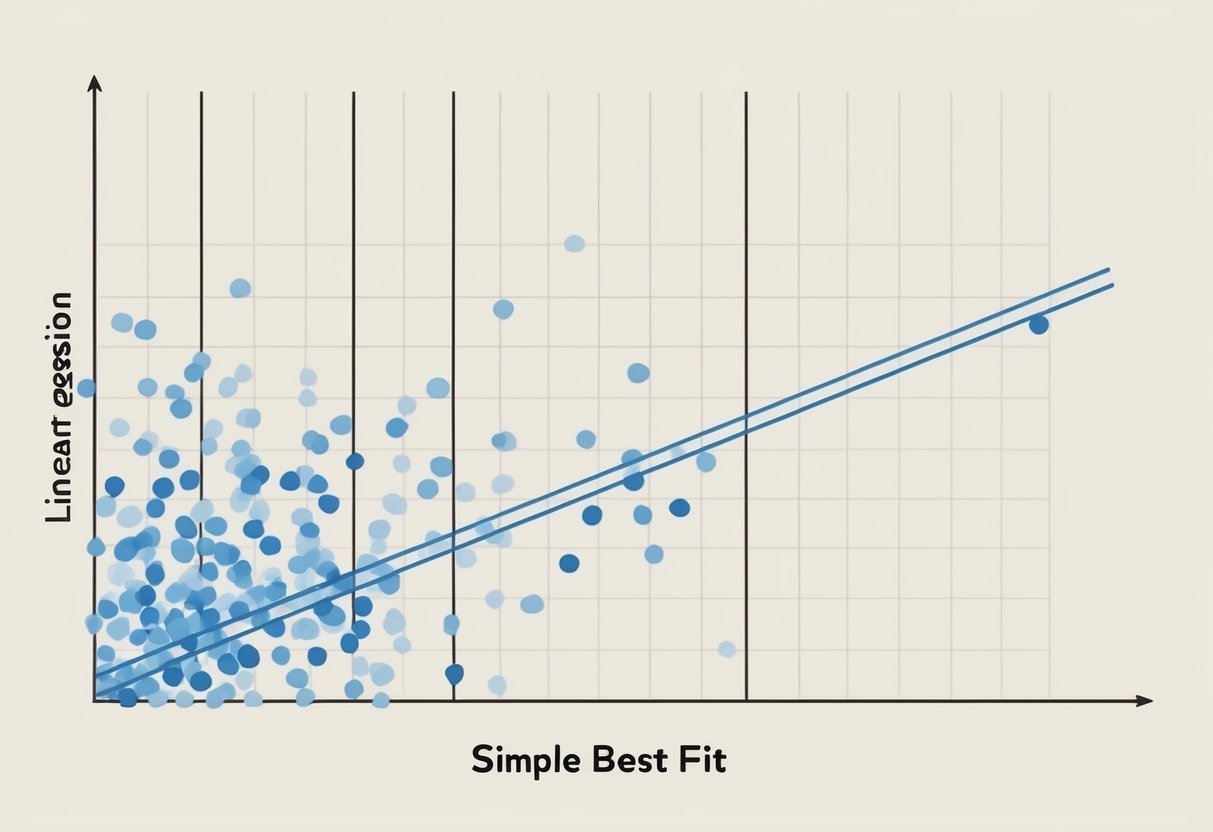
Linear regression is a simple yet powerful tool for predictive analysis. It involves finding a line that best fits the data points on a graph, representing the relationship between the independent and dependent variables.

The cost function, such as the mean squared error, is used to evaluate how well the line fits the data.

The main aim is to minimize this cost function to get an accurate model. It is essential in various fields like finance, biology, and economics.

Key components include the slope, which indicates how much change in the independent variable affects the dependent variable, and the intercept, which shows where the line crosses the y-axis.

By understanding these elements, one can effectively employ linear regression for data interpretation and decision making.

Role of Variables in Regression Analysis

In linear regression, the role of variables is crucial. The dependent variable is what you aim to predict or explain, while the independent variable(s) are the factors you believe have an impact on this outcome.

Selecting the right variables is essential for creating a reliable model.

Often, multiple independent variables are used to increase accuracy, known as multiple linear regression.

Variables need to be carefully analyzed for correlation and causation to avoid misleading results.

It’s the analysis of these variables that helps in adjusting the model to reflect real-world conditions more accurately.

Tools like scatter plots or correlation coefficients are often used to identify relationships before applying them in regression analysis.

Introduction to Cost Functions

Cost functions play a crucial role in assessing how well a model performs by comparing predictions with actual values. They are vital in fine-tuning and optimizing machine learning models to improve accuracy and efficiency.

Definition and Purpose

A cost function, also known as a loss function, measures the error or difference between predicted values and actual outcomes. It provides a quantitative way to evaluate the performance of a machine learning model.

In essence, the cost function aims to minimize errors to enhance model predictions.

For example, in linear regression, the Mean Squared Error (MSE) is a common cost function used to calculate the average squared differences between predicted and actual values.

By reducing the cost value, a model becomes more accurate.

Gradient descent is a popular method for optimizing the cost function, allowing the model to adjust its parameters systematically. GeeksforGeeks illustrates how fine-tuning the cost function can lead to perfect model predictions with minimal error.

Importance in Machine Learning

In machine learning, choosing the right cost function is vital as it directly influences the model’s performance and reliability.

Different problems require different cost functions to ensure that a model’s predictions align closely with actual data.

Accurate cost functions are essential as they help determine how well a model generalizes to unseen data.

For linear regression, common cost functions include MSE and Mean Absolute Error (MAE), which serve distinct purposes depending on error sensitivity requirements.

Well-optimized cost functions ensure that machine learning models perform their tasks efficiently, enhancing the credibility and reliability of the model. Without them, models would struggle to learn and predict accurately.

Common Types of Cost Functions

Cost functions are crucial in evaluating how well a machine learning model performs. They measure the differences between predicted values and actual values, enabling the optimization of models.

Three common metrics used in linear regression to achieve this are Mean Squared Error (MSE), Mean Absolute Error (MAE), and Root Mean Squared Error (RMSE). Each offers unique insights into model accuracy.

Mean Squared Error (MSE)

Mean Squared Error (MSE) is a popular cost function used to measure the average squared differences between predicted and actual values. It calculates the square of each error, sums them all, and then averages them.

MSE effectively penalizes larger errors because squaring exaggerates larger deviations. This makes MSE useful when large errors are particularly undesirable. However, it also means that it can be sensitive to outliers.

The formula for MSE is:

[ text{MSE} = frac{1}{n} sum_{i=1}^{n} (y_i – hat{y}_i)^2 ]

Here, ( y_i ) represents the actual value, and ( hat{y}_i ) is the predicted value.

An effective use of MSE is in regression tasks where the model’s sensitivity to large errors is a priority.

Mean Absolute Error (MAE)

Mean Absolute Error (MAE) is another widely used cost function, which measures the average magnitude of errors in a set of predictions, without considering their direction. MAE is calculated by taking the average of the absolute differences between predicted and actual values.

This makes MAE less sensitive to large errors compared to MSE, providing a more balanced view of model performance across all data points.

The formula for MAE is:

[ text{MAE} = frac{1}{n} sum_{i=1}^{n} |y_i – hat{y}_i| ]

Because MAE uses absolute values of errors, it is often preferred when a straightforward interpretation is necessary or when the effects of outliers should be minimized.

Root Mean Squared Error (RMSE)

Root Mean Squared Error (RMSE) is similar to MSE but provides error values in the same units as the data by taking the square root of the average squared differences. It is particularly useful for understanding the typical magnitude of errors and makes the interpretation of model accuracy straightforward.

The formula for RMSE is:

[ text{RMSE} = sqrt{frac{1}{n} sum_{i=1}^{n} (y_i – hat{y}_i)^2} ]

RMSE is useful when model predictions with larger errors need more penalization, similar to MSE, but with the added benefit of having the final error measure in the same scale as the original data. This makes it highly practical for assessing prediction intervals and model precision.

Optimizing the Cost Function

Optimizing the cost function is essential in linear regression to improve model accuracy and minimize errors. This process often uses techniques like gradient descent to efficiently reduce the cost value.

Gradient Descent Technique

Gradient descent is a popular method used in optimizing cost functions in linear regression. It helps find the minimum value of the cost function by iteratively adjusting the model parameters. The goal is to reduce the sum of squared errors between predicted and actual outcomes.

Gradient descent works by calculating the gradient of the cost function with respect to each parameter. The parameters are updated in the opposite direction of the gradient.

The step size, or learning rate, determines how much the parameters change in each iteration. A smaller learning rate can lead to more precise adjustments but might require more iterations, while a larger one speeds up convergence but risks overshooting the minimum.

Optimization Challenges and Solutions

Optimizing the cost function can present challenges such as getting stuck in local minima or dealing with slow convergence. These issues can affect the accuracy and efficiency of the learning process.

One solution is to use different types of gradient descent, such as stochastic or mini-batch, to avoid these problems.

Stochastic gradient descent updates parameters more frequently with smaller sample sizes, which can help escape local minima. Adaptive learning rate methods, like Adam or RMSprop, adjust the learning rate dynamically to improve convergence speed and accuracy.

These approaches can lead to more reliable optimization and better performance of the linear regression model. Gradient descent optimization techniques are crucial for effectively minimizing cost functions in machine learning applications.

Machine Learning Model Parameters

Machine learning models often rely on parameters, such as slope and intercept, to define the relationship between variables. Fine-tuning these parameters is essential for enhancing model accuracy and performance.

Interpreting Slope and Intercept

In linear regression, the slope represents the change in the dependent variable when the independent variable changes by one unit. It indicates the strength and direction of this relationship.

For instance, in predicting house prices based on size, a positive slope suggests that larger houses tend to cost more. On the other hand, a negative slope would imply that as the size increases, the cost decreases.

The intercept is where the regression line crosses the y-axis. It shows the predicted value of the dependent variable when the independent variable is zero.

Understanding the slope and intercept helps in forming the model equation, which forecasts outcomes based on input data. Interpreting these correctly is crucial for making informed decisions using the model data.

Parameter Tuning for Model Accuracy

Parameter tuning is vital to optimize the performance of a machine learning model. This process involves adjusting the parameters to improve the model’s predictive accuracy.

In linear regression, both the slope and intercept need careful calibration to minimize the cost function, which measures prediction errors. Tools like gradient descent are often used to automate this tuning process.

Effective parameter tuning helps in reducing errors and enhancing the reliability of predictions.

It’s important to test different parameter values to find the set that results in the lowest cost function score, thereby ensuring the model is as accurate and efficient as possible.

Proper tuning contributes significantly to model efficiency in real-world scenarios.

Preparing Training Data

A person analyzing data on a computer, surrounded by charts and graphs, with a focus on linear regression cost functions

Preparing training data involves understanding the data sets used, handling outliers, and ensuring that the data reflects the actual values you want your model to predict. It’s essential to set a strong foundation for a successful linear regression model.

Understanding Data Sets

A data set is a collection of samples used to train a machine learning model. In linear regression, each sample is usually represented by multiple features.

For instance, predicting apartment prices in Cracow might involve features like size, distance to city center, and number of rooms.

Selecting the right features is crucial because they directly affect the model’s ability to make accurate predictions.

Organizing data effectively is key. Data should be cleaned to remove any noise or irrelevant information. Each entry in the data set needs to be complete with no missing values. Missing data can lead to inaccurate predictions.

Methods such as mean substitution or using algorithms to estimate missing values help maintain the integrity of the data set.

Handling Outliers in Data

Outliers are data points that differ significantly from other observations in the data set. These can skew the results of a linear regression model if not handled correctly.

Outliers often arise from errors in measurement or data entry, or they might represent a true but rare event.

Identifying outliers can be done visually using scatter plots or through statistical tests like the Z-score. Once identified, consider whether they are valid data points or errors.

If they are errors, they should be corrected or removed. In some cases, it may be beneficial to transform the data, such as applying a log transformation, to reduce the impact of outliers on the model’s predictions.

By carefully preparing the training data and addressing outliers, a model can provide more reliable outputs, aligned closely with the actual values it aims to predict.

Making Predictions with Regression

Using linear regression allows one to make predictions by establishing relationships between variables. This process involves calculating prediction values and assessing their accuracy to ensure precision.

From Regression to Prediction

Linear regression helps predict outcomes by analyzing the relationship between independent variables (inputs) and a dependent variable (output).

Once past data is collected, a best-fit line is calculated to model the data. This line is designed to minimize prediction errors by using a cost function, such as Mean Squared Error (MSE), to quantify how well the line fits the data points.

The gradient descent algorithm is often employed to refine the model. By iteratively adjusting coefficients, it enhances the model’s accuracy.

Once the model is finalized, it can predict unknown data points by applying the derived equation. This capability makes linear regression a powerful tool for forecasting trends and behaviors based on historical data.

Evaluating Prediction Accuracy

Evaluating regression model accuracy is essential to ensure reliable predictions.

Common metrics for this purpose include Mean Absolute Error (MAE) and Mean Squared Error (MSE). These metrics calculate the average difference between predicted and actual values, providing insights into prediction quality.

A lower value in these metrics indicates fewer prediction errors and a better fit.

Cost functions reflect how closely the predicted outcomes match real-world data.

When evaluating a model, it’s also important to consider the variance and bias. High variance suggests the model may not perform well on new data, while bias could mean oversimplified assumptions.

Regularly validating predictions against new data further ensures model reliability.

Analyzing Regression Results

Analyzing the results of a regression model is key to understanding its effectiveness. This involves interpreting the data’s fit to the model and connecting this understanding to how well predictions align with actual outcomes.

Interpreting the Results

Interpreting regression results involves examining different metrics that indicate how well the model performs.

These can include R-squared, Mean Squared Error (MSE), and residual plots.

R-squared reflects the proportion of variance explained by the model, with values closer to 1 indicating better fit. A small MSE suggests accurate predictions.

Residual plots show the discrepancies between observed and predicted values. An even spread of residuals hints at a good model, while any visible pattern might signal issues.

Understanding these metrics helps assess the accuracy and efficiency of the model, ensuring it reliably predicts outcomes based on input data.

Connect Data to Predictions

Connecting data to predictions involves evaluating the linear regression model’s ability to relate inputs to outcomes.

Analysts often assess this through comparison graphs or tables that juxtapose actual outcomes against predictions. This step helps in identifying any overfitting or underfitting within the model.

Additionally, practical testing of the model with new data is crucial to confirm its predictive accuracy.

A well-performing model will show predictions that align closely with actual results across various datasets.

Ensuring the model remains accurate and reliable across different conditions is vital for its long-term applicability and success in real-world scenarios.

This assessment confirms the credibility and effectiveness of the model in providing reliable forecasting from existing data trends.

Python Libraries for Linear Regression

Python makes linear regression tasks manageable with several powerful libraries. Two of the most essential libraries are Numpy and Pandas for data handling, and Matplotlib for visualization.

These tools help streamline workflows, making it easier to prepare data and interpret results.

Numpy and Pandas for Data Handling

Numpy is crucial for mathematical calculations involving arrays and matrices, which are foundational in linear regression. It allows efficient numerical computations and supports operations necessary for data manipulation.

Pandas complements Numpy with its DataFrame structure, which simplifies data organization. DataFrames offer flexible ways to handle diverse data types and perform operations such as filtering, grouping, and aggregation.

Both libraries together enable the seamless processing and analysis of datasets, preparing them for regression models by managing the data efficiently.

Matplotlib for Visualization

Visualization is vital in linear regression. Matplotlib is the go-to library for creating static, animated, and interactive plots in Python.

It provides tools to plot data points, regression lines, and residuals, helping users understand relationships between variables.

Graphs generated using Matplotlib reveal insights about data trends, distribution, and model fit, assisting in diagnosing potential issues.

The library’s versatility allows for customizing plot appearance and layout, making it easier to produce publication-quality visuals that highlight critical data features relevant in linear regression analysis.

In summary, Matplotlib transforms numerical results into easily interpretable graphics, supporting data-driven decision-making.

Case Study: Salary Prediction

Predicting salaries using machine learning involves analyzing data to find patterns that help estimate salary levels.

These techniques use various models to evaluate features such as job roles, experience, and industry.

One popular method is linear regression, which tries to find the best-fitting line through the data points. This line helps predict salaries based on different variables.

The cost function plays a key role in linear regression. It calculates how well the model’s predictions match actual salaries. A lower cost function value means more accurate predictions.

Techniques like gradient descent adjust the model to minimize this cost.

Data from diverse sources, such as Jobstreet Malaysia, offer insights into real-world applications. Models trained on this data help visualize salary distributions across industries and roles.

Different algorithms can enhance prediction accuracy. For instance, random-forest regression utilizes decision trees to refine estimates, offering an alternative to simple linear regression.

For those exploring salary predictions, sample data like this study from Saudi Arabia illustrate diverse occupational and economic factors affecting salaries. These insights inform strategies for expecting market trends and making informed career decisions.

Frequently Asked Questions

Cost functions in linear regression are essential for evaluating how well a model predicts outcomes. They guide the optimization of model parameters for improved predictions.

What is the definition of a cost function in the context of linear regression?

A cost function in linear regression measures how well the model’s predictions align with actual data. It quantifies the error between predicted and true values, often using mean squared error as a standard metric.

How is the cost function used during the training of a linear regression model?

During training, the model adjusts its weights to minimize the cost function. Techniques like gradient descent are typically used to efficiently find the set of weights that reduces the error in predictions.

Can you explain the process of deriving the cost function for linear regression?

Deriving the cost function involves calculating the error between predicted values and actual values over a dataset and then squaring these errors to compute an average. This average error, typically represented as mean squared error, forms the basis of the cost function.

What are some common examples of cost functions used in linear regression?

The mean squared error is the most prevalent cost function in linear regression as it effectively highlights large errors due to its squaring component. Another example could be mean absolute error, though it’s less common.

How does the choice of a cost function affect the performance of a linear regression model?

The choice of cost function can significantly impact a model’s sensitivity to errors. Mean squared error, for instance, penalizes larger errors more heavily than small ones, affecting model robustness. Conversely, some cost functions might be less sensitive to outliers.

What tools or libraries in Python are commonly used to implement cost functions for linear regression?

Popular Python libraries like Scikit-learn and TensorFlow provide built-in functions to implement cost functions easily.

Scikit-learn offers straightforward linear regression functions, while TensorFlow is used for more complex and customizable model setups.

Categories
Uncategorized

Learning about Machine Learning with SciKit Learn: A Comprehensive Guide

Understanding Scikit-Learn and Its Ecosystem

Scikit-Learn is a crucial library in the Python machine learning environment, offering integration with tools like NumPy, SciPy, and Pandas to enhance data analysis and modeling efficiency.

These connections allow for powerful data manipulation, efficient execution of mathematical operations, and seamless installation processes.

Origins of Scikit-Learn

Scikit-Learn originated as a Google Summer of Code project in 2007 with initial contributions by David Cournapeau. It belongs to the broader SciPy ecosystem and was officially launched in 2010.

Originally designed to be a versatile tool, it focuses on providing accessible and efficient machine learning methodologies in Python. Over the years, it has become a staple for data scientists and researchers due to its robust set of algorithms and ease of use. Its open-source nature encourages contribution and improvement from developers all over the world.

Integrating Scikit-Learn with Numpy and Scipy

Scikit-Learn integrates smoothly with NumPy and SciPy, which are fundamental libraries for scientific computing in Python. NumPy provides powerful operations on large, multi-dimensional arrays and matrices, while SciPy offers modules for optimization, integration, and statistics.

Together, they enable Scikit-Learn to handle complex data operations efficiently. This integration allows for rapid prototyping of machine learning models, leveraging NumPy’s array-processing features and SciPy’s numerics.

Users can perform advanced computations easily, making Scikit-Learn a reliable choice for building scalable, high-performance machine learning applications.

Role of Pandas in Data Handling

Pandas plays an essential role in preprocessing and handling data for Scikit-Learn. Its powerful DataFrame object allows users to manage and transform datasets with ease.

With functions for filtering, aggregating, and cleaning data, Pandas complements Scikit-Learn by preparing datasets for analysis. Utilizing Pandas, data scientists can ensure that features are appropriately formatted and that any missing values are addressed.

This preprocessing is crucial before applying machine learning algorithms, ensuring accuracy and reliability in model predictions. By integrating these libraries, users can create seamless and efficient data workflows from start to finish.

Basics of Machine Learning Concepts

Machine learning involves teaching computers to learn patterns from data. Understanding its core concepts is crucial. This section focuses on different learning types, predicting outcomes, and working with data.

Using SciKit Learn, a popular Python library, can simplify handling these concepts.

Supervised vs. Unsupervised Learning

Supervised learning involves models that are trained with labeled data. Each input comes with an output, which helps the model learn the relationship between the two.

This method is often used for tasks like email filtering and fraud detection because the known outcomes improve prediction accuracy.

In contrast, unsupervised learning works with data that has no labels. The model attempts to find patterns or groupings on its own.

This approach is useful for clustering tasks, like grouping customers based on buying patterns. Both methods form the backbone of machine learning.

Understanding Classification and Regression

Classification refers to the process of predicting the category of given data points. It deals with discrete outcomes, like determining if an email is spam or not.

Tools such as decision trees and support vector machines handle these tasks effectively.

On the other hand, regression aims to predict continuous outcomes. It deals with real-valued numbers, like predicting house prices based on features.

Common algorithms include linear regression and regression trees. Both techniques are vital for different types of predictive modeling.

Features, Labels, and Target Values

Features are the input variables used in machine learning models. These can be anything from age and gender to income levels, depending on the problem.

Labels are the outcomes for each feature set, serving as the “answer key” during training.

In supervised learning, these outcomes are known, allowing the model to learn which features impact the result. Target values, often referred to in regression, are the data points the model attempts to predict.

Understanding how features, labels, and target values interact is essential for effective modeling. Emphasizing precise selection helps enhance model accuracy.

Essential Machine Learning Algorithms

A computer screen displaying code and visualizations of machine learning algorithms with a book on SciKit Learn open next to it

This section focuses on vital machine learning models: Support Vector Machines (SVM), k-Nearest Neighbors (k-NN), and Linear Regression. Each technique has distinct features and applications, crucial for predictive modeling and data analysis.

Introduction to SVM

Support Vector Machines (SVM) are powerful for classification tasks. They work by finding the hyperplane that best separates different classes in the data.

SVM is effective in high-dimensional spaces and is versatile thanks to kernel functions.

Key to SVM is margin maximization, separating data with the largest possible gap. This improves the model’s ability to generalize to new data.

SVM can handle linear and non-linear data using kernels like linear, polynomial, and radial basis function. This flexibility is valuable for complex datasets.

Exploring k-Nearest Neighbors

The k-Nearest Neighbors algorithm (k-NN) classifies data based on the closest training examples. It is simple yet effective for various tasks.

In k-NN, data points are assigned to the class most common among their k closest neighbors. The choice of k controls the balance between bias and variance.

Distance metrics such as Euclidean and Manhattan are essential in determining closeness. Proper normalization of features can significantly impact results.

k-NN is computationally expensive for large datasets, as it requires calculating distances for each query instance. Despite this, it remains popular for its straightforward implementation and intuitive nature.

Linear Regression Techniques

Linear regression is fundamental for modeling relationships between variables. It predicts an output value using a linear approximation of input features.

In its simplest form, it fits a line to two variables, minimizing the sum of squared differences between observed and predicted values.

Linear regression extends to multiple variables with multivariate linear regression, making it applicable for more complex problems.

Regularization techniques like Ridge and Lasso regression address overfitting by penalizing large coefficients. This ensures models do not become overly complex, striking a balance between bias and variance.

Despite its simplicity, linear regression provides a baseline for more advanced machine learning algorithms and remains a go-to technique in many applications.

Data Preprocessing and Transformation

Data preprocessing and transformation are essential steps in preparing datasets for machine learning. These steps include transforming raw data into structured and normalized forms for better model performance. The use of tools like NumPy arrays, sparse matrices, and various transformers can enhance the effectiveness of machine learning algorithms.

Handling Numeric and Categorical Data

When dealing with machine learning, handling numeric and categorical data properly is crucial. Numeric data often requires transformation into a suitable scale or range. Categorical data might need encoding techniques to be properly used in models.

One common approach to manage categorical data is using one-hot encoding or label encoding. These methods convert categories into a numerical form that machines can understand.

By using scikit-learn’s techniques, both numeric and categorical data can be efficiently preprocessed, enhancing the performance of downstream models. Proper handling helps in reducing bias and variance in predictions.

Scaling and Normalizing with StandardScaler

Scaling and normalizing data ensure that the model treats all features equally, which can lead to faster convergence. StandardScaler from scikit-learn standardizes features by removing the mean and scaling to unit variance.

Through this method, data becomes uniform and easier to work with.

This transformation is crucial in algorithms sensitive to the scale of data, such as Support Vector Machines and K-means clustering. The process of scaling can be applied using NumPy arrays, which hold numerical data efficiently.

Using the StandardScaler tool, consistency across datasets is maintained, and the risk of model bias is minimized.

Efficient Data Preprocessing with ColumnTransformer

For complex datasets that contain a mix of data types, ColumnTransformer provides an efficient way to preprocess them. This tool allows the application of different transformers to each column of the data.

This is particularly useful when some fields require scaling while others might need encoding.

ColumnTransformer can manage various transformations simultaneously, processing both dense matrices and sparse representations. By utilizing this tool, the preprocessing pipeline becomes streamlined, making it easier to handle multi-type datasets.

It provides flexibility in managing diverse data types, ensuring robust data preparation for machine learning tasks.

Effective Model Selection and Training

Choosing the right model and training it effectively are important steps in machine learning. In this section, the focus is on splitting datasets using train_test_split, using cross-validation for enhancing model reliability, and training models with the fit method.

Splitting Datasets with train_test_split

Dataset splitting is crucial for model evaluation. It provides an independent report on a model’s quality.

The train_test_split function in scikit-learn helps divide data into training and testing sets.

It is important to allocate a proper ratio, often 70-80% for training and 20-30% for testing, allowing the model to learn patterns from the training data while the results can be tested for accuracy on unseen data.

Key Parameters:

  • test_size or train_size: Specify proportions directly.
  • random_state: Ensures reproducibility by fixing the seed.
  • shuffle: Determines whether the data is shuffled before splitting.

These parameters allow customization of the train/test split, ensuring that the model is neither overfitting nor underfitting the data.

Utilizing Cross-Validation Techniques

Cross-validation is used for better assessment of a model’s performance. Instead of a single train/test split, cross-validation involves splitting the data multiple times to verify reliability.

Methods like K-Folds divide the dataset into K different subsets or folds.

During each iteration, the model is trained on K-1 folds and tested on the remaining fold. This process is repeated K times.

Cross-validation helps find optimal hyperparameters and improve model selection by verifying that the model’s performance is consistent and not random. This allows the practitioner to confidently compare and select the best model.

Learning Model Training and the fit Method

Training the model involves applying algorithms to datasets. In scikit-learn, this process is done using the fit method.

It adjusts the model parameters according to the training set data. Model training builds a mathematical representation that can predict outcomes from new data inputs.

Essential points about the fit method:

  • Requires training data features and target labels.
  • This step can be resource-intensive, depending on model complexity and dataset size.

Upon completion, the model should be able to generalize well to unseen data. Proper training can transform raw data into useful predictions, ensuring the model is ready for real-world application.

Understanding Estimators and Predictors

Estimators and predictors play a crucial role in machine learning models using Scikit-Learn. Estimators handle the fitting of models, while predictors are used to make predictions with trained models.

Estimator API in Scikit-Learn

Scikit-Learn provides a robust Estimator API that standardizes how different models fit data and predict outcomes. This API ensures that all estimators, whether they are support vector machines (SVM), decision trees, or linear models, follow a consistent interface.

To use an estimator, one usually calls the .fit() method with training data. This process adapts the model to identify patterns in the data.

Key features include flexibility to handle various types of data and ease of integration with other tools, such as pipelines.

From Estimation to Prediction

Once a model has been trained using an estimator, it transitions to making predictions. The .predict() method is central here, allowing the model to forecast based on new input data.

Predictors are vital for applying the insights drawn from data analysis to real-world scenarios.

For example, in classification tasks, such as identifying spam emails, the predictor analyzes features to classify new emails. Prediction accuracy is influenced heavily by the choice of estimator and the quality of the training.

Evaluating Estimators and Model Predictions

Model evaluation is crucial to understanding how well an estimator performs on unseen data.

Scikit-Learn offers various evaluation metrics to assess performance, like accuracy, precision, and recall. These metrics help in judging predictive power and are essential for refining models.

To ensure robust evaluation, techniques such as cross-validation are often used.

This involves splitting the dataset into parts and training the model several times, ensuring that model predictions are not only accurate but also reliable across different datasets.

Using Scikit-Learn’s tools, like GridSearchCV, developers can optimize model parameters systematically for better performance.

This systematic evaluation enhances the overall quality of predictions made by the model.

Evaluating Machine Learning Models

Evaluating machine learning models is crucial for understanding how well a model performs. This involves examining different metrics and tools to ensure accurate predictions and decision-making.

Metrics for Model Accuracy

Model evaluation begins with measuring how often predictions are correct.

The primary evaluation metric for this is the accuracy score, which calculates the percentage of correct predictions over the total number of cases.

Accuracy score is often used as a starting point, but it is important to consider additional metrics such as precision, recall, and F1-score. These provide a more granular understanding of model performance by revealing how many instances were correctly identified as positive or negative.

For example, Scikit-learn’s library offers tools to calculate these metrics, making it easier to compare different models or fine-tune parameters.

Confusion Matrix and ROC Curves

A confusion matrix is a table used to evaluate the performance of a classification model by showing the actual versus predicted values.

It presents true positives, false positives, true negatives, and false negatives. This helps identify not just the accuracy but also the kinds of errors a model makes.

The ROC curve (Receiver Operating Characteristic curve) illustrates the true positive rate against the false positive rate.

It is used to determine the optimal threshold for classification models, balancing sensitivity and specificity. Scikit-learn provides tools to plot ROC curves, offering insights into model discrimination between classes.

By analyzing these tools, users can better understand model performance in different scenarios.

Error Analysis and Model Improvement

Analyzing errors is key to improving model accuracy.

Errors can be categorized into two main types: bias and variance. Bias refers to errors due to overly simplistic models, while variance refers to errors because the model is too complex.

Errors can reveal inadequacies in data preprocessing or highlight areas where data might be misclassified.

Utilizing techniques such as cross-validation and hyperparameter tuning within Scikit-learn can help in refining model predictions.

By focusing on these errors, practitioners strive for a balance that minimizes both bias and variance, leading to better model performance.

Improving Model Performance through Tuning

Tuning a machine learning model can greatly enhance its performance. It involves adjusting hyper-parameters, employing various tuning strategies, and using optimization methods like gradient descent.

The Importance of Hyper-Parameters

Hyper-parameters play a vital role in defining the structure and performance of machine learning models. They are set before training and are not updated by the learning process.

These parameters can include the learning rate, the number of trees in a random forest, or the number of layers in a neural network.

Proper tuning of hyper-parameters can significantly boost a model’s accuracy and efficiency. For instance, in grid search, various combinations of parameters are tested to find the most effective one. Scikit-learn offers several tools to tune hyper-parameters effectively.

Strategies for Parameter Tuning

There are several strategies for parameter tuning that can help optimize model performance.

Grid search involves trying different combinations of hyper-parameters to find the best fit. Random search, on the other hand, selects random combinations and can be more efficient in some cases.

Bayesian optimization is another advanced technique that models the objective function to identify promising regions for parameter testing.

Scikit-learn provides convenient functions like GridSearchCV and RandomizedSearchCV, which automate some of these strategies and evaluate models on predefined metrics.

Gradient Descent and Optimization

Gradient descent is a fundamental optimization algorithm used in machine learning. It aims to minimize a cost function by iteratively moving towards the steepest descent, adjusting model weights accordingly.

There are different variants, such as Batch Gradient Descent, Stochastic Gradient Descent, and Mini-batch Gradient Descent, each with its own way of updating parameters.

This method is especially useful in training deep learning models and helps in refining hyper-parameters to achieve better performance. Understanding the nuances of gradient descent can enhance the effectiveness and speed of finding optimal parameters for a model.

Workflow Automation with Pipelines

Scikit-learn Pipelines provide a structured approach to manage and automate machine learning processes. They streamline tasks such as data preprocessing and model training, making it easier to create consistent and maintainable workflows.

Building Effective Pipelines

Building a pipeline involves organizing several processing steps into a sequential order. Each step can include tasks such as data transformations, feature selection, or model training.

By chaining these together, users ensure that the entire operation follows a consistent path from input data to final prediction.

Pipelines also reduce code complexity. By encapsulating processes within a single entity, they keep the code organized and easier to maintain. This approach minimizes chances of errors and ensures that data flows seamlessly through various stages.

Additionally, effective pipelines promote flexibility by allowing users to easily modify or update individual steps without disrupting the entire workflow.

Using pipelines can enhance cross-validation practices. By treating the whole workflow as a single object, the same transformations apply consistently across training and validation datasets. This guarantees that model evaluation is fair and accurate, enhancing the overall reliability of predictions.

Integrating Preprocessing and Model Training

Integrating data preprocessing and model training is a core function of pipelines. By combining these steps, pipelines automate the repetitive task of applying transformations before every model training process.

This saves time and reduces the risk of inconsistency between training and deployment processes.

Preprocessing steps might include scaling features, encoding categorical variables, or handling missing values. By embedding these within a pipeline, users ensure they are automatically applied whenever the model is trained or retrained.

Pipelines enhance reproducibility by maintaining a detailed record of all processing steps. This makes it easier to replicate results later or share workflows with other team members.

Implementing pipelines helps maintain clear documentation of data transformations and model settings, ensuring transparency throughout the machine learning project.

Practical Machine Learning with Real-World Datasets

Engaging with real-world datasets is essential for learning machine learning. It allows learners to apply techniques such as classification and regression on actual data.

Navigating Kaggle for Machine Learning Competitions

Kaggle is an excellent platform for tackling real-world data challenges. Competitions here provide datasets and pose problems that mirror real industry demands.

Participating in competitions can help improve skills in data cleaning, feature engineering, and model evaluation.

Using a Pandas DataFrame for data exploration is common. This process helps in understanding the structure and characteristics of the data.

Kaggle provides a collaborative environment where users can share kernels, which are notebooks containing code and insights, enhancing mutual learning.

Working with Iris, Diabetes, and Digits Datasets

The Iris dataset is a classic dataset for classification tasks. It includes measurements of iris flowers and is often used as a beginner’s project. The goal is to predict the class of the iris based on features like petal length and width.

The Diabetes dataset is used for regression tasks, aiming to predict disease progression based on several medical indicators. It helps in grasping how to handle numeric predictors and targets.

The Digits dataset contains images representing handwritten digits. It is widely used for image classification projects, applying algorithms like the Decision Tree or Support Vector Machine. By working with these datasets, learners develop an understanding of how to preprocess data and apply models effectively.

Visualizing Data and Machine Learning Models

Visualizing data and machine learning models is crucial in data science. It helps to understand model performance and make data-driven decisions.

Tools like Matplotlib and Seaborn are popular for creating these visualizations within Jupyter notebooks.

Data Visualization with Matplotlib and Seaborn

Matplotlib is a versatile library for creating various plots and graphs. It’s widely used for line charts, bar charts, and histograms. The library allows customization, helping users clearly display complex information.

Seaborn enhances Matplotlib’s functionality by providing a high-level interface for drawing attractive and informative statistical graphics. It excels in visualizing distribution and relationship between variables. Seaborn’s themes and color palettes make it easier to create visually appealing plots.

Using these tools, data scientists can generate insightful visualizations that aid in understanding trends, outliers, and patterns in data. Both libraries are well-integrated with Jupyter notebooks, making them convenient for interactive analysis.

Interpreting Models through Visualization

Machine learning models can be complex, making them difficult to interpret. Visualization can bridge this gap by offering insight into model behavior and decision-making processes.

For example, plotting learning curves helps evaluate model scalability and performance.

Visualizations like Scikit-learn’s API offer tools to visualize estimator predictions and decision boundaries. These tools help identify model strengths and weaknesses.

Furthermore, using tools like partial dependence plots and feature importance graphs can reveal how different features impact predictions. This transparency aids in building trust in models and provides a clearer understanding of their functioning.

How do I contribute to the scikit-learn GitHub repository?

Contributing involves making meaningful additions or improvements to the codebase.

Interested individuals can visit scikit-learn’s GitHub repository and follow the guidelines for contributors.

Participating in community discussions or submitting pull requests are common ways to get involved.

Categories
Uncategorized

Learning DAX – Table and Filter Functions Explained

Understanding DAX Basics

Data Analysis Expressions (DAX) is a library of functions and operators used for data analysis in Power BI, Excel, and more. It helps professionals create powerful calculations.

DAX Syntax involves formulas that include functions, operators, and statements. These elements combine to perform tasks on data sets.

Functions are key in DAX. They perform calculations like SUM, AVERAGE, or FILTER. These functions can work with various data types like numbers, text, and dates.

Errors can occur if the syntax is incorrect. Syntax errors are common for beginners. It is important to understand the required format.

Operators like +, -, *, and / allow combinations of functions and data. They enable calculations across different tables.

Statements in DAX are used for logical operations such as IF statements. These help in decision-making within formulas.

To avoid errors, understanding the formula syntax is crucial. This includes knowing how to parenthesize and nesting functions correctly.

DAX supports various data types like integers, decimals, and text. Correct usage of these ensures effective calculations.

Exploring DAX Functions and Their Uses

Data Analysis Expressions (DAX) functions are essential for creating dynamic calculations and data analysis in tools like Power BI. They offer a wide range of capabilities, from aggregations to logical reasoning. Understanding these functions enhances one’s ability to perform advanced data manipulations.

Aggregation Functions

Aggregation functions in DAX help summarize and analyze data across tables or datasets. Common examples include SUM, AVERAGE, and COUNTROWS.

The SUM function adds up all values in a given column. It is useful for calculating totals or combining numerical data.

COUNTROWS counts the number of rows in a table, allowing users to understand dataset size quickly. These functions enable users to derive meaningful insights from large datasets by focusing on key numerical metrics.

Logical Functions

DAX also includes logical functions that help control the flow of calculations based on specific conditions. Functions like IF, AND, and OR are fundamental.

The IF function evaluates a condition and returns different results depending on whether the condition is true or false.

These functions help create complex calculations by allowing decisions to be made within formulas. They play a crucial role in setting criteria that adjust outputs based on data inputs.

Mathematical Functions

Mathematical functions within DAX provide the capability to perform calculations that go beyond simple math. They include functions like ROUND, INT, and ABS, which manipulate numerical data to suit specific needs.

The ABS function returns the absolute value of a number, useful in scenarios where directional values (positive or negative) need to be standardized. By using these functions, users can transform data effectively to meet analytical requirements.

Statistical Functions

Statistical functions in DAX give users tools for analyzing data patterns and distributions. Examples are COUNT, MEDIAN, VAR, and STDEV.

These functions help in assessing variability and central tendencies within datasets.

For instance, the MEDIAN function finds the middle value in a set of numbers, which can be critical for analyses focused on central tendency rather than averages. Statistical functions are essential for understanding and interpreting complex data distributions.

Deep Dive into Calculated Columns and Measures

A person working at a desk surrounded by computer monitors and papers, studying DAX functions

Calculated columns and measures in DAX are powerful tools used to analyze data. Calculated columns provide static data at a row level, while measures offer dynamic summaries based on context. Understanding these differences helps optimize the performance and usability of Power BI and Excel reports.

Creating a Calculated Column

A calculated column adds a new column to a table, where each row contains values based on DAX formulas. Calculated columns are evaluated in a row context, meaning each row is calculated separately.

For example, if a table contains product prices and quantities, a calculated column might multiply these to find total sales per product.

Creating a calculated column is straightforward in Power BI or Excel. Users simply select the table, click on “New Column,” and enter the DAX formula.

Since calculated columns are stored in the data model, they can impact performance, especially with large datasets. Therefore, they should be used when static data is sufficient for analysis, like categorizing or sorting rows.

Calculated columns are particularly useful for data that doesn’t change often, as they allow for a one-time calculation instead of dynamic updates every time the data is accessed.

Defining Measures

Measures, unlike calculated columns, perform calculations based on the filter context. This makes them dynamic and ideal for aggregations like sums, averages, or counts.

Measures adjust their computation according to user interactions, such as selecting filters or slicers, making them essential for dynamic reporting.

To define a measure, users choose “New Measure” and input a DAX formula.

Measures are not stored as additional columns, which makes them efficient for handling large datasets. They primarily differ from calculated columns in that they use both row and filter contexts to determine results.

This adaptability means they can reflect different outcomes based on current filters, providing insightful data analytics without storing extra information.

The agility of measures lies in their ability to use functions like CALCULATE, allowing for complex expressions that adjust dynamically. Thus, they are highly suited for real-time insights within dashboards.

Mastering Contexts in DAX: Row vs Filter Context

Row context is essential in DAX calculations. It refers to the current row being processed in a table. When a function like SUMX is used, it moves through each row, evaluating expressions for each one.

Filter context is a bit different. It integrates filters applied to data models, like those from slicers or manually added filters in a report.

Evaluation contexts combine both row and filter contexts to calculate a result.

When performing DAX calculations, understanding the interaction between row and filter context is crucial.

Row context doesn’t automatically apply filters, but filter context can effectively limit the data visible to the calculation.

Here’s a summary of key differences:

Aspect Row Context Filter Context
Applies To Individual row in a table Defined filters in a model
Initiated By Iterative functions like SUMX Filters from slicers or measures
Combined Context Limited by current row Includes all current filters

Manipulating these contexts allows precise control over data, crucial for advanced use of DAX in applications like Power BI. With proper mastery, creating dynamic and interactive reports becomes more effective and efficient.

Leveraging DAX for Time Intelligence Analysis

A person studying a book on DAX with a laptop open, surrounded by charts and graphs

DAX provides robust capabilities for time intelligence, enabling users to track and analyze data over specific periods. These techniques are crucial for evaluating metrics like sales over time, comparing periods, and performing detailed time-based calculations.

Understanding Time Intelligence Functions

DAX offers several time intelligence functions that are essential for analyzing date-related data.

Functions like DATESYTD, DATESMTD, and DATESQTD help calculate totals from the start of a year, month, or quarter. These are useful for creating year-to-date or month-to-date summaries.

The PREVIOUSQUARTER function allows examining sales or other metrics from the last quarter, enabling a comparison between current and prior periods.

Another important function is SAMEPERIODLASTYEAR, which compares metrics for the same timeframe in the past year. This is particularly useful for identifying seasonal trends in sales data.

Implementing these functions can assist in forecasting and strategic planning.

Advanced Time-Based Calculations

Advanced calculations incorporate more complex scenarios like shifting date ranges or aggregating data across non-standard periods.

Techniques such as moving averages smooth out short-term fluctuations in sales data to reveal long-term trends. Calculations like cumulative totals can show total sales over time, providing insights into growth patterns.

Additionally, using custom calendars in DAX allows businesses to define fiscal years or custom period ranges.

Functions like PARALLELPERIOD can calculate data from parallel periods, aiding in performance tracking over custom timelines. These advanced tools enable precise and tailored analyses, essential for in-depth business intelligence and decision-making.

Effective Use of Filter Functions in DAX

Filter functions in DAX are essential for creating dynamic calculations and handling data models efficiently. Understanding how to use functions like ALL and CALCULATE can enhance data insights.

Utilizing the ALL Function

The ALL function plays a crucial role in DAX by removing filters from columns or entire tables. This function proves beneficial when calculations need to consider all available data, regardless of existing filters.

For instance, combining ALL with CALCULATE can help calculate total sales without regional filters. It enables comparisons and better insights into local performance versus global trends.

Another variant, ALLEXCEPT, is helpful when all columns need filtering removal except specific ones, allowing for more refined data analysis.

Demystifying the CALCULATE Function

The CALCULATE function transforms the filter context in which data is evaluated. As a powerful tool, it adjusts the data being considered for visualizations and calculations.

By working with FILTER, users can modify and refine datasets, tailoring analytics to meet specific needs.

CALCULATE enables advanced scenarios, such as adjusting profit calculations by excluding shipping costs. This change is achievable by embedding other functions like FILTER within CALCULATE, demonstrating its adaptability and strength.

Mastering CALCULATE empowers users to harness DAX’s full potential, offering precise and insightful data analysis.

The Role of Values and Relationships in DAX

In DAX, managing data effectively relies on understanding values and how tables relate to each other. This includes handling distinct values in calculations and using relationships between tables to perform complex data manipulations.

Working with Distinct Values

DAX provides functions like DISTINCT and VALUES to extract unique entries from a column or table. These functions are crucial when creating measures that depend on unique data points.

For example, using CALCULATE with DISTINCT helps filter data for specific analyses.

Distinct values are essential in scenarios such as counting unique customers or evaluating sales from distinct regions. This approach ensures precise and meaningful results by avoiding duplicate impacts on calculations.

Leveraging Related Tables

Relationships between tables in DAX allow for advanced data modeling. Functions like RELATEDTABLE enable users to access and combine data from different tables based on predefined relationships. This function is often used in scenarios where calculations need context from another related table.

By establishing relationships, users can create dynamic and responsive reports. This setup helps in filtering and summarizing data efficiently, allowing calculations to span across multiple tables.

For instance, one can summarize sales data while drawing in attributes like product categories stored in separate tables.

Understanding these concepts enhances data manipulation, simplifies complex queries, and improves the accuracy of business intelligence solutions.

Working with Tables: Understanding DAX Table Functions

DAX table functions are essential for creating and manipulating tables within data models. They allow users to create calculated tables and perform table manipulation using filter functions and other DAX tools.

Creating a Calculated Table

Calculated tables are an effective way to generate new tables in your data model using DAX expressions. These tables are defined by a DAX formula, making them dynamic and responsive to changes in your data.

To create a calculated table, users often rely on functions like CALCULATETABLE. This function allows you to define the contents of the table using expression and filter parameters.

For example, CALCULATETABLE can create a filtered subset of an existing table.

Using calculated tables, analysts can perform what-if analysis or group and summarize data efficiently. The flexibility provided by calculated tables helps in crafting tailored data solutions to fit specific business needs.

Exploring Table Manipulation Functions

Table manipulation in DAX involves using functions that allow the transformation and organization of data. Functions like SELECTCOLUMNS and ADDCOLUMNS specify and calculate new columns in a table.

SELECTCOLUMNS extracts specific columns, while ADDCOLUMNS allows the addition of computed columns.

Another critical function is FILTER, which is useful for narrowing down table data based on conditions.

By employing functions like these, users can refine large datasets to match their analytical requirements.

Using table manipulation functions, professionals can shape data models to improve analytical capabilities. This flexibility can result in more meaningful insights by structuring data in useful formats.

Optimizing DAX for Better Performance

Improving DAX performance often begins with understanding its optimization strategies. DAX, or Data Analysis Expressions, is a powerful tool for data modeling and analysis. It’s used with Microsoft products like Excel and Power BI to perform complex calculations.

Best Practices for Optimization:

  • Use filters wisely to focus on relevant data. Filtering data efficiently reduces processing time.

  • Avoid using large tables when smaller tables can serve the same purpose. This decrease in data size can lead to better performance.

  • Precalculate results when possible. Precalculating can save significant time, especially in complicated calculations.

Table and Filter Functions:

Function Usage
FILTER Applies conditions on data
CALCULATE Modifies a filter context
SUMMARIZE Creates a summary of data

Learning to effectively utilize these and other functions is key to optimizing performance. Each function has its specific use case in optimizing queries and reporting speed.

Understanding the impact of query design can also enhance performance. Efficient queries lead to shorter processing times and faster results.

For example, knowing when to use calculated columns versus measures can greatly affect speed and accuracy.

Developers should always focus on minimizing the use of complex functions that can slow down performance. It’s important to test and refine DAX expressions regularly to ensure optimal results.

Integrating DAX with Power BI and Excel

Integrating DAX with Power BI and Excel enhances data analysis capabilities significantly. This approach enables powerful data modeling, visualization, and the creation of insightful reports.

Utilizing DAX in Power BI

Power BI users can leverage DAX functions to perform complex calculations and create dynamic visuals. These functions can be used with Power BI Desktop to build and customize data models.

Users can create measures and calculated columns to perform precise data analysis.

In Power BI, DAX’s CALCULATE function is essential for modifying filter contexts. Another useful function is FILTER, which allows narrowing down data to specific requirements.

These features help in building interactive dashboards that reflect real-time changes in data, making them extremely powerful for business intelligence tasks.

Applying DAX in Excel Scenarios

In Excel, DAX is often used with Power Pivot to enhance Excel’s analytical abilities. Power Pivot allows users to manage large data sets and perform advanced calculations not typically possible with standard Excel formulas.

Users can integrate tables easily and use DAX for complex aggregations.

DAX functions like SUMX or RELATED extend Excel’s functionality by enabling cross-table calculations and more intricate analyses.

Excel scenarios benefit significantly from DAX when it comes to summarizing, forecasting, and gaining insights from complex data sets.

By using these tools together, analysts can maximize their data evaluation capabilities efficiently.

DAX Error Handling and Troubleshooting

In DAX, managing errors effectively is crucial for accurate data analysis. Common issues include syntax errors, which occur when the code does not follow the proper structure.

Using tools like the formula bar in Power BI can highlight these errors, allowing users to correct them quickly.

Another aspect of DAX is error handling, which involves using functions like IFERROR to manage errors gracefully. This function allows developers to specify a result when a formula encounters an error, ensuring that calculations continue smoothly.

Troubleshooting in DAX often involves checking if the formula is using the correct column names. It’s important to use fully qualified column names to avoid ambiguity, especially in large data models.

Employing conditional logic is key to effective DAX programming. For instance, using the SWITCH function can simplify complex logic, making it easier to read and debug.

Understanding these functions can help minimize errors and improve readability.

To ensure robust DAX code, regularly test functions with different data sets. This practice helps identify hidden errors, allowing for more reliable results. Awareness and proper handling of errors significantly enhance the performance and reliability of DAX calculations.

Advancing Skills with Practical DAX Examples

Enhancing DAX abilities involves mastering real-world applications and understanding various use cases. Practicing with realistic data sets helps to develop confidence in applying DAX functions.

Example 1: Calculating Total Sales
To find the total sales in a dataset, they can use the SUM function. For instance, using SUM(Sales[Amount]) adds up all sales amounts. This fundamental operation forms the building block for more complex calculations.

Example 2: Filtering Data
The FILTER function is crucial for narrowing data. An example might be using FILTER(Sales, Sales[Amount] > 1000) to see sales above a threshold. Such filtering is essential in business analysis for targeting specific data segments.

Tabular Data Manipulation
Working with tables often requires creating calculated columns or measures.

Calculated columns can be created with simple DAX expressions like Sales[Discounted Price] = Sales[Amount] * 0.9. These columns update in real-time as data changes.

Real-World Applications
In business intelligence, DAX is used in tools like Power BI. Companies leverage DAX for dashboard creation and interactive reporting, which aids in strategic decision-making.

DAX’s capabilities extend to creating dynamic measures, enabling users to compare current sales to previous periods seamlessly. By incorporating functions like CALCULATE and ALL, one can evaluate data across multiple criteria, providing deeper insights into business trends.

Mastering these skills allows practitioners to unlock the full potential of analytics platforms, enhancing their ability to derive valuable insights from data.

Frequently Asked Questions

Learning DAX, particularly table and filter functions, is crucial for anyone working with data in Power BI. This section addresses common questions, covering basic table functions, techniques for building complex filters, and methods to optimize filter functions for efficient data processing.

What are the basic table functions to understand when starting with DAX in Power BI?

Newcomers to DAX should familiarize themselves with functions like FILTER, ALL, and CALCULATETABLE. These functions form the foundation for manipulating and analyzing datasets.

The FILTER function, for instance, helps apply conditions to data, while ALL removes filters from a specific column or table.

How can you utilize DAX to filter data using multiple conditions?

DAX allows the use of logical operators to apply multiple conditions in filters. Using AND and OR within the FILTER function enables users to refine datasets precisely.

These operators make it possible to handle complex queries by combining several conditions that a dataset must satisfy.

Can you provide examples of common filter expressions in DAX?

Common DAX filter expressions often include the use of CALCULATE with conditions. For instance, CALCULATE(SUM(Sales), Sales[Region] = “West”) tallies sales only for a specific region.

This way, users can derive insights specific to various criteria by applying direct conditions within functions.

What techniques are used to create complex filters within DAX?

To create complex filters, users often combine functions such as FILTER and CALCULATE with nested conditions. Using nested conditions inside CALCULATETABLE can also refine results further.

Testing and layering conditions enables precise data manipulation and helps achieve the desired queries.

How vital is the understanding of filter context in mastering DAX for Power BI?

Understanding filter context is essential in mastering DAX, as it affects how calculations are performed in different scenarios. It determines which data is being used for any given calculation.

Deep comprehension of filter context allows for more accurate and efficient data analysis.

What are the best practices for optimizing DAX filter functions in large datasets?

For optimizing DAX filter functions, it’s crucial to minimize the use of resource-intensive operations. Using lazy calculations, maintaining simplicity in expressions, and reducing unnecessary filtering can improve performance.

Accurate indexing and summary tables also help streamline processing in large datasets.

Categories
Uncategorized

Normalization and Database Design: Essential Practices for Efficient Data Management

Database normalization plays a crucial role in the effective design of relational databases.

It involves organizing data to reduce redundancy and improve data integrity.

By structuring data into normalized tables, databases become more efficient and easier to manage.

This process not only optimizes data storage but also enhances performance and reliability.

A flowchart showing the process of normalization and database design

Effective database design goes beyond just storage efficiency. Proper normalization ensures that databases handle changes and updates smoothly, minimizing the risks of anomalies.

Such techniques contribute to a robust system, allowing businesses to adapt to evolving data requirements with ease.

Understanding the importance of normalization in database design is key for anyone working with database systems.

This knowledge helps in maintaining data accuracy and consistency, which are critical for any data-driven application.

Exploring these concepts provides insights into how databases maintain stability and optimize performance.

Key Takeaways

  • Normalized databases reduce data redundancy and improve integrity.
  • Design focuses on smooth data management and adapts to changes.
  • Maintaining data accuracy is vital for effective database systems.

Understanding Database Normalization

Database normalization is a key aspect of database design that aims to optimize data storage and maintain data integrity.

This method minimizes data redundancy and eliminates anomalies, ensuring that databases function efficiently.

Definition and Importance of Normalization

Normalization in databases refers to the process of organizing data to minimize redundancy.

It involves dividing a large table into smaller tables and defining relationships among them.

This process improves data integrity and reduces data anomalies such as insertion, update, and deletion errors.

For example, database normalization divides larger tables into smaller ones, which are then linked using relationships.

This not only streamlines data structure but also enhances data consistency across different tables in the database.

Establishing normal forms is a crucial aspect of normalization, where each form addresses specific types of redundancies and dependencies.

The first normal form (1NF) ensures all entries are atomic, while the second (2NF) and third normal forms (3NF) eliminate partial and transitive dependencies.

These steps collectively contribute to improved query performance and easier maintenance, making normalization an important part of database management.

History and Evolution of Normalization

The concept of normalization was introduced by Edgar F. Codd in the 1970s.

His initial goal was to develop a robust framework that leveraged set theory and first-order predicate logic to handle data efficiently.

The original idea led to formally defining the normal forms, beginning with 1NF and extending through more complex forms such as 3NF, Boyce-Codd Normal Form (BCNF), and further.

These normal forms were designed to address specific types of data anomalies and redundancies.

The evolution continued as database systems evolved, addressing various practical challenges in data storage and retrieval.

The ongoing development of normalization techniques continues to play a vital role in modern database systems, ensuring consistency and integrity in increasingly complex datasets.

Fundamentals of Database Design

Database design is crucial in organizing and managing data efficiently. It focuses on creating a structured and logical framework that ensures data integrity and minimizes redundancy.

Design Objectives

The primary objective of database design is to develop a system that handles data efficiently.

It ensures that data is consistent and accurate by minimizing redundancy.

By using techniques like normalization, designers aim to organize data into tables where each piece of data appears only once.

This process reduces the risk of errors and anomalies.

The use of functional dependencies and primary keys is essential.

Functional dependencies define relationships between attributes, ensuring that one attribute’s value determines another.

Primary keys uniquely identify each record in a table, making data retrieval precise and efficient.

Conceptual Database Design

Conceptual database design involves creating a high-level model of the database.

This model focuses on defining the entities, attributes, and relationships within the database.

In a relational database, entities represent real-world objects or concepts, attributes describe properties of entities, and relationships denote connections between entities.

A well-defined conceptual design guides the logical structuring of data.

It helps in identifying the essential elements needed for the database and how they interact.

This phase ensures that all necessary data is captured accurately, providing a clear and organized perspective on the data structure.

Effective conceptual design facilitates communication between stakeholders.

It provides a blueprint for building a robust and scalable database system that meets business needs and adapts to changes over time.

Keys and Functional Dependencies

Keys and functional dependencies form the backbone of effective database design. Keys like primary, candidate, and foreign keys play distinct roles, ensuring uniqueness and relationships in data. Functional dependencies help in understanding how attributes relate to one another and are crucial for organizing database schemas.

Primary, Candidate, and Foreign Keys

In databases, a primary key is a unique identifier for records within a table.

Each table has one primary key made up of one or more columns. This ensures that no two rows have the same primary key value, maintaining data integrity.

A candidate key is any column or combination of columns that can serve as a primary key. Unlike primary keys, a table can have multiple candidate keys, but only one is chosen as the primary key.

A superkey is any set of attributes that can uniquely identify rows, and a candidate key is the minimal superkey.

A foreign key is a field in one table that links to the primary key of another table. This creates a relationship between the tables, establishing links between data stored across different structures.

Composite keys are made of two or more columns when a single column is not sufficient to uniquely identify entries.

Understanding Functional Dependencies

Functional dependencies describe relationships between attributes within a database.

If column A functionally determines column B, then the value of A uniquely determines the value of B.

This concept is vital for database normalization, which reduces redundancy and improves data integrity.

A non-trivial functional dependency occurs when the dependent attribute does not overlap with the determining attribute.

This type of dependency highlights more complex relationships that help refine database schema design.

Understanding these dependencies allows for the identification of keys and helps maintain consistency within the database structure.

Effective use of these dependencies ensures efficient and logical organization of data.

Normal Forms and Data Anomalies

Normal forms are critical in database design to minimize data anomalies and ensure consistency. These forms build on each other, from the first to the sixth, each with specific rules and purposes. Understanding these helps in creating efficient databases.

First to Third Normal Forms

The First Normal Form (1NF) eliminates repeating groups and ensures each column has atomic values. This step prevents data from becoming slow and disorganized, ensuring each table has only one type of data per column.

Moving to the Second Normal Form (2NF), a table must be in 1NF and all non-key attributes should depend entirely on the primary key. This helps eliminate update anomalies by ensuring related data is stored together.

The Third Normal Form (3NF) further refines 2NF by requiring the removal of transitive dependencies.

All data should depend solely on the primary key, reducing insert and delete anomalies and ensuring data consistency.

Advanced Normal Forms: BCNF to 6NF

Boyce-Codd Normal Form (BCNF), also called 3.5NF, handles cases where there is more than one candidate key.

It solves specific anomalies not addressed by 3NF by ensuring every determinant is a candidate key, improving query performance.

Fourth Normal Form (4NF) deals with multivalued dependencies, ensuring tables have no more than one independent multi-valued data set. This reduces redundancy in large datasets.

Fifth Normal Form (5NF), or Projection-Join Normal Form, eliminates join dependencies, meaning it’s decomposed to ensure all join operations are lossless.

Lastly, Sixth Normal Form (6NF) ensures that databases are optimized for particular queries and systems, although rarely implemented, it improves system performance in extremely complex databases.

These normal forms, from the foundational 1NF to the advanced 6NF, play pivotal roles in maintaining robust database design.

Relational Database Management System (RDBMS)

A complex web of interconnected data tables undergoing normalization and database design

RDBMS plays a critical role in effective data management, optimizing how data is organized and accessed. It ensures data is efficiently stored and easily retrieved, aligning perfectly with the benefits of normalized database design.

Overview of RDBMS

A Relational Database Management System (RDBMS) is a software that facilitates the creation, organization, management, and querying of relational databases.

It uses a structured format to store data in rows and columns within tables, allowing for efficient data management and retrieval.

Popular examples include MySQL, Microsoft SQL Server, and PostgreSQL.

RDBMS employs the SQL language for database access and manipulation.

These systems are essential for ensuring data is consistent and integral across multiple tables through the use of primary and foreign keys.

Database administrators often utilize RDBMS to manage data efficiently, providing tools for data scalability, backup, and recovery.

Role in Normalized Database Design

An RDBMS supports normalized database design by reducing data redundancy and enhancing data integrity.

Normalization involves organizing data to minimize duplication and dependency, which is a primary function of an RDBMS in database architecture.

By dividing a database into multiple related tables, an RDBMS helps maintain data consistency and avoids anomalies during data operations.

This structure is pivotal for managing complex databases where different data types are involved, ensuring that updates in one table automatically reflect across related tables.

This systematic approach of using an RDBMS in normalization facilitates efficient data management, making it easier for applications to ensure data reliability and performance at various scales.

Types of Dependencies in Normalization

Various entities connected by lines of varying thickness and direction, representing different types of dependencies in normalization and database design

Database normalization involves organizing tables to minimize redundancy and avoid undesirable dependencies. Two key types of dependencies, partial and transitive, impact the efficiency and consistency of databases.

Partial Dependencies

Partial dependencies occur in a table when a non-prime attribute is dependent on a part of a candidate key rather than the whole key.

This typically arises in a table that is in the first normal form (1NF) but not in the second normal form (2NF).

To eliminate partial dependencies, the table must be restructured so that non-prime attributes relate only to candidate keys entirely.

This step reduces data redundancy and the likelihood of update anomalies.

In practice, addressing partial dependencies involves identifying composite keys and ensuring attributes depend entirely on these keys.

Once removed, the table enters the second normal form, which results in a more efficient database design.

More efficient table structures improve data accuracy and reduce duplication.

Transitive Dependencies

A transitive dependency exists when a non-key attribute depends on another non-key attribute rather than directly on the primary key.

This situation often appears in tables that are in the second normal form (2NF) but not the third normal form (3NF).

Eliminating transitive dependencies involves decomposing tables so that non-key attributes only depend on primary keys.

Resolving transitive dependencies ensures that information is directly linked to the primary key, leading to fewer data anomalies.

This also assists in maintaining data integrity and ensures easier updates as changes to one attribute no longer impact unrelated data.

Achieving this typically involves better structuring to fit the third normal form, making the database more flexible.

Normalization Techniques and Strategies

A computer screen displaying a database schema with tables, columns, and relationships. A person is using a whiteboard to sketch out normalization techniques and strategies

Normalization is essential to designing efficient databases. It involves organizing data to reduce redundancy and improve data integrity. This section explores the process of normalization and strategies to effectively implement it.

The Process of Normalization

The process of normalization involves structuring a database into different normal forms, each reducing data redundancy and addressing anomalies.

It starts with the first normal form (1NF), ensuring every database field contains only atomic values, meaning no multiple values in a single field. This helps eliminate duplicate data.

The second normal form (2NF) focuses on eliminating partial dependency, where non-key attributes depend on part of a composite primary key. The aim is to ensure each piece of data is stored only once.

The third normal form (3NF) takes this further by ensuring all fields depend directly on the primary key, not indirectly through another field.

Strategies for Effective Normalization

Effective strategies in normalization aim at achieving a balance between reducing redundancy and maintaining database performance.

One approach is to regularly review and normalize a database as data requirements evolve. It is crucial to understand the specific needs of the database.

Use tools to analyze data relationships and dependencies for optimizing the design.

Developers should be cautious not to over-normalize, which can lead to performance issues.

Deciding when to incorporate a composite primary key is critical, as it can affect data integrity and retrieval speed.

By implementing these strategies, databases can perform efficiently while maintaining data integrity.

Data Integrity and Consistency

A flowchart showing the process of data normalization and database design

Ensuring data integrity and maintaining data consistency are vital in database design. These concepts help prevent errors and improve accuracy, especially when systems scale up and complex data sets are involved.

Addressing these aspects can greatly enhance both the reliability and performance of a database.

Ensuring Data Integrity

Data integrity refers to the accuracy and reliability of data throughout its lifecycle. In database design, it ensures that data remains correct and unaltered.

Normalization plays a crucial role in this by minimizing data redundancy and avoiding anomalies that can occur during insertions, updates, or deletions.

Designers achieve data integrity by using primary keys, foreign keys, and constraints. These elements ensure that relationships between data entities are maintained and that the data adheres to defined formats and rules.

Using normalization techniques maintains the atomicity of values, which helps in ensuring that each data piece is singular and indivisible, thus preventing anomalies.

Maintaining Data Consistency

Data consistency involves ensuring that data is the same across all instances in a database. This means having uniformity in data formats, values, and transaction processes.

Ensuring atomic values, where each data point is unique and effort is made to prevent duplications, helps maintain consistency.

Methods like ensuring all transactional data complies with ACID properties (Atomicity, Consistency, Isolation, Durability) are essential for consistency. These properties make sure that even system failures don’t compromise data accuracy.

With techniques like normalization, inconsistencies are reduced, eliminating contradictions or discrepancies from different data versions. This process also enhances data accuracy, making management simpler and more efficient.

Performance and Storage Optimization

A cluttered desk with scattered papers, a computer, and various storage devices. Charts and graphs on the wall show optimization and database design

Effective database management balances performance and storage space. Normalization is essential for structuring data but can influence query performance and handling of update anomalies.

Optimizing storage involves techniques to reduce space usage while maintaining data integrity.

Normalization Impact on Performance

Normalization reduces data redundancy by splitting data into multiple tables. This structure ensures data integrity and prevents update anomalies, where changes in one table might require updates in others.

However, highly normalized databases might experience slower query performance due to the need for complex joins across tables.

For example, when data is spread across various tables, a query may need to retrieve information from each one, affecting speed.

Database designers must consider the balance between normalization and performance, as the goal is to maintain data accuracy without compromising efficiency. Indexing is often used to boost query performance, even in normalized environments.

Optimizing Storage Space

Optimizing storage space involves techniques that make efficient use of storage without sacrificing database integrity.

This includes choosing appropriate data types for each field and using compression techniques.

Data archiving old records can also help, ensuring that the primary database only handles current, relevant data.

Storage optimization might involve denormalization, where some redundancy is allowed to improve query speed.

A common trade-off in dealing with storage versus performance is ensuring that necessary data is accessible without excessive resource use.

These strategies must be carefully aligned with the database’s goals to avoid unnecessary complications.

Challenges and Considerations in Normalization

A database being organized and structured, with data tables connected and normalized to reduce redundancy and improve efficiency

Normalization in database design is vital for organizing data efficiently. Yet, it can bring certain challenges. These include balancing the complexity of queries with performance needs and handling data anomalies like update, deletion, and insertion anomalies.

Balancing Normalization and Performance

When normalizing a database, one must consider the trade-off between data integrity and performance. Normalizing reduces redundancy, which helps maintain data quality. However, this often requires dividing data into many tables.

This can create a join dependency, where retrieving information becomes complex and slow due to the need for multiple joins.

This dependency can impact performance, especially in large databases where queries become slow.

To address this, designers must find a balance, maintaining data integrity without sacrificing performance. Understanding which normal form to apply for the best results is crucial. Often, partial dependencies can be eliminated, but it’s critical not to over-normalize.

Normalization Trade-offs

Normalization helps avoid anomalies such as update, deletion, and insertion anomalies by structuring data in a way that prevents data loss. Yet, it can lead to increased complexity.

For instance, an insert anomaly might occur if the database design requires certain fields that don’t always apply, complicating data entry.

Similarly, deletion anomalies can result in unintended data loss when related data gets removed.

Flexibility is another consideration—while normalization provides a structured approach, it may not always allow for easy modifications or expansions.

While dealing with structured data, one must weigh these trade-offs carefully to maintain a database that supports both current needs and future growth.

Frequently Asked Questions

A person organizing a stack of papers labeled "Frequently Asked Questions" while arranging database tables

Database normalization is key to reducing redundancy and ensuring data integrity. This helps in organizing data efficiently, making it easier to maintain and adapt to changes.

What are the different normal forms in database normalization?

Database normalization includes several stages called normal forms. These include First Normal Form (1NF), Second Normal Form (2NF), Third Normal Form (3NF), and Boyce-Codd Normal Form (BCNF). Each form removes specific types of redundancy and anomalies in the data structure.

How is normalization implemented in SQL?

Normalization in SQL involves structuring data into tables to reduce redundancy and improve data integrity. This often means splitting up data into separate tables and linking them using foreign keys. By organizing the data this way, SQL databases can efficiently update and retrieve information.

Why is normalization important in database design?

Normalization minimizes data redundancy, which helps in maintaining consistency and accuracy. It ensures that the database operates efficiently and is scalable. By organizing data properly, normalized databases are also easier to manage and update.

What is the purpose of normalizing a database?

The primary purpose of normalizing a database is to achieve data integrity and reduce redundancy. This means that each piece of data is stored only once, ensuring consistency. A well-normalized database is straightforward to modify and expand as needed.

How do the rules of database normalization improve database performance?

The rules of normalization improve performance by organizing data in a way that minimizes redundancy and avoids update anomalies. This results in databases that require less storage space and are faster to search and update because there are fewer duplicate records to process.

Can you provide examples illustrating the normalization process in databases?

Consider a single table storing information about students and their courses.

In 1NF, repeated data is removed by creating additional tables for courses.

Moving to 2NF, tables are further divided to ensure all non-key attributes depend on the primary key.

By 3NF, transitive dependencies are eliminated, making the structure more robust and efficient.

Categories
Uncategorized

Learn About Integrity Constraints: Essential Database Rules Explained

Understanding Integrity Constraints

Integrity constraints are essential in maintaining data quality within a database management system (DBMS). They act as rules to preserve data integrity and reliability.

Primary Key: This constraint ensures each record in a table is unique. It cannot contain null values, making each entry identifiable.

Foreign Key: Establishes a relationship between tables. It links a column or a group of columns in one table to a primary key in another. This maintains referential integrity across tables.

Not Null: Prevents null entries in a column. This ensures that data critical to the application is always present.

Unique Key: Guarantees that all values in a column are different from each other. While similar to primary keys, a table can have multiple columns with unique key constraints.

Check: This constraint validates data based on a condition set by the user. For example, a check constraint can ensure a column value falls within a specific range.

Default: Automatically assigns a specified value to a column if no value is provided during insertions. This helps in maintaining consistent data entry.

Domain Integrity: Ensures that all entries in a column adhere to defined data types, formats, or ranges. This upholds the rules about what constitutes valid data within a domain. For additional reading about integrity constraints in SQL, consider their role in ensuring data accuracy.

Primary Key Constraints

Primary key constraints are crucial in database management to ensure each row in a table is unique. They are essential for establishing entity integrity by disallowing null values and enforcing uniqueness.

Entity Integrity Constraint

Entity integrity is a core part of database design, ensuring that each table in a database has a unique identifier. This is achieved through primary keys, which prevent duplicate or null entries.

A primary key constraint in SQL is defined using the CREATE TABLE statement. For instance:

CREATE TABLE Students (
    StudentID INT PRIMARY KEY,
    Name VARCHAR(100)
);

In this example, StudentID is defined as the primary key. This ensures that each student has a unique ID, maintaining the integrity of the data.

A primary key ensures data accuracy and reliability by requiring a unique value for each entity. Using primary key constraints, databases can maintain clean and organized data, crucial for efficient data retrieval and management.

Foreign Key and Referential Integrity

Foreign keys play a crucial role in maintaining links between tables in a database. Referential integrity supports these connections by ensuring all foreign keys match primary keys in related tables. These tools are vital for ensuring data reliability and consistency.

Referential Integrity Constraint

Referential integrity constraints ensure that relationships between tables remain valid. When a foreign key exists in a table, it must correspond to a primary key or unique key in another table. This connection prevents orphaned records, meaning every entry in the referencing table must link to an entry in the referenced table.

Enforcing referential integrity helps maintain data accuracy. For example, deleting a record in a parent table without first removing the related records in the child table is not allowed. This makes sure that data relationships are preserved, which supports database consistency and prevents errors. These constraints are critical for managing complex datasets where tables are interdependent, reflecting the database’s real-world entities accurately.

Not Null Constraints

Not null constraints are vital for maintaining data integrity. They ensure that specific columns in a table cannot contain null values, which helps to prevent missing or incomplete data.

Ensuring Field Values

A not null constraint forces a column to always have a value. When defining a table, specifying this constraint means the column must contain a non-null value when any data is inserted or updated.

If a user attempts to add a record without providing a value for a not-null column, the database will reject this action.

Using the ALTER TABLE command, developers can add a not null constraint to existing tables. This ensures fields that are crucial for operations contain the necessary data. By requiring these values, data consistency is significantly improved, reducing the risk of disruptive null entries in critical fields.

Check Constraints for Validity

Check constraints are crucial for maintaining data accuracy and validity in SQL databases. They ensure that data entered into a database meets specific conditions or rules. This section focuses on how check constraints enforce data integrity by applying condition-based restrictions.

Condition-based Restrictions

Check constraints apply rules to a column or set of columns, ensuring that only valid data is stored. For example, a check constraint can ensure that a column called “age” only accepts values greater than zero.

This is achieved through a Boolean expression that must be true for the data to be accepted.

These constraints are defined at the time of table creation or modification. They enhance data accuracy by preventing incorrect entries. For instance, a check constraint can enforce that a “price” column doesn’t contain negative numbers. By doing this, they safeguard the validity of database information.

To learn more about how check constraints work, visit a resource like SQL CHECK Constraint.

Unique Constraints and Keys

Unique constraints play a crucial role in maintaining data consistency by ensuring each entry in a database retains its uniqueness. They are integral to database integrity, and unique key constraints are often compared to primary keys.

Preventing Duplicates

Unique constraints are used to prevent duplicate values in database columns. This is vital for ensuring that every entry in a column holds a distinct value.

While a primary key cannot have null values, a unique key can allow one null value, providing flexibility in database design.

Using unique constraints, developers can enforce rules that make sure no identical data rows exist. This not only enhances data integrity but also ensures efficient data retrieval by preventing repeated information from cluttering the database. Unique constraints are often used alongside indexes to boost query performance.

Default Constraints

Default constraints are essential tools in databases for maintaining data integrity. These constraints provide default values for columns when no specific value is supplied during data entry. This ensures consistency and fills in gaps where information might be missing, enhancing the reliability of the database.

Specifying Default Values

To set a default value in a database table, the default constraint is used. This constraint is defined during table creation or when altering a table’s design later.

For instance, if a column named “status” should always start with “active” unless specified otherwise, you would set a default value of “active” for that column.

A default value simplifies database management by automatically populating fields with preset values. This reduces errors and prevents unnecessary null entries.

When a default is defined, every new row added without specified values for those columns will automatically use these defaults, streamlining operations and maintaining data coherence.

Usage of default constraints plays a pivotal role in database design. It ensures that columns always have logical and expected values, even in the absence of explicit input, making data management more efficient and reliable.

Setting Up Constraints in SQL

Integrating constraints in SQL ensures the accuracy and reliability of data in a database. These constraints are defined using specific SQL commands to maintain data integrity. They help in controlling how data is entered and associated within tables.

Using SQL Commands

SQL uses commands like CREATE TABLE and ALTER TABLE to define and modify constraints.

A common constraint is the primary key, which uniquely identifies each record in a table. It is declared during table creation as part of the CREATE TABLE command, ensuring that no duplicate or null values are allowed in the primary key column.

Another essential constraint is the foreign key. It establishes relationships between tables, ensuring referential integrity.

The foreign key points to a primary key in another table and can be added using the ALTER TABLE command. This constraint prevents actions that would leave orphaned records in a related table.

The CHECK constraint is used to enforce specific rules on data in a table. It can be defined at the column level or table level, ensuring that data meets predefined conditions before being inserted.

Using these SQL commands effectively helps maintain the integrity and consistency of the database, which is crucial for reliable data management. For more detailed guidance on these constraints, see SQL constraints on W3Schools.

Domain Constraints and Data Quality

A computer screen displaying a database schema with various integrity constraints highlighted and labeled

Domain constraints are essential for maintaining high data quality. They set rules for what data can be entered into a database, ensuring it is both valid and consistent. These constraints contribute significantly to preventing errors and maintaining the integrity of the database.

Defining Acceptable Data Ranges

Domain constraints define the permissible set of values for an attribute. They ensure that data is entered within these specified limits by enforcing rules like data type and format.

For instance, a column set to store dates will only accept valid date entries, not string or number formats.

By applying domain constraints, such as NOT NULL or CHECK constraints, databases avoid issues like missing values or incorrect data entries. This prevention guards against errors that could lead to significant data quality problems.

Domain integrity aims to keep the data rational and consistent, which enhances its accuracy and usability. Utilizing domain integrity helps maintain a high standard of data quality, which is vital for reliable data management and decision-making processes.

These measures create a robust framework that supports precise and consistent data entry, a fundamental aspect of maintaining data quality.

Managing Constraints in Database Tables

A database table with various columns and rows, each labeled with different types of integrity constraints such as primary keys, foreign keys, and unique constraints

In database management, constraints play a crucial role in ensuring that the data remains accurate and consistent. Proper handling of these constraints is essential to improve database performance and maintain data integrity during different operations such as insert, update, and delete.

Maintaining Data Integrity

Maintaining data integrity in database tables involves enforcing rules that ensure the data remains consistent and accurate.

Primary keys, for instance, uniquely identify each record in a table, preventing duplicate entries. Foreign keys establish relationships between tables, ensuring that links between data points remain valid. These keys support structural integrity within a database system.

Unique constraints prevent duplicate values in specified columns, adding another layer of data integrity.

The NOT NULL constraint is crucial for ensuring that important columns always contain a value. This is vital in business applications where incomplete data can lead to incorrect analysis and decisions.

During insert, update, or delete operations, triggers can be used to automatically enforce rules across tables. Using such automated processes helps maintain integrity without manual intervention, improving reliability and efficiency.

By effectively managing these constraints, a database system operates smoothly, reflecting the true state of the information it holds. For more detailed examples of integrity constraints, refer to Integrity Constraints in SQL.

Advanced Integrity Constraints

A computer screen displaying a tutorial on advanced integrity constraints, with a diagram of a database structure and various data validation rules

Advanced integrity constraints ensure precise control and management of data within a database. These constraints often involve using tools like triggers and stored procedures to enforce data rules effectively.

By incorporating these advanced methods, databases can maintain high standards of accuracy and consistency.

Leveraging Triggers and Stored Procedures

Triggers are special SQL code that automatically run actions based on specific events. They respond to operations like insert, update, or delete.

By using triggers, databases can enforce complex rules without requiring manual intervention. For example, a trigger can automatically log changes to critical data, enhancing transparency and accountability.

Stored procedures are precompiled SQL code that perform a task repeatedly without the need for new compilation. They help maintain user-defined integrity by centralizing control over operations and ensuring that data manipulations follow strict protocols.

This reduces errors and improves efficiency.

Combining triggers and stored procedures can create robust systems for enforcing SQL integrity constraints. Together, they automate control and validation processes, ensuring data adheres to defined rules while minimizing human error.

Ensuring Consistency and Integrity Across Operations

A series of interconnected gears working in unison, symbolizing consistency and integrity in operations

Data consistency and integrity are essential for reliable database operations. Integrity constraints play a crucial role in guiding these operations and ensuring that data remains accurate and trustworthy.

Handling Insert, Update, and Delete Operations

Insert operations must comply with integrity constraints to avoid inserting invalid or duplicate data. For instance, a PRIMARY KEY constraint ensures each entry is unique.

Constraints like NOT NULL prevent missing data, maintaining completeness.

During update operations, constraints ensure that changes adhere to defined rules. They prevent errors by ensuring updated data remains consistent with existing standards.

For example, a FOREIGN KEY constraint maintains links between tables, safeguarding relationships.

Delete operations also rely on constraints. The FOREIGN KEY constraint can prevent deletion of referenced records to uphold data links. Similarly, cascading deletes ensure dependent data is correctly managed when primary records are removed.

Frequently Asked Questions

A stack of open books with "Integrity Constraints" on the cover, surrounded by question marks and exclamation points

Integrity constraints play a vital role in maintaining database reliability and consistency. They include various types such as referential and domain integrity, each with specific methods of enforcement and applications in SQL.

What are the different types of integrity constraints in a DBMS?

Integrity constraints in a DBMS include entity integrity, referential integrity, and domain integrity. Entity integrity ensures each table has a unique primary key.

Referential integrity maintains correct relationships between tables. Domain integrity restricts data kinds and values in columns.

How do integrity constraints maintain database consistency and accuracy?

These constraints enforce rules that prevent incorrect data operations like unauthorized changes or null entries. By ensuring data falls within defined parameters, these rules maintain order and structure within the database.

This results in reliable and accurate data management.

Can you provide examples of commonly used integrity constraints in SQL?

Commonly used integrity constraints in SQL include primary keys and foreign keys, which ensure unique identification and proper relationships between tables.

Unique constraints prevent duplicate values, while NOT NULL constraints ensure that no null values are entered where they shouldn’t be.

What is referential integrity and how is it enforced in relational databases?

Referential integrity ensures relationships between tables remain consistent. For instance, a foreign key in one table should match a primary key in another.

Enforcing this involves setting constraints that prevent actions breaking this link, like deleting a record in one table while it’s still referenced in another.

How does domain integrity differ from other types of integrity constraints?

Domain integrity focuses on ensuring that values in a database are valid and consistent according to defined data types and allowed values.

Unlike referential integrity, which deals with relationships between tables, domain integrity ensures each column’s data fits within its specific restrictions.

What are the steps to resolve violations of integrity constraints?

Resolving violations usually involves correcting the conflicting data by updating or deleting records that breach rules.

This might include ensuring all foreign keys have corresponding primary keys or adjusting data values to fit domain limitations.

Careful review and adjustment maintain database integrity.

Categories
Uncategorized

Learning Math for Data Science – Regression: Essential Techniques Explained

Fundamentals of Regression

Regression is a core concept in data science that helps in understanding relationships between variables. It is widely used for predicting values, finding trends, and making informed decisions based on data patterns. Key aspects include types of regression and how these techniques contribute to data analysis.

Understanding Regression in Data Science

Regression is a statistical method used to model the relationship between a dependent variable and one or more independent variables. In data science, it helps identify and quantify these relationships to make predictions. A strong linear relationship between variables makes linear regression a popular choice.

In regression analysis, the dependent variable is the one being predicted or explained. The independent variables are the factors thought to influence it.

Data scientists collect data, choose a model, and fit it to the data to see how well it predicts outcomes. Many tools, like Excel and Python, are used to perform these calculations. This allows for a comprehensive analysis of trends and patterns.

Types of Regression Analysis

There are several types of regression analysis, each suitable for different data scenarios. Linear regression is the simplest, focusing on a linear relationship between variables. It aims to draw a straight line that best fits the data points.

Besides linear regression, there are other forms like polynomial regression, which can handle curves in the data, and logistic regression, which is useful for binary outcomes. Understanding these types aids in choosing the correct analysis technique to provide the most accurate insights. Courses like the Fundamentals of Regression Analysis teach these essential methods, ensuring a solid foundation in data analysis techniques.

Mathematical Foundations

This section explores the critical mathematical concepts essential for data science. It delves into calculus, linear algebra, probability, and statistics, each offering unique contributions to data science processes.

Role of Calculus in Data Science

Calculus plays a vital role in data science by enabling the optimization of algorithms. It provides tools for understanding changes and is essential for gradient-based optimization techniques used in training machine learning models.

Differentiation, for instance, helps in finding the minimum or maximum of functions, which is crucial in minimizing error functions in machine learning.

The chain rule and partial derivatives are frequently applied when dealing with functions of multiple variables. Integration is used for calculating probabilities and expectations in probability theory.

Calculus provides a foundation for modeling dynamic systems, making it indispensable for anyone dealing with data analysis.

Linear Algebra Essentials

Linear algebra underpins many data science algorithms, particularly through the use of matrices and vectors. It is fundamental in representing and manipulating data in multi-dimensional space.

Matrices are often used to store data, and operations on these matrices can transform and analyze the data efficiently.

Vectors help in understanding directions and magnitudes in a dataset, contributing to operations like covariance computations. Concepts like eigenvalues and eigenvectors are used in dimensionality reduction techniques like PCA (Principal Component Analysis).

Understanding linear transformations is critical in grasping how data can be projected onto lower dimensions while preserving its structure.

Understanding Probability and Statistics

Probability and statistics form the backbone of data science methodologies. These fields focus on data interpretation, uncertainty measurement, and environment modeling.

Probability helps in predicting outcomes and understanding data distributions. Concepts like random variables and probability distributions are core to modeling uncertainty.

Statistics is used to analyze data, draw conclusions, and make informed decisions. Techniques such as hypothesis testing and regression analysis are used to validate models and understand relationships between variables.

Using probability and statistics, data scientists can make predictions and infer patterns from large datasets, enhancing decision-making in uncertain environments.

Implementing Linear Regression

Linear regression is a key technique in data science for predicting a dependent variable using one or more independent variables. Knowing how to develop models, calculate coefficients, and use Python libraries makes implementation effective and straightforward.

Developing Regression Models

Developing a linear regression model involves finding the relationship between variables. This can be visualized with a line on a graph. The line represents the predicted values based on input data.

A common way to start is by plotting the data points to check if a linear relationship is expected.

Matplotlib is often used for these plots due to its visualization capabilities. It helps in observing patterns and deciding whether a linear model is suited. The model’s success depends on how well the line predicts the data points.

Evaluating accuracy can involve metrics like mean squared error or R-squared values.

Calculating Coefficients and Intercepts

Calculating coefficients and intercepts is a critical part of implementing linear regression. The goal is to find the best-fit line by minimizing errors between predicted and actual values.

Coefficients indicate the steepness of the line, while the intercept shows where the line crosses the y-axis.

Numpy plays a significant role in performing these calculations due to its efficient handling of arrays and matrix operations.

To find optimal coefficients, techniques like Least Squares Method or Gradient Descent are often used. These methods adjust coefficients iteratively to reduce error rates, allowing for more accurate predictions on the data set.

Python Libraries for Linear Regression

Python provides several libraries that facilitate the implementation of linear regression. These libraries streamline the various steps involved, from data processing to visualization.

Scikit-learn is widely used for its easy-to-use functions that cover both simple and multiple linear regressions. It allows for quick prototyping and testing of models. The library includes methods for splitting data, fitting models, and evaluating performance.

Matplotlib and Numpy remain essential for visualization and mathematical operations. Together, these libraries provide a comprehensive set of tools to implement and fine-tune linear regression models efficiently.

Data Preparation and Cleaning

Effective data preparation is crucial in data science to build accurate models. It involves cleaning the data, modifying features to remove extraneous variables, and addressing anomalies to prevent spurious associations. This ensures reliable input for regression models.

Handling Missing Data

Missing data can skew results and reduce the effectiveness of a model. There are a few techniques to address this issue.

One method is imputation, where missing values are replaced with estimated ones, like the mean, median, or mode. Another approach is to remove incomplete records entirely, although this might lead to data loss.

Handling missing data carefully helps in removing confounders and achieving cleaner datasets. Assessing the nature and amount of missing data is crucial to determine whether imputation or elimination is appropriate. This ensures that missing data doesn’t lead to misleading results or spurious associations.

Feature Engineering

Feature engineering involves transforming raw data into meaningful inputs to improve model performance. Creating new features from existing ones can help improve model accuracy.

Normalization and standardization are common techniques to ensure data is on a similar scale, which is especially important when inputs feature varying units.

Another aspect of feature engineering is one-hot encoding, which converts categorical variables into binary columns. This makes the data more compatible with mathematical operations involved in regression.

Feature engineering aims to highlight relevant information while mitigating the effect of confounders.

Addressing Outliers and Anomalies

Outliers and anomalies can lead to distorted results by disproportionately influencing model predictions. Identifying these data points is a key step.

Techniques such as Z-score, IQR (Interquartile Range) method, and visualization with scatter plots or box plots help spot these irregularities.

After identifying outliers, deciding whether to remove or treat them is essential. Trimming or applying transformations like logarithms can reduce their impact.

Careful treatment of outliers ensures the model is not misled by extreme values and that confounding effects are minimized. Recognizing and handling anomalies prepares the dataset for accurate regression analysis.

Exploratory Data Analysis

Exploratory Data Analysis (EDA) is essential in data science, especially for regression tasks. It involves using descriptive statistics and visual tools to understand data sets better. EDA helps in identifying correlations, anomalies, and data distribution.

Descriptive Statistics in Context

Descriptive statistics provide simple summaries of a data set. Key statistics include mean, median, mode, and standard deviation. These metrics offer insights into data distribution, central tendency, and variability. In EDA, descriptive statistics help determine how values in the data compare.

Correlation coefficients are also crucial. They measure the strength and direction of relationships between variables. For instance, a positive correlation coefficient indicates that as one variable increases, the other does too. Understanding these relationships aids in selecting the right variables for regression analysis.

Visualizing Data for Regression Analysis

Visual tools offer a more intuitive way to understand data.

Graphs like scatter plots and histograms are common in EDA. Scatter plots can show relationships between variables, important for spotting trends before performing regression. For example, a clear upward trend suggests a positive correlation, essential for regression insights.

Tools such as matplotlib are widely used for creating informative visuals. Matplotlib allows the customization of graphs to highlight specific data aspects. Whether plotting residuals or displaying trends, visualizing data is crucial for understanding regression dynamics.

Advanced Regression Techniques

Exploring advanced regression techniques is essential in understanding how to model complex relationships in data science. Multiple linear regression, logistic regression for classification, and non-linear regression models are key areas in this domain.

Multiple Linear Regression

Multiple linear regression extends simple linear regression by incorporating multiple independent variables. This method helps in modeling and predicting a dependent variable that relies on more than one factor. It’s particularly beneficial in scenarios where a single predictor is insufficient to capture the underlying pattern.

In practice, a model might predict house prices based on size, location, and number of rooms. Key factors include ensuring no multicollinearity exists among variables and that residuals are normally distributed. This technique is widely used for its simplicity and effectiveness in providing insights into multivariable relationships.

Benefits

  • Flexibility: Able to include multiple predictors.
  • Interpretability: Coefficients can help in understanding variable impacts.

Challenges

  • Assumptions such as linearity and normal distribution need validation.
  • Susceptible to overfitting if too many variables are added.

Logistic Regression and Classification

Logistic regression is a type of regression used for binary classification problems. Unlike linear regression, logistic regression predicts the probability of an outcome that belongs to a category. It’s employed in areas like credit scoring and spam detection, where the outcomes are categorical.

Its logistic function maps input values to a probability of success or failure. Adding multiple factors into logistic regression can improve model accuracy, but it requires careful feature selection to avoid overfitting.

Features

  • Robust for many types of data.
  • Works well for predicting binary outcomes.

Considerations

  • Requires large sample sizes for stability.
  • Sensitive to outliers which may affect predictions.

Non-Linear Regression Models

Non-linear regression involves models where the relationship between the variables is not linear. These models are useful when linear regression doesn’t fit the data well. Common non-linear models include polynomial and exponential functions.

These models are crucial in fields like biology or economics where relationships are inherently non-linear. However, they can be computationally intensive and often require specialized algorithms to estimate parameters accurately.

Advantages

  • Captures complex patterns that linear models can’t.
  • Flexible in handling various types of data relationships.

Drawbacks

  • Complexity can lead to overfitting.
  • Difficult to interpret compared to linear models.

Algorithm Optimization

A complex web of interconnected nodes and lines representing algorithm optimization for regression in data science

Understanding how algorithms work and tweaking them for better performance is key in data science. This involves using techniques like gradient descent for model training and adjusting cost functions for improved predictions.

Gradient Descent Explained

Gradient descent is a primary method used for optimizing algorithms, especially in machine learning models. It aims to minimize the cost function by iteratively adjusting the model’s parameters.

The process involves calculating the slope (or gradient) of the cost function with respect to each parameter. The model then moves in the opposite direction of the gradient by a step determined by the learning rate. This step is repeated until the model finds the minimum error, ensuring optimal predictions.

Choosing the right learning rate is crucial. A rate that’s too large can overshoot the minimum, while a rate that’s too small can lead to long training times. Various optimizers, such as stochastic gradient descent, can help navigate these challenges and improve convergence speed.

Cost Function and Model Tuning

The cost function measures how well the model’s predictions match the actual results. A common choice is the mean squared error, which calculates the average squared differences between predicted and actual values.

Minimizing the cost function is essential for finding the best model parameters. Tuning involves adjusting these parameters to reduce the cost and improve the model’s accuracy. Techniques like regularization can prevent overfitting by adding a penalty to the cost function.

By regularly evaluating and tuning the cost function, data scientists can enhance model performance. This includes selecting appropriate models and tuning hyperparameters to achieve better accuracy and reliability in predictions.

Machine Learning Workflow Integration

Integrating machine learning into a data science workflow involves key processes that ensure models are reliable and ready for real-world applications. Cross-validation techniques help in assessing the model’s accuracy, while transitioning a model from development to deployment includes several critical steps for successful integration.

Cross-Validation for Model Accuracy

Cross-validation is crucial for evaluating the performance of machine learning models. It divides data into subsets to ensure that the model’s predictions are not just a result of random chance. The most popular method is k-fold cross-validation, where data is split into k groups. Each group is used as a test set, while the rest serve as the training set.

This technique provides a more accurate measure of a model’s predictive power, especially in various data science applications. An effective cross-validation strategy helps in identifying overfitting or underfitting issues. This process is essential for building models that can generalize well to unseen data, leading to better AI and machine learning outcomes.

From Development to Deployment

Transitioning from development to deployment involves several important steps. Initially, the model is trained and tested in a controlled environment. Once it demonstrates satisfactory results, it must be deployed to a production environment, where it can process real-time data for predictions. This transition involves setting up the necessary infrastructure, such as servers and databases, to support the model.

Developers often use tools and platforms to automate deployment tasks. Considerations such as model monitoring and maintenance are crucial to ensure the AI remains effective over time. Continuous feedback loops help in making necessary adjustments, adapting the model to changing data patterns, and maintaining its relevance in data science applications.

Applications of Regression Analysis

Regression analysis is a powerful tool used in various fields to predict outcomes and explore relationships within data. It helps in decision-making by providing insights into trends and patterns.

Economics and Finance

In economics and finance, regression analysis assists in forecasting and risk assessment. Economists use it to predict economic growth by analyzing variables like employment rates and consumer spending. In finance, it is key for stock market predictions and assessing the impact of interest rates on investments.

For example, financial analysts may use regression models to identify the relationship between stock prices and economic indicators, allowing them to make informed investment decisions. Consequently, this technique supports portfolio managers in understanding market behaviors, helping them minimize risks and maximize returns.

Healthcare Analysis

In healthcare, regression analysis is essential for evaluating patient outcomes and treatment effectiveness. Researchers apply it to determine the factors influencing recovery rates, such as age, pre-existing conditions, and treatment types.

Clinicians might use regression models to predict the success of certain medical interventions, enhancing patient care. Moreover, it plays a significant role in epidemiology, where it helps in identifying correlations between health-related factors and disease prevalence. This integration aids in developing effective public health strategies.

Sports Analytics and ‘Moneyball’

Regression analysis is crucial in sports analytics, especially in baseball, as highlighted in Moneyball. Teams use regression models to evaluate player performance and optimize team composition. It helps in predicting future performance, scouting talents, and strategizing games.

In baseball, regression analysis helps teams determine which variables, like player strike rates or on-base percentages, are predictors of success, ultimately influencing game outcomes. As demonstrated, by the Oakland Athletics’ ‘Moneyball’ approach, focusing on specific data can lead to successful and cost-effective team management. This practice highlights its real-world use-cases in enhancing competitive strategies and decision-making in sports.

Academic and Professional Development

Academic and professional growth in data science requires understanding mathematical foundations and applying them in real-world contexts. The focus is on balancing theoretical knowledge with practical skills, emphasizing how resources like online courses and certification programs can aid growth.

Traditional Mathematics Pedagogy vs. Practical Application

Traditional mathematics pedagogy often emphasizes theoretical learning in classroom settings. This approach builds foundational math skills, focusing on abstract concepts and problem-solving techniques. Teaching math in this way helps students develop strong analytical skills.

However, data science demands the application of these skills in practical contexts, such as machine learning and artificial intelligence. Students benefit from hands-on experiences, where they practice doing math through practical problems and projects. Connecting mathematical theory to real-world applications is essential for those entering fields where mathematics for machine learning is critical.

Online Resources and Professional Certificates

Online resources and professional certificate programs support the academic and professional advancement of students in data science. Programs like the Math for Data Science Certificate Program at Northwestern and Harvard’s Professional Certificate in Data Science offer valuable opportunities.

These programs often provide flexible learning options, making them beginner-friendly and accessible to those with varying levels of experience. They cover necessary topics, including linear regression and statistical analysis, which are fundamental in machine learning and AI applications. Participation in these programs can significantly enhance a learner’s credentials and practical knowledge.

Frequently Asked Questions

This section explores the mathematical aspects of linear regression in data science. It provides insights into the necessary math foundations, common techniques, and recommended resources for mastering these concepts.

What are the mathematical foundations necessary for understanding linear regression in data science?

Linear regression relies on concepts such as linear algebra, probability, and statistics. Understanding matrices, vectors, probability distributions, and the least squares method helps in grasping the principles behind this technique. These mathematical tools are essential for effectively analyzing and interpreting data science models.

How do I build a solid mathematical background to excel in regression analysis?

Developing a strong foundation in calculus, linear algebra, and statistical methods is crucial. Taking online courses or attending workshops focused on these areas can provide the necessary skills. Practicing problem-solving and working with datasets can also enhance mathematical proficiency in regression.

What types of regression analysis techniques are commonly used in data science, and what math do they involve?

Common regression techniques include linear, logistic, and polynomial regression. Each requires different mathematical approaches. Linear regression uses linear algebra, while logistic regression involves probability and logistic functions. Polynomial regression requires knowledge of polynomial functions and transformations.

Which books or resources are recommended for mastering the mathematics behind data science regression methods?

Books like “Introduction to Linear Regression Analysis” by Douglas C. Montgomery and “Pattern Recognition and Machine Learning” by Christopher M. Bishop offer deep insights. For online learners, platforms like Coursera or Khan Academy provide courses focused on both mathematical theory and practical application in data science.

How are mathematical concepts like statistics and calculus applied in data science regression?

Statistics and calculus play a significant role in regression by helping to model data relationships and optimize predictions. Calculus is used in deriving the least squares estimation, while statistics aids in understanding the data distribution, variance, and error rates, ensuring the model’s accuracy and validity.

What is the basic formula for linear regression, and how is it derived using mathematical principles?

The basic formula for linear regression is ( y = beta_0 + beta_1x + epsilon ). It is derived from the principle of minimizing the sum of squared differences between observed and predicted values. This involves calculus. Specifically, differentiation is used to find the best-fitting line through the data points by adjusting the slope (beta_1) and intercept (beta_0).

Categories
Uncategorized

Learning about Linear Regression – Simple Linear Regression Explained Clearly

Fundamentals of Linear Regression

Linear regression is a basic yet powerful statistical method. It is used to model the relationship between two or more variables. This technique helps in predicting the output variable based on the input variables.

It’s a key concept in both statistics and machine learning.

Dependent Variable: This is what you aim to predict. Also known as the output variable, its value changes in response to changes in the independent variables.

Independent Variable: These are the input variables used to predict the dependent variable. Changes in these variables are assumed to influence the dependent variable.

In simple linear regression, there is one input and one output variable. The goal is to find the best-fitting line that represents the relationship between them. This line is often determined using the ordinary least squares method.

The formula for a simple linear regression model is:

[ Y = a + bX ]

  • (Y) is the predicted output.
  • (a) is the intercept.
  • (b) is the slope of the line.
  • (X) is the independent variable.

For multiple regression, more than one independent variable is used. This adds complexity but also improves prediction accuracy by considering multiple factors.

Understanding how variables are connected to each other is vital. With this knowledge, linear regression can be applied to diverse fields such as economics, finance, and social sciences. It helps to make data-driven decisions based on the observed relationships.

Understanding Simple Linear Regression

Simple linear regression is a method used to predict the relationship between two variables: one independent and one dependent. Key components like the regression line, slope, and intercept play a crucial role. It’s important to understand the assumptions such as linearity and normality that back this model.

Definition and Concepts

Simple linear regression models the relationship between two variables by fitting a straight line, known as the regression line, through data points. This line represents the best estimate of the dependent variable based on the independent variable.

Key components include the slope and the intercept. The slope indicates how much the dependent variable changes with a one-unit change in the independent variable. The intercept is the expected value of the dependent variable when the independent variable is zero.

In practice, simple linear regression helps in understanding how variables like income might impact another factor, such as spending habits. It provides a visual way to see correlation between the variables, showing whether changes in one variable are likely to affect the other.

Assumptions and Conditions

Simple linear regression relies on specific assumptions to be valid. One major assumption is linearity, which means the relationship between variables should be a straight line. The model also assumes homoscedasticity, meaning the variance of errors is consistent across all levels of the independent variable.

Another key assumption is normality of the residuals, where the differences between observed and predicted values should follow a normal distribution. These conditions help ensure the accuracy and reliability of predictions made by the regression model.

Understanding these assumptions is vital for interpreting results correctly. Violating these assumptions can lead to misleading conclusions, reducing the model’s effectiveness in predicting future outcomes.

The Mathematics Behind Regression

Understanding the mathematics of linear regression involves key concepts like the regression equation, calculating coefficients, and analyzing the mean and variance within the data. These elements work together to create a model that identifies relationships and patterns.

The Regression Equation

The regression equation is fundamental in predicting the relationship between variables. It is written as:

[ y = beta_0 + beta_1x + epsilon ]

Here, ( y ) is the dependent variable, ( x ) is the independent variable, ( beta_0 ) is the y-intercept, ( beta_1 ) is the slope, and ( epsilon ) is the error term. The slope indicates how much ( y ) changes for a one-unit change in ( x ). This equation helps to identify the best fit line that minimizes error, offering insights into the relationship between predictor and response variables.

Calculating Coefficients

Coefficients in the regression equation are calculated using methods like least squares. This technique minimizes the sum of the squared differences between observed and predicted values. The calculations involve solving:

[ beta_1 = frac{sum{(x_i – bar{x})(y_i – bar{y})}}{sum{(x_i – bar{x})^2}} ]

[ beta_0 = bar{y} – beta_1bar{x} ]

Where ( bar{x} ) and ( bar{y} ) are the means of the independent and dependent variables, respectively. Calculated coefficients provide direction and steepness of the line, which are essential for accurate machine learning algorithms.

Mean and Variance

Mean and variance are critical for evaluating the data’s distribution and spread. The mean describes the central tendency of the data, while variance measures its dispersion:

  • Mean: ( bar{x} = frac{sum{x}}{n} )

  • Variance: ( text{Var}(x) = frac{sum{(x_i – bar{x})^2}}{n} )

These metrics help in assessing the reliability and performance of the regression model. A large variance indicates more spread in the data, which might influence the line of best fit. Understanding these elements helps in creating more precise predictions.

Data Preparation for Regression Analysis

Preparing data for regression analysis involves crucial steps to ensure the accuracy and reliability of results. This process includes selecting an appropriate dataset and addressing any data quality issues that might impact the analysis.

Selecting a Dataset

Choosing the right dataset is essential for simple linear regression. The dataset should include a continuous dependent variable and an independent variable. Ideally, the data should be split into training and test datasets. This split enables a model to be trained on one portion and tested on another to evaluate performance.

A well-chosen dataset ensures the complexity of the model is appropriate for the problem. Before selection, one should outline the specific research question or hypothesis. Understanding the nature of the data will help in selecting a dataset that fits the requirements of the analysis.

Handling Data Quality Issues

Addressing data quality issues is key to robust regression analysis. The first step involves checking for missing values. Missing data can skew results, so options include removing rows with missing values or using imputation methods to fill gaps.

Outliers are another concern. They can disproportionately affect the slope of the regression line, thus careful scrutiny for them is vital. Conducting a preliminary analysis, such as calculating the mean and standard deviation, helps identify outliers.

Proper handling of these issues ensures the training data and test dataset yield reliable outcomes.

Visualizing Data to Recognize Patterns

Understanding how data points interact can reveal insights about patterns and trends. Visualizing data, especially with scatter plots and regression lines, helps in identifying the potential relationships and discrepancies.

Scatter Plots and Linearity

Scatter plots are a valuable tool for visualizing relationships between two variables. By plotting data points on a graph, one can easily see if there is a trend or pattern. Scatter plots are especially useful in identifying linearity, where points create a pattern that resembles a straight line.

To recognize this linearity, examining the distribution and spread of data points is important. If the points cluster tightly around a line, a linear relationship is likely present. This visual representation helps in assessing whether applying a simple linear regression model would be appropriate.

Best Fit Line and Residual Analysis

The line of best fit, or regression line, is drawn through data points to represent the relationship between variables. It minimizes the distance between itself and all points, indicating the trend. This line makes predictions more accurate and is central to understanding data patterns.

Residuals, the difference between observed values and predicted values by the line, help evaluate the line’s accuracy. Analyzing residuals through graphs shows if the model fits well or if there are patterns indicating issues. Lesser residuals typically suggest a better model fit, enhancing understanding of the model’s effectiveness.

Executing a Simple Linear Regression in Python

Simple linear regression helps find the relationship between two variables. By using Python, this method becomes efficient and easy to apply, especially with libraries that simplify the process. Below are ways to execute this algorithm using Python, including a demonstration.

Using Libraries and Frameworks

Python offers several libraries to implement simple linear regression efficiently. The most common library for this task is scikit-learn, which provides tools for building and training machine learning algorithms. Other libraries like NumPy and Pandas are crucial for data manipulation and preparation.

NumPy helps with numerical calculations, while Pandas handles data structures, making it easier to manage the training dataset.

To start, install the necessary libraries by running:

pip install numpy pandas scikit-learn

Matplotlib is useful for visualizing the results, helping to understand the linear relationship between variables. This library allows you to plot the regression line and identify how well it fits your data.

Code Example for Implementation

To execute a simple linear regression model in Python, first import the necessary packages:

import numpy as np
import pandas as pd
from sklearn.linear_model import LinearRegression
import matplotlib.pyplot as plt

Load your dataset, ensuring it is clean and ready for analysis. The training dataset should include the dependent and independent variables needed for the regression.

Create a LinearRegression object and fit it to your data, specifying the variables. This models the linear relationship:

model = LinearRegression()
model.fit(X_train, y_train)

Once the model is trained, make predictions:

predictions = model.predict(X_test)

Finally, use Matplotlib to visualize the results:

plt.scatter(X_test, y_test, color='blue')
plt.plot(X_test, predictions, color='red')
plt.show()

This example demonstrates how to implement the regression model, analyze results, and draw the regression line using Python and its libraries.

Simple Linear Regression in R

Simple linear regression is a statistical method used to model the relationship between two variables. It captures how a single dependent variable (response) changes as the independent variable (predictor) changes.

In R, this process is straightforward and can be done using the lm() function.

To perform simple linear regression in R, data should be prepared first. This includes ensuring the data meets key assumptions like linearity, independence, and homoscedasticity.

Visual tools like scatterplots can help check these assumptions.

The lm() function is used to create the regression model. The basic syntax is lm(y ~ x, data=mydata), where y is the dependent variable, x is the independent variable, and mydata is the dataset.

This function returns an object that contains the estimated coefficients, residuals, and other diagnostic information.

# Example in R
model <- lm(y ~ x, data=mydata)
summary(model)

The summary() function can be used to review the regression model. This includes the coefficients, R-squared value, and p-values, which help determine the strength and significance of the relationship.

Interpreting the output involves looking at the coefficients: the intercept (b0) and the slope (b1). The intercept indicates the expected value of y when x is zero, while the slope shows how much y changes for each unit increase in x.

Additional diagnostic plots and statistics can be evaluated using functions like plot() on the model object. These help check the fit and identify possible outliers or anomalies in the data. Such tools are crucial for refining and validating the model in real-world applications.

Algorithm Understanding for Optimization

A person studying a linear regression algorithm, surrounded by graphs, equations, and data points

Understanding key concepts like gradient descent, learning rate, and bias is crucial for optimizing linear regression algorithms. The following subtopics explain these concepts and how they impact optimization.

Exploring Gradient Descent

Gradient descent is an iterative optimization algorithm used to minimize a function by adjusting parameters. It calculates the gradient of the cost function, guiding the adjustments needed to find the optimal solution.

By moving in the direction of the steepest descent, the algorithm seeks to locate the function’s minimum. This process involves updating the coefficients of the model iteratively, reducing the difference between predicted and actual values.

For linear regression, this technique helps improve model accuracy by fine-tuning the line to best fit the data points.

Tuning the Learning Rate

The learning rate is a hyperparameter that determines the size of each step taken during gradient descent. A well-chosen learning rate enables efficient convergence to the minimum cost.

If the rate is too high, the algorithm might overshoot the minimum, leading to divergence.

Conversely, a learning rate that’s too low can result in a slow convergence process, requiring many iterations to reach an optimal solution.

Adjusting the learning rate is a sensitive task, as finding a balance helps achieve faster and more reliable optimization during model training.

Bias and Variance Trade-off

The bias and variance trade-off is a critical aspect of model building. Bias refers to errors introduced by simplifying the algorithm, which might cause underfitting when the model is too basic. In contrast, variance reflects the model’s sensitivity to small fluctuations in the training data, leading to overfitting.

Striking a balance between bias and variance ensures the model generalizes well to new data. Too much bias can result in poor predictions, while high variance can make a model overly complex, failing on unseen data.

Understanding and adjusting these factors can significantly improve the efficiency of the optimization process.

Evaluating Regression Model Performance

Model evaluation in regression focuses on analyzing residuals and various error metrics to assess how well the model predicts unseen data. This involves understanding both the leftover errors from predictions and metrics that quantify prediction quality.

Residual Analysis

Residual analysis is crucial for diagnosing a regression model’s performance. Residuals are the differences between observed and predicted values. Examining these helps identify patterns that the model might be missing.

Ideally, residuals should be randomly scattered around zero, indicating a good fit.

Plotting residuals can reveal non-linearity or heteroscedasticity. A histogram of residuals shows if errors are normally distributed. If residuals display a pattern, like funneling or a curve, it may suggest model improvements are needed, such as adding interaction terms or transforming variables to achieve linearity.

Error Metrics and Their Interpretations

Error metrics provide quantitative measures for evaluating a regression model.

Mean Squared Error (MSE) calculates the average of squared errors, emphasizing larger errors more than smaller ones.

Calculating the square root of MSE gives the Root Mean Squared Error (RMSE), which is easier to interpret because it’s in the same units as the response variable.

Standard Error quantifies the accuracy of predictions by measuring the average distance that the observed values fall from the regression line.

Lower values of RMSE and standard error indicate better predictive performance. These metrics help understand the model’s predictive power and guide model refinement to minimize errors.

Prediction and Forecasting with Regression

Prediction in linear regression involves using a model to estimate unknown values from known data. Simple linear regression uses a straight line to predict the dependent variable based on the independent variable. This approach is central to many fields, helping researchers and professionals make forecasts and informed decisions based on historical trends.

For many applications, forecasting can take different forms. For example, predicting future sales in a business relies on analyzing past sales data. Meanwhile, weather forecasting might predict temperature and rainfall based on various meteorological variables.

In finance, regression is often used to predict stock prices. Analysts create models based on past stock performance and external economic factors to make these predictions. This practice helps investors make strategic choices based on expected future returns.

Key components for accurate predictions include:

  • Model Accuracy: Ensuring the model fits historical data well.
  • Data Quality: Using reliable and relevant data.
  • Variable Selection: Choosing the right independent variables.

Simple linear regression can extend to multiple linear regression, which uses more than one predictor. This provides a more detailed analysis and can improve prediction accuracy by considering multiple factors.

Making predictions in regression is about understanding relationships between variables and using that insight creatively to anticipate future outcomes. By combining statistical models with domain knowledge, this process helps in planning and decision-making across various industries.

Statistical Methods in Regression

Statistical methods play a critical role in regression analysis, helping to determine relationships and influences between variables. They include techniques such as hypothesis testing, which assesses the significance of regression results, and understanding correlation, which distinguishes between relationships.

Hypothesis Testing in Regression

Hypothesis testing is a statistical method used to verify if the relationship observed in regression analysis is statistically significant. It involves formulating a null hypothesis, which states there is no relationship between the independent and dependent variables, and an alternative hypothesis, suggesting a relationship exists.

In the context of simple linear regression, the t-test is often used to evaluate the significance of the regression coefficient. This test determines whether changes in the independent variable actively impact the dependent variable. A p-value is calculated to decide if the results can reject the null hypothesis with confidence.

Importantly, a low p-value (typically < 0.05) indicates strong evidence against the null hypothesis, suggesting the relationship is significant.

Another element in regression analysis is the y-intercept, which is tested to determine if the regression line passes through the origin or not, affecting the interpretation of data science results.

Understanding Correlation and Causation

Correlation and causation often confuse learners in regression analysis. Correlation measures how variables move together, meaning if one changes, the other tends to change too. The regression coefficient indicates the strength and direction of this correlation.

Yet, correlation does not imply causation. Just because two variables are correlated does not mean one causes the other to change. For instance, ice cream sales might correlate with temperature increases, but buying ice cream doesn’t increase temperatures.

Understanding this distinction is crucial in data science, where drawing incorrect conclusions about causation based on correlation can lead to misleading interpretations. Statistical methods help clarify these complex relationships, ensuring more accurate insights are gleaned from the data collected.

Advanced Topics in Linear Regression

A graph with a scatter plot of data points and a line of best fit representing simple linear regression

When exploring advanced topics in linear regression, one key concept is multiple linear regression. This method extends simple linear regression by using two or more independent variables to predict a dependent variable. It helps in modeling more complex relationships in data sets, allowing a more comprehensive analysis.

Centering and scaling variables are crucial strategies in multiple linear regression. This involves adjusting predictor variables to have a mean of zero, which can improve the stability of the model, especially when interacting terms are present.

Interaction terms are used when the effect of one independent variable depends on the level of another variable. By including these terms, models can capture more complex relationships, reflecting real-world interactions between factors.

Another advanced aspect is polynomial regression. This is useful when the relationship between the variables is non-linear. By adding polynomial terms to the model, it can better fit non-linear data patterns.

Regularization techniques, such as Lasso and Ridge regression, help address issues of overfitting, particularly in models with many predictors. They work by adding penalties to the model, reducing the magnitude of coefficients, and improving the model’s predictive performance.

Handling multicollinearity is also significant in advanced linear regression. When independent variables are highly correlated, it can make estimates unreliable. Techniques like Variance Inflation Factor (VIF) can be used to detect and address these issues.

Model diagnostics are essential for ensuring the adequacy of a linear regression model. Techniques such as residual plots and goodness-of-fit measures help assess how well the model performs and identify potential areas of improvement.

Frequently Asked Questions

A person pointing to a graph with a line showing a linear regression model, while others look on with interest

Simple Linear Regression is a fundamental statistical tool used to understand and predict relationships between two variables. It involves concepts like slope and intercept, making it valuable in research and practical applications.

What are the basic concepts and assumptions of Simple Linear Regression?

Simple Linear Regression involves modeling the relationship between an independent variable and a dependent variable. Key assumptions include a linear relationship, homoscedasticity, normal distribution of errors, and independence of observations.

How do you interpret the slope and intercept in a Simple Linear Regression model?

The slope indicates the change in the dependent variable for each unit change in the independent variable. The intercept represents the expected value of the dependent variable when the independent variable is zero.

What are the steps involved in performing a Simple Linear Regression analysis?

To perform Simple Linear Regression, start by plotting the data to check linearity, then estimate the coefficients using methods like ordinary least squares. Next, evaluate the model’s fit and validate assumptions through diagnostic checks.

How can Simple Linear Regression be applied in real-world research?

This model is widely used in fields such as finance and economics. It helps analyze the impact of variables like income or price on outcomes like sales or satisfaction, providing valuable insights for decision-making.

What are the common issues one can encounter with Simple Linear Regression, and how can they be addressed?

Common issues include non-linearity, heteroscedasticity, and autocorrelation. These can be addressed using transformations, weighted least squares, or adding relevant variables to the model.

How does Simple Linear Regression differ from multiple linear regression?

Simple Linear Regression uses one independent variable, while multiple linear regression involves two or more independent variables.

This allows for modeling more complex relationships, taking into account multiple factors affecting the dependent variable.