Categories
Uncategorized

Learning How to Leverage the Power of Python for Streamlining SQL Tasks

Python and SQL Integration

Python and SQL work well together to streamline data management and enhance data analysis. The combination leverages Python’s programming skills with SQL’s database efficiency, making it ideal for tasks ranging from data extraction to transformation and storage.

Understanding the Synergy Between Python and SQL

Python and SQL serve different but complementary roles in data management. Python is a flexible programming language known for its readability and wide-ranging libraries. It excels in manipulating and analyzing data.

SQL, or Structured Query Language, is a domain-specific language used for managing and querying relational databases. Together, they provide a powerful framework for data-driven tasks.

Python can handle complex data operations, using SQL for tasks like data retrieval and management from databases. Libraries such as pandas and NumPy can enhance these operations by providing robust data manipulation capabilities. This synergy maximizes efficiency, enabling users to focus on analyzing data rather than dealing with data logistics.

Setting up Python for SQL Tasks

To start with SQL tasks in Python, the setup process is critical. One must install a Python distribution, such as Anaconda, which simplifies package management.

Installing essential libraries like sqlite3, SQLAlchemy, or psycopg2 allows Python to communicate with various databases without setting up complex environments.

Creating a virtual environment helps manage dependencies and version control. This is done using venv or virtualenv in Python.

Once the setup is complete, the user can connect Python to different databases, executing SQL queries directly from Python scripts. This preparation is fundamental for effective data analysis and manipulation.

Introduction to Database Connectors

Database connectors are crucial for integrating Python with SQL databases. They enable interaction between Python applications and databases, translating Python commands into SQL queries that the database can execute.

Popular connectors include psycopg2 for PostgreSQL, MySQL Connector/Python for MySQL, and SQLite3 for SQLite databases.

Using connectors ensures secure and efficient database access. Connectors not only facilitate direct SQL query execution but also help in automated tasks like ETL (Extract, Transform, Load) processes. Understanding and utilizing these connectors is vital for anyone aiming to leverage the full potential of combining Python with SQL. They bridge the communication gap, enhancing the capability of both technologies when used in tandem.

Database Fundamentals and Operations

Understanding how databases work and how to manage them effectively is key in data management. The focus here is on the structure and operations, touching on relational databases, SQL commands, and transaction management.

Relational Databases Explained

Relational databases store data in structured tables with rows and columns. Each table represents an entity, and the rows represent individual records. Primary keys ensure each record is unique, while foreign keys link tables together, maintaining data integrity.

These databases use Structured Query Language (SQL) for data manipulation. They’re unique for supporting complex joins, which combine data across multiple tables. Relational databases are ideal for scenarios requiring consistent, repeatable transactions like financial records.

SQL Operations and Command Essentials

SQL is a powerful tool used for managing and querying databases. Basic SQL operations include SELECT, INSERT, UPDATE, and DELETE. These commands allow users to retrieve, add, modify, and remove data from the database, respectively.

SELECT queries are the most common, retrieving specific data from tables. INNER JOIN and LEFT JOIN are used to extract related data from multiple tables.

SQL allows for complex filtering and aggregations using WHERE, GROUP BY, and HAVING clauses, enabling detailed and tailored data extraction.

Transaction Management and Views

Transactions are a sequence of operations that must be completed successfully for data integrity. They follow the ACID properties: Atomicity, Consistency, Isolation, and Durability.

COMMIT and ROLLBACK commands ensure transactions are finalized or reversed in case of errors.

Views act as virtual tables, allowing users to save SQL query results for repeated use. They simplify complex SQL queries by storing query logic, improving efficiency in data retrieval. Views help present data in user-friendly formats, hiding complex details from general users.

Advanced SQL Queries and Python

When combining Python with SQL, users can write more efficient and powerful scripts. This integration allows handling complex data tasks, writing sophisticated queries, and managing connections effectively.

Writing Complex Queries with Python

Python offers tools like pandas and SQLAlchemy to enhance SQL query capabilities. Users can create complex SQL queries using subqueries and advanced functions.

Libraries like SQLAlchemy help in constructing those queries, allowing users to interact with databases within Python scripts.

Subqueries can fetch targeted data sets, enabling users to streamline their data analysis. By automating these processes, repetitive tasks become easier to manage. This method helps in reducing errors and improving execution speed.

Utilizing Cursors and Joins in SQL

Cursors and joins are vital parts of SQL, especially when managing extensive datasets. A cursor allows for row-by-row processing, making it suitable for operations that require precise control.

Using Python, users can harness cursors for more detailed data manipulation.

Joins combine data from multiple tables, bringing together related information. They are powerful in data analysis, providing a comprehensive view of linked datasets.

Mastering joins enables users to build more insightful queries, which is crucial in advanced data analytics.

Managing Query Strings in Python

Handling query strings within Python requires precision and understanding of both SQL and Python syntax. This process involves crafting dynamic and parameterized queries that adapt to different inputs.

Using libraries like psycopg2 or SQLite3, users can manage query strings efficiently.

These libraries ensure that data is processed securely and that queries are executed correctly. They also help prevent SQL injection attacks by allowing for safe handling of query parameters. This approach not only fortifies security but also boosts the performance of SQL operations within Python applications.

Python Libraries for SQL Enhancement

Python offers powerful libraries that can significantly enhance SQL tasks. By using libraries such as Pandas, NumPy, and data visualization tools, data manipulation, analysis, and presentation become more efficient and dynamic.

Pandas for SQL Data Manipulation

Pandas is a popular Python library for data manipulation and analysis. It provides efficient ways to manipulate tabular data and carry out operations like filtering, grouping, and aggregating data similar to SQL.

With Pandas, importing SQL queries directly into Python as DataFrame objects allows for easy manipulation and transformation. It integrates seamlessly with SQL databases, making it a valuable tool for data scientists and analysts.

Users can perform SQL-like operations such as JOINs, subqueries, and group by using simple Pandas commands.

For instance, the merge() function mimics SQL JOINs, and the groupby() function provides functionalities similar to SQL GROUP BY. This versatility allows users to handle large datasets effectively without complicated SQL queries. With Pandas, tasks that might require complex SQL can be achieved with simple Python code, fostering a more flexible approach to data manipulation.

Numpy for Handling SQL Data Arrays

NumPy is another essential Python library used in conjunction with Pandas to enhance SQL data tasks. Known for its powerful numerical computations, NumPy allows for the effective handling of large multi-dimensional arrays and matrices, which is crucial in data processing.

Its array manipulation capabilities complement SQL operations by enabling efficient data structure transformations.

Through NumPy, users can perform complex mathematical and statistical operations on SQL data more efficiently. It is particularly useful in scenarios where SQL data needs to be reshaped or subjected to linear algebraic or statistical computations.

NumPy’s high-performance multidimensional array object, alongside a wide range of functions, makes it indispensable for tasks requiring rigorous numerical analysis. This library helps bridge gaps in data processing, turning raw SQL outputs into actionable insights.

Visualizing SQL Data with Python Libraries

Visualizing SQL data is crucial for understanding and communicating insights. Python offers several libraries for data visualization, including Matplotlib, Seaborn, and Plotly, that work well with SQL data.

These libraries can turn complex datasets into easy-to-understand charts and graphs, facilitating better data exploration and decision-making processes.

Matplotlib, for example, provides a robust framework for creating static, interactive, and animated visualizations in Python. Seaborn extends Matplotlib’s capabilities with simpler syntax for statistical plotting. Plotly offers interactive graphing capabilities, enabling users to create stunning dashboards.

These tools allow users to visualize SQL data in various forms, from bar charts to 3D plots, enhancing data storytelling and analysis. By integrating these visualization libraries, users can effectively display trends and patterns extracted from SQL data, making the analysis more comprehensive and impactful.

Data Analysis Techniques

Leveraging Python and SQL can enhance data analysis by combining the strengths of both tools. Python excels in data manipulation and visualization, while SQL is powerful for querying and managing databases.

Python in Data Science Workflows

Python is central to many data science workflows due to its flexibility and extensive libraries. For data analysis, tools like pandas offer functions to manipulate datasets efficiently. NumPy is key for numerical operations, and Matplotlib or Seaborn are widely used for creating visualizations.

Incorporating Jupyter Notebooks allows for interactive data exploration and makes sharing results straightforward.

Machine learning libraries, such as scikit-learn, enable predictive modeling, which is crucial in extracting insights from data patterns.

Using Python, data analysts can automate repetitive tasks, integrating with SQL databases to pull large datasets and refining them for deeper analysis. Combining these tools enhances productivity and uncovers patterns that may not be visible through SQL queries alone.

Database Management for Data Analysis

Effective database management is essential for robust data analysis. SQL is foundational for managing and querying structured datasets. It allows seamless extraction of relevant information, streamlining the preprocessing stage in data science projects.

Advanced SQL techniques can optimize queries, reducing computational load and speeding up analysis. Analysts can use SQL to clean and aggregate data, preparing it for further processing in Python.

SQL databases like MySQL or PostgreSQL can handle diverse data types and large volumes effectively, making them suitable for data science needs. Pairing SQL with Python enables analysts to take advantage of Python’s analytical capabilities while maintaining efficient database management.

Leveraging Machine Learning with SQL Data

Integrating machine learning with SQL allows for enhanced data analysis and predictive capabilities. This integration uses Python scripts, which have been supported since SQL Server 2017.

The ability to run Python and R scripts directly with SQL databases enables more efficient processing of large datasets.

Using SQL with Python for data-driven applications means that organizations can apply advanced machine learning models directly to their data. This reduces the need to move data between different platforms, streamlining workflows and minimizing data transfer times.

A combined workflow can involve extracting data using SQL, preparing it within SQL Server, and then applying machine learning algorithms using Python.

This process helps in training models and making forecasts, providing valuable insights for strategic decision-making.

Key Benefits:

  • Seamless Workflow: No need to transfer data between systems.
  • Data Science Capabilities: Conduct data analysis and model training within a single environment.
  • Real-time Predictions: Update models and make predictions on fresh data quickly.

By leveraging both SQL and Python, organizations can harness the power of machine learning effectively. This setup makes it easier to perform predictive analytics, improving the performance and scalability of data-driven applications. Through careful integration, they can better use their existing infrastructure and expertise, making machine learning accessible across varying skill levels.

To explore more about this integration, visit articles like the one on Doing Data Science and AI with SQL Server for detailed insights.

Optimizing Web Applications with Python and SQL

Python and SQL are pivotal in enhancing web application efficiency and performance. By integrating Python’s flexibility with SQL’s robust capabilities, developers can manage data more effectively and boost the speed and scalability of web applications.

Web Application Data Handling

Web applications often need efficient data handling to keep operations smooth.

Python and SQL together allow easy access to databases, helping manage large datasets with ease.

Using tools like SQLAlchemy, developers can map classes to database tables, simplifying operations.

Simultaneous data processing is another critical aspect.

Python’s asyncio library can be paired with SQL’s parallel query execution to handle multiple requests at once, which is useful for real-time web applications. This combination enhances data retrieval and updates without putting a strain on the server.

Performance Best Practices for Database-Driven Web Apps

Optimizing web applications involves following performance best practices.

One key strategy is indexing frequently accessed database columns. This significantly improves query speeds, crucial for applications with high user traffic.

Additionally, caching query results using tools like Redis can reduce the load on databases and decrease response times.

Utilizing a connection pool can also have a positive impact. It manages and reuses database connections, improving efficiency for applications needing frequent data interaction.

Ensuring queries are properly written—avoiding unnecessary data fetching or complex joins—can drastically cut down processing times, enhancing overall user experience.

Python for MySQL Database Tasks

Python is a popular choice for performing tasks with MySQL databases. It allows users to manage data efficiently and carry out various SQL operations.

Libraries are key in this process.

Libraries like mysql-connector-python and PyMySQL help connect Python to MySQL. These libraries assist in executing tasks like data retrieval and modification.

Connecting to a MySQL database with Python is the first step.

You can use mysql.connector.connect() or PyMySQL’s connect() function. This connection is crucial for running SQL queries.

SQL Operations are simplified with Python.

You can perform tasks such as creating tables or updating records. For example, using Python, they can execute SELECT or INSERT queries with ease to interact with the database.

Here’s a basic example:

import mysql.connector

conn = mysql.connector.connect(
    host='localhost',
    user='yourusername',
    password='yourpassword',
    database='yourdatabase'
)

cursor = conn.cursor()
cursor.execute("SELECT * FROM yourtable")
for row in cursor.fetchall():
    print(row)

conn.close()

This code connects to a MySQL database, fetches data from a table, and prints it.

In database management, Python allows for automation. Using loops or conditions, repetitive SQL tasks can be streamlined, saving time and reducing errors.

Python’s ability to integrate with MySQL makes it a powerful tool. For data analysts and developers, mastering both technologies opens up numerous possibilities for effective database management and execution of complex SQL operations.

Practical Hands-On Projects

Hands-on projects are essential for mastering the combination of Python programming and SQL tasks. They provide opportunities to develop practical solutions and showcase skills on platforms like LinkedIn and GitHub.

Developing Real-World Python and SQL Solutions

Engaging in practical projects with Python and SQL allows individuals to gain valuable experience. These projects might include building database applications, automating data analysis, or creating data pipelines.

Utilizing Python libraries such as sqlite3 or SQLAlchemy can enhance task efficiency and streamline workflows.

Working on these projects helps to understand database architectures and improve problem-solving skills.

Individuals can explore resources like courses on Coursera that focus on data engineering. This real-world practice builds a portfolio that demonstrates competence to potential employers.

Showcasing Your Skills on LinkedIn and GitHub

Displaying completed projects on platforms like LinkedIn and GitHub is pivotal.

GitHub allows for code sharing, enabling others to review and suggest improvements, which strengthens coding skills.

Regularly updating repositories with new and diverse projects keeps the profile active and engaging.

On LinkedIn, highlighting projects and achievements enriches one’s professional profile.

Adding detailed descriptions and outcomes of projects helps attract recruiters and collaborators. Earning a career certificate and displaying it alongside project work can further validate skills to prospective employers.

These strategies create a strong online presence, facilitating professional growth and opportunities.

Learning Resources and Interactive Courses

For those looking to enhance their SQL tasks with Python, several learning resources offer a mix of hands-on practice and theoretical knowledge. Interactive courses are a great way to start.

Courses

  • Data Science Fundamentals with Python and SQL: This Coursera specialization provides practical experience with labs and assignments, making it ideal for those looking to build a data science portfolio.
  • Python for Data Science: This course introduces Python fundamentals and explores the use of Jupyter notebooks for data analysis and visualization.

Additional Resources

  • LearnSQL.com: Offers structured lessons and challenges to strengthen SQL skills, which is helpful for integrating Python.
  • LearnPython.com: Provides comprehensive Python courses, including beginner-friendly materials that cover essential topics and real-world projects.

Tools and Books

  • Jupyter notebooks: Essential for testing Python scripts and visualizing data directly. These notebooks support interactive coding, making them perfect for data tasks.
  • Books: Look for titles that focus on using Python for data analysis and SQL enhancements. They provide deeper insights and examples that courses might not cover.

These resources and tools offer a blend of theory and practical applications, suitable for learners at various stages. Whether one prefers online courses or self-paced study through books, the options available can help anyone leverage Python effectively for SQL enhancements.

SQL and Data Engineering

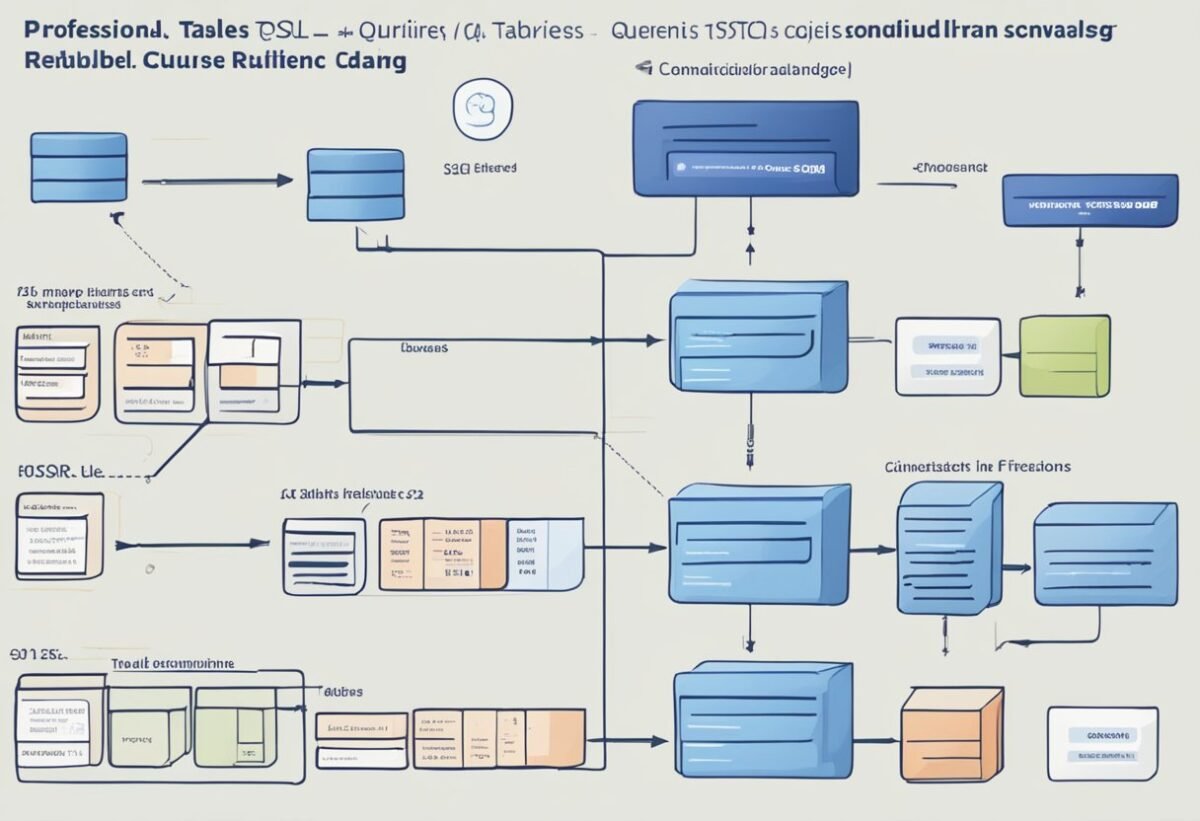
A computer screen displaying Python code next to a database diagram

SQL, or Structured Query Language, is a key tool in data engineering. It is used to manage and manipulate databases. SQL provides a way to query data, create tables, and ensure data integrity. Its ability to handle large datasets makes it essential in the field of database management.

In the realm of data engineering, handling data efficiently is crucial. Engineers often work with large data sets and need tools to process, clean, and analyze this data.

SQL’s strength lies in its ability to quickly retrieve and modify data, which supports data-driven decision-making.

Python complements SQL well by adding functionality that SQL alone might lack. Python is widely used in data engineering for tasks like data manipulation, automation, and handling unstructured data. Its libraries, such as Pandas and NumPy, facilitate complex data operations.

Data engineering often involves working with various data structures. Coding skills in both SQL and Python are invaluable.

Python’s flexibility and SQL’s powerful querying capabilities provide a robust toolkit for engineers. By using both, engineers can perform advanced data analyses and streamline workflows.

When engineers marry the querying power of SQL with Python’s programming prowess, they enhance database management processes. This integration allows data engineers to optimize database performance. Furthermore, it supports tasks like data cleaning, integration, and transformation.

Using SQL and Python together enables solving real-world engineering challenges. Courses like Data Engineering for Beginners with Python and SQL can offer structured learning paths. These courses equip learners with the skills needed to excel in data engineering.

Ensuring Quality and Readability in Code

A computer screen displaying Python code integrated with SQL commands

Maintaining quality and readability in Python code is essential for efficient collaboration and bug reduction. Following best practices ensures code is both simple and effective. One key approach is adopting the PEP 8 Style Guide, which provides consistent standards for writing Python code.

Use meaningful variable names to enhance understanding. For instance, replacing vague names like x or y with descriptive ones such as total_sales or user_input helps clarify the code’s purpose.

Comments and documentation improve code clarity. Brief comments explain complex or non-intuitive parts, making it easier for others to follow the logic. Keeping these comments up-to-date is crucial to avoid confusion.

Consistency in code style is vital. This includes maintaining uniform indentation, spacing, and line length throughout the code to foster readability. Tools like linters can help ensure this consistency.

Testing is another critical facet of ensuring code quality. Automated tests validate code functionality and changes while minimizing errors. Writing both unit tests and integration tests increases confidence in the code’s reliability.

When coding, break tasks into small, manageable functions or methods. This modular approach enhances simplicity and helps others understand specific code sections without being overwhelmed by complexity.

Regular code reviews foster team collaboration and capture potential issues early. Encourage peer feedback to improve code quality through different perspectives, leading to more robust and efficient solutions.

Frequently Asked Questions

A computer screen displaying Python and SQL code with a book on Python programming and a stack of SQL reference books nearby

Using Python to enhance SQL tasks involves automating processes, optimizing performance, and executing SQL operations efficiently. Python offers a range of libraries and techniques that facilitate these processes, improving the ease and effectiveness of handling SQL tasks.

What are the methods to automate file loading into SQL Server using Python?

Python can automate file loading using libraries like pandas and pyodbc. By reading data files with pandas and connecting to SQL Server with pyodbc, users can streamline file imports. This process allows for easy data manipulation before importing it into SQL databases.

How can one execute stored procedures with parameters in SQL Server via Python?

To execute stored procedures with parameters, one can use the pyodbc library. By establishing a connection and using the execute method, users can pass parameters directly into the stored procedure. This enables dynamic interaction with SQL Server from Python scripts.

What are the best practices for importing data into SQL Server with Python?

Best practices include using pandas to handle data frames efficiently and sqlalchemy to manage database connections.

It’s advisable to validate data types beforehand and handle exceptions to prevent interruptions during import processes. Keeping transactions atomic ensures data integrity in case of import failures.

Which is the recommended Python library for establishing a connection to SQL Server?

The pyodbc library is commonly recommended for establishing connections to SQL Server. pyodbc provides a robust set of tools to facilitate seamless interaction between Python and SQL Server, supporting essential operations like executing queries and managing database transactions.

How can Python scripts be used to automate routine SQL queries?

Automation of routine SQL queries can be achieved using scripts with schedule for task scheduling and pyodbc for query execution.

Setting up automated scripts helps in performing regular queries without manual intervention, saving time and reducing potential errors.

What techniques are available in Python to improve the performance of SQL queries?

Improving SQL query performance can be done by using indexing, query caching, and batch processing techniques.

Python libraries like SQLAlchemy help optimize queries by refining execution plans.

Analyzing query performance with tools like pandas also assists in identifying and addressing potential bottlenecks.


Categories
Uncategorized

Learning Math for Machine Learning – Eigenvectors and Eigenvalues Explained Simply

Foundations of Linear Algebra

Linear algebra is a field of mathematics essential for machine learning. It focuses on vectors and vector spaces, as well as matrices and their operations. These concepts form the backbone of data processing and analysis.

Vectors and Vector Spaces

Vectors are fundamental in linear algebra. A vector is a list of numbers that can represent points in space. They have both magnitude and direction.

Vectors help in describing physical quantities like force and velocity. In a vector space, vectors can be added together and scaled by numbers, known as scalars.

Vector spaces are defined over fields and require operations like addition and scalar multiplication to satisfy certain properties such as closure, associativity, and distributivity. Understanding these properties is crucial to analyzing complex data.

Matrices and Matrix Operations

Matrices are rectangular arrays of numbers arranged in rows and columns. They are used to represent linear transformations and systems of linear equations.

Basic operations with matrices include addition, subtraction, and matrix multiplication. Matrix multiplication combines data in a way that preserves the structure of linear equations.

The identity matrix acts like the number one in matrix arithmetic. It does not change other matrices when involved in multiplication.

A square matrix has the same number of rows and columns, and it has special properties that are important in computational tasks. Mastery of these operations is vital in areas such as graphics, cryptography, and machine learning.

Core Principles of Math in Machine Learning

Mathematics is a fundamental part of machine learning. It helps in understanding algorithms and improving models. To excel in this field, one needs a strong grasp of several mathematical concepts.

Linear Algebra plays a key role. It’s essential for working with vectors and matrices, which form the basis of many algorithms. Concepts like eigenvectors and eigenvalues are crucial for techniques such as Principal Component Analysis (PCA). You can explore these in Mathematics for Machine Learning.

Calculus is vital for optimizing algorithms. It helps in understanding how changes in input affect the output. This is particularly important in training deep learning models, where derivatives are used to minimize errors.

Probability and Statistics enable practitioners to make predictions and deal with uncertainty in data. Techniques such as Bayesian networks rely heavily on these concepts.

Python is the most popular programming language in AI and data science. Libraries like NumPy assist with complex calculations, making it easier to implement math-based solutions in machine learning. An insight into these operations can be found in the Deep Learning and Machine Learning tutorial.

Solid math skills are indispensable for anyone interested in AI and data science. Understanding mathematical principles allows one to interpret data and create accurate models effectively.

Eigenvalues And Their Significance

Eigenvalues are a core concept in linear algebra, with significant applications in various fields, including machine learning and data analysis. Their primary importance lies in simplifying complex systems and matrices through transformation and dimensionality reduction.

Understanding Eigenvalues

Eigenvalues are scalars associated with a matrix that provide insights into the matrix’s properties. When a matrix is transformed, the eigenvalue indicates how much an eigenvector is stretched or compressed.

Matrices often arise in applications involving transformations, and eigenvalues help in understanding these changes. They are essential in determining the stability of systems, aiding in calculations where complex matrix equations are simplified.

In machine learning, eigenvalues are used in techniques such as Principal Component Analysis (PCA). Here, eigenvalues help rank dimensions by importance, allowing data to be reduced efficiently.

When the eigenvalues are large, they suggest that the direction associated with their eigenvectors significantly impacts the system, which is critical for model predictions. In this way, understanding the eigenvalues of a matrix provides a deep insight into its characteristics.

Characteristic Equation

The characteristic equation is a polynomial obtained from a matrix by subtracting a scalar multiple of the identity matrix from the original matrix and calculating its determinant.

It is given by the equation: det(A – λI) = 0, where A is the matrix, λ is the eigenvalue, and I is the identity matrix.

Solving this equation yields the eigenvalues of matrix A.

In practice, solving the characteristic equation is crucial for finding eigenvalues in many applications. It aids in performing eigenvalue classification, especially in computational algorithms involving data processing, optimization, and more.

The solutions provide values reflecting various transformation properties and stability indicators, offering a window into the matrix’s behavior. This concept is fundamental in the study and application of eigenvalues across diverse scientific disciplines.

Eigenvectors Explained

Eigenvectors play a critical role in understanding various mathematical concepts, especially in machine learning and data analysis. They offer insights into linear transformations and other mathematical operations.

Interpreting Eigenvectors

Eigenvectors are vectors that do not change direction during a linear transformation. While their magnitude might be scaled, their direction remains constant.

For example, in a geometric sense, imagine a transformation that stretches or compresses, yet the eigenvector maintains its original orientation.

Mathematically, an eigenvector (\mathbf{v}) of a matrix (A) satisfies the equation (A\mathbf{v} = \lambda\mathbf{v}), where (\lambda) is the eigenvalue. This means that when matrix (A) is applied, the vector (\mathbf{v}) is stretched by a factor of (\lambda).

Knowing how to interpret eigenvectors helps in many applications, such as explaining data variance in principal component analysis or understanding the dynamics in systems governed by differential equations. The direction given by eigenvectors often reveals crucial information about the system or data structure being studied.

Eigenvectors in Linear Transformations

In linear transformations, eigenvectors describe invariant directions in vector spaces. When vectors undergo transformations, eigenvectors specify the paths that remain proportionally unchanged, which is key in simplifying complex mathematical models.

For example, consider a transformation matrix in computer graphics. Applying this matrix to a vector results in rotation, scaling, or reflection.

If a vector is an eigenvector, it retains its fundamental direction even as it might be resized. This property is essential in discerning important attributes in data, such as identifying principal components in datasets or solving stability problems in engineering.

By exploring how eigenvectors act during these transformations, one can grasp their effectiveness in solving practical problems across various fields.

Dimensionality Reduction Techniques

Dimensionality reduction is crucial in simplifying complex datasets by reducing the number of variables while preserving essential information. Two main techniques are Principal Component Analysis (PCA) and Singular Value Decomposition (SVD), both used to manage data more efficiently and improve computational performance.

Principal Component Analysis (PCA)

PCA is a widely-used method for dimensionality reduction. It works by identifying the directions (principal components) in which data varies the most. These components are linear combinations of the original variables and are orthogonal to each other.

The process involves finding the top eigenvectors of the data’s covariance matrix. These eigenvectors represent the principal components, and the ones with the highest eigenvalues capture the most variance in the data.

PCA can reduce a dataset to a lower-dimensional space, making it easier to analyze without losing significant information. It is especially effective in fields like image processing and genomics where data can be overwhelming.

Singular Value Decomposition

Singular Value Decomposition (SVD) is another powerful dimensionality reduction tool. SVD decomposes a matrix into three smaller matrices, revealing the intrinsic properties of the original matrix. It represents the matrix as a product of its singular vectors and singular values.

The singular values in SVD are akin to the eigenvalues in PCA, indicating the importance of each dimension. By zeroing out smaller singular values, SVD reduces noise and compresses the data effectively.

This method is particularly useful in signal processing and natural language processing, where datasets need to be compressed while retaining meaningful structures.

Python for Math Applications

Python is a powerful tool for mathematical computations, often used for statistics, probability, and linear algebra. It offers libraries that simplify complex tasks, making it accessible for those learning machine learning concepts like eigenvectors and eigenvalues.

Numpy in Mathematics

Numpy is a popular Python library used to perform numerical operations efficiently. It provides support for large multi-dimensional arrays and matrices, along with a vast collection of mathematical functions.

For mathematics, Numpy is crucial because it allows operations on entire arrays without needing explicit loops. This makes computations faster and simpler.

Users find Numpy’s linear algebra capabilities particularly helpful for calculating eigenvectors and eigenvalues, which are key concepts in machine learning and data analysis.

By utilizing Numpy, tasks such as matrix multiplication, finding determinates, and performing eigen decomposition become streamlined.

Its integration with Python enhances the learning process by allowing users to apply mathematical theories in practice. Numpy’s comprehensive documentation also makes it easier to get started and use effectively.

Python Examples

Python shines in its ability to execute mathematics through clear and concise code. For example, calculating eigenvectors and eigenvalues is straightforward with Numpy. Here is a simple illustration:

import numpy as np

matrix = np.array([[4, -2], [1, 1]])
eigenvalues, eigenvectors = np.linalg.eig(matrix)

print("Eigenvalues:", eigenvalues)
print("Eigenvectors:\n", eigenvectors)

This script showcases how Python’s Numpy library can be used to achieve complex calculations with minimal lines of code. Such examples demonstrate the practical application of mathematical theories and make Python an excellent choice for learning and teaching statistics and probability.

Mathematical Pedagogy in AI

Mathematics is the foundation of many concepts in machine learning, such as eigenvectors and eigenvalues. Understanding how math is taught for AI reveals the shift from traditional methods to modern approaches.

Traditional vs Modern Methods

Traditional mathematics pedagogy often focuses on rote memorization and procedural knowledge. Students usually learn through lectures and solve set problems to apply formulas. This method creates a strong base but might miss fostering problem-solving skills.

With machine learning, there is a need for a deeper practical approach. Modern methods emphasize conceptual understanding and collaborative learning tactics.

These include project-based learning, which engages students with real-world machine learning problems. Interactive platforms and software are also used to simulate complex AI systems, making abstract concepts more concrete and understandable.

Teaching Math for AI

Teaching math specifically for AI involves focusing on applicable topics such as linear algebra, calculus, probability, and statistics. These areas are crucial because they are the backbone of machine learning algorithms. Educators push for a curriculum that integrates these disciplines effectively.

Introducing coding exercises alongside math theories helps in constructing a bridge between math concepts and AI applications.

Using programming languages like Python allows students to write algorithms, giving them hands-on experience with machine learning models. Encouraging the use of digital tools for visualization assists in grasping complicated ideas, promoting a more engaging and efficient learning process.

Scalability and Efficiency

Understanding scalability and efficiency in computations is essential for advancing machine learning applications. These aspects ensure that algorithms remain robust and perform well even as data sizes grow.

Optimizing Algebraic Computations

In machine learning, optimizing algebraic computations is crucial for efficiency. A common approach is to improve the speed of matrix operations, which are central to many algorithms.

Tools like numpy or scipy enable faster computations by leveraging optimized mathematical libraries.

Parallel processing can also be utilized to perform calculations more quickly by splitting tasks across multiple processors. This significantly reduces computation time and makes processes scalable.

As algorithms become more complex, especially in AI applications, improving algebraic computations can greatly enhance performance and make it feasible to handle large datasets common in industries using advanced algorithms to upskill.

Scaling Algorithms in ML

Scaling algorithms efficiently in machine learning involves adapting them to manage larger datasets and more complex models. One method is distributing computations across clusters or using cloud computing platforms. This approach allows for handling vast amounts of data without a drop in performance.

Efficient algorithms for calculating large-scale eigenvectors, like those discussed in large-scale generalized eigenvector computation, illustrate the importance of balancing computational load.

By focusing on scalable machine learning practices, it becomes possible to maintain accuracy and efficiency in AI systems. This ensures that machine learning models can keep pace with rapidly growing data volumes while still developing essential math skills.

Algebra in Computer Vision

Algebra plays a crucial role in computer vision, particularly with matrices and vectors. These mathematical tools help in processing and understanding images.

Matrices are used to transform images in various ways. Whether rotating, scaling, or translating images, matrices help perform these operations efficiently.

Vectors are essential in representing features of images. They aid in image recognition, a key task in computer vision applications, including facial recognition and object detection.

Python is often used in computer vision tasks because of its versatile libraries. Tools like OpenCV and TensorFlow allow easy manipulation of matrices and vectors.

In deep learning, algebra is vital for training models. Convolutional neural networks (CNNs) heavily rely on matrix operations to process image data. These models improve AI by enhancing how systems understand visual information.

For those interested in learning more about these concepts, the study of eigenvectors and eigenvalues can be beneficial. These are often applied in geometric transformations and data reduction tasks. The study of eigenvectors and eigenvalues helps in the visualization and interpretation of image data.

Algebraic methods provide the backbone for many computer vision applications, offering powerful tools to solve complex problems in artificial intelligence.

Real-World Applications

Eigenvectors and eigenvalues are crucial in many technology fields. They play a vital role in algorithms and machine learning methods. Additionally, they are important in data science, impacting how AI processes information.

PageRank Algorithm

The PageRank algorithm, developed by Google, is a clear example of eigenvectors and eigenvalues in action. In this context, the algorithm uses a webpage’s link structure to rank its importance.

Think of the web as a network where each page represents a node. The algorithm uses a large matrix that reflects the link connections between these pages.

This matrix is then analyzed to find its eigenvalues and eigenvectors. By doing this, the algorithm identifies which pages should be seen as more authoritative and relevant.

This ranking process helps determine search result order. PageRank illustrates how these mathematical concepts are applied in real-world scenarios to make AI more effective.

Machine Learning Use-Cases

In machine learning, eigenvectors and eigenvalues help simplify data complexity. They aid in reducing dimensions while retaining important information.

One well-known method that uses these math concepts is Principal Component Analysis (PCA). PCA allows data scientists to transform large datasets into smaller, more manageable forms.

This is particularly useful for visualizing high-dimensional data in two or three dimensions. By keeping only the significant components, PCA improves data processing efficiency.

EigenClass, another machine learning method, uses eigenvalues for classification tasks. It improves accuracy and stability in predictions. Such methods are essential in enabling AI to handle real-world data, thus enhancing decision-making and predictive capabilities in practice.

Advanced Mathematical Concepts

The application of advanced mathematical concepts is integral to understanding machine learning. Key topics include calculus and complex statistical measures, which play significant roles in optimization and data analysis.

Calculus in Machine Learning

Calculus is essential for optimizing algorithms in machine learning. It helps with understanding how functions behave, which is crucial for algorithms that learn from data.

The concept of derivatives allows for determining the slope of a curve, aiding in minimizing or maximizing functions.

Gradients are used to find the direction of steepest ascent or descent, helping in optimizing the function.

Partial derivatives allow for understanding functions with multiple inputs, which is key for multivariate models. Calculus assists in tuning parameters to get the best predictions from a model.

Complex Statistical Measures

Statistics provide the tools to interpret and make predictions from data. Measures like mean, variance, and standard deviation form the foundation of data analysis.

Probability theory is used to model and predict outcomes, which is crucial in algorithms for tasks such as classification and regression.

Understanding correlation and regression helps in identifying relationships between variables.

Complex statistical tools, like hypothesis testing and determinants, assist in making decisions based on data. These measures help in validating models and understanding the data’s structure, providing insights for better algorithm design.

Challenges in Learning Math for AI

Learning math for artificial intelligence can be tough due to several reasons. Traditional mathematics pedagogy often emphasizes theory over application. This approach can make it hard for students to see how math like eigenvalues relates to AI.

Machine learning relies heavily on concepts such as matrices and eigenvectors. These topics can seem abstract and hard to grasp. Many students find themselves struggling to connect these mathematical ideas to real-world AI applications.

Practice doing math is essential. Without regular practice, it becomes difficult to understand and apply mathematical concepts in AI. Students often need guided practice to bridge the gap between theory and practical application.

The vocabulary used in mathematics and AI can be another barrier. Specialized terms and symbols may feel alien, leading to misunderstanding. A strong focus on developing clear definitions and examples can help ease this challenge.

AI complexity adds another layer of difficulty. As AI evolves, so does the level of math needed. Keeping up with the rapidly changing technology while mastering complex math is often challenging for learners.

Using real-world applications and step-by-step visualization, like those studied by math majors, can make learning math for AI more engaging and less daunting. Access to resources like deep learning architecture books can further enhance understanding.

Frequently Asked Questions

Eigenvalues and eigenvectors play critical roles in machine learning, particularly in areas such as dimensionality reduction and data analysis. These concepts facilitate understanding data structures and optimizing machine learning algorithms.

How are eigenvalues and eigenvectors applied in machine learning algorithms?

Eigenvalues and eigenvectors assist in simplifying data structures, making complex algorithms easier to handle. They help identify principal components in datasets, which is crucial for algorithms like Principal Component Analysis (PCA).

What is the significance of eigenvalues and eigenvectors in dimensionality reduction techniques?

In dimensionality reduction, eigenvalues determine the importance of corresponding eigenvectors. Techniques like PCA use them to reduce large datasets into smaller, more manageable ones while preserving important data patterns.

How do eigenvalues and eigenvectors contribute to understanding data distributions in machine learning?

Eigenvalues and eigenvectors reveal variance within datasets, showing the directions of maximum data spread. This insight helps in identifying underlying patterns and correlations in the data, which is essential for classification and clustering tasks.

What methods are commonly used to compute eigenvalues and eigenvectors in numerical computations?

Common methods include the QR algorithm, power iteration, and singular value decomposition. These approaches facilitate efficient computation, which is important for handling large datasets typical in machine learning applications.

In what ways do eigenvalues and eigenvectors play a role in optimizing machine learning models?

They reduce complexity in models by aiding in feature selection and transformation. By focusing on the most significant features, they improve model performance and decrease computational costs.

What is the intuitive explanation of eigendecomposition in the context of machine learning?

Eigendecomposition breaks down matrices into eigenvalues and eigenvectors. This explains data transformations. It allows models to understand linear transformations in data. It provides a clearer picture of data structure and dynamics.

Categories
Uncategorized

Learning DAX – Calendars and Date Tables: Mastering Time Intelligence

When working with data in Power BI, it’s crucial to understand the role of DAX for creating calendars and date tables. These tables are the backbone of time-based analysis, allowing for precise data slicing and detailed reporting.

A calendar with dates and data tables surrounded by books and computer screens

Learning how to use DAX to build and manage calendars and date tables opens up new possibilities for data analysis. By mastering these components, users can develop a more effective approach to time-based data tracking and insights. This article explores the importance of these elements in data modeling.

Understanding DAX Syntax

DAX, or Data Analysis Expressions, is a powerful formula language used in Microsoft tools like Power BI. It is designed to work with data models and provides advanced calculations and queries.

Understanding DAX syntax is crucial for creating effective data solutions.

DAX formulas are similar to Excel formulas but are much more advanced. They can create custom calculations based on your data model. A DAX formula always starts with an equal sign, followed by a function or expression.

Functions are a key part of DAX syntax. Each function has specific arguments that define its operations. For example, the CALENDAR function generates a table with a range of dates by specifying start and end dates.

You can find more about using this function to create calendars.

DAX syntax also includes operators like plus, minus, multiply, and divide for arithmetic operations. Logical operators such as AND, OR, and NOT are used for logical tests. These operators help in constructing more complex expressions within your data models.

When using DAX, understanding context is important. There are two types: row context and filter context. Row context applies to a single row in a table, while filter context applies to any filters that affect the data. This understanding allows for precise data calculations and analyses.

Another crucial element is relationships between tables. DAX allows creating calculated columns and measures that draw from these relationships. This interconnectedness enhances the ability to analyze large datasets effectively.

Through practice and exploration, users can develop a strong grasp of DAX syntax, allowing them to unlock the full potential of their data in tools like Power BI.

Creating Baseline Date Tables

Creating baseline date tables is a key step in working with data analysis in Power BI. Date tables provide a structured way to manage and analyze data over time. They typically contain columns that represent dates and are crucial for tasks such as filtering, grouping, and comparing data.

To create a baseline date table in Power BI, DAX functions like CALENDAR or CALENDARAUTO are often used. CALENDAR allows users to set a specific start and end date, while CALENDARAUTO automatically detects the range of dates within the dataset.

Both options produce a table with a column named “Date” containing sequential date values. Using these functions ensures that there are no gaps in the date sequence, even if certain dates do not correspond to specific events.

After creating a date table, it is important to mark it as a date table. This involves selecting the date column within the table’s settings.

Marking the table ensures that Power BI correctly interprets this table as a reference for date-based calculations. This action is vital for achieving accurate results in time-based analyses, like comparing sales year-over-year or understanding trends on a monthly basis.

In addition to providing basic chronological structure, baseline date tables can include extra columns. These might represent different date parts like year, quarter, month, or day of the week.

Incorporating these columns facilitates more detailed analysis and reporting tasks, enabling users to quickly drill down into specific timeframes within their reports. This makes baseline date tables an indispensable tool for data analysts and business intelligence professionals.

Using CALENDARAUTO Function

The CALENDARAUTO function in DAX is useful for generating a date table automatically. This function doesn’t require specific start and end dates, making it simple to implement. It examines the data model and generates a contiguous range of dates based on existing date columns.

This function is ideal when users want a straightforward date table without manually specifying date ranges. The function scans all date columns in the model to determine the earliest and latest dates and creates a complete date range. This helps ensure all dates within the model are covered.

A unique feature of CALENDARAUTO is its ability to adapt to changes in data. If new dates are added to the data model, the function automatically adjusts the date range.

This ensures that the date table remains accurate even as the model evolves, saving users time and effort.

The CALENDARAUTO function defaults to using January as the start of the fiscal year, but users can specify a different month if needed. This flexibility allows for better alignment with a company’s fiscal calendar.

For more technical details, you can explore the CALENDARAUTO function documentation.

Incorporating Fiscal Year Calculations

A calendar with highlighted fiscal year dates and DAX formulas

Incorporating fiscal year calculations in Power BI is important for businesses whose fiscal years do not align with the calendar year. This helps in generating accurate reports and visualizations.

To start, create a fiscal year date table using DAX in Power BI. This table clearly organizes fiscal information, like fiscal years and quarters. A custom fiscal year date table allows you to accurately reflect your fiscal calendar in your reports and visuals, as suggested by Amelia in a guide on creating a Dynamic Fiscal Year Date Table using DAX.

Use DAX functions to define fiscal periods. By leveraging functions like DATEADD() and EOMONTH(), users can manage data consistently. This ensures seamless integration into existing reports.

To indicate the start of the fiscal year, add columns for fiscal month and quarter. This provides a clear breakdown of data across different fiscal periods. Such detailed structuring aids in precise analysis and reporting.

Mark the newly created date table as a Date Table in Power BI. By doing so, users ensure it is recognized by Power BI and linked correctly to other tables. Insights derived from this setup are reliable and consistent.

Implementing these steps helps organizations manage their fiscal data effectively. It streamlines operations and enables better strategic decisions based on comprehensive data insights.

Implementing Dynamic Time Zones

A calendar with dynamic time zones and date tables being implemented in a DAX learning environment

Incorporating dynamic time zones in Power BI enhances the way users interact with date and time data. This involves adjusting date tables to reflect specific time zone changes accurately.

A common approach to handle time zones dynamically is by using DAX functions that convert time data based on the user’s location or selected time zone. The UTCNOW() function can be utilized to get the current UTC time and then adjusted as needed with offsets.

Date tables can be designed to include additional columns that calculate and display time in multiple zones. This allows users the flexibility to switch between views depending on their reporting needs.

It’s crucial to ensure data accuracy, especially for businesses operating in multiple regions.

Implementing dynamic time zones requires thorough testing. It’s important to verify the calculations across different time periods such as daylight saving time shifts. This ensures all time-related data remains correct and consistent throughout the year.

Users should also be able to easily select or change time zones in their reports. This can be done through slicers or report filters.

By enabling dynamic updates, the data remains relevant to the user’s current time zone, improving the report’s utility.

For those new to this concept, online resources and documents, like Power BI’s official documentation, are recommended to better understand the intricate details of handling time zones dynamically.

Mastering this feature results in more adaptable and user-friendly reports or dashboards, suitable for diverse audiences with different time zone preferences.

Mastering DateAdd Functionality

The DateAdd function in DAX is a powerful tool for managing date calculations. It allows transforming a given date by adding or subtracting specific intervals. This function is essential for creating time-based analyses in Power BI.

DateAdd requires three arguments: the dates column, the number of intervals to add or subtract, and the interval type. Common interval types include day, month, and year.

For example, to shift a date by one month forward, the DateAdd function can be used with the interval type set to “month”. This can help create comparisons between current and previous periods by adjusting date ranges dynamically.

One useful application of DateAdd is in calculating year-to-date figures. By consistently adjusting dates, users can examine data relative to a specific time span. This helps in spotting trends and patterns without manually altering date fields.

DateAdd also facilitates rolling averages. By incrementing dates regularly, it enables the analysis of data across overlapping periods. This smooths out anomalies and highlights consistent performance over time.

When working with DateAdd, it’s important to ensure the date column is connected correctly in Power BI models. The links in the data model define how tables interact, impacting the results of any DateAdd operations.

Careful application of DateAdd enhances the understanding of time-based data. It offers flexibility to adapt analyses to various time frames, enriching the insights derived from datasets. Through continuous practice, mastering DateAdd can greatly improve time intelligence functions within DAX.

Working With Multiple Date Tables

When using Power BI, handling multiple date tables can be useful for complex models. Different tables can cater to different reporting needs. Creating separate date tables allows users to analyze data by different time perspectives, such as order dates and shipping dates.

In Power BI, adding multiple date tables involves creating calculated tables using DAX functions. The CALENDAR function creates a new date table with specified start and end dates. For automatic detection of date ranges, CALENDARAUTO is handy. These functions simplify the creation and management of date tables.

It’s possible to connect each date table to relevant data. For instance, linking a date table to sales data may reveal sales trends by order date. Similarly, linking another table to shipment data can provide insights into delivery schedules. This makes analysis more flexible and precise.

To ensure seamless integration, it’s crucial to mark date tables properly. Users can mark a table as a date table in Power BI, ensuring it functions correctly within the model and any time-intelligence functions. This step prevents errors and ensures data accuracy.

When managing multiple date tables, one must ensure clear relationships between tables. Establishing relationships allows data models to use these connections effectively. This helps in filtering and analyzing data across different tables, providing more comprehensive insights.

For more detailed guidance on creating multiple date tables and their setup, explore how to create multiple date tables in Power BI using DAX. Understanding these setups enhances the ability to analyze data from various angles, catering to diverse reporting requirements.

8) Handling Holidays and Special Dates

A calendar with highlighted holidays and special dates, surrounded by DAX formulas and tables

When creating date tables in Power BI using DAX, handling holidays and special dates is essential. This can provide a more accurate analysis of workdays versus non-workdays.

A common method is using the LOOKUPVALUE() function.

By gathering holiday information from the internet or other reliable sources, users can create a separate holiday table. This table can list special days relevant to the business or region.

Once a holiday table is available, it can be linked with the main calendar table. This way, each date can indicate whether it’s a holiday.

Adding a holiday column can help filter or differentiate dates during data analysis.

To further refine a calendar, the IF() function can be used to determine workdays versus holidays. This approach allows the automation of daily flags indicating whether the date is a working day or not.

Handling special dates dynamically can be tricky due to varying holiday schedules across different regions or divisions.

In such cases, having a dynamic approach with the DAX functions ensures that holiday calculations respond to specific needs.

For users dealing with multiple divisions across countries, the calendar must adjust holidays by region. Having a flexible model allows the calendar to reflect accurately, considering each division’s specific holidays and workdays.

By doing this, the analysis becomes more relevant and tailored.

Users can assess performance considering non-working days, giving a complete view of operational timelines and productivity. This makes decision-making processes more insightful and informed.

Designing Efficient Data Models

Creating efficient data models is crucial in Power BI to ensure performance and flexibility. A well-structured model relies on a clear organization of tables and relationships.

One important aspect is creating a dedicated date table. This allows users to perform time-based analysis effectively.

The date table should contain continuous dates and additional columns for year, quarter, month, and day.

Using DAX functions like CALENDAR or CALENDARAUTO helps generate these date tables. They automatically create a single-column table of dates, making it easier to define time-related calculations.

relationships in the data model should be clearly defined. Each table should have a distinct primary key.

Establish relationships between tables using foreign keys. This ensures data integrity and allows users to create meaningful reports.

It’s beneficial to minimize the number of columns in tables. Only include necessary columns for analysis. This reduces memory usage and speeds up processing.

Data types should be chosen carefully. Accurate data types ensure efficient storage and processing. For instance, use integer data types for numerical columns where appropriate.

Implementing measures instead of calculated columns helps in optimizing performance. Measures are evaluated only when needed, whereas calculated columns increase storage.

Use DAX to define these measures to perform dynamic calculations on the fly.

Finally, regularly reviewing and refining the data model is key to maintaining its efficiency.

As data needs evolve, adjustments may be necessary to keep the model aligned with business goals. Regular updates and optimizations help keep the model efficient and effective.

Utilizing Time Intelligence Functions

Time intelligence functions in DAX are powerful tools for working with data over time periods. They help in comparing sales data across months or analyzing trends over years.

These functions are essential for businesses to understand seasonal trends or year-over-year performance quickly. The versatility of these functions allows users to manipulate data for days, months, quarters, and years.

The DAX language includes various time intelligence functions. Some common ones are TOTALYTD, which calculates the year-to-date total, and SAMEPERIODLASTYEAR, allowing comparisons with data from the previous year.

Before using time intelligence functions, it’s important to mark a table as the date table. This step ensures that DAX functions calculate accurately.

To learn more about marking tables, refer to Microsoft’s guide on time intelligence functions.

By using functions like DATEADD, businesses can forecast future trends by adding or subtracting specific times from the current data. This helps in planning and making strategic decisions for growth.

Using DAX to create a calendar table makes it easier to use time intelligence functions.

For creating a basic calendar table, the CALENDAR function comes in handy, requiring a start and end date. To explore more about creating a calendar table, visit the Power BI guide.

Date tables in Power BI serve as essential tools, enabling users to slice and analyze data effectively. Understanding how to leverage these functions can offer valuable insights into an organization’s data.

Understanding DAX Calendars

DAX calendars are essential for organizing and managing time-based data within Power BI. They help create structured and reusable date tables, which are vital for data analysis and visualization.

Importance of Calendars in DAX

Calendars in DAX are crucial for building organized data models. They allow users to perform time-based calculations and analyses.

By using functions like CALENDAR and CALENDAR AUTO, users can automatically generate date ranges. These functions simplify setting up date tables, making it easier to perform operations like filtering or grouping by time periods.

Accurate date tables also help with time intelligence functions in Power BI. These include functions for calculating year-to-date totals or comparing different time periods. Reliable date tables ensure that these calculations are accurate and meaningful.

Common Calendar Formats

DAX supports various calendar formats tailored to different analytical needs. The standard calendar, which is commonly used, spans from January to December. This format is suitable for most general analyses that align with the calendar year.

Fiscal calendars are structured differently. They start and end in months other than January and December, respectively, aligning with an organization’s fiscal year. These custom calendars are crucial for businesses that operate on non-standard fiscal years.

Additionally, calendar tables in DAX can include detailed information, such as weekdays, work weeks, or quarters. This detail supports a wide range of analyses and visualizations, catering to varied business needs.

Date Tables in DAX

Date tables, also called calendar tables, serve an essential role in time-based data analysis using DAX in Power BI. This section focuses on their functions and how to create them efficiently.

Role of Date Tables

Date tables are crucial in data modeling as they allow for precise time-based calculations. They enable analysts to track time trends, perform year-to-year comparisons, and seasonality analysis. In Power BI, any comprehensive data model should include a date table to enhance slicing and dicing capabilities across datasets.

A well-defined date table connects seamlessly with other datasets, enabling comprehensive time insights. The importance of consistently defining these tables cannot be understated. They should be detailed enough to cover all needed aspects of time analysis, such as year, month, and day fields.

Creating Efficient Date Tables

To create an efficient date table using DAX, one common method is employing the CALENDAR function. This function allows users to specify date ranges, thus customizing the table to fit the data model’s requirements.

Beginning with a start and end date, the table can be expanded by adding columns for weekdays, months, or quarters.

To mark it as a date table within Power BI, the user must set the correct date column. This step is vital to establishing accurate relationships with other tables.

Sharing a template with a predefined date table structure is recommended for consistency among data modelers.

For more detailed guidance on time-based analysis, refer to creating dynamic date tables and other related resources.

Frequently Asked Questions

Creating calendar tables in Power BI using DAX can enhance data analysis. Key elements include using DAX functions, defining holidays, and adapting tables for fiscal year needs.

How do you create a custom calendar table in DAX for Power BI?

To create a custom calendar table, use DAX functions like CALENDAR and CALENDARAUTO. These functions generate a range of dates.

First, decide on the start and end dates, then input these into the CALENDAR function. This method is effective for building a customized calendar structure.

What are the necessary DAX functions to generate a date table in Power BI?

The main functions for generating a date table include CALENDAR and CALENDARAUTO.

CALENDAR requires specific start and end dates, while CALENDARAUTO automatically determines the range based on data. These functions help produce a comprehensive date table, allowing for efficient time-based analysis.

Can you manually define holidays in a DAX calendar table, and how?

Yes, holidays can be manually defined in a DAX calendar table by creating an additional column. This column can list specific holiday dates.

Use logical DAX functions to check if dates in the calendar match these holiday dates, allowing clear visibility and management of holidays in reporting.

Is there a predefined script for creating a DAX date dimension table in Power BI?

There is no single predefined script for all scenarios, but templates exist that include standard configurations.

You might find all-in-one scripts for creating a DAX date dimension table like the one available on RADACAD.

What is the best way to integrate a calendar table into Power BI reporting?

Integration involves connecting the date table to other data tables using relationships. This connection supports robust and flexible report creation.

Ensure the date column in the calendar table is marked as the date in Power BI. This practice enhances the use of time intelligence functions.

How do you ensure a DAX calendar table supports different fiscal year configurations?

To accommodate different fiscal years, adjust the start date of the fiscal year in the calendar table.

Add columns that represent fiscal periods and use DAX calculations to define these.

This customization allows for accurate reporting aligned with organizational financial calendars.

Categories
Uncategorized

Learning about NumPy Operations: A Guide to Efficient Data Handling

Getting Started with NumPy

Starting with NumPy involves setting up the Python library and understanding how to create and use arrays. These arrays are essential for performing complex numerical computations in programming environments.

Installation and Setup

To work with NumPy, it must be installed in the Python environment. This can be done easily using package managers.

The most common method is using pip, the Python package installer. Running pip install numpy in the terminal or command prompt will download and install the library.

For those using Anaconda, a distribution popular in data science, NumPy is often included by default. If it’s not, simply use conda install numpy. This ensures compatibility with other scientific libraries.

Many also prefer working in Jupyter Notebooks, which are compatible with both pip and conda installations. Using a notebook is ideal for experimenting and visualizing data.

After installation, importing the library in scripts is done with import numpy as np, a standard practice that simplifies code syntax.

Introduction to NumPy Arrays

NumPy arrays are a core feature, designed to handle large data sets efficiently. They are similar to lists in Python but offer more functionality and speed.

Arrays can be created using the np.array() function, which takes a list as input.

Arrays support multiple dimensions, like 2D matrices or even higher, using nested lists. Data types are consistent across all elements of an array, ensuring operations are performed efficiently.

NumPy also provides functions for array creation, such as np.zeros() for arrays of zeros and np.ones() for arrays of ones, which help set up data structures before filling them with data.

This flexibility makes NumPy arrays crucial for scientific calculations and data analysis.

Fundamentals of NumPy Arrays

NumPy arrays, also known as ndarrays, are central to numerical computing with Python. These arrays allow for efficient storage and manipulation of numerical data. They come with a flexible set of options known as dtypes, which determine the type of data each element holds.

Data Types and Dtype

In NumPy, the dtype specifies the data type of array elements. Options include int64 for integers and float64 for floating-point numbers.

These data types ensure consistent memory usage and enable efficient calculations. Using appropriate dtypes can optimize performance, especially when working with large datasets.

Unlike standard Python lists, which can hold mixed types, NumPy arrays require uniform data types. This requirement contributes to their efficiency. The choice of dtype affects both the computation speed and the memory footprint.

Understanding Array Object

A NumPy array object represents a grid of values, all of the same type. Its shape is determined by the number of dimensions and the size in each dimension.

Unlike Python lists, which are flexible but slower, NumPy arrays provide fast data processing.

The shape attribute indicates the layout of the array. For example, an array with a shape of (3, 2) has three rows and two columns.

Each array element occupies the same sized block of memory, ensuring quick access. This structure is crucial for tasks involving matrix operations and large datasets, enabling scalable data handling.

Array Creation and Properties

NumPy offers a variety of methods for creating arrays and inspecting their dimensions. This array manipulation is essential for handling complex tasks in scientific computing and data analysis.

Functions to Create Arrays

NumPy provides several functions to create arrays, each with unique features.

The np.array() function is used to create arrays from lists or tuples, accommodating various data types. For example, np.array([1, 2, 3]) creates a one-dimensional array.

For initialized arrays, np.zeros() and np.ones() are used to create arrays filled with zeros and ones, respectively. np.zeros((3, 3)) constructs a 3×3 matrix filled with zeros.

The np.full() function creates arrays with a specified shape and fills them with a specific value. np.full((2, 2), 7) creates a 2×2 array filled with the number 7.

When equally spaced values are needed, functions like np.arange() and np.linspace() are useful.

np.arange(0, 10, 2) generates an array starting at 0, ending before 10, with steps of 2. On the other hand, np.linspace(0, 1, 5) creates an array of five values linearly spaced between 0 and 1.

The np.empty() function is used for creating arrays where the initial content is random. This is useful for large arrays where initializing can be inefficient.

Array Size and Shape Inspection

Inspecting the size and shape of arrays is crucial for understanding their structure and manipulating them correctly.

The .shape attribute reveals the dimensions of a NumPy array. For example, if a = np.array([[1, 2], [3, 4]]), then a.shape returns (2, 2).

To find the number of elements, the .size attribute is used. In the previous example, a.size would yield 4, representing the count of all elements within the array.

The .ndim attribute provides the number of dimensions in the array, which tells if the array is one-dimensional, two-dimensional, or a more complex n-dimensional array.

Indexing and Slicing Arrays

Understanding how to efficiently access and manipulate elements in NumPy arrays is crucial for anyone working with numerical data in Python. This section covers essential techniques such as basic and advanced indexing, helping readers to effectively manage data within arrays.

Basic Indexing

Basic indexing in NumPy allows users to access individual elements or a range of elements in arrays. Each element in an array is accessed using its position, known as an index, which starts at 0. This means the first element of an array is accessed with index 0, the second element with index 1, and so forth.

For instance, to access elements in a 1D array, you can use simple syntax like array[0] for the first element. In 2D arrays, rows and columns need separate indices, such as array[0, 1], which accesses the first row’s second element.

These direct methods of accessing elements eliminate the need for loops, speeding up array manipulation tasks significantly.

NumPy also supports negative indexing. This allows access to elements from the array’s end, with -1 being the last element. This feature enriches Python code, making it more succinct and readable.

Advanced Indexing and Slicing Techniques

Advanced indexing provides more flexibility and power in accessing array elements. Unlike basic indexing, advanced methods can handle more complex queries by using arrays of indices. For example, given an array a, one might use integer arrays to select specific elements, like a[[1, 3, 5]].

Slicing refers to accessing a subset of an array, defined by a range of indices. A slice is specified by [start:stop:step], allowing users to extract parts of an array efficiently without explicit loops. For example, array[1:5] extracts the second to the fifth elements.

NumPy slices are not independent copies. They are views into the original array, meaning modifications to the slice will affect the original array unless explicitly copied.

For more complex data manipulations, advanced indexing can be combined with slicing, expanding data access patterns in multi-dimensional arrays. For more on NumPy’s slicing capabilities, you can refer to the guide on Numpy Array Slicing.

Array Operations and Manipulations

Understanding how to manipulate arrays in NumPy can greatly enhance data analysis and scientific computing. From performing mathematical operations to adjusting array dimensions and combining arrays, mastering these techniques is essential.

Mathematical Operations

NumPy provides robust tools for mathematical operations on arrays, allowing for efficient calculations.

Element-wise operations are common, where operations such as addition, subtraction, multiplication, and division are performed on each element of the arrays. Functions like numpy.sum() help calculate the sum of elements along a specified axis, enhancing versatility.

Matrix operations such as the dot product and matrix multiplication are supported using numpy.dot() and @ operator. These are vital in various applications, including machine learning and data science.

Manipulating Array Shape and Size

Changing the shape and size of arrays is key in data processing. NumPy provides functions like numpy.reshape() and numpy.resize() to alter the dimensions of arrays.

reshape allows for changing an array’s shape without altering its data, while resize adjusts both the shape and number of elements. Transposing arrays using numpy.transpose() swaps rows and columns, which is useful in linear algebra and data alignment tasks.

Understanding these functions aids in handling multi-dimensional data effectively.

Combining and Splitting Arrays

Array manipulation also includes combining and splitting arrays to form new datasets.

Concatenation is achieved using functions like numpy.concatenate(), which joins arrays along an existing axis.

Lists such as numpy.vstack() and numpy.hstack() enable vertical and horizontal stacking of arrays. On the other hand, splitting arrays into multiple sub-arrays can be handled by methods like numpy.split(), numpy.hsplit(), and numpy.vsplit().

These operations allow for flexible data management, critical in organizing and analyzing large datasets. Users can efficiently break down complex operations into simpler tasks using these tools, as outlined in NumPy’s array manipulation routines.

Understanding Broadcasting

A person studying a book on broadcasting and NumPy operations with a computer and notebook open on a desk

Broadcasting in NumPy allows operations on arrays of different shapes without the need for explicit replication. This feature is key for efficient calculations, enhancing how arrays interact in mathematical operations.

Broadcasting Rules

Broadcasting follows specific rules to match array dimensions. When arrays have differing shapes, NumPy compares dimensions starting from the last. If dimensions differ, one of three things must be true: dimensions must be the same, one of the dimensions must be 1, or one of the axes is missing.

For instance, when adding a (3,1) array with a (3,4) array, the single-dimension axis in the first array is replicated to match the shape of the second array. This allows for seamless element-wise operations.

Understanding these rules is crucial. Operations such as addition, multiplication, or any element-wise calculations rely heavily on shape alignment. Misaligned shapes will trigger errors, so following the broadcasting rules ensures that operations can proceed without issues.

Broadcasting in Action

To see broadcasting in action, one can look at how a smaller array is “stretched” to fit a larger one during arithmetic operations.

Consider an operation between a one-dimensional array a with shape (3,) and a two-dimensional array b with shape (3,3). The smaller array a is expanded along a new axis to match the shape of b, enabling operations such as addition across each row.

This ability to broadcast makes NumPy very efficient, as it removes the need for looping in Python. Instead, operations are executed at lower C levels, speeding up computation.

Broadcasting allows for concise and readable code, simplifying complex numerical Python tasks across multi-dimensional arrays. Arrays interact smoothly, ensuring efficient computations and simplified code structures.

Linear Algebra with NumPy

Linear algebra is essential for handling matrix operations and solving linear systems. NumPy provides efficient tools to perform common tasks such as matrix multiplication and finding solutions to equations.

Matrix Operations

Matrix operations are fundamental in linear algebra and include various calculations like addition, subtraction, and multiplication.

In NumPy, these operations become straightforward. The dot function, for example, is crucial for computing the dot product of two matrices.

NumPy’s linalg module also offers operations like matrix inversion and determinant calculation.

It takes advantage of BLAS and LAPACK, which are optimized for speed. This makes it efficient for tasks that involve large datasets or require high performance.

Detailed functions like numpy.dot and numpy.linalg.inv ensure that users have robust tools for sophisticated computations.

Solving Linear Systems

Solving linear equations is a core application in linear algebra and is made efficient with NumPy.

Using functions like numpy.linalg.solve, one can find solutions to sets of linear equations. This method applies to problems that require systems of equations to be addressed quickly and accurately.

The solve function is designed to handle square matrices and provide exact solutions when they exist. It is highly regarded for its precision and usefulness in data analysis, engineering, and scientific computation.

Additionally, for more complex computations, techniques like LU decomposition are available, allowing further manipulation and solution of large systems.

NumPy for Scientific Computing

NumPy is a fundamental package in the Python ecosystem, crucial for tasks involving numerical data.

Its integration with other libraries enhances abilities to handle complex data sets, making it a staple in scientific computing and machine learning.

Integration with SciPy and Pandas

NumPy seamlessly integrates with both SciPy and Pandas, enriching the data processing capabilities of Python.

SciPy builds on NumPy’s foundation to provide additional tools for scientific calculations like optimization, integration, and interpolation. This synergy allows users to perform high-level mathematical computations efficiently.

NumPy’s compatibility with Pandas is also significant. Pandas leverages NumPy to handle data operations involving large datasets. Its data structures are built on top of NumPy arrays, facilitating operations like data cleaning, transformation, and filtering.

Through this integration, users can manipulate data frames effectively, which is essential for tasks like statistical analysis.

Applications in Data Science and Machine Learning

In data science and machine learning, NumPy plays a vital role. It serves as the backbone for many data processing tasks.

Libraries like scikit-learn rely on NumPy arrays for input data and intermediate computations. This makes NumPy indispensable for developing machine learning models.

Data scientists frequently use NumPy to perform array operations, such as linear algebra and random number generation. This is particularly useful in preparing and transforming data for analysis and modeling.

By supporting scientific computing, NumPy ensures efficient computation, which accelerates machine learning algorithm training and testing.

Working with Random Data

NumPy provides essential tools for handling random data, making it a valuable asset in data analysis and scientific computing. This section covers how NumPy generates random numbers and performs statistical sampling.

Random Number Generation

NumPy offers a comprehensive suite of random number generation functions through np.random. These functions allow users to create arrays filled with random numbers drawn from various distributions.

Whether it’s a simple uniform distribution or more complex ones like normal or Poisson, NumPy handles them efficiently.

For example, researchers often use np.random.rand() to generate random numbers within a specified range, which is a crucial step in simulating experiments and models needing stochastic input. This facility is also vital for testing algorithms where random input can help evaluate performance and robustness.

Statistical Sampling and Distributions

NumPy’s random module also excels in statistical sampling. This includes drawing samples from regular statistical distributions, such as binomial, normal, or exponential, which are essential in probabilistic modeling and simulations.

Functions like np.random.normal() or np.random.binomial() enable users to simulate and study behaviors under different conditions. It supports activities like Monte Carlo simulations, which are common in financial modeling and risk assessment.

By utilizing NumPy’s efficient sampling methods, users can create datasets that reflect true statistical properties, aiding in fields like image processing and exploratory data analysis.

  • Random Number Functions
    • np.random.rand(): Uniform distribution
    • np.random.randn(): Standard normal distribution
  • Statistical Sampling Functions
    • np.random.normal(): Normal distribution
    • np.random.binomial(): Binomial distribution

These functions make NumPy indispensable for tasks requiring random data manipulation or statistical accuracy.

NumPy Performance and Speed

NumPy is known for its efficiency and speed in numerical computing, often outperforming native Python structures. It optimizes performance with techniques like vectorization and efficient memory usage.

Optimizing NumPy Code

Optimizing NumPy code involves several approaches to boost performance and speed.

Vectorization is one of the key techniques. It allows operations on entire arrays without explicit loops, which reduces execution time. For example, using numpy.sum instead of a loop to sum elements is much faster.

Another method is utilizing universal functions (ufuncs). These functions operate element-wise on arrays, providing efficient computations. Leveraging these built-in functions can significantly cut down run times.

Memory usage is crucial for optimization. NumPy uses contiguous memory blocks, which speeds up access times.

It’s important to minimize data type changes that can create copies of arrays. Sticking to the right data types reduces memory overhead and enhances speed.

Efficient algorithms also play a role, as choosing the right algorithm impacts overall execution.

Comparison with Native Python Structures

Comparing NumPy with native Python structures reveals clear advantages in speed and performance.

NumPy arrays are faster than Python lists due to their optimized C-based implementation. This efficiency is evident in large-scale computations where list operations tend to slow down significantly.

NumPy’s memory usage is more efficient. It uses fixed-size data types, conserving memory compared to Python’s flexible types. This characteristic allows NumPy to handle massive datasets that would be cumbersome for Python lists.

In performance-critical scenarios, replacing Python loops with NumPy operations can lead to substantial gains. The ability to handle complex algorithms with ease enhances Python’s capabilities in scientific computing. These benefits make NumPy a preferred choice for tasks that demand high-speed computation and large datasets.

For more about NumPy performance, NumPy is incredibly faster due to compiled code operations, providing significant speed improvements.

Visualization with NumPy

NumPy enables the handling and manipulation of large data sets. Coupled with visualization libraries like Matplotlib, it offers strong tools for creating meaningful visual data representations. Visualizing arrays can enhance data insights through graphical formats like charts or images.

Plotting Arrays with Matplotlib

Matplotlib is a powerful library used for plotting complex datasets with Python. With NumPy, users can easily manipulate data before importing it into Matplotlib for visualization.

For example, creating line graphs or scatter plots from an array can reveal trends or relationships in data. Plotting arrays often involves transforming numerical data into visual elements, which can help highlight key patterns or outliers.

Users can control different attributes like colors, markers, and styles to customize their plots.

Creating Visual Data Representations

Creating visual data representations enables a clearer interpretation of the underlying data. With NumPy arrays, you can efficiently convert data into formattable visuals.

Matplotlib’s versatile functions allow for creating different forms, such as heatmaps, histograms, or bar charts. This is particularly important when communicating data insights to a non-technical audience or conducting exploratory data analysis.

Visual data representations often support decision-making by distilling complex numbers into digestible visuals. NumPy’s ability to handle multi-dimensional arrays simplifies this transformation, rendering it useful in various fields like machine learning and scientific research.

Learning to effectively plot these arrays using Matplotlib thus becomes a crucial skill in comprehensive data analysis strategies.

Advanced NumPy Features

A computer screen displaying code with advanced NumPy operations and arrays

NumPy offers powerful features that support efficient operations required in scientific research, including handling large datasets. Memory mapping and structured arrays are two advanced techniques enabling efficient data handling and utilization.

Memory Mapped Files

Memory mapped files allow the user to read and write a file on disk as if it were a NumPy array. This is particularly useful for large data sets that do not fit into RAM.

With memory mapping, data access happens directly from the disk, improving performance and efficiency. The numpy.memmap object is used for this purpose and is similar to arrays with added ability to point to the disk file.

Researchers can seamlessly read portions of large files without loading them entirely into memory. This feature is crucial for accessing and manipulating large n-dimensional arrays, commonly seen in analysis processes. Memory mapping supports enormous data structures, ensuring that scientific applications maintain their quality.

Structured and Record Arrays

Structured arrays allow storage of mixed data types in NumPy arrays. Each element can be made up of multiple pieces of data, accessed by named fields. This feature is essential for handling complex datasets that go beyond simple numerical computing.

The dtype argument helps define the structure of these arrays, allowing customization of data representation.

For example, one can define a structure for employee data with fields like age and salary. Record arrays behave similarly, offering attribute-style access in the form of ndarray objects, which makes the manipulation more intuitive.

Complex data models used in scientific research are efficiently modeled, enabling effective data analysis.

Frequently Asked Questions

A person reading a book with a magnifying glass on a table surrounded by scattered papers and a laptop

Understanding NumPy operations is crucial for efficient numerical computing. This section explores key questions about Array Operations, performance benefits, learning resources, differences from SciPy, tips for data science mastery, and advanced operations for statistical analysis.

What are the essential array operations that one can perform with NumPy?

NumPy supports a variety of array operations like element-wise arithmetic, broadcasting, and logical operations. Users can also perform slicing and indexing to access parts of an array. Other handy features include reshaping arrays and computing statistical measures like mean and standard deviation.

How do NumPy operations enhance performance over pure Python code?

NumPy’s performance gains stem from its use of optimized C and Fortran libraries. These libraries enable vectorized operations that minimize the need for loops. Additionally, NumPy arrays are more memory-efficient due to their homogeneous nature, greatly speeding up calculations compared to lists in Python.

Which are the best resources to start learning about NumPy for beginners?

Beginners can learn NumPy through GeeksforGeeks or DataCamp. These platforms offer concise tutorials and practice exercises. Additionally, the NumPy official documentation is rich with examples and is a valuable guide for beginners.

What are the differences between NumPy and SciPy when it comes to operations?

While NumPy excels at basic array and linear algebra operations, SciPy builds upon this to offer advanced algorithms and functions. SciPy provides modules for optimization, signal processing, and other specialized tasks. Essentially, NumPy is the foundation, whereas SciPy expands the toolbox with more specialized capabilities.

Can you provide some useful tips for mastering NumPy operations in data science?

To master NumPy in data science, focus on understanding broadcasting and vectorization. Practice creating, reshaping, and slicing arrays. Leverage NumPy’s ufuncs for efficient computations and familiarize yourself with common patterns for data manipulation. Regular practice coupled with real-world application is key.

What are some advanced NumPy operations useful for statistical analysis?

Advanced operations in NumPy useful for statistical analysis include matrix decomposition techniques like Singular Value Decomposition (SVD).

Also, NumPy’s ability to handle multi-dimensional data arrays is critical for performing complex statistical computations such as covariance and correlation matrix calculations.

Categories
Uncategorized

Learning About Python File I/O: Mastering File Handling Techniques

Fundamentals of Python File I/O

Python File I/O is essential for reading from and writing to files. This process involves opening a file, performing operations like reading or writing, and then closing the file to free up resources.

Understanding file operations and attributes helps in efficient file handling in Python.

Understanding File Operations

File operations in Python include reading, writing, and appending data. Reading allows the retrieval of existing data, while writing adds new data, replacing the current content. Appending adds new data without altering existing content.

These tasks require specifying the mode in which to open a file, such as ‘r’ for reading, ‘w’ for writing, and ‘a’ for appending. The use of file operations helps manage data effectively.

Opening and Closing Files

Opening a file in Python is handled by the open() function. This function takes two main parameters: the file name and the mode of operation.

For example, open('file.txt', 'r') opens a file in read mode. Always ensure to close the file using the close() method after operations are complete. Closing a file releases the resource, preventing potential data corruption or leaks.

The File Object and Its Attributes

Once a file is opened, it is represented by a file object, which allows interaction with the file’s content and attributes. File objects have attributes like name, which shows the file name, and mode, displaying the mode in which the file was opened.

For example, if a file is opened as f = open('file.txt', 'r'), you can access its name through f.name. Understanding these attributes enhances file interaction and debugging.

Reading and Writing Data

Python offers versatile tools for managing data in files, with functions to both read from and write to them. This section will explore key methods such as read() and write(), which allow efficient data manipulation in text files.

Reading Data from Files

When it comes to reading data from files, Python provides simple yet powerful methods. The read() method allows users to access the entire content of a file, but it may also be memory intensive if the file is large.

For more control, one can employ readline() to fetch line by line, or readlines(), which reads all lines and returns them as a list.

Using a with statement is a good practice, allowing for automatic resource management. This ensures that files are properly closed after their contents are read.

Specifying modes like 'r' for read access helps Python understand how to interact with the file.

For more detailed guidance, Python’s documentation and blogs like GeeksforGeeks offer comprehensive explanations.

Writing Data to Files

Writing data to files is equally straightforward in Python. The write() method allows one to write strings to a file.

Using 'w' mode will overwrite existing content, whereas 'a' mode appends new data. This flexibility supports various applications, from updating logs to archiving data.

Again, using the with statement helps manage file resources efficiently. Practicing proper file handling can prevent data corruption and ensure that writers stay within file permission boundaries.

Detailed tutorials, such as those found on Real Python, provide excellent insights into nuanced aspects of file I/O operations. These include error handling and how to work with different data types when writing to files.

File Opening Modes

Different file opening modes in Python determine how a file is accessed using the open() function. These modes define the way data is read from or written to a file. Understanding these modes is crucial for handling files correctly in a program.

Text Mode vs. Binary Mode

In Python, files can be opened in text mode or binary mode. Text mode is the default mode where files are read or written as text, meaning characters are handled as text strings. This mode automatically handles newline conversion, which is useful when working with text files that need to be human-readable.

Binary mode, on the other hand, interprets files as unprocessed bytes. This mode is essential when dealing with non-text data like images or executable files. It’s often used with other modes to specify the type of file access.

For example, ‘rb’ opens a file for reading in binary mode. Properly using text and binary modes ensures the correct handling of the contents of different file types.

Exploring Read, Write, and Append Modes

Python provides various modes to control how files are accessed, such as read mode, write mode, and append mode.

Read mode (‘r’) opens files for reading and gives an error if the file doesn’t exist. This mode sets the file pointer at the start to begin reading from the beginning.

Write mode (‘w’) is used to overwrite existing content or create a new file if it doesn’t exist. It removes existing data and starts writing from the start, making it ideal for updating entire files.

Append mode (‘a’) adds new data to the end of a file without altering the existing content. These modes also have binary counterparts like ‘rb’, ‘wb’, and ‘ab’ for handling binary data.

Using these modes effectively lets a programmer manage file operations precisely based on their needs.

Working with Different File Types

Different file types in Python require unique approaches for handling data, storage, and performance. Understanding these files aids in efficient data processing, whether it’s text-based or structured data.

Text Files and CSV Files

Text files are the simplest file format, consisting of characters usually stored in lines. They use EOL (End of Line) characters to separate lines, such as commas or newline characters.

In Python, text files can be managed using open() with modes like 'r' for reading or 'w' for writing.

CSV files, a type of text file, are widely used for tabular data. The CSV module in Python simplifies reading and writing CSV files by handling delimiters and line breaks automatically.

Developers can read CSV data using csv.reader() and write data with csv.writer(). This makes CSVs ideal for storing structured data from spreadsheets or databases.

Handling Binary Files

Binary files store data in bytes, making them useful for non-text data like images, audio, or executable files. Unlike text files, binary files don’t use EOL characters, as they are not meant for direct human reading.

In Python, handling binary files involves opening the file with 'rb' for reading binaries or 'wb' for writing. The read() and write() methods process binary content without conversion, preserving the file’s original format.

Given their structure, binary files are efficient for storing complex data and media, as they maintain integrity and performance.

JSON Files for Data Storage

JSON files are crucial for data storage and exchange, particularly in web applications. Known for their lightweight and readable structure, JSON uses key-value pairs similar to dictionaries in Python.

The json module provides methods like json.load() to read JSON data into Python objects and json.dump() to convert objects back to JSON format.

JSON is widely favored for its simplicity in representing structured data types such as lists and dictionaries, making it ideal for configuration files and data transfer between systems.

For more details on working with JSON files, see this guide.

Error Handling in File I/O

Error handling in file I/O is crucial for building robust applications. It involves anticipating issues like missing files and access problems.

Implementing proper error handling ensures files are managed safely without crashing.

Common File I/O Errors

Some common errors when working with file I/O include:

  • FileNotFoundError: This occurs when the specified file cannot be located. It’s important to verify the file path and ensure the file exists before trying to open it.

  • PermissionError: This happens if the program tries to access a file without the proper permissions. Ensuring that the file permissions are set correctly can prevent this issue.

  • IsADirectoryError: If a directory is mistakenly accessed as a file, this error is raised. Distinguishing between file paths and directory paths helps avoid this mistake.

Understanding these errors can make debugging easier and help maintain data integrity. By anticipating these issues, developers can handle them more effectively, keeping applications running smoothly.

Implementing the Try-Except Block

To manage file I/O errors, developers commonly use the try-except block. This allows the program to catch and respond to exceptions gracefully without crashing.

Example:

try:
    with open('file.txt', 'r') as file:
        data = file.read()
except FileNotFoundError:
    print("The file was not found.")
except PermissionError:
    print("You do not have permission to read the file.")

This code demonstrates opening a file and reading its content. If the file cannot be found, a custom error message is displayed. Similarly, if there’s a permission issue, an appropriate message is printed to the standard output. This approach is effective in managing unexpected situations while providing feedback to the user or developer.

File I/O Best Practices

When working with file I/O in Python, it’s important to follow best practices to ensure efficient and reliable operations. Proper use of file handling techniques can help manage data effectively and avoid errors.

Using the With Statement for File Operations

In Python, using the with statement for file operations ensures that files are handled safely. This approach automatically manages resources by closing files when they are no longer needed, even if an error occurs.

It reduces the risk of leaving files open accidentally, which can lead to data corruption or memory leaks. The syntax is straightforward:

with open('file.txt', 'r') as file:
    data = file.read()

The example above shows how to read a file efficiently. The with statement simplifies file handling, making code cleaner and more readable. It’s a crucial part of maintaining robust file I/O operations.

Maintaining Data Persistence

Data persistence refers to data that remains intact between program runs. Ensuring that data is saved correctly is key in file I/O operations.

This can be achieved by using correct file modes when opening files, such as ‘w’ for writing or ‘a’ for appending.

Keeping backups or using version control for important data files can further enhance persistence and safety.

When writing applications that rely on persistent data, consider how and when data is saved. Regularly saving small updates can prevent data loss during unexpected failures.

Using file formats like CSV or JSON is often beneficial for structured data, ensuring that it can be easily accessed and modified.

Configuration Management Techniques

Effective configuration management helps manage and maintain consistency in file I/O operations. This involves setting up reliable methods to handle configurations in various environments.

Using configuration files allows you to store settings separately from logic, making applications more flexible and easier to manage.

Configuration files can be in formats like INI, JSON, or YAML. By reading configurations from files, changes can be made without altering the codebase.

Additionally, tools and libraries that assist with configuration management can improve application reliability and efficiency.

Employ these techniques to streamline the development and deployment of applications that rely on file I/O operations.

Advanced File Handling Techniques

Python’s capabilities in file handling extend beyond basic operations to advanced techniques that optimize performance and manage resources efficiently. These techniques are crucial when dealing with memory management and processing large datasets effectively.

Memory Management with RAM

Efficient memory management is key when performing file operations, especially with large files.

Python helps manage RAM usage by providing built-in functions that read files in chunks rather than loading them entirely into memory.

Using the readline() or readlines() methods, programmers can handle files line-by-line, reducing the load on RAM.

Another technique involves using generators, which allow iteration over files without holding the entire file content in memory.

This is useful for maintaining performance and avoiding memory errors.

Libraries like pandas also offer memory-efficient ways to process file data in chunks, ensuring that large files don’t overwhelm the system resources.

Working With Large Datasets

Handling large datasets efficiently is crucial in data processing tasks. Python offers several strategies for working with these datasets to ensure smooth operation.

Techniques like file splitting allow breaking down large files into smaller, manageable parts. This makes processing faster and more efficient.

The use of libraries like pandas and numpy can enhance performance due to their optimized data structures and methods for handling large volumes of data.

Additionally, using Dask, an advanced library in Python, helps in distributed processing, which can significantly speed up the manipulation and analysis of large datasets.

Using memory-mapped files, an advanced method, connects file storage to RAM to boost read/write operations without loading entire files into memory. This approach is especially beneficial for applications requiring frequent access to large data files.

Python Built-in Functions for File I/O

Python provides powerful built-in functions for working with files. These functions are essential for reading from and writing to files, ensuring that data is managed effectively within applications.

The Close() Method

The close() method is vital for file operations in Python. After opening a file using the open() function, a file object is created.

Once finished with the file, it’s crucial to release system resources using the close() method. This practice prevents file corruption or data loss.

It also signals the end of reading or writing, allowing other programs to access the file.

The syntax is straightforward: simply call file.close(). Although file objects are closed automatically when they go out of scope, using close() explicitly is a good habit.

By doing this, programmers ensure that their applications run smoothly and resources are managed correctly.

Readline() and Other File Reading Functions

The readline() method reads a single line from a file, returning it as a string. This function is handy for processing files line by line, especially for analyzing large text files.

Unlike read(), which reads the entire file, readline() makes memory management efficient.

Example usage: line = file.readline().

Other helpful functions are read(), which reads the whole file, and readlines(), which reads all lines into a list.

These methods suit different needs, whether the task is to handle small files quickly or process large files without overloading memory.

By mastering these functions, users can perform complex file operations systematically and efficiently, making Python an excellent choice for file management tasks.

File Manipulation and Practical Examples

Python provides powerful methods for file manipulation. Understanding how to read and write data efficiently is crucial. This section explores the techniques used in reading files line by line and discusses effective strategies for writing and appending to files.

Reading Line by Line

Reading files line by line is an efficient way to process large files without loading the entire file into memory. This method is useful when working with text logs or large datasets.

In Python, the readline() method and iterating over a file object are common approaches.

For instance, using a loop like below, you can handle each line of a file:

with open('example.txt', 'r') as file:
    for line in file:
        process(line)

This code snippet demonstrates opening a file in read mode and iterating through each line. This method is particularly valuable when dealing with large files.

It minimizes memory usage by reading the content one line at a time, allowing for more manageable data processing.

Writing and Appending to Files Effectively

Writing and appending to files involve adding new content or extending existing content. To write data, the write() method is often used. For appending, the file is opened in append mode ('a'), which ensures new data does not overwrite existing content.

A simple write operation looks like this:

with open('example.txt', 'w') as file:
    file.write("Hello, World!")

For appending, use the following pattern:

with open('example.txt', 'a') as file:
    file.write("nAdding a new line.")

These methods are vital when updating files without replacing the original data. Understanding when to write versus append can impact both data accuracy and performance.

Employing these techniques ensures files are managed efficiently while maintaining data integrity.

Modules and Libraries for Enhanced File I/O

Python provides several modules and libraries that improve file I/O operations by offering more control and functionalities. These resources help in managing files efficiently in terms of both performance and flexibility.

The OS and Sys Modules

The os module is essential for interacting with the operating system. It allows for file manipulation, such as creating, reading, and deleting files and directories. Users can modify environment variables and change the current working directory.

Functions like os.path help manage file paths across different operating systems, making scripts more portable.

The sys module is another important module. It provides tools for interacting with the Python runtime environment.

Through sys.stdin, sys.stdout, and sys.stderr, users can manage input and output with greater control. It also allows access to command-line arguments through the sys.argv list, which is crucial for programs that need input parameters.

Third-Party Libraries

Beyond built-in modules, third-party libraries offer enhanced I/O features.

Libraries like pandas make it easier to handle data files, especially CSV files, by providing high-level functions for data manipulation. Another useful library is h5py, which provides a simple interface to the HDF5 file format, used for handling large datasets efficiently.

The pathlib module, although part of the standard library, offers object-oriented file system paths and improves code readability compared to traditional methods.

For tasks requiring compressed file operations, gzip and zipfile modules provide tools to read and write compressed files without manual handling of compression algorithms.

Using the right combination of modules and libraries can significantly enhance file I/O operations, making them faster and more reliable.

Python Programs and File I/O

A computer screen displays a Python code editor with a program open, surrounded by open books and papers on Python file I/O

Python programs frequently handle files for storing and retrieving data. File I/O is the process of reading from or writing to a file. Understanding this concept is essential for many applications.

To start working with files, Python provides the open function. This function is used to open files with different modes:

  • ‘r’: Read mode
  • ‘w’: Write mode
  • ‘a’: Append mode

The file must always be closed after operations to free up system resources. This is done using the close() method.

file = open('example.txt', 'r')
content = file.read()
file.close()

A more convenient and safer way is using a context manager that handles opening and closing automatically.

with open('example.txt', 'r') as file:
    content = file.read()

This automatically closes the file when done. The with statement ensures that the file is properly closed even if an error occurs.

Using file I/O allows Python programs to save data for future use. This is crucial as data created during program execution is usually temporary unless stored in a file.

The ability to read and write files makes Python a powerful tool for many programming tasks. For further reading on handling files in Python, the Beginner’s Guide to File Input/Output provides a comprehensive overview.

Frequently Asked Questions

A computer screen displaying a webpage titled "Frequently Asked Questions Learning About Python File I/O" with a list of questions and answers

This section addresses common queries about file input and output in Python, including how to open and close files, different modes available, and error handling. Understanding these principles is essential for efficient file operations in programming.

How do I open and close files in Python?

In Python, files are opened using the built-in open() function, which requires the file name and the mode. Once a file operation is complete, it should be closed using the close() method to free up resources.

What are the different modes for opening a file using Python?

Python provides several modes for file operations. The most common are ‘r’ for reading, ‘w’ for writing, and ‘a’ for appending. Each mode caters to specific needs, with ‘r+’ allowing both reading and writing.

How do I read from and write to a file in Python?

To read from a file, use methods like read(), readline(), or readlines(). Writing to a file involves methods like write() or writelines(). Managing file operations efficiently is crucial for desired results.

What is the ‘with’ statement in Python, and how does it aid in file handling?

The ‘with’ statement simplifies file handling in Python. It ensures files are properly closed after operations, reducing the risk of resource leaks. This context manager is especially beneficial in managing file streams.

How can I handle different types of file errors in Python?

Python offers error handling through try, except, and finally blocks. File-related errors, such as FileNotFoundError or IOError, can be captured and managed, ensuring smooth execution and user-friendly feedback.

Are there any best practices for working with file paths in Python applications?

Using the os and pathlib modules helps manage file paths effectively. These modules offer functions for joining paths, handling cross-platform file operations, and improving code reliability.

Proper path management avoids common errors in file locations.

Categories
Uncategorized

Learning about Pandas Combining Dataframes: Inner, Outer, Left, Right Merge Explained

Understanding the Basics of Pandas Dataframes

A DataFrame in the Pandas library is a powerful tool used for data manipulation in Python. It is like a table or a spreadsheet, consisting of rows and columns.

Being two-dimensional, it can store data of different types, much like a structured dataset or a relational database table.

Series are the building blocks of DataFrames. Each column in a DataFrame is a Series, which is a one-dimensional array capable of holding any data type.

By combining multiple Series, users can create a comprehensive DataFrame with diverse data.

The Pandas library is essential in data science and machine learning. With it, users can perform complex operations like aggregations, filtering, pivoting, and merging effortlessly.

The library offers functions to address various data manipulation tasks, simplifying many analytic processes.

To create a DataFrame, users can import Pandas and utilize structured data sources such as dictionaries, lists, or arrays. An example is shown below:

import pandas as pd

data = {'Name': ['Alice', 'Bob'], 'Age': [25, 30]}
df = pd.DataFrame(data)

This snippet produces a simple data table with names and ages. Understanding these foundational concepts is key to harnessing the full potential of data frames and making informed decisions in data analysis and processing tasks.

Exploring Merge Basics

Merging in Pandas allows combining data from different DataFrames using various methods. Understanding key merge concepts and parameters helps manage data efficiently. This section details essential merging techniques and parameters in Pandas that are important for data handling.

The Merge Function and Its Parameters

The merge() function in Pandas combines DataFrames in powerful ways. It uses parameters like on, how, suffixes, and indicator to control the merging process.

  • on: This parameter specifies the common columns or indices to join on. It’s crucial for identifying how the data aligns.
  • how: Determines the type of join: ‘inner’, ‘outer’, ‘left’, or ‘right’. This controls which data entries appear in the results based on matches.
  • suffixes: Adds suffixes to duplicate column names from each DataFrame, avoiding name clashes.
  • indicator: Offers insights into the source of each row in the result by adding a column with join type details.

Understanding these parameters is key to effective data merging.

Merge on Indices Using Left_Index and Right_Index

Merging on indices is achievable by setting left_index and right_index to True. This method lets DataFrames merge based on their index values rather than columns, which can be useful for specific datasets.

Consider situations where indices carry important grouping information. This technique ensures entries align without requiring explicit column keys.

For example, a time series could benefit from index-based merging when dates in separate DataFrames should match up directly on the timeline.

Setting left_index=True and right_index=True is particularly useful in scenarios involving hierarchical indexing or when working with data where columns are not suitable keys for merging.

Column-Level Merging with Left_On and Right_On

When DataFrames have differently named columns that need to be merged, left_on and right_on are useful. These parameters allow specifying separate columns from each DataFrame to join upon, facilitating merges where the key fields differ in name.

Imagine merging a DataFrame containing employee IDs with another having staff records but under different column names. Using left_on='employee_id' and right_on='staff_id', one easily combines these sources based on their respective identifier fields.

This approach provides flexibility in many practical scenarios, ensuring data cohesion even when column names don’t match exactly. Employing parameters like validate or sort additionally verifies merge integrity and arranges the resulting DataFrame.

Advanced Merge Strategies

Merging DataFrames in pandas can employ different join strategies for effective data analysis. Understanding the differences between each method is crucial for selecting the right approach for specific use cases, whether the goal is to combine related data, fill in missing information, or generate comprehensive datasets.

Understanding Inner Joins and Use Cases

An inner join is one of the most common merge strategies. It combines data from multiple DataFrames by matching rows based on specified keys. This method returns only the rows with matching keys in both DataFrames. In pandas, this is done using the merge function with how='inner'.

Inner joins are particularly useful in relational databases for ensuring data consistency, such as when dealing with one-to-one or many-to-many relationships. They help to filter out irrelevant data, focusing only on the intersection of the datasets.

This makes them ideal for tasks like filtering customer orders based on existing customer lists.

Applying Left and Right Joins Effectively

Left and right joins are techniques that allow the inclusion of all records from one DataFrame, alongside only the matched records from the other.

In a left join, all records from the left DataFrame are retained, while in a right join, all records from the right DataFrame are kept.

These joins are often employed when one wants to preserve all observations from a main dataset while enriching it with information from another dataset.

For example, a left join can retrieve all sales records while appending customer data where available. Right joins function similarly but focus on the right side DataFrame.

Utilizing Outer Joins for Comprehensive Combining

An outer join, also known as a full outer join, combines all records from both DataFrames, filling in missing values with NaNs when necessary. This approach is perfect for generating a complete view of data across two DataFrames, ensuring that no information from either DataFrame is lost.

This technique is beneficial for merging datasets that may have missing entries in either DataFrame but still require a comprehensive view.

For instance, when merging two datasets of regional sales data, an outer join will include all regions even if some regions do not appear in both datasets. This ensures a full comparison and understanding of the scope.

Leveraging Cross Joins for Cartesian Products

A cross join, or Cartesian join, multiplies two DataFrames to generate a Cartesian product. Each row from the first DataFrame is combined with every row from the second.

This join type does not require a specific key for matching, and it can be achieved by setting how='cross' in the merge function.

Though rarely used in day-to-day operations, cross joins are powerful for scenarios requiring every possible combination of datasets.

They are convenient for simulations or modeling when all permutations of two criteria need investigation, such as generating all potential combinations of product features and advertising channels.

Inner Merge Deep Dive

Inner merge, also known as an inner join, is a method used in data manipulation that combines DataFrames based on shared values in common columns. The result includes only the rows where there is a match in both DataFrames, creating an intersection of the datasets.

Working with Inner Merge

When performing an inner merge, it is critical to identify the common columns that serve as the merge key. These columns must exist in both DataFrames.

The pandas.merge() function is used for merging, specifying how='inner' to ensure an inner join is performed.

This type of merge is useful when you need to focus on the intersection of datasets, capturing only the overlapping data.

It filters out entries that do not have corresponding pairs in both DataFrames. Understanding the data structure and the common columns chosen is essential for effective data analysis.

Inner Merge Examples

Consider two DataFrames with columns for student IDs and test scores. If one DataFrame lists students enrolled in a particular course, and the other contains a list of those who have completed a specific assignment, an inner merge will return only the students present in both lists. Here’s a simple example using Python:

import pandas as pd

df1 = pd.DataFrame({'Student': ['A', 'B', 'C'], 'Score1': [85, 90, 78]})
df2 = pd.DataFrame({'Student': ['B', 'C', 'D'], 'Score2': [88, 92, 81]})

result = pd.merge(df1, df2, on='Student', how='inner')

In this example, the result will include students B and C, as they appear in both DataFrames. The inner merge provides a concise view of related data, refining the dataset to the desired intersection. This approach is demonstrated in resources such as Pandas Merging on Stack Overflow and can offer users clarity when working with limited, focused data views.

Outer Merge Explained

Outer merging in Pandas combines dataframes by including all entries from both dataframes. It fills in gaps where no match was found with NaN values. This is also known as a full outer join, useful for analyzing comprehensive datasets.

Working with Outer Merge

An outer merge in Pandas uses the merge() function. This operation includes all rows from both the left and right dataframes. If there is no match, NaN values are used to fill in the gaps.

Syntax: df1.merge(df2, how='outer', on='key')

With an outer join, you can see all possible combinations of data. This is beneficial for datasets with unique entries that should not be omitted.

Unlike a left join or right outer join, both sides are treated equally, providing details for unmatched entries with NaN.

Outer Merge Examples

Consider two dataframes: sales_df with sales data and returns_df with product return data. Using an outer merge:

combined_df = sales_df.merge(returns_df, how='outer', on='product_id')

This combines all products from both dataframes. If a product exists in sales_df but not in returns_df, the return data shows NaN.

Product ID Sales Returns
101 200 5
102 300 NaN
103 NaN 10

This example illustrates how an outer join helps track all products and their sales and return data, even if some products are only in one dataframe.

Left Merge and Its Applications

Left merge, also known as left join, merges two DataFrames in Pandas. It returns all rows from the left DataFrame and matched rows from the right DataFrame. If no match is found, the result will have NA for columns from the right DataFrame.

Essentials of Left Merge

In a left merge, data from the left and right DataFrames are combined using a key column. This process includes all rows from the left DataFrame.

Data that matches from the right DataFrame are included. If there’s no match, the left DataFrame’s row still appears, but the right DataFrame’s values are replaced with NA.

To perform a left merge in Pandas, use the merge() function. Specify how='left' to set the merge type.

You can use parameters like left_on, left_index to specify columns or indexes on the left DataFrame. This technique is useful for keeping comprehensive datasets while enriching them with details from another set.

Left Merge in Practice

A left merge can combine customer and order data where all customers are listed, but only those with orders have corresponding details.

Here, the customer DataFrame is the left DataFrame, ensuring all customer entries appear. To code this, use:

result = customers.merge(orders, how='left', on='customer_id')

In this example, customer_id is the key column in both DataFrames.

Using parameters like left_index can be useful if merging on indexed columns, offering flexibility in managing various data structures.

For more information, refer to joining two DataFrames using left merge.

Right Merge Use Cases

Right merge in Pandas is a technique used to combine two dataframes based on the data in the right dataframe. It is effective when ensuring all rows from the right dataframe are included, even if there are no corresponding matches in the left dataframe.

Basics of Right Merge

Right merge, also known as a right join, focuses on keeping all rows from the right dataframe. This merge ensures that all entries in columns from the right dataframe appear in the result, even if they do not match with those in the left dataframe.

It’s essential when the priority is on the right dataframe’s content.

When performing a right merge, the right_on parameter specifies the column to merge on if it’s different in each dataframe.

Using right_index merges dataframes based on their index, which is essential when dealing with index-based data. This can simplify processes when the index represents meaningful data like timestamps or unique IDs.

Implementing Right Merge

In practice, implementing a right merge in Pandas uses the merge() function with how='right'. It allows for detailed data control, especially in scenarios like updating a database where the source is the right dataframe.

This method promptly integrates data while preserving vital records from the right side.

For instance, consider merging sales records (right dataframe) with customer data (left dataframe).

To ensure every sales entry is retained, a right merge ensures no sales data is inadvertently dropped, regardless of customer data availability. This approach supports comprehensive dataset analysis, preserving necessary details for accurate evaluation.

Code example:

merged_df = left_df.merge(right_df, how='right', right_on='id')

Using these parameters provides powerful tools for managing data integrity and completeness in various analytical tasks.

Handling Missing Data with Merges

When merging DataFrames in Pandas, handling missing data is crucial to ensure accurate results. This task often involves deciding how to treat null values and which merging strategy best suits the data’s needs.

Strategies for Missing Data in Joins

Different joins in Pandas handle missing data in various ways.

In a left join, all rows from the left DataFrame are kept, and unmatched rows from the right get NaN values.

A right join behaves similarly, but it retains all rows from the right DataFrame, filling missing ones on the left with NaN.

An outer join is useful when retaining all rows from both DataFrames is essential. Here, any mismatches are filled with NaN.

In contrast, an inner join focuses only on overlapping values from both DataFrames, thus automatically excluding missing values.

Choosing the right join type depends on the analysis needs. Prioritize understanding the merge requirements to effectively manage missing data and maintain the data’s integrity.

Practical Tips for Handling NaN Values

Handling NaN values following a merge is critical.

One common approach is using the fillna() method, allowing users to replace NaN with a specified value.

Another method is dropna(), which removes rows with missing data.

These methods help refine the data according to analysis goals.

Check for missing data before proceeding with analysis. Use isnull() to quickly identify them and decide appropriate actions.

Ensure that chosen methods align with the data’s strategic importance and analysis objectives.

For datasets requiring detailed handling, one can also use .combine_first() to fill nulls with values from the same location in another DataFrame, preserving essential data points.

Combining Dataframes Beyond Merges

When combining dataframes, merging is just one method among several available in pandas. Other techniques involve using concat to append data and advanced uses of concatenate for more complex operations. These methods provide flexibility and power in transforming and organizing data.

Using Concat for Simple Appending

The concat function in pandas is a straightforward tool for appending dataframes. It allows users to combine datasets along a particular axis, either vertically (row-wise) or horizontally (column-wise).

By default, concat performs operations on the vertical axis, stacking dataframes on top of one another.

Key Features of Concat:

  • Axis Control: Specify axis=0 for vertical and axis=1 for horizontal stacking.
  • Ignore Index: Set ignore_index=True to re-index the result, starting from zero.

This method is useful for simple data aggregation tasks. For instance, when monthly datasets need to be combined into a yearly dataset, concat offers a rapid solution. Understanding these options enhances the ability to efficiently append datasets without altering their original data structure.

Advanced Techniques with Concatenate

Beyond basic appending, concatenate offers advanced capabilities for complex dataset combinations. This approach supports combining datasets with different structures, allowing for flexible data manipulation.

Features of Advanced Concatenate:

  • Custom Join Logic: Option to use logic similar to SQL joins for precise control.
  • Multi-Level Indexing: Handle datasets with hierarchical indexes effectively.

This function is vital when dealing with heterogeneous data sources or datasets with mismatched schemas.

By combining datasets with advanced techniques, users can ensure data integrity while forming comprehensive datasets. Leveraging concatenate in this manner unlocks powerful ways to prepare data for analysis.

Optimizing Merge Operations for Performance

Improving the performance of merging operations in Pandas is essential for handling large datasets efficiently. Key techniques include managing indices properly and adopting best practices that streamline the merging process.

Best Practices for Efficient Merging

To enhance merge performance, choosing the correct type of merge is crucial.

An inner merge includes only matching rows, while an outer merge keeps all rows. Left and right merges maintain all rows from one dataframe and match from the other.

Filtering data before merging can greatly accelerate operations.

For instance, using the query parameter in the merge method allows for data filtering, reducing the amount of data processed.

Moreover, using libraries like Dask can improve speed.

Dask processes data in parallel, which is especially useful for large datasets. It breaks tasks into smaller chunks using multiple cores for faster merging.

Index Management for Faster Joins

Proper index management is critical for optimizing merge performance.

Setting appropriate indices before merging can significantly increase speed.

Using a MultiIndex in dataframes provides better control and flexibility when working with complex hierarchical data.

Reindexing enables better data alignment, particularly if columns don’t match perfectly.

Pre-sorting dataframes and using indexed columns can reduce computational workload during merges.

Additionally, if repeated merges are necessary, maintaining sorted and indexed dataframes improves consistency and saves time.

Some tips to speed up the merge process include indexing before merging and ensuring data is sorted, which allows for more efficient use of computational resources.

Merge Case Studies in Data Science and Machine Learning

A computer screen displaying code for merging dataframes using Pandas in data science and machine learning

In data science and machine learning, merging datasets is essential for creating accurate and useful insights. This process involves combining tables based on key columns, such as customer information or product details.

Real-world Data Science Merge Scenarios

Data scientists frequently face the task of combining datasets, such as joining customer data with sales records to understand purchasing behavior.

In a retail setting, datasets may include customer_id, purchase history, and item price.

Using the inner merge function in Pandas, only records present in both datasets will be retained. This method is valuable when complete data is needed for accuracy.

Alternatively, a right merge might be used when ensuring all data from one dataset, like all sales, is crucial regardless of whether there is a corresponding customer record.

Machine Learning Pipelines and Data Merging

In machine learning, preparing data involves integrating various datasets to form a single input for model training.

Merging involves ensuring consistency in key columns, which might include merging datasets by common identifiers or aligning features like customer_id and product price.

Outer merges are useful for capturing all possible data points, even when some rows are missing information in one dataset. This helps in scenarios where each piece of data is potentially important for training models.

Similarly, a left merge can be applied to retain all entries from the main dataset, ensuring that crucial data is not lost when there are unmatched records in the secondary dataset.

Frequently Asked Questions

A panda surrounded by four interconnected dataframes, representing inner, outer, left, and right merge options

Merging DataFrames in Pandas allows for versatile handling of data, whether it’s through combining on shared columns, using different join techniques, or concatenating along various axes. Understanding these techniques helps in managing datasets effectively.

How do you merge two DataFrames in Pandas with a common column?

To merge two DataFrames with a common column, one can use the merge() function. This method requires specifying the column name(s) to match in both DataFrames. By default, it performs an inner join but can be adjusted using the how parameter.

What is the syntax for performing a left join in Pandas?

Perform a left join with: pd.merge(left_df, right_df, on='column_name', how='left'). This keeps all rows from the left DataFrame, filling in matches from the right DataFrame based on the specified column.

In Pandas, how do you concatenate multiple DataFrames vertically or horizontally?

Use the concat() function to concatenate DataFrames. To stack them vertically, set axis=0, while axis=1 merges them side-by-side horizontally. This allows data combining without aligning on specific columns or indexes.

What is the primary difference between using ‘merge’ and ‘join’ in Pandas?

merge() handles a wider range of operations, allowing index-to-index, index-to-column, and column-to-column matches. The join() function specifically joins DataFrames on their indexes, simplifying index-based merges.

Can you explain how to merge DataFrames on multiple columns in Pandas?

For merging on multiple columns, pass a list of column names to the on parameter in merge(). This ensures rows are merged when values across all specified columns match.

How do you perform an outer join in Pandas and when would it be used?

An outer join is done using pd.merge(left_df, right_df, how='outer').

It includes all rows from both DataFrames, filling with NaN where no matches exist.

This is useful for combining datasets where all information should be retained, regardless of whether certain entries match.

Categories
General Data Science

The Importance of SQL in Data Science: Unveiling Its Crucial Role

Structured Query Language, commonly known as SQL, is the bedrock for data manipulation and retrieval in relational databases.

In the realm of data science, SQL’s significance cannot be overstated as it provides the foundational tools for data scientists to cleanse, manipulate, and analyze large sets of data efficiently.

The power of SQL lies in its capability to communicate with databases, allowing for the extraction of meaningful insights from raw data.

Its importance is recognized by both academia and industry, with SQL continuing to be a core component of data science education and practice.

A computer screen showing SQL queries and data visualizations

The versatility of SQL is showcased through its widespread application across various domains where data science plays a crucial role.

Data scientists regularly utilize SQL to perform tasks such as data cleaning, data wrangling, and analytics, which are essential for making data useful for decision-making.

Mastery of SQL gives data scientists the advantage of directly interacting with databases, thus streamlining the data analysis process.

As such, SQL serves as a critical tool for converting complex data into actionable knowledge, underpinning the development of data-driven solutions.

Understanding SQL is also crucial for the implementation of machine learning models, since SQL facilitates the construction of datasets needed for training algorithms.

The language’s relevance extends to the creation of scalable data infrastructures, further emphasizing its role as an enabler for the innovative use of data in science and technology.

With the increasing centrality of data in modern enterprises, SQL continues to be a key skill for data professionals aiming to deliver valuable insights from ever-growing data ecosystems.

Fundamentals of SQL for Data Science

A computer screen displaying SQL queries and data tables, with a book titled "Fundamentals of SQL for Data Science" open next to it

SQL, or Structured Query Language, is essential for manipulating and querying data in relational databases.

Data scientists utilize SQL to access, clean, and prepare data for analysis.

Understanding SQL Syntax

SQL syntax is the set of rules that define the combinations of symbols and keywords that are considered valid queries in SQL.

Queries often begin with SELECT, FROM, and WHERE clauses to retrieve data matching specific conditions.

The syntax is consistent and allows for a variety of operations on database data.

Data Types and Structures in SQL

SQL databases are organized in tables, consisting of rows and columns.

Each column is designed to hold data of a specific data type such as integer, float, character, or date.

Understanding these data types is vital, as they define how data can be sorted, queried, and connected within and across tables.

SQL Operations and Commands

A range of SQL operations and commands enables data scientists to interact with databases.

Common operations include:

  • SELECT: Extracts data from a database.
  • UPDATE: Modifies the existing records.
  • INSERT INTO: Adds new data to a database.
  • DELETE: Removes data from a database.

Each command is a building block that, when combined, can perform complex data manipulations necessary for data analysis.

Data Manipulation and Management

In the realm of data science, SQL is a cornerstone for effectively handling data. It empowers users to interact with stored information, making it a vital skill for data manipulation and management tasks.

Data Querying

SQL is renowned for its powerful querying capabilities.

By utilizing SELECT statements, data scientists can retrieve exactly the data they require from large and complex databases. The WHERE clause further refines this by allowing for precise filtering.

  • Retrieve data: SELECT * FROM table_name;
  • Filter results: SELECT column1, column2 FROM table_name WHERE condition;

Data Insertion

To add new records to a database, SQL employs the INSERT INTO statement.

This is crucial for expanding datasets in a systematic manner. Before analysts can query or manipulate data, it must first be properly inserted into the database.

  • Insert single record: INSERT INTO table_name (column1, column2) VALUES (value1, value2);
  • Insert multiple records: INSERT INTO table_name (column1, column2) VALUES (value1, value2), (value3, value4);

Data Update and Deletion

SQL commands UPDATE and DELETE play critical roles in maintaining database integrity and relevance.

The UPDATE statement is employed to modify existing records. Concurrently, DELETE is used to remove unwanted data, keeping databases efficient and up-to-date.

  • Update records: UPDATE table_name SET column1 = value1 WHERE condition;
  • Delete records: DELETE FROM table_name WHERE condition;

SQL commands for data manipulation are essential for managing the lifecycle of data within any database, ensuring that datasets remain current and accurate for analysis.

SQL in Data Analysis

SQL is a cornerstone in data analysis for its robust functionality in data manipulation and retrieval. It enables analysts to interact efficiently with large databases, making it indispensable for data-driven decision-making.

Aggregating Data

In data analysis, aggregating data is crucial to summarize information and extract meaningful insights.

SQL provides functions such as SUM(), AVG(), COUNT(), MAX(), and MIN() that allow users to perform calculations across rows that share common attributes.

Analysts rely on these aggregations to condense datasets into actionable metrics.

  • SUM() computes the total of a numeric column.
  • AVG() calculates the average value in a set.
  • COUNT() returns the number of rows that satisfy a certain condition.
  • MAX() and MIN() find the highest and lowest values, respectively.

Data Sorting and Filtering

To enhance the readability and relevance of data, data sorting and filtering are vital.

SQL’s ORDER BY clause sorts retrieved data by specified columns, either in ascending or descending order, aiding in organizing results for better interpretation.

The WHERE clause filters datasets based on specified criteria, thus enabling analysts to isolate records that meet certain conditions and disregard irrelevant data.

  • ORDER BY column_name ASC|DESC sorts rows alphabetically or numerically.
  • WHERE condition filters records that fulfill a particular condition.

Joining Multiple Data Sources

SQL excels at joining multiple data sources, a technique pivotal for comprehensive analysis when datasets are housed in separate tables.

By using JOIN clauses, one can merge tables on common keys, juxtaposing related data from various sources into a single, queryable dataset.

Types of joins like INNER JOIN, LEFT JOIN, RIGHT JOIN, and FULL OUTER JOIN give analysts the flexibility to choose how tables relate to one another.

  • INNER JOIN returns rows when there is at least one match in both tables.
  • LEFT JOIN includes all rows from the left table, with matching rows from the right table.
  • RIGHT JOIN and FULL OUTER JOIN operate similarly but with emphasis on the right table, or both tables, respectively.

Database Design and Normalization

Within the realm of data science, efficient database design and normalization are pivotal. They ensure the integrity and optimality of a database by organizing data to reduce redundancy and enhance data retrieval.

Schema Design

Schema design is the first crucial step in structuring a database. A well-planned schema underpins a database’s performance and scalability.

The goal is to design a schema that can handle a variety of data without inefficiency, which can be achieved through normal forms and normalization.

For example, a normalization algorithm plays a critical role in eliminating redundant data, ensuring schemas are free from unnecessary repetition.

Indexing

Indexing proves indispensable in optimizing data retrieval. It functions much like an index in a book, allowing faster access to data.

However, one must employ indexing judiciously. Over-indexing leads to increased storage and can negatively impact write operations performance, while under-indexing can leave the system sluggish during queries.

Mastering the use of indexes is a subtle art crucial for database efficiency, tying in closely with the schema to ensure a balanced and efficient database system.

SQL Optimization Techniques

Optimizing SQL is pivotal in data science to enhance query performance and ensure efficient data management. Rigorous optimization techniques are the backbone for responsive data analysis.

Query Performance Tuning

In query performance tuning, the focus is on framing SQL statements that retrieve results swiftly and efficiently.

Data scientists often use EXPLAIN statements to understand how the database will execute a query.

Additionally, avoiding unnecessary columns in the SELECT statement and using WHERE clauses effectively can lead to more focused and hence faster queries.

Efficient Data Indexing

Efficient data indexing is crucial for improving query performance.

By creating indexes on columns that are frequently used in the WHERE clause or as join keys, databases can locate the required rows more quickly.

It is important to consider the balance between having necessary indexes for query optimization and having too many, which may slow down insert and update operations.

Execution Plans and Caching

Understanding execution plans is key for identifying bottlenecks in query performance.

Data scientists can interpret these plans to modify queries accordingly.

Furthermore, implementing caching strategies where commonly retrieved data is stored temporarily can significantly improve query response time.

Servers can serve cached results for common queries instead of re-executing complex searches.

Integrating SQL with Other Tools

SQL’s versatility allows it to enhance data science processes when combined with other tools. It serves as a robust foundation for various integrations, enabling more sophisticated analysis and data management.

SQL and Spreadsheet Software

Integrating SQL with spreadsheet applications like Excel enables users to manage larger datasets that spreadsheets alone could handle inefficiently.

Functions such as importing SQL queries into a spreadsheet or using SQL to automate the manipulation of data in Excel provide a powerful extension to the spreadsheet’s native capabilities.

SQL and Programming Languages

SQL’s integration with programming languages such as Python or R amplifies data science capabilities.

For example, Python offers libraries like pandas for data analysis and sqlalchemy for database management. These libraries allow SQL queries to be executed directly from the Python environment. As a result, workflows are streamlined and complex data manipulations are enabled.

SQL in Business Intelligence Tools

In business intelligence (BI) platforms, SQL plays a critical role in querying databases and generating reports.

Platforms such as Tableau or Power BI utilize SQL to extract data. This allows users to create interactive dashboards and visualizations that support data-driven decision-making.

Data Security and SQL

Data security within SQL-driven environments is crucial for safeguarding sensitive information.

It ensures that data is accessible only to authorized users and is protected against unauthorized access and threats.

Access Control

Access control is the process of determining and enforcing who gets access to what data within a database.

SQL implements access control via Data Control Language (DCL) commands such as GRANT and REVOKE. These commands are used to give or take away permissions from database users.

Data Encryption

Data encryption in SQL databases involves transforming data into a secured form that unauthorized parties cannot easily comprehend.

Encryption can be applied to data at rest, using methods like Transparent Data Encryption (TDE). It can also be applied to data in transit with Secure Sockets Layer (SSL) or Transport Layer Security (TLS).

SQL Injection Prevention

SQL injection is a technique where an attacker exploits vulnerabilities in the SQL code layer to execute malicious queries.

Preventative measures include using parameterized queries and stored procedures, which help ensure that SQL commands are not altered by user input.

Running regular security audits and keeping systems updated with security patches are also key strategies for SQL injection prevention.

Frequently Asked Questions

A computer screen displaying SQL code surrounded by data science icons and charts

In the realm of data science, Structured Query Language (SQL) is integral for the efficient handling of data. This section aims to address some common inquiries regarding its importance and utility.

What role does SQL play in managing and querying large datasets for data analysis?

SQL is the standard language used to retrieve and manipulate data stored in relational databases.

It enables data scientists to handle large volumes of data by running complex queries and aggregations which are pivotal for data analysis.

How does knowledge of SQL contribute to the effectiveness of a data scientist’s skill set?

Proficiency in SQL enhances a data scientist’s ability to directly access and work with data.

This direct engagement with data allows for a more profound understanding of datasets, leading to more accurate analyses and models.

Why is SQL considered a critical tool for performing data manipulations in data science?

SQL is essential for data science tasks as it allows for precise data manipulations.

Through SQL commands, data scientists can clean, transform, and summarize data, which are crucial steps before any data analysis or machine learning can be applied.

How can SQL skills enhance a data scientist’s ability to extract insights from data?

SQL skills empower a data scientist to efficiently sort through and query data, enabling the extraction of meaningful insights.

These skills are vital for interpreting data trends and making data-driven decisions.

What are the advantages of using SQL over other programming languages in data-driven projects?

SQL’s syntax is specifically designed for managing and querying databases, making it more streamlined and easier to use for these tasks than general-purpose programming languages.

This specialization often results in faster query performance and reduced complexity in data-driven projects.

In what ways does the mastery of SQL impact the efficiency of data cleaning and preprocessing?

Mastery of SQL can significantly expedite data cleaning and preprocessing.

With advanced SQL techniques, data scientists can quickly identify and rectify data inconsistencies.

They can also streamline data transformation and prepare datasets for analysis in a more time-effective manner.

Categories
Uncategorized

Learning T-SQL – Mastering Table Combinations, Comparisons, and Conditional Logic

Foundations of T-SQL

T-SQL, or Transact-SQL, extends SQL by adding programming constructs. It’s crucial for managing databases on Microsoft SQL Server.

Key aspects include understanding its syntax and how it compares with standard SQL. This helps in making effective database queries and operations.

Introduction to SQL and T-SQL

SQL, or Structured Query Language, is the standard language for managing and manipulating databases. It allows users to create, update, delete, and query data.

In contrast, T-SQL builds upon SQL by providing additional features such as procedural programming and functions. These are essential for complex database operations.

While SQL is used across various database systems, T-SQL is specific to Microsoft SQL Server. It adds capabilities like exception handling and transaction control.

Understanding these distinctions is key for database administrators and developers who work in Microsoft environments. By enhancing SQL, T-SQL allows for more efficient and powerful database management.

Understanding Transact-SQL Syntax

Transact-SQL (T-SQL) syntax closely resembles standard SQL but includes extensions that add power and flexibility. Basic commands like SELECT, INSERT, UPDATE, and DELETE are central to both SQL and T-SQL. These are used to perform common operations on databases.

T-SQL includes control-of-flow language such as BEGIN...END, IF...ELSE, and loops like WHILE, which are not part of standard SQL. In comparison to SQL, T-SQL’s syntax supports transactions and error handling using TRY...CATCH, making it suitable for robust applications.

Mastery of T-SQL syntax enables developers to write efficient queries and handle complex business logic directly within the database.

Database and Table Operations

Understanding how to perform database and table operations in SQL is crucial for managing and manipulating data efficiently. These operations include selecting specific data and inserting new data into tables, allowing users to maintain and update their SQL databases effectively.

Basic Select Commands

The SELECT command is fundamental in SQL for retrieving data from a database. It helps users specify the columns to display from one or more tables. When combined with conditions, it fine-tunes data retrieval.

For example, using SELECT * FROM table_name fetches all columns from a specified table. This flexibility is further enhanced by conditions with the WHERE clause to filter records.

Using ORDER BY, data is sorted in ascending or descending order. Advanced options like JOIN connect multiple tables, providing detailed insights.

When using SQL Server Management Studio, the query editor simplifies writing and executing SELECT queries. These tools streamline querying, enhancing data management efficiency in large databases.

Inserting Data with ‘Insert Into’

The INSERT INTO command is used to add new rows to a table. Users specify the table name, the columns to populate, and the corresponding values.

A basic syntax is INSERT INTO table_name (column1, column2) VALUES (value1, value2). Omitting column names adds data to all columns in their defined order.

SQL Server Management Studio aids in executing these insertions, providing an intuitive environment for new data entries.

When adding multiple rows, use INSERT INTO with SELECT to copy rows from another table. This is efficient for transferring data between tables.

Understanding and applying INSERT INTO helps maintain the database’s integrity and ensures the accuracy of new data entries.

Learning Select Statements

Understanding select statements is crucial for managing data in databases. They allow retrieval of specific records and information, offering flexibility and control over data queries.

Writing Effective Select Statements

Creating effective select statements involves key components such as select, from, where, and other clauses. The basic structure starts with the SELECT keyword, followed by columns or expressions needed. The FROM keyword specifies the table containing the data.

Accurate column naming or use of * for all columns is important. However, selecting specific columns ensures better performance and clarity.

Use the WHERE clause for filtering results based on specific conditions. Aggregations (like SUM or COUNT) and grouping can further refine results.

Understanding and applying these can optimize query performance and readability.

Selecting From Multiple Tables

Combining data from multiple tables requires the use of joins. Common join types include INNER JOIN, LEFT JOIN, RIGHT JOIN, and FULL JOIN. Each type determines how records from two tables are matched.

An inner join returns records with matching values in both tables. A left join keeps all records from the first table and matched records from the second, filling missing parts with NULL.

Choosing the right join type depends on the desired outcome. Use aliases to simplify queries, especially when tables have similar column names.

Applying conditions in the ON clause ensures precise data retrieval, enabling more complex data manipulation and integration.

Advanced Query Techniques

Mastering advanced query techniques in T-SQL involves understanding how to effectively use subqueries and join operations. These methods allow users to combine, compare, and manipulate tables to extract meaningful data from a database.

Utilizing Subqueries

Subqueries are queries nested inside other queries. They allow data to be used from one query to help form the results of another.

These are particularly helpful when data needs to be fetched from a table based on conditions that depend on data from another table.

Subqueries can appear in different clauses such as SELECT, FROM, and WHERE. For instance, filtering data based on conditions satisfied by another set of results is a common use.

This technique enhances query flexibility by allowing complex searches within a table’s results.

Subqueries can be scalar, returning a single value, row-based, returning a single row, or table-based, returning a set of rows. They can also be correlated, meaning they refer to columns from the outer query, making them more dynamic but sometimes less performant.

Implementing Join Operations

Join operations are crucial for connecting tables in a database. They allow for combining rows from two or more tables based on a related column. The most common types are INNER JOIN, LEFT JOIN, RIGHT JOIN, and FULL JOIN.

  • INNER JOIN: Combines rows when there are matching values in both tables.
  • LEFT JOIN: Returns all rows from the left table and matched rows from the right table.
  • RIGHT JOIN: Returns all rows from the right table and matched rows from the left table.
  • FULL JOIN: Returns rows when there is a match in one of the tables.

These operations are essential for complex queries involving multiple tables, allowing more comprehensive analysis and reporting. They play a vital role in data integration, enabling users to create a complete dataset from various sources.

Refining Data with Clauses

Multiple tables and queries being combined and compared using T-SQL. Conditional logic refining data with clauses

Refining data in T-SQL involves effectively using different clauses to filter and group information. This process helps users extract meaningful insights from data sets by applying conditions and aggregating results.

Using the Where Clause

The where clause is essential for filtering data in SQL queries. It allows users to specify conditions that must be met for records to be included in the result set.

By applying conditions to fields, users can retrieve specific data subsets.

For instance, if a database contains a table of sales transactions, applying a where clause such as WHERE transaction_date = '2024-11-28' will return only transactions that occurred on that date.

The where clause helps in narrowing down data, making it easier to work with large datasets. It ensures that only relevant records appear in results, saving time and allowing for more precise analysis.

Grouping Data with ‘Group By’

Grouping data using group by lets users organize similar data into categories. This clause is useful for summarizing information, especially when combined with aggregate functions like SUM, COUNT, or AVG.

For example, in a sales table, using GROUP BY product_id groups all sales for each product together. This method makes it easy to calculate total sales or average sales price per product.

Users must ensure that fields in the select statement are either aggregated or included in the group by clause. This organization is crucial for generating meaningful, accurate summaries from large datasets.

Filtering Groups with ‘Having Count’

The having count clause works with group by to filter grouped data. It allows users to specify conditions that apply to aggregated data, which is essential when filtering results based on those aggregates.

For example, to find products with more than 50 sales, one could use HAVING COUNT(product_id) > 50. This command filters groups based on the number of items within each group.

The having clause is used after group by, distinguishing it from where which precedes group operations. This difference ensures more granular data filtering based on aggregate calculations, providing valuable insights into data groups.

Set Operations in T-SQL

Set operations in T-SQL are important tools for combining or excluding rows from different tables or queries. They offer ways to manage and compare data effectively. Some of the key operations include UNION, UNION ALL, and EXCEPT.

Combining Results with ‘Union’ and ‘Union All’

The UNION operator combines the result sets of two queries, removing duplicate rows and presenting a distinct set. For example, if two tables list customers, UNION will merge them into one list with all unique entries. Use cases often involve consolidating reports or unified data views from multiple sources.

In contrast, UNION ALL keeps all duplicates. This is useful when the count of all items matters, such as total sales figures from different departments. Unlike UNION, which processes extra steps to remove duplicates, UNION ALL is generally faster due to reduced processing time, making it a preferred choice for performance-critical applications.

Comparing Data Sets Using ‘Except’

The EXCEPT operator is used to compare two datasets. It returns the rows present in the first query but missing from the second. This operator is useful for identifying discrepancies or missing items, such as records in a master list not found in an update.

Writing Conditional Statements

In T-SQL, the IF statement is a fundamental way to implement conditional logic. It lets the system decide which block of code to execute based on a specified condition.

For example, one might use the IF statement to check if a table exists by using the OBJECT_ID function. This ensures that any actions only occur when certain conditions are met.

Another powerful tool is the CASE expression. The CASE statement allows developers to evaluate multiple conditions and return specific values based on the outcome.

This can be useful in queries where different outcomes are needed based on varying data conditions.

These conditional structures help to control the flow of execution in SQL scripts, making it possible to perform actions only under desired conditions.

Employing Logic Functions

Logic functions in T-SQL serve as another way to implement conditional logic. Functions like ISNULL and COALESCE are used to handle null values, ensuring that queries return meaningful data even when some fields are missing.

ISNULL checks if a field is null and provides an alternative value if true. This can be essential when designing robust databases where data integrity is critical.

Similarly, COALESCE evaluates multiple expressions and returns the first non-null value. This function is particularly useful in scenarios where several fields might provide the needed data, but any single one of them could be null.

By using these logic functions, T-SQL enables developers to write queries that can adapt to different data conditions gracefully and efficiently.

Creating and Using Functions

A series of interconnected tables and queries with conditional logic, representing the process of combining and comparing data in T-SQL

Understanding SQL functions is essential for efficient data manipulation and retrieval. Functions in SQL include a variety of built-in methods that simplify common operations such as counting entries or calculating sums.

This section delves into two critical aspects: an introduction to SQL functions and a detailed look at the count function’s applications.

Introduction to SQL Functions

SQL functions are predefined operations used to perform calculations, modify data, and enhance queries. They come in different types, such as scalar functions which return a single value and aggregate functions designed to process multiple values and return a summary result.

Scalar functions include methods like ROUND() for rounding numbers, UPPER() for converting text to uppercase, and LEN() for finding the length of a string. Aggregate functions are widely employed in data analysis, and examples include SUM() for total values, AVG() for averages, and COUNT() for counting records.

By integrating these functions into queries, users can make SQL scripts more powerful and flexible. This enables more complex data analysis and ensures code efficiency.

Count Function and Its Applications

The COUNT() function in SQL is an aggregate function that returns the number of entries in a table or a view. This function is invaluable for data analysis, allowing users to determine the size of datasets or the frequency of specific attributes.

To count all rows in a table, COUNT(*) is used, giving a total row count regardless of nulls. When only non-null values are needed, the syntax COUNT(column_name) is applied, which counts entries in a specific column that are not null.

This can be essential for understanding the number of completed entries in databases with optional fields.

Using COUNT() allows quick insight into datasets, enabling informed decisions based on the volume of data or the number of unique occurrences of a particular attribute. This makes it a fundamental tool for anyone working with SQL.

Stored Procedures and Automation

Stored procedures play a key role in automating tasks in T-SQL programming. They help in reducing repetitive code and improving execution time. This section will discuss developing stored procedures and using them alongside cursors for automating tasks.

Developing Stored Procedures

Developing a stored procedure involves writing a batch of T-SQL code that performs a specific task. Stored procedures can include control-of-flow statements that guide execution based on certain conditions. They are stored in the database and can be reused multiple times without rewriting code.

Creating a stored procedure starts with the CREATE PROCEDURE statement followed by the procedure name and parameters. Inside, T-SQL statements are written to accomplish tasks like querying or modifying data. Parameters allow procedures to be flexible and adaptable for different inputs.

After defining, stored procedures offer advantages such as increased performance and security. They also help in maintaining consistency because all users execute the same code.

Automating Tasks with Procedures and Cursors

Stored procedures can automate complex tasks by executing multiple statements in a sequence. They are particularly useful for automation when paired with cursors. Cursors allow processing of individual rows returned by queries, which is handy for row-by-row operations.

A stored procedure can open a cursor, fetch data, and perform operations like updates or calculations. This capability enables the automation of tasks that would otherwise require manual intervention.

Automation streamlines processes, reduces errors, and ensures tasks are completed quickly. Through smart design, stored procedures combined with cursors can maximize efficiency in database management. This approach makes handling repetitive tasks easier and less time-consuming.

Relational Database Management

Relational database management involves the systematic organization and handling of data using a relational model. Central to this approach are tables that store data in rows and columns, allowing for efficient retrieval and manipulation. This management is crucial for maintaining data integrity and optimizing query performance.

Designing Relational Databases

Designing relational databases is critical for efficient data storage and retrieval. A key principle is the use of tables that represent real-world entities, where each table has a primary key to uniquely identify its rows. This structure ensures that logical relationships between different tables are defined using foreign keys.

It’s essential to normalize data to eliminate redundancy and ensure data integrity. Normalization involves splitting data into smaller tables and defining relationships among them.

For instance, Microsoft’s SQL Server 2022 emphasizes eliminating redundant data to improve efficiency. Tools like MySQL and Oracle provide guidelines for maintaining these standards, making data processing faster and more secure.

Database Administration Essentials

Database administration is about maintaining the overall health and performance of a database system. A major responsibility includes backup and recovery procedures to protect data against loss or corruption.

With tools from Microsoft Learn, administrators can automate many of these tasks to ensure consistency.

Monitoring database performance is also essential. Administrators regularly check for slow-running queries and optimize them for better speed. They also ensure that security measures, like user access controls and permission settings, are in place to protect data.

For larger systems, platforms like SQL Server 2022 and MySQL offer advanced analytics to guide optimization and management decisions, keeping the system running smoothly.

T-SQL for Analyzing Online Interactions

A computer screen displaying T-SQL code with multiple tables and queries being compared and combined, with conditional logic

T-SQL can be a powerful tool for analyzing how people interact online. By using specific queries, one can track user activity and enhance personalized advertising strategies.

Tracking Online Activity With SQL

Tracking online activity is essential for understanding user behavior. With T-SQL, data from various sources like website logs and social media can be collected and analyzed. SQL queries help in selecting and organizing data to reveal patterns in user interactions.

For instance, using JOIN statements, analysts can combine user activity data from multiple platforms.

Example Query:

SELECT users.username, activity.page_visited, activity.timestamp
FROM users
JOIN activity ON users.user_id = activity.user_id
WHERE activity.timestamp > '2024-01-01';

Analysts can identify popular pages, visit frequency, and other trends, which provide insights into user interests.

Personalized Advertising Analytics

For marketers, T-SQL aids in understanding consumer preferences and refining advertising efforts. By analyzing social media connections and browsing history, T-SQL can pinpoint buying intentions.

This data is used to tailor ads to individual interests, increasing the chances of engagement.

Example T-SQL Elements:

  • WHERE clause to filter engaging content.
  • GROUP BY for segmenting users based on similar behaviors.
SELECT user_id, COUNT(*) as ad_clicks
FROM ad_activity
WHERE ad_category = 'electronics'
GROUP BY user_id
ORDER BY ad_clicks DESC;

Using these techniques, companies enhance their advertising effectiveness, leading to more efficient targeting and improved returns.

Privacy and Cookie Management in Databases

A database schema with interconnected tables and conditional logic flowchart

In the realm of databases, managing privacy and cookies is crucial for protecting user data. Understanding privacy statements and effectively managing cookie data in SQL ensure compliance and enhance data security. These practices help in building trust and maintaining user confidentiality.

Understanding Privacy Statements

A privacy statement explains how an organization collects, uses, and protects personal information. It clearly communicates what data is stored and why, offering transparency to users.

Privacy statements typically cover information like data collection methods, third-party data sharing, and user rights.

Organizations must comply with legal standards, ensuring these statements are easy to understand. This includes details on opting out of data collection and the use of optional cookies. Users are often given choices to accept or reject optional cookies, maintaining control over their data.

Managing Cookie Data in SQL

Managing cookie data in SQL involves storing and retrieving information efficiently while maintaining privacy. Cookies are small data files stored on a user’s device, often containing preferences or login details. These can include first-party and third-party cookies, which might track browsing activity.

Developers use SQL queries to handle this data, ensuring security by applying encryption and access controls.

Managing cookies also involves providing users with options to manage or reject optional cookies, preserving user autonomy.

Effective cookie management enhances privacy and supports security frameworks, ensuring sensitive information is not exposed unnecessarily.

Frequently Asked Questions

A computer screen displaying T-SQL code combining tables and queries with conditional logic

This section covers common queries about T-SQL, including the use of the MERGE statement, combining query results, comparing tables, joining tables, applying multiple conditions, and using conditional logic in SQL.

What is the correct syntax for using the MERGE statement in SQL Server?

The MERGE statement in SQL Server allows for insertions, updates, or deletions in a target table based on a source table. The basic syntax involves specifying the target table, source data, and the conditions for each action within the MERGE statement.

How can you combine the results of two SELECT queries from different tables?

To combine results from two different tables, the UNION operator is commonly used. This operator requires that the SELECT queries have the same number and type of columns and combines the results into a single dataset.

In SQL, how do you compare two tables to identify column differences?

Comparing two tables in SQL to find column differences can be done using a FULL JOIN along with conditional checks for NULL values. This method highlights rows that exist in one table but not the other.

What method allows you to join two tables based on a specific condition?

Using the JOIN clause, specifically an INNER JOIN, allows tables to be joined based on a related column. This method selects rows with matching values in both tables for the specified condition.

How can you implement multiple WHERE conditions on a single column in SQL?

Multiple conditions on a single column can be implemented using AND or OR within the WHERE clause. This provides refined search results based on specified criteria, allowing more precise data retrieval.

Can you use conditional logic within SQL to combine two IF statements, and if so, how?

Conditional logic in SQL can be applied using the CASE statement. The CASE statement allows combining multiple conditions. It evaluates expressions and executes the set actions when conditions are met, providing flexibility in query logic.

Categories
Uncategorized

Learning about Memoization in Python: Boosting Efficiency and Performance

Understanding Memoization

Memoization is a technique in computer science used to improve the efficiency of programs. It stores results of expensive function calls and returns the cached result when the same inputs occur again.

Definition and Origins

Memoization involves saving the results of function calls and reusing these results when the same calls happen again. This approach minimizes the need to redo calculations, speeding up the process.

The term “memoization” is derived from “memorandum,” representing a way to write down results to be recalled later. It was introduced by Donald Michie, a pioneer in artificial intelligence. He used these ideas in the 1960s to optimize complex processes.

Memoization is particularly helpful in recursive functions, where it saves previously computed results, avoiding redundant calculations. This makes it crucial in fields like dynamic programming.

Memoization vs. Caching

Memoization and caching both store previously computed data to speed up operations, but they serve different purposes and contexts in computer science.

Memoization is specific to functions and their return values. It applies dynamically, storing results during the function execution to help with repeated calls.

Caching, on the other hand, refers to storing various data types across different layers of computer systems. It can involve web pages, databases, and other frequently accessed resources.

Both methods are essential for improving performance, but memoization focuses on optimizing function calls while caching enhances the accessibility and retrieval speed of broader data.

Fundamentals of Memoization in Python

Memoization is a technique that enhances the performance of Python programs by storing the results of time-consuming function calls. This cached information can significantly speed up calculations later when the same inputs occur again.

The Memoization Concept

Memoization involves storing the outcomes of functions in a cache. If the function is called later with the same arguments, the program retrieves the result directly from the cache instead of recalculating it.

This can be particularly useful in recursive functions that would otherwise recalculate results unnecessarily.

In Python, memoization can be implemented using decorators, like lru_cache from the functools module. This built-in feature allows developers to avoid defining complex caching logic manually and can greatly simplify code logic while improving execution speed.

Key Benefits

The primary advantage of memoization in Python is the significant speedup of computer programs. By avoiding redundant calculations, programs run faster, especially when dealing with intensive computational tasks.

This is beneficial in applications such as Fibonacci sequence generation or any recursive problems.

Furthermore, memoization can lead to more optimized memory usage since it limits cache size through mechanisms like least-recently-used (LRU) caching. This ensures that the most relevant data is retained, while older, less frequently accessed data is discarded.

Such features make it a powerful tool for developers looking to enhance the efficiency of their Python applications.

Working with Functions in Python

Functions are vital in Python programming, helping to avoid repetition and improve code structure. This section focuses on defining functions and understanding function calls, especially in the context of recursion.

Defining a Function

A function in Python is defined using the def keyword, followed by the function name and parentheses. Functions can take inputs, known as parameters, and may return output using the return statement.

For example, a basic function to add two numbers can be written as:

def add_numbers(a, b):
    return a + b

This function can be called with specific arguments to perform its task. Properly defining a function ensures reusable code, keeping it organized and efficient.

Functions can be defined with default parameter values, enabling flexibility in how they are called. For instance, def greet(name="User") allows the function to be called without arguments, using the default value.

Function Calls and Recursion

Function calls execute the code within a function when it is called with specific arguments. Recursion is a unique approach where a function calls itself to solve smaller problems of the same type.

A classic example of recursion is the calculation of a factorial. This involves defining a base case to stop recursion, like:

def factorial(n):
    if n == 1:
        return 1
    else:
        return n * factorial(n - 1)

The base case (if n == 1) ensures the function does not loop indefinitely, providing an exit point once the smallest subproblem is solved.

In Python, recursion can simplify solutions for problems that involve repetitive operations. Understanding recursion, including its base cases and recursive actions, is key to utilizing this technique effectively.

Deep Dive into Decorators

Decorators in Python are tools that allow for extending or modifying the behavior of functions and methods without permanently changing their original structure. This section explores the basic concept of decorators and how they support memoization for optimizing function calls.

Introduction to Decorators

Decorators in Python are a powerful feature for adding extra functionality to existing functions. They are often used for logging, security checks, and more.

At their core, decorators are functions that take another function as an argument and extend its behavior while returning a new function.

A common pattern is the use of the “@” symbol before a function name to apply a decorator. For instance, using @my_decorator above a function applies the decorator my_decorator() to that function. This approach is popular for tasks like benchmarking where you need to calculate execution time.

Key elements of decorators:

  • Function wrappers: Ensure additional behavior.
  • Python syntax: Uses the “@” symbol for convenience.
  • Flexibility: Allows for multiple layers of decoration.

Applying Decorators for Memoization

Memoization is a technique used to cache results of expensive function calls to improve performance. Decorators are ideal for implementing memoization in Python. They wrap a function and store its results based on input arguments, allowing repeated calls with the same inputs to retrieve stored results instead of recalculating.

In Python, the functools.lru_cache is a built-in decorator that simplifies memoization. It caches recent function call results and automatically manages cache size.

To implement memoization manually, one could create a custom decorator that manages a dictionary for storing previously computed results. This enhances efficiency by reducing redundant calculations and ensures a program runs faster. For concrete examples, GeeksforGeeks has a helpful article on using decorators for memoization.

Utilizing the Functools Module

Python’s functools module offers essential tools for function caching, which can significantly improve performance. This section highlights the use of caching features in the functools module, specifically using functools.cache and functools.lru_cache to optimize function calls.

Overview of Functools

Python’s functools module is designed to work with functions and callable objects. A key feature introduced in Python 3.9 is functools.cache, which provides a simple way to store function results to avoid repeated calculations.

The module also includes functools.lru_cache, a more advanced caching tool. Both caching methods help in optimizing repetitive function calls by storing the results for given arguments. This approach not only saves time but also enhances performance, especially in recursive functions or when working with large data sets.

Functools.cache and Lru_cache

functools.cache is a lightweight, unbounded cache introduced in Python 3.9. This implementation is straightforward, offering quick performance improvements with minimal setup. Users can simply decorate a function with @functools.cache to start caching its return values based on input arguments.

On the other hand, functools.lru_cache supports more customization. It includes a maxsize parameter that limits the number of cached results, allowing users to manage memory usage effectively.

This function is well-suited for scenarios where memory management is a concern, as it removes the least recently used entries once the cache reaches the specified size, preserving efficiency over time.

Together, these tools provide practical solutions for optimizing performance in Python applications.

Improving Performance with Memoization

Memoization is a technique designed to increase efficiency by caching the results of function calls. This reduces the time required for repeated computations, especially in programs with redundant function calls.

Performance Considerations

Memoization can significantly speed up computer programs, particularly those that involve complex calculations or recursion, like the Fibonacci sequence.

By storing results of expensive function calls, memoization avoids the need for recalculations each time the function is called with the same inputs. This can make a big difference in performance.

There is, however, overhead involved in using memoization. Storing results requires memory and can lead to increased memory usage. This trade-off between speed and memory usage must be carefully evaluated.

Python offers tools like the functools.lru_cache decorator, which makes it easy to implement memoization. As shown in resources like this guide from PullRequest, using such decorators can streamline the process and boost performance.

Measuring Improvements

To measure performance improvements, developers can compare execution times with and without memoization. Code profiling tools are useful here. They help in monitoring function calls and understanding where significant savings in time occur.

By analyzing these results, one can determine the extent of performance gains. For instance, stored results in a dictionary for previously calculated values highlight the time saved through fewer repeated calculations.

When memoization reduces execution time for functions with large repetitive tasks, it confirms its effectiveness in optimizing code efficiency. This kind of measurable improvement is valuable for making informed decisions about performance optimizations in different applications.

Memoization Strategies

Memoization is an optimization technique that stores the results of expensive function calls. This allows programs to save time when the same inputs occur again. Below are strategies for effectively using memoization in Python.

Choosing a Memoization Technique

Selecting the right memoization technique involves understanding the context in which it will be used. Built-in decorators like functools.cache and functools.lru_cache in Python provide straightforward solutions for caching function results. These decorators automatically handle storing and retrieving results, making them a popular choice for many developers.

For tasks with limited memory, lru_cache can limit the number of cached call results. Users can customize the cache size to manage memory usage efficiently. Learn more about using these decorators in detail at AskPython’s guide on memoization.

Custom Memoization Implementations

Sometimes, built-in solutions may not fully meet specific requirements, so custom implementations become necessary. Python allows creating custom memoization through classes or decorator functions. For recursive problems, custom memo solutions can better handle unique patterns of sub-problem reuse.

A class implementation typically involves a dictionary to store results, with keys as the function arguments and values as the results. Custom decorators also use caching logic to store intermediate results, offering more control over caching behavior.

This approach is well-suited for complex scenarios where caching policies need to be finely tuned. More insights are available at this Medium article on memoization.

Memoization in Recursive Function Cases

Memoization can significantly improve the efficiency of recursive functions by storing the results of expensive function calls.

When a function is called with the same arguments, previously computed results can be returned instantly, saving computation time and resources.

Applying Memoization to Recursion

In Python, memoization is commonly used with recursive functions to handle repetitive calculations more efficiently.

This is especially useful in functions with overlapping subproblems, such as those found in dynamic programming scenarios. By using a cache to store results of recursive calls, the function can skip redundant calculations.

With built-in tools like functools.lru_cache, implementing memoization is straightforward.

Decorators can wrap recursive functions, automating the storage and retrieval process. This simplification not only accelerates function calls but also reduces code complexity.

Consider the Fibonacci sequence, a classic example of recursion where each number is the sum of the two preceding ones.

Without memoization, recalculating Fibonacci numbers can be highly inefficient. However, by caching previous results, the function can return pre-computed values, drastically improving performance.

Case Study: Factorial Calculation

Factorials are another area where memoization can enhance recursive performance.

While calculating a factorial involves reducing the problem into smaller, more manageable parts, it can lead to redundant calculations if not optimized.

In a recursive approach, the function repeatedly calls itself with decrementing values until reaching the base case. Using memoization, the results of factorial calculations for specific numbers are stored.

If a specific factorial value has been calculated before, the program retrieves it from the cache instead of recalculating.

For instance, calculating factorial(5) involves calling factorial(4) and so on. If any of these values have been computed previously, they can be quickly accessed, making this method efficient even for large numbers. This not only optimizes execution times but also conserves resources, providing a clear advantage in recursive applications.

Special Focus on Fibonacci Sequence

The Fibonacci sequence is a key example when exploring memoization in Python. Within this sequence, each number is found by adding the two preceding ones, often starting with 0 and 1. This forms a classic case where memoization can optimize calculations that are otherwise computationally expensive.

Fibonacci Number Computation

The Fibonacci sequence begins with numbers 0 and 1. Each successive term is the sum of the two preceding numbers. For instance, starting from 0 and 1, the sequence looks like: 0, 1, 1, 2, 3, 5, 8, 13, and so on.

The mathematical expression is F(n) = F(n-1) + F(n-2), where F(0) = 0 and F(1) = 1.

Computing Fibonacci numbers recursively without optimization can lead to exponential time complexity, O(2^n), because it recalculates results repeatedly. This inefficiency highlights the need for techniques like memoization to avoid redundant calculations and improve speed.

Memoization Applied to Fibonacci Sequence

Memoization is a technique to optimize recursive computations like the Fibonacci series by storing previously calculated results. In Python, this is often implemented using a dictionary or a function decorator.

By storing results of function calls, the time complexity is reduced to O(n), since each Fibonacci number is computed only once. This approach significantly enhances performance, especially for large values of n.

For example, using memoization allows calculations that were previously impractical due to processing constraints to be executed swiftly.

Python’s built-in caching methods, such as functools.lru_cache, provide a simple way to apply memoization to recursive functions, making the approach accessible for solving problems involving the Fibonacci sequence.

Handling Maximum Cache Size

A computer program processing and storing data in a cache to optimize performance

Managing the maximum cache size is crucial when implementing memoization in Python. It involves deciding how much data should be kept for quick access and when to remove old data. Understanding parameters like maxsize helps in managing these efficiently.

Understanding Maxsize

In Python’s functools.lru_cache, the maxsize parameter determines how many cached results are stored. When the cache reaches this limit, the least recently used entries are discarded to make space for new ones. This feature ensures the cache doesn’t grow uncontrollably, which could otherwise use up too much memory and affect performance.

Specifying a maxsize=None makes the cache unlimited, storing all computed results without removing any. However, this could lead to high memory usage. Therefore, it’s essential to choose a maxsize that balances memory use with the efficiency of cache retrieval.

The default value is 128, but this can be changed based on the application’s needs.

Understanding how this parameter affects memory and speed helps developers create more efficient programs. It allows for improved performance without unintended memory bloat.

Best Practices for Cache Size Management

To manage cache size effectively, consider the application’s nature. An application with repetitive calculations might need a larger cache, while others may not.

Analyze usage patterns and set the maxsize accordingly.

Monitor performance to see how different cache sizes affect the program. Start with default configurations and make adjustments as necessary.

Implement logging to track cache hits and misses; this data provides insight into whether the cache size is appropriate.

Avoid setting an excessively large cache size unless justified by the application’s performance needs. Instead, use monitoring tools to adjust dynamically based on real-world use.

Regularly revisiting and refining these settings can optimize both resource use and application speed.

Memoization in Different Python Versions

Python has evolved over the years, introducing features that make memoization easier and more efficient. These enhancements focus on caching techniques to optimize function calls, significantly boosting performance in repetitive computational tasks.

Memoization from Python 3.2+

In Python 3.2, functools.lru_cache was introduced, transforming how developers approached memoization. This built-in decorator simplifies the process of caching the results of expensive function calls. It limits the number of saved results with the least recently used (LRU) strategy, ensuring memory remains manageable.

Key features of lru_cache include setting a maximum size for cached items, with a default of 128. Users can also set it to None for unlimited caching. This feature is crucial for recursive functions, like calculating factorials or Fibonacci numbers, where repeated computations occur.

Here’s a simple usage example:

from functools import lru_cache

@lru_cache(maxsize=128)
def compute(x):
    # Expensive calculation
    return x * x

Updates in Python 3.9

Python 3.9 introduced functools.cache, broadening memoization options. Unlike lru_cache, this decorator does not limit the size of the cache.

It is ideal for situations where memory constraints are not a concern and where all results are expected to be reused often.

The cache decorator is straightforward to use and caters to developers looking for unlimited caching in their programs. Its simplicity makes it preferable for straightforward applications that don’t necessitate the LRU strategy.

Example usage:

from functools import cache

@cache
def calculate(y):
    # Expensive calculation
    return y + y

These additions reflect the Python community’s commitment to enhancing performance optimization through effective memoization strategies.

Optimization Techniques Beyond Memoization

There are several ways to enhance Python performance aside from memoization, including using efficient data methods and leveraging advanced techniques like parallelization and JIT compilation. These approaches help reduce overhead and speed up calculations, contributing to more efficient code.

Alternatives to Memoization

Memoization isn’t the only tool for improving Python speed. Users can benefit from employing efficient data structures like dictionaries and sets, which help manage large data sets quickly. Built-in functions are also highly optimized, minimizing code execution time.

Loop optimization is another effective method. By eliminating unnecessary loops or using list comprehensions, developers can enhance efficiency significantly.

Libraries such as NumPy can replace Python loops with vectorized operations for faster computation. Additionally, profiling tools like cProfile help identify performance bottlenecks, allowing users to refine their code for better speed.

Advanced Optimization Strategies

Advanced strategies can provide significant performance boosts. One approach is concurrent programming, which involves executing multiple operations simultaneously.

Libraries like asyncio facilitate non-blocking execution, enhancing speed.

Just-In-Time (JIT) compilation, available via tools like PyPy, can further accelerate Python code. JIT compilers translate code into machine language at runtime, allowing for faster execution.

Implementing caching strategies complements these techniques by storing frequently accessed data in memory, reducing the need for repetitive calculations.

Another effective strategy is refining input/output operations. Efficient handling of I/O can dramatically cut down on processing time, especially in data-heavy applications.

By combining these techniques, developers can achieve significant improvements in Python performance.

Frequently Asked Questions

Memoization in Python is a technique used to improve the efficiency of functions by storing the results of expensive operations. It can be particularly useful in recursive functions and dynamic programming. The following questions address common concerns and methods related to memoization in Python.

How do I implement memoization in a Python function?

Memoization can be implemented in a Python function by using a dictionary to store previously computed results.

Here’s a simple factorial function example:

factorial_memo = {}
def factorial(k):
    if k < 2:
        return 1
    if k not in factorial_memo:
        factorial_memo[k] = k * factorial(k-1)
    return factorial_memo[k]

What is a memoize decorator, and how is it used in Python?

A memoize decorator is a function wrapper that automatically caches results.

Python offers built-in decorators like lru_cache from the functools library, which simplifies memoization. By applying this decorator to a function, repeated calls with the same arguments will return cached results, improving performance without additional code changes.

In what ways can memoization be applied to a Fibonacci series calculation in Python?

Memoization is particularly useful for calculating Fibonacci numbers using recursion. The process stores prior results to avoid redundant calculations.

For instance, applying memoization to a recursive Fibonacci function dramatically reduces computation time by storing results of previous calculations instead of recomputing them.

Can you explain the difference between memoization and caching in Python?

Memoization is a specific type of caching used in function calls to store results of expensive function executions. Caching, on the other hand, is a broader concept that includes storing data to improve program performance across various contexts, not just within function calls. Both reduce redundant data retrieval but differ in their specific use cases and implementations.

What libraries in Python are recommended for memoization?

For memoization, the functools library is widely used because it includes the lru_cache decorator.

This decorator automatically manages a cache with a least-recently-used disposal policy. Other libraries like cachetools provide more advanced cache controls and management features for specific use case requirements.

How does memoization relate to dynamic programming in the context of Python?

Memoization is a key component of the top-down approach in dynamic programming. It helps decompose a problem into smaller subproblems, storing results to avoid redundant computations.

This relationship enhances efficiency by ensuring each subproblem is solved only once, making algorithms like those used in Fibonacci calculations much faster when using a dynamic programming approach.

Categories
Uncategorized

Learning Window Functions – RANK and DENSE_RANK: Mastering Advanced SQL Techniques

Understanding Window Functions

Window functions in SQL are essential for tasks like data analysis. They offer capabilities that standard aggregate functions cannot. They allow operations across a set of table rows that are related to the current row, providing insights without collapsing the data set.

Key Features:

  • Rankings: Functions like RANK() and DENSE_RANK() offer ways to assign ranks to rows within a partition. Unlike traditional aggregates, they maintain the detail of each row.
  • Running Totals: By using window functions, it is possible to calculate cumulative sums or other totals that add value with each row processed.
  • Moving Averages: These provide a way to smooth data over a specified window, helping to identify trends by averaging out fluctuations.

Aggregate vs. Analytic:
Aggregate functions summarize data, often reducing it to a single result per group. In contrast, window functions don’t summarize down—they provide additional metadata across the existing records, such as running totals or rankings.

Syntax Basics:

SELECT column_name, 
  RANK() OVER(PARTITION BY column_name ORDER BY some_value) AS rank
FROM table_name;

This example demonstrates the power of window functions by ranking within partitions, useful for complex data analysis. For instance, ranking data in financial reports gives insights into high sales performers without altering the data structure.

Exploring Ranking Window Function

Ranking window functions in SQL are essential for ordering and assigning ranks to data. These functions include RANK(), DENSE_RANK(), and ROW_NUMBER(), each providing unique advantages depending on the requirements. Understanding their usage helps in efficiently sorting and ranking datasets in a database.

Differentiating RANK, DENSE_RANK, and ROW_NUMBER

Each of these functions has distinct characteristics. RANK() provides a ranking with possible gaps in the sequence when ties occur. For example, if two rows tie for second place, the next rank will be four.

DENSE_RANK() assigns ranks without gaps, maintaining a continuous sequence even when ties exist.

ROW_NUMBER() assigns a unique sequential integer to rows, without considering ties, ensuring no repeating numbers. Understanding these differences is crucial for applying the correct function for specific needs.

Implementing RANK() Function

The RANK() function assigns ranks based on the order of a specified column. It returns the same rank for duplicate values, skipping subsequent numbers.

This function is ideal when understanding relative positions with gaps is essential. Example syntax:

SELECT column_name, RANK() OVER (ORDER BY column_name) AS rank
FROM table_name;

This example ranks data based on the specified column, helpful when analyzing ranked data with gaps.

Implementing DENSE_RANK() Function

DENSE_RANK() is similar to RANK(), but it does not skip numbers after a tie. It assigns consecutive rankings, making it useful when continuous ranking is necessary, such as leaderboard scenarios.

A basic example is:

SELECT column_name, DENSE_RANK() OVER (ORDER BY column_name) AS dense_rank
FROM table_name;

This ensures no ranking gaps, providing a continuous rank list for tied values.

Implementing ROW_NUMBER() Function

ROW_NUMBER() is used for assigning unique ranks to each row in a dataset. It does not consider ties and generates a sequential rank across the dataset. This is beneficial for tasks requiring unique identifiers within partitions or the entire dataset.

Here is an example:

SELECT column_name, ROW_NUMBER() OVER (ORDER BY column_name) AS row_num
FROM table_name;

This example provides a unique number for each row, useful for pagination or ordered listings.

SQL Syntax for Window Functions

A computer screen displaying SQL syntax for window functions with examples of RANK and DENSE_RANK

SQL window functions are powerful tools for performing calculations across a set of table rows. These functions allow users to return additional information in a query without altering the original dataset.

The basic syntax involves three main clauses: OVER(), PARTITION BY, and ORDER BY.

  • OVER(): This clause is essential for window functions and specifies the window or set of rows used for the calculations. It’s required in SQL window functions and works like a container defining the scope for each calculated value.

  • PARTITION BY: This clause is optional and divides the result set into partitions. The function is then applied to each partition as if it were a separate dataset. For example, to rank employees by department, one can partition by the department column.

  • ORDER BY: When ranking data, the ORDER BY clause is necessary to define the sequence within each partition. This determines how ranks are assigned. For example, to rank sales data by revenue, you might order by the revenue column.

Here is an example showing the syntax with placeholders:

RANK() OVER(PARTITION BY column_name ORDER BY column_name)

The example above ranks rows within each partition created by PARTITION BY. Adjust the clauses based on your data analysis needs. Use different window functions like RANK(), DENSE_RANK(), or ROW_NUMBER() as needed for varied results.

Utilizing OVER() Clause

The OVER() clause is essential in SQL for applying window functions. It defines the set of rows, or the “window,” over which the function operates. This clause is key for functions like RANK, DENSE_RANK, and ROW_NUMBER.

Key Components

  1. PARTITION BY: This part of the OVER() clause allows users to divide the query result into partitions. Each partition is processed separately by the window function.

  2. ORDER BY: After dividing the data into partitions, the ORDER BY clause determines the order in which rows are processed. It is fundamental for ranking functions to assign ranks based on specific criteria.

For instance, when using RANK with a specified PARTITION BY clause and an ORDER BY clause, each partition will have a ranking sequence starting from one. If using DENSE_RANK, ties will not create gaps in ranks.

Examples

  • RANK OVER ORDER BY:

    SELECT RANK() OVER(ORDER BY salary DESC) AS Rank
    FROM employees;
    
  • DENSE_RANK WITH PARTITION:

    SELECT DENSE_RANK() OVER(PARTITION BY department ORDER BY salary DESC) AS DenseRank
    FROM employees;
    

These examples show how the OVER() clause can be used to apply ranking functions. Correct application of the clause can lead to more insightful data analysis.

Partitioning Data with PARTITION BY

In SQL, the PARTITION BY clause is essential for organizing data into distinct groups, known as partitions. It allows each segment to be processed independently while still being part of a larger dataset. This means computations like ranking can be performed separately within each partition.

The PARTITION BY clause is particularly useful when combined with window functions like RANK() and DENSE_RANK(). These functions calculate rank based on specific criteria within each partition, providing a way to efficiently sort and rank rows alongside other metrics.

Unlike the GROUP BY clause, which aggregates results and reduces the number of rows returned, the PARTITION BY clause keeps all rows intact. This distinction is crucial when detailed row-by-row analysis is necessary without losing any data from the result set.

Example SQL Query

SELECT 
    Employee_ID, 
    Department_ID, 
    Salary, 
    RANK() OVER (PARTITION BY Department_ID ORDER BY Salary DESC) as SalaryRank 
FROM 
    Employees;

In this example, employees are ranked by salary within each department, thanks to the PARTITION BY Department_ID clause. Each department’s employees are treated as separate groups, allowing for more targeted analysis of salary distribution.

By using PARTITION BY, businesses can perform detailed data analysis while maintaining data integrity across partitions. It enables better insights without the constraints present in more traditional grouping methods. Explore more detailed usage at GeeksforGeeks – Window Functions in SQL.

Ordering Rows with ORDER BY

In SQL, the ORDER BY clause is essential for sorting query results. This clause can sort data in ascending or descending order based on one or more columns. When used in database queries, it ensures that the data is presented in a specific sequence.

The ORDER BY clause can function with or without the PARTITION BY clause. Without PARTITION BY, ORDER BY will sort the entire result set. This is useful when a global order is needed across all rows.

Using ORDER BY with PARTITION BY allows sorting within each partition separately. This means that each subset of data defined by PARTITION BY will have its own order, often used with window functions such as RANK or DENSE_RANK for more granular control over data ordering.

Here’s a simple syntax example:

SELECT column1, column2
FROM table_name
ORDER BY column1 [ASC|DESC];

In this example, the data is sorted by column1 in either ascending or descending order, as specified.

When implementing ORDER BY in SQL window functions, it is crucial to carefully select the columns that dictate the order. The choice of columns can significantly impact how functions like RANK and DENSE_RANK are applied, affecting the final output and data analysis.

Computing Running Totals and Averages

In SQL, window functions like SUM() and AVG() are used to calculate running totals and averages over a set of rows.

Running Total: This calculates a cumulative sum of a column’s values. For example, a sales dataset can show a running total of sales over time. This helps see the overall growth trend.

SELECT
    date,
    sales,
    SUM(sales) OVER (ORDER BY date) AS running_total
FROM
    sales_data;

Running Average: Similar to running totals, this calculates the average of values up to each row in the dataset. This is useful for spotting changes in trends or performance.

SELECT
    date,
    sales,
    AVG(sales) OVER (ORDER BY date) AS running_average
FROM
    sales_data;

Moving Average differs slightly as it uses a specific range of rows. It smoothens out fluctuations by averaging a fixed number of previous rows.

These functions are widely used in analytics for various calculations and insights. They allow data analysts to compare individual data points against overall trends without complicated joins or subqueries. Exploring more about these can be beneficial for efficient data analysis, which you can read about in this comprehensive guide.

Handling Ties in Rankings

When working with SQL rankings, ties can occur, especially when ranking sports scores, sales figures, or test results. The RANK and DENSE_RANK functions handle these ties differently.

RANK assigns the same position to tied rows. For instance, if two students have the same score and rank first, the next student will be ranked third, leaving a gap.

Student Score RANK
A 95 1
B 95 1
C 90 3

DENSE_RANK also assigns the same position to tied rows but does not leave gaps in the ranking sequence. This can be useful in tight competitions where every rank matters.

Student Score DENSE_RANK
A 95 1
B 95 1
C 90 2

In databases like SQL Server, both functions are pivotal for sorting and ordering queries efficiently, helping users decide the best way to display results based on their specific needs. More on this can be found in GeeksforGeeks discussing RANK and DENSE_RANK.

Choosing between these functions depends on whether gaps in rankings are important for the context. Understanding their differences is crucial for effective database management.

Leveraging LEAD and LAG Functions

The LEAD() and LAG() functions in SQL are powerful tools used to compare values between rows in a dataset. They are part of the window functions, providing insights into data patterns.

LEAD() allows access to data in subsequent rows without needing to join the table with itself. For example, it can show future sales projections by viewing data from the next row in a column. This function is useful for calculating differences between consecutive data points.

On the other hand, LAG() can pull data from preceding rows. It helps observe trends by accessing prior values, making it easier to calculate changes over time. This is especially helpful in financial data, such as viewing a stock’s previous day prices alongside the current day’s.

Here’s a concise example of how these functions work:

Function Purpose Use Case
LEAD() Access future row values Sales forecasting
LAG() Access previous row values Analyzing stock trends

Both functions include optional parameters, such as specifying a default value if the requested row does not exist. This feature is essential when dealing with datasets containing nulls or incomplete sequences.

By incorporating LEAD() and LAG(), users can efficiently handle tasks like calculating running totals or comparing past and future trends. This makes data analysis more effective and insightful in various applications.

Advanced SQL Window Function Concepts

Advanced SQL window functions provide powerful tools for analyzing data. They offer features like window frames and range clauses, which allow users to perform calculations over specific sets of rows.

Window frames are defined using keywords like ROWS and RANGE. These define how rows are selected relative to the current row. For example, ROWS BETWEEN 1 PRECEDING AND 1 FOLLOWING includes the row before, the current row, and the row after.

The range clause considers all rows with the same value as the current row, making it useful when working with aggregated data. This is different from row-based operations, offering more precise analysis options.

In SQL, window functions like RANK and DENSE_RANK are essential for ranking data. These functions assign rank numbers to rows, but handle ties differently. DENSE_RANK() ranks rows without gaps, while RANK() leaves gaps in case of ties.

The concept of the current row is central to understanding these functions, as calculations are performed with reference to it. This allows for dynamic and flexible data exploration across ordered data sets.

By incorporating these advanced features, SQL queries can move beyond basic aggregations. They support complex calculations, offering insights into trends and patterns in the data.

Applied Techniques in Data Analysis

In data analysis, window functions are pivotal tools for enhancing insights from datasets. Among these, RANK and DENSE_RANK are commonly used to assign rankings to rows based on specific criteria.

Rankings help in observing positions or levels within a category. For instance, with RANK(), if two items share the top spot, their next rank skips a number, creating gaps. Conversely, DENSE_RANK() ensures no such gaps, maintaining sequential order.

Analyzing trends over time is crucial. Functions like FIRST_VALUE() and LAST_VALUE() allow analysts to extract the initial or final values in a dataset, helping identify changes. These functions can be particularly useful in time series analysis, where the beginning and end points are vital.

The NTILE function divides data into a specified number of groups, which is beneficial for creating quantiles or percentiles. For example, NTILE(4) splits data into four equal parts, allowing comparisons across quartiles. This technique can be used in analyzing sales across different categories.

When performing calculations in databases, these functions are supported by most SQL platforms including MySQL. MySQL allows the execution of these window functions, making it easier to conduct advanced analysis on relational data.

Using these techniques, data analysts can derive more meaningful insights from structured data, allowing for a deeper understanding of patterns and distributions across datasets.

Practical Exercises and SQL Courses

A computer screen displaying a SQL course with exercises on window functions RANK and DENSE_RANK

SQL window functions are crucial tools for handling data analysis tasks. These functions allow users to perform calculations across rows related to the current row. Practicing SQL window functions through exercises enhances understanding and application.

Online SQL Courses are a great way to start. Courses such as the Window Functions Practice Set offer step-by-step exercises focusing on RANK, DENSE_RANK, and ROW_NUMBER. By practicing different scenarios, learners can master these functions effectively.

Interactive platforms also provide numerous exercises aimed at strengthening skills. The SQL Window Functions Exercises challenge users with practical problems. These exercises cater to varying levels of expertise, from beginners to advanced users, helping them grow at their own pace.

Key Topics in Exercises:

  • Ranking and Numbering Rows: Using RANK and DENSE_RANK, users rank items in a dataset. The exercises often involve finding top elements.

  • Practical Datasets: Real-world datasets are often incorporated into the problems, such as those available in these SQL questions. This real-world approach ensures that skills learned are applicable in various professional settings.

Tips for Success:

  • Start with basics and gradually tackle more complex problems.
  • Use platforms that provide detailed solutions and explanations.
  • Regular practice is key to mastering SQL window functions.

Frequently Asked Questions

SQL window functions, particularly RANK, DENSE_RANK, and ROW_NUMBER, are valuable tools for assigning ranks to rows based on specific rules. Each function addresses ties and sequences differently. Understanding their applications across different databases like PostgreSQL and Oracle can enhance data analysis skills.

What are the differences between RANK, DENSE_RANK, and ROW_NUMBER in SQL?

The RANK function assigns the same rank to tied rows but introduces gaps in rankings. DENSE_RANK also gives the same rank to ties but maintains consecutive numbers. Meanwhile, ROW_NUMBER assigns a unique number to each row, regardless of ties. More information can be found on window functions.

Can you provide real-world examples where RANK and DENSE_RANK are used?

In business analytics, DENSE_RANK can rank products based on sales performance, ensuring consistent ranking without gaps for tied sales figures. Meanwhile, RANK is useful in scenarios such as competition rankings where gaps are acceptable.

How do you use the RANK and DENSE_RANK window functions in SQL Server?

In SQL Server, use RANK and DENSE_RANK with the OVER() clause to define the partition and order. For example, ranking employees by sales involves placing RANK() OVER (PARTITION BY department ORDER BY sales DESC). A guide to DENSE_RANK is available on SQLServerCentral.

What is the correct order of execution for window functions in an SQL query?

Window functions are typically executed after FROM, WHERE, GROUP BY, and SELECT. This order ensures data is first filtered and grouped before ranks or row numbers are assigned.

How does the RANK function differ in usage and result from DENSE_RANK in PostgreSQL?

In PostgreSQL, RANK causes gaps when ties occur, while DENSE_RANK assigns consecutive ranks for tied rows. Both functions help in organizing data for report generation and analysis.

What are some practical examples of using RANK and DENSE_RANK in Oracle database queries?

In Oracle, DENSE_RANK can sort customer transactions to find top spenders, maintaining rank without gaps.

RANK can determine the placement of athletes in a race, highlighting ties with gaps.

Usage examples are detailed on SQL Tutorial.