Categories
Uncategorized

Learning about Matplotlib Styling Legends: A Guide to Enhancing Plot Aesthetics

Understanding Legends in Matplotlib

Legends play a crucial role in data visualization by providing clarity and context.

In Matplotlib, understanding how to effectively style and use legends enhances the visual representation of data, ensuring that users can easily interpret complex plots.

The Role of Legends in Data Visualization

Legends are essential tools in data visualization. They help to identify different data series or categories in a chart.

By using clear labels and symbols, legends make charts more accessible, allowing viewers to quickly understand the presented information.

In Matplotlib, legends are automatic but can be customized. They can specify the data categories, making complex plots easier to read.

For instance, using custom labels or adjusting the position assists in delivering the intended message through visual cues.

When working with multiple data series, organizing a clear and concise legend is vital. This ensures the audience grasps data comparisons without confusion. Legends not only enhance aesthetics but also boost the data’s interpretative value.

Basic Components of Matplotlib Legends

In Matplotlib, legends consist of essential components that define data series. Each component, such as labels, handles, and location, serves a specific purpose.

Labels describe data sets, while handles display symbols or lines associated with each label.

Matplotlib legends can be positioned using the loc keyword to control where the legend appears on the plot.

The legend location can be adjusted manually to fit specific areas of a chart. The bbox_to_anchor allows further customization for precise placement.

Other style adjustments include changing font size, color, and frame visibility to suit specific presentation needs. Understanding these components helps create a neat and informative legend, enhancing the overall data visualization experience.

Setting Up Your Environment

To start using Matplotlib for creating legends and customizing plots, one must prepare their Python environment. This involves installing the necessary libraries and importing them correctly to ensure smooth execution of code.

Installing Matplotlib and NumPy

To create plots and add custom elements using Matplotlib, it’s crucial to have Python installed. Once Python is available, install both Matplotlib and NumPy, as they work together for numerical data handling and visualization tasks.

Use the Python package manager, pip, to install these libraries:

pip install matplotlib numpy

This command will download and install the latest versions of Matplotlib and NumPy. Keeping these libraries updated ensures access to their newest features and improvements.

Check the installation by using:

import matplotlib
import numpy
print(matplotlib.__version__)
print(numpy.__version__)

These commands will print the current library versions if installed correctly. This setup forms the basis for creating plots and configuring various elements, including custom legends.

Importing Necessary Libraries

Begin script development by importing Matplotlib and NumPy at the start of any Python file. Importing these libraries allows direct access to their functions and modules.

The following code snippet shows how to import them:

import matplotlib.pyplot as plt
import numpy as np

Using these aliases—plt for Matplotlib and np for NumPy—helps in writing concise and readable code. The plt module in Matplotlib is particularly important for accessing functions related to plotting, such as creating plots, adding labels, and customizing legends.

Subsequently, developers can utilize the imported libraries to plot data, manage array operations with NumPy, and enhance visualization with Matplotlib’s styling options.

Creating a Simple Plot

Matplotlib is a powerful tool for creating simple plots with clear labels and aesthetically pleasing designs. Understanding how to effectively plot data and adjust plot aesthetics can greatly enhance the presentation of information in visual form.

Plotting Data with Labels

To create a basic plot, begin by importing necessary libraries such as matplotlib.pyplot and numpy. Generate data using numpy functions, like numpy.linspace for evenly spaced values or numpy.random for random data.

Use plt.plot() to graph these values, specifying the x and y coordinates.

Labels are essential for clarity. Apply the plt.xlabel() and plt.ylabel() functions to add labels to the axes.

For a descriptive plot title, use plt.title(). Adding a legend for multiple data series improves understanding; achieve this through plt.legend(), which describes each line or marker, enhancing the interpretability of the plot.

Adjusting Plot Aesthetics

Enhancing the visual appeal of Matplotlib plots involves customizing colors, line styles, and markers.

Use parameters within plt.plot(), such as color='r' or linestyle='--', to specify color and style preferences. The plt.grid() function can add a grid, helping in data visualization.

The figure size and resolution can be modified with plt.figure(figsize=(width, height)).

Additionally, the plt.tight_layout() function adjusts subplots to fit neatly within the figure area.

Focus on these formatting tools to ensure the plot is not only informative but also visually engaging, conveying information clearly and attractively.

Customizing Legend Appearance

When creating a plot in Matplotlib, customizing the legend is crucial for effective data visualization. This includes modifying labels and titles, adjusting font properties, and changing colors and background.

Modifying Legend Labels and Titles

Adjusting the labels and titles in a legend helps clarify the data being displayed.

Users can modify legend labels directly by providing a list of strings to the legend() method. This allows specifying what each element in the plot represents.

Adding a title to the legend provides context and improves readability. The title parameter in the legend() function allows users to set a descriptive title. This feature is helpful when multiple datasets are being compared.

Custom labels and titles play a significant role in improving the plot’s communicative power by making it easier for the viewer to understand the data relationships.

Altering Legend Font Properties

Altering font properties in the legend can greatly improve its readability and integration into the overall plot theme.

Users can change the font size using the fontsize parameter within the legend() method. Setting fontsize to ‘small’, ‘medium’, or ‘large’ helps match the rest of the plot’s appearance.

Changing the font style is also possible by using font properties like bold or italic. This adjustment makes the legend stand out or blend in as needed.

For further customization, the FontProperties module can be imported, allowing users to specify advanced font styles and weights, which ensures the text complements the plot design effectively.

Changing Legend Colors and Background

Adjusting legend colors involves modifying its lines, markers, and text to match the corresponding plot elements. This consistency is crucial for intuitive data interpretation.

The edgecolor and facecolor parameters in Matplotlib allow users to set the legend’s border and background colors.

For transparency effects, the framealpha parameter lets users make the legend background see-through, which can be useful in dense plots.

By altering the colors and background, the legend can be both aesthetically pleasing and functional, enhancing the overall visual comprehension of the plot. To learn more, examples from Python Graph Gallery provide practical applications of these techniques.

Enhancing Legend Functionality

Understanding how to enhance the functionality of legends in Matplotlib can greatly improve the clarity of a plot. This involves using legend handlers to manage how legend entries appear, and incorporating more than one legend in a plot when needed.

Utilizing Legend Handlers

Legend handlers in Matplotlib allow customization of what appears in a legend entry. They use functions like get_legend_handler_map() to specify how different types of plot elements should be displayed in the legend.

By attaching custom handlers, users can ensure that each legend entry best represents its corresponding data series. This is particularly useful for complex plots where standard legend representations might not suffice.

For example, users looking to customize the appearance of scatter plots can modify how each legend entry is depicted.

By utilizing legend handlers, specific details, such as marker size or line style, can be more accurately reflected. This fine-tuning helps in conveying the right message or key insights from the visualized data.

Incorporating Multiple Legends

Sometimes, a single legend doesn’t adequately describe all elements within a plot. In such cases, multiple legends can be added using the legend() function multiple times.

For instance, when a plot involves various types of data, like lines and points, distinct legends can highlight each type effectively. This separation enhances readability by clearly distinguishing different data groups.

Creating multiple legends involves adding additional legend calls after plotting the relevant data. Each call can focus on specific plot elements to ensure clear and concise communication.

By tailoring multiple legends, the viewer gains a better understanding of the diverse aspects of the data presented.

Positioning Legends

Positioning the legend within a Matplotlib plot is crucial for clarity and readability. Common placement options are available, but manual adjustments can be achieved through advanced techniques. Properly positioning legends helps in interpreting data accurately without cluttering the visual space.

Standard Legend Positions

In Matplotlib, users can easily place legends using the loc parameter in the legend() function. This parameter accepts a variety of location codes such as “upper right”, “lower left”, or “center”.

These codes provide an intuitive way to set the legend’s position relative to the axes. For example, placing a legend at “upper right” ensures it is in a common position that is usually less obstructive.

Here’s a simple usage example:

  • ax.legend(loc='upper right') positions the legend in the upper right corner.

Using these codes, users can control the primary location without manually specifying coordinates. This method is straightforward and effective for many plots, ensuring that the legend does not interfere with the data visualization.

Advanced Placement with bbox_to_anchor

For precise control over legend placement, the bbox_to_anchor parameter can be used. This method allows the user to specify an exact position, which is particularly helpful when standard positions aren’t suitable.

By providing a tuple, such as (1.05, 1), users position the legend relative to the axes, taking full control over its location.

Example usage:

  • ax.legend(bbox_to_anchor=(1.05, 1), loc='upper left') places the legend outside the axes to the top right.

This technique is useful for complex layouts where space is limited or for positioning the legend outside of the plotting area completely. Using bbox_to_anchor, users can avoid overlapping elements, making the plot cleaner and more legible.

Styling Legends with RC Parameters

RC (runtime configuration) parameters in Matplotlib allow for comprehensive customization of plot elements, including legend styling. This section explores how to leverage rcParams to enhance legend appearance by adjusting properties like font size, edgecolor, and more.

Fundamentals of rc Configuration

RC parameters are essential for customizing Matplotlib plots. They are defined in matplotlibrc files and enable global adjustments.

Users can control properties such as font size, line width, and edgecolor. These settings allow for broad customization while maintaining consistency across plots.

When it comes to legends, specific rc settings like legend.fontsize and legend.edgecolor directly influence their appearance.

Adjusting these values tailors the visual aspects of legends, ensuring they fit the desired aesthetic and functional requirements.

Applying Styles to Legends

Enhancing legend style involves using various rc parameters.

Options like legend.shadow and legend.fancybox add features such as a shadow and rounded box edges, improving readability.

Parameters like bold and italic can be added to text for emphasis, making key information stand out.

Different styles, such as legend.fontsize, affect how text appears within legends.

By modifying these parameters, it’s possible to create distinct and visually appealing legends that integrate seamlessly into the plot design.

Experimenting with various rc settings offers a flexible approach to legend customization, aligning them with both aesthetic goals and interpretative clarity.

Users can refer to Matplotlib’s customizing legends for further exploration and examples.

Legend Customization Techniques

Customizing legends in Matplotlib involves adjusting elements like shadows, transparency, and spacing.

These techniques enhance the clarity and visual appeal of plots, providing a more professional presentation.

Adding Shadows and Borders

Adding shadows to legends can make them pop on the plot.

In Matplotlib, the shadow parameter in the legend() function adds a shadow effect. This effect helps the legend stand out, especially in dense graphs.

The use of fancybox rounds the corners, giving a softer appearance. The edgecolor parameter changes the border color, adding contrast and helping the legend box better integrate with the plot’s style. These customization options support the visual distinction of different graph elements.

Setting Legend Transparency with framealpha

Adjusting the transparency of a legend is useful for better integrating it into a plot.

The framealpha parameter in Matplotlib controls this level of transparency.

By setting framealpha to values between 0 and 1, users can tweak the legend’s visibility.

A lower setting allows the plot elements behind the legend to remain visible, which is beneficial when space is tight.

Transparency offers a sleek look, making the overall design of a graph more refined and accommodating multiple data points.

Controlling Spacing with borderaxespad

Spacing around legends ensures that they don’t overlap with data points or other plot elements.

The borderaxespad parameter handles this spacing by setting the padding between the legend and the surrounding axes.

By increasing the borderaxespad value, users can create more space around the legend, keeping graphs tidy and straightforward to interpret.

Proper spacing enhances readability, ensuring that the legend items are easily distinguishable from the plot itself, maintaining clarity and effectiveness in data communication.

Organizing Plot Elements

Organizing plot elements is crucial for clear and informative visualizations.

Effective arrangement of axes and subplots can enhance the overall understanding of complex data.

Proper coordination of legends with subplots improves readability and aids in data interpretation.

Working with Axes and Subplots

Axes and subplots are fundamental to organizing data visually.

In Matplotlib, axes refer to the area where data is plotted, such as a line or bar chart. Subplots are multiple plots arranged within a single figure. Each subplot can have its own axes, catering to different data sets or comparisons.

Using plt.subplots() allows users to create a grid of plots. This function helps in comparing different data sets on the same graph.

It’s crucial to manage the x-axis and y-axis to avoid clutter. By setting axis limits and labels, the data becomes more accessible. Adding titles and annotations further clarifies the context of each plot.

Coordinating Legends with Subplots

Coordinating legends with subplots ensures that each graph is clearly understood.

Legends provide context, helping viewers distinguish between various data lines or bars.

Matplotlib offers flexibility to position legends to avoid overlapping with the main plot elements.

Custom positioning allows placing legends outside the graph, maintaining a clean look. Legends can be fine-tuned for font size and color, aligning with the subplot’s visual style. This is detailed in resources like this guide on customizing legends.

When dealing with multiple subplots, ensuring legends are consistent across plots is vital. This coordination enhances readability and ensures the viewer can easily compare data across different graphs.

Legend Options and Functionality

In Matplotlib, legends offer various customization options to enhance plot readability. This section delves into managing the number of legend columns and tailoring the appearance with different modes.

Determining Number of Columns with ncol

When plotting with Matplotlib, managing the legend’s layout is crucial for clarity.

The ncol parameter helps define how many columns the legend should have.

A single column might suffice for a few items, but for multiple items, spreading them across two or more columns can make the plot look neat.

Setting ncol=2 in the legend() function will organize the legend entries in two columns. This is handy for fitting legends in narrow spaces without overlapping the plot. The control over legend layout by adjusting columns enables clear, compact representation.

Customizing Legend Appearance with mode

The mode parameter offers further customization by controlling how the legend expands.

When set to “expand,” legends use all available horizontal space, distributing items evenly.

This can combine well with the ncol setting to spread out entries elegantly.

Using mode='expand', especially with multiple columns, aids in utilizing plot space effectively to convey information without clutter. Adjusting the mode is a practical approach to achieve a polished appearance that improves readability and presentation.

Interactivity with Legends

A person using a computer to customize and interact with a legend in a Matplotlib graph

In Matplotlib, legends can be made interactive, allowing users to engage with the plot dynamically. Such interactivity can involve responding to user actions like clicks, enhancing the usability of the graph.

Responding to User Events

Interactive legends can respond to user events, like mouse clicks, to offer a more engaging experience.

This feature is handy for plots with multiple data sets, where clarity is crucial.

When a user clicks on a legend item, corresponding plot elements can show or hide. This makes data exploration easier by focusing on specific parts of the graph without changing the plot itself.

Using mpld3, an extension of Matplotlib, enables such features. It converts static plots into interactive web-based visualizations. Functionality such as hovering for additional data points further enriches the interactive experience, making graphs more user-friendly and informative.

Fine-tuning Legend Entries
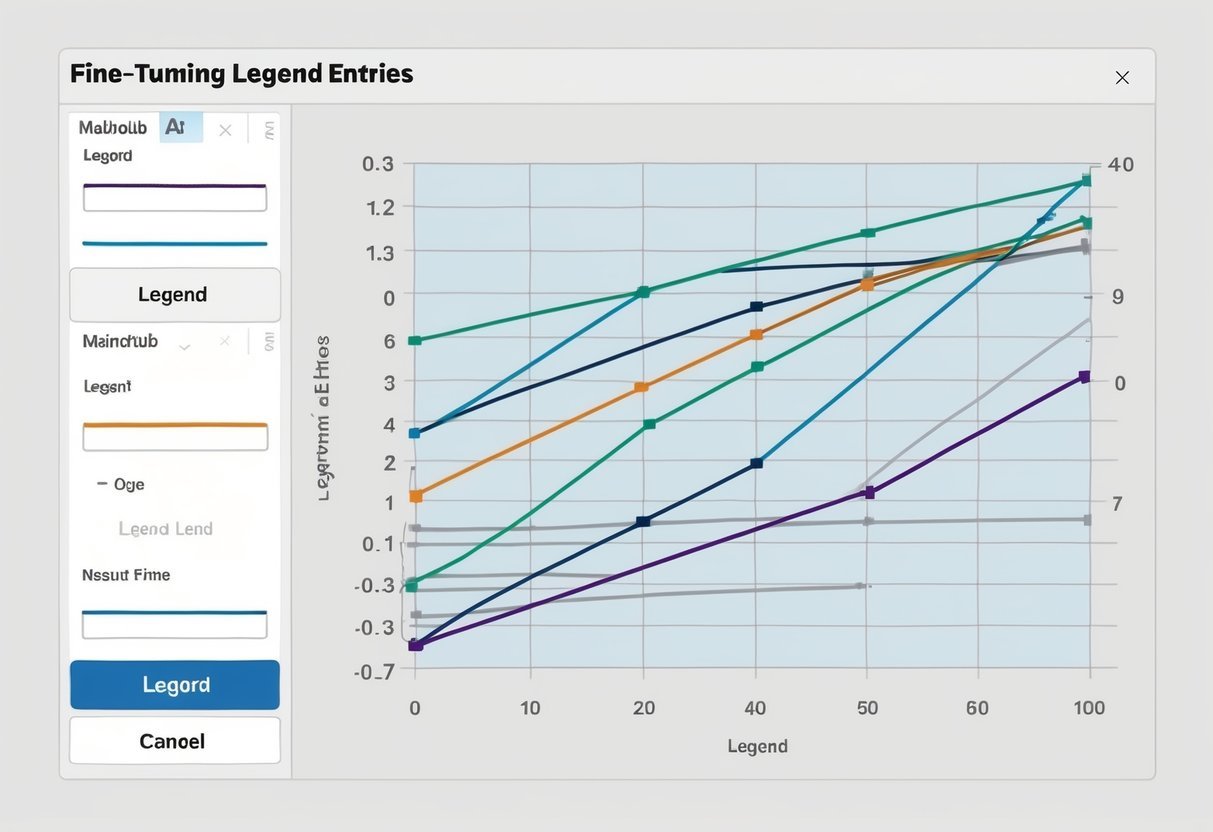
A graph with multiple lines and corresponding labels, demonstrating the process of fine-tuning legend entries in Matplotlib

Fine-tuning legends in Matplotlib is essential for clear data presentation. Adjustments can be made to the order of items and the appearance of markers and lines, enhancing plot readability.

Setting the Order of Legend Entries

In Matplotlib, controlling the order of legend entries can simplify plot interpretation.

By specifying the legend_labels parameter, users can decide which data series appear in the legend. The set_label method allows for customizing the labels of individual plot elements.

To display certain entries first, use numpoints to control marker repetition within the legend.

Arranging markers with markerfirst either before or after the label offers flexibility in display order. When necessary, a manual legend can be crafted for fine-tuned control.

Customizing Markers and Lines

Customizing markers and lines in legend entries is crucial for enhancing visual appeal.

The legend_labels parameter helps specify which plot items should be included and how they should appear.

Various styles, such as dashed or solid lines, can be assigned to different data series.

Markers can be adjusted using the markerfirst parameter to position before or after the text. The frameon option allows toggling of the legend’s border for better readability. Through detailed adjustments, the legend becomes not only informative but also visually coherent.

Frequently Asked Questions

A computer screen displaying a line graph with a stylized legend, surrounded by open books and a pen

Matplotlib offers many styling options for customizing legends. Understanding how to adjust the appearance, position, and formatting of legends can greatly enhance the readability and professionalism of plots.

How can one customize the appearance of the legend in Matplotlib plots?

Matplotlib provides many options for customizing legend appearance.

Users can change the legend’s font size, color, and style. Options also include adding borders or shadows. These customizations help make the information clear and matches the plot’s theme.

What methods are available for positioning the legend outside a Matplotlib plot?

Legends can be positioned outside the plot using the bbox_to_anchor parameter.

This allows users to manually place the legend at specific locations, like the top-right of a figure.

Adjusting the loc parameter provides several predefined positions, making it easy to achieve the desired layout.

Which parameters control the number of columns in a Matplotlib legend?

The ncol parameter in Matplotlib’s legend function allows setting the number of columns.

This is useful for arranging legend items in a more compact or spread-out manner, depending on the plot’s design and the number of entries.

How do you add and style a title for a legend in Matplotlib?

To add a title to a legend, use the title parameter within the legend function.

This title can be styled using font properties, such as font size and typeface. Styling options make the legend title prominent, enhancing plot clarity.

What are the options for adjusting the font size of legend text in Matplotlib?

The fontsize parameter in the legend function allows users to change the size of the legend text.

This can be a specific size or a string value like ‘small’, ‘medium’, or ‘large’, offering flexibility to fit different plot sizes and styles.

Can you provide an example of configuring the border and background of a legend in Matplotlib?

To configure a legend’s border and background, use parameters like frameon, edgecolor, and facecolor.

For example, setting edgecolor changes the border color, while facecolor adjusts the background color.

This customization adds a professional touch to the plot, ensuring the legend stands out appropriately.


Categories
Uncategorized

Learning T-SQL – Data Definition Language (DDL) Essentials for Database Management

Understanding T-SQL and DDL

T-SQL and DDL are essential for managing and structuring databases. T-SQL serves as an extension of SQL with added features. Meanwhile, DDL focuses on defining and organizing database structures.

Fundamentals of T-SQL

Transact-SQL (T-SQL) is a significant component of Microsoft SQL Server. It is an extension of Structured Query Language (SQL), providing capabilities to handle not just queries but also programming logic in the database.

With this extension, users can create complex queries, stored procedures, and triggers.

One of the key aspects of T-SQL is its ability to support procedural programming. This includes control-of-flow language using constructs like IF...ELSE, BEGIN...END, and loops. These features allow users to perform operations that rely on conditional logic and iterative processes.

This makes T-SQL crucial for database administrators and developers seeking to leverage SQL Server’s full power. Its syntax is compatible with SQL standards but enriched with functions and procedures that make database management more efficient and versatile.

The Role of DDL in Database Management

Data Definition Language (DDL) is a subset of SQL used to define and manage database structures. DDL commands include CREATE, ALTER, and DROP, and they are pivotal for establishing and modifying the framework of a database.

In a typical database setup, DDL plays a vital role in creating tables, defining schemas, and setting up relationships between tables using primary and foreign keys. These operations form the backbone of database architecture, ensuring data is stored in an organized and accessible manner.

DDL commands are critical for maintaining database integrity and performance. They allow changes to the structure without affecting the data itself, crucial for tasks like adding new fields, modifying column types, or adjusting constraints as organizational needs evolve.

Getting Started with Databases

For those beginning with databases, understanding how to create and manage database structures is crucial. This involves using SQL commands to establish the database, define its schema, and organize its structure. Properly managing these elements ensures efficient data handling and retrieval.

DDL Statements for Database Creation

Data Definition Language (DDL) is a set of SQL commands used to create and modify the database structure. The most basic DDL command for starting with a database is Create Database. This command initializes a new database environment where data can be managed.

After creating a database, defining its Database Schema is essential. The schema outlines the framework for data storage, including tables, fields, and their relationships. DDL commands like CREATE TABLE are used here to set up the tables that will hold the data. Specifying data types and constraints ensures data integrity and storage efficiency.

Database Structure can be refined with additional DDL commands, allowing the modification of existing structures. Commands like ALTER TABLE adjust table configurations to meet changing data requirements.

Understanding and using these commands effectively can streamline the initial setup of a database, making it easier to manage and scale in the future. Tools like Practical Guide for Oracle SQL, T-SQL and MySQL provide comprehensive guidance in using these commands.

Tables and Relationships

Understanding tables and relationships is crucial in T-SQL, especially when using Data Definition Language (DDL) to create and manage databases. It involves creating tables and defining keys that connect them, which is essential for organizing data efficiently.

Creating Tables with DDL

In T-SQL, creating tables is fundamental. The CREATE TABLE command is used to define a new table in a database. This command specifies the columns, their data types, and any constraints—such as NOT NULL or UNIQUE. Each column must be carefully defined to store data correctly.

When creating a table, one must consider how it will integrate with other tables in the database. By planning the data types and structure in advance, a well-organized database can be created that supports efficient queries and operations.

Defining Primary and Foreign Keys

Primary keys are crucial for identifying each record uniquely in a table. They are defined at table creation or later using the ALTER TABLE command. A primary key must contain unique values and cannot be null. This ensures that each row in the table can be uniquely identified.

Foreign keys establish relationships between tables. They reference a primary key in another table, connecting data logically. This allows for joins in queries, enabling the retrieval of related data from multiple tables. Proper use of foreign keys helps maintain data integrity and supports complex queries and analysis within the database.

Modifying Database Objects

Modifying database objects is an essential part of database management. This section explores how to change the structure of tables using the ALTER command and how to rename database entities in SQL Server.

Using ALTER to Change Structure

The ALTER command in SQL Server is used to make structural changes to existing database objects. When a database table needs to be modified, ALTER TABLE is commonly used. A few examples of its use include adding a new column, modifying an existing column’s data type, or dropping an unused column.

For instance, to add a new column to a table, the syntax is straightforward:

ALTER TABLE table_name
ADD column_name column_type;

If the goal is to change a column’s data type, the syntax slightly changes to:

ALTER TABLE table_name
ALTER COLUMN column_name new_data_type;

It’s important to be cautious when altering columns because data can be lost if the new data type is incompatible with the existing data.

Renaming Database Entities

Renaming database entities, such as tables or columns, is another critical task in database management. SQL Server provides the sp_rename stored procedure to accomplish this task.

To rename a table, the following syntax can be used:

EXEC sp_rename 'old_table_name', 'new_table_name';

When renaming columns, the command is similar but requires specifying the full path:

EXEC sp_rename 'table_name.old_column_name', 'new_column_name', 'COLUMN';

Renaming must be done carefully to ensure that all dependencies and references to the old names are also updated. Correctly renaming entities maintains the integrity of scripts and queries that interact with these database components.

Deleting Database Elements

When working with T-SQL, deleting database elements is crucial for managing and optimizing databases. Key aspects include dropping entire tables or databases and using truncation for quick data removal.

Dropping Tables and Databases

Dropping tables and databases is an irreversible action that deletes all associated data and structures. To drop a table, use the DROP TABLE command. This command removes the table definition and all its data. For instance, DROP TABLE Employees; will remove the “Employees” table. When dropping a database, use DROP DATABASE. This command erases the entire database, including tables and all stored data. It’s essential to have backups and ensure no dependencies exist before proceeding.

Truncating Tables for Fast Deletion

Truncating a table is a quick way to delete data without removing the table structure. The TRUNCATE TABLE command resets the table by removing all rows but maintains the table definition for future use. For example, TRUNCATE TABLE Sales; removes every row in the “Sales” table swiftly. This method is faster than the DELETE command because it doesn’t log individual row deletions, reducing processing time. Truncation is best used when a complete purge of table data is needed while keeping the table available for reuse.

Data Control and Permissions

Data control in T-SQL involves managing user access and permissions using the Data Control Language (DCL). This includes granting permissions to users and revoking them when necessary. Proper management ensures that users have the appropriate level of access and helps maintain data security.

Granting Access and Privileges

To manage who can access certain resources, the GRANT statement is used. This statement assigns specific privileges to users or roles. For example, a user can be given permission to read, write, or execute database objects. It’s important to assign privileges carefully to limit access only to necessary resources, thereby protecting sensitive data.

A typical command might look like:

GRANT SELECT, INSERT ON Employees TO User1;

This command grants User1 the ability to select and insert records in the Employees table. Using roles instead of individual users can help streamline permission management, making it easier to apply changes to multiple users.

Revoking Access and Managing Permissions

When permissions need to be removed, the REVOKE statement is used. This removes previously granted permissions from a user or role. For example, to remove a user’s ability to edit a table, REVOKE is appropriate. Unlike deny, revoke does not prevent future permissions from being granted again.

Here’s an example:

REVOKE INSERT ON Employees FROM User1;

This command stops User1 from inserting data into the Employees table. Managing permissions also involves handling conflicts between different permissions. If both GRANT and DENY are applied to a user, deny will take precedence, helping maintain strict access control when needed.

Handling Transactions

Managing transactions in T-SQL is crucial for maintaining data integrity. Key components include initiating transactions, controlling them, and creating savepoints to ensure changes can be undone if needed.

Transaction Control Statements

Transaction Control Statements are vital for data integrity. They include commands like BEGIN TRANSACTION, COMMIT, and ROLLBACK. These commands help in outlining and managing transactions, ensuring that operations are completed successfully before being finalized.

  • BEGIN TRANSACTION starts a new transaction, grouping a series of operations into a single unit.
  • COMMIT finalizes all changes made during the transaction. Once committed, changes are permanent.
  • ROLLBACK undoes changes if an error occurs. It reverts the database back to its pre-transaction state. This ensures data consistency in case of failures.

Transaction Control Language (TCL) provides these commands for managing transactions effectively, ensuring that each step complies with business rules or error conditions.

Implementing Savepoints

Savepoints allow finer control over complex transactions. By setting these intermediate points, specific parts of a transaction can be rolled back without affecting the entire operation.

  • SAVEPOINT marks a specific spot within a transaction. If an error occurs, use ROLLBACK TO to revert to the savepoint without undoing prior successful changes.

SET TRANSACTION helps in setting properties like isolation levels, ensuring consistent reads. Savepoints provide flexibility, especially in lengthy transactions with multiple operations. This feature is crucial for large, intricate processes, allowing developers to maintain control and precision over data operations. Using savepoints judiciously enhances transaction management, catering to specific needs within broader transactional frameworks.

Locking and Concurrency Control

Locking and concurrency control are critical aspects of database management. They ensure data integrity and consistency. Understanding these mechanisms helps in efficiently managing simultaneous data access by multiple users or applications.

Understanding Lock Mechanisms

Locks are essential tools used to manage access to data. When a transaction wants to read or modify a piece of data, it places a lock to prevent other transactions from making conflicting changes. This prevents data corruption and ensures that users see consistent data.

Locks can be exclusive or shared. Exclusive locks prevent other transactions from accessing the data, commonly used during updates. Shared locks allow multiple transactions to read data simultaneously but prevent any modifications. In many systems, a Lock Table keeps track of these locks, ensuring smooth operation without conflicts. Proper lock management helps maintain performance and stability.

Strategies for Concurrency

Concurrency control is vital for database systems that handle multiple operations simultaneously. It ensures that transactions occur in a manner that the outcome is the same as if the transactions were executed sequentially. This is crucial for maintaining data integrity.

Techniques like optimistic and pessimistic concurrency are used. Optimistic concurrency assumes minimal conflict and checks for data consistency before committing changes. Pessimistic concurrency involves locking data early in transactions to prevent conflicts from arising. Each strategy has its use cases depending on the expected Data Access patterns in the system. Selecting the right strategy can improve performance and reduce system bottlenecks.

SQL Server DDL Commands

Data Definition Language (DDL) commands in SQL Server are used to define and manage database structures. These commands are crucial for creating and modifying tables, keys, indexes, and other database objects. Understanding these commands helps users design robust databases efficiently.

Common DDL Commands and Syntax

CREATE Command: This command is used to create database objects. For instance, to create a new table, the syntax is:

CREATE TABLE Employees (
    EmployeeID INT PRIMARY KEY,
    Name VARCHAR(100),
    Position VARCHAR(50)
);

This command defines a table named “Employees” with three columns: EmployeeID, Name, and Position.

ALTER Command: It modifies existing database objects. For example, to add a new column to a table, the syntax is:

ALTER TABLE Employees
ADD Salary DECIMAL(10, 2);

This example successfully adds a new column named Salary to the “Employees” table.

DROP Command: Used to delete database objects. When dropping a table, the syntax is straightforward:

DROP TABLE Employees;

Executing this command would remove the “Employees” table from the database completely.

Each of these commands plays a vital role in managing database structure and organization. They provide the ability to create, change, and remove database objects, facilitating overall database management.

Enhancing Query Performance

Improving query performance in T-SQL involves using techniques that allow for faster data retrieval. Key strategies include creating indexes and using tools like Explain Plan to identify bottlenecks. Performance tuning helps adjust queries for optimal speed.

Using Indexes to Optimize Queries

Indexes are crucial for speeding up data access in databases. They work like a book’s index, allowing the database engine to locate data quickly without scanning each row. Creating an index on frequently used columns can significantly reduce query time.

When designing indexes, it’s important to choose the right columns. Columns that are often in the WHERE clause or used in joins are prime candidates. Multiple indexes may be needed, but too many can slow down data modification tasks, as each update requires index adjustments.

Using an Explain Plan helps in understanding how a query is executed. This tool provides insight into which indexes are used and highlights possible improvements. Regular performance tuning, combined with strategic index use, ensures that queries run efficiently, benefiting overall system performance.

Advanced DDL Operations

Advanced DDL operations involve techniques to enhance database definition tasks. They include using comments for documentation and merging data definitions for efficiency. These practices help maintain clarity and organization in database environments.

Documenting with Comments

Documenting DDL operations using comments is essential for maintaining clarity. Comments provide context and explanations for complex DDL statements, making it easier for other team members to understand the database structure. In SQL, comments can be single-line or multi-line using -- or /*...*/.

Tools like ApexSQL can automate the documentation process, ensuring that comments are consistent and comprehensive. This reduces errors and improves collaboration by providing a clear understanding of each database component. Proper documentation also aids in troubleshooting and future updates.

Merging Data Definitions

Merging data definitions is a technique used to streamline changes across multiple database tables. It involves combining multiple DDL statements into a single, efficient operation. This approach minimizes redundancy and execution time.

DDL statements like MERGE help integrate data from various sources, managing insert, update, and delete actions in one go. The MERGE command is particularly useful in managing large datasets efficiently, ensuring synchronization across tables.

Frequently Asked Questions

This section addresses common questions about using Data Definition Language (DDL) in T-SQL. It explores command types, differences between T-SQL and standard SQL, examples, and best practices.

What are the primary Data Definition Language (DDL) commands in T-SQL?

In T-SQL, the primary DDL commands include CREATE, ALTER, and DROP. These commands help define and modify database structures like tables and indexes. The CREATE command is used to create new database objects. ALTER modifies existing objects, and DROP deletes them.

How does the use of DDL commands differ between T-SQL and standard SQL?

T-SQL expands on standard SQL by adding procedural programming features. This includes control-of-flow language and functions. While DDL commands in standard SQL are used for defining database structures, T-SQL offers additional extensions for handling complex database management tasks. Learn more about these differences from this T-SQL book.

Can you provide examples of how to use DDL commands in T-SQL?

To create a table in T-SQL, you might use the command CREATE TABLE Employees (ID int, Name varchar(50)). To modify this table, use ALTER TABLE Employees ADD DateOfBirth date. If the table is no longer needed, DROP TABLE Employees removes it.

What are the differences between Data Manipulation Language (DML) and Data Definition Language (DDL)?

Data Manipulation Language (DML) commands, like SELECT, INSERT, UPDATE, and DELETE, are used to manipulate data within database objects. In contrast, DDL commands manage the structure or schema of database objects. DML focuses on the data, while DDL focuses on the structure.

How does Transaction Control Language (TCL) relate to DDL in T-SQL?

Transaction Control Language (TCL) in T-SQL, which includes commands like COMMIT and ROLLBACK, manages database transactions. While DDL commands can often cause implicit commits, TCL ensures data consistency and rollback capability in case of errors during database operations.

What are the best practices for using DDL in T-SQL to ensure database integrity?

When using DDL commands, it’s essential to follow best practices. These include using appropriate naming conventions, maintaining backup before altering significant structures, and testing scripts in a development environment first. Ensuring proper constraints, like primary keys and foreign keys, also helps maintain data integrity.

Categories
Uncategorized

Learning Pandas for Data Science – Data Workflow Essentials Explained

Getting Started with Pandas

Beginning with Pandas involves setting up your Python environment and understanding key principles of this popular data analysis library.

This section will guide you through the installation process and introduce you to the foundational concepts critical for effective data manipulation and analysis.

Installation and Setup

To start using Pandas, one must first install Python if it is not already on the system.

Python can be downloaded from the official Python website. After installing Python, open a terminal or command prompt.

To install Pandas, use the following command:

pip install pandas

This will download and set up the Pandas library on your machine.

It’s also recommended to install Jupyter Notebook, an interactive tool that makes it easy to work with Python and Pandas. Use this command:

pip install jupyter

Once installed, launch Jupyter with:

jupyter notebook

This opens a notebook interface in the web browser, where you can write and execute Python code.

Having Pandas and Jupyter set up allows users to start exploring data science projects right away.

Pandas Fundamentals

Pandas is a powerful Python library for data management and analysis. The core components of Pandas are DataFrames and Series.

A DataFrame is a 2-dimensional labeled data structure, akin to a table in a database or Excel spreadsheet. A Series is a one-dimensional labeled array, like a column in a table.

To create a DataFrame, use:

import pandas as pd

data = {'Name': ['Alice', 'Bob'], 'Age': [25, 30]}
df = pd.DataFrame(data)

This snippet creates a simple DataFrame with names and ages.

Users can perform tasks such as filtering, grouping, and merging data. Mastery of these basics is essential for efficient data analysis and visualization using Pandas.

The library supports data cleaning, mutation, and aggregation, making it a favorite for those working with datasets in Python.

Understanding Data Structures

A laptop displaying a Pandas data workflow with charts and graphs, surrounded by books on data science and data structures

Data structures are fundamental in handling data with pandas. They help organize and manage data in a way that makes analysis straightforward and efficient.

Key structures include Series, DataFrames, and ndarrays.

Series and DataFrames

A Series is a one-dimensional array in pandas that holds data of a similar type. It’s similar to a list or array but with labeled indices. Labels make data retrieval more intuitive. For example, accessing data by label rather than by index number can simplify operations in various datasets.

A DataFrame is a two-dimensional, size-mutable, and heterogeneous tabular data structure. It consists of rows and columns, similar to a table in a database or a spreadsheet. DataFrames can hold different types of data across columns and are central to data manipulation in pandas.

Basic operations such as accessing, filtering, and summarizing data are streamlined with Series and DataFrames. They both allow for data alignment, handling of missing data, and integration with other libraries.

Working with Ndarrays

Ndarrays come from the NumPy library and represent N-dimensional data. They form the backbone for many operations in pandas.

While pandas adapts ndarrays into its Series and DataFrames, ndarrays themselves are ideal for numerical operations due to their performance efficiency.

These arrays are versatile, supporting various data types and operations like slicing, indexing, and mathematical transformations. Though not labeled like pandas structures, their speed and efficiency in handling large datasets make them useful in performing heavy computations before manipulating data in pandas.

Pandas smoothly integrates with these arrays, enabling the conversion of ndarrays into DataFrames with ease, enhancing data analysis capabilities by combining flexibility with efficiency.

DataFrames vs Series

While both Series and DataFrames are crucial in pandas, they suit different needs.

A Series is optimal for handling a single list of data, focusing on indexing and selection with labeled data. It is particularly useful when dealing with a single column or row from a DataFrame.

DataFrames, being two-dimensional, excel at handling structured tabular data, where rows and columns can vary in data types. This versatility supports complex data operations, including merging, joining, and reshaping.

The choice between using a DataFrame or Series depends on the dataset’s complexity and structure, with DataFrames providing more flexibility for detailed analysis of complex datasets.

Data Import/Export

A laptop displaying a pandas dataframe with columns and rows, surrounded by charts and graphs. A person's hand hovers over the keyboard, ready to input or export data

Data import and export are key tasks in data science for moving data into and out of software like Pandas. This process involves reading data from various file formats and saving manipulated data back into files. Understanding these tasks is crucial for handling data efficiently.

Reading CSV/Excel/SQL/JSON

Pandas provides several functions to read data from different formats.

The read_csv function is commonly used for importing data from CSV files. With a single line of code, one can load a CSV file into a DataFrame, making it easy to start analyzing data.

For Excel files, Pandas offers read_excel, which supports reading multiple sheet formats. This can be especially handy for datasets with various segments on separate sheets.

Data from SQL databases can be imported using SQL queries. The function read_sql allows users to read from SQL databases directly into Pandas, facilitating smooth data analysis without needing to manually export queries.

Similarly, JSON data can be loaded using the read_json function, which is helpful for web-based data or APIs that return JSON objects.

Exporting Data to CSV/JSON

Exporting data is as straightforward as importing it.

The to_csv function enables users to save DataFrames back into CSV format. Options include specifying the delimiter, handling headers, and more, giving flexibility in the export process.

For JSON files, to_json allows conversion of DataFrames into JSON format. This is popular for sharing data across web applications. JSON files are lightweight, making them ideal for long-term storage or data transmission on the web.

These functions ensure data remains accessible and shareable after processing, making it easier for further analysis or reporting.

Data Cleaning Techniques

A laptop displaying a Jupyter notebook with code for data cleaning using Pandas, surrounded by open textbooks and a notebook with handwritten notes

Data cleaning is a vital process in any data science workflow. It ensures that data is accurate, consistent, and free from errors. Key techniques include handling missing values, transforming data, and filtering rows and columns to prepare datasets for analysis.

Handling Missing Values

Missing values can negatively affect data analysis. You must first identify missing data, which can appear as blanks, “NaN” in Pandas, or “null” values.

Filling these gaps is crucial, and one method is using the Pandas fillna() function to replace missing data with specific values, such as the mean or median.

Dropping rows or columns containing numerous missing values is sometimes necessary. This can be done using dropna(). It’s important to consider the impact of these actions on the dataset’s integrity.

Another approach is to use interpolation, which estimates missing values based on available data points.

Data Transformation

Data transformation includes modifying data to improve its format or structure, which enhances analysis.

One such transformation is scaling, which adjusts data ranges. This is often done through normalization or standardization. The Pandas library offers functions like apply() and map() to help transform data efficiently.

You can also use log transformation to manage skewness in data distributions.

Converting categorical variables into numerical values using techniques like one-hot encoding is also essential.

Python libraries such as Pandas and SciKit-learn provide these capabilities, enabling data scientists to transform data effectively.

Filtering Rows and Columns

Filtering is essential for focusing analysis on relevant data segments. Boolean indexing is a powerful tool for this purpose.

It allows you to select data based on conditions, such as filtering rows where a column value exceeds a threshold. In Pandas, this can be achieved using expressions like df[df['column'] > value].

Column filtering involves selecting necessary features and discarding irrelevant ones, which helps reduce noise in the data.

Methods like loc[] and iloc[] in Pandas provide flexible ways to filter both rows and columns. Applying filters can significantly enhance data quality and analysis outcomes without altering the core dataset.

Data Manipulation and Transformation

Data manipulation and transformation are key processes in data science, often involving techniques like aggregating data, creating pivot tables, and performing vectorized operations. These methods help in refining raw data into a structured format that is easier to analyze and visualize.

Aggregating Data

Aggregating data is vital for summarizing information. By using functions like sum(), mean(), and count(), analysts can condense extensive datasets into meaningful summaries. This process helps in understanding trends and making data manageable.

For instance, calculating the average sales per quarter offers insights into business performance.

In Pandas, aggregation functions are applied to dataframes or series, allowing you to specify either rows or columns for the calculation. Such flexibility enhances the ability to generate custom insights.

An example might be calculating the total revenue for different regions using Pandas. This supports decisions by making trends more visible.

Pivot Tables and GroupBy

Pivot tables and the groupby function are essential tools for reorganizing data.

Pivot tables, similar to those in spreadsheet software, allow data to be summarized, compared, and analyzed across different dimensions. This is extremely helpful for identifying patterns.

The groupby function in Pandas is versatile, grouping data based on one or more columns. It enables detailed analysis by allowing operations like summation, averaging, and counting within each group.

For example, sales data can be grouped by product category to determine which category contributes most to revenue, enhancing understanding of market dynamics.

Vectorized Operations

Vectorized operations enhance performance by applying computations directly to array or table structures rather than iterating through elements. This approach is efficient for large datasets as it leverages low-level optimizations. The result is faster processing speeds and reduced complexity.

In Pandas, vectorization allows operations like element-wise addition, subtraction, or logical operations on dataframes.

Such operations are crucial for data transformation, enabling swift handling of datasets without explicit loops. For instance, calculating price increases across a large dataset can be achieved in a single step, allowing quicker insights into price trends.

Exploratory Data Analysis (EDA)

Exploratory Data Analysis (EDA) is a crucial step in data science. It helps data scientists and business analysts uncover patterns, spot anomalies, and test assumptions. This process involves various techniques, focusing on summary statistics and correlation analysis to draw meaningful conclusions from data.

Summary Statistics

Summary statistics provide a quick overview of data through key figures. These include mean, median, mode, standard deviation, and range.

By calculating these metrics, data professionals can get a sense of the central tendency and variability in the dataset. For instance, the mean shows the average value, while the standard deviation indicates how much data varies from the mean.

These statistics are essential in identifying outliers or unusual data points that might skew the results.

Using tools like Pandas in Python, such calculations are straightforward. Data scientists often rely on summary statistics as a foundational step in EDA, allowing them to make informed decisions about data preprocessing and analysis. This aids in ensuring data quality and reliability before diving into complex modeling.

Correlation and Statistical Analysis

Correlation and statistical analysis focus on relationships between variables.

Understanding these connections can highlight how one variable may predict or affect another.

Correlation coefficients, like Pearson’s or Spearman’s, measure the strength and direction of these relationships. A correlation near +1 or -1 indicates a strong relationship, while a value close to 0 suggests no correlation.

Statistical analysis goes beyond correlation by testing hypotheses or assessing the significance of relationships.

Techniques such as regression analysis help in predicting outcomes and understanding complex interactions within data.

These analyses are crucial for data scientists and business analysts to inform strategic decisions and guide further exploration. Leveraging Python libraries like SciPy and Matplotlib simplifies integrating these analyses within the data workflow.

Data Visualization

Data visualization is a crucial part of analyzing data with Pandas.

Tools like Matplotlib and Seaborn help create various visual representations.

These tools can be used for plotting different types of graphs, including bar plots and histograms, which are essential for understanding data distributions and trends.

Plotting with Matplotlib and Seaborn

Matplotlib is a popular library used for plotting graphs in Python.

It provides a wide range of plotting options from simple line graphs to complex 3D plots.

It’s known for its flexibility and comprehensive customization options.

Users can adjust everything from colors and line styles to axis labels and gridlines, making it a versatile tool for detailed visualization work.

Seaborn is built on top of Matplotlib, offering a higher-level interface for creating visually appealing and informative statistical graphics.

It simplifies tasks like drawing attractive plots in a few lines of code.

Seaborn includes built-in themes and color palettes, which make it easier to create professional-looking visualizations without extensive configuration.

Features like multi-plot grids and specialized plots for categorical data add depth to visualization capabilities.

Creating Bar Plots, Histograms, and More

Bar plots are essential for comparing categorical data.

They represent data with rectangular bars, the lengths of which are proportional to the values they represent.

Bar plots can be created efficiently using both Matplotlib and Seaborn, with customization options for colors, orientation, and grouped or stacked bars.

Histograms are crucial for visualizing the distribution of numerical data.

They display data using bins to show frequency counts of data intervals.

These plots help in understanding data spread and identifying patterns like skewness or the presence of outliers.

Both Matplotlib and Seaborn offer functions to create detailed histograms, making them invaluable for statistical analysis and initial data exploration.

Machine Learning with Pandas

Machine learning with Pandas involves preparing data, selecting features, and performing various analyses like regression.

This process often uses tools like scikit-learn for efficient data handling and model building.

Feature Selection

Feature selection is a vital part of using Pandas for machine learning.

It involves selecting the most relevant data features for a model. This step improves accuracy and reduces computation time.

Pandas can be used to manage and preprocess data, making it easier to identify important variables.

Using Pandas in combination with scikit-learn, users can automate feature selection with methods like recursive feature elimination or by applying feature importance scores.

These methods help in narrowing down the dataset to include only the features that significantly contribute to the model’s predictions.

Regression Analysis

Regression analysis with Pandas helps in understanding relationships between variables.

It is widely used to make predictions and model trends within datasets.

Tools like scikit-learn provide functions for different regression models, from simple linear regression to more complex methods.

Data must be clean and well-prepared in Pandas before applying regression models.

Pandas facilitates data processing by providing functions for handling missing data, normalizing values, and structured data formatting.

Effective data visualization can also be a part of this analysis, allowing users to visually interpret model outputs and assess the fit of regression lines.

This integration of Pandas and scikit-learn enables efficient workflows for predictive modeling.

Time-Series Analysis

Time-series analysis involves studying datasets where observations are recorded at specific time intervals.

It is essential for spotting trends, seasonal patterns, and cyclical changes, making it crucial in fields like finance, economics, and environmental studies.

Working with Time Series Data

Time series data is characterized by its time-ordered nature. Analysts often start by cleaning and preparing datasets to handle missing values and outliers. This preparation ensures the reliability of the analysis.

A common technique in time-series analysis is decomposition, which separates data into trend, seasonal, and residual components. This helps in understanding underlying patterns.

Forecasting future values based on historical data is an essential task in this context.

Utilizing libraries like Pandas can streamline processes such as data manipulation and visualization, which are key for effective analysis.

Resources like the Time Series Analysis with Python Cookbook offer practical recipes for handling such data efficiently.

Advanced Topics in Pandas

A laptop displaying a Pandas data workflow with charts and graphs on the screen. A notebook and pen sit beside it

When working with large datasets, it’s crucial to focus on performance tuning and memory optimization in Pandas. These practices improve task efficiency and reduce resource consumption, which is essential for handling big data effectively.

Performance Tuning

Optimizing performance in Pandas can be achieved through various methods.

One key approach is vectorization, which involves using Pandas functions that operate on entire arrays instead of iterating through elements. This makes operations significantly faster.

For example, using apply() can be slower compared to vectorized operations like mean() or sum().

Another method is using Cython or Numba for speeding up complex Python functions. This involves translating Python code to C for faster execution.

Additionally, choosing efficient data types for columns, such as category for string data that takes on a limited number of unique values, can enhance performance by reducing both processing time and memory usage.

Memory Optimization

Memory optimization ensures that processes run smoothly, even with limited resources.

One important strategy is to reduce memory usage by downcasting numeric types. For instance, converting float64 to float32 where precision is not critical can cut memory usage significantly.

Using chunksize in read functions helps manage memory by processing data in smaller portions. This is especially useful for reading large files without loading everything into memory at once.

Pandas also offers tools to parse only necessary data. For example, specifying columns while loading a dataset with usecols minimizes memory consumption by excluding irrelevant data.

Furthermore, converting data to more efficient formats, like storing DataFrames in Parquet files, can improve both memory usage and performance when dealing with big data and even when data is stored in HTML formats.

Applying Pandas in Real-world Projects

Using Pandas in real-world projects helps data scientists turn raw data into valuable insights.

Guided projects allow learners to apply skills practically on datasets like the Ebay Car Sales Data, showcasing how data analysis is executed in authentic scenarios.

Guided Project: Ebay Car Sales Data

In the Ebay Car Sales Data project, participants learn key data science skills by working with a dataset of used cars. This guided project provides a practical experience in cleaning, manipulating, and analyzing data using Pandas.

Learners focus on transforming messy data into clean, structured formats. This involves handling missing values, creating new variables, and extracting insights using various Pandas functionalities.

Such hands-on exercises are crucial for developing a strong understanding of data workflows, making it easier to tackle similar tasks in professional settings.

Case Studies and Scenarios

Real-world case studies often highlight how Pandas can streamline data workflows.

These scenarios show practical applications, such as using Pandas to analyze market trends, optimize operations, or improve decision-making processes.

Data scientists benefit from these experiences by understanding the significance of efficient data handling and processing. They learn how to create meaningful data visualizations and reports, which are essential for communicating findings and influencing business strategies.

Such projects help bridge the gap between theoretical knowledge and practical application.

They empower individuals to become proficient in data-driven decision-making, a critical skill in modern data science environments. By engaging with these examples, learners gain a clearer perspective on the role of data manipulation and analysis in everyday tasks.

Frequently Asked Questions

A laptop with a pandas logo open to a FAQ page, surrounded by data charts and graphs

This section covers key aspects of using Pandas for data science. It includes data manipulation, starting with data analysis, performing common cleaning tasks, handling missing values, managing datasets, and visualizing data.

What are the essential features of Pandas for data manipulation in data science?

Pandas offers data structures like Series and DataFrame that make data manipulation easy and efficient.

It allows filtering, sorting, and grouping data effortlessly. Functions like loc, iloc, and groupby are crucial for slicing data and analyzing it based on different criteria.

How can one start with data analysis using the Pandas library?

To begin data analysis with Pandas, one should first install the library using pip install pandas.

After installation, importing Pandas in a Python script is essential.

Using functions like read_csv or read_excel, data can be imported into a DataFrame for exploration and manipulation.

What are some common data cleaning tasks in Pandas and how are they performed?

Common data cleaning tasks include removing duplicates, renaming columns, and converting data types.

Pandas provides functions like drop_duplicates for duplicate removal and rename for renaming columns.

Converting data types can be done using astype.

How do you handle missing values in a dataset with Pandas?

Handling missing values involves identifying and dealing with them using Pandas methods.

The isnull function helps detect missing values, while fillna allows filling them with specific values or methods like forward fill.

The dropna function is used to remove any rows or columns with missing data.

Can you explain how to merge and concatenate different datasets using Pandas?

Pandas enables dataset merging using merge for joining DataFrames based on keys, similar to SQL joins.

Concatenation is achieved with concat, which combines DataFrames either vertically or horizontally.

These methods are vital for assembling large datasets from various sources.

What is the best way to visualize data directly from a Pandas DataFrame?

Visualizing data from a Pandas DataFrame can be easily done using the library’s integration with Matplotlib.

The plot function in Pandas generates basic plots like line graphs or histograms directly from a DataFrame.

For more advanced visualizations, using Pandas with libraries like Seaborn is effective.

Categories
Uncategorized

Learning about Pandas Applying Methods on Single and Multiple Columns: A Comprehensive Guide

Understanding Pandas and Dataframes

Pandas is a powerful library essential for data manipulation and analysis in data science. It provides robust data structures that simplify the process of handling data.

One of the primary structures in Pandas is the DataFrame. A DataFrame is similar to a table in a database or a spreadsheet. It contains rows and columns, making it easy to store and manage large datasets.

Pandas offers another data structure known as a Series, which is a one-dimensional array-like object. Each Series has an index that labels each element, allowing for easy access and manipulation.

A typical pandas DataFrame contains multiple Series, with each Series representing a column. Each column can hold different types of data, such as integers, floats, or strings.

Working with columns in a DataFrame is straightforward. You can easily add, remove, and modify columns to suit the analysis needs. The index, which labels the rows, assists with efficient data retrieval.

By using Pandas, analysts can easily perform operations such as filtering data, applying functions, and aggregating data. These capabilities make it an indispensable tool in data science workflows.

Pandas’ strength lies in its ability to handle large amounts of data efficiently. Whether working with simple datasets or complex, multi-dimensional data, Pandas provides the necessary tools and methods to streamline data operations.

Basics of Applying Functions to Dataframes

Applying functions to DataFrames can significantly improve data analysis efficiency. By using tools like the apply() method and lambdas, one can perform complex operations across entire datasets with ease. Understanding these tools is essential for effective data manipulation in Python using Pandas.

The Apply Method

The apply() method in Pandas is a powerful function that enables users to apply custom operations across DataFrame rows or columns. This method transforms data by introducing a specific function to each element within a designated axis.

For instance, applying a mathematical operation such as squaring all values in a DataFrame column is simplified using this method.

The syntax of apply() involves specifying the function and axis. By default, apply() uses the axis of columns. Users can determine how the function affects their data, making it versatile for various tasks.

For instance, summing values across rows or obtaining their mean can be streamlined efficiently. According to GeeksforGeeks, the apply() method empowers users to modify DataFrames creatively and effectively.

Using Lambdas with Apply

Lambdas are anonymous functions that offer a concise syntax for simple operations. Integrating lambdas with the apply() method enhances flexibility and simplifies code, especially when defining one-off operations.

These functions are commonly used within the apply() method to perform immediate transformations.

For example, using a lambda function to increment each DataFrame value by one involves minimal code. The lambda syntax is simple: df['column'].apply(lambda x: x + 1).

According to a tutorial by Dataquest, combining lambdas with apply() enables efficient vectorized operations without the need for traditional loops. This approach not only saves time but also ensures that the codebase remains clean and understandable.

Advanced Single Column Manipulations

Single column manipulations in Pandas are crucial for efficient data analysis. This section explores advanced techniques for handling single columns using Series objects and the map method. These techniques enhance data manipulation capabilities, enabling users to perform sophisticated operations with ease.

Series Object Operations

The Pandas Series object allows for powerful operations on a single column. Each column in a DataFrame can be treated as a Series, which means it can utilize the various methods specific to Series objects.

By using attributes like .str, which acts as an accessor, users can perform string operations directly on elements of a Series.

For numeric operations, functions like sum(), mean(), and apply() can be utilized. The apply() function is often used for custom operations on series elements, though there are performance considerations.

According to discussions on Stack Overflow, directly calling optimized Pandas methods is usually faster than applying custom functions using apply().

The Map Method

The map() method is a concise and efficient way to transform data in a single column, especially for simple value mappings. Often used on a Pandas Series, map() replaces or transforms each element according to a function or dictionary.

This method shines in tasks like replacing values or applying a transformation function.

For instance, using map() can replace categorical values with numeric codes efficiently. Datagy points out that while both apply() and map() can be used for data transformations, map() is specifically tailored to handling Series objects. It is especially beneficial when simple transformations are needed, ensuring efficient data manipulation.

Transforming Multiple Columns

Transforming multiple columns in a Pandas DataFrame can be efficiently accomplished using the apply function. It allows for complex operations across columns. Additionally, understanding how to aggregate data across columns is crucial for data analysis, especially when summarizing or combining results.

The Apply Function for Multiple Columns

The Pandas apply function is a powerful tool when working with multiple columns. By using it with an axis parameter, users can apply a function to rows (axis=1) or columns (axis=0).

This function is ideal for performing operations that need to account for multiple elements at once. For instance, combining two columns into a new one by summing their values or applying a custom transformation is straightforward.

When applying functions to multiple columns, it is common to define a function that takes a DataFrame row, performs the computation, and returns the desired outcome. The result is often returned as a Pandas Series, which integrates seamlessly back into the original DataFrame, facilitating further transformations or analyses.

Aggregate Data Across Columns

Aggregating data across columns involves combining data from two or more columns to form a single output. It is frequently used in data analysis to summarize results or generate new metrics from existing data.

Pandas offers several methods for aggregation, which can include simple functions like sum, mean, or custom aggregation functions. By specifying axis=1 within the apply function, users can efficiently aggregate across columns rather than down rows.

This method is particularly useful in scenarios like calculating the total score from individual subject scores or generating a composite index. It allows for exploration of relationships and patterns by transforming detailed data into summarized insights, invaluable in decision-making processes.

Enhancing Performance with Apply and Map

A computer screen displaying code for applying and mapping methods on single and multiple columns using Pandas

In data analysis with Pandas, performance is key. The apply() and map() methods offer ways to enhance efficiency. They are often used when built-in operations are not available for specific tasks.

For single column transformations, map() is ideal and is used directly on Pandas Series.

For more complex operations, apply() can be used. It works with both Series and DataFrames, making it highly versatile. You can pass custom functions to apply() for greater flexibility and control over the data.

While map() is limited to Series, apply() can handle both Series and DataFrame operations. This means it’s useful for operations spanning multiple columns, such as aggregating data or applying diverse transformations simultaneously.

When working with DataFrames, understanding when to choose between apply() and other methods can greatly impact performance. As noted in the article on Transforming Pandas Columns, it’s crucial to balance the use of these methods against more efficient, vectorized operations.

Both map() and apply() contribute extensively to the efficiency of data processing tasks. They can be used with functions like lambdas, enhancing their power in many situations. Yet, be cautious, as these methods can be slower compared to vectorized operations.

For optimizing complex data manipulations, integrating these methods can be advantageous, but always weigh their performance impact, especially on large datasets. Use apply() for row and column applications to maximize potential while maintaining speed.

Custom Function Integration in Pandas

Pandas allows users to integrate custom functions into the data manipulation process, offering flexibility and precision. These functions can be applied using the apply() method, which is useful when standard functions do not meet specific needs.

Custom functions can enhance processing by applying transformations or calculations to DataFrame columns. Lambda functions offer a concise way to create on-the-fly functions for quick tasks. Users can input these functions directly through the apply() method to modify DataFrame columns or rows.

When using custom functions, it’s essential to understand the role of arguments and keyword arguments. These allow greater control over the function’s behavior, ensuring it operates as expected across varying data.

Example

Consider a DataFrame where you need to apply a function to adjust values:

def multiply_values(x, factor=2):
    return x * factor

df['new_column'] = df['original_column'].apply(multiply_values, args=(3,))

The above code shows how to use custom functions with args to specify additional parameters.

Using the raw parameter can influence how the function interacts with the data. Setting raw=True passes data as a NumPy array for potentially improved performance, while raw=False ensures values are passed as a Series.

By incorporating custom functions into Pandas workflows, users can achieve intricate data manipulations efficiently. This approach allows them to leverage both simplicity and power, tailoring operations to fit their unique data processing requirements.

Working with Numpy Inside Pandas

Pandas can be significantly enhanced by integrating with NumPy. NumPy provides powerful tools for advanced data manipulation, making it a perfect companion for Pandas’ capabilities.

Using NumPy with Pandas often involves vectorized operations, which boost performance. These operations allow computations on entire arrays rather than iterating element by element. This is not only faster but also simplifies the code.

When handling DataFrames, the apply() method is useful for applying functions along an axis. It can use NumPy functions, leading to efficient computation.

For instance, calculating complex statistics across DataFrame columns can be streamlined using this approach.

Here’s a simple example: imagine a DataFrame containing numerical data. Applying np.sqrt() to a column will return the square root of each element. This task, powered by the efficiency of NumPy, is both fast and clear.

Another benefit is NumPy’s array slicing capabilities, helping to manipulate data selection within Pandas’ DataFrames. You can select and operate on subsets of data without iterating through the whole dataset, saving time.

Managing large datasets often requires operations across multiple columns. Using NumPy’s functions with Pandas lets users perform operations like aggregation or transformation efficiently, ensuring smooth data analysis processes.

By combining NumPy with Pandas, users tap into a robust toolkit for data manipulation. This partnership enhances the ability to deal with complex datasets, providing clear and streamlined paths to insights. Written concisely, code leveraging this integration remains both powerful and readable.

The Power of List Comprehensions in Pandas

List comprehensions are a powerful tool in Python for making code concise and readable. When working with Pandas, they provide an efficient way to handle data manipulations within columns.

These comprehensions compress complex operations into a single line, which can enhance performance by reducing the need for explicit loops.

Consider a scenario: one wants to compute a new column based on existing data. Instead of writing multiple lines of loop code, list comprehensions can achieve this elegantly.

For example, if there is a DataFrame df, the operation could look like this:

df['new_column'] = [x * 2 for x in df['existing_column']]

This single line quickly applies a transformation to each item.

Performance and Efficiency

List comprehensions generally run faster than similar operations using apply() when dealing with simple functions. They leverage the efficiency of list iteration in Python, providing a speed advantage, especially on large datasets.

Here’s a basic side-by-side comparison:

Method Code Example Speed (Example Setting)
List Comp. [x*2 for x in df['col']] Faster
Apply Method df['col'].apply(lambda x: x*2) Slower

While .apply() is versatile, list comprehensions excel in straightforward operations, making them ideal for quick and efficient data transformations.

Controlling Operation Flow with Parameters

In pandas, applying methods to DataFrame columns can be customized through various parameters. These parameters help modify how functions are applied, affecting results and efficiency.

Understanding Apply Parameters

When using pandas’ apply() function, the parameters allow users to control the method’s behavior.

One crucial parameter is axis, which determines if the function should be applied across rows (axis=0) or columns (axis=1). This influences how data is processed, significantly impacting performance and output.

Another parameter to consider is result_type. It formats the output of the apply function, particularly useful when the function returns a list or a series. Choosing the correct result type can prevent errors and maintain the DataFrame’s structure.

Advanced users can use applymap() for element-wise operations and groupby functions for aggregating data across groups.

Positional vs Keyword Arguments

In programming, understanding positional arguments and keyword arguments helps control function calls better.

Positional arguments are passed to the function in the order they appear. This means their position directly affects how they are interpreted. It’s essential to ensure they are in the correct sequence to avoid bugs.

On the other hand, keyword arguments are defined by explicitly naming each argument. This approach enhances readability and flexibility, especially when a function supports a long list of arguments. It also allows users to change the order without affecting functionality, providing ease of use and preventing potential errors.

Using keyword arguments can enhance clarity when using complex pandas operations, leading to more maintainable code.

Dealing with Missing Data in Function Application

Handling missing data is crucial when applying functions to DataFrames in pandas. Effective methods ensure cleaner results and prevent errors when using tools like the apply() method or applymap().

Apply Methods and NaN Values

When dealing with missing data in pandas, understanding how numerical operations interact with NaN values is essential.

The apply() method can be used to operate on DataFrame columns or rows while taking into account any NaN values.

To fill or transform NaNs, developers often use functions like fillna() in their apply() functions. This ensures that mathematical operations don’t yield unwanted results due to NaNs. It’s important to remember that NaN is treated as a float and can affect operations if not handled properly.

The applymap() function is useful when applying functions element-wise on DataFrames. Though its use is less common for missing data, it remains valuable when each cell needs processing, including those with NaN. Since NaN is common, knowing how to manage it can improve data analysis and prevent incorrect outputs when using these functions. More methods can be found for handling missing data like using fillna().

Using Applymap for Element-Wise Operations

Applymap is a powerful function in Pandas used for element-wise operations. It acts on every single value of a DataFrame, unlike functions like apply() which operate on rows or columns. This makes it perfect for applying a function across all columns and rows in a DataFrame.

The function applymap() is exclusively available for DataFrames. When there is a need to transform every element in a DataFrame, applymap is the go-to method. For instance, converting all elements to strings can be done easily with the use of applymap(str).

A practical example: suppose there’s a DataFrame with numerical values, and the task is to format each number as a percentage. Using applymap(lambda x: f"{x:.2%}") would efficiently convert each number into the desired format.

One should remember that applymap does not work with pandas Series. It’s designed to operate on the 2D data structure of DataFrames. For Series, the map() function is more appropriate.

When dealing with larger DataFrames, applymap can be less efficient than more direct methods due to its element-wise nature. Yet, its straightforward approach makes it an excellent choice for comprehensive data transformations. To learn more about using applymap for performing element-wise operations, you can explore further resources.

Assigning Data with the Assign Method

A person using a computer to apply the assign method on single and multiple columns in Pandas

The assign() method in pandas is a powerful tool for adding new columns to a DataFrame. This method is used to either append new data or update existing columns with ease.

Adding new columns with assign() is straightforward. It allows developers to specify the column name and assign data using keyword arguments. For instance, df.assign(new_column=data) creates new_column populated with data.

Example Usage:

import pandas as pd

df = pd.DataFrame({'A': [1, 2], 'B': [3, 4]})
df = df.assign(C=lambda x: x.A + x.B)

This example adds a new column C by performing operations on existing columns A and B.

Multiple columns can be added simultaneously with assign(). It accepts multiple arguments, each creating a new column. This feature streamlines data manipulation tasks. Read more about assigning multiple new columns.

The assign() method ensures that changes do not affect the original DataFrame. Instead, it returns a new DataFrame with the updates. This behavior preserves data integrity during operations.

Frequently Asked Questions

A panda bear mascot surrounded by question marks, demonstrating methods on columns

Applying functions in Pandas can streamline data analysis. This section addresses common questions about using the apply function with columns in a DataFrame, applying functions with arguments, and more.

How do you use the apply function to multiple columns in Pandas and create a new column?

To create a new column by using the apply function across multiple columns, use a lambda function within apply(). Set axis=1 to indicate row-wise operation. For example, df['new_col'] = df.apply(lambda x: f(x['col1'], x['col2']), axis=1). This approach was suggested by Statology.

What is the process to apply a function with arguments to a single column in Pandas?

For a single column, use the apply method and pass the function directly. If additional arguments are needed, supply them with the args parameter. For example, df['new_col'] = df['col'].apply(function_name, args=(arg1, arg2)).

How can you apply a function to all columns in a Pandas DataFrame?

Use the applymap() function to apply a function to each element in the DataFrame individually. This is useful for element-wise operations. df.applymap(function_name) applies function_name across all cells.

In Pandas, how can you apply multiple functions at once to a DataFrame?

The agg() function lets you apply several functions simultaneously. It can be specified for individual columns or the whole DataFrame. For instance, df.agg(['sum', 'mean']) computes both the sum and mean for each column.

What method is used in Pandas to apply a lambda function and return multiple columns?

To return multiple columns using a lambda, use assign() in combination with apply(). For instance, df = df.assign(new_col = lambda x: function(x['col1'], x['col2'])). This can efficiently create multiple columns simultaneously.

How can you apply the same condition to multiple columns simultaneously in Pandas?

A common way is to use loc[] together with apply().

For example, apply a condition like df.loc[:, ['col1', 'col2']].apply(lambda x: condition, axis=1). This allows conditions to be set on multiple columns at once based on a single lambda function.

Categories
Uncategorized

Learning Pandas for Data Science – Time Series Essentials for Beginners

Getting Started with Pandas for Time Series Data

Pandas is a powerful Python library that simplifies data analysis, especially for time series data.

To get started, ensure pandas is installed. You can install it using the command:

pip install pandas

Once installed, pandas allows users to work with DataFrames, making it easier to manipulate and analyze data.

A common operation is reading data from a CSV file. This can be done using the read_csv function.

When working with time series data, it’s crucial to parse dates correctly. The read_csv function in pandas enables this by setting the parse_dates parameter.

For example:

import pandas as pd
df = pd.read_csv("data.csv", parse_dates=['date_column'])

This command reads a CSV file, ensuring the dates are parsed correctly, and stores the data in a DataFrame called df.

Time series analysis often involves manipulating DataFrames to focus on date-specific data. Pandas provides a variety of functions to filter and select data.

For instance, if you need to set the date column as an index:

df.set_index('date_column', inplace=True)

This step is essential for time-based operations like resampling or calculating rolling statistics.

Pandas also supports resampling of time series data to change the frequency of data points. This can be useful for summarizing data over specific intervals.

For example, monthly averages can be computed using:

monthly_avg = df.resample('M').mean()

This results in a new DataFrame with monthly averages.

Understanding Time Series Fundamentals

Time series analysis focuses on data points collected or recorded at consistent intervals. This forms the backbone for predicting trends and identifying patterns in various fields like finance, meteorology, and social sciences.

Recognizing specific elements within time series allows for precise analysis and forecasting.

Defining Time Series

A time series is a sequence of data points collected or recorded at specific times, usually at equal intervals. The key feature is its chronological order, which distinguishes it from other data types.

Common examples include daily stock prices or monthly sales figures. These data points are associated with a timestamp, often managed using a DatetimeIndex in programming libraries like pandas.

Time series data is used for observing and analyzing how variables change over time. This helps in predicting future trends and behaviors.

For example, economists might track the inflation rate over years to forecast future economic conditions.

Characteristics of Time Series Data

Time series data exhibits several important characteristics.

Trends reflect long-term increases or decreases in the data, like the steady rise in average global temperatures.

Seasonality indicates regular, repeating patterns or cycles, such as increased retail sales during the holiday season. Understanding these patterns is essential for accurate forecasting.

Data consistency, like having regular time intervals, is crucial for effective analysis. This is often handled using a date range to ensure all periods are represented.

Factors like missing data and irregular time-series can complicate analysis, requiring specific handling techniques to maintain data integrity. Recognizing these qualities helps in crafting effective models and predictions.

Data Structures for Time Series Analysis in Pandas

Pandas provides powerful tools for managing and analyzing time series data. The primary data structures used for this purpose are the Series and DataFrame, which support handling dates and times through DatetimeIndex and Time Stamps.

Series and DataFrame

A Series is a one-dimensional array-like structure in pandas. It can hold data of any type, and each element is associated with an index.

This structure is particularly useful for time series data, where each value has a specific date and time. The Series allows for easy slicing and dicing using indexes, making it simple to manipulate and analyze time-based data.

A DataFrame is a two-dimensional, table-like structure that can store data in rows and columns. It can be thought of as a collection of Series objects.

Each column in a DataFrame can have a different data type, and they are also indexed with labels. When working with time series data, DataFrames enable users to correlate data across different time series easily, perform aggregations, and visualize trends over time.

DatetimeIndex and Time Stamps

DatetimeIndex is a type of Index in pandas specifically designed for handling time-based data. It works with time stamps and is integral to time series analysis.

It supports various time operations such as shifting and resampling, which are crucial for aggregating and adjusting data frequencies.

Time Stamps are individual time-related data points. They are stored as datetime objects in pandas and allow users to work with a broad range of datetime functionalities, from simple operations like comparisons to more advanced ones like timezone conversion.

This makes time-based data analysis flexible and comprehensive, accommodating various formats and time zones.

Data Wrangling and Preparation for Time Series Modeling

Effective data preparation is essential for accurate time series modeling. This involves addressing missing data, transforming datasets, and aggregating information to enhance the analysis process.

Handling Missing Data

Dealing with missing values is crucial in time series data. Missing data can hinder analysis and model accuracy.

Techniques like forward fill and linear interpolation help manage gaps.

Forward fill copies the last known value to fill missing points and works well when trends are stable. Meanwhile, linear interpolation estimates missing values by calculating the line between two known points, which is useful for datasets with continuous trends.

Using the parse_dates parameter in Pandas can help smoothly handle date formats while loading data. It ensures dates are recognized and parsed correctly.

This is important for aligning and processing time-indexed data without errors. Accurate date parsing streamlines subsequent steps like aggregation and transformation, making the entire process more efficient.

Data Transformation and Aggregation

Data transformation is another key step. This process includes converting data into a format suitable for analysis.

Using methods like groupby or pivot in Pandas can restructure and summarize data.

Groupby allows for aggregation based on specific criteria, providing valuable summaries. For instance, calculating average values over monthly periods can reveal important trends.

Pivot tables enable transforming datasets to highlight relationships among variables. They can display data in a more accessible format, making patterns easier to spot.

Aggregation combines numerous data points into fewer, meaningful summary statistics, which simplify and improve the modeling stage.

Structured, organized data offers better insights and supports more precise predictive models.

Visualizing Time Series Data

Visualizing time series data is essential for uncovering trends and patterns that are not immediately apparent from raw data. It involves using Python libraries like Matplotlib and Seaborn to create informative and accurate representations.

Using Matplotlib and Seaborn

Matplotlib is a versatile library in Python, great for creating detailed and complex plots. It allows users to control every element of a graph, making it ideal for time series analysis.

For instance, users can plot dates on one axis and data points on another, easily seeing changes over time.

Seaborn builds on Matplotlib’s features by providing a high-level interface for drawing attractive and informative statistical graphics. It includes built-in themes and color palettes that improve the aesthetics of plots.

It simplifies the creation of complex visualizations, making it easier for data scientists to understand and explain time-dependent behaviors.

Plotting Trends and Seasonality

Identifying trends in time series data is crucial for predicting future values. Simple line plots can show upward or downward trends over time, which are essential for forecasting.

These trends can be overlaid with moving averages to smooth out short-term fluctuations.

Seasonality refers to patterns that repeat at regular intervals. Visualizing seasonality involves plotting data over multiple time periods, such as months or quarters.

Techniques like heat maps can be used to display data across a calendar format, making it easier to spot recurring seasonal patterns.

Recognizing these patterns helps in making informed decisions based on recurring events or cycles in the data.

Statistical Analysis of Time Series

Time series analysis often involves understanding patterns and characteristics in data, such as identifying dependencies between observations. Autocorrelation measures how observations in a series relate to each other. Differencing is a method to make non-stationary data stationary, crucial for effective modeling.

Autocorrelation and Partial Autocorrelation

Autocorrelation indicates how current values in a time series are related to past values. It is measured using the autocorrelation function (ACF), which shows correlations at different lags.

High autocorrelation at a specific lag means past values influence current values.

Partial autocorrelation (PACF) helps isolate the direct relationship between current and past values without interference from intermediate lags.

PACF is useful in identifying the order of autoregressive models, by showing only the correlation of a lag once the relationships of shorter lags have been accounted for.

Recognizing patterns in autocorrelation and partial autocorrelation is crucial for building effective statistical models.

Stationarity and Differencing

A stationary time series has constant mean, variance, and autocovariance over time. Many statistical models assume stationarity, making it vital to assess and ensure data meets this criteria.

Non-stationary data often exhibit trends or seasonal patterns, complicating the analysis.

Differencing is a common technique used to transform non-stationary data into stationary data. By calculating the differences between consecutive observations, differencing removes trends and stabilizes variance.

This process aids in simplifying the analysis and improving model accuracy when predicting future values.

Recognizing whether data is stationary or non-stationary informs the choice of model and preprocessing steps, ensuring reliable results.

Essential Time Series Forecasting Methods

Time series forecasting involves predicting future values based on previously observed data points. This section explores several key forecasting methods used widely in data science to manage and interpret time series data effectively.

Moving Averages

Moving averages smooth out short-term fluctuations and highlight longer-term trends in data. This technique is often used with rolling windows, where the average is computed over a specific number of past observations.

There are different types of moving averages, including simple and weighted.

The simple moving average (SMA) gives equal weight to all observations, while the weighted moving average assigns more importance to recent data points. This can help in identifying the current trend more accurately.

Moving averages are foundational for more complex forecasting methods and are easy to implement with libraries like Pandas.

Exponential Smoothing

Exponential smoothing forecasts are made by applying smoothing factors to past observations. Unlike moving averages, this method gives exponentially decreasing weights to older observations.

This approach includes several methods like Simple Exponential Smoothing (SES) for data without trend or seasonality and Holt’s Linear Trend Model, which accommodates data with trends.

Holt-Winters Seasonal Model, a more advanced method, accounts for both trend and seasonality.

These techniques allow for flexible adjustment to match data characteristics and are critical in applications where recognition of patterns quickly is important, such as stock market analysis or inventory management.

ARIMA and Seasonal ARIMA

ARIMA, which stands for AutoRegressive Integrated Moving Average, is a more sophisticated method combining regression of past values, differencing to ensure stationarity, and a moving average model.

It’s essential for data that exhibit complex patterns not handled by basic models.

Seasonal ARIMA (SARIMA) extends this by incorporating seasonal differences, making it highly effective for data with regular seasonal patterns.

Proper configuration of ARIMA and SARIMA models requires selecting the right parameters, which involves testing and optimizing using techniques like the Akaike Information Criterion (AIC) for the best forecast results.

These models are widely used in various domains, from economics to weather forecasting.

Machine Learning for Time Series Prediction

Machine learning techniques are essential for making sense of time series data.

Key approaches include linear regression models, tree-based models like random forests, and deep learning techniques. Each method has unique benefits and applications, providing powerful tools for accurate forecasts.

Linear Models for Regression

Linear regression models serve as a fundamental method for time series prediction. They establish relationships between dependent and independent variables using a linear equation. Despite their simplicity, these models are effective for certain types of time series data.

With the use of libraries like scikit-learn, fitting linear models becomes straightforward. The models are interpretable, making them useful for data with linear trends.

It’s crucial to preprocess data to deal with issues like autocorrelation and seasonality before applying linear regression.

Tree-Based Models

Tree-based models, such as random forests, provide a robust alternative to linear models. They work by creating a series of decision trees, each contributing to the final prediction. These models can capture complex patterns in time series data, making them versatile.

Random forests, in particular, handle non-linear relationships and interactions between variables effectively. This makes them ideal for datasets where traditional linear models struggle.

Using a test set to evaluate their performance ensures reliable and unbiased results.

Deep Learning Approaches

Deep learning offers advanced methods for predicting time series data. Techniques such as Recurrent Neural Networks (RNNs) and Long Short-Term Memory (LSTM) networks excel in capturing sequential dependencies and non-linear patterns.

These approaches are particularly useful for large datasets where patterns are intricate and high-dimensionality exists.

They require more computational power but benefit from their ability to learn complex representations.

While deep learning models can be powerful, tuning their many parameters requires expertise and careful validation against a test set for accurate forecasting.

Advanced Time Series Models

A laptop displaying a time series data analysis using Pandas, with various charts and graphs on the screen

Exploring advanced time series models can enhance the accuracy of predictions in data science.

This section covers two popular methods that include statistical and machine learning models to handle complex datasets with seasonal patterns and other factors.

SARIMAX and Prophet

SARIMAX (Seasonal AutoRegressive Integrated Moving Average with eXogenous factors) is an extension of the ARIMA model. This model handles data with trends and seasonality, making it suitable for datasets with complex patterns.

SARIMAX allows for external variables, which can improve the model’s ability to predict future values accurately. It requires careful tuning of parameters like p, d, and q, alongside seasonal counterparts P, D, and Q.

Prophet, developed by Facebook, is designed for time series with daily observations of multiple seasonalities. It is highly customizable and suitable for handling missing data well, making it effective for business forecasts.

Unlike SARIMAX, Prophet requires minimal input for tuning due to its automatic adjustment capabilities, providing an intuitive way to work with time series data.

BATS and TBATS Models

BATS (Box-Cox transformation, ARMA errors, Trend, and Seasonal components) is engineered to fit time series with complex seasonal effects. This model includes Box-Cox transformation for data stabilization, ARMA errors to manage residuals, and components to model trends and seasons. BATS is versatile in handling series with multiple seasonal periods.

TBATS (Trigonometric BATS) extends BATS by incorporating trigonometric terms, improving seasonality representation in time series data. TBATS is particularly beneficial when dealing with time series with high-frequency seasonal patterns.

These models are flexible and allow for handling irregular observed frequencies and varying season lengths, key aspects in advanced time series analysis.

Analyzing Real-World Time Series Datasets

Time series data is invaluable for understanding patterns and trends over time. Real-world datasets in electricity consumption and renewable energy production are prime examples for performing exploratory data analysis (EDA) and gaining insights into operational dynamics.

Electricity Consumption

Electricity consumption datasets offer rich insights into usage patterns. These datasets often consist of historical data, showcasing variations in demand across different times of the day, week, and year.

Analyzing this data helps identify peak usage periods and potential savings opportunities.

With exploratory analysis, patterns such as seasonal fluctuations and daily usage cycles can be uncovered. Visual tools like line charts and heatmaps are effective for spotting trends and anomalies.

Recognizing these patterns supports better forecasting and management strategies in energy distribution.

Wind and Solar Power Production

Wind and solar power production datasets provide valuable information on energy generation patterns. These datasets often include real-world data collected over long periods, capturing variations due to weather conditions and geographical factors.

Thorough analysis reveals how environmental factors influence production levels and identify periods of peak generation.

For exploratory analysis, integrating meteorological data can be insightful. Data analysts use EDA techniques to visualize correlations between weather patterns and energy output.

Understanding these relationships helps optimize energy planning and integration of renewable sources into the grid.

Appropriately using this data supports sustainable energy solutions and efficient resource management.

Performance Metrics and Model Evaluation

A computer screen displaying time series data with various performance metrics and model evaluation charts

Evaluating model performance in data science is crucial, especially for time series and forecasting tasks. Understanding the metrics used for evaluation helps in choosing the best model.

Forecasting Methods: When predicting future data points, it’s important to select the right metrics.

Common metrics include Mean Absolute Error (MAE) and Root Mean Square Error (RMSE). These help in assessing how well a model forecasts future values.

Regression Metrics: In regression tasks, metrics such as R-squared and Mean Squared Error (MSE) are widely used. These metrics measure the accuracy of model predictions compared to actual data.

Test Set Usage: A test set is essential for evaluating the model’s performance on unseen data. It ensures that the model’s predictions are not just accurate on training data.

Time Series Analysis: In this context, metrics like autocorrelation and stationarity tests are used. These help in understanding data patterns and ensuring that time series models are robust.

The use of both statistical models and machine learning techniques can enhance model accuracy.

Machine learning models, such as those using deep learning, often require careful evaluation to prevent overfitting.

Practical Tips for Time Series Projects

When handling time series data, understanding the unique traits of sequential data is crucial. Time series often require specific methods for cleaning and preprocessing, such as handling missing values and resampling data for uniform intervals.

Data visualization is key in time series analysis. It helps to spot trends, seasonality, and anomalies.

Use plots like line graphs and heatmaps to represent data over time clearly.

For successful data science projects involving time series, using libraries like Pandas is beneficial. They offer tools for easy manipulation and analysis.

For example, Pandas provides functions to read and process time-oriented data efficiently.

Project management plays a vital role. Define clear goals and objectives at the beginning. This helps in aligning the analysis with business needs and expectations.

Consider these best practices:

  • Data Quality: Ensure your data is clean and consistent. Check for missing or out-of-range values regularly.
  • Scaling and Transformation: Often, time series data must be normalized or transformed.
  • Validation: Use cross-validation to test models. Splitting data into training and testing sets helps in assessing the model’s performance.
  • Collaborative Tools: Utilize tools for sharing code and insights. GitHub and similar platforms are helpful for collaborative projects.

By adopting these strategies, data analysts can navigate time series projects more effectively, accommodating both technical aspects and project management needs.

Frequently Asked Questions

Pandas is a powerful library for handling time series data. It is essential for converting DataFrames, plotting by groups, creating date ranges, and managing timestamps. The way Pandas supports various data types makes it versatile for time-related tasks.

How do I convert a DataFrame into a time series in Pandas?

To convert a DataFrame into a time series, set the date column as the index using set_index(). This allows you to leverage time-based indexing features.

Use pd.to_datetime() to ensure the date column is in the correct format.

What are the best practices for time series analysis in Pandas?

Ensure your data is clean and in the correct datetime format. Use resampling to match the time frequency required for analysis.

Handling missing data with methods like forward or backward fill is beneficial for maintaining consistency.

How can I use Pandas to plot a time series by groups?

Group data using the groupby() function and then plot using the plot() method. This approach helps visualize trends across different segments.

Utilize matplotlib for additional customization of the plots.

Which function in Pandas should I use to create a date range for time series data?

Use pd.date_range() to create a date range. This function is crucial for generating sequences of dates with specified frequency.

It helps in forming a complete time series that suits your needs.

Can you explain how to handle timestamps and time-related features using Pandas?

Pandas provides Timestamp objects to handle single time stamps, and Timedelta for duration.

Use dt accessor to retrieve time features like year, month, day, etc. This can automate and simplify time-based operations.

What data types does Pandas support for time series data?

Pandas primarily uses datetime64 for dates. It also supports Period and Timedelta for more specific time representations. These types ensure precise handling of different time series requirements.

Categories
Uncategorized

Learning about Trees in Python and How to Traverse Nodes: Essential Techniques Explained

Understanding Trees in Python

In computer science, trees are a type of non-linear data structure. Unlike arrays or linked lists, which are linear, trees represent data in a hierarchical way.

This makes them especially useful for tasks where relationships between data are key, like family trees or organization charts.

A tree consists of nodes connected by edges. Each tree has a single node called the root. The root node can have zero or more child nodes. Nodes that have no children are known as leaves.

This structure allows trees to model complex relationships in a simple, logical manner.

In Python, trees are used in various applications, from search algorithms to databases. For instance, a binary search tree (BST) helps in searching and sorting data efficiently.

Each node in a BST has at most two children, a left and a right child. This property lets programmers quickly find or insert elements by following the branches according to specified conditions.

Here’s a basic structure of a tree:

Node Type Description
Root The topmost node of the tree
Internal Nodes that have one or more children
Leaf Nodes with no children

When dealing with trees in programming, understanding different types of traversals is essential.

Traversal methods like depth-first and breadth-first allow programmers to access and manipulate nodes effectively. Implementing these in Python enables powerful solutions to complex problems in various domains.

Node Fundamentals

Understanding nodes is crucial when working with tree data structures in Python. Nodes are the building blocks of trees and include various types such as root, child, and leaf nodes. Each type has specific properties and interactions that are important for tree traversal techniques.

The Node Class

In Python, the Node Class is central to creating and managing nodes in a tree. This class typically defines attributes for storing data and references to other connected nodes.

A common implementation might include a data field and pointers to left and right children for binary trees. The node class allows for dynamic creation and connection of nodes, enabling the formation of complex tree structures.

Properly defining this class is essential for various tree operations like insertion, deletion, and traversal.

class Node:
    def __init__(self, data):
        self.data = data
        self.left = None
        self.right = None

In this example, each Node instance can hold data and connect to two child nodes, forming a binary tree structure.

Root Nodes and Child Nodes

A Root Node is the topmost node in a tree. It serves as the entry point for traversing or modifying the tree.

The root node does not have a parent but can have one or more Child Nodes. Each child node is connected to one parent, and the links between them form the tree’s hierarchical structure.

Child nodes are essential as they represent the data’s organization within the tree. They can have further children, building a path from the root to the deepest leaf nodes.

Understanding the relationship between root and child nodes helps in managing tree traversal techniques like preorder.

Leaf Nodes and Parent Nodes

Leaf Nodes are nodes without any children, marking the end of a branch in a tree. They play a crucial role in search and traversal algorithms since they often represent the most granular data in a tree.

Meanwhile, Parent Nodes have one or more child nodes.

The relationship between parent and child nodes is central to understanding tree structure. For example, in binary trees, each parent node can connect to two child nodes, a left and a right one. This relationship creates paths that can be explored using methods like inorder traversal.

Tree Traversal Overview

Tree traversal involves visiting all the nodes of a tree data structure in a specific order. It is essential for processing and retrieving data stored in trees. There are several types of tree traversal methods.

  1. Inorder Traversal: This method visits the left subtree first, followed by the root, and then the right subtree. This results in nodes being visited in ascending order for binary search trees.

  2. Preorder Traversal: Here, the root node is visited first, followed by the left subtree, and then the right subtree. This method is useful for creating a copy of the tree.

  3. Postorder Traversal: This approach visits the left subtree, the right subtree, and finally the root node. It is particularly useful for deleting a tree.

These methods are all forms of depth-first traversal, which explores as far down a branch as possible before backtracking.

More details about these techniques can be found in GeeksforGeeks Tree Traversal Techniques.

Each traversal technique serves a different purpose depending on the specific requirements of a problem. Understanding these methods allows for efficient data management and manipulation in programming tasks involving trees.

In-Depth: Inorder Traversal

Inorder Traversal is a tree traversal method where nodes are visited in a specific order: left subtree, root node, then right subtree. This technique is a common part of the depth-first search approach in tree algorithms.

The algorithm operates recursively. First, it processes the left subtree, ensuring all nodes in this section are accessed.

Afterwards, the root node is visited, which can include actions like printing the node’s value. Finally, it traverses the right subtree. This order ensures that nodes in a binary search tree are accessed in ascending order.

Here’s a basic outline of the inorder traversal process:

  1. Recursively traverse the left subtree.
  2. Visit the root node.
  3. Recursively traverse the right subtree.

This sequence is particularly useful for displaying or sorting data in tree structures.

For more details on how to implement this method, see examples like the one on AskPython that provide practical insights and code snippets.

Inorder traversal differs from other types of tree traversal, such as preorder and postorder traversal. While each method serves different purposes, inorder traversal is especially valuable in creating sorted lists from data contained in binary search trees. For more context on tree traversal techniques, refer to the FavTutor guide.

Exploring Preorder and Postorder Traversal

Preorder and postorder traversal methods are essential techniques for navigating through binary trees in Python. They each have unique patterns of visiting nodes that serve different purposes in tree operations.

Preorder Traversal Technique

In preorder traversal, nodes are visited in the order of root, left, and then right. This technique can be thought of as following a “prefix” pattern, where the root node is processed before its subtrees.

Here’s how it works: start with the root node, then recursively traverse the left subtree, followed by the right subtree.

This traversal is useful when trying to make a copy of a tree or evaluate prefix expressions.

Python programmers often use a tree structure called a TreeNode class, where each node points to its left and right children. The recursive nature of this traversal is straightforward to implement using functions that call themselves to process each node in the correct order.

More on this topic is available in Pre-Order Tree Traversal.

Postorder Traversal Technique

In postorder traversal, nodes are processed in the order of left, right, and then root. It resembles a “postfix” operation, where the root node is visited last. This approach is ideal for scenarios such as deleting a tree since it handles all the children nodes before dealing with the parent.

With postorder, one starts at the bottom-left, moving upwards to the top-right before finally returning to the root.

This traversal performs well in managing hierarchical data and generating postfix arithmetic expressions.

Implementing this method involves recursive functions similar to those used in preorder but arranged to ensure the root node is handled after its children. This structure helps maintain the necessary flow of operations for correct traversal.

For more insights, consider reading Postorder Traversal.

Breadth-First Traversal Strategies

Breadth-first traversal explores nodes in layers, visiting all nodes at the present depth before moving deeper. This method uses a queue to keep track of nodes to visit next, making it efficient for level order traversal.

Utilizing Queues for Level Order Traversal

In breadth-first traversal, a queue is essential. This data structure operates on a first-in, first-out (FIFO) basis, which aligns perfectly with how breadth-first traversal processes nodes.

First, the root node is added to the queue. As nodes are processed, their children are enqueued. This orderly process ensures each level is visited sequentially from top to bottom.

Using a linked list to implement the queue can be beneficial. It allows for efficient operations as nodes are added and removed.

This approach to using queues makes breadth-first traversal a reliable method for systematically exploring tree structures. For more details on this algorithm, you can check out this guide on implementing BFS in graphs and trees.

Depth-First Traversal Methods

Depth-first traversal, commonly referred to as depth-first search (DFS), is a fundamental technique for navigating trees and graphs. It explores a structure as far as possible along one branch before backtracking.

Recursion plays a crucial role in depth-first traversal. This method can be implemented using recursive calls to navigate through tree nodes. Each call visits a node and recursively processes its children.

Alternatively, a stack can replace recursion. By using a stack, DFS iteratively tracks nodes that need to be explored. Nodes are pushed onto the stack, processed, and their unvisited neighbors are subsequently added.

In-depth trees, this approach efficiently reaches the deepest nodes first. This behavior makes DFS suitable for scenarios requiring deep exploration without immediate concern for breadth, such as solving mazes.

A simplified example of a DFS traversal involves marking nodes as visited to avoid processing the same node multiple times. This mechanism ensures that cycles do not lead to infinite loops in graphs.

The time complexity of DFS is O(V + E), where V represents vertices and E represents edges. This complexity arises because each vertex and edge is processed once.

Binary Trees and Their Properties

Binary trees are fundamental in computer science, providing simple yet powerful methods to organize and access data. A binary tree consists of nodes, each having at most two children referred to as the left and right subtrees.

Understanding binary tree structures and traversal methods is crucial for efficient data processing.

Understanding Binary Trees

A binary tree is a type of data structure where each node has up to two children. These are known as the left subtree and the right subtree.

Each treenode in a binary tree contains data, and references to its children. This structure ensures efficient data access and modification.

Different types of binary trees serve various purposes. In a complete binary tree, every level except possibly the last is fully filled, and all nodes are as far left as possible.

A balanced binary tree maintains minimal height to ensure rapid search operations. This often requires keeping the heights of the left and right subtrees within one.

Binary trees form the basis of more complex structures like binary search trees and heaps. They balance speed and storage, making them versatile for tasks that require quick data retrieval. Even with basic properties, binary trees hold foundational significance in areas like database indexing and syntax parsing.

Binary Tree Traversal

Traversing a binary tree involves visiting all nodes systematically. Three primary methods are commonly used: pre-order, in-order, and post-order traversal. Each method serves different purposes and goals.

In pre-order traversal, the algorithm visits the current node before its children. This method is useful for copying or mirroring binary trees.

For in-order traversal, the left subtree is visited first, providing a way to retrieve data in sorted order for certain tree types.

Lastly, post-order traversal visits the current node after its subtrees. This is often used in applications like tree deletion, where you need to deal with child nodes before their parent. Understanding these traversals helps in executing tree-based operations efficiently.

Manipulating Tree Structures

Manipulating tree structures in Python involves handling nodes and their relationships. This includes adding new nodes, removing existing ones, and managing parent-child connections effectively, ensuring that the tree remains balanced and functional.

Adding and Removing Nodes

Adding nodes to a tree involves first determining the correct location for the new node. In binary trees, this often means checking the new node’s value against existing nodes to find its place.

To add a node in Python, one can create a new node instance and assign it as a child of the appropriate parent node.

Removing nodes requires careful consideration to maintain the tree’s structure. If the node to be removed is a leaf, it can simply be detached. However, if it has children, the process becomes more complex.

Reorganizing the children across the tree is necessary to ensure no links are broken. This can involve reassigning the children of the node to its parent or another suitable location in the tree.

Parent-Child Connections

Parent-child connections define the structure of a tree. Each node in a tree, except the root, has a parent, and it may also have one or more children.

Maintaining these connections is crucial for proper traversal.

In Python, these links are often represented using pointers or references. When manipulating a tree, ensuring these connections are correctly updated each time nodes are added or removed is essential.

For example, when adding a node, it is necessary to set its parent link and update the parent’s child link to point to the new node. Similarly, when removing a node, reassignments should ensure no child is left unconnected, maintaining the tree’s integrity.

Complex Tree Types and Use Cases

In computer science, trees are hierarchical structures used to represent data with a parent-child relationship. Each element in a tree is called a node, and these nodes connect through edges forming branches. The top node is the root of the tree, while nodes at the same level are known as siblings.

Types of Complex Trees

  • Binary Trees: In these, each node can have at most two children. There are subtypes like full, complete, and perfect binary trees.

  • N-ary Trees: These trees allow nodes to have up to n number of children. They’re useful for applications like tree data structures in Python.

  • AVL Trees: These are self-balancing binary search trees where the difference between heights of left and right subtrees remains less than or equal to one.

Use Cases

  1. Hierarchical Data Representation: Trees are ideal for representing systems with layers, like file systems or organizational structures.

  2. Database Indexing: Trees, such as B-trees, are often used in databases for quick data retrieval.

  3. Expression Parsing: Used in compilers to process and evaluate expressions and syntax.

  4. Networking and Routing: Used to design routing tables and manage network traffic efficiently.

An empty tree is a tree with no nodes, used as a base case in recursive operations. In Python, implementing trees involves creating classes for each node, defining their parent-child relationships, and a list or dictionary to store node data.

Tree Implementation Best Practices

Creating and managing a tree in Python can be done efficiently by following some best practices. One key practice is defining a TreeNode class.

This class can store data for each node and references to its child nodes. This helps in maintaining the structure and properties of a generic tree.

Recursion is a crucial technique in tree programming. It allows for effective traversal and manipulation of nodes by visiting each one systematically.

For example, methods to calculate tree depth or find specific nodes often utilize recursion due to its simplicity and power.

Child nodes should be managed using lists or dictionaries, depending on tree complexity. Lists work well for a binary tree, while dictionaries are useful when the number of children can vary.

When managing depth in a tree, it’s important to consider both performance and functionality. Depth measurements help optimize operations like searching and inserting nodes. Keeping the tree balanced is essential to ensure speedy operations.

It’s also beneficial to write clean and modular code. Separating functions for inserting, deleting, or traversing nodes keeps the code organized and maintainable. Avoiding hardcoded values and using constants can make the tree adaptable to changes.

By implementing these practices, developers can create robust and efficient tree structures suitable for various applications. Techniques like using the Python TreeNode class and applying recursion enhance both performance and readability in tree operations.

Performance Considerations in Tree Traversals

When examining the performance of tree traversal techniques, both time complexity and space complexity are key factors. Different traversal methods—such as depth-first search (DFS) and breadth-first traversal—carry their own advantages and challenges.

Depth-First Search typically involves visiting nodes in a single path going as deep as possible before backtracking. Its time complexity is O(n), with n as the number of nodes. DFS often uses less space, with a space complexity of O(h), where h represents the height of the tree.

Breadth-First Traversal, including techniques like level-order traversal, examines each level of the tree before moving deeper. It also has a time complexity of O(n), but its space complexity can reach O(w), where w represents the width of the tree at its widest point. This often requires more memory due to storing nodes in queues.

Factors like the tree’s height and structure affect these complexities. A balanced tree could benefit DFS due to its minimal height.

Conversely, BFS might be efficient for finding the shortest path in unbalanced trees or graphs with tree-like properties. When evaluating traversal methods, assessing the tree’s specific characteristics assists in selecting the most efficient approach.

For more about tree traversal techniques and their efficiencies, you can explore detailed guides like those found in GeeksforGeeks Tree Traversal Techniques.

Frequently Asked Questions

Readers often have questions about implementing and navigating tree data structures in Python. Here are clear responses to some common queries about binary trees, recursion, and traversal methods.

How can one implement a binary tree in Python?

A binary tree can be implemented by defining a Node class with attributes for data, a left child, and a right child. Functions can be created to add nodes to the left or right as needed, forming a complete binary structure.

What is the typical method for tree traversal in Python using recursion?

Tree traversal often uses recursion, especially with methods like in-order, pre-order, and post-order, allowing for systematic visits to each node. Recursion is an efficient approach due to its simplicity in coding these algorithms.

Which libraries in Python are best suited for tree data structures and their traversal?

Python’s collections module has useful classes like deque for efficient tree traversal. Libraries like anytree and treelib offer specialized data structures and functions to handle trees.

Can you provide examples of list traversal techniques in Python?

List traversal can be done using loops, such as for or while loops, to iterate through all elements. Python’s built-in functions like map and filter also provide effective means to process lists element by element.

What are the different tree traversal algorithms applicable in Python?

Key traversal algorithms include in-order, pre-order, and post-order, each representing a unique strategy for visiting nodes. Breadth-first traversal, implemented using queues, is another common method used for exploring trees level by level.

How does string traversal differ from tree traversal in Python?

String traversal typically involves iterating over characters, which can be done with loops or comprehension.

Tree traversal, on the other hand, involves more structured approaches to systematically visit and process nodes of the tree. They differ in complexity and the nature of the data structures involved.

Categories
Uncategorized

Learning What Data Analysis Entails: A Comprehensive Overview

The Fundamentals of Data Analysis

Data analysis serves as a cornerstone for modern decision-making. Understanding it involves grasping key concepts and recognizing its role in shaping data-driven decisions.

Defining Data Analysis

Data analysis is the process of inspecting, cleaning, and modeling data to draw meaningful conclusions. It involves various techniques to transform raw data into useful insights. These insights help organizations make more informed choices.

Analysts often use statistical tools and software to perform these tasks efficiently.

A key part of this is understanding math and statistics. Courses like Fundamentals of Data Analysis on Coursera cover these essentials. They also introduce tools used in data analysis.

Structured programs and exercises help grasp these fundamental skills. This process allows individuals to become proficient, starting from the basics and progressing to advanced levels.

The Importance of Data Analytics in Decision Making

Data analytics plays a critical role in decision-making processes. By analyzing data, businesses can uncover trends, patterns, and correlations that are not immediately obvious. This approach allows for more accurate and actionable decisions.

Companies rely on these insights to tailor their strategies and optimize outcomes.

For example, structured learning paths like those offered by DataCamp emphasize the acquisition of skills necessary for making data-driven decisions.

Analysts use data to identify opportunities, assess risks, and improve performance. The ability to effectively use data analytics enhances strategic planning and operational efficiencies. Data-driven decisions are increasingly central to business success, guiding companies toward more precise and targeted solutions.

Data Analytics Tools and Software

Data analytics relies on powerful tools and software to process and visualize data. These tools include statistical programming languages, data visualization software, and comprehensive analytics platforms that offer a range of features for effective data handling and interpretation.

Statistical Programming with R and Python

R and Python are essential in statistical programming for data analytics. They provide robust libraries for data manipulation, analysis, and visualization.

R is particularly popular among statisticians and researchers for its data-centric packages and built-in statistical tools. Its versatility in handling statistical computing and graphics is noteworthy.

Python, on the other hand, is valued for its ease of use and flexibility across different applications. It boasts libraries like Pandas for data manipulation and Matplotlib and Seaborn for visualization.

Python’s ability to integrate with web services and other forms of technology makes it a versatile choice for both beginners and experienced data scientists. Its extensive community support and numerous learning resources add to its appeal.

Utilizing Data Visualization Software

In data analytics, visualization software transforms complex data sets into intuitive visual formats. Tableau and Microsoft Power BI are leading tools in this area. They allow users to create interactive and shareable dashboards that provide insights at a glance.

Tableau is known for its user-friendly drag-and-drop interface and its ability to connect to various data sources. It helps users quickly identify trends and outliers through visual reports.

Microsoft Power BI integrates well with other Microsoft products and supports both on-premises and cloud-based data sources. Its robust reporting features and real-time data access make it a preferred choice for businesses looking to leverage visualization in decision-making.

Exploring Data Analytics Platforms

Comprehensive data analytics platforms like SAS offer end-to-end solutions, covering data management, advanced analytics, and reporting.

SAS, a pioneer in analytics software, provides tools for predictive analytics, machine learning, and data mining. Its platform is realized for handling large data volumes and complex analytics tasks.

Such platforms offer seamless integration of various analytics components, enabling analysts to streamline processes. They support decision-making by offering high-level insights from data.

SAS, in particular, emphasizes flexibility and scalability, making it suitable for organizations of all sizes seeking to enhance their analytics capabilities through sophisticated models and efficient data handling.

Data Analysis Techniques and Processes

Understanding data analysis is all about recognizing the variety of methods and approaches used to interpret data. Key techniques include analyzing past data, predicting future outcomes, and creating models to guide decisions. Each of these techniques serves a unique purpose and employs specific tools to derive meaningful insights from data.

Descriptive and Diagnostic Analytics

Descriptive analytics focuses on summarizing historical data to identify trends and patterns. This technique uses measures such as averages, percentages, and frequencies to provide an overview of what has happened over a certain period. For instance, businesses might rely on sales reports to assess past performance.

Diagnostic analytics delves deeper, aiming to uncover the reasons behind past outcomes. By using data analysis techniques like statistical analysis, organizations can pinpoint the factors that led to specific events. This approach is crucial for understanding what went right or wrong and identifying areas for improvement.

Predictive Analytics and Prescriptive Analysis

Predictive analytics uses historical data to forecast future events. Tools such as machine learning algorithms analyze current and past data to predict upcoming trends.

Prescriptive analytics goes a step further by recommending actions to achieve desired outcomes. This technique uses simulation and optimization to suggest actions that can take advantage of predicted trends. These recommendations help businesses make data-driven decisions that align with their strategic goals.

Data Mining and Data Modeling

Data mining involves extracting valuable information from large datasets. It seeks to discover patterns and relationships that are not immediately obvious. Techniques such as clustering, association, and classification help in unearthing insights that can drive strategic decisions.

Data modeling involves creating abstract models to represent the structure and organization of data. These models serve as blueprints that guide how data is collected and stored.

In the data analysis process, data modeling ensures that data is structured in a way that supports efficient analysis and meaningful interpretation. This technique is essential for maintaining data integrity and facilitating accurate analysis.

Data Collection and Management

Data collection and management are crucial for gleaning insights and ensuring data accuracy. This section focuses on effective methods for gathering data, ensuring its quality by cleaning it, and implementing strategies for managing data efficiently.

Effective Data Collection Methods

Effective data collection is vital for generating reliable results. There are different methods depending on the goals and resources available.

Surveys and questionnaires can be used to gather quantitative data. They are practical tools for reaching large audiences quickly. For qualitative data, interviews and focus groups offer deeper insights into individual perspectives.

Tools like online forms and mobile apps have made data gathering more efficient. The choice of method should align with the specific needs and constraints of the project, balancing between qualitative and quantitative techniques.

Ensuring Data Quality and Cleaning

Data quality is ensured through careful cleaning processes. When data is collected, it often contains errors, such as duplicates or missing values. Detecting and correcting these errors is essential.

Data cleaning involves steps like removing duplicates, correcting anomalies, and adjusting for inconsistencies in datasets.

Tools for data cleaning include software applications capable of automated cleaning tasks. Ensuring data quality prevents analysis errors and enhances answer accuracy. With high-quality data, organizations can trust their analytical insights to improve decision-making processes.

Data Management Strategies

Data management involves organizing and storing data effectively to maintain its integrity over time.

Strategies include using structured databases to manage large datasets efficiently. These databases help in organizing data logically and making retrieval easy.

Implementing clear policies for data access and security is crucial. This helps guard against data breaches and ensures regulatory compliance.

Consistent data management strategies support smooth operations and reliable data analysis, constructing a foundation for robust data governance within organizations.

Mathematical Foundations for Data Analysis

A computer screen displaying mathematical equations and data visualizations, surrounded by books and scientific instruments

Mathematics is a vital part of data analysis, providing the tools to interpret complex data sets. Key components include probability and statistical analysis as well as practical applications of math in data interpretation.

Probability and Statistical Analysis

Probability and statistics are fundamental in data analysis. Probability provides a framework to predict events, which is essential for making informed decisions.

Through probability models, data scientists estimate the likelihood of outcomes. This is crucial in risk assessment and decision-making.

Statistical analysis involves collecting, reviewing, and interpreting data. It helps uncover patterns and trends.

Descriptive statistics, like mean and median, summarize data. Inferential statistics use sample data to make predictions about a larger population. Both are important for understanding and communicating data insights.

Applying Math to Analyze Data

Mathematical techniques are applied to analyze and interpret data effectively. Algebra and calculus are often used to develop models. These models help in identifying relationships between variables and making predictions.

For instance, linear algebra is important for handling data in machine learning.

Mathematical notation is consistent across many fields of data science. This consistency aids in communication and understanding.

Techniques like matrix algebra and calculus create the backbone for many algorithms. They help in solving complex problems related to data mining and machine learning. Using these methods, analysts can extract meaningful insights from large data sets.

The Role of SQL in Data Analysis

SQL is a vital tool in data analysis, intertwining with relational databases to query and manage large datasets effectively. Mastery of SQL enables analysts to retrieve and manipulate data efficiently, facilitating key insights from complex data structures.

Mastering Structured Query Language

Structured Query Language (SQL) is the foundation for querying and managing databases. It acts as a bridge between data analysts and the data stored in databases.

Understanding basic commands like SELECT, INSERT, UPDATE, and DELETE is crucial. These commands allow analysts to access and modify data.

Complex queries often involve combining tables using JOIN operations, which is a skill required to extract meaningful insights from data spread across multiple tables.

Learning about filtering data with WHERE clauses and sorting results with ORDER BY enhances the ability to retrieve specific data sets effectively.

SQL also supports aggregate functions such as SUM, AVG, and COUNT, which help summarize data. For those pursuing a deeper dive, window functions and subqueries are advanced techniques useful for complex data analysis tasks.

Working with Relational Databases

Relational databases are structured collections of data stored in tables. They form the backbone of most data analysis processes due to their efficiency in organizing and retrieving information.

Using SQL, analysts can manipulate relational databases by creating, altering, and maintaining these tables.

The ability to link tables through foreign keys and define strong relationships enhances data integrity and consistency.

Understanding the structure and schema of a database is critical to navigating and extracting data efficiently. SQL commands like CREATE, ALTER, and DROP are essential for managing database structures.

Furthermore, learning to write optimized queries ensures that large datasets are handled swiftly, reducing processing time. This skill is particularly important as datasets grow in size and complexity.

Advancing Analytics with Machine Learning

A computer screen displaying various data charts and graphs, with a person's hand hovering over a keyboard, surrounded by books on machine learning and data analysis

Machine learning plays a vital role in enhancing data analysis, allowing businesses to make informed decisions and predictions. By employing advanced techniques, companies can process vast amounts of data efficiently, improving their strategic approaches.

Machine Learning in Data Science

Machine learning is an essential component of data science. It involves using algorithms to analyze data, find patterns, and make predictions.

For businesses, this means refining their data strategies by automating processes and improving accuracy.

One important aspect of machine learning in data science is its ability to handle large datasets. This capability leads to more precise outcomes, which aid in developing targeted solutions.

Machine learning helps analysts sort through complex data to identify trends and patterns that might otherwise go unnoticed.

Besides pattern recognition, machine learning aids in anomaly detection. This can be particularly useful in sectors like finance, where identifying irregularities is crucial.

The use of machine learning enhances data scientists’ ability to gain actionable insights efficiently.

Applying Predictive Models in Business

Incorporating predictive models is crucial for businesses aiming to stay competitive. These models use machine learning to forecast future outcomes based on current and historical data.

Such forecasts help businesses plan better by anticipating events and reacting proactively.

Predictive models allow companies to optimize operations by understanding customer behavior. For instance, marketing strategies can be improved by analyzing purchasing patterns.

Machine learning also aids in risk management. By predicting potential risks and outcomes, businesses can make strategic decisions that mitigate these risks.

The ability to adapt quickly to changing market conditions is enhanced through these predictive insights, making machine learning indispensable in modern business practice.

Building a Career in Data Analytics

Data analytics is a rapidly growing field with diverse job opportunities and clear pathways to success. Understanding the job landscape, educational requirements, and necessary skills can set individuals on the right path toward a successful career.

The Evolving Landscape of Data Analytics Jobs

The demand for data analysts and data scientists is increasing, driven by the need for companies to make data-informed decisions. Employment in data science and analytics is expected to grow significantly, making it a promising area for career advancement.

Many industries are actively seeking professionals with data skills, including finance, healthcare, and technology. Data analytics roles offer various opportunities, from entry-level positions to advanced roles like senior data scientist, providing a range of career growth options.

Educational Paths and Certifications

A solid educational foundation is crucial for a career in data analytics. Most entry-level positions require a bachelor’s degree in fields such as mathematics, economics, or computer science.

For those seeking advanced roles or higher salaries, a master’s degree in data science or business analytics is beneficial. Certifications, like the Google Data Analytics Professional Certificate, offer practical skills through online courses and can enhance job prospects.

These courses teach essential data analysis techniques and tools, making them valuable for both beginners and experienced professionals.

Skills and Competencies for Data Analysts

Proficiency in data analysis tools is vital for data analysts. Key skills include expertise in software applications like SQL, Python, and Microsoft Excel, which are frequently used in the industry.

Additionally, strong analytical and problem-solving abilities are crucial for extracting and interpreting meaningful insights from data.

Familiarity with data visualization tools such as Tableau and Microsoft Power BI can also be advantageous, enhancing the ability to communicate complex data findings effectively.

Continuous learning and upskilling are important in staying current with industry trends and technological advancements.

The Business Intelligence Ecosystem

A network of interconnected data sources and tools, with data flowing and being analyzed, representing the complex ecosystem of business intelligence

The Business Intelligence (BI) ecosystem involves a structured approach to interpreting data and making informed decisions. It employs specific roles and tools to extract, transform, and analyze data, providing valuable insights for businesses.

Roles of Business Analyst and BI Analyst

A Business Analyst focuses on understanding business needs and recommending solutions. They work closely with stakeholders to gather requirements and ensure alignment with business goals.

They may perform tasks like process modeling and requirement analysis.

In contrast, a Business Intelligence Analyst deals with data interpretation. They convert data into reports and dashboards, helping organizations make data-driven decisions.

This role often involves using BI tools to visualize data trends and patterns.

Both roles are critical in the BI ecosystem, yet they differ in focus. While the business analyst looks at broader business strategies, the BI analyst zeroes in on data analytics to provide actionable insights.

Business Intelligence Tools and Techniques

BI tools support the analysis and visualization of data, making complex data simpler to understand. Common tools include Power BI, Tableau, and Microsoft Excel.

These tools help manipulate large datasets, build interactive dashboards, and create data models.

Techniques used in BI include data mining, which involves exploring large datasets to find patterns, and ETL (Extract, Transform, Load) processes that prepare data for analysis.

Real-time analytics is another important aspect, enabling businesses to respond quickly to operational changes.

By utilizing these tools and techniques, organizations can gain significant competitive advantages, streamline operations, and improve decision-making processes.

Developing Technical and Soft Skills

A person using a computer to analyze and interpret data, surrounded by books and charts, with a focus on learning and development

Data analysts need a strong set of skills to succeed. This includes mastering both technical knowledge and problem-solving abilities, while also being able to communicate their findings through data storytelling.

Technical Knowledge and Programming Languages

Data professionals must be proficient in several key areas. Technical knowledge is critical, including understanding math and statistics.

Familiarity with tools and techniques like data visualization helps in interpreting complex datasets.

Programming languages are crucial for data manipulation and analysis. Languages such as Python and R help in data processing and analysis owing to their extensive libraries.

SQL is another essential language, allowing analysts to interact with databases efficiently.

Problem-Solving and Data Storytelling

Effective problem-solving is a core skill for analysts. They must be adept at examining data sets to identify trends and patterns.

This requires critical thinking and the ability to ask insightful questions, which is fundamental in deriving meaningful conclusions.

Data storytelling is how analysts communicate their insights. It involves using visualization techniques to present data in a compelling narrative.

This helps stakeholders understand the results, making informed decisions easier. Effective storytelling includes clear visuals, such as charts and graphs, that highlight key findings.

Big Data Technologies in Data Analysis

A computer screen displaying various data analysis tools and charts, with a person's hand using a mouse to navigate the interface

Big data technologies have transformed data analysis by offering powerful tools and methods to process large datasets. These technologies enable the handling of complex information efficiently, providing valuable insights.

Navigating Big Data with Hadoop

Hadoop is a fundamental technology in big data analysis, designed to store and process vast amounts of data across distributed systems. It uses a network of computers to solve computational problems involving large datasets.

Its primary components are the Hadoop Distributed File System (HDFS) for storage and MapReduce for processing data.

Hadoop allows businesses to analyze structured and unstructured data efficiently. The system’s scalability means it can expand seamlessly as data needs grow.

This makes it a flexible option for organizations that must process diverse types of data without significant infrastructure changes. Hadoop’s cost-effectiveness also appeals to companies looking to maximize return on investment in data analytics.

Data Engineering and Its Significance

Data engineering is crucial for transforming raw data into a usable form for analysis. It involves designing systems to collect, store, and process data efficiently.

This field ensures that data pipelines are reliable and automated, which is essential for accurate analysis.

A key part of data engineering is the creation of data architectures that support efficient data flow. It includes tasks like cleaning data, ensuring quality, and integrating diverse data sources.

The work involves tools and techniques to handle both real-time and batch processing. Effective data engineering results in more robust and insightful data analysis, driving better decision-making in organizations.

Frequently Asked Questions

A person studying a chart with various data points and graphs, surrounded by books and a computer, with a thoughtful expression

This section addresses common inquiries about data analysis, covering essential steps, various techniques, skills needed, and career opportunities. It also explores aspects like salary expectations and applications in academic research.

What are the essential steps involved in data analysis?

Data analysis involves multiple steps including data collection, cleaning, transformation, modeling, and interpretation.

The process begins with gathering relevant data, followed by cleaning to remove or correct inaccurate records. Data is then transformed and modeled for analysis, and the results are interpreted to generate insights that support decision-making.

What are the different types of data analysis techniques?

There are several techniques used in data analysis. These include descriptive analysis, which summarizes data, and predictive analysis, which forecasts future outcomes.

Other types include diagnostic analysis, which investigates reasons for past events, and prescriptive analysis, which suggests actions based on predictions.

How does one begin a career in data analytics with no prior experience?

Starting a career in data analytics without prior experience involves learning key tools and concepts. Enrolling in online courses or boot camps can be beneficial.

Building a portfolio through projects and internships is essential. Networking with professionals and obtaining certifications can also enhance job prospects in this field.

What fundamental skills are necessary for data analysis?

Data analysts should possess skills in statistical analysis, data visualization, and programming languages such as Python or R.

Proficiency in data tools like Excel, SQL, and Tableau is also important. Critical thinking and problem-solving abilities are crucial for interpreting data effectively.

What is the typical salary range for a Data Analyst?

Data analyst salaries vary based on factors like location, experience, and industry.

In general, a data analyst can expect to earn between $50,000 and $90,000 annually. Those with advanced skills or in senior roles may earn higher salaries, especially in tech-centric regions or industries.

How do you effectively analyze data in academic research?

Effective data analysis in academic research involves selecting appropriate statistical or analytical methods to address research questions.

Researchers must ensure data accuracy and integrity.

Utilizing data modeling techniques like regression analysis, clustering, or classification can help uncover trends and relationships.

Categories
Uncategorized

Learning Intermediate SQL Skills for Data Analysis: Enhancing Your Technical Expertise

Understanding Intermediate SQL Concepts

Intermediate SQL skills are essential for managing and analyzing complex data queries.

This level focuses on relational database structures and techniques like table normalization to improve data integrity and efficiency.

Relational Database Concepts

Relational database concepts are key to understanding how data is organized. Each database consists of tables that store data in rows and columns.

Primary keys uniquely identify each row, while foreign keys establish relationships between different tables, linking data logically. These relationships help ensure data consistency and support complex queries.

Using SQL to manage these relationships allows for joining tables, which is a fundamental skill in data analysis.

Normalizing a Table

Normalizing a table is critical for eliminating redundancy and improving data integrity. The process involves organizing data into separate tables and defining relationships to avoid duplication.

Normalization typically occurs in multi-step stages, often referred to as normal forms. Each form has specific rules that must be followed to correct and simplify the database structure.

For instance, ensuring that each table has a unique primary key and that data is stored in its most atomic form.

With proper normalization, databases become more flexible and easier to maintain, which is crucial for developing efficient SQL queries. This process supports efficient data retrieval and updates by minimizing redundancy and dependency.

Advancing from Beginner Techniques

Intermediate SQL builds on basic skills by introducing more complex queries and functions.

Learners will revisit core concepts and gradually advance to creating efficient, data-driven queries that reveal deeper insights.

SQL Fundamentals Review

Understanding the essentials of SQL lays the groundwork for more advanced skills. In this phase, learners should have mastered basic query structure, such as SELECT, FROM, WHERE, and simple data retrieval methods.

A solid grasp of these concepts enables learners to approach more intricate tasks with confidence.

Beginner SQL skills include performing basic arithmetic and string functions within queries. Knowing how to use JOIN operations is also crucial, as it allows for the combination of data from multiple tables.

As learners move forward, reinforcing these fundamentals will ensure a smoother transition to intermediate topics.

Stepping Up to Intermediate Queries

Transitioning to intermediate SQL involves exploring more complex queries such as using advanced JOIN operations, subqueries, and common table expressions. These techniques enable efficient data manipulation and deeper analysis.

Learners should also focus on aggregate functions like COUNT, SUM, and AVG, which summarize data sets effectively.

For more meaningful insights, applying GROUP BY alongside these functions can categorize and analyze data in distinct segments.

Mastery of these skills paves the way for answering intricate business questions and performing comprehensive data analysis. Further skills in intermediate SQL for data analysis involve querying complex data models, enhancing reporting capabilities.

Mastering Data Analysis with SQL

Mastering SQL for data analysis involves using functions to extract meaningful insights from complex datasets.

It is important to know how to both summarize large datasets efficiently and arrange data logically.

Aggregate Functions

Aggregate functions play a crucial role in data analysis by allowing users to perform calculations on multiple rows and return a single value.

Functions like COUNT, SUM, AVG, MAX, and MIN are essential for summarizing large datasets. These functions help analysts calculate totals, averages, and discover the highest or lowest values within a dataset, leading to valuable business insights.

For example, to find the total sales of a company within a month, analysts can use SUM. Average sales per department can be easily calculated using AVG, providing a straightforward way to understand performance metrics.

By employing these functions, it is possible to draw conclusions that are essential for making informed decisions.

Sorting and Grouping Data

Sorting and grouping are vital techniques for organizing data to enhance readability and extract insights.

Sorting arranges data in a particular order, either ascending or descending, which helps highlight important trends and identify outliers quickly. This is often done using the ORDER BY clause in SQL.

Grouping, on the other hand, involves combining rows that share the same values into summary rows. This can be effectively achieved with the GROUP BY clause.

Grouping is typically used alongside aggregate functions to organize totals, averages, or other metrics.

For instance, grouping sales data by region or product helps businesses compare performance across different categories, enabling more targeted strategies and decisions.

To learn more about how SQL is used in data analysis, courses such as LinkedIn’s Intermediate SQL for Data Scientists provide valuable skills for handling these operations.

Constructing and Utilizing SQL Joins

SQL joins are essential for combining data from multiple tables in a database. They allow for complex queries and offer different methods to retrieve the data needed for analysis.

Different Types of Joins

Joins are techniques used to combine rows from two or more tables based on a related column. The most common types are INNER JOIN, LEFT JOIN, RIGHT JOIN, and FULL OUTER JOIN.

  • INNER JOIN only returns rows when there is a match in both tables.
  • LEFT JOIN includes all rows from the left table and matched rows from the right table. If no match exists, it still returns the left table’s data.
  • RIGHT JOIN does the opposite, keeping all rows from the right table, even when there’s no match in the left table.
  • FULL OUTER JOIN returns all rows from both tables, filling in with NULLs where there is no match.

Understanding these joins helps create precise queries for thorough data analysis. The type of join chosen affects the results and can highlight different parts of the data.

Recursive Joins and Complex Queries

Recursive joins are used when dealing with hierarchical data. They enable the retrieval of related data, such as organizational structures or family trees. This involves joining a table with itself to navigate through parent-child relationships.

Complex queries often involve combining recursive joins with other join types to gather data from various levels of a structure.

By using CTEs (Common Table Expressions) or recursive functions, these queries can efficiently handle large datasets.

Incorporating recursive joins and mastering complex queries can reveal hidden patterns and provide an in-depth understanding of the interconnected data. They are powerful tools for advanced database management and decision-making processes.

Exploring Set Operations in SQL

A Venn diagram with overlapping circles representing different sets of data in SQL

Set operations in SQL help combine or compare results from multiple queries. Common operations include UNION, UNION ALL, EXCEPT, and INTERSECT, which provide different ways of handling data from separate query results.

UNION vs UNION ALL

The UNION operation merges the results of two or more SELECT statements and removes duplicate rows. This can be useful when a clean set of unique records is needed.

For instance, when merging customer records from different databases, UNION ensures each customer appears only once.

In contrast, UNION ALL includes all rows from each SELECT statement, keeping duplicates. It is faster because it does not need to filter out duplicate entries.

When the exact row count is crucial, or when duplicates are necessary for later analysis, UNION ALL is the better choice. Examples of this can be found in scenarios where sales transactions require a total figure, accounting for all repeated interactions.

EXCEPT and INTERSECT

EXCEPT is used to return rows from the first SELECT statement that are not found in the second. It acts like a filter, allowing one to see what is unique to the first set of data.

This is particularly helpful when needing to identify missing entries between two datasets. For example, showing employees in a master list but not in the current payroll database can highlight discrepancies.

INTERSECT returns only the rows present in both SELECT statements. It is particularly useful when confirming shared data between different sources.

For tasks such as finding common customers between two branches, INTERSECT is ideal, ensuring that only those shared appear in results. Set operations like INTERSECT and EXCEPT are crucial in cleaning and analyzing datasets efficiently.

Enhancing Queries with Subqueries and CTEs

Understanding how to improve SQL queries can greatly benefit anyone working with data. Subqueries and Common Table Expressions (CTEs) provide advanced techniques for creating powerful and efficient queries. Let’s explore each approach and learn how they can simplify complex tasks.

Crafting Efficient Subqueries

Subqueries are an essential tool in SQL, used to nest one query within another. They can filter data, compute aggregates, or join tables in ways that enhance the main query.

For example, a subquery can isolate top-selling products from a sales database. This inner query runs first and passes its results to the outer query, which can then focus on specific outcomes.

When used wisely, subqueries help break down intricate SQL requests into manageable parts.

It’s crucial for SQL practitioners to understand how such nesting structures work to avoid performance issues, such as slow query times.

Developers often use subqueries in SELECT, WHERE, or FROM clauses. This flexibility makes them indispensable in data analysis.

Leveraging Common Table Expressions

Common Table Expressions, or CTEs, offer another way to organize and simplify SQL queries. They are defined using the WITH keyword and appear at the beginning of a query.

CTEs improve readability and maintainability by allowing temporary result storage that can be referenced later in the same query. One key advantage is that CTEs make queries more modular, breaking them into digestible parts.

CTEs are particularly useful in recursive queries or when dealing with complex data relationships.

For example, a CTE could be used to calculate monthly sales growth by organizing data into clear, logical steps. You can start by defining a CTE for sales data, then use it to compute necessary metrics.

CTEs transform difficult tasks into simpler processes, enhancing both development speed and query understanding.

Effective Data Manipulation Techniques

Mastering data manipulation techniques is crucial for anyone working with SQL databases. This section addresses strategies for handling NULL values and executing data load and extract operations effectively.

Working with NULL Values

In SQL databases, NULL values represent missing or unknown data. They can complicate calculations and data analysis.

Learning to handle NULL values properly is essential for maintaining data integrity.

One approach is using the COALESCE function, which returns the first non-NULL expression. This method is useful for substituting default values.

Another helpful function is ISNULL, which can identify and manage NULL values in queries.

In SQL queries, using the IS NULL or IS NOT NULL operators allows accurate filtering of data.

Handling NULL values effectively ensures more reliable results and helps prevent errors in data analysis.

Implementing Data Load and Extract Operations

Loading and extracting data are primary tasks in SQL data manipulation.

Efficient data loading can handle large datasets quickly without sacrificing accuracy.

The INSERT INTO statement allows data to be added to a table, while BULK INSERT enables faster loading of multiple rows by reading data from a file. For extraction, the SELECT statement retrieves data and supports various filtering options to access specific information.

Automating load and extract operations can increase efficiency and reduce errors. Using stored procedures or scripts simplifies repetitive tasks.

By mastering these operations, data analysts can manage databases more effectively and streamline their workflows.

Using Advanced SQL Functions

A computer screen displaying a complex SQL query with multiple advanced functions and a data analysis chart in the background

Advanced SQL functions are powerful tools for data analysis. Two key concepts are case statements and window functions. These tools can transform datasets, making complex calculations more accessible and insightful.

Applying Case Statements

Case statements are used to create conditional logic in SQL queries. They allow users to introduce IF-THEN-ELSE logic, which is invaluable for categorizing data dynamically.

For instance, in a sales dataset, a case statement can label transactions as “High”, “Medium”, or “Low” based on the amount. This categorization helps in creating targeted reports or conducting segmented analysis.

The syntax begins with the CASE keyword, followed by conditions and corresponding outputs. When a condition is met, the statement returns a specified result.

It’s a versatile tool for generating new columns that reflect specific conditions within data. Case statements enhance readability by allowing conditions to be expressed directly in the SQL query rather than requiring post-processing.

Understanding Window Functions

Window functions perform calculations across a set of table rows that are related to the current row. Unlike aggregate functions, window functions do not cause rows to become grouped into a single output row. This allows users to maintain detail level while conducting calculations such as running totals, averages, and ranking.

The typical syntax includes functions such as ROW_NUMBER, RANK, and SUM used with an OVER() clause. This clause defines the window or set of rows to compute over.

Window functions are essential for tasks like computing moving averages or generating ranked lists of data, making them a cornerstone of advanced data analytics.

Each method offers unique capabilities for dissecting datasets, providing powerful means to enhance query results and derive meaningful insights from data arrays.

Creating and Managing SQL Views

A computer screen displaying SQL code for creating and managing views, with a data analysis chart in the background

SQL views are virtual tables that display data from one or more actual tables. They help simplify complex queries and enhance security by limiting data access. Views do not store data themselves but provide a way to access and manipulate it efficiently.

To create a view, use the CREATE VIEW statement followed by the view name and the AS clause containing a SELECT query. For example:

CREATE VIEW EmployeeView AS
SELECT name, department
FROM Employees;

This view, EmployeeView, shows only the name and department fields from the Employees table.

Managing views involves updating, deleting, or altering them.

To update a view, or make changes to its structure, use the CREATE OR REPLACE VIEW statement. This allows modifications without dropping the view first:

CREATE OR REPLACE VIEW EmployeeView AS
SELECT name, department, salary
FROM Employees;

Deleting a view is straightforward with the DROP VIEW statement. This removes the view but does not affect the underlying data:

DROP VIEW EmployeeView;

Views can also be employed to join data from multiple tables, enhance query performance, and control user access to sensitive data—providing a streamlined and efficient way to manage data. They play a crucial role in creating a database that is both adaptable and secure.

SQL in the Business and Data Science Context

A computer screen showing a SQL query with data analysis charts and graphs in the background

SQL is crucial in both business and data science, connecting with various software and supporting machine learning models. It aids in managing data and enhances analytics, making it an essential skill for professionals in these fields. Understanding SQL’s integration with business software and its role in machine learning enhances one’s ability to harness data effectively.

Integration with Business Software

SQL plays a significant role in integrating with business software. Many business applications, such as Customer Relationship Management (CRM) systems and Enterprise Resource Planning (ERP) systems, rely on SQL databases to store and manage data efficiently. This allows businesses to retrieve and analyze large volumes of data quickly.

SQL’s ability to handle complex queries helps organizations generate reports and insights.

For example, sales data can be extracted and transformed to provide detailed analysis of customer trends. Managers can make informed decisions based on real-time data, improving productivity and strategic planning.

The compatibility of SQL with popular business intelligence tools like Tableau and Power BI further enhances its utility in visualizing data for business needs.

SQL’s Role in Machine Learning

In data science, SQL’s role is pivotal when dealing with large datasets for machine learning tasks. SQL can extract, clean, and prepare data, which is a crucial step before any analysis or model training begins. Data scientists regularly use SQL to filter datasets and create training and testing datasets, ensuring data quality.

SQL integrates well with machine learning workflows.

For example, Python libraries like Pandas can use SQL queries to handle data directly within a script. This seamless interaction allows for efficient data manipulation and feature engineering.

By leveraging SQL, data scientists can streamline their workflows, save time, and focus on refining models for better predictive performance. This makes SQL an indispensable tool in the machine learning process.

Learning Resources and Career Development

A person using a computer to learn and practice intermediate SQL skills for data analysis, surrounded by learning resources and career development materials

Improving SQL skills can significantly boost career opportunities in data analysis. There are many online courses and relevant certifications available to help individuals advance their expertise and build a strong professional profile.

Online Courses and DataCamp

Online platforms offer structured courses to learn intermediate SQL. DataCamp provides interactive SQL lessons.

These courses often include hands-on exercises and guided projects that allow learners to apply what they have learned in real-world scenarios. Students can track progress and focus on completing sections that are most relevant to their goals.

Some courses offer a certificate of completion, which can be an added advantage when showcasing skills to potential employers.

Certifications and Building Your Profile

Earning certifications demonstrates proficiency and dedication to the field. Various institutions offer SQL certificates, enhancing a candidate’s credibility.

After completing an online course or certification, individuals should update their LinkedIn profile to feature their new skills.

Highlighting coursework and certifications makes profiles stand out to recruiters. Including detailed descriptions of completed projects can further exhibit capabilities and practical experience, ensuring a solid impression in the competitive job market.

Hands-On Practice and Projects

A person typing on a laptop, surrounded by SQL books and notes, with a whiteboard filled with SQL queries and diagrams

Hands-on practice is vital for learning intermediate SQL skills, especially in data analysis. Engaging with projects and exploring case studies can enhance one’s abilities and offer practical understanding.

Developing Skills with Guided Projects

Guided projects offer a structured way to develop SQL skills. These projects often simulate real-world data tasks, providing learners with a chance to apply their knowledge.

Working on projects like those offered in the SQL Hands-On Practice Learning Path helps users refine their skills as SQL developers.

Projects typically involve tasks such as creating complex queries, optimizing database performance, and understanding dataset relationships. This experience boosts confidence and prepares individuals for actual job scenarios.

As projects progress in difficulty, learners simultaneously improve their problem-solving and analytical abilities.

Exploring Case Studies on Datasets

Case studies on datasets offer another layer of practical learning. By analyzing datasets, such as a films database, students gain insight into how SQL queries are employed in various industries.

For instance, they might explore patterns in movie data, cleansing data for irregular entries, or generating reports on box office performance.

Platforms like Dataquest’s SQL projects provide examples where students dive into realistic scenarios. This helps them grasp the nuances of data relationships and SQL functionalities.

Through these case studies, learners can learn to design and execute meaningful data analyses that reflect the demands of real-world situations.

Frequently Asked Questions

A person studying a book on SQL with a laptop and notebook on the table

Intermediate SQL skills are vital for data analysts, covering functions like joins and aggregations. Different platforms offer courses to enhance these skills, and practical experience is crucial. It’s important for data analysts to highlight SQL expertise on their resumes and understand the limitations of using SQL alone.

What SQL functions should a data analyst know to perform intermediate data analysis?

Data analysts should be familiar with SQL functions like joins (INNER, LEFT, RIGHT, FULL) and subqueries. Aggregations, used with the GROUP BY clause, and set operations like UNION, INTERSECT, and EXCEPT are also key.

Mastering these ensures that analysts can handle complex data queries and analysis tasks effectively.

Which online platforms offer courses for improving intermediate SQL skills for data analysis?

Several online platforms offer courses to enhance SQL skills. DataCamp, LearnSQL.com, and GeeksforGeeks provide courses tailored for various skill levels.

These platforms offer structured content to support learning and skill enhancement.

How can data analysts showcase their SQL expertise on their resumes?

Data analysts can highlight SQL expertise by listing specific functions, tools, and projects they have worked on. Including metrics or outcomes from their work with SQL can emphasize their skills.

Certificates from online courses, such as those from platforms mentioned, can also be included to demonstrate formal training.

What are the key differences between basic and intermediate SQL in terms of data analysis?

Basic SQL covers simple queries and functions like SELECT, INSERT, and UPDATE. Intermediate SQL involves more complex operations such as advanced joins, subqueries, and window functions.

These allow analysts to perform detailed data manipulation and analysis, providing deeper insights into datasets.

Can data analysts rely solely on SQL for data analysis, or are additional tools required?

While SQL is powerful for database querying and manipulation, it may not be sufficient alone for comprehensive data analysis. Analysts often use additional tools like Python or R for statistical analysis and visualization.

Combining SQL with these tools enhances data analysis capabilities and allows for more extensive data insights.

What are some effective ways to practice and enhance intermediate SQL skills for data analysis?

Practicing SQL on platforms with interactive exercises is crucial.

Analysts can also gain experience through data projects or by solving case studies that simulate real-world scenarios.

Engaging with community challenges and contests can further refine and test their skills in practical settings.

Categories
Uncategorized

Learning Math for Data Science – Normal Distribution Explained for Beginners

Understanding the Normal Distribution

The normal distribution is vital in statistics and data science. It often appears in real-world phenomena and helps in data analysis and predictions.

Central features include its symmetry around the mean and its portrayal as a bell curve.

Definition and Characteristics

A normal distribution is a continuous probability distribution. It is symmetric around its mean, meaning the left and right halves of the graph are mirror images.

The mean, median, and mode are all equal, falling at the center of the distribution.

This distribution is essential for statistical methods because many variables are naturally distributed in this pattern. It helps in identifying outliers and understanding expected variations.

Properties of Normal Distribution

The properties of a normal distribution include its bell-shaped curve and specific mathematical features.

One significant feature is that about 68% of the data falls within one standard deviation of the mean. This increases to about 95% within two, and 99.7% within three standard deviations.

This distribution is also characterized by its mean, median, and mode, which are identical. It provides a basis for the z-score, a measure that tells how many standard deviations an element is from the mean.

Bell Curve and Its Significance

The bell curve represents the visual aspect of a normal distribution. It shows where most of the data points are concentrated.

The curve peaks at the mean and tapers off symmetrically at both tails.

In practical terms, the bell curve helps in assessing probabilities. For instance, in standardized testing, scores are often distributed along a bell curve, which helps compare individual scores to a population.

This curve is not only symmetric but also plays a key role in making inferences about populations from samples.

To learn more about the normal distribution, you can explore articles on properties of the normal distribution and its applications in data science.

Parameters Defining Normal Distribution

The normal distribution is characterized by key parameters that determine its shape and spread. These include the mean, variance, and standard deviation. Each aspect plays a crucial role in data interpretation and analysis.

Role of Mean and Variance

The mean is the central point of a normal distribution and represents the average value of the data set. It defines the peak of the bell curve, acting as the center of symmetry.

On the other hand, the variance measures the spread of the data around the mean. A higher variance indicates that data points are more dispersed from the mean, resulting in a wider curve.

These parameters help in understanding how data is distributed around the central point. If the variance is small, data points are clustered near the mean. Conversely, a large variance indicates widespread data points.

In mathematical terms, variance is the square of the standard deviation, showing how the distribution deviates from the mean. Knowing these parameters is vital for interpreting data tendencies.

Standard Deviation and Its Impact

Standard deviation quantifies the amount of variation or dispersion in a data set. It is a crucial parameter for understanding the normal distribution’s width.

The standard deviation determines how spread out the values are from the mean. A lower standard deviation means the data points are close to the mean, leading to a steeper curve.

In normal distribution, about 68% of data falls within one standard deviation from the mean, 95% within two, and 99.7% within three. This relationship is known as the empirical rule.

Understanding the impact of standard deviation helps in predicting probabilities and making informed decisions with data. Adjusting standard deviation provides insights into data consistency or variability.

Probability Concepts in Normal Distribution

The normal distribution is a key concept in statistics that helps describe how values are distributed. Understanding its probability aspects is essential for tasks in data science, as it forms the basis for many statistical analyses.

Probability Density Function

The probability density function (PDF) is crucial in defining the properties of a normal distribution. This function shows the probabilities of different outcomes in a continuous random variable—think of it as a guide to where data values are most concentrated.

For a normal distribution, the PDF is shaped like a bell curve, symmetric around the mean. The mean identifies the peak of the curve, where the data clusters the most. The curve’s spread is dictated by the standard deviation; a larger standard deviation means a wider, flatter curve.

Key Features of the PDF:

  • The total area under the curve is 1.
  • The area within one standard deviation of the mean accounts for about 68% of data.
  • Useful for calculating the probability of a range of values.

Areas Under the Curve

The areas under the curve in a normal distribution help determine probabilities for different intervals. They represent the likelihood of a value falling within a specific range.

Important Points:

  • The area to the left of a point represents the probability that a value is less than that point.
  • Similarly, the area to the right shows the probability of higher values.
  • These probabilities are often looked up in standard normal distribution tables or calculated using statistical software.

In a standard normal distribution, which has a mean of 0 and a standard deviation of 1, tables make it easier to find probabilities for any normal distribution by transformation.

Cumulative Distribution Function

The cumulative distribution function (CDF) gives a comprehensive picture by calculating the probability that a random variable is less than or equal to a particular value.

The CDF is particularly useful for finding the total probability of ranges rather than specific values. It maps out the probability iteratively as it accumulates from left to right across the curve.

Highlights of the CDF:

  • Approaches 1 as you move to the right of the distribution.
  • Allows easier calculation of the probability of a variable falling within a particular interval by subtracting values.
  • Frequently used in statistical hypothesis testing and prediction.

Standard Normal Distribution

The standard normal distribution is a fundamental concept in statistics, widely used in data science and hypothesis testing. It is a specific type of the Gaussian distribution with a mean of 0 and a standard deviation of 1. This results in a symmetric, bell-shaped curve that helps analysts make precise calculations and decisions.

Z-Score Calculation

The z-score is a statistical measure that quantifies the position of a data point in relation to the mean of the standard normal distribution. Calculating the z-score helps in understanding how far and in what direction a data point deviates from the mean.

Formula:
[ z = \frac{x – \mu}{\sigma} ]
Where ( x ) is the data point, ( \mu ) is the mean (0 in this case), and ( \sigma ) is the standard deviation (1 in this case).

A z-score of 0 indicates the data point is exactly at the mean. Positive z-scores indicate values above the mean, while negative scores show values below it.

This calculation is crucial for transforming any normal distribution to a standard normal distribution, aiding in comparisons between different datasets and statistical analyses.

Use in Hypothesis Testing

In hypothesis testing, the standard normal distribution plays a vital role in determining the statistical significance of a hypothesis.

By converting data to a standard normal distribution through z-scores, researchers can calculate probabilities associated with a test statistic.

For instance, in a z-test, a sample mean is compared to a population mean. This comparison uses the z-distribution to determine if the observed difference is statistically significant. The resulting p-value helps in accepting or rejecting the null hypothesis.

This approach is essential in fields ranging from social sciences to business analytics, as it provides a robust method for making informed decisions based on data.

Random Variables and Distribution

Random variables and their distributions are core concepts in data science. These elements describe how values change and appear in datasets, along with the patterns they form.

Continuous vs. Discrete Variables

Random variables can be continuous or discrete.

Continuous variables take an infinite number of possible values within a range. A common example is height, which can vary smoothly from one value to another.

Discrete variables, on the other hand, have specific, separate values. For instance, the number of students in a class is discrete because it can only be whole numbers.

Continuous distributions, such as the normal distribution, are characterized by smooth curves. Discrete distributions, however, might look like a series of separated bars, each representing a possible value.

Knowing if a variable is continuous or discrete helps in choosing the right statistical methods for analysis.

Expected Value and Variance of Distributions

The expected value of a random variable is a measure of its central tendency, similar to the average. It’s the sum of all possible values weighted by their probabilities.

For example, if a dice roll is considered, the expected value can help predict the average outcome after many rolls.

Variance indicates how much the values of a random variable spread out. A high variance means values are spread out; a low variance means they are close to the expected value.

Understanding expected value and variance is important for analyzing data sets and predicting trends over time. They help data scientists understand the likelihood of different outcomes and the reliability of those predictions.

Central Limit Theorem and Its Implications

The Central Limit Theorem (CLT) plays a crucial role in statistics and data science. It states that the distribution of the sample mean of a large number of independent and identically distributed variables will tend to be normally distributed, regardless of the original population’s distribution.

This theorem is key for practical applications. Why? Because it allows statisticians to make inferences about a population based on sample data. Even if the population data isn’t normally distributed, the mean of a large enough sample will be.

Key Points:

  • The sample mean becomes more normal as the sample size increases.
  • This implies the approximation improves as the number of samples rises.
  • Variance of the sample mean is given by the population variance divided by the sample size.

In practical terms, the CLT applies to various fields such as physics, biology, and finance.

For example, in machine learning, it supports model evaluations by applying statistical tools to analyze sample data effectively.

A notable aspect is how the sample standard deviation relates to inference. When sample sizes are large, analysts can assume the sample standard deviation is close to that of the population. This simplifies calculations and justifies using standard deviation formulas in predictions.

Applying the Empirical Rule

The Empirical Rule is essential for analyzing normal distributions in data science. It helps identify where most data points fall in a set. This section explores the 68-95-99.7 Rule and its application in data analysis.

Understanding the 68-95-99.7 Rule

The Empirical Rule, also known as the 68-95-99.7 Rule, breaks down data in a normal distribution by standard deviations. About 68% of data lies within one standard deviation of the mean. This means that most values are close to this central point.

Expanding to two standard deviations, approximately 95% of data is included. This shows that even more data is centered around the average.

Finally, 99.7% of data points fall within three standard deviations. This distribution means that only a small fraction of data points are outliers.

Understanding these percentages helps predict how data is spread and spot any unusual points.

Application in Data Analysis

When analyzing data, applying the Empirical Rule allows statisticians to make accurate predictions about data behavior. By knowing the 68% range, analysts can quickly see which data points are typical.

For broader insights, knowing the 95% range helps identify how much of the data is standard. Recognizing deviations beyond this can highlight anomalies.

This application is especially useful for identifying trends and checking data reliability. In practice, using this rule supports decision-making processes by clarifying data distributions.

In tools like Python, data scientists often use libraries such as NumPy to calculate standard deviations and apply the Empirical Rule efficiently. By leveraging this rule, they can make informed decisions and derive meaning from large datasets.

Normal Distribution in Machine Learning

The normal distribution is vital in machine learning. It’s used to model real-world data, helping to predict outcomes. The distribution is characterized by its bell-shaped curve, where most values cluster around a central point.

In many algorithms, such as linear regression, assumptions are made about the data being normally distributed. This ensures that predictions and inferences are accurate and reliable.

Machine learning models often rely on understanding features in data. When data follows a normal distribution, it’s easier to standardize, which simplifies data analysis and model training.

Key Points:

  • Symmetry: A normal distribution is symmetric around the mean, making it easier to interpret data behavior.

  • Features: Features that are normally distributed can improve model performance by supporting assumptions of various statistical tests.

  • Data Science: In data science, recognizing a normal distribution helps in selecting appropriate methods for feature engineering and data preprocessing.

  • Outcomes: Outcomes are more predictable when the underlying data is normally distributed because extreme values are less common.

Using the normal distribution allows machine learning professionals to make better decisions about their models. It also aids in understanding data patterns and achieving more accurate predictions.

Assessing Normality

Determining if data follows a normal distribution is a crucial step in data analysis. Two effective methods for this are normal probability plots and the Shapiro-Wilk test. These tools help identify deviations from normality.

Normal Probability Plots

A normal probability plot, also known as a Q-Q plot, allows visualization of how data compares to a normal distribution. In this plot, data points are plotted along the X-axis, while the expected normal values are on the Y-axis.

When data follows a normal distribution, the points form a straight line. Deviations from this line suggest non-normality.

This visual method provides a straightforward way to assess normality without complex calculations. It’s important because many statistical tests assume normal distribution, and using it can prevent errors in hypothesis testing.

Using tools like R or Python, creating normal probability plots is quick and informative, offering a simple first step in assessing normality.

Shapiro-Wilk Test

The Shapiro-Wilk test is a statistical test specifically designed to check normality. It compares the sample data with a normal distribution and provides a W statistic as a result.

A lower W value indicates data is not normally distributed. This test is useful for small datasets where visual methods might be less effective.

Unlike visual methods, it offers a quantitative way to test normality. The Shapiro-Wilk test is grounded in statistical theory, allowing for precise hypothesis testing. Though powerful, the test is sensitive to sample size.

Many software tools, including R and SPSS, offer built-in functions to perform this test efficiently.

Comparing Distributions

Understanding how different distributions relate is crucial in data science. This section explores how the normal distribution connects with other probability distributions, such as the binomial and Poisson, highlighting the key points of comparison and their distinct characteristics.

Relationship with Other Distributions

The normal distribution, often called a bell curve, is central to statistics due to its properties. It is symmetric and describes many natural phenomena.

Other distributions, like the binomial distribution, can approximate the normal under certain conditions. For instance, the central limit theorem states that as the sample size increases, the sampling distribution of the sample mean will become approximately normal, regardless of the original distribution.

This theorem applies even when dealing with distributions like binomial or Poisson, widening the normal distribution’s applicability.

Normal vs. Binomial and Poisson Distributions

The binomial distribution describes the number of successes in a fixed number of independent Bernoulli trials. As the sample size becomes large and probability of success is neither too low nor too high, it starts resembling a normal distribution.

The Poisson distribution, used for modeling rare events, also shows a similar tendency. When its mean, λ, is large, the Poisson distribution approximates the normal distribution.

This approximation provides a practical way to use normal curves in various statistical analyses involving these distributions. Understanding these relationships helps in selecting appropriate models and making accurate predictions in data science.

Interpreting Real-World Data

Interpreting real-world data often relies on the normal distribution, which helps in understanding patterns and making predictions. This section explores how normal distribution applies to test scores, medical data, and biological measurements.

Analysis of Test Scores

Test scores often follow a normal distribution due to the central limit theorem. This means scores group around the average, with fewer students scoring very high or very low. Understanding this helps educators set grading curves.

For example, a math test might have a mean score of 75 and a standard deviation of 10. Most students score between 65 and 85. This can be visualized using a bell curve, making it easier to spot outliers or trends over time.

Data analysis in education often utilizes this concept. By applying probability theory, educators can predict future student performance and identify areas needing improvement. Modeling scores statistically provides a clearer picture of educational outcomes and teaching effectiveness.

Normal Distribution in the Medical Field

In the medical field, normal distribution aids in understanding patient data like blood pressure or cholesterol levels. These measurements often cluster around a central point, with some variation, forming a bell curve.

Doctors use this information to determine if a patient’s measurements are within a typical range or signal a potential health issue. For instance, if a patient’s blood pressure is far from the mean, it might indicate a need for further investigation.

The use of normal distribution in medicine allows for the development of standardized health measures and treatment plans. Medical researchers can evaluate new treatments more effectively by recognizing patterns and predicting patient responses based on historical data.

Height, Weight, and Other Biological Measures

Height and weight are classic examples of normally distributed biological measures. Most people have average measurements, with fewer individuals at the extremes. This pattern reflects growth patterns and genetic influences.

In data science, analyzing these patterns helps in creating statistical models. Scientists use these models to study populations, track changes over time, and explore how factors like nutrition and environment impact growth.

Biological measures not only provide insights into individual health but also help in planning for public health initiatives. By understanding distributions of these traits, health professionals can design better programs to address needs and promote wellness in communities.

Visualizing the Normal Distribution

Visualizing the normal distribution involves identifying its bell-shaped curve and understanding how data is distributed symmetrically around the mean. Histograms are useful tools that help translate theoretical concepts into practical visual formats.

Creating and Interpreting Histograms

A histogram is a graphical representation that illustrates the frequency distribution of data points. To visualize a normal distribution, one can plot a histogram using a dataset.

Frequently, the bars will form a bell-shaped curve, indicating a continuous probability distribution. The peak of the curve represents the mean, while the spread of the bars shows the standard deviation.

The symmetry of the curve suggests that data is equally distributed around the mean. When the bars graduate smoothly on both sides of the mean, it indicates that the dataset follows a normal distribution.

Analyzing and interpreting histograms allows data scientists to observe patterns. Such patterns help in making predictions and understanding the variability within a dataset. Adjusting the number of bins in a histogram may provide clearer insights, highlighting the symmetry and spread of the data. For more on normal distribution, visit this comprehensive guide.

Frequently Asked Questions

Many wonder about the normal distribution’s key features, practical calculations like z-scores, plotting techniques, and its role in machine learning. Understanding these elements helps in applying data analysis effectively.

What are the key properties of a normal distribution that are crucial for data analysis?

A normal distribution is symmetric, with its bell curve centered around the mean. The mean, median, and mode are equal, and it spreads data evenly. This helps in predicting probabilities, especially in large datasets.

How can one calculate the z-score and interpret it in the context of data science?

The z-score is calculated by subtracting the mean from a data point and dividing by the standard deviation. It tells us how many standard deviations a point is from the mean, helping to understand data points’ distribution.

What are the steps to generate a normal distribution graph using mean and standard deviation?

To graph a normal distribution, plot the bell curve using the mean as the center. The width is determined by the standard deviation. Graphing tools or spreadsheets can help visualize this data distribution effectively.

In what ways is the normal distribution applied within the field of data science?

Normal distribution is used in various data science tasks, like hypothesis testing and creating predictive models. It helps in making assumptions about datasets, which are critical for accurate analysis and modeling.

How can the normal distribution curve be accurately plotted in Excel for data analysis?

In Excel, use the built-in functions like NORM.DIST or charts to plot a normal distribution curve. Input the dataset, calculate mean and standard deviation, and Excel can visualize the distribution effectively.

What fundamental mathematics concepts should be understood to effectively apply normal distribution in machine learning?

Understanding concepts like mean, standard deviation, and probability are essential. A grasp on these maths foundations allows for applying the normal distribution correctly in machine learning models. This helps improve accuracy and predictions.

Categories
Uncategorized

Learning Linear Algebra for Data Science – Matrix Determinant Simplified for Beginners

Understanding the Matrix

Linear algebra is a foundation for many areas in data science. One key aspect is the matrix, which plays a central role in expressing systems of equations.

This section explores important types of matrices and key operations that help in understanding matrix theory better.

Foundations of Matrix Theory

Matrices are rectangular arrays of numbers arranged in rows and columns. They are fundamental in linear algebra for representing linear transformations and systems of linear equations.

Each element of a matrix is part of a specific position, denoted typically by two indices. Matrices are defined by their dimension, which is the count of rows and columns.

In matrix theory, knowing different properties like eigenvalues and eigenvectors is important. Eigenvalues reveal insights into the matrix’s stability and dynamics of systems, while eigenvectors indicate the directions that are invariant under the associated linear transformation. Vector spaces are another crucial concept; they provide a framework for matrices and vectors to operate within a defined set of rules.

Types of Matrices

Several types of matrices are crucial in different applications. A symmetric matrix has identical entries across the diagonal, a property useful in numerous mathematical contexts.

The diagonal matrix has all non-diagonal elements as zero, simplifying many calculations.

The identity matrix is special, as it works like the number 1 in arithmetic for matrix multiplication—it leaves any matrix it multiplies unchanged. A singular matrix lacks an inverse and thus has a determinant of zero. Orthogonal matrices have rows and columns that are orthogonal vectors; their multiplication preserves the length of vectors.

Matrix Operations Overview

Matrix operations are at the heart of matrix algebra. Matrix addition combines matrices of the same dimension by adding corresponding elements, which facilitates solving linear systems.

Matrix multiplication involves combining rows of the first matrix with columns of the second to synthesize new information or transformations.

Scalar multiplication is an operation that involves multiplying each element of a matrix by a scalar, effectively scaling the matrix. The transpose of a matrix involves flipping the matrix over its diagonal, which can simplify certain matrix equations and aid in the analysis of linear mappings.

Understanding these operations is crucial in contexts like machine learning, where matrices represent data and transformations.

Deep Dive into Determinants

Determinants play a crucial role in linear algebra, helping to understand various properties of matrices. They are key in solving systems of linear equations, evaluating matrix invertibility, and understanding linear transformations.

Calculating Matrix Determinants

Calculating the determinant of a matrix is essential for many algebraic operations. For a 2×2 matrix, the determinant is calculated as (ad – bc), where the matrix is:

[
begin{bmatrix}
a & b
c & d
end{bmatrix}
]

For larger matrices, methods such as cofactor expansion are used. This involves breaking the matrix into smaller parts until determinants of 2×2 matrices can be applied.

Gaussian elimination is another method, useful in simplifying matrices into an upper triangular form. The determinant is then the product of the diagonal entries. This method highlights its abilities in simplifying calculations without changing the underlying properties of the matrix.

Interpretation and Application

Determinants offer insights into several matrix properties. If a matrix determinant is zero, it suggests the matrix is singular and doesn’t have an inverse. This is critical when determining if systems of linear equations have unique solutions.

In linear transformations, determinants indicate the scaling factor of area or volume. A positive determinant suggests a change of orientation is preserved, while a negative value implies a reflection.

Determinants also help in solving linear equations through Cramer’s Rule, provided the determinant is nonzero. This application underscores its importance across different areas of mathematics, offering a deeper understanding of matrix behavior and characteristics.

Linear Equations and Systems

Linear equations and systems form the backbone of many mathematical applications in data science. Understanding matrix representation and methods for solving these systems is crucial for efficient problem-solving in various fields.

Representing Linear Systems with Matrices

Linear systems can be represented using matrices, which simplify calculations. Each system of linear equations can be translated into a matrix form, consisting of coefficients arranged into a rectangular array.

This structure allows for a concise representation where rows correspond to equations and columns represent variables.

The rank of a matrix is a key concept, indicating the maximum number of linearly independent row or column vectors in the matrix. This concept is often used to determine the solvability of the system. Another important aspect is the null space (kernel), which comprises vectors that, when multiplied with the matrix, yield zero. Understanding both rank and null space helps assess the characteristics of the system.

Matrices can be manipulated into row echelon form to facilitate easier analysis and solution finding. This form aligns matrices in a specific format where each leading non-zero entry of a row is to the right of the leading entry in the previous row.

Methods of Solving Linear Systems

Several methods exist to solve systems of linear equations, varying in complexity and application. One common technique is Gaussian elimination, which involves transforming the given matrix into a simpler form. This helps in systematically reducing the equations to easily find solutions by back substitution.

The concept of a matrix inverse is also crucial when dealing with systems of equations. If the inverse of a matrix exists, it can be used to directly solve a system by converting the matrix equation to a more accessible form.

Transforming a matrix into a row echelon form or finding its inverse provides powerful tools to handle various types of systems efficiently.

Linear Transformations and Spaces

Linear transformations and vector spaces play a critical role in linear algebra, especially when applied to data science. These transformations involve matrix operations, helping to analyze the structure and dimension of various spaces.

Fundamentals of Linear Transformations

A linear transformation maps vectors from one vector space to another, preserving vector addition and scalar multiplication. This can be represented by a transformation matrix.

If this matrix transforms a vector, such as (mathbf{v}), into (mathbf{w}) without altering scale, (mathbf{v}) is an eigenvector, and the scale factor is the eigenvalue. These concepts are essential in data science for analyzing data structures and dimensions.

Matrix operations involved in linear transformations include multiplication and finding matrix inverses. Understanding these operations is vital when applying transformations in machine learning algorithms.

Vector Spaces and Subspaces

A vector space consists of vectors that follow operations like addition and scalar multiplication. Within vector spaces, subspaces exist as smaller sets that maintain these operations.

The basis of a vector space is a set of vectors that spans the entire space; the number corresponds to the dimension of the space.

Every subspace has a span of basis vectors, providing the structure to solve linear equations and perform transformations on data. This understanding is crucial when working with determinants and exploring the data’s dimensions and structures in practical applications.

Eigenvalues and Eigenvectors

Eigenvalues and eigenvectors are crucial concepts in linear algebra with various applications in data science. They are used to understand linear transformations and help simplify complex matrices through diagonalization.

Finding Eigenvalues and Eigenvectors

To find eigenvalues, one must determine scalar values that satisfy the equation ( Av = lambda v ). Here, ( A ) is a matrix, ( v ) is an eigenvector, and ( lambda ) represents eigenvalues.

The characteristic polynomial plays a key role in this process. It is derived from the equation ( det(A – lambda I) = 0 ), where ( I ) is the identity matrix and (det) represents the determinant.

Solving this equation provides the eigenvalues. Once eigenvalues are found, eigenvectors can be obtained by solving the equation ( (A – lambda I)v = 0 ) for each value of (lambda). The solutions to this set of equations are the eigenvectors. This method is particularly important for systems represented by a symmetric matrix, where eigenvalues are real and eigenvectors are orthogonal.

The Power of Diagonalization

Diagonalization is a powerful tool when working with matrices, especially in simplifying matrix operations. If a matrix can be diagonalized, it can be expressed in the form ( PDP^{-1} ), where ( P ) contains the eigenvectors and ( D ) is a diagonal matrix with eigenvalues on the diagonal.

This representation simplifies many complex operations like matrix exponentiation.

Diagonalization is particularly efficient for computations in data science and machine learning, allowing for clearer interpretations of linear transformations. For matrices that can be fully diagonalized, computations involving determinants and matrix inverses become more straightforward, aiding in the resolution of problems in various mathematical settings.

Matrix Decompositions

Matrix decompositions are vital in simplifying complex matrix operations by breaking them down into more manageable parts. These techniques are key in tackling tasks related to data analysis and machine learning.

Concepts and Applications

Matrix decompositions involve breaking down matrices into simpler components. A few common types include LU Decomposition, which factors a matrix as the product of a lower and upper triangular matrix, and Cholesky Decomposition, used specifically for positive definite matrices. These methods enhance computational efficiency and stability.

Another important technique is Singular Value Decomposition (SVD). This method is crucial in tasks like data compression and noise reduction. Eigenvectors and eigenvalues, central to these decompositions, help in understanding matrix transformations, greatly assisting in optimization and data analysis scenarios.

Practical Usage in Data Science

In data science, matrix decompositions play a big role, especially in dimensionality reduction methods like Principal Component Analysis (PCA). PCA simplifies large datasets while preserving essential features.

By transforming data using SVD, it identifies the directions of maximum variance, which are key for reducing the number of variables without losing important information.

These techniques are vital for enhancing machine learning models, enabling algorithms to manage large datasets efficiently. Techniques like Cholesky and LU Decompositions can optimize matrix calculations, making them faster and more precise. Understanding these methods allows data scientists to develop robust models that can handle complex data situations effectively. The introduction to matrix factorization highlights these practical applications in machine learning.

Applications of Linear Algebra in Data Science

Linear algebra plays a crucial role in data science, influencing various areas such as algorithms, data modeling, and regression analysis. It’s essential for understanding the mathematical foundations behind machine learning and neural networks.

Concepts like matrix operations and linear combinations are used extensively in real-world applications.

Algorithms and Data Structures

In data science, algorithms and data structures rely heavily on linear algebraic concepts. Matrix multiplication is fundamental to operations in machine learning and deep learning.

Algorithms like singular value decomposition (SVD) use these principles for dimensionality reduction, improving the efficiency of models. This is critical for handling large datasets in fields like artificial intelligence.

Vectors and matrices support linear transformations, a key aspect of image processing and computer vision. For example, in machine learning, linear independence helps determine whether a set of data points provides a unique solution to a problem.

Efficient data structures often depend on optimizing algorithms using linear systems to maximize performance.

Data Modeling and Regression Analysis

Linear algebra supports data modeling techniques like linear regression. These techniques predict outcomes based on independent variables. The model’s coefficients are determined using matrix equations. These equations minimize errors between predicted and actual results through techniques such as least squares. This is foundational for data analysis and helps in interpreting statistical relationships.

In regression analysis, matrices help model complex interactions in multivariable scenarios. They aid in optimizing the parameters of machine learning models through gradient descent. This is an essential technique for tuning neural networks and achieving effective performance. Linear combinations enable analysts to express datasets in simpler forms. This enhances interpretability and drives insights in optimization tasks.

Advanced Topics in Linear Algebra

A chalkboard filled with complex matrix equations and determinants, surrounded by mathematical symbols and diagrams

In advanced linear algebra, understanding key concepts such as the trace, determinants, rank, nullity, and inverse of matrices is crucial. These elements play a significant role in applications ranging from data processing to machine learning algorithms.

Trace and Determinants

The trace of a matrix refers to the sum of its diagonal elements. It is often used in characterizing matrices in various mathematical operations. The trace can provide insights into the eigenvalues of a matrix, making it a useful tool in many applications, including matrix transformations.

Determinants are another fundamental property of matrices. They indicate whether a matrix is invertible, implying if it has an inverse or not. A determinant equal to zero suggests a singular matrix, meaning the matrix cannot be inverted. Calculating determinants is essential for solving systems of linear equations and understanding the properties of linear transformations.

Rank, Nullity, and The Inverse

The rank of a matrix is the dimension of its column space, representing the number of linearly independent columns. Matrices with full rank are especially important in data science, as they ensure lossless data transformations.

Nullity is related to the null space, indicating the dimension of the solution space to the homogeneous equation Ax = 0. This helps in assessing the information richness of data represented by a matrix. The rank-nullity theorem provides a valuable relationship: the sum of rank and nullity equals the number of columns in the matrix.

The inverse of a matrix, if it exists, is a matrix that, when multiplied by the original, results in the identity matrix. Inverse matrices are crucial for various computations, including solving linear systems and inverting functions represented by matrices.

Machine Learning and Linear Algebra

Linear algebra forms the backbone of many machine learning algorithms. It provides tools for optimization, handling data, and building models. The use of vectors, matrices, and linear transformations plays a key role in various machine learning methods, including both supervised learning and neural networks.

Linear Algebra in Supervised Learning

In supervised learning, linear algebra is essential for understanding and implementing algorithms like linear regression and support vector machines. Vectors are used to represent data points, and their addition and dot products help evaluate relationships between features.

Matrices enable complex operations, such as transformations and projections, allowing for effective prediction models. These matrix operations are fundamental in optimizing algorithms to achieve high accuracy. Calculating the determinant of a matrix can provide insights into system behavior and solution existence.

The Role of Matrices in Neural Networks

Neural networks, employed in deep learning, use matrices extensively. Each layer of a neural network utilizes a weight matrix to transform input into output. This process involves matrix multiplications and linear transformations to adjust weights during training.

Matrix operations are crucial in backpropagation, an optimization technique to fine-tune the network for better performance. Understanding matrix operations such as inversion and eigen decomposition can enhance the design and training of neural networks, making them more efficient and capable of handling complex datasets.

Educational Pathways in Linear Algebra

Learning linear algebra is key for data science, providing students with both intuition and practical skills. Finding the right course can lead to job-relevant skills and valuable certifications.

Choosing the Right Course

When selecting a linear algebra course, students should consider the course’s practicality and how it aligns with their career goals. Courses like Linear Algebra for Machine Learning and Data Science are designed with a focus on foundational skills, including understanding matrices and determinants.

Reading course reviews can help evaluate the effectiveness of instruction and content. It’s important to look for courses offering hands-on projects, as these help reinforce learning through practical application. Assessments in the form of quizzes or projects can further demonstrate acquired skills.

Skills and Certification

Certification is valuable for showcasing competence to employers. Many courses offer a shareable certificate upon completion, which can be added to professional profiles. This demonstrates a student’s commitment to acquiring in-demand skills.

Courses often cover matrix operations, linear independence, and rank, which are crucial for data science. A career certificate indicates readiness for jobs requiring these abilities. Furthermore, hands-on projects during the course enhance understanding and provide evidence of skill proficiency, increasing employability in relevant fields.

Real-World Projects and Applications

Matrix determinants are crucial in solving systems of equations and understanding linearly independent vectors. In data science and machine learning, these concepts are applied in models and algorithms. Understanding how to integrate this theory into projects can enhance practical skills.

Integrating Theory with Practice

Matrix determinants play a key role in various real-world applications. In data science, they are used to solve linear equations, evaluate matrix invertibility, and perform matrix multiplication. For example, when developing machine learning algorithms, understanding system stability often involves matrix computations.

By focusing on determinants, learners can improve their understanding of how data is transformed and manipulated. Real-world tasks such as image processing, where filters use these calculations, showcase how theory translates into practice. This integration provides meaningful insights, offering a more profound grasp of how mathematical concepts underpin data science processes.

Project Ideas and Resources

Hands-on projects are an excellent way to apply theoretical knowledge of determinants. Building a project that predicts housing prices using matrices can be a practical start. Utilizing popular libraries like NumPy can simplify matrix operations, helping beginners experiment with data sets more effectively.

For a more challenging endeavor, learners might explore natural language processing, where matrix calculations help in text data transformation. Adapting these ideas accommodates a flexible schedule, allowing learners to advance at their own pace. Educational platforms offering structured projects provide resources to guide these explorations, ensuring a comprehensive learning experience.

Tools and Computational Aspects

Understanding the computational tools and techniques in linear algebra is key for effectively applying them in data science. This includes software that can handle complex matrix operations and methods for optimizing computational efficiency.

Software for Linear Algebra

Several powerful tools exist for performing matrix operations and numerical computations. NumPy is a popular library in Python that allows for efficient manipulation of arrays and matrices. It supports a wide range of operations, from basic arithmetic to more advanced functions like matrix determinants.

MATLAB is another widely used environment for matrix computations. It’s known for its ease of use and robust set of functions tailored for linear algebra. MATLAB’s integrated environment makes it a favorite for researchers and engineers working on complex data analysis projects.

Other tools like MATLAB and computer algebra systems such as Maple and Mathematica are also popular. These systems provide symbolic computation capabilities, allowing users to manipulate mathematical expressions algebraically.

Optimizing Computations

Efficiency in computations is crucial, especially when handling large datasets. High-performance computing and parallel computations can significantly reduce processing times. Software packages such as NumPy and MATLAB utilize optimized libraries like BLAS and LAPACK, which speed up executing matrix operations.

NumPy can leverage multiple cores of a CPU via its support for OpenMP, enabling parallel processing of data. This makes it suitable for large-scale matrix computations often required in machine learning. High-performance computing clusters can also be used to further enhance computational capacity, especially in complex data analysis tasks that require substantial resources.

Frequently Asked Questions

In the world of data science, understanding matrix determinants is crucial. Determinants help solve linear equations and are key in understanding vector spaces. They are vital in data science for optimizing algorithms and feature selection.

What are the methods for computing the determinant of a matrix?

Methods for computing determinants include expansion by minors, also known as Laplace’s formula, and performing row and column operations to simplify the matrix to an upper triangular form, then multiplying the diagonal elements.

Why is understanding the determinant important in data science applications?

Understanding the determinant is important because it helps assess the invertibility of matrices, which is crucial for solving linear systems. This property is often utilized in various data science applications to ensure unique solutions.

How does the concept of a matrix determinant relate to machine learning models?

Matrix determinants are used to compute the inverse of matrices in machine learning models. They are essential in algorithms like Gaussian elimination and in ensuring numerical stability during computations.

Can you explain the importance of linear algebra in feature selection and dimensionality reduction?

Linear algebra techniques, including determinants, are vital for feature selection. Methods like Principal Component Analysis (PCA) reduce dimensionality by identifying key features, thus simplifying models while maintaining essential data characteristics.

In what ways do determinants play a role in the optimization of algorithms in data science?

Determinants assist in evaluating the stability of algorithms by indicating singular matrices, which can lead to instability. They help optimize algorithms by providing insights into matrix properties necessary for efficient computation.

What are the practical implications of matrix determinants in data analytics?

In data analytics, matrix determinants help understand data transformations and model accuracy. They are used in covariance matrix analysis to understand data variability and correlations, impacting predictive model performance.