Categories
Uncategorized

Learn About Design Considerations: Key Insights for Successful Projects

Principles of Architectural Design

Architectural design revolves around creating structures that are both aesthetically pleasing and functional.

Key principles include achieving balance between form and function, understanding scale, proportion, and symmetry, and using rhythm and contrast to enhance design.

Balancing Form and Function

Designing a building requires a careful balance between aesthetics and usability.

Architects must ensure a structure is visually appealing while meeting practical needs. This means considering both the building’s purpose and its environment.

Functionality includes providing adequate space for intended activities and ensuring safety and accessibility for users.

Balance is achieved by integrating practical design with creative expression, leading to a harmonious structure.

Innovative designs, like energy-efficient systems, can enhance both beauty and function, illustrating how thoughtful design accommodates utility without sacrificing form.

Embracing Scale, Proportion, and Symmetry

Scale, proportion, and symmetry are fundamental in creating well-organized architectural spaces.

Scale refers to the size of a structure in relation to humans or its surroundings. It ensures that buildings fit comfortably within their context.

Proportion involves the relationship between elements, creating a sense of harmony. It affects how space is perceived, influencing the comfort and appeal of an area.

Symmetry provides balance and order, often leading to aesthetically pleasing results.

These principles work together, ensuring that designs are balanced and coherent, with each part contributing to the overall aesthetic and functional quality of the building.

Incorporating Rhythm and Contrast

Rhythm and contrast are used to guide the viewer’s eye and create dynamic architecture.

Rhythm involves repeated elements, like windows or columns, to create a sense of movement within a space. It can lead to a more engaging environment, enhancing the viewer’s experience.

Contrast highlights differences between various elements, adding visual interest and depth. This can include variations in materials, colors, or shapes.

By thoughtfully applying rhythm and contrast, architects can design spaces that are not only visually appealing but also tell a story, ensuring each visit offers something new and compelling. These elements make the structure memorable and unique.

Understanding Design Elements

Design elements play a crucial role in creating visually engaging work. They affect how people perceive and interact with design pieces, making the choice of color, texture, and space significant.

Color Theory and Visual Appeal

Color is one of the most impactful design elements. It affects emotions and conveys messages.

Warm colors like red and orange can evoke excitement or energy, while cool colors such as blue and green tend to be calming.

Understanding color theory helps designers make informed choices about which hues will best convey the desired experience.

Using a color wheel can assist in selecting complementary and contrasting palettes to enhance visual appeal and create balance within a design.

Designers should consider cultural associations and the psychological effects of color to effectively reach their audience.

Textural Considerations

Texture adds depth and interest to designs, influencing how they are perceived. It can be visual, creating an illusion of surface variation, or physical, where users can feel the texture.

Incorporating different textures can guide a viewer’s focus and highlight key areas or elements within a design.

Subtle textures can provide a sense of professionalism, while bold textures may convey creativity and vibrancy.

Textural balance is key; combining smooth and rough elements without overwhelming the viewer enhances both the style and functionality of the design.

Influence of Negative Space and Emphasis

Negative space, also known as white space, is the empty area around design elements. It allows the main parts of the composition to stand out and breathes life into a piece.

Effective use of negative space emphasizes key features and improves readability. It can guide viewers’ eyes smoothly across the design, enhancing their experience.

Emphasis can be created by strategically placing bold elements where audience attention is required.

Balancing negative space with focal points ensures that the composition remains engaging and navigable.

Design Process and Development

The design process and development in architecture involve taking initial ideas and refining them into detailed plans through careful project management.

This involves engaging with clients and managing the whole lifecycle of the project to ensure successful outcomes.

From Concept to Reality

The journey from concept to a finished building is both creative and technical. Architects start with a broad idea and gradually work through phases to add detail and specification.

This includes creating floor plans and elevations during the design development phase. Each step builds on the previous, ensuring that the initial vision aligns with practical and regulatory requirements.

Attention to detail and ongoing iteration are key to transforming concepts into structures that meet both aesthetic and functional goals.

Managing Project Lifecycle

Effective management throughout the project lifecycle ensures timely and within-budget completion.

The design development stage allows architects to refine their ideas while considering cost estimates and code compliance.

Project management strategies, such as detailed scheduling and resource allocation, help mitigate risks.

By managing each phase—from pre-design through construction—professionals can adapt to changes and challenges, ensuring the project’s success at every stage.

Client Engagement and Feedback

Active engagement with clients is crucial for a successful design process.

Architects must maintain open communication, integrating client feedback into the project as it evolves.

This interaction not only ensures the final design meets the client’s needs but also builds a strong working relationship.

Regular updates and collaborative decision-making are essential, allowing for timely adjustments and client satisfaction.

Feedback loops are established to refine designs and align with client expectations, ultimately leading to a successful and well-received project.

Material Selection and Sustainability

A table with various sustainable materials such as bamboo, recycled plastic, and reclaimed wood. A designer considers their environmental impact

Material selection is crucial in sustainable design. It not only impacts the environment but also affects the longevity and upkeep of products.

Eco-Friendly Materials and Construction

Choosing eco-friendly materials is key to sustainable design. These materials reduce environmental impact by minimizing resource depletion and pollution.

For example, selecting materials with environmental certifications like ISO 14001 can help maintain standards of sustainability.

Prefabrication techniques further support eco-friendly construction by minimizing waste and efficiently using resources. Builders can also utilize recyclable materials to ensure resources are repurposed at the end of a product’s life.

This approach leads to lower energy consumption and a reduced carbon footprint.

Durability and Maintenance Considerations

Durability is a crucial factor in sustainable design. Materials should withstand wear and tear, reducing the need for frequent replacements.

High durability leads to a longer product lifecycle, which supports sustainability by lowering overall material consumption.

Maintenance is an important aspect to consider; selecting materials that require minimal upkeep can decrease environmental impact.

This involves choosing surfaces that resist corrosion and decay. Durable choices ultimately reduce waste and resource usage, aligning with sustainable practices by focusing on long-term functionality over short-term convenience.

Sustainable Design Strategies

Sustainable design strategies focus on reducing environmental impact by utilizing renewable resources and enhancing energy efficiency. These methods are crucial in architectural projects where sustainability is a key objective.

Renewable Resources and Energy Efficiency

Incorporating renewable resources into design practices is a major factor in achieving sustainability.

Solar panels and wind turbines can drastically cut down on non-renewable energy use and reduce carbon footprints. Designers aim to harness these technologies to provide clean, sustainable energy.

Energy-efficient building materials, like insulated windows and smart thermostats, also play a vital role.

Designers also explore ways to let buildings adapt to natural light and temperature, which minimizes energy consumption.

This approach not only reduces costs but also encourages environmentally responsible development.

Sustainability in Architectural Projects

Architects aim to integrate sustainable design in their projects by using eco-friendly materials and green building designs.

This includes selecting materials that are recyclable and have a minimal environmental impact.

Strategies such as green roofs and rainwater harvesting systems contribute to self-sustaining architecture.

Projects often focus on improving indoor air quality and reducing waste disposal during construction.

Such practices ensure that sustainability is the core of the architecture, benefiting both residents and the environment.

Technological Advancements in Design

A futuristic city skyline with sleek, innovative buildings and advanced transportation systems, showcasing the integration of technology in design

Technological advancements are profoundly shaping the design industry. Design professionals are increasingly leveraging automation and smart design techniques. New technologies are being integrated into the design process to create more efficient and innovative outcomes.

Automation and Smart Design

Automation is transforming how designers work. By utilizing software that automates repetitive tasks, designers can save time and increase accuracy.

For instance, generative design software can create complex structures by using algorithms, allowing designers to explore numerous options quickly. This technological integration enhances productivity and creativity.

Smart design involves incorporating technology into everyday objects, making them more functional and user-friendly.

For example, smart furniture can adapt to different needs and environments. This concept extends to smart homes, where integrated systems create seamless experiences for occupants.

By using these advancements, the design process becomes more dynamic and responsive to user needs.

Integrating New Technologies

Integrating new technologies in design involves using the latest digital tools to improve and innovate.

Tools like 3D printing and virtual reality (VR) are now crucial in terms of rapid prototyping and visualization. VR allows designers to test and present their work in immersive ways that traditional methods cannot match.

Incorporating sustainability and ethical practices into design is another focus.

Designers strive to minimize environmental impact by choosing sustainable materials and methods.

As shown in design innovation examples, there is a growing emphasis on creating solutions that are both functional and environmentally friendly. This approach ensures that technological progress aligns with ethical and sustainable goals.

Accessibility and Universal Design

Accessibility and Universal Design aim to create environments that are usable by everyone, regardless of abilities. This involves both considering diverse user needs and adhering to established accessibility standards to ensure inclusivity.

Designing for Diverse Needs

Designing with a focus on diverse needs involves creating products and environments that accommodate people with varying abilities and preferences. Universal Design is a key concept here, aiming for inclusivity from the start rather than through modifications later.

For example, in digital spaces, features such as text-to-speech, adjustable text size, and voice controls can significantly enhance accessibility. Physical spaces must also consider elements like wheelchair access and tactile paving for visually impaired individuals.

Design that incorporates these considerations not only broadens access but also improves safety and security for all users. A universally designed environment or product is inherently safer because it anticipates and mitigates potential barriers and risks.

Compliance with Accessibility Standards

Compliance ensures that products and environments meet established guidelines, such as the Web Content Accessibility Guidelines (WCAG).

These standards help developers and designers create more accessible digital content, ensuring that important information remains available to everyone.

By following these standards, organizations demonstrate a commitment to inclusivity and legal obligations.

For instance, accessible digital designs should include features like multimedia captioning and keyboard navigability, which are crucial for users with disabilities.

Adhering to accessibility standards not only fulfills legal requirements but enhances the overall user experience, leading to higher satisfaction and trust.

Implementing accessibility standards from the initial design phase makes integration smoother and more effective in reaching diverse audiences.

Architectural Design and Site Analysis

Architectural design heavily relies on site analysis to enhance both functionality and aesthetics. Understanding the topography and evaluating the climate are crucial in aligning a building with its environment.

Topography and Orientation

Topography plays a vital role in architectural design, as it affects drainage, access, and even the building’s aesthetic appeal.

Analyzing the land’s contours helps architects understand how to position a structure to maximize natural light and views. The slope, elevation, and natural features like rocks or water bodies are considered to create a cohesive design that integrates seamlessly into the landscape.

Orientation involves situating the building to capitalize on solar gain, promoting energy efficiency and user comfort.

Orientation also affects wind flow patterns, impacting heating and cooling needs.

One important consideration is south-facing windows, which can enhance natural lighting and warmth in colder climates.

Effective topographic analysis ensures that buildings minimize environmental disruption and blend into their natural surroundings.

Evaluating Climate and Weather

Climate and weather patterns are key factors in architectural site analysis. Understanding local weather conditions, such as prevailing wind directions and seasonal changes, influences decisions related to materials, ventilation, and insulation.

For instance, buildings in warmer climates may require cooling strategies like shade structures, while those in colder regions need extra insulation.

Architects assess climatic conditions, including rainfall, humidity, and temperature extremes. This provides insights into necessary design adjustments to optimize comfort and energy efficiency.

Effective weather assessment ensures that structures withstand local conditions, preventing issues like water infiltration or excessive heat gain.

Cultural and Contextual Influence

Understanding how cultural and contextual factors influence design is crucial. A design must respect both the local culture and the environment where it will exist. By focusing on these aspects, designs become more effective and meaningful.

Integrating Local Culture in Design

Incorporating local culture into design involves recognizing and celebrating cultural elements and traditions. Designers consider aspects like local art, tradition, history, and even societal norms.

This approach leads to a design that resonates with people and enhances its acceptance.

For example, color choices might reflect traditional palettes that hold significance in a culture. Effective integration requires research and sensitivity to local customs.

Designs become more engaging by embedding cultural symbols and materials specific to the region. This not only creates a strong connection with the community but also adds authenticity and relevance to the design.

Contextual Analysis and Adaptability

Contextual analysis in design involves evaluating the surrounding environment and how a new design will fit within it. Considerations include the landscape, climate, and existing architectural styles.

A thorough analysis ensures that new designs harmonize with their surroundings. The process includes studying climate effects, local building materials, and spatial dynamics.

Adaptability plays a crucial role as well. Design must be flexible enough to adjust to changes in the environment or cultural shifts.

For instance, using adaptable features that can withstand weather variations is vital. Structures might incorporate flexible spaces to serve multiple purposes as community needs change. This ensures longevity and relevance over time, reflecting an understanding of both current context and future needs.

Safety, Security, and Performance

Design plays an essential role in ensuring structures are safe, secure, and perform well. It involves careful consideration of how buildings support weight and protect against hazards like fire.

Structural Design and Load-Bearing Capacity

Structural design ensures that buildings and infrastructures can withstand various stresses and forces. Engineers analyze the load-bearing capacity of a structure to guarantee that it can hold the weight of its contents and users.

This includes understanding the distribution of loads across beams, foundations, and other critical components. For instance, in high-rise buildings, materials like steel and reinforced concrete are often used for their strength and durability.

Engineers also consider environmental factors such as wind, earthquakes, and snow loads. They employ simulation tools to predict the behavior of structures under these conditions.

Safety is a primary concern, and engineers adhere to building codes and standards to safeguard occupants. Load analysis and stress testing help in identifying potential weaknesses in design.

Fire Safety and Emergency Preparedness

Fire safety is a crucial component of building design, addressing both the prevention of fires and the response to emergencies.

Effective strategies involve using fire-resistant materials and incorporating fire detection and suppression systems. Smoke alarms and sprinkler systems are standard features that help maintain a safe environment in the event of a fire.

Emergency preparedness also includes clear evacuation routes and exit signage to ensure occupants can vacate the premises quickly.

Buildings may have features like stairwells with pressurized air to keep smoke out, enhancing safety during an evacuation. Design considerations also include fire barriers and compartments to slow the spread of flames, providing more time for evacuation and reducing damage.

Interior Design and Spatial Planning

A spacious, well-lit room with modern furniture arranged for optimal flow and functionality. Soft colors and clean lines create a harmonious and inviting atmosphere

Effective interior design often emphasizes making the most of available space while ensuring functionality. Clever storage solutions can greatly enhance organizational efficiency in any environment.

Maximizing Space and Function

Space planning is crucial in interior design for creating functional areas that cater to the needs of the occupants.

Properly utilizing space involves considering the proportions and scale of furniture and decor. Placing large pieces in a tiny room can make it feel cramped. In contrast, small furniture in a large room might feel lost or disproportionate.

Arranging seating to promote conversation without cluttering the area is essential. Flexible layouts allow for multifunctional spaces, which means a room can serve various purposes, like a living room that doubles as an office.

By planning carefully, each area will have a purpose and minimize wasted space.

Storage Solutions and Organization

Incorporating smart storage solutions is vital for maintaining an organized interior.

Hidden storage options such as coffee tables with compartments or ottomans that open up are great for storing items discreetly. This helps keep clutter at bay while maximizing the use of available space.

Custom shelving units can be tailored to fit specific spaces and needs. They offer room for decorative items and essentials, seamlessly blending with the environment.

Utilizing vertical space with tall cabinets or shelving is another effective way to increase storage without sacrificing floor space. These approaches not only enhance the aesthetic appeal but also improve overall functionality.

Frequently Asked Questions

A designer's desk with tools, sketches, and a computer displaying design considerations. A bookshelf with design books in the background

Design considerations in architecture touch on elements like functionality and aesthetics. These considerations vary based on the type of building and specific accessibility needs. Here is more detail on common questions related to design considerations.

What are the essential elements to consider in architectural design?

Architectural design requires attention to many factors, including site analysis, user needs, and sustainability. Architects also focus on aesthetics, spatial planning, and the integration of technology. Considerations like lighting and material selection are also crucial to ensure the success of a project.

How do accessibility requirements influence architectural design considerations?

Accessibility plays a vital role in design. Architects must ensure that spaces are usable for everyone, including people with disabilities.

This involves integrating ramps, wide doors, and tactile signage. Compliance with regulations is essential to provide inclusive environments.

What factors should be considered when designing residential buildings?

When designing residential buildings, functionality and comfort are key. Factors include layout, privacy, natural lighting, and ventilation. Architects must also consider the local climate, cultural preferences, and energy efficiency to create suitable living spaces.

How do design considerations vary between different types of buildings?

Design considerations differ based on the building type. For example, a hospital design focuses on hygiene and patient flow. In contrast, commercial buildings emphasize space efficiency and brand identity. Each building type has unique requirements that influence design choices.

Can you describe some common examples of design considerations in construction?

Design considerations in construction include cost, safety, and environmental impact. Choices about materials, structural stability, and compliance with codes are crucial. Additionally, factors like aesthetics and functionality play significant roles in successful construction projects.

What is the process for effectively documenting design considerations?

Documenting design considerations involves clear communication and detailed records.

Architects use drawings, specifications, and guidelines to convey their decisions.

This documentation is shared with all stakeholders to ensure that the design intent is understood and implemented throughout the project.


Categories
Uncategorized

Learning T-SQL – Query and Manage XML Data Strategies Explained

Understanding XML Data in SQL Server

In SQL Server, XML data can be managed effectively with specific data types and schema collections.

Knowing the basics of XML data types and how to use XML Schema Definitions (XSD) can enhance data handling in SQL environments.

Basics of XML Data Type

The XML data type in SQL Server allows users to store and query XML formatted data. This data type offers great flexibility for handling semi-structured data within a relational database system.

Users interact with XML data using server functions like XMLNODE, XMLQUERY, and XMLVALUE. These functions help parse and manipulate the data easily.

The XML data type supports methods to extract data, transform it, and even validate the structure to ensure it matches expected patterns.

Utilizing the XML data type improves data interchange between SQL Server and various applications. It is crucial for scenarios where the data generated or consumed needs to be in a hierarchical format rather than a flat, tabular structure.

This is particularly beneficial for data exchange in web services and applications requiring complex data structures. In short, it allows seamless integration of XML formats with relational data.

XML Schema Collection and XSD

XML Schema Collection in SQL Server serves as a container for one or more XML Schema Definitions (XSDs). This collection helps validate XML data stored within an XML column, ensuring that XML documents meet specific structural and data requirements. This process improves data integrity and reliability.

When XML data is inserted, the server uses the XSD to check for compliance with defined rules. This validation process makes sure that the XML data adheres to predetermined formats and constraints, akin to data validation in traditional databases.

The schema collection reduces overhead in repeated validation, helping maintain performance efficiency. It is instrumental in environments where structured data modeling is critical.

By using XML Schema Collections, users can manage complex data more effectively and enforce strict data integrity rules. This capability ensures that XML data remains consistent, accurate, and reliable over time.

Working with the T-SQL Query Language

T-SQL is a powerful tool for working with XML data. It provides functions and methods like query(), value(), exist(), modify(), and nodes() to query and manipulate XML within SQL Server. These capabilities make it easier to manage complex data formats.

Introduction to T-SQL for XML

T-SQL offers robust support for handling XML data. One vital feature is the ability to query XML data using T-SQL’s specialized methods.

The query() method retrieves fragments of XML, allowing detailed data extraction. The exist() method checks for the presence of specific nodes or values, enhancing conditional logic within queries.

Through the modify() method, users can alter XML content directly within the database, improving workflow efficiency.

These methods work together to provide comprehensive XML manipulation directly within SQL Server, facilitating smooth data management for developers.

T-SQL’s integration of these XML features allows precise operations, ensuring that developers can extract, verify, and update XML data efficiently.

Utilizing the Value() Method

The value() method in T-SQL is used to extract values from XML data as SQL types, enhancing the ability to work with different data formats. This method converts XML nodes or attributes into scalar values, which can then be easily handled within SQL queries.

For example, when combined with the nodes() method, value() enables the extraction and use of specific XML values for calculations or data transformations.

By leveraging the value() method, developers ensure that their applications can efficiently translate XML data into usable formats, streamlining both data retrieval and processing within SQL environments.

Executing Basic XML Queries

When working with XML data in T-SQL, it’s essential to understand how to query XML and use the FOR XML clause effectively. These tools allow for the retrieval and management of XML data stored in SQL Server.

Using the Select Statement

The SELECT statement is crucial for querying XML data in SQL Server. It allows the user to extract specific data from XML nodes.

To retrieve information, one can use the value() method, which extracts the value of a single node in the XML data. The nodes() method is used to define how the XML data is shredded into rows.

Inline functions like OPENXML, XQuery, and XMLTABLE simplify data retrieval.

For example, SELECT with XQuery expressions can query XML documents directly, making it easier to handle complex hierarchical data structures.

With these tools, users can perform precise and efficient queries on XML data stored within SQL databases.

Employing the For XML Clause

The FOR XML clause is a powerful feature in T-SQL, used to convert SQL query results into XML format. This is particularly useful when transferring data between systems that support XML well.

There are different modes available such as RAW, AUTO, EXPLICIT, and PATH, each offering unique ways to structure the XML output.

The RAW mode produces a simple, element-centered XML tree, while AUTO creates nested XML by automatically identifying the hierarchy from the table relationships.

In more complex scenarios, PATH provides greater customization by allowing users to define the XML structure explicitly.

Through these modes, SQL Server users gain robust flexibility in creating XML documents from query results.

Advanced Query Techniques

When working with T-SQL to handle XML data, advanced techniques like XQuery and the Cross Apply function provide powerful tools. These methods enhance querying efficiency and allow for detailed manipulation and analysis of XML data within SQL Server.

Leveraging XQuery in SQL Server

XQuery is a robust language for querying XML data. It is integrated within SQL Server, enabling precise queries on XML instances. This allows users to extract, transform, and interact with XML directly within the database.

Using the query() method, developers can retrieve specific portions of XML data. This is essential for applications needing dynamic XML content manipulation.

For instance, selecting specific XML nodes or attributes can be achieved with a query like '//book/title', which targets the title elements within book nodes.

Utilizing XQuery expressions can significantly enhance database operations and efficiency, enabling complex querying and data retrieval directly from XML documents stored in SQL Server.

Its capability to handle hierarchical data structures makes it indispensable for applications with diverse and complex data needs.

Cross Apply for XML Nodes

The CROSS APPLY operator is crucial in SQL Server for accessing XML data more effectively. It works in conjunction with the nodes() method to transform XML data into a relational format, allowing for more straightforward querying and data manipulation.

When combined, CROSS APPLY and nodes() enable precise targeting of XML nodes. For example, retrieving node lists or performing operations on each node becomes seamless.

This is particularly useful when dealing with nested XML structures, as it allows for iteration over child nodes, extracting relevant data efficiently.

This approach streamlines accessing, transforming, and leveraging XML data, making it a valuable addition to any database handling complex XML data processing.

Integrating XML with Relational Data

A computer screen displaying XML code and a relational database table, with a person querying and managing the XML data using T-SQL

Integrating XML data with a relational database involves processes that allow seamless query and management of data. The main steps include transforming XML data into a relational format and effectively retrieving data using OpenXML functions.

Transforming XML to Relational Format

Transforming XML data into a relational format is a critical step for databases. XML files often have a complex hierarchy, making it necessary to map this structure into tables with rows and columns.

This is achieved by defining a schema that relates XML elements to database columns.

Tools like SQL Server let users import XML data, providing formats and tools for conversion. Using special data types designed for XML, users can store and query XML efficiently in relational databases.

Doing this ensures that the integrity of the XML data remains intact and query performance is optimized.

Many database systems offer built-in functions or methods to perform this transformation, making the process more straightforward for developers.

Retrieving Data with OpenXML

OpenXML is a crucial function used in SQL Server for reading XML data. It allows users to work with XML data as if it were a database table.

By parsing the XML document, OpenXML can select and retrieve data efficiently from within the file.

First, an XML document is prepared, and OpenXML is initialized. When the function is executed, it converts XML into a rowset that mirrors table rows.

This makes it simple to query and join XML data with traditional tables.

Using OpenXML in SQL Server provides flexibility in handling XML data, allowing complex data operations without needing to transform XML into another format first.

This function is particularly powerful for developers dealing with dynamic or nested XML structures.

Managing XML Variables and Data Models

Managing XML variables and data models in T-SQL involves handling XML type variables and leveraging XML for effective data organization. It details the creation of XML data instances and the design of models that can store and retrieve structured data efficiently.

Defining XML Type Variables

XML type variables allow T-SQL users to store and manipulate XML data within SQL Server. When defining an XML type variable, it is important to declare it correctly to ensure that it can handle the expected XML document structure.

These variables are defined using the xml data type in SQL Server.

For example, to declare an XML variable named @xmlData, one can use the following syntax:

DECLARE @xmlData xml

This variable can then be assigned XML values and queried for data extraction.

It allows users to create instances of XML data, manipulate them, and query specific nodes or attributes. Proper use of XML variables enables efficient storage and retrieval of structured data within SQL databases.

They offer flexibility in handling both small snippets and large XML documents.

Designing Data Models Using XML

XML data models offer a structured approach to managing complex data. By using XML, it is possible to create rich, hierarchical data relationships that are easy to navigate and query.

This design is beneficial when dealing with data that naturally fits into a tree structure, such as catalogs or configuration settings.

The process involves defining the structure of the XML document, which serves as the model. This model specifies how data is organized in terms of elements, attributes, and nesting, providing a clear blueprint for data storage and retrieval.

Additionally, with the use of T-SQL capabilities, developers can query and manipulate XML nodes, supporting a wide range of applications.

Models can be used to validate the structure of XML data before insertion into the database, ensuring data integrity and consistency.

This approach allows for dynamic and adaptable data models, greatly enhancing the flexibility and scalability of the database systems.

Utilizing XML Namespaces

Using XML namespaces in T-SQL allows developers to effectively organize and manage XML data. Learning how to use these namespaces is crucial for handling XML documents correctly, especially when dealing with attributes and elements that might have the same names but different meanings.

Understanding Namespaces and Prefixes

XML namespaces are identifiers that differentiate elements or attributes with the same name but different contexts. They prevent confusion and collisions by providing a unique namespace URI.

Prefixes act as shorthand for these URIs. For example, xmlns:ex="http://example.com/schema" declares a namespace prefix ex. This allows developers to reference XML elements like <ex:item> clearly linked to the declared namespace.

Singletons, in this context, refer to unique attributes or elements defined within that namespace. A carefully chosen prefix helps maintain readability and access specific XML content without ambiguity.

Querying with XMLNamespaces

The WITH XMLNAMESPACES clause in T-SQL is used to declare the XML namespaces that are needed for a query. By defining prefixes, developers can extract and manage data accurately from XML documents.

Consider a query designed to select XML data with specific namespaces. It uses the WITH XMLNAMESPACES clause to assign prefixes, ensuring elements like <ex:item> are correctly parsed.

When querying, these prefixes help avoid errors and ensure the correct elements are retrieved. The query syntax typically involves brackets to specify the desired elements, using the prefixes defined in the XML namespaces clause to streamline the access process to the structured XML content.

Working with Typed vs. Untyped XML

Typed and untyped XML have different uses and benefits when working with database systems. Typed XML is associated with an XML Schema (XSD), providing more structure and validation. Meanwhile, untyped XML is more flexible and can hold any XML content without strict data type definitions.

Differences Between Typed and Untyped XML

Typed XML is linked to an XML Schema (XSD), which defines the structure, elements, and data types. This enables strong validation and data integrity by ensuring that XML documents adhere to a predefined format. Using typed XML means the database can enforce these rules whenever data is inserted or modified.

In contrast, untyped XML is not tied to any schema, allowing for greater flexibility but sacrificing the strict validation that typed XML provides. As a result, untyped XML can store a wide range of XML documents without checking for specific data types or structures. This can be useful in scenarios where data structures might change frequently or are not predefined.

Implementing Typed XML

To implement typed XML, define an XSD that describes your data model. This schema includes details about the XML format and the types of data each element or attribute can contain.

Once the schema is defined, it is linked to the XML data type column in SQL Server. This setup allows T-SQL to use various XML data type methods for querying and modifying XML content.

These methods include query(), value(), exist(), and nodes(), enabling efficient data manipulation. By enforcing typed XML, it ensures compliance with the schema on both function calls and data operations. Typed XML is ideal for scenarios requiring strict data consistency and validation.

Manipulating XML Data with T-SQL

Manipulating XML data with T-SQL involves using methods like modify() and nodes() to efficiently handle XML instances. These methods allow developers to update, insert, or delete XML nodes, as well as navigate through complex XML structures, enabling streamlined data management tasks.

Using Modify() Method in XML

The modify() method is a crucial tool for altering XML data directly within SQL Server. It allows a user to update, insert, or delete XML content in an XML column. This method uses XML DML (Data Manipulation Language) expressions to perform its functions.

For updates, the modify() method can replace existing values within an XML instance. For example, changing a specific node value requires an update expression. Insertion is handled by specifying a node and the position where new data should be inserted. Deletions involve selecting the appropriate node to remove, which helps maintain the structure without affecting other data. Mastering the modify() method can significantly enhance efficiency when working with XML data.

Handling XML Nodes with Nodes() Method

The nodes() method is essential for breaking down XML data into a form that can be queried more easily in T-SQL. It allows the conversion of complex XML structures into row sets, which can then be queried using regular SQL statements.

By using the nodes() method, developers can extract specific parts of the XML for detailed querying. This method assigns the XML nodes to a table structure, making it possible to navigate through each node systematically. Converting XML to row data enhances readability and analysis, particularly when dealing with large XML documents. The ability to handle individual nodes efficiently through the nodes() method simplifies XML data management and query processes.

Incorporating XML Data into Azure SQL

Integrating XML data into Azure SQL involves understanding both Azure SQL Database and Azure SQL Managed Instance. With XML, you can handle hierarchical data effectively and Azure SQL offers robust support for this.

Azure SQL Database and XML

Azure SQL Database allows users to store, query, and manage XML data seamlessly. XML data types can be used for storing XML documents, enabling complex data structures to be embedded within database tables. Users can employ XQuery for querying XML data, providing flexible ways to retrieve and manipulate hierarchical information.

Moreover, T-SQL functions like query(), value(), and exist() help in extracting data from XML documents. Developers may also use xml.modify() for updating XML instances stored in the database. Designing the schema ensures efficient data processing when dealing with XML files.

Azure SQL Managed Instance Considerations

Azure SQL Managed Instance shares many features with Azure SQL Database, but there are some additional considerations. This service supports cross-database queries, which is advantageous when dealing with XML data across multiple databases. Additionally, it provides integrated security features that safeguard XML data transactions.

Managed Instance also supports SQL Server Agent for scheduling jobs, making batch processing of XML data more efficient. It’s important to handle XML namespaces correctly when storing and retrieving XML data to avoid conflicts and ensure data integrity. Proper setup facilitates smooth integration of XML files and data streams.

XML Data Import and Export

When working with XML data in SQL Server, it is crucial to know how to effectively import and export data. This involves techniques for pulling XML data into the database and exporting it in useful formats.

Importing Data Using OpenRowset and Bulk

OpenRowset is a versatile function in SQL Server that enables data import from various sources. For XML data, it’s used to read data from a file and insert it into a table. The syntax often includes specifying BULK along with the file path to load the XML content.

For instance, using OpenRowset with a bulk option allows loading XML data efficiently in one batch. This method does not require creating a linked server and is useful for ad-hoc access.

sp_xml_preparedocument can also be utilized for parsing XML data. This stored procedure takes an XML document into a local variable, making it easier to work with in queries. After importing, data can be queried and inserted into tables for further analysis and management.

Exporting Data with For XML

The For XML clause in SQL Server is a powerful tool for exporting data as XML. When appended to a SELECT statement, it formats the result set as XML. This is useful for creating XML documents from database tables.

Using the PATH mode in For XML gives fine control over XML formatting, allowing custom structuring of the output. This clause is essential for applications needing XML-formatted output, making data easily shareable across different systems.

To efficiently export large data sets, batch processing can be applied. Exporting in smaller chunks prevents exceeding limits and ensures smoother performance.

Maintaining XML Data Integrity

A computer screen displaying a T-SQL query code manipulating XML data with a focus on data integrity

Ensuring the accuracy and consistency of XML data is vital in databases. This involves working with various tools and techniques to guarantee that XML data is well-formed and valid according to defined schemas.

Working with XML Schema Collections

An XML Schema Collection is a database object that holds XML schemas. These schemas define the structure and rules for XML documents stored in a database.

By using a schema collection, you can enforce constraints on XML data, ensuring it meets specific requirements for structure and data types. This process helps in maintaining the integrity of the data.

Adding schemas to a collection involves using Transact-SQL commands. Once defined, the schemas in the collection help validate incoming XML data, ensuring it adheres to the predefined structure before it’s stored. This approach minimizes errors and enhances consistency across XML documents.

Learn more about defining data integrity using schemas in Transact-SQL.

Cleaning Up with SP_XML_RemoveDocument

The sp_xml_removedocument procedure in SQL Server is used to free memory resources by cleaning up the XML documents stored in memory.

When XML data is opened using sp_xml_preparedocument, memory is allocated for handling the XML content. To avoid memory leaks and optimize performance, it is crucial to use sp_xml_removedocument once you finish with the XML processing.

This procedure accepts a handle to the document and releases the resources associated with that handle. Effective use of sp_xml_removedocument is important for maintaining system performance and preventing resource wastage. Proper management of these documents ensures that the server can efficiently handle concurrent XML processing tasks without degradation.

Explore the management of XML features and T-SQL queries on SQL Server.

Frequently Asked Questions

Working with XML data in SQL Server involves parsing, generating output, and converting data effectively. Knowing these processes helps manage and query XML data efficiently.

What are the steps to parse XML data within SQL Server?

To parse XML data, one can use the nodes method to break down XML into a rowset. The value method extracts data from XML nodes. Using these methods together allows effective navigation through XML structures in SQL Server.

How can you generate XML output from a SQL query?

Generating XML output involves using the FOR XML clause in SQL Server queries. This clause can be added to a SELECT statement to format the result set as XML. Options like RAW, AUTO, and PATH determine the structure of the output.

What is the process for converting XML data into a SQL query?

Converting XML data into a SQL query can be achieved with the OPENXML function. This function, along with the sp_xml_preparedocument stored procedure, allows SQL Server to read and execute queries on XML data as if it were a table.

In what ways can SQL Server read XML files?

SQL Server can read XML files by using OPENROWSET or BULK INSERT to import data from an XML file into a database table. Another way is through the XML data type, which can store and query XML data directly.

Can you provide examples of querying XML data with SQL Server?

Examples of querying XML data include using the XQuery language to extract XML node values. The query and exist methods allow retrieval and checking for specific nodes or values, helping users access and manipulate XML content.

What methods are available for the fast parsing of XML in SQL Server?

Fast parsing of XML can be optimized with techniques like using indexes on the XML column. The nodes method can also be used to split large XML documents. Additionally, limiting the XML content processed in queries can enhance performance.

Categories
Uncategorized

Learning T-SQL – Synonyms and Dynamics: A Comprehensive Guide

Understanding T-SQL and Its Purpose

T-SQL (Transact-SQL) is a critical component in managing and querying databases, especially with SQL Server. It extends SQL with additional programming features.

This section explores T-SQL’s core elements and its role in SQL Server environments.

Fundamentals of T-SQL

T-SQL is an extension of SQL, designed by Microsoft. It offers more functionality for database tasks.

Users can perform standard operations like SELECT, INSERT, UPDATE, and DELETE.

Queries are powerful with T-SQL. It allows for complex data manipulation.

Users can create stored procedures, triggers, and transactions, which enhance data handling.

T-SQL’s control-of-flow language features offer enhanced adaptability. Using loops and conditions, it can conduct operations that simple SQL cannot manage efficiently.

Transact-SQL in SQL Server

SQL Server uses T-SQL to facilitate interaction with databases. It extends SQL’s capabilities, adding features like extended stored procedures and transaction management. This enables more efficient data processing.

Stored procedures and triggers expand how SQL Server manages data events and application logic.

T-SQL controls these processes, securing and optimizing database performance.

T-SQL also supports advanced error handling and optimized indexing. This results in faster query execution and reliable data security.

With its robust set of tools, T-SQL is indispensable for those working extensively with SQL Server.

Overview of Synonyms in SQL Server

Synonyms in SQL Server provide alternative names for database objects, making it easier to work with complex schemas. They simplify queries and improve code readability by allowing users to reference objects without needing to know their full path.

Defining SQL Synonyms

A synonym is a database object that serves as an alias for another object, such as a table, view, or stored procedure. It simplifies object access by allowing users to use a different name to reference the target object.

This can be particularly useful when dealing with complex schemas or when objects reside on remote servers.

To create a synonym, the CREATE SYNONYM command is used followed by the desired synonym name and the original object it represents.

This provides flexibility in accessing objects and helps abstract schema details, enhancing readability in SQL queries.

Use Cases for Synonyms

Synonyms are beneficial in situations where applications interact with multiple databases.

By using synonyms, developers can change the underlying database structure without needing to update the application code extensively.

This approach is helpful when migrating data across different environments or when dealing with divided schemas.

Another practical use is for security reasons. By restricting direct access to a database object, developers can expose a synonym instead, allowing controlled data access.

This ensures that users interact through a specific layer, improving control over user interactions with the database objects.

Synonyms streamline these processes, offering a robust tool for managing SQL Server environments effectively.

Creating and Managing Synonyms

In T-SQL, synonyms provide a way to simplify access to database objects. They enhance flexibility by allowing alternative names for these objects, which can be managed efficiently through a few specific commands.

How to Create a Synonym

To create a synonym in T-SQL, the CREATE SYNONYM statement is used. This allows a user to define an alternate name for a specific database object.

The syntax is straightforward:

CREATE SYNONYM [schema_name.]synonym_name FOR [schema_name.]object_name;

Here, synonym_name is the new name you want to use, and object_name is the original name of the object.

Specifying schema_name is optional unless needed for clarity or specificity.

Synonyms can be created for various types of objects, including tables and views, improving readability and maintenance.

Managing Synonym Lifecycle

Managing the lifecycle of a synonym involves both maintenance and removal.

To remove an outdated synonym, the DROP SYNONYM statement is employed:

DROP SYNONYM [schema_name.]synonym_name;

Regularly reviewing and removing unused synonyms helps maintain a clean database schema.

Effective management also includes monitoring changes in object definitions. Ensuring that synonyms point to valid objects prevents errors in database operations.

This attention to detail keeps the database environment both efficient and reliable. Managing synonyms effectively supports consistency and traceability in databases.

Security and Permissions with Synonyms

A computer screen displaying a T-SQL code with synonyms and dynamic permissions

In T-SQL, synonyms act as alternate names for database objects. They simplify access, but it’s important to manage them with care.

Security around synonyms is crucial. While they don’t store data themselves, they link to objects that do. Proper permissions must be ensured on the objects they reference. Without this, users might access sensitive data unintentionally.

Permissions for using synonyms mirror those of the underlying objects. For example, if a user needs to select data through a synonym, they must have the select permission on the base object.

To check synonyms, DBAs can query the sys.synonyms view. This view provides details like name, base object name, and schema.

Monitoring this can help maintain security and identify accidental public exposure.

Using synonyms correctly involves understanding who can create or drop them. Grant these abilities carefully to prevent unauthorized access.

Since synonyms can point to various objects, it’s vital to keep track of their connections.

Implementing proper role-based access control can help manage permissions effectively.

Regular audits can detect and rectify security gaps. This ensures that only authorized users have the necessary permission to use the synonyms.

Keeping an organized list of existing synonyms can also assist in maintaining order and security.

Involving a DBA in managing synonyms ensures that they are used safely and correctly within the organization.

Working with Database Objects

Working with database objects involves managing various elements like tables, views, stored procedures, and user-defined functions. Each plays a crucial role in the organization, retrieval, and manipulation of data within a SQL database environment.

Tables and Views

Tables are fundamental database objects used to store data in structured format. Each table consists of rows and columns, where columns define data types and constraints. Creating tables involves specifying these columns and defining primary keys to ensure uniqueness of data entries.

Views, on the other hand, are virtual tables generated by a query. They do not store data themselves, but provide a way to simplify complex queries.

Views can be used to limit data access, enhance security, and organize available data in meaningful ways.

Managing tables and views often involves performing operations like data insertion, updates, and deletions. Each operation requires proper permissions and consideration of data integrity constraints.

Stored Procedures and User-Defined Functions

Stored procedures are precompiled collections of one or more SQL statements that perform specific tasks. They can take input parameters and return results or messages.

Using stored procedures helps in improving performance as they run server-side and reduce client-server communication.

User-defined functions are similar to stored procedures but are mainly used to return a single value or a table object. Unlike procedures, functions can be used in SELECT and WHERE clauses, providing flexibility in data manipulation.

Both stored procedures and user-defined functions require careful definition to ensure they execute reliably and maintain operation efficiency within the database.

Proper understanding of their scope and permissions is crucial in deploying them effectively.

Querying with Synonyms

Synonyms in T-SQL offer a way to provide alternative names for base objects, enabling more flexible database management. They enhance maintainability by allowing developers to reference objects efficiently, improving code readability and adaptability.

Select Queries Using Synonyms

Using synonyms in SELECT queries simplifies object references and makes it easier to manage complex database systems.

A synonym acts as an alias for a database object, such as a table or view. When executing a SELECT query, the system retrieves data from the underlying object defined by the synonym.

For example, if a table has a complex name, a synonym gives it a simpler name, improving readability.

This is particularly useful in large databases with frequently accessed tables.

By using synonyms, developers can ensure that changes to object names do not impact existing queries, as they only need to update the synonym definitions.

Here’s a basic example:

CREATE SYNONYM EmpInfo FOR dbo.EmployeeDetails;
SELECT * FROM EmpInfo;

This query selects data from EmployeeDetails through the EmpInfo synonym, offering a cleaner query syntax.

Insert, Update, and Delete Through Synonyms

Synonyms are versatile and can be used for INSERT, UPDATE, and DELETE operations just like direct object references.

They help ensure consistency and simplicity across various database operations.

By leveraging synonyms, developers can maintain code consistency even when underlying object names change.

For INSERT operations, synonyms simplify data entry:

INSERT INTO EmpInfo (Name, Department) VALUES ('John Doe', 'Marketing');

Using synonyms in UPDATE and DELETE operations maintains data integrity:

UPDATE EmpInfo SET Department = 'Sales' WHERE Name = 'John Doe';
DELETE FROM EmpInfo WHERE Name = 'John Doe';

These examples illustrate how synonyms streamline database operations by masking complex object names, allowing for more straightforward code maintenance and easier understanding of SQL scripts.

Adding Layers of Abstraction

In T-SQL, adding layers of abstraction enhances database management and querying. These layers help in simplifying complex queries and improving performance.

Views are a common way to create an abstraction layer. They can present data from one or more tables without revealing the underlying structure. By using views, users interact with a simplified version of the database.

Another useful tool is synonyms. Synonyms allow you to create an alternate name for a base object. This can include tables, views, or stored procedures.

By using synonyms, developers can reference a base object without using its full name. This helps in maintaining code clarity and consistency.

A base object is the original database object that a synonym refers to. When accessing a base object through a synonym, the database engine resolves it back to the original object.

This structuring aids in database flexibility and helps accommodate changes without vast modifications in the code.

The function object_name() can be used to retrieve the name of an object. This is useful when managing abstraction layers, as it assists in verifying and referring to objects accurately within scripts.

Utilizing these strategies within T-SQL is essential for efficient database management.

It reduces complexity, aids in security, and allows easier maintenance as databases evolve.

By abstracting layers, the focus remains on logical data handling while technical complexities are minimized.

Dynamic SQL and Synonyms

Dynamic SQL allows developers to construct SQL statements during runtime. This technique is efficient for cases where queries need to change based on user input or conditions.

These statements can be executed using the EXECUTE command in SQL Server. It provides flexibility in how data is queried and managed.

Using dynamic SQL, developers can handle complex scenarios within stored procedures. This is useful when the exact structure of a query needs to adapt based on conditions or parameters.

Stored procedures with dynamic SQL can access data flexibly while maintaining organized code.

Synonyms in SQL Server simplify database management. They act as alternative names for database objects like tables or views, making it easier to reference them across multiple databases or schemas.

This feature is particularly useful when integrating various data sources or during database migrations.

Key Benefits:

  • Flexible Queries: Tailoring SQL queries at runtime based on different conditions.

  • Efficient Management: Creating synonyms reduces the need for complex joins and increases readability.

  • Transaction Handling: Dynamic SQL can be challenging to use with transactions. Ensuring proper error handling and transaction management is crucial to prevent data inconsistencies.

Integrating Synonyms in SQL Server Management Studio

Integrating synonyms in SQL Server Management Studio (SSMS) allows users to simplify queries and manage database objects more efficiently. A synonym acts as an alias, making it easier to reference an object, such as a table, view, or a stored procedure, without using its full name.

Using synonyms can enhance code readability and make applications more dynamic. Developers can use them to abstract database objects, which helps in managing and restructuring databases without significantly altering the calling code.

This abstraction reduces maintenance when there are changes.

Creating a synonym in SSMS is a straightforward task. The CREATE SYNONYM command is used to define a synonym, linking it to an object by specifying both a synonym name and the target object. For instance:

CREATE SYNONYM MyTableAlias FOR dbo.MyTable;

Views also benefit from synonyms. Synonyms improve how views reference other database objects. This can make them easier to update or modify.

In T-SQL, synonyms can be used like regular object names. They make it possible to execute commands without replacing the original object names throughout the database code.

By integrating synonyms, developers gain flexibility in SQL Server Management Studio. This feature supports dynamic database environments by facilitating cleaner, more manageable code and reducing hard-coding object dependencies.

Leveraging Synonyms in Azure SQL

Using synonyms in Azure SQL can improve query clarity by allowing an alias for database objects. This technique helps when managing databases on both Azure SQL Database and Azure SQL Managed Instance.

Azure SQL Database

Azure SQL Database supports synonyms as a way to simplify database complexity. A synonym is an alias, or an alternative name, for a database object, like a table or a view. This can help in large systems where object names are long or must be abstracted.

Synonyms help users by making code cleaner and reducing the risk of errors when renaming objects.

In Azure SQL Database, synonyms facilitate database scaling and cloud migrations. By using synonyms, developers can switch object targets without changing application code. For example, if a table moves to another schema or database, the synonym can point to the new location while keeping queries intact.

Azure SQL Managed Instance

Azure SQL Managed Instance offers more versatility with synonyms. It behaves similarly to SQL Server, allowing easy integration of on-premises and cloud databases.

Synonyms in Azure SQL Managed Instance enable seamless access to resources across different databases within a managed instance. This is especially valuable in complex systems where cross-database queries are needed.

The use of synonyms also enhances code portability between different environments. When managing databases, synonyms allow changes in object locations without hampering application connectivity.

This feature minimizes downtime and simplifies code maintenance. This makes Azure SQL Managed Instance a robust option for enterprises needing flexible database management.

Case Study: AdventureWorks2022

AdventureWorks2022 is a sample database used by Microsoft for learning purposes. It includes various features that help users understand complex SQL concepts like synonyms and dynamics in T-SQL. By exploring its tables and data, users can gain insights into real-world business scenarios.

The Contact table in AdventureWorks2022 stores information about employees, vendors, and customers. It includes columns such as FirstName, LastName, EmailAddress, and Phone. This table is essential for practicing queries that involve selecting, inserting, and updating data.

A key feature of AdventureWorks2022 is its comprehensive data set. It provides users with the opportunity to practice working with different types of data, including integers, varchar, and datetime.

Users can perform operations like joins, subqueries, and transactions, enhancing their understanding of T-SQL dynamics.

Synonyms play a crucial role in simplifying database queries by allowing users to reference objects with alternative names. AdventureWorks2022 allows users to practice creating and using synonyms, making it easier to reference tables across schemas or databases without altering existing code.

In AdventureWorks2022, the database structure is organized into various schemas, such as Sales, HumanResources, and Production. This organization helps users learn to navigate complex database environments, understand relationships between entities, and enforce data integrity rules.

Practicing with this database supports learners in mastering T-SQL by engaging with realistic data scenarios and exploring the nuances of SQL commands, boosting both their confidence and skills.

Educational Resources and Tools

Learning T-SQL is essential for working with databases like Microsoft SQL Server. Key resources for mastering T-SQL include Microsoft Learn, which offers structured courses, and third-party tools that provide practical, interactive learning experiences.

Learning with Microsoft Learn

Microsoft Learn is an excellent resource for anyone looking to improve their T-SQL skills. It offers a range of courses that cover the basics to advanced topics.

Interactive modules and hands-on labs help reinforce learning. These resources are designed with step-by-step instructions, making complex concepts more digestible.

Microsoft Learn also provides quizzes and assessments to track progress. For those with specific goals, certification paths are available to guide learners through the necessary skills and knowledge areas.

These courses are continually updated, ensuring that learners have access to the latest information and practices. This makes Microsoft Learn a highly reliable and comprehensive platform.

Exploring Third-Party Tools

Various third-party tools complement traditional learning methods, offering interactive and practical experiences for T-SQL learners.

These tools often include features such as practice environments, where users can execute T-SQL queries in simulated settings.

Some tools offer gamified learning experiences, motivating users through achievements and leaderboards. Others provide community forums for discussion, allowing users to gain insights from peers and experts.

In addition, these tools can integrate with environments like Microsoft SQL Server, which is beneficial for those looking to apply their skills in a real-world context.

Such integration ensures that learners can seamlessly transition from theoretical knowledge to practical application, enhancing their overall learning experience.

Frequently Asked Questions

Understanding synonyms in SQL Server is crucial for managing database references. Synonyms offer a way to abstract and simplify complex database references. Below are some common questions about using synonyms effectively.

How do I create a synonym in SQL Server?

To create a synonym, use the CREATE SYNONYM statement. This lets you give an alternate name to a database object, like a table or a view. For example:

CREATE SYNONYM MySynonym FOR dbo.MyTable;  

What is the difference between synonyms and views in SQL Server?

Synonyms act as an alias for a database object, providing an alternate name without changing the object itself. Views, on the other hand, are virtual tables defined by a query, which display data based on that query.

Can you modify an existing synonym using ALTER SYNONYM in SQL Server?

No, SQL Server does not support the ALTER SYNONYM statement. To change a synonym, you must drop the existing one using DROP SYNONYM and then create a new synonym with CREATE SYNONYM.

What is the process to verify existing synonyms within SQL Server?

To verify existing synonyms, query the sys.synonyms catalog view. This shows details about all synonyms in the database. You can use a query like:

SELECT * FROM sys.synonyms;  

How can you retrieve the base table name associated with a synonym in SQL Server?

You can retrieve the base table name by querying the sys.synonyms view. Look for the base_object_name column which keeps the original object name associated with a synonym.

Is there a method to create a synonym in SQL Server only if it does not already exist?

SQL Server doesn’t directly offer a conditional CREATE SYNONYM statement. You must first check if the synonym exists using the sys.synonyms catalog view. Then, create it if not present.

Categories
Uncategorized

Learning about Polynomial Regression – Exploring L2 Regularization and Ridge Regression Theory

Fundamentals of Polynomial Regression

Polynomial regression extends linear regression by allowing relationships between the independent and dependent variables to be modeled as polynomials. This approach provides flexibility to capture more complex patterns, making it a crucial tool in various regression problems.

Understanding Polynomial Features

In polynomial regression, new features are created by raising the original input features to varying powers. For instance, a single feature ( X ) becomes ( X^2, X^3 ), and so on.

This transformation results in a more complex regression model.

The newly derived features interact with coefficients to predict outcomes. This allows the model to fit the data more precisely, effectively handling non-linear patterns.

However, the addition of polynomial terms increases model complexity, which may lead to overfitting, especially if the training data is not sufficiently diverse.

Role of Polynomial Regression in Machine Learning

Polynomial regression plays a significant role in machine learning by modeling complex relationships that linear models cannot describe. By adjusting the polynomial degree, the model can adapt to varying levels of intricacy within the data.

This adaptability is useful in capturing complicated data trends while managing the trade-off between bias and variance.

Regularization techniques, such as Ridge regression, are often paired with polynomial regression to address overfitting. This approach penalizes excessive complexity by adjusting the magnitude of the coefficients, ensuring that the model remains generalizable to unseen data.

Employing polynomial regression in this manner offers a balance of flexibility and accuracy, which is valuable in predictive analytics and other real-world applications.

Ridge Regression Explained

Ridge regression, a form of L2 regularization, addresses overfitting in linear models by adding a penalty to the loss function. This technique is beneficial when dealing with multicollinearity in datasets, enhancing model stability and predictions.

Defining Ridge Regression

Ridge regression is a technique used to prevent overfitting in linear regression models. It achieves this by adding a regularization term to the objective function. This term is proportional to the square of the magnitude of coefficients (L2 regularization).

By penalizing large coefficients, ridge regression stabilizes the model’s predictions.

The objective function in ridge regression is modified by the addition of this penalty. It is expressed as:

Objective function:
RSS + λΣβ²

  • RSS is the residual sum of squares.
  • λ is the regularization parameter
  • Σβ² represents the sum of squared coefficients.

This approach is useful in scenarios with high-dimensional data or where predictor variables are highly correlated.

Ridge regression can effectively manage multicollinearity, improving the reliability of predictions by ensuring that the coefficients are not excessively large.

Benefits and Applications

Ridge regression offers several advantages in data modeling. It helps in managing multicollinearity and improving prediction accuracy.

A significant benefit is its ability to handle datasets with many independent variables, especially when these predictors are closely related.

The regularization parameter, λ, controls the extent of the penalty. Choosing a suitable λ involves balancing between bias and variance. A larger λ increases bias but reduces variance, stabilizing the model.

Ridge regression is widely used in machine learning applications where prediction accuracy is crucial. It is particularly beneficial in fields like finance and biology, where multicollinearity is common.

Its capacity to mitigate overfitting makes it a valuable tool for building robust predictive models.

L2 Regularization and Its Impact

L2 regularization, also known as Ridge Regression, plays a crucial role in addressing overfitting by adding a penalty term to the cost function. This approach maintains the balance between fitting the data well and keeping model complexity in check.

Mathematical Foundation of L2 Regularization

In L2 regularization, a penalty term proportional to the square of the magnitude of coefficients is added to the loss function. This penalty term, denoted as λ∑(coef_²), discourages large coefficients.

When λ is large, coefficients shrink significantly, reducing the model’s complexity. This helps prevent overfitting by ensuring the model doesn’t fit noise in the data.

The goal is to improve the model’s generalization to new data, making it a vital technique in machine learning.

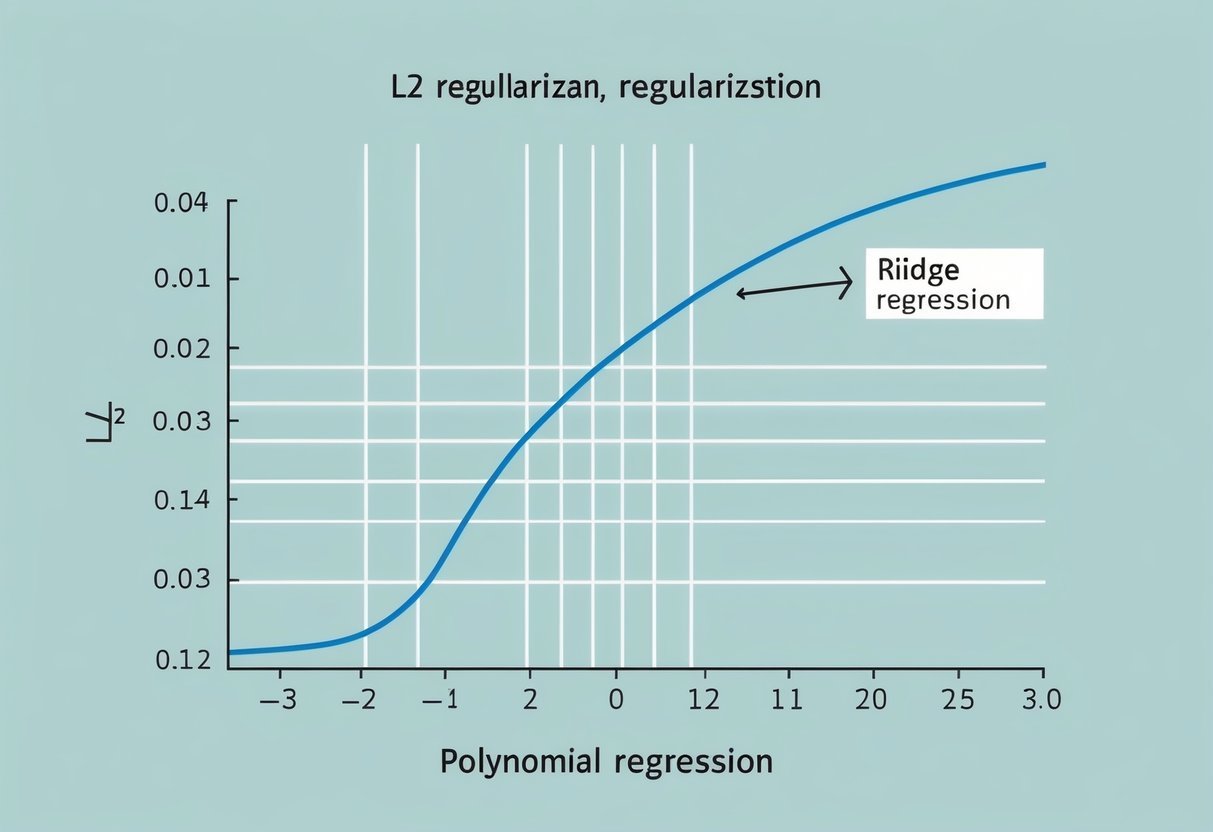
For further detail, see the diagram on regularization in this Stanford University document.

Contrast with L1 Regularization

While L2 regularization prevents overfitting by controlling the magnitude of the coefficients, L1 regularization, or Lasso Regression, uses a different approach. L1 adds a penalty equal to the absolute value of the coefficients, λ∑|coef_|.

This can lead to some coefficients becoming exactly zero, effectively selecting features. This makes L1 useful for feature selection in high-dimensional data.

Both techniques can be combined in Elastic Net, which leverages L1’s feature selection and L2’s shrinkage. Each technique addresses different needs, ensuring flexibility in creating robust models.

You can learn more about these differences at Dataquest’s blog.

Preventing Overfitting in Practice

Preventing overfitting in machine learning is crucial for building efficient models. Two key areas are understanding the balance between overfitting and underfitting and tuning the regularization strength, often referred to as alpha.

Comparing Overfitting and Underfitting

Overfitting occurs when a model learns the training data too well, capturing noise along with the underlying pattern. This makes the model perform poorly on new data due to high variance.

Underfitting, conversely, happens when a model is too simple, failing to capture the data’s complexity, leading to high bias. Both extremes increase the mean squared error on unseen data.

To avoid these issues, it’s essential to monitor the model’s performance on both training and validation data.

Balance can be assessed through learning curves that plot error rates against the training set size.

Alpha: Tuning the Regularization Strength

The parameter alpha is vital for controlling the regularization strength in Ridge regression, which uses L2 regularization.

A higher alpha increases the penalty on large coefficients, reducing model complexity and potential overfitting.

Conversely, too high an alpha leads to underfitting as the model becomes overly simple.

Choosing an optimal alpha depends on the specific dataset and model goals.

Cross-validation is a practical technique to test different alpha values and find the one offering the best balance between bias and variance. This process ensures the model generalizes well to new data, maintaining a low mean squared error.

Working with Sklearn for Ridge Regression

Using Sklearn for Ridge Regression allows users to build and fine-tune models efficiently with built-in functions that simplify the process. Key considerations include implementation and understanding how hyperparameters like alpha and max_iter affect the model.

Implementing Ridge Regression with Sklearn

Ridge Regression can be implemented using the Ridge class from the sklearn.linear_model module. This allows for effective prediction while handling multicollinearity by adding an L2 penalty to the loss function. Here’s a simple example:

from sklearn.linear_model import Ridge

ridge = Ridge(alpha=1.0, random_state=42)
ridge.fit(X_train, y_train)
predictions = ridge.predict(X_test)

In this code, alpha controls the amount of regularization. A value of 1.0 is a starting point, but this can be adjusted accordingly.

Setting random_state ensures reproducibility, and fit trains the model on the training data. Predictions are easily made using the predict method on test data.

Hyperparameters and Their Effects

Hyperparameters like alpha, max_iter, and tol play vital roles in model performance.

The alpha parameter influences the strength of the regularization. A higher value typically increases bias and reduces variance, which can help prevent overfitting.

The max_iter parameter sets the maximum number of iterations for the solver. Increasing this may help convergence, especially for complex datasets, but can lead to longer computation times.

Threshold tol decides the solver’s tolerance for stopping. Lower values may increase accuracy but can also raise computational cost.

Understanding and tuning these parameters is essential to optimize Ridge Regression models effectively.

Understanding the Cost Function

In ridge regression, the cost function is crucial in managing the balance between fitting the training data and keeping model simplicity. It helps in controlling the complexity of the model by adding a regularization term that adjusts the coefficients.

The Role of the Cost Function in Ridge Regression

The cost function of ridge regression is an extension of the traditional mean squared error used in linear regression. What sets it apart is the addition of an L2 regularization term.

This term penalizes large coefficients by adding their squared values to the error. This way, the model not only focuses on minimizing the error but also reduces overfitting by shrinking the coefficients.

By integrating the squared magnitude of coefficients into the cost, ridge regression addresses issues like multicollinearity.

In datasets with highly correlated variables, the model performance improves as it prevents any variable from dominating the prediction. This stabilization makes ridge regression a reliable choice for handling complex datasets.

For more insights on this, the article on ridge regression provides useful information.

Minimizing the Cost for Better Model Performance

Minimizing the cost function in ridge regression means finding a set of coefficients that yield the smallest error while maintaining control over their size.

The process involves optimizing both the data fit and the penalty term. Regularization strength, controlled by a parameter known as lambda, plays a key role in this balance.

As lambda increases, the penalty on large coefficients also grows. This usually results in smaller coefficients, which helps in combating overfitting.

The trick is to choose a lambda that achieves a desirable bias-variance trade-off, where the model remains accurate on new data despite slight errors on the training set.

For a practical approach to implementing this, refer to the guide on ridge regression.

Key Model Evaluation Metrics

In evaluating polynomial regression models, understanding key metrics is vital. These include how the model’s score signifies its ability to predict accurately, along with interpreting the coefficients and the intercept to understand the model’s composition and influence.

Assessing Model Performance with Score

The score of a regression model typically refers to the R² value, which indicates how well the independent variables explain the variability in the dependent variable.

An R² value close to 1 implies that the model explains most of the variability.

Ridge Regression, using L2 regularization, adds a penalty to high coefficient values, which helps improve stability and prevent overfitting.

Models with excessively high coefficient values may perform well on training data but poorly on unseen data, a problem known as overfitting. Ridge Regression remedies this by moderating the importance given to each feature.

Calculating the adjusted R² can further refine insights by adjusting for the number of predictors in the model, ensuring a fair assessment.

Interpreting Coefficient Values and Intercept_

In regression analysis, coefficient values represent the amount of change in the dependent variable for a one-unit change in the independent variable, while all other variables are held constant.

In Ridge Regression, these coefficients are shrunk towards zero through L2 regularization, which controls multicollinearity and enhances model stability.

The intercept_ is the expected value of the dependent variable when all independent variables are zero. It provides a baseline prediction.

Adjusting coefficient values in the presence of high correlation among predictors is crucial for valid analysis. The process requires careful balancing to ensure that the model remains interpretable while effectively capturing the nuances of the data dynamics.

Regularized Linear Regression for Feature Selection

Regularized linear regression techniques like L2 regularization help in managing model complexity while selecting important features. These methods can reduce overfitting by controlling the size of the coefficients, leading to more generalizable models.

How Regularization Affects Feature Selection

Regularization modifies the learning algorithm to prevent overfitting by adding a penalty term to the loss function.

In ridge regression, this penalty is the sum of squared coefficients. When this penalty is applied, less important features tend to have their coefficients shrink.

Feature selection arises from this shrinking effect, as it leads to identifying which features have the most influence on the prediction.

By using L2 regularization, models can maintain a balance between fitting the training data and avoiding overly complex models. This approach helps in improving the model’s performance on unseen data.

Balancing Complexity and Performance

Balancing complexity and performance is critical in model development.

Regularization assists in striking this balance by penalizing large coefficients, which helps limit model complexity.

Notably, ridge regression is suitable for situations with many correlated features.

In scenarios where a large number of features are present, regularization techniques ensure that the model does not become just a memorization of the training data.

The regularization parameter, often denoted as λ, controls the strength of the penalty, enabling fine-tuning of the model’s complexity. This process results in a model that is neither too simple nor too complex, achieving both accuracy and generalization.

Optimizing Model Complexity for Generalization

Optimizing model complexity is crucial for ensuring a model’s ability to generalize well. This process involves finding the right balance between bias and variance while using regularization techniques to enhance model performance.

Understanding the Balance between Bias and Variance

Balancing bias and variance is vital in machine learning.

A model with high bias may be too simplistic, missing important patterns (underfitting). On the other hand, a model with high variance may capture noise instead of actual patterns, which leads to overfitting.

To achieve better generalization, a model should manage this balance effectively. Bias-variance trade-off refers to the balance between these two elements.

Lowering variance often involves accepting a bit more bias to avoid overfitting, thus improving the model’s performance on new data.

Finding this balance involves evaluating and adjusting model parameters, often requiring experimentation and iteration to identify the optimal settings.

It’s important to remember that neither extreme is desirable, and the goal is to find the middle ground where the model performs well on unseen data.

Applying Regularization for Generalization

Regularization helps prevent overfitting by adding a penalty to model parameters, which discourages complex models.

L2 regularization, also known as Ridge Regression, is a popular method that adds a penalty proportional to the square of the magnitude of coefficients.

This approach keeps coefficients small and helps maintain simpler models.

L1 regularization and other techniques are also used, but Ridge Regression is particularly effective for linear models.

By controlling model complexity, regularization enhances a model’s capacity to generalize well to unseen data, making it a crucial practice in designing robust machine learning models.

Data Handling for Robust Regressions

A chalkboard filled with equations and graphs related to polynomial regression and L2 regularization, surrounded by books and papers on data handling and ridge regression theory

Handling data effectively is critical for achieving strong regression models. Addressing outliers and properly splitting data into training and test sets are crucial steps that influence the reliability of predictive outcomes.

Dealing with Outliers in the Data

Outliers can skew the results of regression models, leading to inaccurate predictions. Identifying these outliers is essential, and methods such as box plots or statistical tests like the Z-score can help detect them.

Once identified, outliers may be treated in different ways. They might be removed, modified, or studied in depth to understand their significance.

For ridge regression, outliers can affect the penalty applied to variables, leading to possible biases. Proper handling ensures that the model’s coefficients remain stable and true to the data’s core patterns.

By maintaining a clean dataset, the predictability and reliability of the regression model are enhanced.

Preparing Training and Test Data

Proper preparation of training and test data is vital for creating robust regression models.

Data should be split into distinct sets—typically, 70% for training and 30% for testing. This ensures that the model learns on one set and is evaluated on another, minimizing overfitting.

Training data is crucial for parameter tuning, especially in ridge regression, where the regularization parameter λ must be optimized.

A good practice is to use techniques like cross-validation to determine the best parameter values. The test data, on the other hand, assesses how well the model generalizes to new, unseen samples.

This division ensures the prediction model remains robust and adaptable to real-world scenarios.

Advanced Topics in Ridge Regression

Ridge regression plays a crucial role in regularized linear regression. It addresses multicollinearity and overfitting by using a penalty on the size of coefficients. This section covers different ways to solve ridge regression problems and methods to prepare polynomial features for use in this technique.

Closed-Form Solution Versus Iterative Methods

The closed-form solution for ridge regression is often preferred for its computational efficiency. It involves using matrix operations to find the optimal coefficients by minimizing the regularized cost function.

This solution can be derived by adjusting the ordinary least squares formula to include the regularization term. This approach uses the formula:

[ hat{beta} = (X^TX + lambda I)^{-1}X^Ty ]

where (lambda) is the regularization parameter and (I) is the identity matrix.

This method quickly gives results for small to medium-sized data sets, but it may become impractical for very large matrices due to memory limitations.

On the other hand, iterative methods like gradient descent or coordinate descent are valuable for handling large-scale data sets. These methods iteratively adjust the coefficients, progressively moving toward the optimal solution.

While often slower on small problems, they scale more effectively with bigger data, making them an important alternative in ridge regression analysis.

Engineering Polynomial Features for Ridge Regression

Engineering polynomial features involves transforming original data into polynomial terms to capture more complex relationships. This process makes ridge regression more flexible when dealing with non-linear data patterns.

New features are created by raising the existing features to various powers, creating terms such as (X^2, X^3), and so on.

However, adding polynomial features can cause overfitting, especially with high-degree polynomials. Ridge regression helps manage this risk by including the regularization term that penalizes excessive model complexity.

Practitioners should carefully select the degree of polynomial features and tune the regularization parameter (lambda) for optimal model performance.

When engineering these features, it’s crucial to normalize or standardize the data. This ensures all features are on a similar scale, which favors the effectiveness of ridge regression.

Overall, constructing polynomial features paired with ridge regression allows for sophisticated modeling of complex data patterns while controlling for multicollinearity and overfitting.

Applying Ridge Regression to Unseen Data

A graph with a curved line representing polynomial regression, with a smaller, smoother line overlaying it to depict the L2 regularization and ridge regression

Applying ridge regression to unseen data requires careful handling to maintain robust predictive performance. This approach helps to prevent overfitting and allows the regression model to generalize well when introduced to new datasets.

Predictive Performance on New Data

When a regression model is exposed to unseen data, how well it predicts is crucial.

Ridge regression introduces a penalty term to handle overfitting by keeping coefficient values small. This regularization helps the model maintain stable predictive performance even with different datasets compared to models without such techniques.

Testing on unseen data provides a realistic measure of how well the model will perform in practical scenarios.

Evaluating ridge regression’s predictive performance often involves comparing R-squared values from training and test datasets. Consistently high values across both suggest the model’s ability to generalize well.

The goal is to ensure the model predicts outcomes accurately across diverse datasets, minimizing errors.

Case Studies and Practical Applications

In real-world applications, ridge regression shows effectiveness in fields such as finance, healthcare, and social sciences.

In finance, it helps in forecasting stock prices by accounting for numerous variables. In healthcare, predicting disease outcomes benefits from the model’s ability to manage multicollinearity in patient data.

Academic studies often demonstrate the advantages of ridge regression. For instance, ridge regression is applied in clinical research to predict patient responses based on multiple factors.

Such case studies emphasize the practical applications of ridge regression for handling complex data with many predictors while maintaining accuracy and interpretability.

Frequently Asked Questions

A chalkboard filled with equations and graphs related to polynomial regression and L2 regularization, with a focus on ridge regression theory

Ridge Regression, a type of L2 regularization, aids in addressing overfitting and multicollinearity issues in regression models. It is distinct from Lasso Regression and has specific applications in machine learning.

What is the purpose of using Ridge Regression in machine learning?

Ridge Regression is used to improve the predictive performance of linear models by adding a penalty for large coefficients, which helps prevent overfitting. This method is particularly useful when dealing with multicollinearity, where independent variables are highly correlated, thereby stabilizing the model.

How does L2 regularization in polynomial regression prevent overfitting?

L2 regularization, also known as Ridge Regression, adds a penalty term to the loss function proportional to the square of the magnitude of coefficients. This discourages complex models by shrinking coefficients, ensuring that the model generalizes better to unseen data rather than capturing noise from the training set.

What distinguishes Ridge Regression from Lasso Regression?

The key difference between Ridge and Lasso Regression lies in their penalty terms. Ridge Regression uses the L2 norm, which shrinks coefficients without setting any to zero. In contrast, Lasso Regression uses the L1 norm, which can shrink some coefficients to zero, effectively performing variable selection.

Can you explain the concept of Ridge Regression and L2 Regularization?

Ridge Regression involves enhancing linear models through L2 regularization, which adds a penalty on the size of coefficients. This helps mitigate issues caused by overfitting and multicollinearity by keeping the model coefficients small, thus leading to more robust predictions and reduced variance in the model’s output.

In what scenarios is Ridge Regression preferred over other types of regression?

Ridge Regression is suitable when dealing with datasets where independent variables are highly correlated, known as multicollinearity. It is also preferred when the goal is to mitigate overfitting without eliminating predictors from the model, making it a reliable choice for complex datasets with numerous predictors.

How is Ridge Regression implemented in programming languages like R?

In R, Ridge Regression can be implemented using packages like glmnet. This package provides functions to fit linear and generalized linear models with regularization paths. This enables the use of Ridge Regression through simple function calls.

Users can specify the regularization strength through the lambda parameter to control the penalty applied to the coefficients.

Categories
Uncategorized

Learning about SQL Generating Data Series with Recursive CTEs: A Clear Guide

Understanding Common Table Expressions (CTEs)

Common Table Expressions (CTEs) are a powerful feature in SQL used to simplify complex queries and enhance code readability.

CTEs are defined with the WITH clause and can be referred to in subsequent SQL statements, acting as a temporary named result set.

Defining CTEs and Their Uses

CTEs, or Common Table Expressions, provide a way to structure SQL queries more clearly. They are defined using the WITH clause and can be used in a variety of SQL operations like SELECT, INSERT, UPDATE, or DELETE.

CTEs help in breaking down complex queries into simpler parts.

A key benefit of CTEs is improving the readability and maintainability of code. They allow users to create temporary named result sets, which makes code more understandable.

This is particularly useful when dealing with recursive queries or when needing to reference the same complex logic multiple times in a single SQL statement.

CTEs also assist in handling hierarchical data and recursive data structures. This makes them versatile for tasks requiring data aggregation or when complex joins are necessary.

By using CTEs, developers can implement cleaner and more efficient solutions to intricate data problems.

Anatomy of a CTE Query

A typical CTE query starts with the WITH keyword, followed by the CTE name and a query that generates the temporary result set. The basic syntax is:

WITH cte_name AS (
    SELECT column1, column2
    FROM table_name
    WHERE condition
)
SELECT *
FROM cte_name;

In the example above, cte_name is the temporary named result set. The CTE can then be referenced in the SELECT statement that follows. This structure facilitates the separation of complex logic into manageable parts.

CTE queries often simplify the querying process by removing the need for nested subqueries.

Multiple CTEs can be chained together, each defined in sequence, to build upon one another within a single SQL statement. This flexibility is crucial for developing scalable and efficient database queries.

Fundamentals of Recursive CTEs

Recursive Common Table Expressions (CTEs) are crucial in SQL for dealing with hierarchical or tree-structured data. They work by repeatedly using results from one pass of a query as input for the next. This helps in simplifying complex queries and reduces the need for procedural code.

Recursive CTE Components

A recursive CTE consists of two main parts: the anchor member and the recursive member.

The anchor member provides the initial dataset. It is often a base query that sets the starting point for the recursion. In SQL syntax, it’s the part that gets executed first, laying the foundation.

The recursive member is built on the results obtained from the anchor state. It usually references itself to keep iterating over the data. This member runs until a termination condition is met, avoiding infinite loops.

The recursive member helps dive deeper into the dataset, allowing it to expand until all specified conditions are satisfied.

The Role of Recursion in SQL

Recursion in SQL through CTEs allows for the processing of hierarchical data effectively. For example, when handling organizational charts or file directory structures, recursion facilitates exploring each level of hierarchy.

This type of query references itself until all necessary data points are retrieved.

The use of recursion enables SQL to execute operations that require a loop or repeated execution, which can be represented as a simple SQL statement. It streamlines data manipulation and enhances the readability of complex queries.

Recursion is powerful when evaluating relationships within data sets, reducing the complexity of nested queries.

Configuring Recursive CTEs

Recursive CTEs in SQL are used to work with hierarchical and iterative data structures. Setting up involves defining an anchor member and then the recursive member, ensuring a correct flow and exit to prevent infinite loops.

Setting Up an Anchor Member

The anchor member forms the base query in a recursive CTE. This part of the query defines the starting point of the data set and is executed only once.

It’s crucial because it determines the initial result set, which will subsequently feed into recursive iterations.

A simple example involves listing dates from a start date. The anchor member might select this start date as the initial entry.

For instance, to list days from a particular Monday, the query would select this date, ensuring it matches the format required for further operations.

This sets up the basic structure for subsequent calculations, preparing the ground for recursive processing with clarity and precision.

Formulating the Recursive Member

The recursive member is central to expanding the initial result set obtained by the anchor member. It involves additional queries that are applied repeatedly, controlled by a union all operation that combines these results seamlessly with the anchor data. This step is where recursion actually happens.

Termination conditions are vital in this part to prevent infinite loops.

For instance, when listing days of the week, the condition might stop the recursion once Sunday is reached. This is achieved by setting parameters such as n < 6 when using date functions in SQL.

Proper formulation and planning of the recursive member ensure the desired data set evolves precisely with minimal computation overhead.

Constructing Hierarchical Structures

Hierarchical structures are common in databases, representing data like organizational charts and family trees. Using Recursive Common Table Expressions (CTEs) in SQL, these structures are efficiently modeled, allowing for nuanced data retrieval and manipulation.

Representing Hierarchies with CTEs

Recursive CTEs are essential tools when dealing with hierarchical data. They enable the breakdown of complex relationships into manageable parts.

For example, in an organizational chart, a manager and their subordinates form a hierarchy.

The use of recursive CTEs can map these relationships by connecting manager_id to staff entries. This process involves specifying a base query and building upon it with recursive logic.

A critical step is establishing the recursion with a UNION ALL clause, which helps connect each staff member to their respective manager.

In constructing these queries, one can create clear pathways from one hierarchy level to the next.

Hierarchical and Recursive Queries in SQL Server provide a deeper insight into this process, offering practical examples for better representation of organizational structures.

Navigating Complex Relationships

Navigating complex relationships is crucial for interpreting data structures like family trees and corporate hierarchies. Recursive CTEs facilitate efficient data traversal by repeatedly applying a set of rules to extract information at different levels.

When dealing with an organization, each manager and their subordinates can be connected recursively. The recursive query technique helps in understanding the reporting structure and paths in intricate setups.

For instance, finding all employees under a certain manager involves starting from a node and traversing through connected nodes recursively.

Leveraging tools and guides, such as this one on writing recursive CTEs, enhances the ability to manage and navigate data intricacies effectively.

These methods provide clear direction for accessing and interpreting all levels of a hierarchy, making SQL a powerful tool for managing complex data landscapes.

Advanced Use Cases for Recursive CTEs

Recursive CTEs are powerful tools in SQL, especially useful for tasks involving hierarchical and network data. They can simplify complex queries and make data analysis more efficient.

Analyzing Bill of Materials

In manufacturing, the Bill of Materials (BOM) is crucial for understanding product composition. It details all components and subcomponents needed to manufacture a product.

Recursive CTEs are ideal for querying this structured data. They allow users to explore multi-level relationships, such as finding all parts required for a product assembly.

For instance, a CTE can repeatedly query each level of product hierarchy to compile a complete list of components. This approach ensures a comprehensive view of the materials, helping to optimize inventory and production processes.

Modeling Social Networks

In social networks, understanding connections between individuals is essential. Recursive CTEs help to analyze and display these relationships efficiently.

Using these CTEs, one can trace social connections to identify potential influence networks or clusters of close-knit users.

For example, a query may identify all direct and indirect friendships, providing insights into the spread of information or trends.

By leveraging Recursive CTEs, analyzing social structures becomes streamlined, facilitating better decision-making for network growth and engagement strategies.

This ability to manage intricate relational data sets makes Recursive CTEs indispensable in social network analysis.

Handling SQL Server-Specific CTE Features

A computer screen displaying SQL code with recursive CTEs generating data series

Using SQL Server, one can take advantage of specific features when working with CTEs. Understanding how to implement recursive queries and the certain optimizations and limitations are crucial to maximizing their potential.

Exploring SQL Server Recursive CTEs

In SQL Server, recursive CTEs are a powerful way to generate sequences of data or explore hierarchical data. The recursive process begins with an anchor member, which establishes the starting point of the recursion.

After this, the recursive member repeatedly executes until no more rows can be returned.

A typical setup involves defining the CTE using the WITH keyword, and specifying both the anchor and recursive parts. For example, a basic CTE to generate a series might start with WITH CTE_Name AS (SELECT...).

Recursive queries handle situations like managing organizational hierarchies or finding paths in graphs, reducing the need for complex loops or cursors.

Recursive CTEs can depth-limit during execution to prevent endless loops, ensuring efficient processing. They are handy in scenarios where data relationships mimic a tree structure, such as company hierarchies.

To see more examples of working with recursive CTEs, including an explanation of SQL Server Recursive CTE, refer to practical articles.

Optimizations and Limitations on SQL Server

When working with CTEs, SQL Server provides optimizations to improve performance. One such feature is query execution plans, which SQL Server uses to find the most efficient way to execute statements.

Understanding these plans helps identify bottlenecks and optimize recursive CTE performance.

However, SQL Server’s CTEs have limitations. The maximum recursion level is set to 100 by default, which means that queries exceeding this limit will fail unless specifically adjusted using OPTION (MAXRECURSION x).

Also, while useful, recursive CTEs can be less efficient than other methods for large datasets or deep recursions due to memory usage.

Recognizing these constraints helps developers make informed decisions when using recursive CTEs within SQL Server. For more techniques and detail on how SQL Server handles recursive queries, see the SQL Server handle recursive CTE’s.

Preventing Infinite Loops in Recursive CTEs

A computer screen displaying a SQL script with a recursive common table expression generating a data series, with a focus on preventing infinite loops

Recursive CTEs are powerful tools in SQL that allow users to perform complex queries. However, they can sometimes result in infinite loops if not carefully managed.

Ensuring that these queries execute correctly is crucial.

One way to prevent infinite loops is to implement a termination condition. This involves setting a limit that stops the recursion when a certain condition is met.

For example, using a WHERE clause helps end the loop when a specific value is reached. A condition like WHERE level <= 4 allows for safe execution.

Different SQL systems may also allow for configuring a maximum recursion depth. This setting is often adjustable and starts at a default, commonly 100, to cap how many times the recursion can occur.

This feature acts as a built-in safeguard to halt potential infinite loops.

Additionally, incorporating stops in the logic of the recursive CTE can aid in preventing loops. This means avoiding scenarios where the loop might travel back to previous values, forming a cycle.

Moreover, database engines often have mechanisms to detect and break loops if they happen, but it’s best to handle such risks through careful query design.

Lastly, using unique identifiers within the recursive CTE structure can help maintain a clear path and avoid cycles.

Applying these practices ensures safer and more effective use of recursive CTEs, helping users utilize their full potential without encountering infinite loop issues.

Working with Temporary Tables and CTEs

A computer screen displaying SQL code for temporary tables and recursive CTEs

Understanding the roles and differences between temporary tables and Common Table Expressions (CTEs) is key when working with SQL. Each serves unique purposes and can optimize specific tasks within databases.

Differences Between Temporary Tables and CTEs

A temporary table is a physical table. It exists for the duration of a session or until it is explicitly dropped. They are useful when dealing with large datasets because they can store intermediate results. This helps reduce the complexity of SQL queries.

Temporary tables can handle indexed operations, allowing for faster access to data.

Common Table Expressions (CTEs), on the other hand, create a temporary result set that only exists within a query’s scope. They are defined with WITH and are useful for readability and modularizing complex queries.

CTEs do not allow indexing, which may affect performance with large datasets.

Choosing Between CTEs and Temporary Tables

When deciding between a temporary table and a CTE, consider the size of the dataset and the complexity of the query.

For small to medium datasets, CTEs can simplify the query process. They are effective for queries where the data does not need to persist beyond the query execution.

Recursive operations, such as hierarchical data traversals, are well-suited for recursive CTEs.

Temporary tables are ideal for large datasets or when multiple operations on the data are necessary. Since they support indexing, temporary tables may improve performance for certain operations.

Also, if multiple queries need to access the same temporary dataset, creating a temporary table might be more efficient.

Common Pitfalls and Best Practices

A computer screen displaying SQL code for generating data series with Recursive CTEs, surrounded by books on SQL best practices

Recursive CTEs are a powerful tool, yet they come with challenges. Understanding how to avoid common pitfalls and implement best practices helps improve performance and maintain complex queries effectively.

Avoiding Common Errors With Recursive CTEs

One common error with recursive CTEs is infinite recursion, which occurs when the termination condition is not specified correctly. It is essential to add a clear exit criterion to avoid running indefinitely.

When constructing a recursive query, ensuring that every iteration reduces the result set is crucial. This guarantees that the CTE eventually finishes execution.

Another mistake is excessive memory usage. Recursive CTEs can consume large amounts of resources if not designed carefully.

Limiting the dataset processed in each iteration helps manage memory more efficiently. Using indexes on columns involved in joins or filters can also enhance query performance.

Debugging recursive CTEs can be challenging. It helps to test each part of the query separately.

Beginning with static data before introducing recursion can make troubleshooting easier. By doing this, the user can identify issues early on and adjust incrementally.

Implementing Best Practices for Performance

To optimize recursive CTEs, using clear naming conventions is advised. This helps differentiate base and recursive components, which aids readability and maintenance.

Keeping the query simple and focused on a specific task avoids unnecessary complexity.

Monitoring query performance using execution plans can highlight areas that cause slowdowns. If a CTE grows too complex, breaking it into smaller, logical parts may help. This allows easier optimization and understanding of each segment’s role in the query.

Additionally, when necessary, use non-recursive CTEs for parts of the query that do not require recursion. This can minimize overhead and speed up execution.

Setting an appropriate MAXRECURSION limit can prevent endless loops and unintended server strain.

Developing SQL Skills with Recursive CTEs

A computer screen displaying SQL code with recursive CTEs generating a data series

Recursive CTEs are a valuable tool for developing SQL skills. They allow users to efficiently handle hierarchical data, making them essential for complex queries. This method refers to itself within a query, enabling repeated execution until the full data set is generated.

Working with recursive CTEs enhances a user’s ability to write sophisticated SQL queries. These queries can solve real-world problems, such as navigating organizational charts or managing multi-level marketing databases.

Consider this simplified example:

WITH RECURSIVE Numbers AS (
    SELECT 1 AS n
    UNION ALL
    SELECT n + 1 FROM Numbers WHERE n < 5
)
SELECT * FROM Numbers;

This query generates a series of numbers from 1 to 5. By practicing with such queries, users improve their understanding of recursive logic in SQL.

Key Skills Enhanced:

  • Hierarchical Data Manipulation: Recursive CTEs allow users to work with data structured in a hierarchy, such as employee-manager relationships.

  • Problem Solving: Crafting queries for complex scenarios develops critical thinking and SQL problem-solving abilities.

  • Efficiency: Recursive queries often replace less efficient methods, streamlining processes and improving performance.

Understanding recursive CTEs requires practice and thoughtful experimentation. Resources like the guide on writing a recursive CTE in SQL Server and examples from SQL Server Tutorial are helpful. As they progress, users will find themselves better equipped to tackle increasingly challenging SQL tasks.

Application in Data Science

A computer screen displaying a SQL code editor with a series of recursive common table expressions generating data for data science learning

In data science, understanding data hierarchies is essential. Recursive CTEs can efficiently query hierarchical data. For example, they are used to explore organizational structures by breaking down data into related levels. This approach simplifies complex data patterns, making analysis more manageable.

Recursive queries also help in generating data series. These are useful for creating test datasets. By establishing a starting condition and a recursive step, data scientists can create these series directly in SQL. This approach saves time and effort compared to manual data generation.

Recursive CTEs can also assist with pathfinding problems. These queries help trace paths in networks, like finding shortest paths in a graph. This is particularly beneficial when analyzing network traffic or connections between entities.

Furthermore, data scientists often need to deal with unstructured data. Recursive queries enable them to structure this data into meaningful insights.

By breaking complex datasets into simpler components, recursive CTEs add clarity and depth to data analysis, ultimately enhancing the understanding of intricate data relationships.

Analyzing data science workflows often requires advanced SQL techniques like recursive CTEs, which streamline processes and increase efficiency. Mastery of these techniques empowers data scientists to tackle challenging tasks involving complex data hierarchies and relationships.

Generating Data Series with Recursive CTEs

A computer screen displaying a series of code lines, with a database diagram in the background

Recursive Common Table Expressions (CTEs) are a powerful tool in SQL that allow users to generate data series efficiently. They are especially useful for creating sequences of dates and numbers without needing extensive code or external scripts.

Creating Sequences of Dates

Creating a sequence of dates using recursive CTEs is a practical solution for generating timelines or schedules. A recursive CTE can start with an initial date and repeatedly add days until the desired range is complete.

By utilizing a recursive query, users can generate sequences that include only weekdays. This is accomplished by filtering out weekends, typically using a function or a condition in the WHERE clause.

Here is an example structure:

WITH DateSeries AS (
    SELECT CAST('2024-01-01' AS DATE) AS Date
    UNION ALL
    SELECT DATEADD(DAY, 1, Date)
    FROM DateSeries
    WHERE DATEPART(WEEKDAY, DATEADD(DAY, 1, Date)) BETWEEN 2 AND 6
    AND Date < CAST('2024-01-31' AS DATE)
)
SELECT Date FROM DateSeries;

This query generates a date series from January 1st to January 31st, only including weekdays.

Generating Numeric Series

For numerical data, recursive CTEs efficiently create ranges or sequences. They are ideal for tasks such as generating numbers for analytical purposes or filling gaps in data.

To create a numeric series, start with a base number and increment it in a loop until reaching the target value. Recursive CTEs can be more efficient than other methods like loops due to their set-based approach.

Below is an example:

WITH Numbers AS (
    SELECT 1 AS Number
    UNION ALL
    SELECT Number + 1
    FROM Numbers
    WHERE Number < 100
)
SELECT Number FROM Numbers;

This SQL code quickly generates numbers from 1 to 100, making it practical for various applications where numeric series are required.

Frequently Asked Questions

A computer screen displaying SQL code for generating data series with Recursive CTEs, surrounded by FAQ materials

Recursive CTEs in SQL offer a dynamic way to generate series such as date sequences, perform hierarchical queries, and optimize performance in databases. Understanding the differences between recursive and standard CTEs is crucial for effective use.

How can I use recursive CTEs to generate a date series in SQL?

Recursive CTEs can be used to create a sequence of dates by iteratively computing the next date in a series. This is particularly useful for time-based analyses and reporting.

By starting with an initial date and iteratively adding intervals, one can efficiently generate a complete date range.

What are some real-world examples of recursive CTEs in SQL?

Recursive CTEs are commonly used in scenarios like hierarchies in organizational charts or generating sequences for calendar dates. Another example includes computing aggregate data over hierarchical structures, such as calculating the total sales of each department in a company.

Can you illustrate a recursive CTE implementation for hierarchical queries in SQL?

Hierarchical queries often involve retrieving data where each record relates to others in a parent-child manner. Using a recursive CTE, SQL can repeatedly traverse the hierarchy, such as finding all employees under a certain manager by starting with top-level employees and recursively fetching subordinates.

What are the main parts of a recursive common table expression in SQL?

A recursive CTE consists of two main parts: the anchor member and the recursive member. The anchor member defines the initial query. The recursive member references the CTE itself, allowing it to repeat and build on results until the complete dataset is processed.

How to optimize performance when working with recursive CTEs in SQL Server?

Optimizing recursive CTEs involves strategies like limiting recursion to avoid excessive computation and using appropriate indexes to speed up query execution.

Careful use of where clauses can ensure that only necessary data is processed, improving efficiency.

What is the difference between a recursive CTE and a standard CTE in SQL?

The primary difference is that a recursive CTE references itself within its definition, allowing it to iterate over its results to generate additional data.

A standard CTE does not have this self-referential capability and typically serves as a temporary table to simplify complex queries.

Categories
Uncategorized

Learning T-SQL – DDL: Views Explained Clearly

Understanding T-SQL and Its Role in Database Management

T-SQL, or Transact-SQL, is an extension of SQL used primarily with Microsoft SQL Server. It enhances SQL with additional features, making database management more efficient.

In database management, T-SQL plays a central role. It combines the capabilities of Data Definition Language (DDL) and Data Manipulation Language (DML).

DDL includes commands such as CREATE, ALTER, and DROP.

T-SQL helps manage databases in different environments, including Azure SQL Database, Azure SQL Managed Instance, and Azure Synapse Analytics.

Each of these services supports T-SQL for creating database structures and managing data.

Functions like stored procedures and triggers are part of T-SQL, allowing for automation and optimization of tasks within SQL Server.

They help keep operations fast and reduce manual errors.

The SQL Server environment benefits from T-SQL’s additional features, making it a strong choice for enterprises needing robust database solutions. T-SQL improves query performance and enhances data handling capabilities.

In environments using Azure Synapse Analytics, T-SQL allows integrated analytics, combining big data and data warehousing. This feature is essential for businesses handling large datasets.

Essentials of DDL in T-SQL: Creating and Managing Schemas

Creating and managing schemas in T-SQL involves understanding the Data Definition Language (DDL) commands like CREATE, ALTER, and DROP.

These commands help define the structure of data, such as tables and databases, while managing permissions and organization.

Defining Schemas with CREATE

The CREATE command in DDL allows users to define new schemas, essential for organizing and managing database objects.

Using CREATE SCHEMA, users can establish a schema that groups together tables, views, and other objects. For instance, CREATE SCHEMA Sales; sets up a framework for sales-related database elements.

Within a schema, users can also employ commands like CREATE TABLE to set up individual tables. Schemas ensure that tables are logically grouped, improving data management and security through controlled permissions.

By organizing data into schemas, database administrators maintain clear and distinct categories, making the management of large data sets more efficient.

Modifying Schemas with ALTER

The ALTER command allows modifications to existing schemas. This is useful for changing schema elements as data needs evolve.

For example, ALTER SCHEMA Sales TRANSFER Products.Table1 TO Management; transfers a table from the Sales schema to the Management schema. This flexibility aids in reorganizing or expanding schema structures without starting from scratch.

Permissions can also be altered using this command to accommodate changing security requirements.

Adjustments ensure that only authorized users access sensitive data, maintaining data integrity and security.

Utilizing ALTER effectively ensures that schemas remain adaptable to organizational needs and data governance standards.

Removing Schemas with DROP

The DROP command in DDL is used to remove schemas that are no longer necessary.

By executing a command like DROP SCHEMA Sales;, all objects within the Sales schema are permanently deleted.

This command is crucial for maintaining a clean database environment and removing outdated or redundant data structures.

Before executing DROP, it’s vital to review dependencies and permissions associated with the schema.

Ensuring that necessary backups exist can prevent accidental loss of important data.

Using DROP responsibly helps streamline database management by eliminating clutter and maintaining a focus on relevant and active data sets.

Creating and Utilizing Views in SQL Server

Views in SQL Server are virtual tables that offer a streamlined way to present and manage data. By using views, one can encapsulate complex queries, enhance security, and simplify database interactions.

Introduction to Views

A view is a saved query that presents data as if it were a table. It does not store data itself. Instead, it retrieves data from underlying tables every time it is accessed. This makes it a flexible tool for organizing and managing data.

Views help in managing permissions by restricting access to sensitive data.

Schemabinding is an option that ties a view to the schema of its underlying tables, so changes to these tables require adjusting dependent views.

Creating Views with CREATE VIEW

To create a view, the CREATE VIEW statement is used. It requires a name and a SELECT query defining the data presented by the view. Here’s an example:

CREATE VIEW ProductView AS
SELECT ProductID, ProductName
FROM Products
WHERE Price > 100;

The WITH CHECK OPTION can ensure data modifications through the view adhere to its defining criteria, preserving data integrity.

This means any update must satisfy the view’s WHERE clause, blocking changes that would result in inaccessible data.

Altering Views with ALTER VIEW

Views can be modified using the ALTER VIEW statement. This is useful for updating the SQL query of an existing view without dropping it:

ALTER VIEW ProductView AS
SELECT ProductID, ProductName, Category
FROM Products
WHERE Price > 100;

Altering a view doesn’t affect permissions. Thus, users with access to the view before the alteration still have access.

Using schemabinding when altering ensures the underlying tables aren’t changed in a way that breaks the view.

Dropping Views with DROP

If a view is no longer needed, it can be removed with the DROP VIEW command. This action deletes the view from the database:

DROP VIEW ProductView;

When a view is dropped, any dependent scheduled tasks or applications must be updated, as they might rely on the view.

It’s important to review dependencies beforehand to avoid interrupting processes or applications relying on the view’s data.

Mastering DML Operations: Inserting, Updating, Deleting

A person working on a computer, writing code for DML and T-SQL operations, with a focus on views in a database

Data Manipulation Language (DML) operations are essential for managing data in any relational database. Mastering operations like inserting, updating, and deleting data helps ensure databases are efficient and up-to-date. These tasks are primarily performed using SQL commands that provide precise control over the data.

Inserting Data with INSERT

The INSERT statement allows users to add new records to a table. It requires specifying the table name and the values to be inserted.

A typical command utilizes the syntax INSERT INTO table_name (column1, column2) VALUES (value1, value2), which ensures data is entered into the correct columns.

This can be enhanced by using the INSERT INTO SELECT command to insert data from another table, making data transfer seamless.

Using INSERT, users can populate tables with large datasets efficiently.

It’s crucial to ensure data types match the columns in which data is inserted to avoid errors.

Handling duplicate keys and unique constraints is vital to maintaining data integrity.

Checking for such constraints before performing insert operations can prevent violations and ensure data consistency.

Updating Data with UPDATE

The UPDATE statement is used to modify existing records in a database table.

It involves specifying the table and setting new values with a SET clause followed by conditions defined by a WHERE clause. For example, UPDATE table_name SET column1 = new_value WHERE condition changes specific records while keeping the rest unchanged.

Users should be cautious when updating records, especially without a WHERE clause, as this could modify all data in a table.

Utilizing the WHERE clause allows users to target specific records, ensuring accurate updates.

It’s vital to verify the conditions to prevent unintended changes and optimize query performance by updating only necessary rows.

Deleting Data with DELETE

The DELETE statement removes records from a table. Users define which rows to delete using a WHERE clause; for instance, DELETE FROM table_name WHERE condition ensures only targeted records are removed.

Without this clause, all records in the table might be deleted, which can be highly destructive.

Using DELETE cautiously helps prevent data loss.

To maintain integrity, consider foreign key constraints which might restrict deletions if related records exist elsewhere.

It’s often advised to back up data before performing large delete operations to safeguard against unintended data loss and ensure that critical information can be restored if needed.

Optimizing Data Queries with SELECT Statements

A computer screen displaying a database query using SELECT statements, with a focus on optimizing data retrieval

Efficiently handling data queries in T-SQL involves using the SELECT statement, which retrieves data from databases. Key methods to improve query performance are proper construction of SELECT statements, effective application of the WHERE clause for filtering, and using JOINs to combine data from multiple tables.

Constructing Select Statements

A well-built SELECT statement is the foundation for efficient data retrieval.

It is essential to specify only the necessary columns to reduce data load. For instance, instead of using SELECT *, it is better to explicitly list desired columns like SELECT column1, column2. This approach minimizes the amount of data that needs to be processed and transferred.

Additionally, leveraging indexes while constructing SELECT statements can drastically enhance performance.

Indexes help the database engine find rows quicker, reducing query execution time. Understanding how to use and maintain indexes effectively is vital.

Including order-by clauses wisely ensures that data is displayed in a useful order without unnecessary computation overhead.

Filtering Data with WHERE Clause

The WHERE clause is crucial for filtering data. It allows users to retrieve only the rows that meet certain conditions.

For example, SELECT column1 FROM table WHERE condition narrows down the dataset to relevant results.

Using indexed columns in the WHERE clause can significantly speed up query execution.

Strategically combining multiple conditions using AND and OR operators can further optimize query results.

For example, WHERE condition1 AND condition2 restricts the search to rows meeting multiple criteria.

Limiting the use of functions on columns within WHERE clauses avoids unnecessary computation, enhancing performance.

Combining Data with JOINs

JOIN statements are powerful tools for combining data from multiple tables. The most common is the INNER JOIN, which returns rows when there are matching values in both tables.

When implementing JOINs, ensuring the use of primary and foreign keys boosts performance. This relationship allows SQL to quickly find related records.

It’s critical to filter unwanted data before performing a JOIN to minimize data processing.

Writing efficient JOIN queries prevents fetching unnecessary rows and reduces processing time.

Advanced Data Manipulation with MERGE and Triggers

Advanced data manipulation in SQL Server involves using the MERGE statement for complex tasks and triggers for automation. MERGE helps combine INSERT, UPDATE, and DELETE operations, while triggers respond automatically to certain changes, ensuring data integrity and maintaining databases efficiently.

Utilizing MERGE for Complex DML Operations

The MERGE statement is a powerful tool in SQL that simplifies complex Data Manipulation Language (DML) tasks.

It enables users to perform INSERT, UPDATE, or DELETE operations in a single statement based on the results of a join with a source table. This approach reduces the number of data scans, making operations more efficient.

Using MERGE, developers can handle situations where data consistency between tables is crucial.

For instance, when synchronizing tables, MERGE ensures rows are updated when they already exist or inserted when missing.

A key feature of MERGE is its ability to address different outcomes of a condition, streamlining complex database tasks effectively.

Additionally, by reducing the number of statements, it enhances maintainability.

Automating Tasks with Triggers

Triggers automate actions in a database. They execute automatically in response to DML events like INSERT, UPDATE, or DELETE on a table. This feature is crucial for maintaining data integrity, as it ensures that specified actions occur whenever changes happen within a database.

Developers use triggers to enforce rules consistently without manual intervention. For example, they can prevent unauthorized changes or maintain audit trails by logging specific operations. Triggers are also beneficial for managing complex business logic within a database. They’re essential in scenarios where automatic responses are necessary, ensuring consistency and reliability across the system.

Table Management Techniques: TRUNCATE, RENAME, and More

Table management in T-SQL involves key operations like data removal and renaming database objects. These tasks are crucial for database administrators aiming to maintain organized and efficient databases, enhancing overall performance and usability.

Efficient Data Removal with TRUNCATE TABLE

The TRUNCATE TABLE command is an efficient way to remove all records from a table without deleting the structure itself. Unlike the DELETE command, which logs individual row deletions, TRUNCATE TABLE is faster because it deallocates the data pages in the table. This makes it ideal for quickly clearing large tables.

One limitation of TRUNCATE TABLE is that it cannot be used when a table is referenced by a foreign key constraint. Additionally, it does not fire delete triggers, and you cannot use it on tables with indexed views. For a comprehensive guide, refer to Pro T-SQL.

Renaming Database Objects with sp_rename

The sp_rename stored procedure allows users to rename database objects such as tables, columns, or indexes in SQL Server. This task is essential when there’s a need to update names for clarity or standardization.

Using sp_rename is straightforward. The syntax requires the current object name, the new name, and optionally, the object type.

It’s important to be cautious with sp_rename, as it may break dependencies like stored procedures or scripts relying on the old names. To learn more about the process, explore details in Beginning T-SQL.

Controlling Access with Permissions and Data Control Language

Data Control Language (DCL) is crucial in managing database access. It uses specific commands to control user permissions. Two key DCL commands are GRANT and REVOKE.

GRANT is used to give users specific abilities, such as selecting or inserting data into tables. For example:

GRANT SELECT ON Employees TO User1;  

This command allows User1 to view data in the Employees table.

Permissions can be specific, like allowing data changes, or general, like viewing data. Permissions keep data safe and ensure only authorized users can make changes.

To remove permissions, the REVOKE command is used. For instance:

REVOKE SELECT ON Employees FROM User1;  

This stops User1 from accessing data in the Employees table. Managing these permissions carefully helps maintain data integrity and security.

A table can summarize user permissions:

Command Description
GRANT Allows a user to perform operations
REVOKE Removes user permissions

Understanding these commands helps maintain a secure database environment by controlling user access effectively.

Working with Data Types and Table Columns in SQL Server

Data types in SQL Server define the kind of data that can be stored in each column. Choosing the right data type ensures efficient database performance and storage. This section explores the structure of SQL data types, designing tables with appropriate columns, and setting primary keys.

Understanding SQL Data Types

Data types are essential in SQL Server as they determine how data is stored and retrieved. Common data types include Varchar for variable-length strings and Int for integers.

Using the correct data type helps optimize performance. For instance, using Int instead of a larger data type like BigInt saves storage space.

Char and Varchar differ slightly. Char is fixed-length, filling the column with spaces if needed, while Varchar only uses necessary space. Choosing between them depends on knowing whether the data length will change.

Designing Tables with Appropriate Columns

When designing tables, selecting the right column and data type is crucial. Consider the nature and use of the data. Text fields might use Varchar, whereas numeric data might require Int or Decimal. This ensures that the table efficiently handles and processes data.

Creating the correct index can also improve performance. Using indexes on frequently searched columns can speed up query responses. Although they help access data quickly, keep in mind that they also slow down data entry operations. Balancing the two is key in table design.

Setting Primary Keys

A Primary Key uniquely identifies each record in a table. It is important for ensuring data integrity and is usually set on a single column, but it can also be on multiple columns.

The best choice for a primary key is usually an integer type because of its efficiency.

Primary keys should be unique and not contain null values. Using a data type like Int for the key column can enhance performance.

SQL Server enforces uniqueness and prevents null values when defining primary keys, helping maintain database integrity. Defining them correctly is crucial for managing relationships between tables.

Utilizing SQL Server Management and Development Tools

SQL Server Management tools are essential for working with databases efficiently. Understanding how to navigate these tools will make database management easier. This section focuses on SQL Server Management Studio, integrating with Visual Studio, and technical aspects of Microsoft Fabric.

Navigating SQL Server Management Studio

SQL Server Management Studio (SSMS) is a powerful tool for managing SQL Server databases. It provides an interface to execute queries, design databases, and configure servers.

Users can access object explorer to view database objects like tables and views. SSMS also offers query editor, where users can write and debug SQL scripts.

Features such as the query designer help to create queries visually without extensive coding knowledge. SSMS also offers the ability to manage database security and permissions, making it a comprehensive tool for database administration tasks.

Integrating with Visual Studio

Visual Studio offers robust integration with SQL Server for developers. Through the use of SQL Server Data Tools (SSDT), developers can build, debug, and deploy SQL Server databases directly from Visual Studio.

This integration allows for better version control using Git or Team Foundation Server, enabling collaborative work on database projects. Visual Studio also provides a platform for creating complex data-driven applications with seamless connectivity to SQL Server.

Additionally, features like IntelliSense support in Visual Studio assist in writing T-SQL queries more efficiently. This makes Visual Studio an invaluable tool for developers working with SQL Server.

Understanding Microsoft Fabric and Technical Support

Microsoft Fabric facilitates data movement and transformation within Azure. It supports integration between services like Azure Data Factory and SQL Server.

It provides a cohesive platform for building and managing data pipelines.

Technical support for Microsoft Fabric involves accessing resources like documentation, online forums, and direct support from Microsoft to solve issues.

Teams benefit from these resources by ensuring reliable performance of data solutions. The support also aids in troubleshooting any problems that arise during data development activities.

Microsoft Fabric ensures that data management operations are streamlined, reducing complexities and enhancing productivity.

Performance Considerations: Indexing and Session Settings

A computer screen displaying T-SQL code for creating views, with a focus on indexing and session settings

Indexing is crucial for improving query performance in T-SQL. Properly designed indexes can significantly speed up data retrieval by reducing the amount of data SQL Server needs to scan.

Clustered indexes sort and store the data rows in the table or view based on their key values. Non-clustered indexes create a separate structure that points to the data.

Session settings can affect how queries run and use resources. Settings like SET NOCOUNT ON can help reduce network traffic by preventing the server from sending messages that confirm the affected row count.

Transaction isolation levels impact performance by determining how many locks are held on the data. Lower isolation levels like READ UNCOMMITTED can reduce locking but increase the risk of dirty reads.

Monitoring query performance includes using tools like dynamic management views (DMVs). These provide insights into query execution statistics and server health, helping identify performance bottlenecks.

Proper indexing strategies and session settings can lead to significant performance improvements. By understanding and applying these concepts, one can optimize SQL Server queries effectively.

Frequently Asked Questions

Understanding how to work with views in T-SQL is crucial for database management. This section covers how to access view definitions, create complex views, and distinguishes differences between tables and views.

How can you view the definition of an existing SQL Server view using a query?

To view the definition of an existing SQL Server view, use the following query:

SELECT OBJECT_DEFINITION(OBJECT_ID('view_name'));

This retrieves the SQL script used to create the view.

What is the correct syntax to create a view that combines data from multiple tables in SQL?

To create a view that combines data, use a JOIN statement:

CREATE VIEW combined_view AS
SELECT a.column1, b.column2
FROM table1 a
JOIN table2 b ON a.id = b.id;

This combines columns from multiple tables into one view.

What are the restrictions regarding the CREATE VIEW command within a batch of SQL statements?

When using the CREATE VIEW command, it must be the only statement in a batch. This ensures that the view is created without interference from other SQL commands in the batch.

In SQL Server Management Studio, what steps are taken to inspect the definition of a view?

In SQL Server Management Studio, navigate to the view in the Object Explorer. Right-click the view and select “Design” or “Script View As” followed by “ALTER”. This shows the view’s definition.

How are DDL statements used to modify an existing view in T-SQL?

To modify an existing view, use the ALTER VIEW statement with the desired changes. This updates the view’s definition without dropping and recreating it.

Can you explain the difference between a table and a view in T-SQL?

A table stores data physically in the database. Meanwhile, a view is a virtual table that presents data from one or more tables. Views do not hold data themselves but display data stored in tables.

Categories
Uncategorized

Python Fundamentals for Machine Learning: Essential Skills for Beginners

Python is essential for anyone diving into the world of machine learning. Its simple syntax and powerful libraries make it the preferred language for developing algorithms that can learn from and make predictions on data.

Python equips learners with the tools needed to implement machine learning models efficiently.

A computer screen with code, graphs, and machine learning algorithms displayed, surrounded by books on Python programming and machine learning fundamentals

While Python’s role extends beyond machine learning to data science and artificial intelligence, its popularity in these fields comes from the availability of libraries like Scikit-learn, TensorFlow, and Keras. These libraries simplify complex tasks and algorithms, allowing learners to focus on understanding the core concepts.

Exploring Python in this context also involves familiarizing oneself with development environments and data preprocessing techniques.

By mastering these fundamentals, individuals can delve into applications and professional practices in machine learning. Understanding the process from data collection to model deployment is crucial for anyone aspiring to excel in data-driven roles.

Key Takeaways

  • Python is key for implementing machine learning models.
  • Libraries like Scikit-learn and TensorFlow are essential tools.
  • Mastering Python aids in advancing data-driven careers.

Getting Started with Python

Starting with Python for machine learning involves mastering the basics of Python programming, exploring essential libraries, and writing code in Python. These fundamental skills are crucial for developing effective machine learning models.

Python Basics

Python Programming is a versatile and widely-used language, ideal for both beginners and experienced developers. It is known for its clear syntax and readability, making it easier to learn and use in a variety of applications.

A key feature of Python is its support for Object-Oriented Programming, which allows developers to organize code effectively.

Before diving into machine learning, beginners should focus on understanding variables, data types, loops, and functions.

Setting up a Python environment using tools such as Anaconda and its package manager Conda, simplifies managing libraries and dependencies.

Python Libraries

Python offers a wide range of libraries that are essential for machine learning. NumPy and Pandas are used for numerical computations and data manipulation respectively.

Matplotlib and Seaborn assist in data visualization, helping users understand data patterns.

For machine learning models, Scikit-learn is a popular choice, providing simple and efficient tools.

These libraries help streamline the process from data preparation to model evaluation. Utilizing these libraries enables the development of robust models, making Python a preferred language for machine learning enthusiasts.

Python Code

Writing Python code involves applying programming concepts and libraries to solve real-world problems. It’s important to write clean, efficient, and well-documented code.

A typical workflow may start with importing necessary libraries, loading datasets, and preprocessing data.

Next, defining and training machine learning models is key to making predictions.

Finally, it’s crucial to evaluate model performance and iterate as necessary.

Consistently practicing coding skills, experimenting with different models, and reviewing others’ code can deepen understanding.

Utilizing resources like tutorials and community forums can also be immensely beneficial in improving Python coding proficiency for machine learning tasks.

Development Environments and Tools

Development environments and tools are crucial for streamlining machine learning projects. These tools help in writing, testing, and managing code efficiently. Key elements to consider include PyCharm and Jupyter Notebooks for writing and testing code, and Git for version control.

PyCharm

PyCharm is a popular Integrated Development Environment (IDE) for Python that offers powerful code editing features. It provides intelligent code completion, error detection, and a variety of plugins to enhance functionality.

PyCharm is particularly beneficial for large projects since it supports project navigation and refactoring.

Its user-friendly interface makes it simple to organize code, while the built-in terminal facilitates seamless integration with other tools.

PyCharm’s debugging tools help identify issues quickly, improving productivity and code quality. It also supports version control systems, making collaboration easier within teams.

Jupyter Notebooks

Jupyter Notebooks provide an interactive coding environment, ideal for data visualization and analysis. This tool allows users to create and share documents containing live code, equations, and visualizations.

It’s widely used in data science and machine learning projects due to its flexibility.

Users can execute code in cells, making it easy to test small code snippets and view immediate results.

Jupyter’s ability to integrate interactive output with narrative text makes it valuable for documenting the workflow and presenting findings. This makes it a favorite for both teaching and demonstration purposes.

Git

Git is a version control system essential for storing and managing code changes. It allows multiple developers to work on a project simultaneously without overwriting each other’s work.

Git tracks modifications, enabling users to revert to previous states if necessary.

Using Git, teams can collaborate efficiently by merging code changes and resolving conflicts.

GitHub, a platform built on Git, facilitates sharing projects and encouraging open-source contributions. It supports workflows that integrate with continuous integration and deployment pipelines, ensuring that the codebase remains stable even as it evolves rapidly.

Understanding Machine Learning

Machine learning is a dynamic field that enables computers to learn from and make decisions based on data. Supervised learning, unsupervised learning, and reinforcement learning are three core types of machine learning, each with distinct methodologies and applications.

Supervised Learning

Supervised learning involves training a model on a labeled dataset, meaning each data point is tagged with the correct answer. It is used extensively in classification and regression tasks.

For example, identifying spam emails or predicting house prices are tasks solved with supervised learning.

Popular algorithms include decision trees, support vector machines, and neural networks. Tools like Scikit-learn provide robust libraries for implementing these algorithms efficiently.

Unsupervised Learning

Unsupervised learning works with data that does not have labeled responses. The goal is to identify patterns or groupings within the data.

Clustering and association are common tasks, with applications ranging from customer segmentation to market research. K-means clustering and hierarchical clustering are popular techniques.

This approach helps uncover hidden structures and relationships within datasets, often using tools available in Python libraries.

Reinforcement Learning

Reinforcement learning is about learning from interactions to achieve a goal. An agent learns to take actions in an environment to maximize cumulative reward.

This method is akin to trial and error, where the agent improves its strategy based on feedback.

It’s widely applied in robotics, gaming, and autonomous vehicles. Reinforcement learning models, such as Q-learning, are pivotal in solving complex decision-based problems, utilizing frameworks like TensorFlow.

Key Machine Learning Algorithms

A computer screen displaying Python code with various machine learning algorithms and a book on Python fundamentals

This section discusses essential algorithms used in machine learning. The focus is on techniques like regression methods, decision trees, support vector machines, and neural networks. Each has unique strengths that contribute to various applications in predicting outcomes or classifying data.

Linear and Logistic Regression

Linear regression is used to predict a continuous outcome based on one or more predictor variables. It finds the best-fit line through data points to estimate target values. The algorithm is simple yet effective for tasks where relationships between variables are linear.

Logistic regression, on the other hand, is used for classification tasks. It predicts the probability of a binary outcome by fitting data to a logistic function.

Logistic regression works well when the relationship between the dependent and independent variables is not strictly linear but follows a sigmoid curve.

Decision Trees and Random Forest

Decision trees split data into branches to make predictions based on specific conditions. They are simple to understand but can easily overfit, making them less reliable with complex datasets. Trees are great for clear hierarchical data representation.

The random forest algorithm overcomes the overfitting problem by creating a “forest” of decision trees. It takes multiple subsamples of data and builds a tree for each.

Predictions are based on the majority vote from all trees, improving accuracy and robustness. Random forests are effective for handling large datasets and high-dimensional feature spaces.

Support Vector Machines

Support vector machines (SVMs) are useful for both classification and regression tasks. They work by finding a hyperplane that best separates data points of different classes in n-dimensional space.

SVMs are particularly effective in high-dimensional spaces and are robust to overfitting, especially when the number of dimensions is greater than the number of samples.

Kernel functions play an important role, allowing SVMs to handle complex relationships by mapping inputs into higher-dimensional spaces. This makes them versatile for various machine learning challenges.

Neural Networks

Neural networks are inspired by the structure and function of the brain. They consist of layers of interconnected nodes (neurons) that process input data to identify patterns and relationships.

These networks are highly adaptable and can model complex data with nonlinearities.

Important types include feedforward neural networks and convolutional neural networks. They are powerful tools for deep learning tasks like image and speech recognition.

Training involves adjusting weights through backpropagation, aiming to minimize prediction errors. Neural networks excel in tasks requiring an understanding of intricate data patterns, such as facial recognition or natural language processing.

Data Preprocessing and Wrangling

Data preprocessing and wrangling are vital for machine learning. They ensure data is clean, relevant, and optimized for algorithms. These steps improve model accuracy by reducing noise and irrelevant features. Techniques include data cleansing, feature selection, and dimensionality reduction.

Data Cleansing

Data cleansing involves removing errors and inconsistencies from datasets. Missing values can skew results, so they are usually filled or removed. Duplicate entries, which can distort analysis, are eliminated. Outlier detection helps identify unusual data points that may impact model performance. Noise reduction is crucial for getting a clearer signal from the data.

These steps create a reliable dataset from which accurate insights can be drawn.

Feature Selection

Feature selection is choosing relevant data attributes for a specific task. This process enhances model performance by removing unnecessary or redundant features.

Techniques like regularization use methods such as Ridge and Lasso to penalize less useful features.

By focusing on important features, algorithms gain efficiency and accuracy. Selecting the right features reduces computational cost and supports faster training of machine learning models.

Dimensionality Reduction

Dimensionality reduction helps by decreasing the number of random variables. Techniques such as Principal Component Analysis (PCA) transform data to remove noise while preserving essential information.

This method simplifies data, reduces storage needs, and speeds up computations. It is crucial for handling large datasets efficiently. Dimensionality reduction also aids in visualizing complex datasets, making patterns easier to identify and analyze.

Exploratory Data Analysis

A laptop displaying Python code, surrounded by scattered papers and a notebook. A graph and data visualization software open on the screen

Exploratory Data Analysis (EDA) involves investigating datasets to summarize their main features. It often employs graphical techniques or statistical methods to help understand data patterns, trends, and underlying structures. Tools like Python’s Numpy, Pandas, and Matplotlib are frequently used in this step.

Data Visualization

Data visualization is crucial for EDA because it transforms complex data sets into clear visual representations, making it easier to identify trends and outliers.

Libraries such as Matplotlib and Seaborn are essential for creating plots and graphs.

Bar charts, scatter plots, and histograms are examples of visual tools that provide insights into data distribution and relationships between variables.

Using these visual tools helps analysts remove noise from data and make important connections. For example, a scatter plot can quickly show if there’s a correlation between two variables. In Python, these libraries make it easy to create customizable and informative visualizations, enabling analysts to focus on interpreting the data effectively.

Statistical Analysis

Statistical analysis in EDA provides a way to quantitatively evaluate data.

Tools like Pandas and Scipy aid in computing descriptive statistics such as mean, median, and standard deviation.

This data summary helps identify central tendencies, variability, and data spread, which are vital for in-depth analysis.

Identifying anomalies or unusual entries becomes easier with statistical tools.

Pandas, for example, allows quick calculation of statistics across large datasets.

This precise analysis enables a more nuanced understanding of data behavior and supports robust decision-making in subsequent machine learning tasks.

Statistical analysis complements visualization by adding depth and detail to data interpretations, providing both numerical and visual insights.

Machine Learning with Python Libraries

A laptop open to a Python code editor with machine learning libraries displayed on the screen. A notebook and pen sit beside it

Python is a dominant language in machine learning, popular for its versatility and vast ecosystem of libraries.

These libraries simplify complex computations and offer tools for data analysis, model building, and evaluation.

Scikit-learn

Scikit-learn is a user-friendly library built on NumPy, SciPy, and Matplotlib. It is ideal for beginners due to its simple and consistent API.

Scikit-learn specializes in standard machine learning tasks like classification, regression, and clustering.

Popular algorithms such as Support Vector Machines (SVM), random forests, and k-means clustering are included.

Feature selection, model tuning, and pipelines make Scikit-learn a robust choice for practical applications.

This library excels in integrating with other Python tools, making it excellent for routine machine learning problems and rapid prototyping.

For more information, explore Scikit-learn at GeeksforGeeks.

TensorFlow

TensorFlow, developed by Google, is a powerful library for numerical computation using data flow graphs. It excels in deep learning tasks and supports distributed computing.

TensorFlow enables the creation of complex models, including neural networks, for image and speech recognition, time-series prediction, and more.

The library offers tools like TensorBoard for visualization and supports high-level APIs such as Keras for an easier setup of models.

With GPU support, TensorFlow can train intricate models quickly, making it suitable for both research and production environments.

Learn more by visiting TensorFlow’s IBM Course on Coursera.

PyTorch

PyTorch is known for its dynamic computation graph, which allows users to build models flexibly and with ease.

Created by Facebook, it is favored for research, especially in the field of artificial intelligence.

PyTorch supports advanced concepts like automatic differentiation and offers a comprehensive framework for building complex neural networks.

Its intuitive API facilitates quick integration with other libraries and custom experiments.

It is widely used in natural language processing applications and computer vision projects.

PyTorch shines in environments where flexibility in architecture adaptation is critical.

Keras

Keras is a high-level API designed to simplify the development of deep learning models.

It acts as an interface for TensorFlow, allowing users to build and train models quickly.

Keras provides clean and concise code for designing neural networks while supporting popular architectures like CNNs and RNNs.

It focuses on enabling fast experimentation, allowing users to go from idea to result with minimal delay.

The simple syntax and integration with TensorFlow make Keras accessible for beginners and powerful for researchers.

It supports easy deployment across various platforms and devices.

Discover more about Keras through machine learning resources.

Model Training and Evaluation

A computer screen displaying Python code for model training and evaluation, surrounded by books on machine learning fundamentals

Model training and evaluation are crucial in machine learning as they determine how well a model performs on new, unseen data.

These steps involve splitting the data, adjusting hyperparameters, and choosing the right metrics to measure success.

Cross-Validation

Cross-validation is a technique used to assess the performance of machine learning models by dividing the dataset into multiple subsets. It’s particularly useful in providing a more accurate estimate of model prediction accuracy by reducing the influence of data splits.

One common method is k-fold cross-validation, where the data is divided into k subsets, and the model is trained and evaluated k times.

Each time, a different subset is used as the test data while the remaining subsets make up the training data.

This method helps in identifying and preventing overfitting, ensuring that the model generalizes well to unseen data.

Cross-validation provides feedback on model accuracy and reliability, making it an essential tool in model evaluation.

Hyperparameters Tuning

Hyperparameters are settings in machine learning models that are not learned from the data but set before the model training process. Examples include the learning rate in neural networks and the number of neighbors in a k-nearest neighbors algorithm.

Hyperparameter tuning is crucial for improving model performance and involves selecting the best combination of hyperparameters to maximize prediction accuracy on the test data.

Techniques such as grid search or random search systematically test different values or random combinations of hyperparameters to find the optimal settings.

Tuning hyperparameters can prevent overfitting or underfitting by ensuring the model is neither too simple nor too complex.

Effective tuning leads to models that are well-suited for making accurate predictions across various datasets.

Evaluation Metrics

Evaluation metrics are quantitative measures used to assess the performance of machine learning models.

The choice of metrics depends on the type of problem: regression or classification.

Common metrics include accuracy, precision, recall, and F1-score for classification problems.

For regression tasks, metrics like mean squared error (MSE) or mean absolute error (MAE) are often used.

Selecting appropriate evaluation metrics is critical, as they provide insight into how well the model predicts the target variable on the test data.

Evaluating models using these metrics ensures a comprehensive understanding of model performance, guiding improvements and adjustments needed for better accuracy.

Advanced Machine Learning Concepts

A computer displaying Python code for advanced machine learning concepts

Advanced machine learning features complex strategies and algorithms to improve accuracy and efficiency. This includes techniques like deep learning and combining multiple models for better predictions.

Deep Learning

Deep learning is a subset of machine learning involving neural networks with many layers. These networks can learn complex patterns from large amounts of data.

They are essential in tasks like image recognition and natural language processing.

Deep learning leverages architectures like convolutional neural networks (CNNs) for image data and recurrent neural networks (RNNs) for sequential data.

These models require significant computational power and data to train effectively.

Deep learning frameworks, such as TensorFlow and PyTorch, are popular tools that support the development and implementation of these networks.

Ensemble Methods

Ensemble methods improve prediction accuracy by combining multiple models. These methods use techniques like bagging, boosting, and stacking.

Bagging involves training multiple versions of a model, such as decision trees, and combining their predictions. When bagging is applied to decision trees, it forms a Random Forest. Random Forests reduce overfitting and increase prediction accuracy.

Another ensemble technique includes boosting, which focuses on correcting errors from previous models. It builds models sequentially, like in algorithms such as AdaBoost.

k-Nearest Neighbors (kNN) is also used in ensemble methods, providing simple, effective results for classification and regression tasks.

These methods make machine learning models more robust by focusing on diverse predictions for better results.

Applications and Professional Practice

A computer displaying code for machine learning using Python

Python is used widely in machine learning due to its ease of use and extensive libraries. Applications span several industries, offering unique opportunities for professionals to utilize machine learning skills. Ethical considerations play a crucial role in responsible implementation.

Industry Use Cases

Machine learning applications cover many sectors, with Python helping in automating complex tasks.

In marketing, customer segmentation allows companies to understand distinct groups within their audience more effectively. Python’s libraries like Scikit-learn help in developing models that categorize customers based on purchasing habits.

Healthcare also benefits by using Python for predictive analysis to enhance diagnostics and patient care.

Financial services employ machine learning to detect fraud, forecast stock trends, and automate trading. Python’s robust ecosystem supports various strategies within different domains.

Building a Portfolio

A strong portfolio is essential for anyone pursuing a career as a Machine Learning Engineer. It demonstrates practical skills and creativity.

Projects showcasing real-world applications, such as customer segmentation models or predictive analytics, stand out.

Incorporating features like data preprocessing with NumPy and visualization techniques with Matplotlib can illustrate depth of knowledge.

Sharing projects on GitHub and highlighting them on professional networks like LinkedIn can enhance visibility to potential employers.

Effective portfolios often include detailed documentation and clear explanations of projects. Demonstrating how machine learning can solve specific problems is key.

Ethical Considerations

Ethical use of machine learning involves ensuring fairness and transparency in models.

Algorithms should not discriminate against any group, requiring careful consideration of data sources. Bias in models can have significant implications, especially in hiring processes or legal decisions.

Privacy is another critical factor. Ensuring that customer data is secure and consented to is vital in maintaining trust.

Professionals using Python in machine learning must adhere to best practices and guidelines to ensure ethical compliance.

Ongoing education about ethical challenges in machine learning is essential, as technology evolves and impacts various aspects of society.

Frequently Asked Questions

A laptop open to a webpage titled "Frequently Asked Questions Python fundamentals for machine learning" with various sections and diagrams

When learning machine learning with Python, it’s important to know which libraries to use, how to handle data structures, and the best practices for data preparation.

What Python libraries are essential for starting with machine learning?

Key Python libraries for machine learning include Scikit-Learn, TensorFlow, and PyTorch. Scikit-Learn is great for beginners due to its straightforward interface. TensorFlow and PyTorch are powerful for deep learning.

Which Python data structures are most commonly used in machine learning?

Lists, dictionaries, and NumPy arrays are pivotal in machine learning projects. NumPy arrays allow efficient mathematical computations. Pandas DataFrames are also widely used for data manipulation.

How can one implement machine learning algorithms using Python?

Implementing machine learning algorithms in Python involves using libraries like Scikit-Learn for prebuilt algorithms. One can also write custom algorithms by understanding the basic logic and leveraging NumPy for numerical operations.

What are the best practices for preparing data in Python for machine learning?

Data preparation should involve cleaning, normalization, and splitting datasets. Using libraries like Pandas for cleaning, and Scikit-Learn’s functions for training and test splits, ensures that the data is in optimal shape for analysis.

Can you recommend any Python-based projects for beginners to practice machine learning concepts?

Beginners can practice by working on projects like predicting housing prices or classifying images. Datasets for these projects are often available in repositories like Kaggle, providing a solid starting ground for practical learning.

Where can one find resources for advanced machine learning techniques in Python?

Advanced resources are plentiful on platforms like GeeksforGeeks and DataCamp. Specific courses and tutorials delve into complex concepts and Python implementations. These resources can help deepen understanding and application skills.

Categories
Uncategorized

Learning About Python Polymorphism: Understanding Its Role in Object-Oriented Programming

Understanding Polymorphism in Python

Polymorphism in Python allows different classes to define methods with the same names, enhancing flexibility.

It is a key concept in object-oriented programming as it enables objects to take on many forms, allowing functions to use objects of different types.

Defining Polymorphism

Polymorphism comes from Greek words meaning “many forms.” In programming, it represents the ability of different classes to be treated as instances of the same class through a shared interface.

Python’s approach to polymorphism revolves around its dynamic typing. This means that functions can behave differently based on the object they are working with.

It supports method overriding, where a subclass provides a specific implementation for a method already defined in its superclass. This ability to process objects differently based on their class type is a core part of Python’s design, offering high flexibility and scalability.

Polymorphism in Object-Oriented Programming

Polymorphism is a fundamental principle in object-oriented programming (OOP). It allows methods with the same name within different classes to be called seamlessly, depending on the object type.

This means a single function can operate with objects of various classes, provided they implement the function method.

Python employs polymorphism extensively in class inheritance, where subclasses inherit methods from a parent class but can override them for specific behaviors.

This characteristic improves code readability and maintainability by reducing complexity. It fosters code reusability by allowing the same method to be used for different objects, as seen in examples on the W3Schools and Programiz websites.

Python Data Types and Polymorphism

Polymorphism in Python allows for methods to interact with different data types seamlessly. This enables a single function to handle varied inputs, enhancing flexibility and efficiency in programming.

Polymorphism with Built-in Data Types

Python’s polymorphism shines through built-in data types such as strings, tuples, and dictionaries. Functions like len() are inherently polymorphic, as they can process these types differently yet effectively.

For instance, when applied to a string, len() returns the number of characters. When applied to a list or tuple, it returns the count of elements.

This adaptability makes len() versatile and crucial for programmers.

Built-in functions often accommodate multiple data types, allowing developers to write more generic and reusable code. By leveraging polymorphism, these functions reduce the need to write separate code blocks for each data type, optimizing both development time and resource use.

Dynamic Typing and Polymorphism

Python’s dynamic typing complements its polymorphism. Variables can change type during execution, enabling functions to be flexible with input types.

This dynamic nature allows polymorphic behavior without explicit method overriding.

For example, a function designed to handle a dictionary can seamlessly adapt if the input is later a string or tuple. This ability ensures that functions remain robust and versatile.

Dynamic typing, when combined with polymorphism, makes Python powerful for developing applications where behavior varies according to input types. The combined characteristics allow developers to write code that is both adaptable and efficient, catering to a wide array of programming needs.

Classes and Instances

In Python, classes and instances form the foundation of object-oriented programming. This section details how to create these structures and implement class polymorphism to streamline code.

Creating Classes and Objects

To start with classes in Python, one defines a class using the class keyword. Classes serve as blueprints for objects, encapsulating data and behavior. Here is a basic example:

class Animal:
    def __init__(self, name):
        self.name = name

    def speak(self):
        pass

After defining a class, you can create objects. Objects are instances of classes and are initialized using the class constructor. In the example, Animal does not have a specific speak method, making it abstract.

class Dog(Animal):
    def speak(self):
        return "Woof!"

buddy = Dog("Buddy")

Using classes and creating objects allow developers to organize code efficiently by grouping related functionalities.

Using Class Polymorphism

Polymorphism enables different classes to be treated as instances of the same class through a shared interface. For example, Dog and Cat could both inherit from Animal, overriding the speak method independently.

class Cat(Animal):
    def speak(self):
        return "Meow!"

animals = [Dog("Buddy"), Cat("Whiskers")]

for animal in animals:
    print(animal.speak())

This common interface allows objects to be used interchangeably, simplifying the code. Polymorphism with class methods ensures that methods are the same name across classes, yet their implementation works for the specific class in question, offering flexibility.

The concept of a method signature is important here, as it must match across these classes to allow polymorphic behavior.

Inheritance and Polymorphism

In Python, inheritance and polymorphism allow for flexible and efficient code reuse. Inheritance lets new classes inherit properties from existing ones, while polymorphism enhances method functionality across different classes. Together, they form key components of object-oriented programming.

Building Inheritance Hierarchies

Inheritance in Python is a method to create a new class, called a derived class, from an existing class known as the base class. This relationship allows the derived class to inherit attributes and methods from the base class, fostering code reuse and modularity.

For example, if a base class Vehicle contains methods like start() and stop(), a derived class Car can reuse these methods without redefining them. Drilling down further, building an inheritance hierarchy involves establishing a clear chain of classes, leading to more organized and maintainable code structures.

Using inheritance, programmers can easily add new functionalities to classes or modify existing ones without affecting other parts of the program. This capability allows developers to create robust and scalable applications, as it forces careful planning of class relationships and hierarchies.

Polymorphism with Inheritance

Polymorphism in Python often pairs with inheritance to enable objects of different classes to be treated as objects of a common superclass. This means specific child classes can have methods with the same names but potentially different implementations.

For instance, both the classes Boat and Plane might inherit from Vehicle and have their own version of the move() method.

Polymorphism with inheritance allows methods like move() to be executed across different classes seamlessly. This supports a cleaner coding structure, as functions can operate on objects without needing to know their specific class types.

This dynamic application of methods across varied classes is what makes polymorphism a powerful tool in Python.

Common Superclass and Interface

The concept of a common superclass and interface plays a crucial role in polymorphism. A common superclass provides a generic framework, defining methods expected to be overridden or used by derived classes.

On top of this, if several classes derive from this superclass, they can then implement specific uses of this method.

Using a common superclass guarantees a unified method interface across derived classes, leading to code that is easier to read and maintain. This helps achieve consistent behavior and ensures that various components within complex systems function together cohesively.

An interface defines a set of methods a class must implement, serving as a contract, allowing multiple classes to adhere to common functionality while implementing unique behavior. This approach is essential for designing systems that are both extensible and flexible.

Methods and Polymorphism

Methods in Python can demonstrate polymorphism through techniques like overloading and overriding. Each allows classes to use methods in a flexible and dynamic way. Overloading involves using the same method name with different parameters, while overriding lets a subclass replace a parent class’s behavior, providing unique implementations.

Understanding Method Overloading

Method overloading allows a class to have multiple methods with the same name but different parameters. While Python doesn’t support overloading in the traditional sense, it achieves similar functionality through default arguments or variable-length argument lists.

This presents developers with the flexibility to handle different input types and numbers.

For instance, consider a print_area method designed to calculate the area of both squares and rectangles using different parameters.

def print_area(side, other_side=None):
    if other_side:
        return side * other_side
    return side * side

Such flexibility simplifies function calls, enabling broader usability across different contexts. Utilizing method overloading can be highly beneficial in creating more readable and efficient code where the same action varies slightly in operation.

Implementing Method Overriding

Method overriding occurs when a subclass provides a specific implementation of a method that already exists in its parent class. This is key in achieving polymorphism in Python, allowing subclasses to modify or extend the functionality of the parent class’s methods while maintaining the same signature.

Consider a Vehicle class with a move method, and subclasses such as Car and Boat. Each subclass can define its version of move, tailoring the method’s behavior.

For example, a Car might move on roads, while a Boat navigates water.

Such design enriches the program by enabling objects to behave differently based on their types, enhancing code maintenance and scalability. Method overriding thus ensures that subclasses remain distinct while sharing a common interface. More insights on method overriding can be found in Python Polymorphism.

Implementing Polymorphism in Python

Polymorphism in Python lets multiple types share the same interface, which makes code more flexible. This is achieved through techniques like duck typing and following best practices to use polymorphism effectively.

Duck Typing and Dynamic Behavior

Duck typing is a key feature in Python’s ability to handle polymorphism. It means a program method works on objects of any class, as long as they conform to the required interface. In practice, objects don’t need to share a parent class.

This type of dynamic behavior helps when methods with the same name can work on different objects. For instance, Python’s built-in functions often rely on this flexibility.

It allows developers to write code that is easy to manage and adapt.

Here’s a small list of benefits:

  • Simplifies code by removing the need for explicit type checking.
  • Enhances code flexibility to work with new classes.
  • Encourages a design where types conform to an expected behavior.

Best Practices for Polymorphism

To fully leverage polymorphism, certain best practices should be followed.

Firstly, design classes with a clear and consistent interface that makes use of common method names. This ensures that different objects can be processed uniformly.

It’s essential to write clear documentation for each class method. This helps developers understand what behavior is expected when implementing polymorphism.

Testing thoroughly with various object types is also critical to ensuring no unintended consequences arise due to different inputs.

When implementing polymorphism, always focus on maintaining readability while ensuring that different classes work well together.

Reference articles like this one provide practical examples to understand how different objects can interact seamlessly.

Function and Method Polymorphism

Function and method polymorphism in Python allow the same function or method to behave differently based on the object it is acting upon. This flexibility is a key feature in object-oriented programming, providing the ability to define methods with the same name but different implementations across various classes or functions.

Function Polymorphism in Python

Function polymorphism occurs when a single function can work with different data types.

A common example is the len() function, which can be applied to both strings and lists. In essence, this function adjusts its operation based on the argument it receives, such as returning the number of characters in a string or the number of items in a list.

This adaptability makes functions versatile, allowing them to perform appropriately depending on the input type.

Such functionality is crucial in cases where the exact data type might not be known at runtime.

It enables developers to write more flexible and reusable code by creating functions that can handle a variety of input types seamlessly. This concept of writing adaptable functions serves as the foundation for more advanced programming techniques.

Understanding speak and move Methods

The speak method in polymorphism is often used to illustrate how different objects can implement the same method differently.

For example, a Dog class and a Cat class might each have a speak method, but the Dog‘s version might return “Bark” while the Cat‘s returns “Meow.” This allows multiple classes to provide their unique behavior for similar actions, enhancing the flexibility of the code.

Similarly, the move() method can demonstrate how different classes can handle movement in distinct ways.

For instance, a Vehicle class might move differently than an Animal class, with a car moving on wheels and a bird flying. These methods illustrate polymorphism by letting each class define its implementation of an action while maintaining a common method name for usability and coherence across the program.

Polymorphic Behavior of Python Objects

Polymorphism in Python allows objects to respond to the same method call differently depending on their class. This behavior facilitates flexibility by enabling functions to use various object types seamlessly, as demonstrated through an animal sound example and other shared behaviors among objects.

Exploring Animal Sound Example

Polymorphism is effectively demonstrated in the context of animals making sounds. Imagine classes for dogs and cats, both having a method called speak. While a dog’s speak method returns a bark, a cat’s speak method returns a meow. Despite being different animals, they share this common interface to respond accordingly.

Such design enables a function named animal_sound to take any animal object and execute its speak method without knowing its specific type. This way, polymorphic behavior allows using a single function with diverse objects. You can see this in action with examples on platforms like w3resource.

Shared Behavior Among Objects

Polymorphism also enables shared behaviors across different objects.

Consider a base class called Vehicle that provides a method move. Subclasses like Car, Boat, and Plane inherit this method but redefine (or override) it to specify their movement. This concept is not only prevalent in class hierarchies but also applies to functions that can handle various object types.

With this shared method structure, any Vehicle subclass can be passed to a function that calls the move method.

For instance, a single operation can move a Car, a Boat, or a Plane using polymorphic principles outlined on W3Schools. This results in code that’s both flexible and easy to maintain.

Real-life Examples of Polymorphism

Polymorphism in Python allows methods to use the same name across different classes and execute based on the object’s class. It can be compared with its implementation in other languages like Java. This section addresses practical uses, method overloading, inheritance, and real-world applications.

Shapes: Circle and Rectangle

In programming, the concept of shapes like circles and rectangles can help demonstrate polymorphism. A parent class, Shape, might define a method for calculating area. This method can be implemented differently in subclasses like Circle and Rectangle.

For a Circle, the area is calculated using the formula:
[ text{Area} = pi times (text{radius})^2 ]
In contrast, the formula for a Rectangle is:
[ text{Area} = text{width} times text{height} ]

Both shapes rely on the same interface to calculate area, but they execute different logic based on the shape type. Programmers use polymorphism to manage complex systems, allowing them to handle various shapes through a uniform method.

Animal Hierarchy: Dog and Cat

In an animal hierarchy, polymorphism is exemplified by using a common method, like speak, across different animals such as dogs and cats. The parent class, Animal, might define this method, which is then adapted by child classes like Dog and Cat.

When a Dog object uses the speak method, it might return “Bark,” while a Cat object might return “Meow.” Despite having the same method name, the behavior differs based on the specific animal class.

This ability to call the same method on different objects where each object responds in its own way showcases the principle of polymorphism, making code more flexible and easier to extend.

Enhancing Code Flexibility and Reusability

Polymorphism in Python is a key feature that allows developers to write flexible and reusable code. It enables different classes to utilize the same interface, leading to streamlined and efficient programming.

Code Flexibility Through Polymorphism

Polymorphism boosts code flexibility by enabling methods to process data of different types with a single interface. This is useful in complex projects where maintaining scalable and adaptable code is critical.

For instance, when a method can accept multiple objects as input, it allows for versatility. Such flexibility is crucial in machine-learning workflows, where different models use the same training and prediction code.

By embracing polymorphism, developers can build systems that are easier to expand with new features without altering existing code.

The ability to handle various object types using a straightforward method reduces the need for conditional logic, simplifying the code structure and enhancing its flexibility.

Writing Reusable Code with Polymorphism

Polymorphism enhances code reusability by enabling the same function or class method to work seamlessly with different data types. This reduces redundancy, making it easier to maintain and extend code.

For example, in object-oriented programming, polymorphism allows a single function to process various objects from different classes.

Developers can create more generalized code that applies across different scenarios by utilizing polymorphism. This approach leads to cleaner code as common operations are abstracted, reducing repetition. The result is a more efficient development process where updates and enhancements are less time-consuming since the core logic remains consistent while adapting to new requirements.

Frequently Asked Questions

A computer screen displaying Python code with various objects and their interactions

Polymorphism in Python allows methods to use the same name across different classes and execute based on the object’s class. It can be compared with its implementation in other languages like Java. This section addresses practical uses, method overloading, inheritance, and real-world applications.

How can polymorphism be practically applied in Python programming?

Polymorphism enables a function or method to process objects differently based on their class. For instance, a common interface like animal_sound can operate on classes like Dog and Cat, executing functions specific to each. This technique is widely used in building flexible and scalable code. See more about this at Programiz.

What are the differences between polymorphism in Python and Java?

Python allows dynamic typing, meaning the specific object type is determined at runtime. In contrast, Java requires explicit type declarations. This makes Python more flexible in handling polymorphic behavior but can be restrictive in Java without using interfaces or abstract classes. Find out more at IndiaBIX.

Can you explain method overloading and its relation to polymorphism in Python?

Method overloading allows methods with the same name to perform differently based on input parameters. While it is a form of polymorphism in many languages, Python does not natively support true method overloading. Instead, it uses default parameter values and multiple decorators to achieve similar functionality. Learn more at codedamn.

What role does inheritance play in facilitating polymorphism in Python?

Inheritance allows a class to derive properties and behaviors of another class. It is crucial for polymorphism as it lets subclasses modify or extend functionalities of parent classes. This mechanism enables consistently using class hierarchies and makes polymorphic behavior possible. Explore more at GeeksforGeeks.

What are some real-world scenarios where Python polymorphism is effectively utilized?

Python polymorphism is used in game development, where different game characters share a common interface but execute their actions individually. Another example is graphic design software, where shapes like circles and rectangles can be manipulated through a common API, yet display unique characteristics. Discover examples at w3resource.

How do encapsulation and abstraction relate to the concept of polymorphism in Python?

Encapsulation hides the internal state of objects, making code easier to maintain.

Abstraction simplifies complex systems by only exposing necessary details.

Both principles support polymorphism by providing a cleaner interface and segregating responsibilities, allowing objects to interact in varied ways without revealing internal details.

Categories
Uncategorized

Learning Intermediate SQL Skills for Data Engineering: Boost Your Career Prospects

Foundations of Intermediate SQL

Intermediate SQL is essential for managing and analyzing data within relational databases. Mastery of SQL syntax and query structure enables professionals to efficiently retrieve and manipulate data, crucial for roles in data analysis and engineering.

Key components in this foundation involve understanding how data is organized and accessed in databases.

Understanding Relational Databases

Relational databases form the backbone of many data management systems, organizing data into tables with rows and columns. Each table represents a different entity, like customers or orders.

Relationships between tables are established through keys, ensuring data integrity and accessibility.

The concept of primary and foreign keys is central. A primary key uniquely identifies each record, while a foreign key links to another table’s primary key. Understanding these relationships allows building complex queries that join data from multiple tables.

Data is stored in a structured manner, allowing SQL to perform operations such as filtering and sorting. These databases use standard SQL commands like SELECT, FROM, WHERE, and ORDER BY to query data efficiently.

SQL Syntax and Query Structure

SQL syntax is the set of rules that defines how to format queries to retrieve the desired information from databases.

Basic SQL operations start with the SELECT statement, which is used to specify the columns to retrieve. The FROM clause indicates the table from which to draw data.

Where conditions need to be applied, the WHERE clause filters the datasets based on specific criteria. The ORDER BY clause is used to sort the results in ascending or descending order.

Combining these elements properly allows users to construct effective queries that can handle complex data requirements.

In intermediate SQL, advanced query structuring includes using join operations to connect data across multiple tables, allowing comprehensive data analysis. Understanding these elements is crucial for executing precise data manipulations and analyses.

Advanced Data Selection Techniques

When selecting data in SQL, advanced techniques like joins, unions, subqueries, and views help manage complex data sets efficiently. These tools allow for robust querying and more insightful data analysis.

Mastering Joins and Unions

Joins and unions are essential for combining data from multiple tables. Joins connect tables based on related columns. The most common types are INNER JOIN, LEFT JOIN, and RIGHT JOIN.

INNER JOIN returns rows with matching values in both tables. LEFT JOIN returns all rows from the left table, and matching rows from the right. RIGHT JOIN is the opposite, returning all rows from the right table.

UNIONS stack the results of two or more queries. Use UNION to combine rows from different queries, eliminating duplicates, while UNION ALL includes all duplicates.

For using these effectively, ensure the queries have the same number of columns with compatible data types.

Mastering these allows complex data retrieval beyond simple queries. Check out advanced SQL techniques for deeper insights into mastering joins and unions.

Utilizing Subqueries and Views

Subqueries are queries nested inside a SELECT, INSERT, or UPDATE query. They allow complex filtering and data aggregation without needing multiple queries.

Subqueries can return a single value or a list of values, acting as inputs for the main query. Use them to filter results based on dynamic conditions.

Views are virtual tables representing the result of a SQL query. They simplify data access by abstracting complicated queries into a single object.

Use views to present data in a more user-friendly format and enhance security by restricting user access to specific data subsets.

For more on these techniques, the Advanced SQL for Data Scientists course offers valuable information. These tools are indispensable for efficient and effective data management.

Data Manipulation Commands

Data manipulation in SQL primarily involves modifying data in a database. This process is crucial for tasks like changing records and ensuring the database remains accurate and up-to-date.

Key tasks include inserting new records, updating existing ones, and deleting those no longer needed.

Inserting, Updating, and Deleting Records

Inserting records into a database is done using the INSERT command. This allows developers to add new data into a table. For example, adding a new user to a “users” table involves providing specific details such as name, email, and age.

Updating records is handled with the UPDATE command. This command changes existing data. For example, modifying a user’s email requires specifying which user’s record to update and the new email address to be applied.

Deleting records involves the DELETE command, which removes data from a table. This is necessary for getting rid of data that is no longer needed, such as deleting a user who has deregistered.

Proper use of these commands ensures that databases remain useful and relevant for users, analysts, and developers.

Efficient Data Analysis with SQL

Data analysis using SQL involves utilizing various techniques to extract meaningful insights from large datasets. By mastering aggregate functions and organizing data effectively, analysts can perform efficient queries and achieve accurate results.

Applying Aggregate Functions

Aggregate functions are essential in SQL for data analysis. They allow users to perform calculations on multiple rows and return a single result.

Common functions include MIN, MAX, SUM, COUNT, and AVG.

For instance, SUM helps calculate the total value of numerical columns, while AVG finds the average. COUNT determines the number of entries in a dataset, which is vital for understanding data distribution.

Using MAX and MIN, analysts can quickly identify the highest and lowest values.

These functions streamline data analysis tasks, enabling efficient processing and concise reporting. By applying them to datasets, users can derive insights without manually combing through vast amounts of data. This ability to summarize information saves time and improves accuracy.

Grouping and Summarizing Data

Grouping data is critical when summarizing large datasets. The GROUP BY clause in SQL organizes data into categories, allowing for focused analysis.

When used with aggregate functions, it creates meaningful summaries.

For example, grouping sales data by month and applying SUM to sales value generates a monthly sales report. This combination provides a clear view of performance trends over time.

Similarly, GROUP BY coupled with COUNT can give insights into customer behavior patterns, like frequent purchases.

Simplifying complex datasets into understandable summaries facilitates better decision-making. Grouping helps pinpoint specific data points, making analysis more targeted and efficient. This effectively transforms raw data into actionable insights, essential for strategic planning and forecasting.

Enhancing Queries with Advanced Functions

In SQL, advanced functions can greatly boost the power and efficiency of queries, especially when dealing with textual and temporal data. By utilizing these functions, one can manipulate strings and manage dates effectively, leading to more responsive and informative databases.

String Functions and Textual Data

Working with textual data in SQL is crucial as text appears frequently in databases.

Functions like UPPER() and LOWER() convert text to uppercase or lowercase, allowing for standardized searches. The CONCAT() function combines strings, which is useful for creating full names from separate first and last name fields.

The CASE statement is critical for handling conditional operations within queries. For example, it can transform data values based on certain conditions, making textual data more meaningful.

Using these functions ensures queries are precise and capable of handling diverse text scenarios with ease.

Date and Time Functions

SQL’s date and time functions are vital for managing temporal data.

The DATEPART() function allows for extraction of specific parts of a date, such as year or month, which can be essential for generating reports based on time periods.

The DATEDIFF() function calculates the difference between two dates, useful for age or duration calculations.

With functions like GETDATE(), users can insert the current time into records automatically.

Window functions are beneficial for tasks such as tracking historical trends by applying calculations over a group of data, making them highly relevant for ongoing analysis.

Managing date and time effectively allows for more accurate and functional database applications.

Data Integrity and Performance

A person typing SQL commands on a computer while graphs and charts display data integrity and performance metrics

Ensuring data integrity and boosting performance are essential in managing databases effectively. Key aspects include optimizing queries for faster data retrieval and addressing issues with null values and duplicate records.

Indexing and Query Optimization

Indexing plays a crucial role in enhancing database performance. By creating indexes on columns frequently used in WHERE clauses or join conditions, query execution times can be drastically reduced.

Selecting the right columns for indexing involves analyzing query patterns and understanding which fields are accessed most often. This insight helps in deciding the optimal indexing strategy.

Query optimization is another critical aspect. Simplifying complex queries by breaking them into smaller parts may improve efficiency.

Using database management tools can provide suggestions for rewriting queries. SQL EXPLAIN statements can help analyze query performance by showing execution plans, allowing database administrators to identify and address bottlenecks.

Handling Null Values and Duplicate Data

Null values and duplicate data can disrupt data integrity.

Handling null values involves setting default values or using IS NULL conditions within queries to manage missing data effectively.

Proper database design can minimize null occurrences by ensuring columns are appropriately defined with relevant constraints or default settings.

Duplicates require regular cleaning and validation processes. Utilizing SQL functions like DISTINCT, GROUP BY, or using unique indexes can prevent duplicate entries.

Regular data audits and implementing data validation rules are essential practices. A well-maintained database ensures that insights drawn from data are reliable and consistent, supporting accurate decision-making processes.

Database Design and Normalization

Database design and normalization are foundational aspects for structuring efficient and reliable databases. Successful implementation ensures data integrity and reduces redundancy, which is crucial for data engineering.

Schema Design Principles

Schema design involves organizing data into tables and defining relationships between them. Effective design follows the principles of normalization, aiming to reduce duplication and increase data integrity.

First, the designer should identify primary keys, which uniquely identify each record. They should also establish foreign keys to link data across tables.

Normalization typically involves several normal forms, from 1NF to 5NF. Each form addresses specific issues such as eliminating repeating groups and ensuring that attributes depend only on the primary keys.

For more detailed guidance on normalization, consider resources like this beginner’s guide. This process helps maintain simplified, consistent data structures that work effectively in various applications.

Database Management and Administration

A person working at a computer, writing SQL queries, surrounded by database management and administration resources

Effectively managing databases requires a focus on automation and security. Stored procedures can help streamline processes, while security measures ensure data integrity.

Stored Procedures and Automation

Stored procedures are crucial for automating repetitive database tasks. They consist of SQL code saved within the database, allowing for faster execution.

By utilizing stored procedures, data engineers can simplify complex operations, such as data extraction and transformation. This reduces manual effort and enhances efficiency.

Stored procedures offer robust error handling. They support modular design, making it easy to call and reuse code. This modularity aids in maintaining consistent and reliable database operations.

Additionally, scheduling stored procedures can automate routine maintenance or report generation, freeing up valuable time for other tasks.

These procedures are also essential for ensuring data consistency. They allow for input validation, preventing incorrect data entry.

Implementing stored procedures leads to more efficient database performance and reduced operational errors.

Security and Permissions

Security is a fundamental aspect of database management. Ensuring that data is protected from unauthorized access requires careful planning.

By assigning appropriate permissions, database administrators can control who can view or modify the data. This minimizes the risk of data breaches and maintains system integrity.

Role-based access control (RBAC) is a common method for managing security. By grouping users based on their job functions, it allows for streamlined permission management.

Each role is assigned specific rights, which can be easily modified as needed.

Data encryption is another vital security layer. Encrypting sensitive data ensures it remains confidential even if unauthorized access occurs.

Auditing and logging maintain transparency, tracking who accesses the data and when.

This comprehensive approach ensures the database environment remains secure, reliable, and resilient.

Cloud Databases and Data Engineering Tools

A person working on a computer, surrounded by cloud database icons and data engineering tools

Cloud databases and data engineering tools are essential for managing and processing large volumes of data efficiently. These tools help data engineers develop workflows, handle real-time data, and integrate cloud services into their pipelines.

Working with Cloud Services

Cloud services like Azure provide powerful solutions for data storage and management. Azure offers multiple database options, including SQL databases and NoSQL options, to suit different project needs.

Its scalability is a significant advantage, allowing businesses to adjust resources based on demand.

Data engineers benefit from cloud capabilities by using services like Azure Databricks. This platform offers collaborative workspaces integrated with Spark, enabling distributed data processing and machine learning tasks.

With this setup, teams efficiently handle data while taking advantage of cloud performance and scalability.

Integration with Data Engineering Pipelines

Integrating cloud databases into data engineering pipelines is vital for seamless data flow and processing. Tools like dbt (data build tool) play a crucial role here by allowing engineers to transform data in the warehouse more efficiently.

dbt enables version control and testing, ensuring data quality and consistency across the pipeline.

Using Azure Data Factory, engineers can design and implement complex data workflows that connect various services and databases in the cloud. This orchestration helps automate data movement and preparation, effectively supporting real-time analytics and reporting.

Combining these tools creates a robust and integrated data pipeline ecosystem that addresses both storage and processing needs.

Version Control and Collaboration

A group of people working together on a computer, collaborating and using version control to learn intermediate SQL skills for data engineering

Version control is vital for SQL developers working in teams. Git helps manage changes, track progress, and foster collaboration.

Teams can efficiently manage SQL scripts, merge changes, and maintain project integrity.

Git for SQL Developers

Git is a popular tool for version control, offering powerful features for SQL developers. It tracks every change made to SQL scripts, making it simple to revert to previous versions if needed.

Developers can work on different branches, allowing multiple features to be developed simultaneously without conflicts.

Collaboration is enhanced with Git. Team members can clone repositories, make changes, and submit them for review.

This ensures that all members have access to the latest updates.

Through pull requests and code reviews, teams can maintain high-quality code, leading to more reliable data engineering processes. This structure promotes teamwork and minimizes errors in SQL management.

Learning Path and Career Advancement

A person studying SQL on a laptop with books and notes

Developing intermediate SQL skills is key for those aspiring to build a career in data engineering. Learning from structured courses and effectively showcasing these skills can significantly boost one’s career prospects.

SQL Training and Courses

Training in SQL is essential for a data engineering career. Many platforms offer courses designed to teach core concepts and more advanced techniques.

These courses often include features like hands-on practice and quizzes to test understanding.

Courses from Dataquest focus on practical skills like managing and analyzing data across multiple tables. Platforms like Coursera and DataCamp offer a range of programs to match different learning needs.

Selecting courses that offer certificates can also add value when included in a resume or LinkedIn profile.

Showcasing Skills on LinkedIn

Showcasing skills on platforms like LinkedIn is crucial for career advancement.

Learners can highlight the certifications earned from well-known platforms such as Coursera and DataCamp.

Including completed projects and examples of SQL skills in their profile can help in standing out.

Platforms like LinkedIn Learning can also provide insights and recommendations for further skill development.

Regularly updating the LinkedIn profile with new skills and achievements ensures that potential employers or recruiters see a current and detailed summary of the candidate’s capabilities.

Emerging Trends in Data Processing

A person sitting at a desk with a computer, typing on a keyboard while looking at a screen displaying SQL code and data processing trends

Emerging trends in data processing are changing how businesses use information. Technologies like machine learning and artificial intelligence are playing crucial roles, impacting data science and business intelligence.

Machine Learning and AI Integration

Machine learning and AI are crucial in modern data processing. They help automate data tasks, make predictions, and uncover insights.

By integrating these technologies, businesses can analyze large data sets more efficiently, leading to smarter decision-making.

Incorporating machine learning with data processing enables businesses to forecast trends accurately.

AI can enhance business intelligence by identifying patterns that humans might miss.

For data engineers, learning these skills is vital to design systems that effectively utilize AI and machine learning in data processing.

Machine learning algorithms can optimize data retrieval from databases. Tools like neural networks can improve how systems manage and analyze big data, supporting complex tasks like real-time decision-making.

As AI technologies evolve, their role in data engineering becomes increasingly significant, assisting organizations in turning raw data into actionable insights.

Frequently Asked Questions

A person studying a book on SQL with a computer and notebook on the table

Intermediate SQL skills are vital for data engineers, covering areas like joins, subqueries, and query optimization. These skills are essential for efficiently handling data-related tasks in engineering roles.

What are the essential intermediate SQL skills necessary for data engineering?

Data engineers should master skills such as using joins, understanding aggregations, and optimizing queries.

They should also be familiar with subqueries and set operations like UNION, INTERSECT, and EXCEPT, as noted in top SQL interview questions.

How long does it typically take to acquire intermediate SQL skills with regular practice?

Gaining proficiency in intermediate SQL skills generally takes a few months of consistent practice.

With regular use, individuals can advance their understanding and begin implementing these skills in real-world scenarios, enhancing their data engineering capabilities.

What resources are most recommended for learning intermediate SQL for a career in data engineering?

Online platforms offer various resources such as video tutorials, exercises, and articles.

For instance, DataCamp and Exponent provide helpful materials to develop SQL skills needed for data engineering.

What level of proficiency in SQL should a data engineer aim to achieve?

Data engineers should aim for proficiency that allows them to design databases, write complex queries, and perform data transformations.

An intermediate level of SQL knowledge helps in resolving typical day-to-day issues encountered in data engineering roles.

Can you learn intermediate SQL skills through online courses effectively for data engineering roles?

Online courses are effective for learning SQL as they provide structured content and practical exercises.

Courses from platforms like TryExponent and DataCamp can help learners gain the skills needed for data engineering.

Are there any books that specifically focus on SQL for data engineers at an intermediate level?

Books focusing on SQL often cover topics necessary for data engineers, including query optimization and advanced functions.

It is beneficial to choose books that offer practical examples and exercises tailored to data engineering needs.

Categories
Uncategorized

Learning How to Create GUIs in the Jupyter Notebook System: A Comprehensive Guide

Getting Started with Jupyter Notebooks

Jupyter Notebooks are valuable tools for data scientists, providing an interactive platform to combine code, visualizations, and text in one place.

Here, we will explore the basics of Jupyter’s interface and the installation process for both Python and Jupyter Notebook.

Introduction to Jupyter and Its Notebook Interface

Jupyter Notebook is an open-source web application that allows users to create and share documents, combining live code, equations, visualizations, and narrative text. This tool is especially popular among data scientists and researchers because it enables interactive computing.

Notebooks in Jupyter can support over 40 programming languages, including Python, and allow for easy sharing of work.

Jupyter’s interface is designed to simplify project organization. The main components include a dashboard, a menu toolbar, and a code editor.

Notebooks consist of cells that can hold code, markdown, or raw text, creating a flexible environment for conducting experiments and documenting the results.

To streamline navigation, users can install extensions like a Table of Contents, which helps make large notebooks easier to manage.

Installing Python and Jupyter Notebook

Installing Jupyter Notebook requires Python, which is a versatile language for data analysis. Before installing Jupyter, ensure Python is set up on your system. It can be downloaded from the official Python website or through distributions like Anaconda, which includes both Python and Jupyter.

Once Python is installed, Jupyter can be added using the package manager pip by running the command pip install jupyter.

For those who prefer an all-in-one solution, installing Anaconda is recommended. It simplifies the setup process and includes additional data science libraries, making it ideal for beginners.

After installation, start Jupyter by typing jupyter notebook in the terminal, which opens the interface in your default web browser.

Understanding the Basics of Python Programming

Python is a versatile and widely-used programming language. It is known for its simple syntax and readability, making it a great choice for both beginners and experienced programmers.

In this section, key elements of Python programming are covered to build a strong foundation.

Data Types are essential in Python, including integers, floats, and strings.

Strings are collections of characters used to store text data. They are created by enclosing text in single ' or double quotes ".

Python offers several collection data types, like lists, dictionaries, tuples, and sets.

Lists are ordered and changeable, perfect for storing sequences.

Dictionaries hold key-value pairs, making data retrieval fast and efficient.

Tuples are similar to lists but immutable.

Sets are collections of unique elements.

In programming, variables act as containers for storing data values. Python allows variables to store different data types and even change types dynamically.

Functions are blocks of reusable code in Python. Defined with the def keyword, they help organize code and perform specific tasks. Functions can accept arguments and return values.

Python supports object-oriented programming with classes. Classes define objects and can contain properties and methods. They allow for grouping data and behavior logically.

Understanding scope is crucial when working with Python. Variables have either local or global scope, determining their accessibility within different parts of the program. This ensures efficient management of variables and functions within code blocks.

Exploring Python Libraries for GUI Development

Python offers several libraries specifically geared toward creating user-friendly graphical interfaces. Two key libraries that stand out for developing GUIs within Jupyter Notebooks are Tkinter and Ipywidgets. Each provides unique tools and functions to help developers build robust and interactive applications.

Tkinter and Its Role in GUI Programming

Tkinter is one of the most widely used Python libraries for creating graphical user interfaces. As an open-source module, it provides a simple way to integrate GUIs into Python applications. It is often included with Python, making it easily accessible for developers.

The library is built on the Tk GUI toolkit, known for its ease of use and flexibility.

Developers can create windows containing buttons, labels, text fields, and other standard interface elements using Tkinter. This makes it an ideal choice for both beginners and experienced developers aiming to explore GUI development without complex coding.

Notably, Tkinter’s event-driven programming model allows for seamless user interaction through event binding, providing a responsive and engaging experience.

Developers appreciate its simplicity and depth as it offers fundamental tools to achieve dynamic application development. Tkinter remains a reliable choice for desktop application prototyping and development.

Ipywidgets for Interactive Jupyter Widgets

Another effective library for GUI development within Jupyter Notebooks is Ipywidgets. This library is tailored for adding interactive widgets to Jupyter instances, enhancing user engagement and data visualization capabilities.

Ipywidgets allows developers to create sliders, buttons, drop-down menus, and other interactive elements that integrate seamlessly with notebook cells.

This interactivity can be crucial for dynamic data exploration and analysis tasks where user inputs need to reflect immediately in computations.

Additionally, Ipywidgets supports real-time interaction by using JavaScript in the backend to update widget states. The user-friendly API ensures that creating complex GUIs is manageable, allowing even novice developers to leverage Jupyter Notebooks to their full potential.

Designing Basic Graphical User Interfaces

Creating graphical user interfaces in Jupyter Notebooks involves placing interactive elements like buttons and forms, alongside components such as checkboxes for collecting user input. These elements enable users to interact seamlessly with programs within the notebook environment.

Creating Buttons and Forms in Jupyter Notebooks

Jupyter Notebooks offer widgets for designing GUIs that enhance interactivity. Buttons are fundamental GUI components used for triggering events when clicked.

In Jupyter, the ipywidgets library simplifies adding buttons. By importing this library, users can create buttons using simple code snippets.

import ipywidgets as widgets
button = widgets.Button(description="Click Me")
display(button)

Forms can be crafted by combining multiple widgets. Text boxes and sliders are common choices for input fields. These elements allow the program to capture and process user inputs effectively.

It’s important to define actions or callbacks that execute upon user interaction, ensuring that the GUI is responsive and functional.

Utilizing Checkboxes and User Input

Checkboxes offer a straightforward way for users to make selections within a Jupyter Notebook GUI. The ipywidgets.Checkbox class is handy for including these elements.

Checkboxes can be added using code like:

checkbox = widgets.Checkbox(value=False, description='Select Me')
display(checkbox)

User input collection is crucial for dynamic applications. Widgets such as Text, IntSlider, and Dropdown allow intake of various data types.

Employing these widgets assists in capturing diverse user inputs, facilitating their integration into the application’s logic.

Attention to user experience, such as clear labels and intuitive layout, enhances usability and effectiveness of GUIs.

Advanced GUI Components and Event Handling

Mastering GUI components and event handling in Jupyter Notebook allows developers to create interactive applications. By leveraging advanced Python features, users can build sophisticated widgets and efficiently manage user settings and parameters.

Working with Advanced Widgets

Advanced widgets in Jupyter Notebook enhance user interaction. These components, such as sliders, dropdowns, and buttons, are part of libraries like ipywidgets. They allow for dynamic data input and visualization.

Using ipywidgets, developers can link widgets to functions, creating responsive updates whenever users interact with the elements.

One can create layouts with tabs and accordions for better organization.

The use of event listeners is crucial, as they execute code in response to widget changes. For example, when a slider’s value changes, a connected function might adjust a graph in real time. This interaction fosters an engaging learning and analytical environment.

Managing User Settings and Parameters

Handling user settings and parameters is essential for creating personalized applications.

Developers can store user preferences using configuration files or simple local storage. These settings may include theme choices, default widget values, or application modes.

For effective parameter management, it’s important to map these parameters to widgets. Users can adjust the parameters through a user-friendly interface, and the program updates accordingly.

APIs play a vital role here by offering a connection to external data or services, allowing applications to adapt based on the user’s environment.

The flexibility of Python enables the customization of GUI applications, ensuring they meet the functional requirements needed for dynamic user interaction.

Integrating Data Science Techniques in Jupyter GUIs

Jupyter Notebooks are powerful for creating GUIs, especially when integrating data science techniques. Incorporating tools for data visualization and using efficient data handling modules can enhance both functionality and user experience.

Incorporating Data Visualization Tools

Data visualization is essential in data science to interpret complex results effectively.

In Jupyter GUIs, various libraries like matplotlib and seaborn allow users to create interactive plots and charts directly within the notebook interface. These tools help in making data more accessible and understandable.

Using visual elements like histograms, scatter plots, or heatmaps can transform static data into dynamic visuals.

This interactive aspect is key for exploring datasets, identifying trends, and communicating insights.

In addition, incorporating widgets from libraries like ipywidgets enables users to update charts in real-time, which is particularly useful in dynamic data analysis.

Integrating these visualization tools into Jupyter GUIs creates a seamless experience for users processing and analyzing data.

Handling Data with Collections Module

Managing data efficiently is critical in any data science project.

The collections module in Python offers specialized container datatypes like namedtuple, deque, and Counter, which enhance data manipulation capabilities.

In a Jupyter GUI, these datatypes can streamline handling and analysis tasks.

For instance, namedtuple allows for readable code by treating elements as attributes.

deque provides fast appends and pops, which is beneficial for data structures that require frequent updates.

Counter aids in calculating frequencies of elements in a collection, which can be invaluable in data analysis tasks.

By integrating the collections module into Jupyter GUIs, data scientists can enhance the efficiency and readability of their code, facilitating more sophisticated data operations.

Mastering Object-Oriented Programming for GUIs

Object-oriented programming (OOP) plays a crucial role in developing effective and reusable graphical user interfaces (GUIs).

It enables developers to organize code efficiently by using classes and objects, which helps in managing complex interfaces smoothly.

Core Concepts:

  1. Classes and Objects: At the heart of OOP are classes and objects. Classes act as blueprints for objects, defining attributes and behaviors. This allows for easy creation and manipulation of multiple instances.

  2. Encapsulation: This concept helps in bundling data and methods that operate on this data within a single unit, or class. Encapsulation provides a way to hide the internal workings of an object, making the interface simpler to interact with.

  3. Inheritance: This allows new classes to inherit properties and behaviors from existing ones, promoting code reuse and reducing redundancy. It simplifies modifications by centralizing control of shared features.

  4. Polymorphism: With polymorphism, objects can be treated as instances of their parent class rather than their actual class. This allows for flexibility and integration of different object types.

Application in GUIs:

GUIs benefit from OOP through modular design and improved maintenance.

For instance, developers can create a base class for windows and derive various types of specialized windows from it.

Using GUI libraries, like Tkinter or PyQt, together with OOP principles, developers can create user interfaces that are both dynamic and scalable.

For example, the pygame package is used to put OOP concepts into practice in game development.

Customizing GUIs with Python’s Advanced Features

Using Python’s advanced features can greatly enhance the customization of graphical user interfaces (GUIs) in Jupyter Notebooks.

By leveraging decorators, context managers, generators, and coroutines, developers can create more efficient and dynamic GUIs.

Leveraging Decorators and Context Managers

Decorators in Python can be used to modify or extend the behavior of functions or methods. In GUI development, they can be particularly useful for adding logging, access control, or pre-processing tasks before a function runs.

For example, decorators can ensure certain application states before executing a function, streamlining the code for GUI operations.

Context managers, typically employed with the with statement, help manage resources like file handles or network connections effectively.

When used in GUIs, context managers ensure resources are allocated and released properly, preventing resource leaks. This is especially critical in applications with multiple layers of resource dependence.

Employing Generators and Coroutines

Generators are a powerful feature in Python, allowing functions to yield values over time. This makes them ideal for GUIs that handle large data sets or real-time data streams.

By using generators, GUIs can manage memory usage more efficiently by yielding data as needed, rather than loading it all at once.

Coroutines, a type of generator, are useful for asynchronous programming. They allow GUIs to perform non-blocking operations, making GUIs responsive.

This is crucial for applications needing to handle multiple user inputs or background tasks simultaneously, enhancing the user experience.

Developing and Sharing .py Files in Jupyter

Jupyter Notebook allows users to create and share Python scripts efficiently. This includes converting .ipynb files to .py files and managing them with version control tools.

Writing Python Scripts as .py Files

Jupyter Notebooks primarily use .ipynb files, but converting these to .py files is straightforward. This conversion is crucial when integrating with traditional Python projects or when a script needs execution outside of the Jupyter environment.

Using the nbconvert tool, users can easily export their notebooks to .py files, which are plain text and suitable for any text or code editor. This creates flexibility for developing Python applications by allowing them to run independently of Jupyter.

Integrating with Jupyter’s nbconvert tool supports exporting notebooks to various formats, including .py, enabling seamless sharing and extension of the code into cohesive scripts.

Once in .py format, users can harness the power of Python libraries outside Jupyter, making development versatile and integrated with broader Python ecosystems.

Sharing and Version Control

Sharing .py files involves more than just transferring files. It includes managing changes and collaborating with others efficiently.

Python scripts benefit significantly from version control systems like Git, which track changes and allow for collaborative development.

By using Git repositories, teams can ensure that all changes are tracked and integrated smoothly, making collaboration on Python projects more effective.

Platforms like GitHub are popular for sharing and maintaining these scripts. With Jupyter, developers often utilize Python script exports to share code that others can run without needing Jupyter.

This approach enhances collaboration by allowing clear tracking of changes over time, supporting both solo developers and larger teams.

Creating Interactive Tutorials with Jupyter Widgets

Jupyter Widgets add interactive elements to Jupyter Notebooks, making tutorials engaging and dynamic. These widgets allow users to control elements with sliders, buttons, and text boxes. This interactivity enhances learning by providing immediate feedback and a hands-on experience.

To start, users can install the ipywidgets library using pip. Once installed, they can import it and start creating various widgets.

A simple example is using a slider to adjust numerical values in real-time. This is beneficial for visualizing data changes immediately.

Here’s a basic example of a slider widget:

import ipywidgets as widgets

slider = widgets.IntSlider(value=0, min=0, max=10, step=1)
display(slider)

Apart from sliders, Jupyter supports other widget types like dropdowns, radio buttons, and more. These are useful in tutorials where users need to choose from different options or paths in the content.

Beyond individual widgets, there is the ability to create fully interactive widgets in Jupyter Notebooks.

These are great for forming complex interfaces that allow multiple inputs from users, such as forms or controls for data analysis.

Layouts and styles can be customized to match the tutorial theme. Users can arrange widgets in horizontal or vertical boxes, providing a cleaner and more professional look.

Customization options make Jupyter Widgets a versatile tool for creating interactive educational content.

Utilizing Jupyter Notebook for Web Application Development

A laptop displaying a Jupyter Notebook with a web application development interface and GUI creation tutorials open

Jupyter Notebook is a powerful tool that can transform data analysis projects into interactive web applications. Users can build web apps directly from their notebooks and integrate APIs to enhance functionality and access external data sources.

Building Web Apps with Jupyter Notebook

Creating web applications with Jupyter Notebook is made possible through several tools and frameworks.

Tools like Voilà convert notebooks into standalone web applications. This allows users to share their projects with a wider audience without requiring them to know the details of Jupyter Notebook.

Another option is AppMode, a Jupyter extension that allows notebooks to be viewed as web apps by hiding code cells. This simplifies the interface for end users, making it an excellent choice for demonstrating data-driven applications or dashboards in a clean format.

Users can also utilize frameworks like Anvil Uplink to turn machine learning models into interactive apps. This method lets users build complete web applications, incorporating forms, data tables, and other UI elements.

Integrating APIs and External Data Sources

Integrating APIs into Jupyter Notebook projects can significantly enhance the functionality of a web app.

APIs allow applications to access data from various external sources, such as weather updates or financial information. This access enables developers to incorporate real-time data into their applications.

To start, users can make HTTP requests within the Jupyter Notebook to fetch data from APIs. Libraries like requests simplify this process.

This method is beneficial for fetching JSON data, which can then be processed and visualized directly within the notebook.

In addition, incorporating external data sources into a web application enhances its relevance and engagement.

By linking to dynamic datasets, Jupyter-based applications can provide up-to-date insights and interactive experiences.

This combination of Jupyter Notebook and APIs empowers developers to create versatile, data-driven applications.

Frequently Asked Questions

A person typing on a computer, with a Jupyter Notebook open, surrounded by various windows and tabs related to GUI creation

Creating user interfaces within Jupyter Notebooks can enhance data analysis projects by making them interactive and user-friendly. Various tools and libraries are available, allowing for the integration of UI elements and capturing user inputs effectively.

How can I create interactive GUI elements in a Jupyter Notebook using ipywidgets?

Using ipywidgets, users can add sliders, buttons, and other interactive elements directly into Jupyter Notebooks. This library integrates seamlessly, allowing for dynamic changes and updates based on user inputs.

What are the steps to implement Tkinter in a Jupyter Notebook for GUI creation?

Tkinter can be used in Jupyter Notebooks for simple GUI applications. Users need to import Tkinter and create a root window. By constructing the widgets and laying them out using grids or packs, they can interact with Jupyter’s execution cells effectively.

Is it possible to develop a web-based user interface within a Jupyter Notebook, and how?

Developing a web-based user interface is possible by leveraging tools like Ipywidgets and other web-focused libraries. These tools allow the construction of interactive components that mimic web app behavior within the notebook environment.

What libraries are available for designing Python GUIs within Jupyter Notebooks?

For designing GUIs within Jupyter, libraries such as ipywidgets, Plotly Dash, and Voila are popular choices. They provide a range of widgets, visualizations, and deployment options that integrate with the notebook’s functionality.

How do I capture user input in a Jupyter notebook through a graphical user interface?

User input in a Jupyter Notebook can be captured using input widgets from libraries like ipywidgets. These widgets, such as text boxes and sliders, allow users to input data directly into the notebook, which can then be processed further.

Are there best practices for creating responsive and dynamic user interfaces in Jupyter Notebooks?

Best practices involve organizing code into functions and utilizing layout management efficiently.

It’s important to ensure that UI elements update based on user actions quickly.

Maintaining clarity in UI design and preferring libraries that offer dynamic features enhance the interactivity and user experience.