
Understanding the Basics of Pandas Dataframes
A DataFrame in the Pandas library is a powerful tool used for data manipulation in Python. It is like a table or a spreadsheet, consisting of rows and columns.
Being two-dimensional, it can store data of different types, much like a structured dataset or a relational database table.
Series are the building blocks of DataFrames. Each column in a DataFrame is a Series, which is a one-dimensional array capable of holding any data type.
By combining multiple Series, users can create a comprehensive DataFrame with diverse data.
The Pandas library is essential in data science and machine learning. With it, users can perform complex operations like aggregations, filtering, pivoting, and merging effortlessly.
The library offers functions to address various data manipulation tasks, simplifying many analytic processes.
To create a DataFrame, users can import Pandas and utilize structured data sources such as dictionaries, lists, or arrays. An example is shown below:
import pandas as pd

data = {'Name': ['Alice', 'Bob'], 'Age': [25, 30]}
df = pd.DataFrame(data)
This snippet produces a simple data table with names and ages. Understanding these foundational concepts is key to harnessing the full potential of data frames and making informed decisions in data analysis and processing tasks.
Exploring Merge Basics
Merging in Pandas allows combining data from different DataFrames using various methods. Understanding key merge concepts and parameters helps manage data efficiently. This section details essential merging techniques and parameters in Pandas that are important for data handling.
The Merge Function and Its Parameters
The merge() function in Pandas combines DataFrames in powerful ways. It uses parameters like on, how, suffixes, and indicator to control the merging process.
- on: This parameter specifies the common columns or indices to join on. It’s crucial for identifying how the data aligns.
- how: Determines the type of join: ‘inner’, ‘outer’, ‘left’, or ‘right’. This controls which data entries appear in the results based on matches.
- suffixes: Adds suffixes to duplicate column names from each DataFrame, avoiding name clashes.
- indicator: Offers insights into the source of each row in the result by adding a column with join type details.
Understanding these parameters is key to effective data merging.
Merge on Indices Using Left_Index and Right_Index
Merging on indices is achievable by setting left_index and right_index to True. This method lets DataFrames merge based on their index values rather than columns, which can be useful for specific datasets.
Consider situations where indices carry important grouping information. This technique ensures entries align without requiring explicit column keys.
For example, a time series could benefit from index-based merging when dates in separate DataFrames should match up directly on the timeline.
Setting left_index=True and right_index=True is particularly useful in scenarios involving hierarchical indexing or when working with data where columns are not suitable keys for merging.
Column-Level Merging with Left_On and Right_On
When DataFrames have differently named columns that need to be merged, left_on and right_on are useful. These parameters allow specifying separate columns from each DataFrame to join upon, facilitating merges where the key fields differ in name.
Imagine merging a DataFrame containing employee IDs with another having staff records but under different column names. Using left_on='employee_id' and right_on='staff_id', one easily combines these sources based on their respective identifier fields.
This approach provides flexibility in many practical scenarios, ensuring data cohesion even when column names don’t match exactly. Employing parameters like validate or sort additionally verifies merge integrity and arranges the resulting DataFrame.
Advanced Merge Strategies
Merging DataFrames in pandas can employ different join strategies for effective data analysis. Understanding the differences between each method is crucial for selecting the right approach for specific use cases, whether the goal is to combine related data, fill in missing information, or generate comprehensive datasets.
Understanding Inner Joins and Use Cases
An inner join is one of the most common merge strategies. It combines data from multiple DataFrames by matching rows based on specified keys. This method returns only the rows with matching keys in both DataFrames. In pandas, this is done using the merge function with how='inner'.
Inner joins are particularly useful in relational databases for ensuring data consistency, such as when dealing with one-to-one or many-to-many relationships. They help to filter out irrelevant data, focusing only on the intersection of the datasets.
This makes them ideal for tasks like filtering customer orders based on existing customer lists.
Applying Left and Right Joins Effectively
Left and right joins are techniques that allow the inclusion of all records from one DataFrame, alongside only the matched records from the other.
In a left join, all records from the left DataFrame are retained, while in a right join, all records from the right DataFrame are kept.
These joins are often employed when one wants to preserve all observations from a main dataset while enriching it with information from another dataset.
For example, a left join can retrieve all sales records while appending customer data where available. Right joins function similarly but focus on the right side DataFrame.
Utilizing Outer Joins for Comprehensive Combining
An outer join, also known as a full outer join, combines all records from both DataFrames, filling in missing values with NaNs when necessary. This approach is perfect for generating a complete view of data across two DataFrames, ensuring that no information from either DataFrame is lost.
This technique is beneficial for merging datasets that may have missing entries in either DataFrame but still require a comprehensive view.
For instance, when merging two datasets of regional sales data, an outer join will include all regions even if some regions do not appear in both datasets. This ensures a full comparison and understanding of the scope.
Leveraging Cross Joins for Cartesian Products
A cross join, or Cartesian join, multiplies two DataFrames to generate a Cartesian product. Each row from the first DataFrame is combined with every row from the second.
This join type does not require a specific key for matching, and it can be achieved by setting how='cross' in the merge function.
Though rarely used in day-to-day operations, cross joins are powerful for scenarios requiring every possible combination of datasets.
They are convenient for simulations or modeling when all permutations of two criteria need investigation, such as generating all potential combinations of product features and advertising channels.
Inner Merge Deep Dive
Inner merge, also known as an inner join, is a method used in data manipulation that combines DataFrames based on shared values in common columns. The result includes only the rows where there is a match in both DataFrames, creating an intersection of the datasets.
Working with Inner Merge
When performing an inner merge, it is critical to identify the common columns that serve as the merge key. These columns must exist in both DataFrames.
The pandas.merge() function is used for merging, specifying how='inner' to ensure an inner join is performed.
This type of merge is useful when you need to focus on the intersection of datasets, capturing only the overlapping data.
It filters out entries that do not have corresponding pairs in both DataFrames. Understanding the data structure and the common columns chosen is essential for effective data analysis.
Inner Merge Examples
Consider two DataFrames with columns for student IDs and test scores. If one DataFrame lists students enrolled in a particular course, and the other contains a list of those who have completed a specific assignment, an inner merge will return only the students present in both lists. Here’s a simple example using Python:
import pandas as pd

df1 = pd.DataFrame({'Student': ['A', 'B', 'C'], 'Score1': [85, 90, 78]})
df2 = pd.DataFrame({'Student': ['B', 'C', 'D'], 'Score2': [88, 92, 81]})

result = pd.merge(df1, df2, on='Student', how='inner')
In this example, the result will include students B and C, as they appear in both DataFrames. The inner merge provides a concise view of related data, refining the dataset to the desired intersection. This approach is demonstrated in resources such as Pandas Merging on Stack Overflow and can offer users clarity when working with limited, focused data views.
Outer Merge Explained
Outer merging in Pandas combines dataframes by including all entries from both dataframes. It fills in gaps where no match was found with NaN values. This is also known as a full outer join, useful for analyzing comprehensive datasets.
Working with Outer Merge
An outer merge in Pandas uses the merge() function. This operation includes all rows from both the left and right dataframes. If there is no match, NaN values are used to fill in the gaps.
Syntax: df1.merge(df2, how='outer', on='key')
With an outer join, you can see all possible combinations of data. This is beneficial for datasets with unique entries that should not be omitted.
Unlike a left join or right outer join, both sides are treated equally, providing details for unmatched entries with NaN.
Outer Merge Examples
Consider two dataframes: sales_df with sales data and returns_df with product return data. Using an outer merge:
combined_df = sales_df.merge(returns_df, how='outer', on='product_id')
This combines all products from both dataframes. If a product exists in sales_df but not in returns_df, the return data shows NaN.
| Product ID | Sales | Returns |
|---|---|---|
| 101 | 200 | 5 |
| 102 | 300 | NaN |
| 103 | NaN | 10 |
This example illustrates how an outer join helps track all products and their sales and return data, even if some products are only in one dataframe.
Left Merge and Its Applications
Left merge, also known as left join, merges two DataFrames in Pandas. It returns all rows from the left DataFrame and matched rows from the right DataFrame. If no match is found, the result will have NA for columns from the right DataFrame.
Essentials of Left Merge
In a left merge, data from the left and right DataFrames are combined using a key column. This process includes all rows from the left DataFrame.
Data that matches from the right DataFrame are included. If there’s no match, the left DataFrame’s row still appears, but the right DataFrame’s values are replaced with NA.
To perform a left merge in Pandas, use the merge() function. Specify how='left' to set the merge type.
You can use parameters like left_on, left_index to specify columns or indexes on the left DataFrame. This technique is useful for keeping comprehensive datasets while enriching them with details from another set.
Left Merge in Practice
A left merge can combine customer and order data where all customers are listed, but only those with orders have corresponding details.
Here, the customer DataFrame is the left DataFrame, ensuring all customer entries appear. To code this, use:
result = customers.merge(orders, how='left', on='customer_id')
In this example, customer_id is the key column in both DataFrames.
Using parameters like left_index can be useful if merging on indexed columns, offering flexibility in managing various data structures.
For more information, refer to joining two DataFrames using left merge.
Right Merge Use Cases
Right merge in Pandas is a technique used to combine two dataframes based on the data in the right dataframe. It is effective when ensuring all rows from the right dataframe are included, even if there are no corresponding matches in the left dataframe.
Basics of Right Merge
Right merge, also known as a right join, focuses on keeping all rows from the right dataframe. This merge ensures that all entries in columns from the right dataframe appear in the result, even if they do not match with those in the left dataframe.
It’s essential when the priority is on the right dataframe’s content.
When performing a right merge, the right_on parameter specifies the column to merge on if it’s different in each dataframe.
Using right_index merges dataframes based on their index, which is essential when dealing with index-based data. This can simplify processes when the index represents meaningful data like timestamps or unique IDs.
Implementing Right Merge
In practice, implementing a right merge in Pandas uses the merge() function with how='right'. It allows for detailed data control, especially in scenarios like updating a database where the source is the right dataframe.
This method promptly integrates data while preserving vital records from the right side.
For instance, consider merging sales records (right dataframe) with customer data (left dataframe).
To ensure every sales entry is retained, a right merge ensures no sales data is inadvertently dropped, regardless of customer data availability. This approach supports comprehensive dataset analysis, preserving necessary details for accurate evaluation.
Code example:
merged_df = left_df.merge(right_df, how='right', right_on='id')
Using these parameters provides powerful tools for managing data integrity and completeness in various analytical tasks.
Handling Missing Data with Merges
When merging DataFrames in Pandas, handling missing data is crucial to ensure accurate results. This task often involves deciding how to treat null values and which merging strategy best suits the data’s needs.
Strategies for Missing Data in Joins
Different joins in Pandas handle missing data in various ways.
In a left join, all rows from the left DataFrame are kept, and unmatched rows from the right get NaN values.
A right join behaves similarly, but it retains all rows from the right DataFrame, filling missing ones on the left with NaN.
An outer join is useful when retaining all rows from both DataFrames is essential. Here, any mismatches are filled with NaN.
In contrast, an inner join focuses only on overlapping values from both DataFrames, thus automatically excluding missing values.
Choosing the right join type depends on the analysis needs. Prioritize understanding the merge requirements to effectively manage missing data and maintain the data’s integrity.
Practical Tips for Handling NaN Values
Handling NaN values following a merge is critical.
One common approach is using the fillna() method, allowing users to replace NaN with a specified value.
Another method is dropna(), which removes rows with missing data.
These methods help refine the data according to analysis goals.
Check for missing data before proceeding with analysis. Use isnull() to quickly identify them and decide appropriate actions.
Ensure that chosen methods align with the data’s strategic importance and analysis objectives.
For datasets requiring detailed handling, one can also use .combine_first() to fill nulls with values from the same location in another DataFrame, preserving essential data points.
Combining Dataframes Beyond Merges
When combining dataframes, merging is just one method among several available in pandas. Other techniques involve using concat to append data and advanced uses of concatenate for more complex operations. These methods provide flexibility and power in transforming and organizing data.
Using Concat for Simple Appending
The concat function in pandas is a straightforward tool for appending dataframes. It allows users to combine datasets along a particular axis, either vertically (row-wise) or horizontally (column-wise).
By default, concat performs operations on the vertical axis, stacking dataframes on top of one another.
Key Features of Concat:
- Axis Control: Specify axis=0 for vertical and axis=1 for horizontal stacking.
- Ignore Index: Set
ignore_index=Trueto re-index the result, starting from zero.
This method is useful for simple data aggregation tasks. For instance, when monthly datasets need to be combined into a yearly dataset, concat offers a rapid solution. Understanding these options enhances the ability to efficiently append datasets without altering their original data structure.
Advanced Techniques with Concatenate
Beyond basic appending, concatenate offers advanced capabilities for complex dataset combinations. This approach supports combining datasets with different structures, allowing for flexible data manipulation.
Features of Advanced Concatenate:
- Custom Join Logic: Option to use logic similar to SQL joins for precise control.
- Multi-Level Indexing: Handle datasets with hierarchical indexes effectively.
This function is vital when dealing with heterogeneous data sources or datasets with mismatched schemas.
By combining datasets with advanced techniques, users can ensure data integrity while forming comprehensive datasets. Leveraging concatenate in this manner unlocks powerful ways to prepare data for analysis.
Optimizing Merge Operations for Performance
Improving the performance of merging operations in Pandas is essential for handling large datasets efficiently. Key techniques include managing indices properly and adopting best practices that streamline the merging process.
Best Practices for Efficient Merging
To enhance merge performance, choosing the correct type of merge is crucial.
An inner merge includes only matching rows, while an outer merge keeps all rows. Left and right merges maintain all rows from one dataframe and match from the other.
Filtering data before merging can greatly accelerate operations.
For instance, using the query parameter in the merge method allows for data filtering, reducing the amount of data processed.
Moreover, using libraries like Dask can improve speed.
Dask processes data in parallel, which is especially useful for large datasets. It breaks tasks into smaller chunks using multiple cores for faster merging.
Index Management for Faster Joins
Proper index management is critical for optimizing merge performance.
Setting appropriate indices before merging can significantly increase speed.
Using a MultiIndex in dataframes provides better control and flexibility when working with complex hierarchical data.
Reindexing enables better data alignment, particularly if columns don’t match perfectly.
Pre-sorting dataframes and using indexed columns can reduce computational workload during merges.
Additionally, if repeated merges are necessary, maintaining sorted and indexed dataframes improves consistency and saves time.
Some tips to speed up the merge process include indexing before merging and ensuring data is sorted, which allows for more efficient use of computational resources.
Merge Case Studies in Data Science and Machine Learning

In data science and machine learning, merging datasets is essential for creating accurate and useful insights. This process involves combining tables based on key columns, such as customer information or product details.
Real-world Data Science Merge Scenarios
Data scientists frequently face the task of combining datasets, such as joining customer data with sales records to understand purchasing behavior.
In a retail setting, datasets may include customer_id, purchase history, and item price.
Using the inner merge function in Pandas, only records present in both datasets will be retained. This method is valuable when complete data is needed for accuracy.
Alternatively, a right merge might be used when ensuring all data from one dataset, like all sales, is crucial regardless of whether there is a corresponding customer record.
Machine Learning Pipelines and Data Merging
In machine learning, preparing data involves integrating various datasets to form a single input for model training.
Merging involves ensuring consistency in key columns, which might include merging datasets by common identifiers or aligning features like customer_id and product price.
Outer merges are useful for capturing all possible data points, even when some rows are missing information in one dataset. This helps in scenarios where each piece of data is potentially important for training models.
Similarly, a left merge can be applied to retain all entries from the main dataset, ensuring that crucial data is not lost when there are unmatched records in the secondary dataset.
Frequently Asked Questions
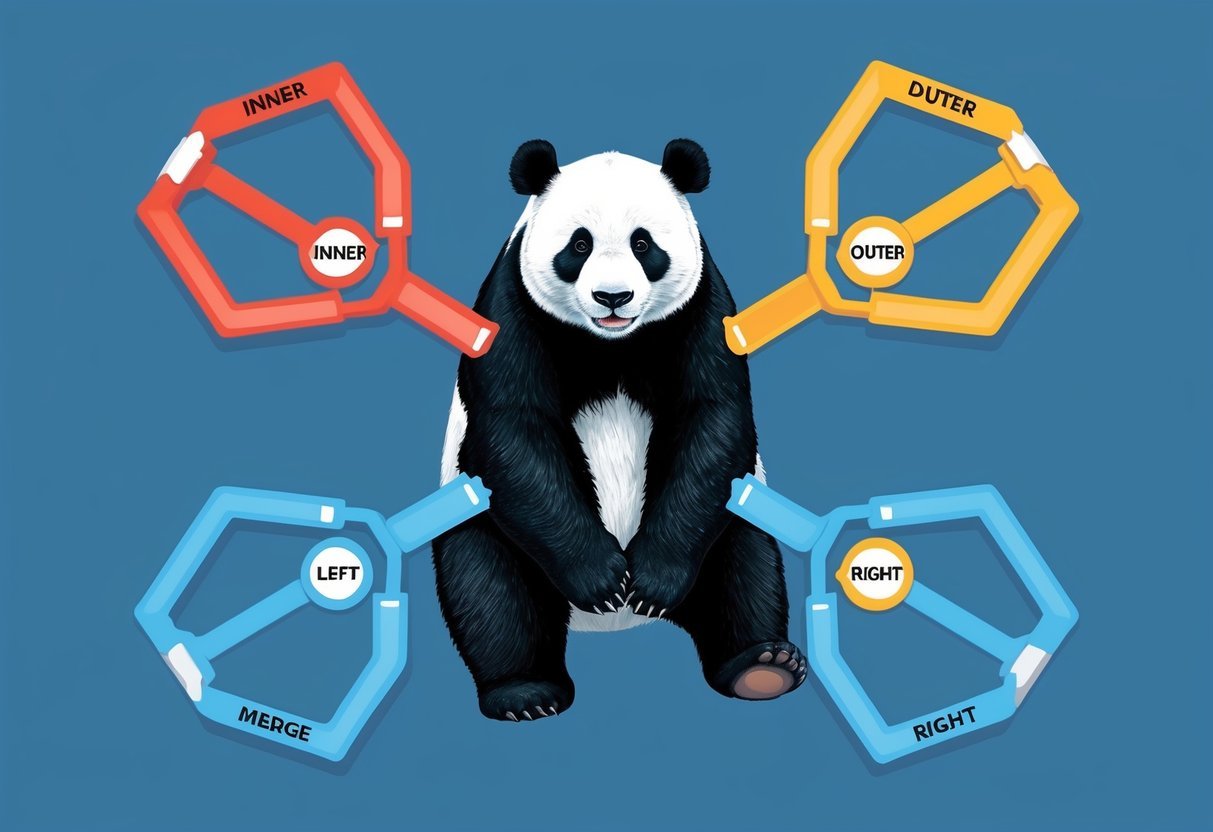
Merging DataFrames in Pandas allows for versatile handling of data, whether it’s through combining on shared columns, using different join techniques, or concatenating along various axes. Understanding these techniques helps in managing datasets effectively.
How do you merge two DataFrames in Pandas with a common column?
To merge two DataFrames with a common column, one can use the merge() function. This method requires specifying the column name(s) to match in both DataFrames. By default, it performs an inner join but can be adjusted using the how parameter.
What is the syntax for performing a left join in Pandas?
Perform a left join with: pd.merge(left_df, right_df, on='column_name', how='left'). This keeps all rows from the left DataFrame, filling in matches from the right DataFrame based on the specified column.
In Pandas, how do you concatenate multiple DataFrames vertically or horizontally?
Use the concat() function to concatenate DataFrames. To stack them vertically, set axis=0, while axis=1 merges them side-by-side horizontally. This allows data combining without aligning on specific columns or indexes.
What is the primary difference between using ‘merge’ and ‘join’ in Pandas?
merge() handles a wider range of operations, allowing index-to-index, index-to-column, and column-to-column matches. The join() function specifically joins DataFrames on their indexes, simplifying index-based merges.
Can you explain how to merge DataFrames on multiple columns in Pandas?
For merging on multiple columns, pass a list of column names to the on parameter in merge(). This ensures rows are merged when values across all specified columns match.
How do you perform an outer join in Pandas and when would it be used?
An outer join is done using pd.merge(left_df, right_df, how='outer').
It includes all rows from both DataFrames, filling with NaN where no matches exist.
This is useful for combining datasets where all information should be retained, regardless of whether certain entries match.