Categories
Uncategorized

Learning How to Define and Manipulate Tables with DDL and DML Commands: Master Database Structure and Control

Understanding DDL and Its Commands

Data Definition Language (DDL) is essential for defining and managing the structure of database objects. It allows users to create, modify, and remove objects in the database, such as tables.

This section will detail the key commands used in DDL, especially the Create, Alter, and Drop operations, which form the foundation of manipulating database structures.

Introduction to DDL

Data Definition Language (DDL) is a subset of SQL. It is used to define the database schema. DDL commands help set up and change the structure of database objects like schemas and tables.

Unlike DML, which focuses on data manipulation, DDL concerns itself with the structure and setup of the database framework. One critical aspect of DDL is its set of commands that dictate how tables are formed, altered, and deleted.

These operations are significant as they determine how databases are organized and how they evolve over time. Without DDL, creating a structured database environment needed for effective data management would be challenging.

Common DDL Commands

Several command types fall under DDL, including Create, Alter, and Drop.

The Create command is used for establishing new database objects, such as tables and indexes. For example, the syntax CREATE TABLE table_name helps define new tables.

The Alter command modifies existing objects, enabling changes to table structures, like adding or removing columns. Syntax examples include ALTER TABLE table_name ADD column_name datatype.

The Drop command deletes objects, such as tables, entirely from the database. Using DROP TABLE table_name will remove a table and its data.

Through these commands, DDL provides the tools to effectively manage and modify database structures.

Exploring Create, Alter, and Drop Operations

The Create operation is foundational in DDL, allowing the formation of tables and the definition of each column’s type. Attention to data types and constraints during creation is crucial for database integrity.

Alter commands give flexibility, allowing database modifications without re-creation. These include altering column data types or adding constraints.

This flexibility is beneficial when accommodating evolving data requirements.

The Drop operation is decisive as it removes objects permanently. Care needs to be taken, as removing tables results in data loss. Ensuring backups before executing a Drop command is advisable.

Through Create, Alter, and Drop, DDL commands empower users to shape and reshape their databases as needed.

Mastering DML for Effective Data Manipulation

Data Manipulation Language (DML) is crucial for handling and modifying data within databases. This section explores essential DML commands like INSERT, UPDATE, and DELETE, which are fundamental for effective data management.

DML Overview

DML is a subset of SQL used for inserting, deleting, and updating data. Unlike Data Definition Language (DDL), which modifies the database structure, DML operates on data within the tables.

Common DML commands include SELECT, INSERT, UPDATE, and DELETE. These commands help users to retrieve, add, modify, and remove records.

Understanding DML is essential for any database professional. It allows for dynamic interaction with data, which is vital in applications like reporting, user data updates, and database maintenance. Mastery of these commands ensures efficient database operations.

Inserting Data with the Insert Command

The INSERT command is used to add new records to a database table. The basic syntax is:

INSERT INTO table_name (column1, column2, column3) VALUES (value1, value2, value3);

Users need to specify the table’s name and the columns where data will be added. INSERT INTO can be used for both full and partial data insertions. For example, inserting data into specific columns while leaving others blank.

Proper use of INSERT ensures that data is added efficiently and accurately. It is vital for tasks such as adding new entries to sales records or user information databases.

Updating Records Using Update

UPDATE is used to modify existing records in a database table. The syntax is generally:

UPDATE table_name SET column1 = value1, column2 = value2 WHERE condition;

This command identifies which records to update using the WHERE clause. Without WHERE, it updates all records, potentially causing errors.

Carefully crafted UPDATE statements help to ensure only the intended data is changed.

Using UPDATE is critical for keeping databases current, such as adjusting prices, correcting user information, or changing product details.

Deleting Data with Delete

The DELETE command removes records from a database table. Its core syntax is:

DELETE FROM table_name WHERE condition;

Like UPDATE, the DELETE command should include a WHERE clause to specify which records to remove. Omitting WHERE deletes all records, which can lead to data loss.

DELETE is essential for removing outdated or incorrect data to maintain a clean and efficient database. It is often used in data cleanup, regulatory compliance, and removing duplicate records. Always confirm conditions when using this command to prevent unintended data loss.

Selecting and Retrieving Data with DQL

Data Query Language (DQL) mainly uses the SQL SELECT command to retrieve data from databases. It plays a vital role in data retrieval and viewing. Through DQL, users can filter results using conditions, join tables for related information, and sort data for meaningful insights.

Basics of DQL

DQL is a specific part of SQL used for data retrieval. The core command is SELECT, which allows users to specify the columns they want from a database table.

For instance, SELECT name, age FROM customers; retrieves only the name and age columns from the “customers” table. This makes data extraction precise and manageable.

With ORDER BY, results can be sorted, enhancing data readability. Users can arrange results in ascending or descending order based on one or more columns, such as SELECT * FROM orders ORDER BY order_date DESC;. This command sorts orders by date, showing the most recent first.

Utilizing the Where Clause

The WHERE clause in DQL is pivotal for filtering and narrowing down results. It specifies the condition that returned data must meet.

For example, SELECT * FROM employees WHERE department = 'Sales'; filters to show only employees in the Sales department.

Conditions can be combined using logical operators like AND, OR, and NOT, allowing for comprehensive data queries.

For instance, combining conditions, such as SELECT * FROM products WHERE price > 50 AND stock > 10;, helps focus on products that are not just price points but also stock levels, further refining results.

Join Operations in Queries

Joins are essential in SQL queries for combining data from multiple tables. The JOIN operation links tables based on related columns.

A common type is the INNER JOIN, which returns rows with matching data in both tables. For example:

SELECT orders.order_id, customers.name
FROM orders
INNER JOIN customers ON orders.customer_id = customers.id;

This query aligns orders with customer details, enabling users to see order numbers alongside customer names.

Other types like LEFT JOIN, RIGHT JOIN, and FULL JOIN offer flexibility, fetching unmatched rows from one or both tables when necessary.

Join operations extend the capability of DQL by integrating diverse datasets into a unified view, providing comprehensive insights into interconnected data.

Transaction Management in SQL

Transaction management in SQL is crucial for maintaining database integrity and ensuring that operations are completed successfully. This involves using Transaction Control Language (TCL) commands like COMMIT and ROLLBACK. Savepoints allow sections of transactions to be temporarily saved. Handling transactions efficiently makes databases reliable and flexible.

Handling Transactions with TCL

Transaction Control Language (TCL) is vital for managing how transactions operate in SQL databases. Among its commands, BEGIN TRANSACTION marks the start of a transaction.

COMMIT finalizes the transaction, making all changes permanent. If any issues arise, the ROLLBACK command returns the database to its previous state before any changes occurred.

This method prevents data corruption and maintains data consistency, especially in multi-step operations.

TCL commands are essential for ensuring that a sequence of operations either completes fully or not at all. This is an important part of data integrity. Each transaction operates independently, allowing fine control over data modifications.

Implementing Savepoints

Savepoints are a powerful feature in SQL transaction management. They allow users to set points within a transaction, enabling partial rollbacks.

By executing a SAVEPOINT command, developers can define specific moments where they might need to revert changes.

If necessary, a ROLLBACK TO SAVEPOINT operation can undo changes only back to the specific savepoint. This provides flexibility during complex transactions, as users can reverse specific parts without affecting the entire operation. It improves error handling and helps in testing various parts of transactions without starting over.

Adjusting transactions using savepoints is helpful when errors occur after some changes have been made. They ensure smooth recovery within transactions.

Committing and Rolling Back Transactions

The COMMIT command is used to save all changes made during a transaction to the database permanently. Once executed, these changes cannot be undone. This ensures that data remains consistent and reliable.

Alternatively, a ROLLBACK command undoes all changes made since the last commit, bringing the database back to a stable state.

Utilizing these commands is pivotal for maintaining data integrity and handling unexpected errors effectively. By understanding when to use COMMIT and ROLLBACK, developers manage data confidently, avoiding data loss or corruption during complex operations.

Database Security and Access Control with DCL

Data Control Language (DCL) in SQL mainly includes commands used to manage database security by controlling user permissions. The focus is on granting and revoking access rights to ensure only authorized users can perform specific actions. Understanding these concepts helps maintain integrity and security in database management.

Principles of DCL

DCL focuses on managing who can access a database and what they are allowed to do. The two main commands are GRANT and REVOKE.

GRANT allows the database administrator to give specific permissions to users, enabling them to perform certain actions. Conversely, REVOKE is used to remove these permissions, restricting access when necessary.

These commands ensure that only authorized users have the rights needed for their tasks. By defining these permissions, database security is maintained, preventing unauthorized access or actions that could compromise data integrity.

Implementing DCL effectively requires careful planning and monitoring by the administrator to ensure that permissions align with organizational policies and user roles.

Managing Permissions with Grant and Revoke

The GRANT command is used to provide users with specific permissions, such as selecting, inserting, updating, or deleting data. It can also manage access rights for entire databases or specific tables.

For example, a user might be granted permission to update records but not to delete them. This granularity ensures that users have only the necessary permissions.

The REVOKE command removes permissions previously granted. If a user no longer needs to perform certain tasks, or if their role changes, the database administrator uses REVOKE to adjust access rights accordingly.

This command is crucial for maintaining security, as it ensures that only current and necessary permissions are in place, reducing the risk of unauthorized data manipulation.

Controlling Database Access

Database administrators play a key role in using DCL to control access. They must regularly review user permissions and adjust them based on changes in user roles or security policies.

By using GRANT and REVOKE commands, administrators can tailor permissions to align with business needs and security requirements.

Managing access rights helps prevent unauthorized actions that could compromise data. Effective access control involves not only setting permissions but also monitoring and auditing them to detect and respond to potential security threats.

Maintaining robust access control policies safeguards sensitive information and supports compliance with regulatory standards for data protection.

Database Objects and Structures

A person using a computer to create and modify database tables with DDL and DML commands

Database objects and structures are fundamental components that define how data is organized, stored, and accessed in a relational database. They include tables, views, and indexes, each serving a specific purpose to optimize the database’s performance and functionality.

Tables and Their Relationships

Tables are the core elements within a database schema. They store data in rows and columns, where each row is a unique record, and each column represents a field or attribute of the data.

Relationships between tables are crucial as they define how data is linked across different tables. These relationships are defined using primary and foreign keys, which ensure referential integrity.

This structure allows for efficient data retrieval and manipulation and supports complex queries in a relational database environment.

Properly designed tables and their relationships help maintain data consistency and prevent redundancy.

Views as Virtual Tables

Views act as virtual tables in a database. They allow users to present data from one or more tables in a customized format without storing the data themselves.

By using views, users can simplify complex queries, improve data security by limiting access to specific columns, and present aggregated data.

Views are especially useful when dealing with complex systems where users need tailored data perspectives.

Updating or modifying views does not affect the underlying tables, which makes them flexible and useful for various applications. They play a key role in maintaining an organized and user-friendly database structure.

Indexes to Improve Performance

Indexes are vital for enhancing database performance. They function like a roadmap, allowing fast retrieval of records from a table.

In large databases, efficiently locating rows is critical, and indexes make this possible by reducing the time for search operations.

Indexes can be applied to one or more columns and are particularly useful for speeding up query operations that involve sorting or searching.

Properly implemented indexes can greatly optimize query performance, but they should be used judiciously. Overuse of indexes can slow down data modification processes due to increased maintenance overhead.

Balancing the use of indexes is important for maintaining an efficient database environment.

Modifying Database Structures

A computer screen displaying a database schema with tables, columns, and relationships, surrounded by open books and notes

Changes to a database’s structure can involve renaming database objects and removing data through truncation. These processes are essential for maintaining organized and efficient database systems.

Renaming Database Objects

Renaming database objects in SQL, such as tables or columns, allows for improved clarity and organization. The ALTER command is used in SQL to rename these objects.

This is crucial when there is a need to update names to reflect changes in data usage or business requirements.

For example, to rename a table, the command looks like this: ALTER TABLE old_name RENAME TO new_name;. This updates the database structure without affecting the data stored within.

Understanding how to properly rename objects can minimize errors and improve system management.

Truncating Tables for Data Removal

The TRUNCATE command is used to quickly remove all rows from a table without deleting the table itself or its structure.

Unlike the DELETE command, which removes data row by row, truncating is more efficient as it resets the table while maintaining its schema.

This makes the truncate table command especially useful for clearing out large volumes of data swiftly. Here’s how it’s commonly used: TRUNCATE TABLE table_name;.

This action is irreversible, so it should be used with caution, especially when data backups are not available.

The TRUNCATE command is an important tool for database administrators seeking to manage storage efficiently.

Understanding SQL Syntax and Query Optimization
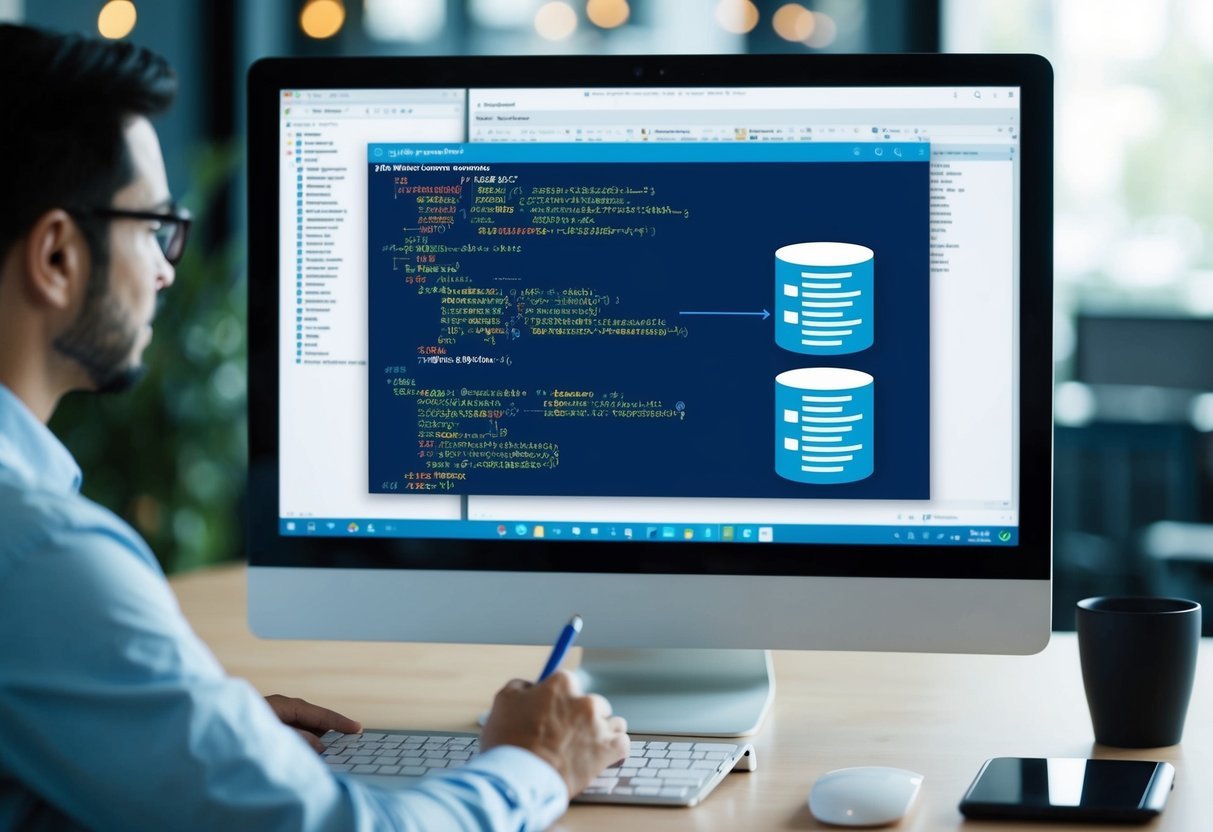
A person writing SQL commands on a computer, with a database schema and tables displayed on the screen

SQL syntax forms the backbone of data retrieval and manipulation. Optimizing queries involves crafting them efficiently to ensure they run quickly and use system resources wisely.

Key focus points include writing clear and efficient SQL queries and understanding how to analyze them using the Explain Plan.

Writing Efficient SQL Queries

Efficient SQL queries are essential for fast data processing. Using the SELECT statement wisely can make a big difference.

To get data from one or more tables, use SELECT with careful attention to included columns. Avoid SELECT * since it can slow down performance by retrieving more data than necessary.

The WHERE clause helps filter data. Write specific conditions to reduce the amount of processed data. Indexes play a crucial role in speeding up data retrieval, so ensure that you use them for columns in your WHERE clause.

Structured queries can be further optimized by ordering conditions in a logical sequence. For instance, filtering results before joining tables reduces the workload and speeds up the query performance.

The Explain Plan for Query Analysis

The Explain Plan is a powerful tool for analyzing SQL queries. It shows how the database executes each query, detailing steps taken in fetching and processing data.

This tool is crucial in identifying inefficient parts of a query.

Understanding the Explain Plan helps in pinpointing bottlenecks. These might include full table scans that occur when indexes aren’t used.

By evaluating the query execution path, adjustments can be made to enhance performance.

Using the plan, one can see the cost and time factors of different parts of a SQL operation. Analyzing these paths ensures queries are optimized, leading to improved database performance and resource utilization.

Fundamentals of Database Management

A person using a computer to create and modify tables using database management commands

Database management is a crucial aspect of maintaining efficient, secure, and reliable systems. It involves overseeing data storage, retrieval, and accessibility while ensuring data integrity and security.

Key aspects include the role of the database administrator and the varying architectures of database management systems.

Roles of a Database Administrator

A database administrator (DBA) is essential for effectively managing and maintaining databases. They handle a range of responsibilities, such as data backup, recovery, and ensuring data security.

DBAs also manage database performance to keep systems running efficiently.

DBAs implement security measures to protect sensitive data. Regularly updating systems to prevent unauthorized access is critical.

They also plan for disaster recovery to minimize potential data loss.

Ensuring the database is up-to-date and optimally configured requires DBAs to regularly monitor system health. They identify and resolve any issues that may arise, such as bottlenecks that could impede performance or the need for additional resources.

Database Management System Architectures

Database management system (DBMS) architectures vary to meet different needs. Common architectures include centralized, distributed, and cloud-based systems. Each has its own advantages and use cases, depending on factors such as size, scale, and accessibility.

Centralized databases store all data in one location, simplifying management but posing a risk for data loss.

Distributed systems spread data across multiple sites, offering redundancy and improved reliability. They can be more complex to manage, requiring synchronization and consistency protocols.

Cloud-based architectures offer flexibility and scalability. They benefit organizations expecting significant data growth, allowing resources to adjust without hardware investment.

They provide remote access and facilitate efficient collaboration across geographical boundaries, enhancing modern business operations.

SQL Variants and Their Syntax Differences

A person typing on a computer, with multiple windows open showing SQL code and tables being defined and manipulated

SQL, or Structured Query Language, has different variants that include PostgreSQL, MySQL, Oracle, and SQL Server. Each offers unique syntax and features that are important for database management and manipulation.

PostgreSQL vs. MySQL

PostgreSQL and MySQL are two of the most popular open-source databases.

PostgreSQL is praised for its advanced features like support for complex queries, full-text search, and custom data types. It supports a broad range of data integrity constraints and is known for being very SQL-compliant.

MySQL is often chosen for web applications due to its simplicity and speed. It offers a simpler SQL syntax which makes it easier to learn for beginners.

MySQL excels in read-heavy operations, while PostgreSQL is often preferred for transactions that require high reliability and sophisticated query capabilities.

PostgreSQL supports more advanced data types directly within its core, like arrays and hstore. In contrast, MySQL requires additional plugins or extensions for similar capabilities.

Oracle and SQL Server Comparisons

Oracle and SQL Server are prominent in enterprise environments.

Oracle is known for its scalability and robustness. It supports a wide range of data types and offers robust security features. Oracle’s PL/SQL (Procedural Language for SQL) extends SQL with procedural features, offering more flexibility when writing queries.

On the other hand, SQL Server, developed by Microsoft, integrates smoothly with other Microsoft services and applications. It’s known for its powerful analytics, reporting features, and seamless support for Windows-only environments.

T-SQL (Transact-SQL) in SQL Server also provides procedural programming capabilities similar to Oracle.

Both of these systems require considerable resources, but Oracle is more expensive and involves higher licensing fees compared to SQL Server. They cater to companies needing extensive processing power and are frequently chosen for mission-critical applications.

Data Integrity and Consistency

A person using a computer to define and manipulate tables with DDL and DML commands

Data integrity and consistency are crucial for managing databases effectively. Different SQL commands like DDL and DML help maintain these aspects by defining structures and managing data within tables.

Ensuring data accuracy and enforcing constraints are key to achieving integrity and consistency.

Ensuring Data Accuracy

Data accuracy is achieved by meticulously using SQL commands. The INSERT command ensures data entered into a table is correct and aligns with specified data types.

Similarly, the SELECT statement is used to fetch accurate data based on predefined conditions. For instance, if a user needs to retrieve a specific record, applying exact criteria will yield precise results.

Additionally, using CREATE commands to establish tables with clear structures helps define what data should look like, reducing errors during data entry.

Furthermore, accurate data manipulation with tools like SQL Data Manipulation Language ensures that updates or deletions don’t compromise data correctness.

Maintaining high data accuracy minimizes redundancies and inconsistencies, enabling better decision-making processes.

Constraints and Validation

Constraints in SQL play a vital role in enforcing data integrity.

Using constraints like PRIMARY KEY, FOREIGN KEY, UNIQUE, and CHECK ensures that the data entered into a table follows certain rules.

For example, a PRIMARY KEY constraint ensures each record in a table is unique. The FOREIGN KEY helps maintain relationships between tables, preventing orphaned data.

Validation is another important aspect. It can be performed during data entry to make certain that only valid and permitted data is inserted.

This validation restricts incorrect data input, enhancing data quality.

By defining these rules and validations through DDL commands, it becomes easier to uphold data consistency and reliability across the database.

Frequently Asked Questions

A person at a computer, typing DDL and DML commands to define and manipulate tables

Understanding the functions of DDL and DML commands is essential for managing databases. DDL commands define and alter the structure of database objects, while DML commands focus on manipulating data within these structures. TCL commands support these functions by managing transactions.

What is the difference between Data Definition Language (DDL) and Data Manipulation Language (DML)?

DDL is used for defining and managing the structure of database objects such as tables and indexes. This includes commands like CREATE and ALTER.

DML, on the other hand, is used for manipulating the data within these tables, using commands like INSERT, UPDATE, and DELETE.

Can you list and explain the various DDL commands used in SQL?

DDL commands include CREATE, ALTER, and DROP. The CREATE command is used to create new database objects like tables or indexes.

ALTER modifies existing objects, allowing changes in the table structure. DROP is utilized to remove objects from the database.

How can one create a new table in a database using DDL commands?

A new table can be created using the CREATE TABLE command. This command specifies the table name and defines its columns and data types.

For example, CREATE TABLE Students (ID INT, Name VARCHAR(50), Age INT) sets up a table with three columns.

What are the main DML commands in SQL, and what are their purposes?

The main DML commands include SELECT, INSERT, UPDATE, and DELETE. SELECT retrieves data from tables. INSERT adds new records to a table. UPDATE modifies existing records, and DELETE removes records from a table.

How do you modify the structure of an existing table with SQL DDL commands?

To modify a table’s structure, the ALTER TABLE command is used. This command can add or drop columns, change data types, or rename columns.

For instance, to add a column, the syntax could be ALTER TABLE Students ADD Email VARCHAR(50).

What is the role of Transaction Control Language (TCL) commands in relation to DDL and DML?

TCL commands manage transactions in SQL. These include COMMIT, ROLLBACK, and SAVEPOINT.

They ensure that database changes made by DDL and DML commands are either completed successfully or reversed if there is an error. COMMIT saves changes, while ROLLBACK undoes them.


Categories
Uncategorized

Learning Intermediate SQL Skills for Data Engineering: Boost Your Career Prospects

Foundations of Intermediate SQL

Intermediate SQL is essential for managing and analyzing data within relational databases. Mastery of SQL syntax and query structure enables professionals to efficiently retrieve and manipulate data, crucial for roles in data analysis and engineering.

Key components in this foundation involve understanding how data is organized and accessed in databases.

Understanding Relational Databases

Relational databases form the backbone of many data management systems, organizing data into tables with rows and columns. Each table represents a different entity, like customers or orders.

Relationships between tables are established through keys, ensuring data integrity and accessibility.

The concept of primary and foreign keys is central. A primary key uniquely identifies each record, while a foreign key links to another table’s primary key. Understanding these relationships allows building complex queries that join data from multiple tables.

Data is stored in a structured manner, allowing SQL to perform operations such as filtering and sorting. These databases use standard SQL commands like SELECT, FROM, WHERE, and ORDER BY to query data efficiently.

SQL Syntax and Query Structure

SQL syntax is the set of rules that defines how to format queries to retrieve the desired information from databases.

Basic SQL operations start with the SELECT statement, which is used to specify the columns to retrieve. The FROM clause indicates the table from which to draw data.

Where conditions need to be applied, the WHERE clause filters the datasets based on specific criteria. The ORDER BY clause is used to sort the results in ascending or descending order.

Combining these elements properly allows users to construct effective queries that can handle complex data requirements.

In intermediate SQL, advanced query structuring includes using join operations to connect data across multiple tables, allowing comprehensive data analysis. Understanding these elements is crucial for executing precise data manipulations and analyses.

Advanced Data Selection Techniques

When selecting data in SQL, advanced techniques like joins, unions, subqueries, and views help manage complex data sets efficiently. These tools allow for robust querying and more insightful data analysis.

Mastering Joins and Unions

Joins and unions are essential for combining data from multiple tables. Joins connect tables based on related columns. The most common types are INNER JOIN, LEFT JOIN, and RIGHT JOIN.

INNER JOIN returns rows with matching values in both tables. LEFT JOIN returns all rows from the left table, and matching rows from the right. RIGHT JOIN is the opposite, returning all rows from the right table.

UNIONS stack the results of two or more queries. Use UNION to combine rows from different queries, eliminating duplicates, while UNION ALL includes all duplicates.

For using these effectively, ensure the queries have the same number of columns with compatible data types.

Mastering these allows complex data retrieval beyond simple queries. Check out advanced SQL techniques for deeper insights into mastering joins and unions.

Utilizing Subqueries and Views

Subqueries are queries nested inside a SELECT, INSERT, or UPDATE query. They allow complex filtering and data aggregation without needing multiple queries.

Subqueries can return a single value or a list of values, acting as inputs for the main query. Use them to filter results based on dynamic conditions.

Views are virtual tables representing the result of a SQL query. They simplify data access by abstracting complicated queries into a single object.

Use views to present data in a more user-friendly format and enhance security by restricting user access to specific data subsets.

For more on these techniques, the Advanced SQL for Data Scientists course offers valuable information. These tools are indispensable for efficient and effective data management.

Data Manipulation Commands

Data manipulation in SQL primarily involves modifying data in a database. This process is crucial for tasks like changing records and ensuring the database remains accurate and up-to-date.

Key tasks include inserting new records, updating existing ones, and deleting those no longer needed.

Inserting, Updating, and Deleting Records

Inserting records into a database is done using the INSERT command. This allows developers to add new data into a table. For example, adding a new user to a “users” table involves providing specific details such as name, email, and age.

Updating records is handled with the UPDATE command. This command changes existing data. For example, modifying a user’s email requires specifying which user’s record to update and the new email address to be applied.

Deleting records involves the DELETE command, which removes data from a table. This is necessary for getting rid of data that is no longer needed, such as deleting a user who has deregistered.

Proper use of these commands ensures that databases remain useful and relevant for users, analysts, and developers.

Efficient Data Analysis with SQL

Data analysis using SQL involves utilizing various techniques to extract meaningful insights from large datasets. By mastering aggregate functions and organizing data effectively, analysts can perform efficient queries and achieve accurate results.

Applying Aggregate Functions

Aggregate functions are essential in SQL for data analysis. They allow users to perform calculations on multiple rows and return a single result.

Common functions include MIN, MAX, SUM, COUNT, and AVG.

For instance, SUM helps calculate the total value of numerical columns, while AVG finds the average. COUNT determines the number of entries in a dataset, which is vital for understanding data distribution.

Using MAX and MIN, analysts can quickly identify the highest and lowest values.

These functions streamline data analysis tasks, enabling efficient processing and concise reporting. By applying them to datasets, users can derive insights without manually combing through vast amounts of data. This ability to summarize information saves time and improves accuracy.

Grouping and Summarizing Data

Grouping data is critical when summarizing large datasets. The GROUP BY clause in SQL organizes data into categories, allowing for focused analysis.

When used with aggregate functions, it creates meaningful summaries.

For example, grouping sales data by month and applying SUM to sales value generates a monthly sales report. This combination provides a clear view of performance trends over time.

Similarly, GROUP BY coupled with COUNT can give insights into customer behavior patterns, like frequent purchases.

Simplifying complex datasets into understandable summaries facilitates better decision-making. Grouping helps pinpoint specific data points, making analysis more targeted and efficient. This effectively transforms raw data into actionable insights, essential for strategic planning and forecasting.

Enhancing Queries with Advanced Functions

In SQL, advanced functions can greatly boost the power and efficiency of queries, especially when dealing with textual and temporal data. By utilizing these functions, one can manipulate strings and manage dates effectively, leading to more responsive and informative databases.

String Functions and Textual Data

Working with textual data in SQL is crucial as text appears frequently in databases.

Functions like UPPER() and LOWER() convert text to uppercase or lowercase, allowing for standardized searches. The CONCAT() function combines strings, which is useful for creating full names from separate first and last name fields.

The CASE statement is critical for handling conditional operations within queries. For example, it can transform data values based on certain conditions, making textual data more meaningful.

Using these functions ensures queries are precise and capable of handling diverse text scenarios with ease.

Date and Time Functions

SQL’s date and time functions are vital for managing temporal data.

The DATEPART() function allows for extraction of specific parts of a date, such as year or month, which can be essential for generating reports based on time periods.

The DATEDIFF() function calculates the difference between two dates, useful for age or duration calculations.

With functions like GETDATE(), users can insert the current time into records automatically.

Window functions are beneficial for tasks such as tracking historical trends by applying calculations over a group of data, making them highly relevant for ongoing analysis.

Managing date and time effectively allows for more accurate and functional database applications.

Data Integrity and Performance

A person typing SQL commands on a computer while graphs and charts display data integrity and performance metrics

Ensuring data integrity and boosting performance are essential in managing databases effectively. Key aspects include optimizing queries for faster data retrieval and addressing issues with null values and duplicate records.

Indexing and Query Optimization

Indexing plays a crucial role in enhancing database performance. By creating indexes on columns frequently used in WHERE clauses or join conditions, query execution times can be drastically reduced.

Selecting the right columns for indexing involves analyzing query patterns and understanding which fields are accessed most often. This insight helps in deciding the optimal indexing strategy.

Query optimization is another critical aspect. Simplifying complex queries by breaking them into smaller parts may improve efficiency.

Using database management tools can provide suggestions for rewriting queries. SQL EXPLAIN statements can help analyze query performance by showing execution plans, allowing database administrators to identify and address bottlenecks.

Handling Null Values and Duplicate Data

Null values and duplicate data can disrupt data integrity.

Handling null values involves setting default values or using IS NULL conditions within queries to manage missing data effectively.

Proper database design can minimize null occurrences by ensuring columns are appropriately defined with relevant constraints or default settings.

Duplicates require regular cleaning and validation processes. Utilizing SQL functions like DISTINCT, GROUP BY, or using unique indexes can prevent duplicate entries.

Regular data audits and implementing data validation rules are essential practices. A well-maintained database ensures that insights drawn from data are reliable and consistent, supporting accurate decision-making processes.

Database Design and Normalization

Database design and normalization are foundational aspects for structuring efficient and reliable databases. Successful implementation ensures data integrity and reduces redundancy, which is crucial for data engineering.

Schema Design Principles

Schema design involves organizing data into tables and defining relationships between them. Effective design follows the principles of normalization, aiming to reduce duplication and increase data integrity.

First, the designer should identify primary keys, which uniquely identify each record. They should also establish foreign keys to link data across tables.

Normalization typically involves several normal forms, from 1NF to 5NF. Each form addresses specific issues such as eliminating repeating groups and ensuring that attributes depend only on the primary keys.

For more detailed guidance on normalization, consider resources like this beginner’s guide. This process helps maintain simplified, consistent data structures that work effectively in various applications.

Database Management and Administration

A person working at a computer, writing SQL queries, surrounded by database management and administration resources

Effectively managing databases requires a focus on automation and security. Stored procedures can help streamline processes, while security measures ensure data integrity.

Stored Procedures and Automation

Stored procedures are crucial for automating repetitive database tasks. They consist of SQL code saved within the database, allowing for faster execution.

By utilizing stored procedures, data engineers can simplify complex operations, such as data extraction and transformation. This reduces manual effort and enhances efficiency.

Stored procedures offer robust error handling. They support modular design, making it easy to call and reuse code. This modularity aids in maintaining consistent and reliable database operations.

Additionally, scheduling stored procedures can automate routine maintenance or report generation, freeing up valuable time for other tasks.

These procedures are also essential for ensuring data consistency. They allow for input validation, preventing incorrect data entry.

Implementing stored procedures leads to more efficient database performance and reduced operational errors.

Security and Permissions

Security is a fundamental aspect of database management. Ensuring that data is protected from unauthorized access requires careful planning.

By assigning appropriate permissions, database administrators can control who can view or modify the data. This minimizes the risk of data breaches and maintains system integrity.

Role-based access control (RBAC) is a common method for managing security. By grouping users based on their job functions, it allows for streamlined permission management.

Each role is assigned specific rights, which can be easily modified as needed.

Data encryption is another vital security layer. Encrypting sensitive data ensures it remains confidential even if unauthorized access occurs.

Auditing and logging maintain transparency, tracking who accesses the data and when.

This comprehensive approach ensures the database environment remains secure, reliable, and resilient.

Cloud Databases and Data Engineering Tools

A person working on a computer, surrounded by cloud database icons and data engineering tools

Cloud databases and data engineering tools are essential for managing and processing large volumes of data efficiently. These tools help data engineers develop workflows, handle real-time data, and integrate cloud services into their pipelines.

Working with Cloud Services

Cloud services like Azure provide powerful solutions for data storage and management. Azure offers multiple database options, including SQL databases and NoSQL options, to suit different project needs.

Its scalability is a significant advantage, allowing businesses to adjust resources based on demand.

Data engineers benefit from cloud capabilities by using services like Azure Databricks. This platform offers collaborative workspaces integrated with Spark, enabling distributed data processing and machine learning tasks.

With this setup, teams efficiently handle data while taking advantage of cloud performance and scalability.

Integration with Data Engineering Pipelines

Integrating cloud databases into data engineering pipelines is vital for seamless data flow and processing. Tools like dbt (data build tool) play a crucial role here by allowing engineers to transform data in the warehouse more efficiently.

dbt enables version control and testing, ensuring data quality and consistency across the pipeline.

Using Azure Data Factory, engineers can design and implement complex data workflows that connect various services and databases in the cloud. This orchestration helps automate data movement and preparation, effectively supporting real-time analytics and reporting.

Combining these tools creates a robust and integrated data pipeline ecosystem that addresses both storage and processing needs.

Version Control and Collaboration

A group of people working together on a computer, collaborating and using version control to learn intermediate SQL skills for data engineering

Version control is vital for SQL developers working in teams. Git helps manage changes, track progress, and foster collaboration.

Teams can efficiently manage SQL scripts, merge changes, and maintain project integrity.

Git for SQL Developers

Git is a popular tool for version control, offering powerful features for SQL developers. It tracks every change made to SQL scripts, making it simple to revert to previous versions if needed.

Developers can work on different branches, allowing multiple features to be developed simultaneously without conflicts.

Collaboration is enhanced with Git. Team members can clone repositories, make changes, and submit them for review.

This ensures that all members have access to the latest updates.

Through pull requests and code reviews, teams can maintain high-quality code, leading to more reliable data engineering processes. This structure promotes teamwork and minimizes errors in SQL management.

Learning Path and Career Advancement

A person studying SQL on a laptop with books and notes

Developing intermediate SQL skills is key for those aspiring to build a career in data engineering. Learning from structured courses and effectively showcasing these skills can significantly boost one’s career prospects.

SQL Training and Courses

Training in SQL is essential for a data engineering career. Many platforms offer courses designed to teach core concepts and more advanced techniques.

These courses often include features like hands-on practice and quizzes to test understanding.

Courses from Dataquest focus on practical skills like managing and analyzing data across multiple tables. Platforms like Coursera and DataCamp offer a range of programs to match different learning needs.

Selecting courses that offer certificates can also add value when included in a resume or LinkedIn profile.

Showcasing Skills on LinkedIn

Showcasing skills on platforms like LinkedIn is crucial for career advancement.

Learners can highlight the certifications earned from well-known platforms such as Coursera and DataCamp.

Including completed projects and examples of SQL skills in their profile can help in standing out.

Platforms like LinkedIn Learning can also provide insights and recommendations for further skill development.

Regularly updating the LinkedIn profile with new skills and achievements ensures that potential employers or recruiters see a current and detailed summary of the candidate’s capabilities.

Emerging Trends in Data Processing

A person sitting at a desk with a computer, typing on a keyboard while looking at a screen displaying SQL code and data processing trends

Emerging trends in data processing are changing how businesses use information. Technologies like machine learning and artificial intelligence are playing crucial roles, impacting data science and business intelligence.

Machine Learning and AI Integration

Machine learning and AI are crucial in modern data processing. They help automate data tasks, make predictions, and uncover insights.

By integrating these technologies, businesses can analyze large data sets more efficiently, leading to smarter decision-making.

Incorporating machine learning with data processing enables businesses to forecast trends accurately.

AI can enhance business intelligence by identifying patterns that humans might miss.

For data engineers, learning these skills is vital to design systems that effectively utilize AI and machine learning in data processing.

Machine learning algorithms can optimize data retrieval from databases. Tools like neural networks can improve how systems manage and analyze big data, supporting complex tasks like real-time decision-making.

As AI technologies evolve, their role in data engineering becomes increasingly significant, assisting organizations in turning raw data into actionable insights.

Frequently Asked Questions

A person studying a book on SQL with a computer and notebook on the table

Intermediate SQL skills are vital for data engineers, covering areas like joins, subqueries, and query optimization. These skills are essential for efficiently handling data-related tasks in engineering roles.

What are the essential intermediate SQL skills necessary for data engineering?

Data engineers should master skills such as using joins, understanding aggregations, and optimizing queries.

They should also be familiar with subqueries and set operations like UNION, INTERSECT, and EXCEPT, as noted in top SQL interview questions.

How long does it typically take to acquire intermediate SQL skills with regular practice?

Gaining proficiency in intermediate SQL skills generally takes a few months of consistent practice.

With regular use, individuals can advance their understanding and begin implementing these skills in real-world scenarios, enhancing their data engineering capabilities.

What resources are most recommended for learning intermediate SQL for a career in data engineering?

Online platforms offer various resources such as video tutorials, exercises, and articles.

For instance, DataCamp and Exponent provide helpful materials to develop SQL skills needed for data engineering.

What level of proficiency in SQL should a data engineer aim to achieve?

Data engineers should aim for proficiency that allows them to design databases, write complex queries, and perform data transformations.

An intermediate level of SQL knowledge helps in resolving typical day-to-day issues encountered in data engineering roles.

Can you learn intermediate SQL skills through online courses effectively for data engineering roles?

Online courses are effective for learning SQL as they provide structured content and practical exercises.

Courses from platforms like TryExponent and DataCamp can help learners gain the skills needed for data engineering.

Are there any books that specifically focus on SQL for data engineers at an intermediate level?

Books focusing on SQL often cover topics necessary for data engineers, including query optimization and advanced functions.

It is beneficial to choose books that offer practical examples and exercises tailored to data engineering needs.

Categories
Uncategorized

Learning How to Create GUIs in the Jupyter Notebook System: A Comprehensive Guide

Getting Started with Jupyter Notebooks

Jupyter Notebooks are valuable tools for data scientists, providing an interactive platform to combine code, visualizations, and text in one place.

Here, we will explore the basics of Jupyter’s interface and the installation process for both Python and Jupyter Notebook.

Introduction to Jupyter and Its Notebook Interface

Jupyter Notebook is an open-source web application that allows users to create and share documents, combining live code, equations, visualizations, and narrative text. This tool is especially popular among data scientists and researchers because it enables interactive computing.

Notebooks in Jupyter can support over 40 programming languages, including Python, and allow for easy sharing of work.

Jupyter’s interface is designed to simplify project organization. The main components include a dashboard, a menu toolbar, and a code editor.

Notebooks consist of cells that can hold code, markdown, or raw text, creating a flexible environment for conducting experiments and documenting the results.

To streamline navigation, users can install extensions like a Table of Contents, which helps make large notebooks easier to manage.

Installing Python and Jupyter Notebook

Installing Jupyter Notebook requires Python, which is a versatile language for data analysis. Before installing Jupyter, ensure Python is set up on your system. It can be downloaded from the official Python website or through distributions like Anaconda, which includes both Python and Jupyter.

Once Python is installed, Jupyter can be added using the package manager pip by running the command pip install jupyter.

For those who prefer an all-in-one solution, installing Anaconda is recommended. It simplifies the setup process and includes additional data science libraries, making it ideal for beginners.

After installation, start Jupyter by typing jupyter notebook in the terminal, which opens the interface in your default web browser.

Understanding the Basics of Python Programming

Python is a versatile and widely-used programming language. It is known for its simple syntax and readability, making it a great choice for both beginners and experienced programmers.

In this section, key elements of Python programming are covered to build a strong foundation.

Data Types are essential in Python, including integers, floats, and strings.

Strings are collections of characters used to store text data. They are created by enclosing text in single ' or double quotes ".

Python offers several collection data types, like lists, dictionaries, tuples, and sets.

Lists are ordered and changeable, perfect for storing sequences.

Dictionaries hold key-value pairs, making data retrieval fast and efficient.

Tuples are similar to lists but immutable.

Sets are collections of unique elements.

In programming, variables act as containers for storing data values. Python allows variables to store different data types and even change types dynamically.

Functions are blocks of reusable code in Python. Defined with the def keyword, they help organize code and perform specific tasks. Functions can accept arguments and return values.

Python supports object-oriented programming with classes. Classes define objects and can contain properties and methods. They allow for grouping data and behavior logically.

Understanding scope is crucial when working with Python. Variables have either local or global scope, determining their accessibility within different parts of the program. This ensures efficient management of variables and functions within code blocks.

Exploring Python Libraries for GUI Development

Python offers several libraries specifically geared toward creating user-friendly graphical interfaces. Two key libraries that stand out for developing GUIs within Jupyter Notebooks are Tkinter and Ipywidgets. Each provides unique tools and functions to help developers build robust and interactive applications.

Tkinter and Its Role in GUI Programming

Tkinter is one of the most widely used Python libraries for creating graphical user interfaces. As an open-source module, it provides a simple way to integrate GUIs into Python applications. It is often included with Python, making it easily accessible for developers.

The library is built on the Tk GUI toolkit, known for its ease of use and flexibility.

Developers can create windows containing buttons, labels, text fields, and other standard interface elements using Tkinter. This makes it an ideal choice for both beginners and experienced developers aiming to explore GUI development without complex coding.

Notably, Tkinter’s event-driven programming model allows for seamless user interaction through event binding, providing a responsive and engaging experience.

Developers appreciate its simplicity and depth as it offers fundamental tools to achieve dynamic application development. Tkinter remains a reliable choice for desktop application prototyping and development.

Ipywidgets for Interactive Jupyter Widgets

Another effective library for GUI development within Jupyter Notebooks is Ipywidgets. This library is tailored for adding interactive widgets to Jupyter instances, enhancing user engagement and data visualization capabilities.

Ipywidgets allows developers to create sliders, buttons, drop-down menus, and other interactive elements that integrate seamlessly with notebook cells.

This interactivity can be crucial for dynamic data exploration and analysis tasks where user inputs need to reflect immediately in computations.

Additionally, Ipywidgets supports real-time interaction by using JavaScript in the backend to update widget states. The user-friendly API ensures that creating complex GUIs is manageable, allowing even novice developers to leverage Jupyter Notebooks to their full potential.

Designing Basic Graphical User Interfaces

Creating graphical user interfaces in Jupyter Notebooks involves placing interactive elements like buttons and forms, alongside components such as checkboxes for collecting user input. These elements enable users to interact seamlessly with programs within the notebook environment.

Creating Buttons and Forms in Jupyter Notebooks

Jupyter Notebooks offer widgets for designing GUIs that enhance interactivity. Buttons are fundamental GUI components used for triggering events when clicked.

In Jupyter, the ipywidgets library simplifies adding buttons. By importing this library, users can create buttons using simple code snippets.

import ipywidgets as widgets
button = widgets.Button(description="Click Me")
display(button)

Forms can be crafted by combining multiple widgets. Text boxes and sliders are common choices for input fields. These elements allow the program to capture and process user inputs effectively.

It’s important to define actions or callbacks that execute upon user interaction, ensuring that the GUI is responsive and functional.

Utilizing Checkboxes and User Input

Checkboxes offer a straightforward way for users to make selections within a Jupyter Notebook GUI. The ipywidgets.Checkbox class is handy for including these elements.

Checkboxes can be added using code like:

checkbox = widgets.Checkbox(value=False, description='Select Me')
display(checkbox)

User input collection is crucial for dynamic applications. Widgets such as Text, IntSlider, and Dropdown allow intake of various data types.

Employing these widgets assists in capturing diverse user inputs, facilitating their integration into the application’s logic.

Attention to user experience, such as clear labels and intuitive layout, enhances usability and effectiveness of GUIs.

Advanced GUI Components and Event Handling

Mastering GUI components and event handling in Jupyter Notebook allows developers to create interactive applications. By leveraging advanced Python features, users can build sophisticated widgets and efficiently manage user settings and parameters.

Working with Advanced Widgets

Advanced widgets in Jupyter Notebook enhance user interaction. These components, such as sliders, dropdowns, and buttons, are part of libraries like ipywidgets. They allow for dynamic data input and visualization.

Using ipywidgets, developers can link widgets to functions, creating responsive updates whenever users interact with the elements.

One can create layouts with tabs and accordions for better organization.

The use of event listeners is crucial, as they execute code in response to widget changes. For example, when a slider’s value changes, a connected function might adjust a graph in real time. This interaction fosters an engaging learning and analytical environment.

Managing User Settings and Parameters

Handling user settings and parameters is essential for creating personalized applications.

Developers can store user preferences using configuration files or simple local storage. These settings may include theme choices, default widget values, or application modes.

For effective parameter management, it’s important to map these parameters to widgets. Users can adjust the parameters through a user-friendly interface, and the program updates accordingly.

APIs play a vital role here by offering a connection to external data or services, allowing applications to adapt based on the user’s environment.

The flexibility of Python enables the customization of GUI applications, ensuring they meet the functional requirements needed for dynamic user interaction.

Integrating Data Science Techniques in Jupyter GUIs

Jupyter Notebooks are powerful for creating GUIs, especially when integrating data science techniques. Incorporating tools for data visualization and using efficient data handling modules can enhance both functionality and user experience.

Incorporating Data Visualization Tools

Data visualization is essential in data science to interpret complex results effectively.

In Jupyter GUIs, various libraries like matplotlib and seaborn allow users to create interactive plots and charts directly within the notebook interface. These tools help in making data more accessible and understandable.

Using visual elements like histograms, scatter plots, or heatmaps can transform static data into dynamic visuals.

This interactive aspect is key for exploring datasets, identifying trends, and communicating insights.

In addition, incorporating widgets from libraries like ipywidgets enables users to update charts in real-time, which is particularly useful in dynamic data analysis.

Integrating these visualization tools into Jupyter GUIs creates a seamless experience for users processing and analyzing data.

Handling Data with Collections Module

Managing data efficiently is critical in any data science project.

The collections module in Python offers specialized container datatypes like namedtuple, deque, and Counter, which enhance data manipulation capabilities.

In a Jupyter GUI, these datatypes can streamline handling and analysis tasks.

For instance, namedtuple allows for readable code by treating elements as attributes.

deque provides fast appends and pops, which is beneficial for data structures that require frequent updates.

Counter aids in calculating frequencies of elements in a collection, which can be invaluable in data analysis tasks.

By integrating the collections module into Jupyter GUIs, data scientists can enhance the efficiency and readability of their code, facilitating more sophisticated data operations.

Mastering Object-Oriented Programming for GUIs

Object-oriented programming (OOP) plays a crucial role in developing effective and reusable graphical user interfaces (GUIs).

It enables developers to organize code efficiently by using classes and objects, which helps in managing complex interfaces smoothly.

Core Concepts:

  1. Classes and Objects: At the heart of OOP are classes and objects. Classes act as blueprints for objects, defining attributes and behaviors. This allows for easy creation and manipulation of multiple instances.

  2. Encapsulation: This concept helps in bundling data and methods that operate on this data within a single unit, or class. Encapsulation provides a way to hide the internal workings of an object, making the interface simpler to interact with.

  3. Inheritance: This allows new classes to inherit properties and behaviors from existing ones, promoting code reuse and reducing redundancy. It simplifies modifications by centralizing control of shared features.

  4. Polymorphism: With polymorphism, objects can be treated as instances of their parent class rather than their actual class. This allows for flexibility and integration of different object types.

Application in GUIs:

GUIs benefit from OOP through modular design and improved maintenance.

For instance, developers can create a base class for windows and derive various types of specialized windows from it.

Using GUI libraries, like Tkinter or PyQt, together with OOP principles, developers can create user interfaces that are both dynamic and scalable.

For example, the pygame package is used to put OOP concepts into practice in game development.

Customizing GUIs with Python’s Advanced Features

Using Python’s advanced features can greatly enhance the customization of graphical user interfaces (GUIs) in Jupyter Notebooks.

By leveraging decorators, context managers, generators, and coroutines, developers can create more efficient and dynamic GUIs.

Leveraging Decorators and Context Managers

Decorators in Python can be used to modify or extend the behavior of functions or methods. In GUI development, they can be particularly useful for adding logging, access control, or pre-processing tasks before a function runs.

For example, decorators can ensure certain application states before executing a function, streamlining the code for GUI operations.

Context managers, typically employed with the with statement, help manage resources like file handles or network connections effectively.

When used in GUIs, context managers ensure resources are allocated and released properly, preventing resource leaks. This is especially critical in applications with multiple layers of resource dependence.

Employing Generators and Coroutines

Generators are a powerful feature in Python, allowing functions to yield values over time. This makes them ideal for GUIs that handle large data sets or real-time data streams.

By using generators, GUIs can manage memory usage more efficiently by yielding data as needed, rather than loading it all at once.

Coroutines, a type of generator, are useful for asynchronous programming. They allow GUIs to perform non-blocking operations, making GUIs responsive.

This is crucial for applications needing to handle multiple user inputs or background tasks simultaneously, enhancing the user experience.

Developing and Sharing .py Files in Jupyter

Jupyter Notebook allows users to create and share Python scripts efficiently. This includes converting .ipynb files to .py files and managing them with version control tools.

Writing Python Scripts as .py Files

Jupyter Notebooks primarily use .ipynb files, but converting these to .py files is straightforward. This conversion is crucial when integrating with traditional Python projects or when a script needs execution outside of the Jupyter environment.

Using the nbconvert tool, users can easily export their notebooks to .py files, which are plain text and suitable for any text or code editor. This creates flexibility for developing Python applications by allowing them to run independently of Jupyter.

Integrating with Jupyter’s nbconvert tool supports exporting notebooks to various formats, including .py, enabling seamless sharing and extension of the code into cohesive scripts.

Once in .py format, users can harness the power of Python libraries outside Jupyter, making development versatile and integrated with broader Python ecosystems.

Sharing and Version Control

Sharing .py files involves more than just transferring files. It includes managing changes and collaborating with others efficiently.

Python scripts benefit significantly from version control systems like Git, which track changes and allow for collaborative development.

By using Git repositories, teams can ensure that all changes are tracked and integrated smoothly, making collaboration on Python projects more effective.

Platforms like GitHub are popular for sharing and maintaining these scripts. With Jupyter, developers often utilize Python script exports to share code that others can run without needing Jupyter.

This approach enhances collaboration by allowing clear tracking of changes over time, supporting both solo developers and larger teams.

Creating Interactive Tutorials with Jupyter Widgets

Jupyter Widgets add interactive elements to Jupyter Notebooks, making tutorials engaging and dynamic. These widgets allow users to control elements with sliders, buttons, and text boxes. This interactivity enhances learning by providing immediate feedback and a hands-on experience.

To start, users can install the ipywidgets library using pip. Once installed, they can import it and start creating various widgets.

A simple example is using a slider to adjust numerical values in real-time. This is beneficial for visualizing data changes immediately.

Here’s a basic example of a slider widget:

import ipywidgets as widgets

slider = widgets.IntSlider(value=0, min=0, max=10, step=1)
display(slider)

Apart from sliders, Jupyter supports other widget types like dropdowns, radio buttons, and more. These are useful in tutorials where users need to choose from different options or paths in the content.

Beyond individual widgets, there is the ability to create fully interactive widgets in Jupyter Notebooks.

These are great for forming complex interfaces that allow multiple inputs from users, such as forms or controls for data analysis.

Layouts and styles can be customized to match the tutorial theme. Users can arrange widgets in horizontal or vertical boxes, providing a cleaner and more professional look.

Customization options make Jupyter Widgets a versatile tool for creating interactive educational content.

Utilizing Jupyter Notebook for Web Application Development

A laptop displaying a Jupyter Notebook with a web application development interface and GUI creation tutorials open

Jupyter Notebook is a powerful tool that can transform data analysis projects into interactive web applications. Users can build web apps directly from their notebooks and integrate APIs to enhance functionality and access external data sources.

Building Web Apps with Jupyter Notebook

Creating web applications with Jupyter Notebook is made possible through several tools and frameworks.

Tools like Voilà convert notebooks into standalone web applications. This allows users to share their projects with a wider audience without requiring them to know the details of Jupyter Notebook.

Another option is AppMode, a Jupyter extension that allows notebooks to be viewed as web apps by hiding code cells. This simplifies the interface for end users, making it an excellent choice for demonstrating data-driven applications or dashboards in a clean format.

Users can also utilize frameworks like Anvil Uplink to turn machine learning models into interactive apps. This method lets users build complete web applications, incorporating forms, data tables, and other UI elements.

Integrating APIs and External Data Sources

Integrating APIs into Jupyter Notebook projects can significantly enhance the functionality of a web app.

APIs allow applications to access data from various external sources, such as weather updates or financial information. This access enables developers to incorporate real-time data into their applications.

To start, users can make HTTP requests within the Jupyter Notebook to fetch data from APIs. Libraries like requests simplify this process.

This method is beneficial for fetching JSON data, which can then be processed and visualized directly within the notebook.

In addition, incorporating external data sources into a web application enhances its relevance and engagement.

By linking to dynamic datasets, Jupyter-based applications can provide up-to-date insights and interactive experiences.

This combination of Jupyter Notebook and APIs empowers developers to create versatile, data-driven applications.

Frequently Asked Questions

A person typing on a computer, with a Jupyter Notebook open, surrounded by various windows and tabs related to GUI creation

Creating user interfaces within Jupyter Notebooks can enhance data analysis projects by making them interactive and user-friendly. Various tools and libraries are available, allowing for the integration of UI elements and capturing user inputs effectively.

How can I create interactive GUI elements in a Jupyter Notebook using ipywidgets?

Using ipywidgets, users can add sliders, buttons, and other interactive elements directly into Jupyter Notebooks. This library integrates seamlessly, allowing for dynamic changes and updates based on user inputs.

What are the steps to implement Tkinter in a Jupyter Notebook for GUI creation?

Tkinter can be used in Jupyter Notebooks for simple GUI applications. Users need to import Tkinter and create a root window. By constructing the widgets and laying them out using grids or packs, they can interact with Jupyter’s execution cells effectively.

Is it possible to develop a web-based user interface within a Jupyter Notebook, and how?

Developing a web-based user interface is possible by leveraging tools like Ipywidgets and other web-focused libraries. These tools allow the construction of interactive components that mimic web app behavior within the notebook environment.

What libraries are available for designing Python GUIs within Jupyter Notebooks?

For designing GUIs within Jupyter, libraries such as ipywidgets, Plotly Dash, and Voila are popular choices. They provide a range of widgets, visualizations, and deployment options that integrate with the notebook’s functionality.

How do I capture user input in a Jupyter notebook through a graphical user interface?

User input in a Jupyter Notebook can be captured using input widgets from libraries like ipywidgets. These widgets, such as text boxes and sliders, allow users to input data directly into the notebook, which can then be processed further.

Are there best practices for creating responsive and dynamic user interfaces in Jupyter Notebooks?

Best practices involve organizing code into functions and utilizing layout management efficiently.

It’s important to ensure that UI elements update based on user actions quickly.

Maintaining clarity in UI design and preferring libraries that offer dynamic features enhance the interactivity and user experience.

Categories
Uncategorized

Learning What Data Science Entails: A Comprehensive Overview

Understanding the Basics of Data Science

Data science blends various disciplines to analyze large datasets. At its core, it involves working with both structured and unstructured data to extract valuable insights and make informed decisions.

Data Science and Its Interdisciplinary Nature

Data science is an interdisciplinary field that encompasses areas like computer science, mathematics, and statistics.

By combining these disciplines, data science utilizes computational power to handle and analyze large datasets.

Data scientists use machine learning algorithms and statistical models to interpret data. They also rely on data visualization tools to present results clearly.

The role of a data scientist requires both technical skills and domain expertise. Collaboration with professionals from different fields enhances the understanding and application of techniques in real-world scenarios.

By integrating diverse domains, data science enables tackling complex problems efficiently.

Core Concepts in Data Science: Structured and Unstructured Data

Structured data refers to information organized in a clear, predefined format, like spreadsheets or databases. This data is easy to manage and analyze using common tools and programming languages. It includes numbers, dates, and strings neatly arranged.

On the other hand, unstructured data lacks a specific format. Examples include text documents, emails, images, and videos. It requires advanced techniques for processing and analysis.

Handling unstructured data is complex due to its varied formats. Data scientists employ natural language processing and image recognition to analyze it.

Incorporating both structured and unstructured data is vital for comprehensive analyses, offering a broader view to inform strategic decisions.

Essential Skills for Aspiring Data Scientists

A person surrounded by books, a computer, and data charts, with a globe and calculator nearby

Aspiring data scientists need a blend of skills to succeed. Key areas are statistical expertise, proficiency in programming languages like Python and SQL, and effective data wrangling techniques. These skills form the backbone of data analysis and problem-solving in data science.

Statistical Expertise and Mathematical Foundation

A strong statistical and mathematical foundation is crucial for data scientists. This includes knowledge of probability distributions, hypothesis testing, and regression analysis.

These concepts help in making data-driven decisions and predictive models.

Statistics helps translate raw data into actionable insights. Understanding mathematics is also essential, especially for complex machine learning algorithms. Mastery of these topics enables data scientists to interpret and analyze data effectively, ensuring they can approach problems with structured methodologies.

Programming Proficiency: Python and SQL

Programming is vital for data manipulation and analysis. Python is popular among data scientists due to its simplicity and a rich ecosystem of libraries like NumPy, pandas, and Scikit-learn. These tools assist in managing data, performing statistical analysis, and building machine learning models.

SQL skills are equally important. SQL is used to extract and manage data stored in relational databases.

Proficiency in these languages enables data scientists to efficiently gather and process data from different sources, ensuring they can work with large datasets effectively.

Data Wrangling and Preparation Techniques

Data wrangling involves cleaning and transforming raw data into a usable format. This includes handling missing values, filtering out noise, and ensuring the data is accurate and consistent. Data preparation is often a time-consuming task but is essential for accurate analysis.

Data cleaning ensures that the datasets are free from errors and ready for analysis. Techniques such as normalization and data integration help in refining the datasets. Mastery of these processes allows data scientists to develop reliable and valid models, ultimately leading to better business decisions.

Diving into Data Analysis and Visualization

A person surrounded by computer screens, charts, and graphs, analyzing and visualizing data for a data science project

Data analysis and visualization are crucial for transforming raw data into meaningful insights. Techniques for analyzing data help uncover trends and patterns, while visualization tools make these findings accessible.

The Art of Extracting Insights through Data Analysis

Data analysis involves examining datasets to identify important information and guide decision-making. This process typically starts with data cleaning to ensure accuracy, followed by exploration to spot patterns. Analysts use various statistical methods to interpret data and draw conclusions.

Visualizations, such as graphs and charts, simplify complex data sets, making it easier for stakeholders to understand findings. By focusing on key metrics and trends, data analysis enables businesses to make informed choices and predictions about future outcomes.

Tools for Presenting Data: Tableau and Excel

Tableau and Excel are popular tools for data visualization.

Tableau is known for its powerful and interactive visualizations, making it easy to connect to various data sources. Users can create dashboards that highlight key trends and insights, which enhances stakeholder engagement.

Excel is a versatile tool widely used for simpler data visualization tasks. With features like pivot tables and charts, it allows users to manipulate and present data effectively. Though not as advanced as Tableau, Excel is suitable for basic data tasks due to its accessibility and ease of use. Both tools play significant roles in translating data findings into clear, visual formats.

The Role of Machine Learning in Data Science

Machine learning is essential in data science for processing large datasets and creating insights. It automates data analysis and improves accuracy in predictions. This section explores machine learning algorithms and their role in building predictive models.

Understanding Machine Learning Algorithms

Machine learning algorithms are crucial tools in the field of data science. They enable computers to learn from data without being explicitly programmed. Common algorithms include linear regression, decision trees, and neural networks.

Linear regression is used to predict continuous outcomes. For example, estimating a house’s price based on its features.

Decision trees are used for classification tasks, like determining if an email is spam.

Neural networks mimic the brain’s structure and are used in more complex tasks such as image recognition.

The choice of algorithm depends on the problem nature and data characteristics. It’s important for data scientists to understand the strengths and limitations of each algorithm. This understanding helps in selecting the best approach and achieving the desired outcomes effectively.

Building Predictive Models from Data

Building predictive models requires organizing and analyzing data to forecast future outcomes. In data science, machine learning is a key player in this process. It enhances the ability to make precise predictions based on historical data.

These models are used in various fields, such as finance for stock market trends, or healthcare for predicting disease outbreaks.

The process begins with data collection and cleaning. Afterward, the data is divided into training and test sets.

Training is crucial as it allows the machine learning algorithm to recognize patterns. Once trained, the model is evaluated using the test set to validate its predictive power.

Data scientists continuously refine models to improve accuracy and reliability. By doing so, organizations can make better strategic decisions based on data-driven insights.

Real-World Applications of Data Science

Data science plays a crucial role in various fields, offering pioneering solutions and enhancing efficiency. From health care innovations to e-commerce personalization and transportation advancements, its impact is evident in our daily lives.

Health Care Innovations: Genomics to Medical Imaging

In health care, data science enhances both genomics and medical imaging. Medical professionals use data science to identify genetic patterns by analyzing large genomic datasets. This aids in understanding diseases and developing targeted treatments, making strides in personalized medicine.

Medical imaging benefits from data science through improved diagnostics. Techniques such as machine learning analyze images for early disease detection. For instance, identifying tumors from radiographs with high accuracy helps in timely treatments.

Data science also streamlines pharmaceutical research, speeding up drug discovery by predicting molecular interactions, allowing researchers to focus on promising candidates quickly.

E-Commerce Personalization and Fraud Detection

Data science revolutionizes e-commerce by personalizing user experiences and detecting fraud effectively. Personalization involves analyzing shopping behavior to suggest products that align with customer preferences. This helps retailers enhance engagement and retention by delivering relevant recommendations.

For fraud detection, data science employs algorithms to monitor transactions for anomalies. By analyzing patterns and historical data, systems can flag potentially fraudulent activities.

These techniques reduce false positives and safeguard user information. Techniques like machine learning adapt to new fraud tactics, continuously updating detection models for robust protection against financial losses.

Transportation Advancements with Self-Driving Vehicles

In transportation, self-driving technology relies heavily on data science. Autonomous vehicles use vast amounts of sensor data to navigate and make real-time decisions. This involves processing data from cameras, lidar, and radar to understand surroundings and predict movements.

Data science algorithms ensure vehicles can react safely in complex environments. This technology aims to reduce road accidents by minimizing human error.

Additionally, self-driving vehicles optimize traffic flow and contribute to more sustainable urban transportation by reducing congestion and emissions. Through machine learning, these systems continually improve, refining driving strategies for diverse conditions.

Advanced Topics in Artificial Intelligence

A classroom with a whiteboard filled with diagrams and equations, surrounded by students and a professor discussing advanced topics in artificial intelligence and data science

Advanced topics in artificial intelligence (AI) cover a wide range of methods and tools. Key areas include deep learning and neural networks, which are powerful for tasks like image recognition. Natural language processing (NLP) and recommendation systems enhance user interaction with technology by understanding and predicting human preferences.

Deep Learning and Neural Networks

Deep learning involves the use of neural networks with many layers to analyze complex data inputs. These networks, like convolutional neural networks (CNNs) and recurrent neural networks (RNNs), excel in tasks such as image and speech recognition.

  • Convolutional Neural Networks (CNNs): Ideal for image data, CNNs use layers that focus on small chunks of input data, making them great at handling visual patterns.

  • Recurrent Neural Networks (RNNs): Used in speech and text, RNNs process data sequences, essential for time series and language tasks.

With neural networks, AI systems make sense of large data sets, improving accuracy and efficiency in data-heavy applications.

Natural Language Processing and Recommendation Systems

Natural language processing (NLP) is crucial for enabling machines to understand and respond to human language. NLP powers chatbots, virtual assistants, and tools like translation apps. It uses techniques to process, analyze, and generate language comprehensibly.

Recommendation systems enhance user experience by suggesting products, services, or content based on data analysis. These systems are widely used in platforms like streaming services and online retail.

  • Collaborative Filtering: Uses user behavior data for predictions, grouping similar users to provide relevant suggestions.

  • Content-Based Filtering: Analyzes item attributes to recommend similar items to those a user has liked before.

Both NLP and recommendation engines are central to building responsive and personalized AI systems. They help create interactions that feel intuitive and human-like, thereby enhancing user satisfaction and engagement.

Career Opportunities and Job Outlook

The data science field offers a range of career paths and maintains a strong job outlook. With roles like data scientist and machine learning engineer, professionals can find rewarding opportunities. Further growth is encouraged through educational pathways and certifications.

Exploring Diverse Roles in Data Science

Data science presents numerous job opportunities across various roles. A data scientist typically handles gathering and analyzing data, while a data engineer focuses on the architecture that enables data flow.

Machine learning engineers apply algorithms to automate predictions and decisions. Database administrators ensure data integrity and performance. Analysts, including business, financial, data, and product analysts, interpret data to guide decision-making. A data system developer designs and implements effective data management systems. This diversity in roles allows skills to be applied across different industries.

Educational Pathways and Certifications

Educational requirements for roles in data science often include a Master’s degree in data science or related fields. Specialized programs in data science and machine learning are becoming popular.

Certifications can enhance career prospects. The Cloudera Certified Professional credential is recognized in the industry.

Other relevant certifications include Google Professional Data Engineer, IBM Data Science Professional Certificate, and Microsoft Certified: Azure Data Scientist Associate. These certifications provide specialized knowledge and skills, helping to validate a professional’s expertise. Continuous learning and skill development are essential in this rapidly evolving field.

Emerging Trends and the Future of Data Science

A futuristic data visualization with interconnected nodes and flowing data streams

Data science is transforming rapidly due to major trends that enhance data processing and usage.

Key developments involve advancements in big data technologies and the expansion of predictive analytics applications. These changes aim to boost efficiency and insight generation across industries.

Technological Advancements in Big Data and Analytics

Big data is increasing in importance as technologies evolve to handle larger datasets more efficiently.

Innovations in cloud computing have enabled scalable and flexible storage solutions. This allows companies to access vast amounts of data from anywhere, enhancing their analysis capabilities.

Data analytics tools are also advancing, providing businesses with sophisticated methods to extract meaningful insights.

These tools rely on machine learning and AI to automate processes and improve decision-making. More organizations are adopting big data analytics to stay competitive, as they can derive actionable insights and forecast future trends with greater accuracy.

Predictive Analytics and Advanced Applications

Predictive analytics is becoming a cornerstone of modern data science.

By using historical data and machine learning algorithms, it forecasts future outcomes with high accuracy. This capability is crucial for sectors like finance, healthcare, and marketing, where anticipating trends leads to strategic advantages.

Advanced applications now include automated decision-making and intelligent systems, which are transforming how businesses operate.

For example, customer behavior can be predicted, allowing for tailored marketing strategies. The technologies also enhance risk management by predicting potential issues before they arise. This is essential for maintaining competitiveness in rapidly changing markets.

The integration of augmented intelligence, where humans collaborate with AI, is expected to further elevate predictive analytics, making it more intuitive and impactful.

The Data Science Process from Start to Finish

A person brainstorming, gathering, cleaning, analyzing, and visualizing data, then drawing conclusions and presenting findings

The data science process involves several critical stages that transform raw data into actionable insights.

These stages typically involve structured data collection, management, and sophisticated analytical techniques to produce accurate predictions.

Data Collection and Management Strategies

Data collection forms the backbone of the data science process. This involves gathering data from various sources such as databases, APIs, or sensors.

Effective management strategies ensure that this data is clean, organized, and ready for analysis. Cleaning data may involve removing duplicates, correcting errors, and handling missing values.

To manage data efficiently, data scientists often employ tools that automate these tasks, ensuring a smooth data pipeline flow.

A well-defined pipeline facilitates the seamless transition of data from collection to analysis. This infrastructure is crucial for ensuring consistent data quality and reliability throughout the project. Integrating these strategies within a framework helps maintain data integrity, which is vital for subsequent analysis.

From Data Mining to Insightful Predictions

Data mining is a key stage in extracting valuable patterns from vast datasets.

Techniques like clustering, classification, and association help uncover hidden relationships in the data. These techniques form the foundation for generating insights that guide decision-making.

Once patterns are identified, statistical analysis is employed to validate these findings. This involves using statistical models to understand relationships within the data.

Predictive analysis builds on this by using historical data to forecast future trends. These predictions are crucial for businesses as they enable data-driven decision-making and strategic planning.

By continuously refining models, data scientists ensure that predictions remain accurate and relevant in a dynamic environment.

Effective Business Strategies with Data Science

A computer displaying data visualizations and graphs, surrounded by books on data science and business strategy

Businesses today use data science to improve their strategies. It plays a vital role in enhancing growth and marketing through analytics and quantifying efforts.

Leveraging Analytics for Business Growth

Data analytics is a powerful tool that enables businesses to understand patterns and trends.

By utilizing advanced analytics, companies can identify potential market opportunities and optimize operations. Predictive modeling helps in forecasting future trends, allowing businesses to make informed decisions.

A business analyst examines data to pinpoint inefficiencies and suggest improvements. They use historical and real-time data to enhance performance.

Through analytics, businesses can tailor their strategies to align with market demands, creating more targeted campaigns. The application of data analytics leads to resource optimization and enhanced productivity.

Quantifying Marketing Endeavors with Data

In the realm of marketing, quantifying efforts through data is crucial.

Businesses can analyze customer behavior and preferences with detailed data, enhancing targeted marketing strategies. Data science allows marketing teams to evaluate the effectiveness of different campaigns and channels.

By using data analytics, companies can allocate their marketing budgets more efficiently. This involves adjusting strategies to focus on the most impactful activities.

Predictive modeling provides insights into consumer trends, aiding in the creation of personalized experiences. Marketers rely on data-driven insights to tailor messages that resonate with their audience, increasing engagement and conversion rates.

Frequently Asked Questions

A person reading a book with a magnifying glass, surrounded by various data science-related objects and tools

Data science is a vast field covering technical skills, analytical thinking, and real-world applications. Understanding different roles and processes helps beginners focus on essential learning paths.

What constitutes the core knowledge base for a beginner in data science?

Beginners in data science should focus on learning programming skills, particularly in languages like Python or R. Knowledge of statistics and data analysis is crucial. They should also understand data visualization techniques to present findings clearly.

How does data science apply to real-world problems?

Data science is used to solve various problems, such as predicting consumer behavior, optimizing supply chains, and detecting fraud. It helps in making data-driven decisions that improve efficiency and effectiveness in multiple industries.

What are the various types of roles within the data science field?

The data science field includes roles like data analyst, data engineer, data scientist, and machine learning engineer. Each role focuses on different aspects, such as data management, model building, or analyzing large datasets.

Can you outline the typical process involved in a data science project?

A typical data science project involves defining the problem, collecting and cleaning data, analyzing data, building models, and interpreting results. It often requires iteration between these steps to improve and refine outcomes.

What is the significance of data science in today’s technology landscape?

Data science is crucial in today’s technology landscape as it supports innovation and decision-making across industries. With data-driven insights, companies can better understand trends, optimize operations, and improve customer satisfaction.

For someone new to the field, what are the essential topics to learn in a data science course?

Essential topics for newcomers include programming, statistics, machine learning, and data visualization. They should also explore the ethical considerations of data usage and how to handle large datasets efficiently.

Consider browsing through online resources that offer self-study options for a comprehensive learning experience.