Categories
Uncategorized

Learning Math for Data Science – Regression: Essential Techniques Explained

Fundamentals of Regression

Regression is a core concept in data science that helps in understanding relationships between variables. It is widely used for predicting values, finding trends, and making informed decisions based on data patterns. Key aspects include types of regression and how these techniques contribute to data analysis.

Understanding Regression in Data Science

Regression is a statistical method used to model the relationship between a dependent variable and one or more independent variables. In data science, it helps identify and quantify these relationships to make predictions. A strong linear relationship between variables makes linear regression a popular choice.



In regression analysis, the dependent variable is the one being predicted or explained. The independent variables are the factors thought to influence it.

Data scientists collect data, choose a model, and fit it to the data to see how well it predicts outcomes. Many tools, like Excel and Python, are used to perform these calculations. This allows for a comprehensive analysis of trends and patterns.

Types of Regression Analysis

There are several types of regression analysis, each suitable for different data scenarios. Linear regression is the simplest, focusing on a linear relationship between variables. It aims to draw a straight line that best fits the data points.

Besides linear regression, there are other forms like polynomial regression, which can handle curves in the data, and logistic regression, which is useful for binary outcomes. Understanding these types aids in choosing the correct analysis technique to provide the most accurate insights. Courses like the Fundamentals of Regression Analysis teach these essential methods, ensuring a solid foundation in data analysis techniques.

Mathematical Foundations

This section explores the critical mathematical concepts essential for data science. It delves into calculus, linear algebra, probability, and statistics, each offering unique contributions to data science processes.

Role of Calculus in Data Science

Calculus plays a vital role in data science by enabling the optimization of algorithms. It provides tools for understanding changes and is essential for gradient-based optimization techniques used in training machine learning models.

Differentiation, for instance, helps in finding the minimum or maximum of functions, which is crucial in minimizing error functions in machine learning.

The chain rule and partial derivatives are frequently applied when dealing with functions of multiple variables. Integration is used for calculating probabilities and expectations in probability theory.

Calculus provides a foundation for modeling dynamic systems, making it indispensable for anyone dealing with data analysis.

Linear Algebra Essentials

Linear algebra underpins many data science algorithms, particularly through the use of matrices and vectors. It is fundamental in representing and manipulating data in multi-dimensional space.

Matrices are often used to store data, and operations on these matrices can transform and analyze the data efficiently.

Vectors help in understanding directions and magnitudes in a dataset, contributing to operations like covariance computations. Concepts like eigenvalues and eigenvectors are used in dimensionality reduction techniques like PCA (Principal Component Analysis).

Understanding linear transformations is critical in grasping how data can be projected onto lower dimensions while preserving its structure.

Understanding Probability and Statistics

Probability and statistics form the backbone of data science methodologies. These fields focus on data interpretation, uncertainty measurement, and environment modeling.

Probability helps in predicting outcomes and understanding data distributions. Concepts like random variables and probability distributions are core to modeling uncertainty.

Statistics is used to analyze data, draw conclusions, and make informed decisions. Techniques such as hypothesis testing and regression analysis are used to validate models and understand relationships between variables.

Using probability and statistics, data scientists can make predictions and infer patterns from large datasets, enhancing decision-making in uncertain environments.

Implementing Linear Regression

Linear regression is a key technique in data science for predicting a dependent variable using one or more independent variables. Knowing how to develop models, calculate coefficients, and use Python libraries makes implementation effective and straightforward.

Developing Regression Models

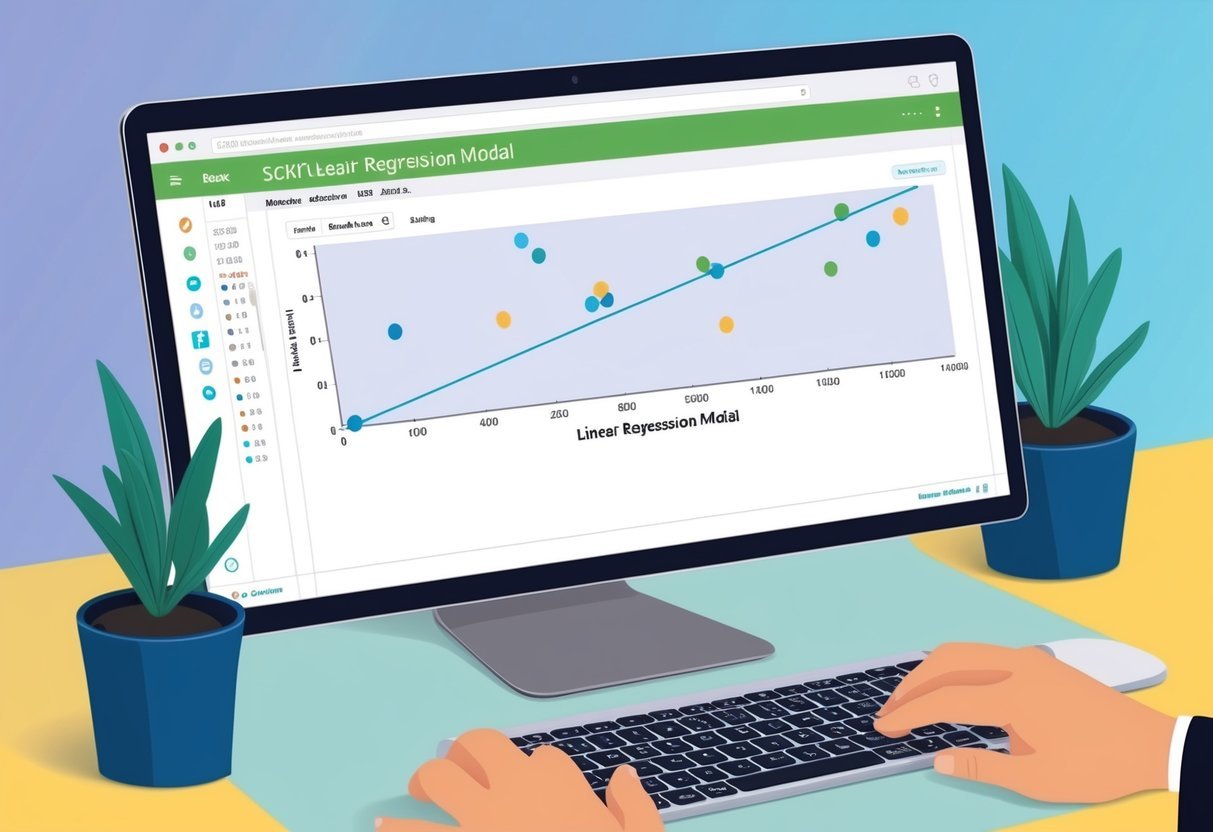
Developing a linear regression model involves finding the relationship between variables. This can be visualized with a line on a graph. The line represents the predicted values based on input data.

A common way to start is by plotting the data points to check if a linear relationship is expected.

Matplotlib is often used for these plots due to its visualization capabilities. It helps in observing patterns and deciding whether a linear model is suited. The model’s success depends on how well the line predicts the data points.

Evaluating accuracy can involve metrics like mean squared error or R-squared values.

Calculating Coefficients and Intercepts

Calculating coefficients and intercepts is a critical part of implementing linear regression. The goal is to find the best-fit line by minimizing errors between predicted and actual values.

Coefficients indicate the steepness of the line, while the intercept shows where the line crosses the y-axis.

Numpy plays a significant role in performing these calculations due to its efficient handling of arrays and matrix operations.

To find optimal coefficients, techniques like Least Squares Method or Gradient Descent are often used. These methods adjust coefficients iteratively to reduce error rates, allowing for more accurate predictions on the data set.

Python Libraries for Linear Regression

Python provides several libraries that facilitate the implementation of linear regression. These libraries streamline the various steps involved, from data processing to visualization.

Scikit-learn is widely used for its easy-to-use functions that cover both simple and multiple linear regressions. It allows for quick prototyping and testing of models. The library includes methods for splitting data, fitting models, and evaluating performance.

Matplotlib and Numpy remain essential for visualization and mathematical operations. Together, these libraries provide a comprehensive set of tools to implement and fine-tune linear regression models efficiently.

Data Preparation and Cleaning

Effective data preparation is crucial in data science to build accurate models. It involves cleaning the data, modifying features to remove extraneous variables, and addressing anomalies to prevent spurious associations. This ensures reliable input for regression models.

Handling Missing Data

Missing data can skew results and reduce the effectiveness of a model. There are a few techniques to address this issue.

One method is imputation, where missing values are replaced with estimated ones, like the mean, median, or mode. Another approach is to remove incomplete records entirely, although this might lead to data loss.

Handling missing data carefully helps in removing confounders and achieving cleaner datasets. Assessing the nature and amount of missing data is crucial to determine whether imputation or elimination is appropriate. This ensures that missing data doesn’t lead to misleading results or spurious associations.

Feature Engineering

Feature engineering involves transforming raw data into meaningful inputs to improve model performance. Creating new features from existing ones can help improve model accuracy.

Normalization and standardization are common techniques to ensure data is on a similar scale, which is especially important when inputs feature varying units.

Another aspect of feature engineering is one-hot encoding, which converts categorical variables into binary columns. This makes the data more compatible with mathematical operations involved in regression.

Feature engineering aims to highlight relevant information while mitigating the effect of confounders.

Addressing Outliers and Anomalies

Outliers and anomalies can lead to distorted results by disproportionately influencing model predictions. Identifying these data points is a key step.

Techniques such as Z-score, IQR (Interquartile Range) method, and visualization with scatter plots or box plots help spot these irregularities.

After identifying outliers, deciding whether to remove or treat them is essential. Trimming or applying transformations like logarithms can reduce their impact.

Careful treatment of outliers ensures the model is not misled by extreme values and that confounding effects are minimized. Recognizing and handling anomalies prepares the dataset for accurate regression analysis.

Exploratory Data Analysis

Exploratory Data Analysis (EDA) is essential in data science, especially for regression tasks. It involves using descriptive statistics and visual tools to understand data sets better. EDA helps in identifying correlations, anomalies, and data distribution.

Descriptive Statistics in Context

Descriptive statistics provide simple summaries of a data set. Key statistics include mean, median, mode, and standard deviation. These metrics offer insights into data distribution, central tendency, and variability. In EDA, descriptive statistics help determine how values in the data compare.

Correlation coefficients are also crucial. They measure the strength and direction of relationships between variables. For instance, a positive correlation coefficient indicates that as one variable increases, the other does too. Understanding these relationships aids in selecting the right variables for regression analysis.

Visualizing Data for Regression Analysis

Visual tools offer a more intuitive way to understand data.

Graphs like scatter plots and histograms are common in EDA. Scatter plots can show relationships between variables, important for spotting trends before performing regression. For example, a clear upward trend suggests a positive correlation, essential for regression insights.

Tools such as matplotlib are widely used for creating informative visuals. Matplotlib allows the customization of graphs to highlight specific data aspects. Whether plotting residuals or displaying trends, visualizing data is crucial for understanding regression dynamics.

Advanced Regression Techniques

Exploring advanced regression techniques is essential in understanding how to model complex relationships in data science. Multiple linear regression, logistic regression for classification, and non-linear regression models are key areas in this domain.

Multiple Linear Regression

Multiple linear regression extends simple linear regression by incorporating multiple independent variables. This method helps in modeling and predicting a dependent variable that relies on more than one factor. It’s particularly beneficial in scenarios where a single predictor is insufficient to capture the underlying pattern.

In practice, a model might predict house prices based on size, location, and number of rooms. Key factors include ensuring no multicollinearity exists among variables and that residuals are normally distributed. This technique is widely used for its simplicity and effectiveness in providing insights into multivariable relationships.

Benefits

  • Flexibility: Able to include multiple predictors.
  • Interpretability: Coefficients can help in understanding variable impacts.

Challenges

  • Assumptions such as linearity and normal distribution need validation.
  • Susceptible to overfitting if too many variables are added.

Logistic Regression and Classification

Logistic regression is a type of regression used for binary classification problems. Unlike linear regression, logistic regression predicts the probability of an outcome that belongs to a category. It’s employed in areas like credit scoring and spam detection, where the outcomes are categorical.

Its logistic function maps input values to a probability of success or failure. Adding multiple factors into logistic regression can improve model accuracy, but it requires careful feature selection to avoid overfitting.

Features

  • Robust for many types of data.
  • Works well for predicting binary outcomes.

Considerations

  • Requires large sample sizes for stability.
  • Sensitive to outliers which may affect predictions.

Non-Linear Regression Models

Non-linear regression involves models where the relationship between the variables is not linear. These models are useful when linear regression doesn’t fit the data well. Common non-linear models include polynomial and exponential functions.

These models are crucial in fields like biology or economics where relationships are inherently non-linear. However, they can be computationally intensive and often require specialized algorithms to estimate parameters accurately.

Advantages

  • Captures complex patterns that linear models can’t.
  • Flexible in handling various types of data relationships.

Drawbacks

  • Complexity can lead to overfitting.
  • Difficult to interpret compared to linear models.

Algorithm Optimization

A complex web of interconnected nodes and lines representing algorithm optimization for regression in data science

Understanding how algorithms work and tweaking them for better performance is key in data science. This involves using techniques like gradient descent for model training and adjusting cost functions for improved predictions.

Gradient Descent Explained

Gradient descent is a primary method used for optimizing algorithms, especially in machine learning models. It aims to minimize the cost function by iteratively adjusting the model’s parameters.

The process involves calculating the slope (or gradient) of the cost function with respect to each parameter. The model then moves in the opposite direction of the gradient by a step determined by the learning rate. This step is repeated until the model finds the minimum error, ensuring optimal predictions.

Choosing the right learning rate is crucial. A rate that’s too large can overshoot the minimum, while a rate that’s too small can lead to long training times. Various optimizers, such as stochastic gradient descent, can help navigate these challenges and improve convergence speed.

Cost Function and Model Tuning

The cost function measures how well the model’s predictions match the actual results. A common choice is the mean squared error, which calculates the average squared differences between predicted and actual values.

Minimizing the cost function is essential for finding the best model parameters. Tuning involves adjusting these parameters to reduce the cost and improve the model’s accuracy. Techniques like regularization can prevent overfitting by adding a penalty to the cost function.

By regularly evaluating and tuning the cost function, data scientists can enhance model performance. This includes selecting appropriate models and tuning hyperparameters to achieve better accuracy and reliability in predictions.

Machine Learning Workflow Integration

Integrating machine learning into a data science workflow involves key processes that ensure models are reliable and ready for real-world applications. Cross-validation techniques help in assessing the model’s accuracy, while transitioning a model from development to deployment includes several critical steps for successful integration.

Cross-Validation for Model Accuracy

Cross-validation is crucial for evaluating the performance of machine learning models. It divides data into subsets to ensure that the model’s predictions are not just a result of random chance. The most popular method is k-fold cross-validation, where data is split into k groups. Each group is used as a test set, while the rest serve as the training set.

This technique provides a more accurate measure of a model’s predictive power, especially in various data science applications. An effective cross-validation strategy helps in identifying overfitting or underfitting issues. This process is essential for building models that can generalize well to unseen data, leading to better AI and machine learning outcomes.

From Development to Deployment

Transitioning from development to deployment involves several important steps. Initially, the model is trained and tested in a controlled environment. Once it demonstrates satisfactory results, it must be deployed to a production environment, where it can process real-time data for predictions. This transition involves setting up the necessary infrastructure, such as servers and databases, to support the model.

Developers often use tools and platforms to automate deployment tasks. Considerations such as model monitoring and maintenance are crucial to ensure the AI remains effective over time. Continuous feedback loops help in making necessary adjustments, adapting the model to changing data patterns, and maintaining its relevance in data science applications.

Applications of Regression Analysis

Regression analysis is a powerful tool used in various fields to predict outcomes and explore relationships within data. It helps in decision-making by providing insights into trends and patterns.

Economics and Finance

In economics and finance, regression analysis assists in forecasting and risk assessment. Economists use it to predict economic growth by analyzing variables like employment rates and consumer spending. In finance, it is key for stock market predictions and assessing the impact of interest rates on investments.

For example, financial analysts may use regression models to identify the relationship between stock prices and economic indicators, allowing them to make informed investment decisions. Consequently, this technique supports portfolio managers in understanding market behaviors, helping them minimize risks and maximize returns.

Healthcare Analysis

In healthcare, regression analysis is essential for evaluating patient outcomes and treatment effectiveness. Researchers apply it to determine the factors influencing recovery rates, such as age, pre-existing conditions, and treatment types.

Clinicians might use regression models to predict the success of certain medical interventions, enhancing patient care. Moreover, it plays a significant role in epidemiology, where it helps in identifying correlations between health-related factors and disease prevalence. This integration aids in developing effective public health strategies.

Sports Analytics and ‘Moneyball’

Regression analysis is crucial in sports analytics, especially in baseball, as highlighted in Moneyball. Teams use regression models to evaluate player performance and optimize team composition. It helps in predicting future performance, scouting talents, and strategizing games.

In baseball, regression analysis helps teams determine which variables, like player strike rates or on-base percentages, are predictors of success, ultimately influencing game outcomes. As demonstrated, by the Oakland Athletics’ ‘Moneyball’ approach, focusing on specific data can lead to successful and cost-effective team management. This practice highlights its real-world use-cases in enhancing competitive strategies and decision-making in sports.

Academic and Professional Development

Academic and professional growth in data science requires understanding mathematical foundations and applying them in real-world contexts. The focus is on balancing theoretical knowledge with practical skills, emphasizing how resources like online courses and certification programs can aid growth.

Traditional Mathematics Pedagogy vs. Practical Application

Traditional mathematics pedagogy often emphasizes theoretical learning in classroom settings. This approach builds foundational math skills, focusing on abstract concepts and problem-solving techniques. Teaching math in this way helps students develop strong analytical skills.

However, data science demands the application of these skills in practical contexts, such as machine learning and artificial intelligence. Students benefit from hands-on experiences, where they practice doing math through practical problems and projects. Connecting mathematical theory to real-world applications is essential for those entering fields where mathematics for machine learning is critical.

Online Resources and Professional Certificates

Online resources and professional certificate programs support the academic and professional advancement of students in data science. Programs like the Math for Data Science Certificate Program at Northwestern and Harvard’s Professional Certificate in Data Science offer valuable opportunities.

These programs often provide flexible learning options, making them beginner-friendly and accessible to those with varying levels of experience. They cover necessary topics, including linear regression and statistical analysis, which are fundamental in machine learning and AI applications. Participation in these programs can significantly enhance a learner’s credentials and practical knowledge.

Frequently Asked Questions

This section explores the mathematical aspects of linear regression in data science. It provides insights into the necessary math foundations, common techniques, and recommended resources for mastering these concepts.

What are the mathematical foundations necessary for understanding linear regression in data science?

Linear regression relies on concepts such as linear algebra, probability, and statistics. Understanding matrices, vectors, probability distributions, and the least squares method helps in grasping the principles behind this technique. These mathematical tools are essential for effectively analyzing and interpreting data science models.

How do I build a solid mathematical background to excel in regression analysis?

Developing a strong foundation in calculus, linear algebra, and statistical methods is crucial. Taking online courses or attending workshops focused on these areas can provide the necessary skills. Practicing problem-solving and working with datasets can also enhance mathematical proficiency in regression.

What types of regression analysis techniques are commonly used in data science, and what math do they involve?

Common regression techniques include linear, logistic, and polynomial regression. Each requires different mathematical approaches. Linear regression uses linear algebra, while logistic regression involves probability and logistic functions. Polynomial regression requires knowledge of polynomial functions and transformations.

Which books or resources are recommended for mastering the mathematics behind data science regression methods?

Books like “Introduction to Linear Regression Analysis” by Douglas C. Montgomery and “Pattern Recognition and Machine Learning” by Christopher M. Bishop offer deep insights. For online learners, platforms like Coursera or Khan Academy provide courses focused on both mathematical theory and practical application in data science.

How are mathematical concepts like statistics and calculus applied in data science regression?

Statistics and calculus play a significant role in regression by helping to model data relationships and optimize predictions. Calculus is used in deriving the least squares estimation, while statistics aids in understanding the data distribution, variance, and error rates, ensuring the model’s accuracy and validity.

What is the basic formula for linear regression, and how is it derived using mathematical principles?

The basic formula for linear regression is ( y = beta_0 + beta_1x + epsilon ). It is derived from the principle of minimizing the sum of squared differences between observed and predicted values. This involves calculus. Specifically, differentiation is used to find the best-fitting line through the data points by adjusting the slope (beta_1) and intercept (beta_0).

Categories
Uncategorized

Learning Window Functions – ROW_NUMBER: Mastering Data Sequencing in SQL

Understanding Window Functions

Window functions in SQL provide a way to perform calculations across a set of rows that are related to the current row. They are different from aggregate functions because they keep each row’s detail while calculating additional data.

Key Features:

  • Partition: Each window function can work over partitions. A partition is a set of rows that are grouped together.
  • Order: Rows can be ordered within a partition. This is helpful when finding rankings or calculating running totals.

Common Types of Window Functions:

  1. Analytic Functions: These include ROW_NUMBER(), RANK(), and DENSE_RANK(). They are useful for assigning unique numbers to rows or managing ties in rankings.

  2. Aggregate Functions: Although they usually summarize data, when used as window functions, they allow calculations like sums or averages over a partitioned set without removing individual row details.

Example: ROW_NUMBER()

  • The ROW_NUMBER() function assigns a unique number to each row within a partition. It helps in identifying the sequence of rows, such as ordering product sales by date.

Understanding window functions allows for deeper data analysis and the ability to derive insights from datasets more efficiently. These functions can be crucial in creating sophisticated and comprehensive SQL queries.

To practice window functions further, consider resources like this SQL Window Functions Guide.

Introduction to ROW_NUMBER()

The ROW_NUMBER() function is a powerful feature in SQL Server for adding a sequential number to each row within a partition of a result set. This function is part of SQL’s window functions, which allow users to perform calculations across a set of table rows related to the current row.

Key Characteristics:

  • The ROW_NUMBER() function assigns a unique sequential number starting at 1.
  • Unlike other ranking functions, it does not consider ties. Each row receives a distinct number.
  • ROW_NUMBER() is often used for pagination, helping display results in chunks or pages.

Syntax Example:

SELECT column1, column2, 
ROW_NUMBER() OVER (ORDER BY column) AS row_num
FROM table_name;

This example demonstrates how to use ROW_NUMBER() with an ORDER BY clause to specify the order of numbering.

Use Cases:

  • Marking the current record within a group as 1, which can simplify updates or reports.
  • Assigning a sequential position to rows in a query, especially useful for pagination when handling large datasets.

The Syntax of ROW_NUMBER()

The ROW_NUMBER() function is used to assign a unique number to rows in a result set, often needed for tasks like pagination in SQL queries. Understanding its syntax requires examining the basic function, as well as how to employ PARTITION BY and ORDER BY within it.

Basic Syntax

The ROW_NUMBER() function assigns a sequential integer to each row. It’s used within an OVER() clause, making it a window function. The basic syntax is structured as follows:

ROW_NUMBER() OVER ([PARTITION BY expression] ORDER BY expression [ASC | DESC])

The function is versatile, allowing users to define partitions to sequence numbers within subsets and order the results precisely.

Using the PARTITION BY Clause

The PARTITION BY clause divides the result set into partitions and assigns row numbers within these. Each partition has its own sequence of numbers starting from 1.

For example:

ROW_NUMBER() OVER (PARTITION BY department ORDER BY salary DESC)

In this setup, records are grouped by the department, and within each department, employees are ranked by salary. The clause helps in handling large datasets efficiently by segmenting data and allowing focused operations within each partition.

Incorporating the ORDER BY Clause

The ORDER BY clause is crucial in the ROW_NUMBER() function. It dictates the sequence in which the numbers are assigned. Using this clause is mandatory, and it ensures rows are numbered correctly.

Consider this example:

ROW_NUMBER() OVER (ORDER BY date_created DESC)

Here, the function sorts rows by the date_created column in descending order, assigning numbers accordingly. This clause is integral for accurately organizing data, especially when dealing with sorted outputs or ranked lists.

Partitioning Data with ROW_NUMBER()

The ROW_NUMBER() function in SQL helps organize a dataset by assigning a unique number to each row within a specified partition. When partitioning data, the function is often used with the PARTITION BY clause. This divides the dataset into smaller parts, or “partitions,” based on a column or set of columns.

Basic Syntax

The ROW_NUMBER() function assigns a sequential integer to each row. It’s used within an OVER() clause, making it a window function. The basic syntax is structured as follows:

ROW_NUMBER() OVER ([PARTITION BY expression] ORDER BY expression [ASC | DESC])

The function is versatile, allowing users to define partitions to sequence numbers within subsets and order the results precisely.

Using the PARTITION BY Clause

The PARTITION BY clause divides the result set into partitions and assigns row numbers within these. Each partition has its own sequence of numbers starting from 1.

For example:

ROW_NUMBER() OVER (PARTITION BY department ORDER BY salary DESC)

In this setup, records are grouped by the department, and within each department, employees are ranked by salary. The clause helps in handling large datasets efficiently by segmenting data and allowing focused operations within each partition.

Ordering and Ranking with ROW_NUMBER()

Window functions like ROW_NUMBER() are powerful tools in SQL for assigning unique numbers to rows based on the specified order of columns. ROW_NUMBER() is highly useful for sorting and removing duplicates, especially when combined with other ranking functions such as RANK() and DENSE_RANK().

Ordering Results

The ROW_NUMBER() function is used to assign a unique sequential number to rows. This is essential when ordering data according to specific columns. For example, in a dataset of students’ scores, ROW_NUMBER() can be employed to order students based on their scores from highest to lowest.

The function requires an ORDER BY clause to define how the rows should be sorted. This ensures each row gets a distinct rank.

It is effectively used in queries that need to segment data or perform analysis on distinct group orders. The result is highly efficient, allowing for clear and maintainable SQL queries.

Comparing ROW_NUMBER(), RANK(), and DENSE_RANK()

ROW_NUMBER(), RANK(), and DENSE_RANK() all provide different methods of ranking rows in a dataset. Each serves unique purposes based on the necessity of handling ties.

  • ROW_NUMBER() assigns a unique number to each row, without regard to any ties in the ranking values.

  • RANK() gives the same rank to tied values but skips numbers in the sequence. For instance, if two rows share the number 1, the next rank will be 3.

  • DENSE_RANK() handles ties like RANK() but does not skip ranks. If two rows share the number 1, the next rank is 2, not 3.

These differences make each function suitable for various scenarios, such as report generation or data analysis workflows.

More on these functions can be found in articles like Ranking with Window Functions | DataLemur and Mastering Window Functions : RANK(), DENSE_RANK(), ROW_NUMBER.

Advanced Usage of Window Functions

Window functions in SQL allow users to perform complex calculations over a set of rows related to the current query. These functions are essential for tasks such as calculating moving averages, accessing previous or next rows with LAG() and LEAD(), and implementing running totals.

Calculating Moving Averages

Calculating moving averages is a common practice in data analysis to smooth out fluctuations and highlight trends in data. The AVG() function can be paired with a window specification to compute a moving average over a defined number of preceding rows.

For example, to calculate a three-day moving average of sales, use:

SELECT
    date,
    sales,
    AVG(sales) OVER (ORDER BY date ROWS BETWEEN 2 PRECEDING AND CURRENT ROW) AS moving_average
FROM
    sales_data;

This query calculates the average of the current day and the two preceding days.

Moving averages are useful for analyzing time series data by providing clearer insights into longer-term trends.

Using LAG() and LEAD()

The LAG() and LEAD() functions are invaluable for accessing data in previous or subsequent rows without complex self-joins. These functions can be used to compare values across rows, such as calculating day-over-day changes.

For instance:

SELECT
    date,
    sales,
    LAG(sales, 1) OVER (ORDER BY date) AS previous_day_sales,
    sales - LAG(sales, 1) OVER (ORDER BY date) AS sales_change
FROM
    sales_data;

In this example, LAG() retrieves the sales from the previous day, enabling easy calculation of the change in sales.

These functions are essential for trend analysis and comparing sequential data points.

Implementing Running Totals

Running totals are used to calculate cumulative sums that update with each new row. The SUM() function with a window function can compute running totals efficiently.

Consider the following example:

SELECT
    date,
    sales,
    SUM(sales) OVER (ORDER BY date) AS running_total
FROM
    sales_data;

This query adds each day’s sales to the accumulated total from previous days.

Running totals are practical for financial reports, such as cumulative sales or expenses over time, and provide valuable insights into ongoing performance.

Common Use Cases for ROW_NUMBER()

The ROW_NUMBER() function in SQL is essential for tasks like pagination, data analysis, and deduplication. It simplifies the process of managing and retrieving data efficiently by assigning a unique sequential number to each row.

Pagination

Pagination helps split huge data sets into smaller, manageable pages. The ROW_NUMBER() function plays a key role here. By assigning a sequential number to each row, it allows users to select specific pages of results from a larger query.

For example, if a table contains many entries, the ROW_NUMBER() can assign numbers to all rows. Then, SQL can filter these rows to show only those on a requested page.

This technique improves user experience in applications, as it loads data quickly and makes browsers more responsive. It also supports various features like sorting and filtering, which are essential for large-scale applications.

Data Analysis

In data analysis, organizing data effectively is crucial.

The ROW_NUMBER() function assists analysts by creating partitions in data sets. This makes it easier to focus on specific groups when conducting deeper investigations.

This function is particularly useful in scenarios where analysts need to calculate rankings or trends within grouped data sets.

By partitioning data into different segments, it is possible to analyze changes over time or compare results across categories.

These capabilities help analysts draw meaningful conclusions and develop actionable insights based on the data. This leads to better strategic decisions and resource allocation.

Deduplication

Deduplication focuses on removing duplicate entries in data sets to ensure accuracy.

The ROW_NUMBER() function assists with this by assigning unique numbers to rows based on specific criteria.

In situations where tables might contain duplicate data, this function helps identify and remove redundant entries.

By keeping only the most relevant or recent entry, it maintains database integrity and prevents errors in reporting and data processing.

Through deduplication, organizations can ensure that their databases remain clean and reliable, which is essential for data-driven decision-making and maintaining operational efficiency.

Window Frames and the OVER() Clause

The OVER() clause plays a crucial role in SQL window functions. It allows you to define a window frame, which is a set of rows related to the current row in the query result.

Understanding Window Frames

A window frame can be specified using two keywords: ROWS and RANGE. Both aim to limit the number of rows considered for calculations.

ROWS can specify a fixed number of rows, such as 3 preceding and 2 following.

RANGE, on the other hand, deals with a range of values in the dataset, often used with date and time columns.

Using the OVER() Clause

The OVER() clause can contain an ORDER BY clause, which arranges the rows in the window.

This is vital for functions like ROW_NUMBER(), which assigns a unique number to each row within the partition, ordered by a specific column.

Similarly, functions like SUM() or AVG(), when paired with OVER(), apply calculations across the defined window.

Differences from GROUP BY

Unlike GROUP BY, which collapses rows into a single output row, the OVER() clause keeps each row intact.

This provides detailed results along with the aggregated data. It’s very useful for tasks where you need the aggregate function results and all the original row details simultaneously.

Integrating ROW_NUMBER() with SQL Clauses

When using ROW_NUMBER() in SQL, it can be effectively combined with various SQL clauses to enhance query results. This section covers how ROW_NUMBER() interacts with different clauses, offering practical uses and techniques.

Combining with GROUP BY

The GROUP BY clause is often paired with aggregate functions to group rows that have the same values in specified columns.

When integrating ROW_NUMBER() with GROUP BY, it is important to note that ROW_NUMBER() does not reduce rows like aggregate functions. Instead, it assigns a unique number to each row within the partitions defined by GROUP BY.

For example, to assign a sequence to each employee within each department, use ROW_NUMBER() over the partitioned result set. This allows users to rank or filter employees effectively within their respective departments.

While GROUP BY aggregates data, ROW_NUMBER() offers a way to retain individual row identities even as they are grouped.

Utilizing with HAVING

HAVING is often used to filter records that are returned by GROUP BY when specific conditions are met.

While HAVING typically works with aggregated results, combining it with ROW_NUMBER() can add another layer of filtering.

ROW_NUMBER() can determine which records meet certain ordered criteria before applying the HAVING conditions.

For instance, after ranking records with ROW_NUMBER(), a HAVING clause can be used to filter only those records where the row number meets certain conditions, such as a specific range.

This can help refine datasets, providing more targeted results that are based on the rank or position of each row.

Inclusion in WHERE Clause

Although inserting ROW_NUMBER() directly into a WHERE clause is not straightforward, it can be adapted for different uses by leveraging subqueries.

Typically, ROW_NUMBER() is calculated in a subquery, which then allows the WHERE clause to filter results based on the row numbers generated.

For example, ROW_NUMBER() can be used for pagination by determining which rows belong to a specific page of results.

In this technique, a subquery assigns a row number to each row, and the outer query uses the WHERE clause to filter out specific row numbers that match the desired page.

While the process requires an extra step, it offers a powerful way to manage large data sets efficiently.

Examples and Exercises for Practice

SQL Window Functions are an essential part of modern data analysis. They let you rank data, calculate running totals, and much more. Let’s dive into some practical exercises to strengthen these skills.

One foundational function is ROW_NUMBER(). It assigns a unique row number to each row within a partition of a result set. This function is vital for tasks like paging through data.

Consider this sample SQL query:

SELECT 
    product_id, 
    product_name,
    ROW_NUMBER() OVER (ORDER BY product_id) AS RowNumber
FROM 
    products;

This query orders products by their ID and assigns a row number to each.

Practice Exercises:

  1. Use ROW_NUMBER() to display the rank of employees based on salary.
  2. Find the third highest salary in a company using ROW_NUMBER() with a Common Table Expression (CTE).
  3. Calculate page numbers for products using ROW_NUMBER() over a list of categories.

Many window functions exercises are available online. For instance, this site provides real-world examples to practice with.

To further enhance skills, consider enrolling in some SQL courses. These courses often include detailed exercises, helping users understand concepts like ranking data and using window functions effectively.

Optimizing Queries with ROW_NUMBER()

Using the ROW_NUMBER() function in SQL, you can rank rows within a partition of a result set. This can be useful, but without optimization, it might slow down query performance.

Indexing is crucial for speeding up queries involving ROW_NUMBER(). Create indexes on the columns used in the ORDER BY clause. This can reduce the time it takes to sort and generate row numbers.

If the query involves multiple window functions, try to combine them into a single operation. This can improve the query execution plan by minimizing database workload.

Partitioning large datasets can also help. By applying the PARTITION BY clause, queries can process data in smaller chunks, improving performance on large tables.

Here are a few tips to ensure queries are optimized:

  • Use WITH clauses to manage complex queries.
  • Ensure that the execution plan is efficient. Look for any bottlenecks or areas where improvements can be made.
  • Be cautious with large datasets as they can significantly impact performance. Split them into smaller subsets when possible.

Comparing SQL Dialects for Window Functions

Understanding how different SQL dialects implement window functions can be crucial for database users who work with multiple systems. MySQL and other databases have their own specific implementations, directing how users can utilize these features for data analysis.

MySQL Window Functions

MySQL introduced window functions in version 8.0. These functions allow for advanced data analysis by computing values over a range of rows without collapsing them into a single result. MySQL supports functions like ROW_NUMBER(), RANK(), and DENSE_RANK(). These window functions are essential for tasks such as ranking or ordering data sets.

The syntax in MySQL typically involves using the OVER() clause, often combined with PARTITION BY to group data as needed. Users can gain detailed insights by defining window frames, which specify the range of rows to include in the calculations. This enhances MySQL’s capability in data analysis, offering a powerful tool for developers and data analysts.

Other Databases’ Implementations

Other databases, such as PostgreSQL and SQL Server, also support window functions. Each database might have unique features or syntax differences that are important to note. For instance, PostgreSQL offers advanced functionalities with window functions and has comprehensive documentation to support a variety of analytical tasks.

SQL Server includes similar capabilities, providing a range of functions like LEAD() and LAG() for accessing subsequent or previous rows. The choice of the database may depend on specific feature needs, ease of use, or existing system architecture. Understanding these differences helps users select the right tools and write efficient queries tailored to the database they work with.Sure, please provide the text that you would like me to edit.

In BigQuery, how does the ROW_NUMBER window function differ from standard SQL implementations?

In BigQuery, ROW_NUMBER aligns with standard SQL but has integration with Google’s scalable infrastructure.

The function is used within a SELECT query to create row numbers based on specified ORDER BY criteria.

Due to its architecture, it tends to handle large datasets effectively, maintaining performance without sacrificing functionality.

Categories
Uncategorized

Learning T-SQL – HAVING and ORDER BY: Mastering Query Techniques

Understanding the Basics of T-SQL

Transact-SQL (T-SQL) is an extension of SQL (Structured Query Language) used with Microsoft SQL Server. It is crucial for managing data within relational databases and performing complex queries.

Knowing the basics of T-SQL helps in executing powerful data manipulation and management efficiently in SQL Server.

Introduction to SQL Server and T-SQL

SQL Server is a relational database management system developed by Microsoft. It facilitates data storage, retrieval, and management, allowing users to store and organize data across multiple tables and databases.

T-SQL is an extension of SQL that provides additional features such as transaction control, error handling, and row processing.

T-SQL enhances SQL’s capability by introducing procedural programming constructs, making it easier to write dynamic and complex queries. It allows users to handle everything from data retrieval to data manipulation efficiently.

Understanding this integration is essential for anyone working with data in SQL Server.

Essentials of SQL Queries

SQL queries form the backbone of any database interaction, allowing users to select, insert, update, and delete data.

SELECT statements are most commonly used to retrieve data from tables, and they can be combined with clauses like WHERE, GROUP BY, ORDER BY, and HAVING for refined data selection.

Using ORDER BY, users can sort results by specific columns, while the HAVING clause filters groups based on conditions.

Mastering these commands is fundamental for efficient data retrieval and management.

T-SQL takes full advantage of these commands, adding the flexibility needed to handle complex database operations seamlessly.

For readers interested in more about T-SQL and database management, explore resources like T-SQL Fundamentals and Learning By Sample- T-SQL.

Getting Started with SELECT and FROM Clauses

Exploring the SELECT and FROM clauses in T-SQL is crucial for creating effective SQL queries. The SELECT clause specifies the columns to be retrieved, while the FROM clause indicates the source table.

Basics of the SELECT Clause

The SELECT clause is the starting point of many SQL queries. It determines which columns will be shown in the query result.

For example, using SELECT name, age from an employee table fetches only the names and ages of employees.

Here’s a simple query:

SELECT name, age
FROM employee;

This query retrieves the name and age columns from the employee table. If all columns are needed, an asterisk (*) can be used to select everything.

Using SELECT * FROM employee displays all data from the employee table. Understanding which columns to select and how to format them is essential for clear and precise queries.

Understanding the FROM Clause

The FROM clause specifies which table the data will come from. It is a critical component of an SQL statement, as it sets the context for the SELECT clause.

For example, in the sentence, “Select name from the database table,” the employee table is identified in the FROM part.

The syntax is straightforward:

SELECT column1, column2
FROM table_name;

In complex queries, the FROM clause can include joins, subqueries, or aliases. This flexibility allows users to pull data from multiple sources, enhancing the depth of analysis.

Knowing how to effectively use FROM ensures SQL queries are accurate and efficient.

Filtering Data Using WHERE Clause

The WHERE clause in T-SQL is a tool for defining specific conditions to filter data. By using logical operators, one can refine these conditions to create more targeted queries.

Syntax of WHERE Clause

The WHERE clause is positioned after the FROM clause in a T-SQL statement. Its primary purpose is to specify conditions that must be met for the rows to be included in the result set.

The basic syntax is:

SELECT column1, column2 
FROM table_name 
WHERE condition;

In this structure, the WHERE keyword is followed by the condition that determines which rows are fetched. The conditions can include comparisons such as =, >, <, >=, <=, and <> (not equal to).

Ensuring that each condition is accurate is crucial for generating the desired dataset.

Mastery of the WHERE clause syntax allows for precise control over query results.

Applying Conditions with Logical Operators

Logical operators like AND, OR, and NOT are powerful tools that enhance the functionality of the WHERE clause. They are used to combine multiple conditions, allowing for complex filtering.

For example, using AND requires all conditions to be true:

SELECT * 
FROM products 
WHERE price > 100 AND stock > 50;

This query selects products where both price and stock conditions are satisfied.

On the other hand, OR is used to fetch records meeting at least one condition:

SELECT * 
FROM customers 
WHERE city = 'New York' OR city = 'Los Angeles';

NOT negates a condition, filtering out specified results.

Using these operators effectively can significantly narrow down data results, ensuring the query returns exactly what is needed.

Mastering Grouping Operations

Grouping operations in T-SQL allow users to organize data into meaningful sets, making it easier to analyze and summarize large datasets. These operations use the GROUP BY clause along with aggregate functions like COUNT, SUM, MIN, MAX, and AVG.

Using the GROUP BY Clause

The GROUP BY clause is essential for dividing data into groups based on one or more columns. This is especially useful when finding repeat patterns or performing calculations on data subsets.

For example, it is often used to group records by a specific category, like sales by region or number of products sold per brand.

The GROUP BY clause ensures that each group remains distinct and separate from others, providing clarity and precision.

When using this clause, it is important to list all columns that are not part of aggregate functions.

Failing to specify columns correctly can result in confusing errors. Remember, each column in the SELECT list must be included in the GROUP BY clause unless it is an aggregate function.

Aggregating Data with Group Functions

Aggregate functions provide summaries of data within each group. These functions analyze data values from a specific column and return a single value per group. Common functions include:

  • COUNT(): Counts the number of rows
  • SUM(): Adds values
  • MIN() and MAX(): Find the lowest and highest values, respectively
  • AVG(): Calculates averages

These functions are applied to columns specified in the SELECT list alongside GROUP BY. They help identify key metrics, like total sales (SUM), average temperature (AVG), or total entries (COUNT).

It’s crucial to use them correctly to enhance data insights efficiently.

Combining GROUP BY with these aggregate functions allows for deep insights into the dataset, providing powerful tools for analysis.

Refining Selections with HAVING Clause

Using the HAVING clause is essential when working with SQL queries involving group data. It helps in filtering aggregate results effectively, setting it apart from the traditional WHERE clause that filters individual rows before aggregation. Understanding and applying this distinction is crucial in crafting more accurate and efficient queries.

Distinction Between WHERE and HAVING Clauses

The key difference between the WHERE and HAVING clauses lies in when they are used during query operation.

The WHERE clause filters rows before any grouping operation. It evaluates conditions at the row level; thus, rows not meeting the criteria are excluded even before aggregation.

On the other hand, the HAVING clause filters groups after aggregation. It is specifically used with aggregate functions like COUNT, SUM, AVG, etc., to filter aggregate data.

Without HAVING, there’s no way to filter these grouped records based on the result of the aggregate functions.

For example, to select products with a total sales greater than $1000, the HAVING clause is employed.

Advanced Use Cases for HAVING

The HAVING clause shines in complicated queries where multiple layers of grouping and filtering are required. With layers of aggregation, opportunities arise to create complex filters that enable precise data analysis.

For example, in a sales database, one might want to find regions where average sales amount is greater than a certain threshold. This task requires calculating average sales, grouping by regions, and then applying the HAVING clause to filter only those groups meeting the criteria.

Moreover, the HAVING clause can be coupled with multiple aggregate functions.

A query could involve checking both the total sales and the minimum transaction count in each group. In such instances, the HAVING clause is indispensable for ensuring the filtering logic applies correctly to summarized datasets.

Sorting Results with ORDER BY Clause

The ORDER BY clause in T-SQL is essential for arranging query results. It allows users to sort data in ascending or descending order, enhancing readability and analysis.

By customizing the sort order, users can arrange information based on different columns and their preferred priorities.

Syntax and Usage of ORDER BY

The ORDER BY clause follows the SELECT statement and is used to sort returned rows. The basic syntax is:

SELECT column1, column2
FROM table_name
ORDER BY column1 [ASC|DESC], column2 [ASC|DESC];

By default, sorting is in ascending order (ASC), though specifying DESC enables sorting in descending order.

Including multiple columns helps arrange data hierarchically, where results are first sorted by the primary column and then by subsequent columns if the primary sort results are identical.

Collation, which refers to the rules used to compare strings, impacts sorting by affecting character data. Choosing the right collation settings ensures that sorting respects cultural or language-specific rules.

Customizing Sort Order

Users can customize sorting by choosing different columns and sort directions. This flexibility helps highlight particular data aspects.

For instance, sorting sales data by date and then by sales_amount in descending order can prioritize recent high-value transactions.

Usage of the ASC and DESC keywords helps in explicitly defining the desired sort direction for each column.

It is crucial for databases dealing with large data volumes, where sorting efficiency can directly affect query performance.

Additionally, sorting with custom expressions or functions applied on columns can provide more tailored results, like sorting by calculated age from birth dates. Understanding these aspects of the ORDER BY clause can greatly enhance data manipulation capabilities.

Enhancing Queries with Aggregate Functions

Enhancing queries with aggregate functions improves the ability to summarize and analyze data. Aggregate functions process sets of rows and return a single value, providing insights into data trends and patterns.

Common Aggregate Functions

Aggregate functions are essential for processing and summarizing data in SQL. Functions like COUNT, AVG, SUM, and MAX help in various data analysis tasks.

The COUNT function counts the number of rows that match specific criteria. It’s useful for determining the size of a dataset or the number of entries in a given category.

The AVG function calculates the average of a numeric column, providing helpful information for analysis, such as computing average sales or grades.

SUM adds up all the values in a column, which can be used to find total sales or expenditure in financial reports. MAX identifies the highest value in a set, useful for finding peak sales or maximum marks obtained by a student.

These functions play a crucial role in data aggregation, offering insights that are essential for decision-making processes in various fields.

Using Column Aliases and Expressions

Aggregate functions can return complex or lengthy results, making them hard to read. Column aliases and expressions help in making query results more readable and manageable.

Aliases rename a column or an expression in the result set, which can simplify complex queries. When using the SUM function, an alias can label the result as “Total_Sales”, enhancing clarity in reports.

Expressions use operators to create new data from existing columns. For example, using an expression can calculate the percentage change between two columns, providing deeper insights than raw data.

Expressions combined with aggregate functions allow for advanced calculations that reveal detailed information, such as profit margins or changes in consumption patterns over time.

Utilizing these techniques ensures that the data presented is not only accurate but also clear and actionable for stakeholders.

Leveraging the Power of Subqueries

Subqueries are a powerful tool in SQL that allow nested queries within a larger query. These can be used to perform complex calculations and data retrievals.

They are particularly useful in the SELECT clause and can be classified as either correlated or non-correlated, each serving unique purposes in database management.

Building Subqueries in SELECT

Subqueries within the SELECT clause allow for the extraction of data at different levels. By embedding a query within another query, users can calculate aggregates or retrieve specific data points.

For instance, to find the maximum sales from a sales table, one might write:

SELECT Name, (SELECT MAX(Sales) FROM SalesTable) AS MaxSales FROM Employees;

This calculates the maximum sales figure for each employee without altering the main query logic.

Subqueries like this help in breaking down complex scenarios into manageable parts. They also ensure code modularity and maintainability.

Correlated Subqueries Explained

Correlated subqueries are more dynamic, as they reference columns from the outer query. This link makes them dependent on the outer query’s data, though they can be less efficient due to repeated execution for each row in the outer query.

Example:

SELECT Name FROM Employees WHERE Salary > (SELECT AVG(Salary) FROM Employees WHERE Department = OuterQuery.Department);

Here, the subquery is executed for each row of the outer query, calculating an average salary that is specific to the department of each employee.

This use of correlated subqueries can provide insights that are not possible with standard joins or aggregations, making them invaluable in certain contexts.

Working with Tables and Views

Working with tables and views is essential when managing data in SQL. Tables store data in structured formats, while views provide a simplified way to examine and use this data. Both play crucial roles in handling large datasets, like managing customer information in a sample database.

Creating and Managing Tables

Creating a table in T-SQL involves using the CREATE TABLE statement. For example, to create a customer table, you define columns for each piece of information, such as CustomerID, Name, and Address. This process lays the foundation for organizing data and performing queries.

Managing tables includes tasks like inserting new data, updating records, or deleting obsolete entries. The employee table in a business database might require regular updates to reflect staff changes.

Good management ensures data is accurate and up-to-date, which is vital for business operations.

Indexes can be used to improve query performance. They make data retrieval faster, especially in large databases, by creating a sorted structure of key information. Understanding these elements helps maintain efficient and reliable data management.

Utilizing Views for Simplified Querying

Views offer a way to present complex data simply. By using the CREATE VIEW statement, a user can define queries that compile data from several tables.

For instance, a view might combine the customer table and order details to provide a comprehensive look at purchase history.

This feature simplifies queries for users, allowing them to focus on key metrics without sifting through raw data.

Views help in enforcing security by restricting access to certain data. By presenting only necessary information, users can perform analysis without directly interacting with underlying tables.

In large organizations, views can streamline reporting processes, offering tailored datasets for different departments. By utilizing views, businesses can improve data accessibility and clarity, aiding in decision-making processes.

Understanding Indexes and Performance

Indexes play a critical role in enhancing the performance of SQL queries. They help in quickly locating data without scanning the entire database table, but using them efficiently requires understanding their types and best practices for tuning SQL performance.

Types of Indexes

Indexes can be classified into several types, each with its purpose and advantages.

Clustered indexes arrange data rows in the table based on the index key order. Each table can have only one clustered index, which improves queries that sort data.

Non-clustered indexes, on the other hand, keep a separate structure from the data rows. They point to the data row locations, making them ideal for queries that search on columns other than the key columns of the clustered index.

Unique indexes ensure that no duplicate values are present in the index keys. This is useful for maintaining data integrity.

Composite indexes involve multiple columns, helping optimize queries filtering on two or more columns. Thus, choosing the right type of index is crucial based on the query patterns and data types involved.

Performance Tuning Best Practices

Several best practices can be adopted for tuning query performance using indexes.

Ensure that frequently queried columns are indexed, as this significantly reduces search times.

Avoid excessive indexing, which can lead to increased storage costs and insert/update overhead.

It’s important to update statistics regularly to keep query plans efficient.

Monitoring and analyzing query performance is another essential step. Using tools to evaluate the query execution plans helps in identifying missing indexes and potential improvements.

Implementing index maintenance routines like reorganizing and rebuilding indexes when necessary can prevent performance degradation.

Keeping these practices in check ensures optimal use of indexes in SQL databases.

Advanced Sorting and Filtering Techniques

In T-SQL, advanced techniques like ranking functions and the TOP clause enhance the ordering and filtering processes. These methods streamline data handling by efficiently managing large datasets and refining query results based on specific needs.

Applying Ranking Functions

Ranking functions like ROW_NUMBER(), RANK(), and DENSE_RANK() are pivotal tools in T-SQL for managing data sequences. These functions assign a unique number to rows within a result set based on the specified order.

For instance, RANK() assigns the same number to ties, affecting subsequent rankings, while DENSE_RANK() does not skip numbers for ties.

These functions simplify tasks like sorting top-performing sales representatives or listing top sold products. By integrating them into queries, users can effortlessly sequence data based on criteria like order_count or multiple values.

Such capabilities enhance data analysis and reporting, improving overall data insight.

Using TOP Clause and Filters

The TOP clause in T-SQL allows for efficient data retrieval by limiting the number of rows returned in a query. It is particularly useful when dealing with large datasets where only a subset is needed, like fetching the top 10 highest-grossing products.

Combining the TOP clause with filters can refine results further. For example, using ORDER BY with TOP highlights specific entries based on criteria such as sales volume or customer ratings.

This technique reduces workload and focuses on the most relevant data, optimizing query performance and ensuring the desired insights are quickly available.

Incorporating these methods enhances data handling, making data analysis more robust and efficient.

Frequently Asked Questions

Understanding how to effectively use the HAVING and ORDER BY clauses in T-SQL can enhance SQL query optimization. Addressing common questions can help users utilize these features efficiently in database management.

What is the purpose of the HAVING clause in T-SQL?

The HAVING clause in T-SQL is used to filter results after aggregation. It allows users to specify conditions on grouped rows, enabling them to refine which groups appear in the output.

Unlike WHERE, which filters rows before aggregation, HAVING applies conditions to summarized data.

How do you use the ORDER BY clause in conjunction with GROUP BY?

When using ORDER BY with GROUP BY, the ORDER BY clause sorts the final output based on one or more specified columns. This is useful for displaying grouped data in a particular sequence.

The ORDER BY clause can sort aggregated results like totals or averages, making data analysis more straightforward.

Can the HAVING clause contain multiple conditions, and if so, how are they implemented?

Yes, the HAVING clause can contain multiple conditions. These conditions can be combined using logical operators such as AND and OR.

For example, users might filter groups based on multiple aggregate functions or specific thresholds for multiple columns, offering flexibility in data querying.

What are the differences between the WHERE and HAVING clauses in T-SQL?

The primary difference between WHERE and HAVING is their application stage in queries. WHERE filters rows before any aggregation occurs, whereas HAVING filters grouped records post-aggregation.

This means HAVING can use aggregate functions, while WHERE cannot.

In what scenarios would you use both GROUP BY and ORDER BY clauses in a SQL query?

Both GROUP BY and ORDER BY are used when summarized data needs sorting. For instance, when calculating sales totals per region, GROUP BY organizes data into regions, while ORDER BY arranges those totals from highest to lowest, enhancing data readability and insights.

How do you specify a condition on the result of an aggregate function using the HAVING clause?

To specify a condition on an aggregate function with HAVING, include the aggregate function and the desired condition.

For instance, HAVING SUM(sales) > 10000 filters groups where total sales exceed 10,000. This lets users focus on groups meeting specific performance criteria.

Categories
Uncategorized

Learning about Adjacency Matrix and Adjacency Lists: Implementation in Python

Understanding Graph Fundamentals

Graphs are essential structures used to model relationships between objects. They consist of vertices (or nodes) connected by edges. These elements form the basic components of a graph and help represent networks, like social media connections or city maps.

Types of Graphs

Directed Graph: The edges have a direction, meaning they go from one vertex to another. This is useful for representing relationships like follower-following dynamics on social media platforms.

Undirected Graph: The edges have no direction, indicating mutual connections, such as friendships.

Weight and Density

Weighted Graph: Each edge has a weight, often representing costs or distances. For instance, road networks can be modeled with weights to show distances between cities.

Unweighted Graph: Edges have no weight, which can simplify certain applications where distances or costs are not relevant.

Sparse Graph: A graph with relatively few edges compared to the number of vertices. These are often seen in networks where relationships are limited or specific.

Dense Graph: A graph where the number of edges is close to the maximum number possible. Dense graphs often appear in highly interconnected networks.

Common Uses

Graphs are used widely to solve real-world problems, such as finding the shortest path in navigation systems or analyzing social networks. Each type of graph serves a different purpose depending on the relationship dynamics it needs to model.

Exploring Graph Representation Methods

Graphs are crucial for modeling complex relationships in data structures. When it comes to representing graphs, two common methods are the adjacency matrix and the adjacency list.

Adjacency Matrix

An adjacency matrix is a two-dimensional array used to represent a graph. Each row and column corresponds to a vertex in the graph. If there is an edge between vertex i and vertex j, the cell in the i-th row and j-th column is marked, often with a 1. This method is simple but can be memory intensive, especially with sparse graphs.

Pros:

  • Easy to implement
  • Efficient for dense graphs

Cons:

  • Consumes more memory for sparse graphs
  • Less efficient when checking for existing edges

Adjacency List

An adjacency list represents a graph as an array of lists. Each vertex has a list associated with it, detailing all vertices it is connected to. This method is generally more memory efficient, especially for sparse graphs.

Pros:

  • Memory efficient for sparse graphs
  • Quicker to traverse adjacent vertices

Cons:

  • Can be slower for dense graphs
  • Slightly more complex to implement

These representations allow for efficient exploration of connectivity within a graph. The choice between these methods depends on the nature of the graph data structure and specific use-case needs.

Learning About Adjacency Matrices

Adjacency matrices are a popular method for representing graphs in computer science. They use a structured format to map the connections between vertices, which is especially helpful in network analysis and algorithm planning.

Advantages of Using Adjacency Matrices

Adjacency matrices offer a simple and organized way to represent graphs using a square matrix. Each cell in the matrix indicates whether an edge exists between two vertices with a 1 for an edge and a 0 for no edge. This straightforward format allows for quick lookup of connections.

Time complexity is another advantage, especially for operations involving edge existence checks, which can be done in constant time, O(1). This makes it efficient for algorithms requiring frequent edge queries. For dense graphs, where the number of edges is close to the maximum possible, the adjacency matrix representation is particularly beneficial.

Limitations and Performance Analysis

Despite its advantages, the adjacency matrix can be inefficient in terms of auxiliary space. It requires O(V^2) space, where V is the number of vertices, because it stores information for every possible edge. This can be wasteful for sparse graphs with relatively few edges compared to the number of vertices.

Performance can also be affected as operations that require traversal of all edges become less efficient compared to other data structures. For example, listing all outgoing edges from a particular vertex takes O(V) time, which might be inefficient compared to adjacency lists.

Implementing Adjacency Matrix in Python

Implementing an adjacency matrix in Python involves creating a 2D list or an array to represent the square matrix. Each index corresponds to a vertex pair. Here’s a basic example:

def create_adjacency_matrix(num_vertices, edges):
    matrix = [[0] * num_vertices for _ in range(num_vertices)]
    for start, end in edges:
        matrix[start][end] = 1
    return matrix

# Example usage
vertices = 4
edges = [(0, 1), (1, 2), (2, 3)]
adj_matrix = create_adjacency_matrix(vertices, edges)

This example initializes a matrix for the given number of vertices and edges, setting the corresponding positions to 1 where edges exist. Such implementations help leverage the simplicity and quick access times that adjacency matrices provide.

Learning About Adjacency Lists

Adjacency lists are a common way to represent graphs in programming, offering efficient storage and easy traversal. They are often implemented in Python using dictionaries. This method is essential when dealing with sparse graphs, providing faster edge lookup and memory efficiency.

Advantages of Using Adjacency Lists

Adjacency lists save space, especially in sparse graphs. This is because they only store edges that exist. Instead of a 2D matrix, they use a list of lists or a dictionary, leading to less memory usage.

In Python, a dictionary can map each vertex to another list containing its adjacent vertices. This allows for quick edge additions.

Time complexity for adjacency lists is efficient for many operations. Checking for a specific edge takes O(V), where V is the number of vertices connected to a node. This is much better than O(V²) for an adjacency matrix in sparse graphs.

Limitations and Performance Analysis

Although adjacency lists work well in sparse graphs, they can be less efficient for dense graphs. Since each vertex points to a list of its neighbors, finding specific edges can take more time compared to the direct access possible in an adjacency matrix.

In terms of space, the list’s size depends on the number of edges. For graphs with many edges, its advantage decreases. The use of auxiliary space also depends directly on the number of edges, making it more costly in fully connected graphs.

Searching for a non-existent edge requires traversing the entire list for that vertex, which could be inefficient in nodes with many edges. This limitation should be considered when choosing between an adjacency list and other graph representations.

Performing Operations with Adjacency Matrices

In graph theory, adjacency matrices enable efficient operations such as adding, removing edges, and identifying neighboring vertices. Understanding these operations is crucial for implementing and manipulating graph structures.

Adding Edges to a Graph

Adding edges to a graph using an adjacency matrix is straightforward. The matrix is a square matrix where each cell (i, j) represents the presence or absence of an edge between vertex i and vertex j.

To add an edge between two vertices, set the value of the corresponding cell to 1 if it’s undirected or depending on the direction in directed graphs. In Python, this involves modifying the matrix directly. For instance, matrix[i][j] = 1.

This operation is efficient, requiring constant time, O(1), since it involves a simple assignment operation. Adjacency matrices are particularly useful when the graph is dense, meaning many possible edges exist between vertices. As such, they may not be the best choice for sparse graphs due to their space complexity.

Removing Edges from a Graph

To remove an edge in an adjacency matrix, the process is the reverse of adding an edge. Locate the cell (i, j) corresponding to the edge you wish to remove. Set its value back to 0.

In Python, you can do this with a simple operation like matrix[i][j] = 0. This operation, like adding, is performed in constant time, O(1).

For undirected graphs, ensure the symmetric position (j, i) is updated as well. This reflects the bidirectional nature of edges in such graphs. Removal of edges is straightforward, but care must be taken when dealing with parallel edges or self-loops.

Identifying Neighboring Vertices

Identifying neighboring vertices involves examining rows or columns of the matrix. A neighbor of a vertex corresponds to any vertex j whose cell (i, j) is 1.

To find all neighbors of a vertex in Python, iterate through its corresponding row and collect indexes where the value is 1. This operation takes O(V) time, where V is the number of vertices.

For dense graphs, adjacency matrices excel in quickly identifying all connections a vertex may have. Viewing the matrix as a table helps visualize and verify these connections easily, making adjacency matrices ideal for algorithms requiring frequent neighborhood checks.

Performing Operations with Adjacency Lists

Adjacency lists are a flexible way to represent graphs. They allow for efficient operations such as adding and removing edges as well as various traversal techniques. This structure supports quick access to neighboring vertices.

Adding Edges to a Graph

In an adjacency list, adding an edge involves updating the list for each vertex connected by the edge. For a directed graph, an edge from vertex A to vertex B is represented by adding B to A’s list. For undirected graphs, both A to B and B to A need updates.

Here is a simple example in Python to add an edge:

graph = {1: [2], 2: []}
def add_edge(graph, u, v):
    graph[u].append(v)
    graph[v].append(u)  # For undirected graphs only

add_edge(graph, 2, 3)
print(graph)  # {1: [2], 2: [3], 3: [2]}

This ensures both vertices are aware of the connection, maintaining the integrity of the graph’s representation.

Removing Edges from a Graph

Removing an edge requires locating the appropriate vertices in the adjacency list and deleting the relevant entry. This operation can vary slightly depending on whether the graph is directed or undirected.

For a directed graph, remove the vertex from the list of the starting vertex. For an undirected graph, remove it from both lists. Here’s an example:

def remove_edge(graph, u, v):
    graph[u].remove(v)
    if v in graph:  # If undirected
        graph[v].remove(u)

remove_edge(graph, 1, 2)
print(graph)  # {1: [], 2: [3], 3: [2]}

This procedure ensures the graph remains accurate without unnecessary data.

Traversal Techniques

Graph traversal is vital for exploring nodes. Techniques like depth-first search (DFS) and breadth-first search (BFS) are efficient with adjacency lists due to quick access to neighboring vertices.

DFS uses a stack to explore as far along branches as possible before backtracking.

It’s defined as:

def dfs(graph, start, visited=set()):
    visited.add(start)
    for neighbor in graph[start]:
        if neighbor not in visited:
            dfs(graph, neighbor, visited)
    return visited

BFS uses a queue to explore all neighbors at the current depth before moving deeper:

from collections import deque

def bfs(graph, start):
    visited = set()
    queue = deque([start])
    while queue:
        vertex = queue.popleft()
        if vertex not in visited:
            visited.add(vertex)
            queue.extend(set(graph[vertex]) - visited)
    return visited

Both methods efficiently traverse the graph, highlighting the strength of adjacency lists in handling complex structures.

Complexity Analysis of Graph Data Structures

Graph data structures like adjacency matrices and adjacency lists have different complexities.

Adjacency Matrix

  • An adjacency matrix is a 2D array with dimensions ( V times V ), where ( V ) is the number of vertices.
  • Time complexity for checking edge presence is ( O(1) ).
  • Auxiliary Space: Consumes ( O(V^2) ) space, making it inefficient for sparse graphs.

Adjacency List

  • An adjacency list represents each vertex and stores a list of connected vertices.
  • Checking edge presence takes ( O(V) ) in the worst case.
  • Auxiliary Space: Uses ( O(V + E) ) space, where ( E ) is the number of edges. This is more efficient for sparse graphs.

For dense graphs, the adjacency matrix can be beneficial due to quick edge queries, while adjacency lists excel in saving space for sparse graph structures. More on representation and storage can be found in the comparison between adjacency list and matrix. Understanding these complexities helps in choosing the right data structure for a given graph problem.

Graph Algorithms and Their Data Structures

Graph algorithms rely heavily on data structures like adjacency matrices and lists to manage information about nodes and edges. Understanding how these structures function is essential for exploring paths, searching, and finding the shortest paths within graphs.

Exploring Paths and Connectivity

In graph theory, connectivity is crucial. It determines if there is a path between nodes in a graph. Using an adjacency matrix or an adjacency list helps efficiently track connections between nodes.

The adjacency matrix, a 2D array, indicates node pairs with direct edges. In contrast, an adjacency list stores connected nodes for each vertex, making it ideal for sparse graphs.

Algorithms like Depth-First Search (DFS) explore all possible paths from a starting node, marking explored nodes to prevent cycles.

Searching Algorithms in Graphs

Graph searching algorithms like BFS (Breadth-First Search) and DFS explore nodes and edges in a graph. BFS uses a queue to traverse level-by-level, making it effective for finding the shortest path in an unweighted graph.

DFS, on the other hand, explores as far as possible along one branch before backtracking, using a stack.

Both algorithms can use adjacency lists for efficiency, especially in sparse graphs. Adjacency matrices, while less space-efficient for large graphs, allow quick access to edge data.

Shortest Path Algorithms

Shortest path algorithms, like Dijkstra’s and Bellman-Ford, determine the minimum distance between nodes. Dijkstra’s algorithm efficiently finds shortest paths in graphs with non-negative weights, using a priority queue. It typically uses adjacency lists, but can also work with matrices.

Bellman-Ford handles graphs with negative weights and is beneficial for detecting negative cycles. It iterates over all edges, making adjacency lists more space-efficient in this case.

Both algorithms are foundational in network routing and map navigation.

Applied Graph Theory in Different Languages

A computer screen displaying code for implementing adjacency matrix and adjacency lists in Python

Graph theory is a crucial part of computer science and is implemented across many programming languages. Key data structures like adjacency matrices and lists are fundamental for creating graphs. Let’s explore how these are handled in Java and C++, two popular programming languages for algorithm implementation.

Adjacency Data Structures in Java

In Java, graphs are often represented using adjacency lists thanks to their space efficiency. This approach allows for dynamic graph structures, since Java supports flexible data types such as ArrayList and LinkedList. These lists effectively store connections or edges between nodes.

Using Java’s built-in collections makes it straightforward to implement adjacency lists. A typical setup involves using a HashMap where each key is a node, and its value is a list of connected nodes. For weighted graphs, entries in the list can be modified to include edge weights, enhancing the graph’s functionality.

Graph Implementations in C++

C++ offers strong performance advantages due to its low-level memory management abilities. Adjacency matrices are a common choice in C++ when dealing with dense graphs. These matrices are implemented using 2D arrays, which can be initialized to handle interaction between nodes.

Another C++ approach is using the Standard Template Library (STL) for implementing graphs. The vector library helps create adjacency lists efficiently. Combining vector with C++’s pair allows developers to store both node connections and weights, mirroring the real-world complexity of networked systems.

In C++, careful memory management is crucial, especially when handling large graphs. Efficient use of pointers and memory allocation ensures that high performance is maintained during graph operations like searching and pathfinding.

Optimizing Graph Data Structures for Performance

When optimizing graph data structures, understanding the types of graphs is key. For sparse graphs, the adjacency list is often preferred. It uses space efficiently, as it only stores edges that exist. This minimizes auxiliary space usage, making it ideal for situations with few connections.

In contrast, dense graphs benefit from an adjacency matrix. Each entry in the matrix quickly shows if an edge is present, allowing for O(1) time complexity in edge lookup. This is more suitable for graphs with many connections. However, space usage is higher due to storing all possible edges.

For weighted graphs, both data structures can be used, but with differences. An adjacency list stores weights as a list of tuples or pairs. The adjacency matrix incorporates weights directly, replacing simple true/false entries. Choose based on whether you need quick access to edge weights.

Time complexity varies between these structures. Adjacency lists support faster traversal, often requiring linear time relative to the number of edges and vertices. Adjacency matrices offer constant time complexity for edge checks but can be slower for traversing all edges.

Analyzing the needs of the application is crucial. For a finite graph with known constraints, balance space and time requirements. Prioritize efficiency based on specific operations to be performed, like traversal or frequent edge checks.

For more details on adjacency lists and matrices, it is useful to explore examples of graph representation as a starting point.

Step-by-step Algorithm Implementation

To implement an adjacency matrix in Python, start by creating a square matrix. The size of this matrix will be V x V, where V is the number of vertices. Each cell in the matrix represents whether a pair of vertices is connected.

First, initialize the matrix with zeros. This step sets up a basic template where all connections are initially absent.

# Number of vertices
V = 4
# Initialize the matrix
graph = [[0]*V for _ in range(V)]

Next, update this matrix to reflect the connections between vertices. If there is an edge between vertex i and vertex j, set graph[i][j] to 1.

# Add edges
edges = [(0, 1), (1, 2), (2, 3), (3, 0)]

for edge in edges:
    i, j = edge
    graph[i][j] = 1
    graph[j][i] = 1  # For undirected graphs

To implement an adjacency list, use a list of tuples to store edges. This approach is often more efficient for sparse graphs.

Start by creating a list where each index will hold a list of connected vertices.

# Empty adjacency list
adj_list = [[] for _ in range(V)]

For each edge, append the destination vertex to the source vertex’s list. This provides a clear, readable structure.

# Add edges
for edge in edges:
    i, j = edge
    adj_list[i].append(j)
    adj_list[j].append(i)  # For undirected graphs

The adjacency list format can reduce memory usage and speed up specific operations, making it a popular choice for large, sparse graphs. Each method has its strengths and can be chosen based on the specific requirements of the task. For practical applications and more details, check out this Adjacency Matrix in Python guide.

Practical Considerations When Working with Graphs

When working with graphs, it’s important to consider the choice between adjacency matrices and adjacency lists. Each data structure serves different needs based on the graph’s characteristics.

Adjacency Matrices

  • Useful for dense graphs where most of the possible edges exist.
  • Provides quick access to verify if two nodes are adjacent.
  • Can consume a lot of memory, O(V^2), where V is the number of vertices.

Adjacency Lists

  • Better suited for sparse graphs with fewer edges.
  • Efficient in terms of space, storing only the existing edges.
  • Slower for certain operations, like checking if an edge exists.

When implementing graphs in Python, understanding where each method shines is crucial. The choice will impact performance and resource use.

Edge Representation

Consider if your graph primarily benefits from constant time edge checks or if it’s more efficient to find all edges of a node quickly. This decision affects whether to use an adjacency list or matrix.

Memory management is another practical factor. For large graphs, conserving memory is vital, and using an adjacency list can provide significant savings. Lastly, while learning about graphs, experimenting with both structures can offer a deeper comprehension of their pros and cons. This can significantly improve practical application skills.

Frequently Asked Questions

This section addresses common questions about adjacency matrices and adjacency lists in Python. Topics range from creating graphs using these structures to implementing specific algorithms like depth-first search.

How can I create and represent a graph using an adjacency matrix in Python?

An adjacency matrix is a grid of size V x V, where V is the number of vertices in the graph. Each cell in the matrix indicates whether a pair of vertices is connected by an edge. This can be implemented using a 2D array in Python. For more information, check out this comparison between adjacency list and adjacency matrix.

What is the difference between an adjacency matrix and an adjacency list when representing graphs in Python?

An adjacency matrix uses a 2D grid format, which may require more space, especially for sparse graphs. An adjacency list uses linked lists to store the neighbors of each vertex, making it more memory-efficient in such cases. Both methods have their pros and cons and are chosen based on specific needs. Learn more about representing graphs in Python.

How can I convert an edge list to an adjacency matrix in Python?

To convert an edge list to an adjacency matrix, initialize a 2D array with all zeros.

Iterate through the edge list and, for each edge, set the corresponding cells in the matrix to 1. This represents that an edge exists between the vertices connected by the edge.

In Python, how do you implement depth-first search using an adjacency list?

Depth-first search (DFS) can be implemented using recursion or a stack.

Starting from a source node, explore each branch as deeply as possible before backtracking. An adjacency list stores the neighbors of each vertex, which can be used to traverse the graph efficiently.

Can you show how to generate a weighted adjacency matrix in Python?

A weighted adjacency matrix stores the weights of edges instead of just 1s and 0s.

Initialize a 2D array with a default value, such as infinity or -1, to signify no direct connection. Update the matrix’s cells with edge weights from the graph’s edges.

What is the best way to represent a directed graph with an adjacency matrix in Python?

In a directed graph’s adjacency matrix, the cell [i][j] is set to 1 if there is a directed edge from vertex i to vertex j. This matrix is not necessarily symmetric, as the direction of edges is considered.

Categories
Uncategorized

Learning about Linear Regression – Insights into Deployment and Interpretation

Understanding Linear Regression

Linear regression is a statistical method that helps explore the relationship between a dependent variable and one or more independent variables.

It serves an important role in many fields, including machine learning, where it is used to make predictions.

Fundamentals of Regression

At its core, linear regression assesses how a dependent variable changes with the alteration of independent variables. The main goal is to fit the best possible straight line through the data points to predict values accurately.

This line is called the regression line, represented by the equation (y = mx + b), where (y) is the dependent variable, (m) is the slope, (x) represents the independent variable, and (b) is the intercept.

The slope indicates the change in the dependent variable for a one-unit change in the independent variable. The intercept shows the expected value of the dependent variable when all independent variables are zero. Understanding this relationship helps in predicting and analyzing data trends effectively.

Linear Regression in Machine Learning

Linear regression is a fundamental algorithm in machine learning used for predicting continuous outcomes.

It involves training the model on a dataset to learn the patterns and applying those patterns to predict future outcomes.

Features, or independent variables, play a crucial role as they determine the model’s accuracy in predictions.

In machine learning, linear regression assists in tasks such as feature selection, emphasizing the importance of correctly identifying which features have a significant impact on the dependent variable.

It also requires checking the fit of the model through metrics like R-squared, which indicates how well the independent variables explain the variability of the dependent variable.

Preparing Data for Modeling

Effective data preparation is crucial for building accurate linear regression models. Key steps include data preprocessing to ensure data quality, handling categorical variables to convert them into numerical formats, and managing multicollinearity to prevent biased predictions.

Importance of Data Preprocessing

Before building a model, it’s important to preprocess the data to enhance its quality and usability. Techniques like filling missing values and detecting outliers are vital.

Pandas and NumPy are popular libraries for handling datasets. Preprocessing ensures that the independent variables are ready for analysis, reducing potential errors.

Feature scaling is another critical step, helping models perform better by putting all input features on a similar scale. Preprocessing lays a solid foundation for further analysis.

Handling Categorical Variables

Categorical variables represent data with labels rather than numbers. To use them in models, they must be transformed into numerical values. Techniques like one-hot encoding or label encoding can convert these variables effectively.

For instance, if using Python, the pandas library is essential for implementing these conversions. Understanding the dataset’s characteristics and using suitable encoding techniques ensures that the model can interpret and learn from these variables accurately.

Dealing with Multicollinearity

Multicollinearity occurs when independent variables in a dataset are too highly correlated, which can distort model predictions.

Checking the correlation between variables is essential. A high correlation coefficient may signal multicollinearity issues.

Techniques to address it include removing one of the correlated variables or using ridge regression, which adds a penalty to the coefficients.

It’s crucial to recognize and mitigate these issues to maintain the model’s reliability and interpretability.

Interpreting Regression Coefficients

Interpreting regression coefficients involves understanding their meaning in relation to variables’ effects and statistical significance. Analyzing p-values determines if coefficients significantly influence a dependent variable, while reviewing regression tables provides quantitative insights into relationships between variables.

Coefficient Significance and P-Values

Coefficients measure the impact of each predictor variable on the response variable in a regression model. A positive coefficient indicates a direct relationship, meaning the dependent variable increases when the independent variable increases. A negative coefficient suggests an inverse relationship, where the dependent variable decreases as the independent variable increases.

P-values are critical for assessing the statistical significance of coefficients. They help determine whether a coefficient is statistically meaningful in the context of the model.

Generally, a p-value less than 0.05 indicates that the coefficient is significant, suggesting a true relationship between the predictor and response variable. It’s crucial to consider both the coefficient’s value and its p-value to draw accurate conclusions.

Reading a Regression Table

A regression table presents coefficients, standard errors, and p-values for each predictor variable, offering a concise summary of the model’s findings.

Each coefficient represents the expected change in the response variable for a one-unit change in the predictor, assuming all other variables remain constant.

Reading the regression table involves evaluating the size and sign of each coefficient to understand its effect direction and magnitude. Standard errors provide insight into the variability of coefficients, indicating the precision of the estimates.

By examining p-values alongside coefficients, one can identify which predictors significantly affect the response variable, guiding data-driven decisions in various fields like economics, psychology, and engineering.

Deploying Linear Regression Models

Deploying linear regression models involves transitioning from development to production, a critical step for practical application. This process includes carefully considering deployment challenges and ensuring a smooth transition. It is essential for scaling and integrating predictive capabilities into real-world environments.

From Development to Production

The journey from development to production in deploying linear regression models involves several important steps.

Initially, practitioners build and train models using Python libraries like scikit-learn. Python’s versatility makes it a popular choice for handling both the predictor variables and the response variable.

Once the model shows satisfactory results during testing, it needs to be deployed.

Deployment can involve frameworks like Flask, which allow models to become accessible through web applications. For example, linear models can be exposed as an API that applications can access. Containers play a vital role here. Tools like Docker allow these models to run in isolated environments, ensuring consistent performance across different systems.

Challenges in Model Deployment

Deploying machine learning models, particularly linear regression, comes with a number of challenges.

One major issue is ensuring that the model performs consistently in different environments. Discrepancies between the development and production settings can lead to unexpected results.

Additionally, scaling the model to handle numerous requests efficiently is vital.

Integrating these models smoothly into existing systems requires well-structured code and robust testing. This helps ensure the system’s reliability and response speed.

Monitoring the model’s predictions for accuracy in real-time is also crucial, as this allows for adjustments and retraining when necessary to maintain performance.

Deploying a linear regression model is not just about making it accessible, but also about maintaining its effectiveness over time.

Evaluating Model Performance

Evaluating the performance of a regression model involves checking residuals and assumptions, as well as assessing variance and model fit. This ensures that predictions are accurate and statistically significant. Understanding these concepts is crucial in regression analysis.

Residuals and Assumptions

Residuals are the differences between actual and predicted values. Analyzing them helps to check if the model assumptions hold.

In linear regression, these assumptions include linearity, homoscedasticity, independence, and normality.

A residual plot, where residuals are plotted against predicted values, aids in detecting patterns. If residuals are randomly scattered, it indicates a good fit. Non-random patterns may suggest errors in the model, such as omitted variables.

Violations of assumptions can impact the reliability of the model. For instance, non-linearity can lead to biased predictions. Correcting these issues involves transforming data or applying different modeling techniques.

Variance and Model Fit

Variance measures how much predicted outcomes vary. It is vital to evaluate the trade-off between bias and variance to ensure the model generalizes well.

A high variance might indicate overfitting, where the model captures noise instead of the true relationship.

Regression analysis often uses metrics like R-squared to determine model fit. R-squared indicates the proportion of variance explained by the model. Higher values suggest better fit, but very high values might hint at overfitting.

Reviewing variance also includes considering statistical significance. It helps confirm that the relationships the model captures are not due to random chance, enhancing confidence in the predictions.

Visualizing Linear Relationships

A graph with a straight line showing the relationship between two variables, with data points scattered around the line

Visualizing linear relationships is essential in data science to understand the correlation between variables. This involves using visualization tools like Matplotlib and Seaborn to plot regression lines and observe relationships in the data.

Utilizing Matplotlib and Seaborn

Matplotlib and Seaborn are powerful libraries in Python for creating visualizations.

Matplotlib offers a variety of plots and is known for its flexibility and precision. Seaborn, built on top of Matplotlib, provides a high-level interface for drawing attractive and informative statistical graphics. These tools help in displaying linear relationships clearly.

Researchers and analysts often use these libraries to create scatter plots, which can show data points and provide an initial look at correlation between variables. Using Seaborn’s enhanced color palettes and themes adds an aesthetic layer to these visualizations, making patterns more noticeable.

Here is a simple code snippet for a scatter plot with a regression line using Seaborn:

import matplotlib.pyplot as plt
import seaborn as sns

# Example data
x = [1, 2, 3, 4, 5]
y = [2, 4, 5, 4, 5]

sns.set(style="whitegrid")
sns.regplot(x=x, y=y)
plt.xlabel("Independent Variable")
plt.ylabel("Dependent Variable")
plt.title("Scatter plot with Regression Line")
plt.show()

With these tools, users can effectively communicate linear relationships in their data.

Plotting the Regression Line

Plotting a regression line involves drawing a straight line that best fits the data points on a graph. This line represents the predicted relationship between the independent and dependent variables.

The goal is to minimize the distance between the data points and the line to reflect the strongest possible linear correlation.

When utilizing libraries like Matplotlib and Seaborn, it’s crucial to understand the plot parameters. Adjusting the axis, labels, and titles enhances the clarity of the visual output.

In Seaborn, the function regplot() automatically plots both the scatter plot of the data points and the regression line, which simplifies the creation of visual analysis.

To achieve precise and clear regression plots, data scientists often carefully choose the scale and labeling to ensure the regression line’s slope and intercept are visually meaningful. Accurate visualization aids in interpreting the model and communicating insights to stakeholders clearly and effectively.

Advanced Linear Regression Techniques

A graph with a scatter plot of data points and a straight line representing the linear regression model, with arrows pointing to the line indicating coefficient interpretation

Advanced techniques in linear regression help improve model accuracy and interpretability. Regularization methods tackle overfitting, while polynomial and interaction features enhance model complexity.

Regularization Methods

Regularization is essential in preventing overfitting in linear regression models. By adding a penalty term to the cost function, these methods shrink the coefficients, aiding in more reliable models.

Two common techniques are Lasso and Ridge regression. Lasso regression uses L1 regularization, which encourages sparsity by reducing some coefficients to zero. This can be particularly useful for feature selection.

Ridge regression employs L2 regularization, penalizing large coefficients by adding the squared magnitudes of coefficients to the loss function. This helps in dealing with multicollinearity where independent variables are highly correlated. Advanced Regression Models also address these issues with code examples and templates.

Polynomial and Interaction Features

Enhancing linear regression models with polynomial and interaction features increases their ability to capture complex relationships.

Polynomial features can be created by raising independent variables to higher powers. This technique transforms linear models into nonlinear, allowing them to fit more complex patterns.

Interaction features multiply two or more variables together, capturing interactions between them. This is important when relationships between variables affect outcomes in a way that individual variables alone cannot capture.

By incorporating these features, regression models gain granularity, improving predictions and understanding of underlying data relationships. Incorporating such techniques in regression helps leverage the full potential of machine learning algorithms.

Using SHAP for Interpretation

SHAP offers a powerful tool for understanding how individual features contribute to model predictions.

By examining SHAP values, one gains insights into the significance and impact of different inputs.

Exploring Feature Contributions

SHAP focuses on evaluating feature contributions by assigning each feature a SHAP value. These values illustrate the strength and direction of a feature’s influence on predictions.

When a feature has a positive SHAP value, it boosts the prediction, while a negative value reduces it.

This interpretation helps uncover how features interact with each other and contributes to the final decision-making process.

For instance, in a machine learning model predicting house prices, the number of bedrooms might have a positive SHAP value, indicating it has a favorable impact on increasing the predicted price.

Conversely, age of the house might have a negative SHAP value, suggesting it lowers the price prediction.

Such explicit readings allow users to interpret coefficients meaningfully, spotting influential features with ease.

SHAP Values and Model Explanation

Visualizing SHAP values can enhance comprehension of predictive models.

Tools such as SHAP summary plots depict feature impacts dispersed across observations, making it easy to identify dominant features and their typical influences.

It’s important to note that SHAP is model-agnostic, which means it can be applied to interpret various machine learning models, from simple linear regression to complex techniques like gradient boosting and neural networks.

This versatility allows it to handle diverse data formats.

The calculated SHAP values offer a straightforward analysis of how each feature contributes to predictions, helping users and stakeholders grasp complex models.

Charts, such as the beeswarm plot, facilitate the visualization process by showing how feature effects aggregate across a dataset.

Using SHAP in this manner makes understanding intricate models accessible to a wider audience.

Modeling Considerations for Different Domains

When employing linear regression, it is essential to tailor the model to fit the specific needs and characteristics of the data from different industries and fields.

Whether the focus is on predicting economic trends or understanding student performance, each domain has unique requirements that must be addressed.

Industry-specific Applications

In various industries, linear regression is used to predict market trends, sales figures, and operational efficiencies. Regression analysis enables businesses to make data-driven decisions by examining the relationship between dependent and independent variables.

A well-constructed model can help anticipate future behavior based on historical data.

Different datasets across industries present diverse challenges. For instance, in retail, large and varied datasets can lead to complex models that require robust validation techniques.

In healthcare, data privacy and sensitivity increase the need for secure data handling and careful feature selection to ensure patient confidentiality while maintaining model accuracy.

Adapting linear regression to these challenges involves selecting relevant features and preprocessing data carefully. Industry norms and regulations often guide these decisions, necessitating domain expertise to ensure compliance and model reliability.

Educational Data and Exam Scores

In the educational sector, linear regression can play a crucial role in analyzing student performance and predicting exam scores.

By using data on classroom attendance, assignment completion, and previous grades, educators can identify patterns that influence student outcomes.

A typical dataset in this context includes student demographics, study habits, and academic history.

Careful handling of this data is important to preserve privacy while optimizing prediction accuracy.

In addition to privacy concerns, the variability in educational environments means that models must be adaptable and sensitive to different teaching methods and curriculum changes.

Interpreting coefficients in this domain helps educators understand the most influential factors on student success. This insight can lead to targeted interventions and personalized learning experiences, ultimately supporting improved educational outcomes.

Best Practices in Regression Modeling

A computer screen with a linear regression model graph and interpretive coefficients displayed, surrounded by books on regression modeling

Effective regression modeling involves careful feature selection and engineering, as well as ensuring quality and robustness in the model. These practices lead to more accurate predictions and better generalizations in machine learning applications.

Feature Selection and Engineering

Choosing the right features is crucial for building a strong regression model.

Irrelevant or redundant features can introduce noise and reduce the model’s predictive power.

Techniques like Lasso regression and Principal Component Analysis (PCA) help in selecting significant features while eliminating unnecessary ones.

Normalization and scaling are essential in preparing data for modeling. They ensure that all features contribute equally to the distance calculations in algorithms.

This is especially important in linear regression where units can vary widely across features.

Feature engineering often includes transforming variables, managing outliers, and creating interaction terms to better capture relationships within data.

Assuring Quality and Robustness

Ensuring the quality of a regression model involves thorough validation.

Techniques such as cross-validation help assess how the model performs on unseen data to prevent overfitting.

A common practice is to split the data into training and test sets. This helps evaluate if the model can generalize well to new data.

Robust regression techniques can handle data that contains outliers or non-normal distributions.

Methods like Ridge regression add penalty terms that help in managing multicollinearity among features.

It’s important to use diagnostic tools, such as residual plots and variance inflation factor (VIF), to identify and address potential issues that could affect the reliability of the model.

Revisiting the Importance of Coefficients

Linear regression coefficients play a crucial role in interpreting how changes in predictor variables impact the response variable. Understanding the size of effects and the associated uncertainty provides deeper insights.

Effect Size and Practical Significance

The magnitude of regression coefficients indicates the effect size of predictor variables on the response variable. A larger coefficient implies a more substantial impact on the outcome. Conversely, smaller values suggest minor influences.

Standardizing coefficients can make them comparable across variables measured in different units by bringing them to a similar scale. This highlights which predictors are the most significant to the model.

Understanding practical significance is key. For instance, even if a coefficient is statistically significant, its practical worth depends on the context.

A slight change in a variable might result in a large cost or benefit in real-world scenarios, making it essential to balance statistical results with real-life implications.

Confidence Intervals and Uncertainty

Confidence intervals provide insight into the uncertainty surrounding a coefficient estimate. By offering a range of likely values, these intervals help assess the reliability of the effect size.

A narrow confidence interval suggests a precise estimate, while a wide interval indicates more variability in the data.

Including the standard error in the analysis helps to evaluate the variability of the estimate.

A small standard error relative to the coefficient value signifies a more accurate estimate, while a larger one may indicate greater uncertainty.

Confidence intervals and standard errors together form a comprehensive picture of the reliability and accuracy of coefficients in a linear regression model.

Case Studies in Regression

Linear regression has various applications in both machine learning and data science. These real-world cases reveal how the estimated regression equation helps understand the relationship between variables in diverse fields.

Examining Real-world Applications

In the field of healthcare, linear regression often predicts patient outcomes based on factors like age, severity, and other health metrics.

For instance, a study with data from 46 patients evaluated how satisfaction with care linked to variables like age and condition severity. This analysis used the estimated regression equation to model these relationships, showing clear insights into patient experiences.

In business, linear regression aids in predictive analytics. Retail companies use it to forecast sales by analyzing data like advertising spend, seasonality, and economic indicators.

This helps in inventory management and strategic decision-making, optimizing operations based on expected demand.

Lessons Learned from Practical Deployments

Deploying regression models in practical scenarios often highlights the importance of model fit assessment.

Ensuring the accuracy of predictions depends on understanding the data and refining the regression analysis.

Challenges like multicollinearity, where independent variables are highly correlated, can affect model reliability. Addressing this requires careful data preparation and sometimes using techniques like ridge regression.

Another lesson is the significance of the coefficient interpretation. The coefficients provide insights into how changes in independent variables impact the dependent variable.

This is crucial for making informed decisions, such as how increasing marketing budget might increase sales in a business scenario.

Through these deployments, it’s clear that linear regression is not just about creating models, but also about extracting actionable insights from them.

Frequently Asked Questions

A person teaching a group about linear regression with a whiteboard and charts. Symbols and equations are used to explain model deployment and coefficient interpretation

This section addresses common inquiries about deploying and understanding linear regression models. It covers the deployment process, the role of coefficients, and the significance of key statistical terms.

How can you deploy a linear regression model in a production environment?

Deploying a linear regression model involves various steps, including data preparation and model training. The model is often deployed using platforms that support integration, such as cloud services, which enable users to input new data and receive predictions. Testing and monitoring are crucial to ensure its effectiveness and reliability.

Can you explain the role of coefficients in a linear regression model?

Coefficients in a linear regression represent the relationship between each independent variable and the dependent variable. They indicate how much the dependent variable changes when a specific independent variable is altered, keeping others constant. Positive coefficients show a direct relationship, while negative coefficients suggest an inverse relationship.

What are the typical steps involved in performing linear regression analysis?

The process begins with data collection and preparation, followed by exploratory data analysis to understand data patterns. Next, the linear regression model is formulated and fitted to the data. After training, the model’s accuracy is validated using testing data, and finally, insights are interpreted and reported.

How do you explain the coefficient of determination in the context of a linear regression?

The coefficient of determination, denoted as R², indicates how well the independent variables explain the variability of the dependent variable. An R² value closer to 1 suggests a good fit. It measures the proportion of variance in the dependent variable predicted by the model, reflecting the model’s explanatory power.

In what scenarios is multiple linear regression preferred over simple linear regression?

Multiple linear regression is preferred when there are multiple independent variables influencing the dependent variable and when capturing the effects of each is essential. This approach is ideal for complex data sets where considering just one independent variable would lead to oversimplification and missed relationships.

What is the process for interpreting the correlation coefficient in a linear regression study?

The correlation coefficient measures the strength and direction of the relationship between two variables.

In a linear regression context, it helps assess how changes in one variable might predict changes in another.

A value near 1 or -1 indicates a strong relationship, while a value around 0 suggests little to no linear correlation.

Categories
SQL

Sorting Data With ORDER BY Clause: Enhancing Your SQL Skills

In the realm of managing databases, the ability to effectively sort data is paramount. When dealing with SQL queries, ORDER BY clause plays a crucial role in sorting your data based on specified columns. This tutorial aims to provide you with an understanding of how to leverage this essential tool in organizing your database.

Imagine you’re working with a ‘customers’ table and need to present the information in a structured and logical manner. In such cases, using ORDER BY clause can dramatically improve your output’s readability. By default, ORDER BY sorts the column in ascending order but it can be easily tweaked for descending order as well – making it an often revisited topic in both job interviews and regular work scenarios.

Whether you want to sort single or multiple columns, apply basic syntax or more complex operations like sorting on a calculated column – mastering ORDER BY opens up endless possibilities. You’ll learn how to refine your SELECT statement even further by combining it with DISTINCT clause for unique results or implementing SQL functions for more sophisticated sorting methods.

Understanding the ORDER BY Clause in SQL

Diving into the world of Structured Query Language (SQL), you’ll often encounter the need to sort your data. This is where the ORDER BY clause comes in. It’s a fundamental aspect of SQL that allows you to sort your result set based on one or more columns.

Let’s break down its basic syntax: The ORDER BY clause is appended at the end of your SQL query, specifically after a SELECT statement. For instance, suppose we have a ‘customers’ table and we want to sort our customer list by city. Your query would look something like this:

SELECT * FROM Customers
ORDER BY City;

This will give you all data from the customers table, sorted by city in ascending order (default sort). But what if you wanted it in descending order? Simply add DESC at the end of your command like so:

SELECT * FROM Customers
ORDER BY City DESC;

Now let’s take it up a notch with sorting by multiple columns – A combination of columns can be sorted too! Add another column name right after your first column followed by ASC or DESC indicating how you’d like each column sorted respectively. Here’s an example using our previous ‘Customers’ table but now we’re adding ‘CustomerName’ as another field to be ordered:

SELECT * FROM Customers
ORDER BY City ASC, CustomerName DESC;

In this case, it sorts primarily by ‘City’ (in ascending order) and then within those results, it further sorts by ‘CustomerName’ (in descending order).

A bonus trick for interviews: You might come across an interview question asking how to sort data not present in SELECT statement. Here’s where calculated columns step in – these are virtual columns derived from existing ones yet aren’t physically stored anywhere in database. An example being sorting employees based on their experience which isn’t directly listed out but can be calculated from their joining date till today.

The ORDER BY clause may seem simple on surface level but its versatility makes it powerful when dealing with complex queries and large datasets. Remembering these basics along with practicing different use-cases will make tackling any SQL-related interview question or real-world problem simpler!

Next time you’re faced with an unsorted pile of data rows returned from an SQL select query, don’t fret! Use the trusty ORDER BY clause for quick and effective sorting results.

Syntax of ORDER BY for Data Sorting

When it comes to handling data, one aspect that’s crucial is the ability to sort information in a way that makes sense for your specific needs. That’s where the SQL query known as ORDER BY steps into play. It lets you arrange your data efficiently, whether sorting an ’employee table’ by last names or arranging a ‘customers table’ based on purchase history.

To begin with, let’s explore the basic syntax behind ORDER BY. You’ll frequently see it implemented in a SELECT statement as follows:

SELECT column1, column2, ...
FROM table_name
ORDER BY column1 [ASC|DESC], column2 [ASC|DESC];

Here, ASC signifies ascending order (which is also the default sort), while DESC indicates descending order. You can sort almost any type of data: numeric columns like ages or salaries and even string values such as city names or customer names (CustomerName DESC, for instance).

Broadening our perspective, ‘ORDER BY’ isn’t limited to a single column. A combination of columns can be sorted together — this is particularly helpful when there are duplicate values in the primary sorted column. For example:

SELECT Employee_Name, Hire_Date 
FROM Employee_Table 
ORDER BY Hire_Date ASC , Salary DESC;

In this snippet from an employee table, employees are first sorted by their hiring date (oldest first). For those hired on the same day, their salaries then determine their placement (highest salary first).

Moreover, you’re not confined to existing columns only; sorting can be done based on calculated columns too! Consider if we have bonuses recorded separately but want our results ordered by total compensation:

SELECT Employee_Name , Salary , Bonus , (Salary+Bonus) AS Total_Compensation 
FROM Employee_Table
ORDER BY Total_Compensation;

This query introduces a new calculated column “Total Compensation” and sorts accordingly.

Hopefully this discussion clarifies how versatile SQL can be with just its simple ORDER BY clause alone! Remember though: effective use of these commands often takes practice – so don’t shy away from experimenting with different queries on your relational databases.

Practical Examples: Using ORDER BY in Queries

Let’s dive right into the practical examples of using ORDER BY in SQL queries. You’ll find these examples particularly useful, whether you’re preparing for a job interview or simply looking to deepen your understanding of SQL.

To start with, suppose we have an employee table and we want to sort it by the ‘bonus’ column. The basic syntax for this would be a simple SQL SELECT query:

SELECT * FROM employee 
ORDER BY bonus;

This will sort our employee data in ascending order (which is the default sort) based on their bonuses.

But what if you’d like to flip this around? If you’d rather see those with larger bonuses listed first, you can modify the query slightly:

SELECT * FROM employee 
ORDER BY bonus DESC;

By adding “DESC” at the end, you’ve instructed SQL to sort the ‘bonus’ column in descending order.

You’re not limited to sorting by just one column either. For instance, imagine that within each city, you want to list customers alphabetically. Here’s how your customers table might handle that:

SELECT * FROM customers
ORDER BY city ASC, customerName DESC;

In this SELECT statement, it sorts primarily by ‘city’ (in ascending order), but within each city grouping it further sorts by ‘customerName’ in descending order. This allows a combination of columns to influence your sorting result.

Lastly, consider an example where we use ORDER BY clause with aggregate functions such as COUNT or SUM. Assume we have a sales database and wish to know total sales per city:

SELECT City,
SUM(SaleAmount) AS TotalSales
FROM Sales
GROUP BY City
ORDER BY TotalSales DESC;

In this query, cities are sorted based on their total sales amount calculated from SALEAMOUNT column of SALES table.

Hopefully these examples illustrate how versatile and powerful the ORDER BY clause can be when sorting data in SQL queries.

Sorting Data in Ascending Order with ORDER BY

When you’re delving into the world of SQL, one important tool to grasp is the ORDER BY clause. It’s a handy piece of code that helps you sort data in your SQL query results. Let’s take a deep dive into how to use this function specifically for sorting data in ascending order.

Imagine you’ve got an employee table filled with numerous rows of information and it has become quite challenging to make sense out of the chaos. Here’s where your new best friend, the ORDER BY clause, comes to your aid! The basic syntax for implementing this magic is:

SELECT column1, column2,...
FROM table_name
ORDER BY column1 ASC;

The SELECT statement fetches the columns from your specified table_name, and then sorts them using the ORDER BY clause. By adding ASC at end, you tell SQL that it should sort everything in ascending order – which is actually its default sort behavior.

So let’s apply this on our imaginary employee table. Suppose we want to sort our employees based on their salaries (let’s say it’s under a column named ‘salary’) in ascending order:

SELECT * 
FROM employee
ORDER BY salary ASC;

This simple query will give us all records from the employee table sorted by salary from lowest to highest – making your data more digestible!

However, what if we need a little more complexity? What if we need to organize our employee data first by ‘department’ (another hypothetical column) and then within each department by ‘salary’? You don’t need any magical incantations here; simply add another column name after the first one like so:

SELECT *
FROM employee
ORDER BY department ASC, salary ASC;

Voila! Your previous query just leveled up! Now you have neatly sorted information first by department names alphabetically (since it’s text-based) and then within each department by salary figures – all rising from low to high!

Remember though when it comes down as an interview question or while handling real-world databases: not every single column needs sorting nor does every calculated column justify an ordered list. Sort clauses are tools – powerful but they demand prudent usage.

In conclusion, understanding how ordering works can turn messy data tables into efficient structures that help drive decisions faster and smarter. And although we’ve only discussed ascending order here – remember there’s also DESC keyword for descending orders which allows even greater flexibility!

Descending Order Sorting with the Help of ORDER BY

Diving into the world of SQL queries, we come across a myriad of sorting techniques. One such method that’s often employed is using the ORDER BY clause to sort data in descending order. This can be especially useful when you’re dealing with large databases where understanding and interpreting unsorted data can quickly become overwhelming.

Let’s take an example to understand this better. Suppose there’s a ‘customers’ table with various columns like ‘customername’, ‘city’, and ‘bonus’. If you want to sort this table by the bonus column in descending order, your SQL select query would look something like this:

SELECT *
FROM customers
ORDER BY bonus DESC;

The DESC keyword following the ORDER BY clause ensures that your results are displayed from highest to lowest – a default sort mechanism if you will. So, what happens here? The database system executes an SQL SELECT statement first and then sorts the result set based on numeric or alphanumeric values of one or more columns.

Often during job interviews, candidates may face interview questions about sorting data in SQL. Understanding how to use clauses like ORDER BY could help them answer effectively.

Now imagine you want to sort not just by a single column but by a combination of columns. No problem! All you need is to include those additional column names separated by commas right after ORDER BY. For instance:

SELECT *
FROM customers
ORDER BY city DESC, customername DESC;

This query sorts all entries initially based on cities in descending alphabetical order and then further sorts any matching records within each city based on customer names again in reverse alphabetical order.

So remember, whether it’s for managing extensive databases or acing that upcoming interview question concerning basic syntax of SQL queries; ORDER BY clause comes handy whenever there’s need for organizing your relational databasis in ascending or descending orders.

Case Scenarios: Combining WHERE and ORDER BY Clauses

Diving into the realm of SQL queries, there’s a common requirement to filter out specific data from your database. You’ll often find yourself combining the WHERE and ORDER BY clauses. It’s a powerful duo that not only filters but also sorts your data, making it more manageable.

Consider a typical scenario where you have an extensive ‘customers table’. To extract information about customers from a particular city, you might use the basic syntax of an SQL SELECT query combined with the WHERE clause. The addition of the ORDER BY clause allows you to sort this selected data based on any single column or combination of columns, such as ‘customername’ or ‘bonus column’.

SELECT * FROM customers_table 
WHERE city = 'New York'
ORDER BY customername DESC;

In this example, we’ve sorted customers from New York in descending order by their names.

It isn’t just about sorting by a single column though. Let’s assume there’s another numeric column in our table named ‘bonus’. We need to sort our previous query result by both name (in descending order) and bonus (in ascending order). This can be done using:

SELECT * FROM customers_table 
WHERE city = 'New York'
ORDER BY customername DESC, bonus ASC;

This is an important interview question many developers face when applying for jobs requiring SQL knowledge: How do you combine WHERE and ORDER BY clauses?

Remember that if no sort order is specified, default sort will be ascending (ASC). And keep in mind that while aggregate functions like SUM, COUNT etc., are commonly used in conjunction with these two clauses, they play no role in determining the sort clause’s behavior.

Making sense of complex databases becomes significantly easier once you master how to manipulate SELECT statements using both WHERE and ORDER BY. Whether working with employee tables or handling intricate transactions involving calculated columns across relational databases – mastering this combination opens up new avenues for efficient database management.

Advanced Usage: Multiple Columns Sorting with ORDER BY

It’s time to dive into the advanced usage of SQL Queries, specifically focusing on multiple columns sorting with ‘ORDER BY’ clause. When you’re dealing with vast amounts of data in your relational database, knowing how to sort through it efficiently can be a game-changer.

Suppose you’re working with an ’employees’ table in your SQL database which includes columns like EmployeeID, LastName, FirstName, Bonus and City. Now imagine you’ve been tasked with displaying this employee data sorted first by city and then bonus within each city. This is where the magic of using ORDER BY for multiple column sorting kicks in!

Here’s your basic syntax:

SELECT column1, column2,...
FROM table_name
ORDER BY column1 [ASC|DESC], column2 [ASC|DESC]...

Notice that when multiple columns are specified in the ORDER BY clause, the sorting occurs using the leftmost column first then next one from left and so forth.

For instance:

SELECT EmployeeID, LastName, FirstName, City, Bonus 
FROM Employees
ORDER BY City ASC , Bonus DESC;

This SQL SELECT query will return a list of employees sorted by ascending order of cities they live in (default sort) and within each city further sorted by descending order of their bonuses.

The beauty here lies in its flexibility! You aren’t limited to just two columns. In fact your COLUMN LIST could include as many as required based on your needs.

Taking our previous query up a notch:

SELECT EmployeeID , LastName , FirstName , City , Bonus 
FROM Employees
ORDER BY City ASC , LENGTH(LastName) DESC,Bonus DESC ;

By introducing a CALCULATED COLUMN (LENGTH(LastName)), we’ve now added another layer to our sorting – now after sorting by ‘City’ and then ‘Bonus’, it’ll sort by length of employees’ last names.

Lastly let’s discuss NULL values. How do they fit into this whole SORTING RESULT scenario? Well if any numeric or string column contains null values then NULLs are considered lowest possible values during default ascending sort but highest during descending sorts.

In conclusion (don’t worry it isn’t an actual conclusion yet!), understanding how to use ORDER BY clause effectively for single or MULTIPLE COLUMN SORTING can make handling large datasets much more manageable! Don’t shy away from making these techniques part of your SQL arsenal – they might just come handy for that next tricky interview question!

Conclusion: Mastering Data Sorting with the ORDER BY Clause

Throughout this article, you’ve ventured into the world of SQL queries and uncovered the power of data sorting using the ORDER BY clause. With practice, mastering this skill can give your database interactions a significant boost.

You’ve learned how to leverage SELECT statements coupled with ORDER BY to sort columns in a relational database. We discussed how the basic syntax helps you execute commands efficiently, whether it’s on a single column or a combination of columns. You now understand that unless specified otherwise, the default sort is ascending.

In our exploration through various tables like ‘Customers’ and ‘Employee’, we saw practical applications and also tackled some common interview questions. The understanding gained about numeric columns and string functions will not just help you in creating effective resumes but also act as stepping stones towards more complex SQL concepts.

We looked at calculated columns and bonus columns as well. As an added bonus, we delved into handling duplicates using SQL injection techniques while ensuring security against potential threats.

Moreover, your newfound knowledge about different types of joins including SQL CROSS JOIN, SQL FULL JOIN, SQL INNER JOIN, etc., along with aggregate functions puts you ahead in managing data effectively in any SQL database.

The city column example helped us understand how sorting results can drastically change based on the command used – be it SELECT DISTINCT clause or UNION operator. Understanding these differences is crucial when dealing with real-world databases where precision is key.

To sum up:

  • Your command over basic syntax, from SELECT statement to SORT clause has been enhanced.
  • You mastered advanced topics like SQL datatype function, logical function, statistical function among others.
  • You now know how to create views (and drop them if needed), handle null values proficiently thanks to our deep dive into SQL useful functions section.
  • Your prowess extends beyond standard commands – you now have insights on optimizing performance through tactics like index creation and dropping them when necessary.

Henceforth, whenever there’s a need for sorting data – be it ascending or descending (CUSTOMERNAME DESC) – remember that your arsenal is equipped with powerful tools like ORDER BY clause now!

Keep exploring and experimenting because every challenge faced today might turn out to be an interview question tomorrow! Happy querying!

Categories
Uncategorized

Learn About Auditing Tables: Key Methods and Practices

Understanding Auditing Tables

Auditing tables play a crucial role in database management by ensuring security and compliance. They monitor activities and maintain records, which are essential for tracking changes and safeguarding data integrity.

Overview of Database Auditing

Database auditing involves monitoring and recording database activities. This process helps manage access and changes made by users and applications.

It typically tracks the use of user privileges and interactions with sensitive data.

Audit tables are key in this process. They store detailed records of database actions, maintaining transparency and oversight.

For instance, in Oracle databases, auditing involves tracking actions with different privileges and data access. This helps in identifying unauthorized activities and potential issues, supporting data integrity.

Importance of Audit Tables

Audit tables hold detailed logs of changes, acting as references for security and compliance checks. They play a significant role in monitoring and evaluating database access and usage patterns.

By storing historical data, these tables help analyze trends and detect anomalies. This contributes to enhanced security and proactive threat management.

Audit tables also support regulatory compliance by maintaining thorough records for external audits.

Built to handle large volumes of data efficiently, audit tables ensure that the system performance remains stable even as they track extensive database activity. They are indispensable in managing data auditing within complex database environments.

Setting up Audit Tables

Setting up audit tables involves creating a structured way to record changes in databases. This process includes defining policies, configuring the table structures, and applying best practices to ensure data integrity and security.

Defining Audit Policies

Audit policies are the foundation of any auditing process. These policies specify what data changes need monitoring and which users have permissions to make or view these changes. They help in setting clear audit objectives.

Using SQL Server Management Studio or T-SQL, administrators can create audit specifications that match these policies.

It’s crucial to define who, what, when, and where for each data change. Identifying these elements aids in meeting compliance regulations and ensures the audit data can be effectively used for monitoring and review.

Configuring Audit Table Structures

The structure of audit tables must be designed to record detailed change information. Key elements often include fields such as AuditID, ModifiedBy, and Timestamp.

Designing audit tables starts by ensuring these tables mirror relevant aspects of the original data tables but with additional columns for auditing purposes.

For example, including fields to capture the application or user that made the change can provide context. These tables should be indexed appropriately to maintain performance and support efficient query operations.

Using triggers can automate how changes are recorded in these audit logs.

Best Practices for Implementation

When implementing audit tables, several best practices can enhance effectiveness.

Regularly reviewing and updating audit policies ensures they align with ongoing organizational needs.

Utilizing trigger-based auditing helps automate data capture to ensure no change goes unnoticed.

Back up audit data frequently to protect it from loss.

It’s essential to maintain data confidentiality by restricting access to audit tables.

Finally, regularly analyze audit data to identify unusual patterns or possible security issues.

A well-structured audit process not only helps in tracking changes but also boosts overall database security by providing valuable insights.

Managing Audit Data

Efficient management of audit data involves careful handling during its life cycle. This encompasses the insertion of new records, updating existing information while retaining necessary data, and implementing effective deletion and archiving strategies to ensure data integrity and compliance.

Inserting Audit Records

The process of inserting audit records is vital for tracking changes in a database. When a data modification occurs, an audit entry records key details such as the user who made the change, the time it happened, and the nature of the change.

This practice helps maintain an accurate history of database activities.

To streamline this process, automated tools or scripts can capture these events. Utilizing triggers, for example, is a common technique to ensure that insertions occur every time a transaction happens.

Efficient insertion methods allow organizations to keep comprehensive and up-to-date records.

Updating and Retaining Data

Updating audit data while retaining important information is crucial for long-term data integrity. Every time an update is made, a new audit record should reflect these changes while also preserving historical records.

This ensures that a complete record is kept over time, which can be essential for compliance and analysis purposes.

Implementing data retention policies helps organizations manage how long they keep data active and accessible.

Enforcing retention rules prevents the unnecessary accumulation of outdated records while ensuring critical data remains available for future reference.

Deletion and Archiving Strategies

Deletion and archiving strategies ensure that audit data is managed effectively without losing important information. When data is no longer needed for active inquiries or compliance, it should either be securely deleted or archived.

This helps maintain database performance by reducing clutter.

Archiving involves moving old data to a separate storage solution, keeping it safe but accessible for audits or legal requirements. Techniques like encryption further protect archived data, retaining its confidentiality.

Proper strategies promote organizational efficiency and prevent potential data breaches by ensuring only necessary data is kept within the primary system.

Additionally, implementing auditing tools assists in overseeing these processes, making sure every step from deletion to archiving is executed securely.

Utilizing Triggers for Auditing

Triggers in databases are a powerful way to ensure that every change made to data is tracked automatically. They can capture details such as who made the change and when it occurred, storing this information in an audit log. This approach offers a more seamless and efficient method compared to traditional auditing methods.

Creating Audit Triggers

Creating triggers involves defining specific actions within the database to execute when certain events occur, such as inserts or updates. For instance, when an update is made to a table, a trigger can log the old and new values along with the user who performed the action.

In SQL Server, you can use AFTER INSERT, AFTER UPDATE, or AFTER DELETE triggers to record changes.

Each time an audit action occurs, the trigger captures relevant details and stores them in a dedicated audit table. This includes columns for the record’s old and new values, the user making the changes, and timestamps to provide a comprehensive audit trail.

Trigger-based vs Traditional Auditing

Trigger-based auditing offers several advantages over traditional methods. It automatically logs changes in real-time, which helps maintain a thorough audit trail without manual oversight.

Triggers can be customized to track specific events and can be more adaptable to various auditing requirements.

Traditional auditing may rely on manual logs or external applications. This approach can be more prone to errors and less efficient.

While traditional methods provide a certain level of flexibility, they often lack the immediacy and precision of trigger-based auditing. Triggers automate the process, reducing the chance of missing critical audit data and ensuring data integrity across the system.

Auditing User Actions

In auditing, understanding how users interact with a system is crucial. This ensures that user access adheres to security policies. By focusing on tracking unauthorized use, monitoring privileged users, and preventing unauthorized access, organizations can maintain data integrity and protect sensitive information.

Tracking Unauthorized Use

Identifying unauthorized use is essential for maintaining security. Audits can log user actions, capturing any unusual access patterns or data modifications.

By setting up detailed audits, organizations can track actions like access attempts to restricted data.

Alert systems can notify administrators of suspicious activity, such as failed login attempts by unauthorized users. This proactive approach helps minimize security risks while ensuring that any unauthorized actions are detected early.

Monitoring Privileged Users

Privileged users have extensive access, making it vital to monitor their actions closely. Audits help keep track of activities performed by these users, ensuring they don’t misuse their rights.

Using specific audit policies can highlight actions like database modifications and access to sensitive information.

Regular reviews of audit logs and privileged access policies can help identify potential abuse or security weaknesses. This ensures any deviations from normal usage are quickly addressed.

Preventing Unauthorized Access

To prevent unauthorized access, organizations implement strict access controls and regularly update permissions. Auditing plays a key role by ensuring only authorized individuals have the necessary access rights.

Configuring audits to monitor user access and changes to permissions is important in maintaining a secure environment.

Employing tools to track unauthorized user attempts ensures that suspicious activities, such as unexpected access to sensitive areas, are promptly reviewed. This allows organizations to take corrective action swiftly, reducing the risk of potential breaches and securing critical systems and data.

Reporting and Compliance

This section explores the key aspects of auditing related to generating audit reports, adhering to regulatory compliance frameworks like HIPAA and the Sarbanes-Oxley Act, and implementing sound internal control and governance policies. These elements ensure accurate reporting and compliance with legal standards.

Generating Audit Reports

Audit reports are essential for documenting the findings and processes assessed during audits. These reports typically include a detailed analysis of data, observations, and any discrepancies identified.

Utilizing visual aids such as charts and graphs can make complex information more digestible. Clear and concise reports facilitate better communication with stakeholders and help in implementing necessary changes.

A well-structured report becomes a crucial tool for decision-making. In the process of crafting a compliance report, concise communication templates and consistent formats are recommended.

This standardization ensures the report aligns with organizational and regulatory expectations.

Regulatory Compliance and Frameworks

Regulatory standards like HIPAA and the Sarbanes-Oxley Act play a pivotal role in compliance. These frameworks guide organizations in maintaining the confidentiality, integrity, and availability of data.

HIPAA focuses on protecting health information, while the Sarbanes-Oxley Act addresses financial transparency and accountability.

Organizations are required to adhere to these standards to avoid legal penalties.

Developing policies that align with these regulations ensures that audits not only identify potential issues but also verify that corrective actions are in progress.

A thorough compliance audit involves careful planning and execution to meet these regulatory requirements, with periodic reviews to ensure ongoing adherence.

Internal Control and Governance Policies

Internal control and governance policies form the backbone of effective audit processes. These policies help in managing risks and ensuring that compliance is built into every layer of an organization.

Tools like the audit writing toolkit offer strategies for maintaining consistency in report generation, reflecting the organization’s culture and requirements.

Strong governance policies facilitate transparency and accountability, which are critical for effective management and stakeholder trust.

Regular updates and reviews of these policies ensure they remain relevant and aligned with regulatory and organizational changes, supporting robust compliance initiatives.

Leveraging Database Features

Databases come with various features that enhance auditing capabilities. These features are essential for monitoring database activity and ensuring compliance with data standards.

By using built-in options like unified auditing and specialized audit trails, organizations can efficiently keep track of changes and access across different database systems.

Oracle’s Unified Auditing

Oracle’s unified auditing system is a robust tool that consolidates audit data into a single repository, known as the unified audit trail. With this feature, database administrators can monitor various forms of database activity, such as logins and data modifications, efficiently.

The audit trail is designed to be secure and performance-efficient, preventing unauthorized access and providing a comprehensive view of all audit information.

Oracle’s audit vault further enhances this by integrating with the unified audit trail to offer detailed reports and alerts. This setup helps in identifying and responding to suspicious activity quickly.

The integration between Oracle Database and its auditing features supports a strong database design tailored for detailed analysis and compliance.

SQL Server Audit Capabilities

SQL Server offers powerful audit capabilities that are built directly into the system. These features allow administrators to track actions such as data access and changes at a granular level.

SQL Server’s audit logs capture these events and store the information securely for later review. This helps organizations in maintaining a clear record of user activities.

The audit feature also supports filtering, enabling more targeted monitoring of database activity. This can be particularly useful in large environments where focusing on specific operations is necessary for security and performance.

By leveraging these capabilities, businesses can ensure that they are meeting compliance requirements while maintaining a streamlined auditing process.

Database Audit Configuration Tools

Implementing effective audit trails often requires the use of specialized database audit configuration tools. These tools assist in setting up, managing, and analyzing audit logs across different database platforms.

They offer user-friendly interfaces for configuring audit settings and reviewing activity logs, ensuring that all changes are documented accurately.

Some configuration tools provide automated reporting features that deliver insights on database performance and security. This automation helps in identifying potential vulnerabilities and unauthorized access quickly.

By making use of these tools, organizations can ensure a comprehensive, efficient approach to monitoring and securing their databases.

Data Security and Privacy

A computer screen displaying a database with rows of encrypted data, surrounded by security locks and privacy symbols

Data security and privacy are crucial in protecting sensitive information. Organizations must carefully manage and secure data to prevent unauthorized access and comply with laws and regulations.

Handling Sensitive Data

Sensitive data requires special care to prevent breaches. This data includes personal information such as health records, financial details, and other private data.

Using a data dictionary can help manage and define sensitive data elements clearly. Data encryption is essential for protecting information both in transit and at rest.

Compliance with laws like the Health Insurance Portability and Accountability Act (HIPAA) is mandatory for healthcare data. Dataverse auditing tools help organizations track data access and changes, ensuring data integrity and security.

Data Security Frameworks and Regulations

Several frameworks and regulations guide data security practices. The European Union Directive on Privacy sets standards for data protection across Europe. It emphasizes user consent and transparency in data handling.

Organizations must develop robust security frameworks to comply with these laws and protect sensitive information.

Implementing industry frameworks like NIST provides guidelines for assessing and improving data security. Regular audits and updates to security policies are necessary to adapt to evolving threats.

Following these guidelines helps maintain data privacy and reduce the risk of breaches.

System Customizations and Settings

Auditing tables in a system like Microsoft Power Platform involves understanding how to customize audit settings and manage organization-wide configurations. This ensures effective tracking of changes and user activities within the system.

Customizing Audit Settings

To customize audit settings, a system administrator or system customizer can tailor which tables and fields to audit. Users can navigate through Settings > Customizations > Customize the System.

Here, they can choose specific entities like Account, Contact, or User to track. They have the option to enable single record auditing to log specific interactions.

This customization ensures that only relevant data is collected, streamlining the audit process.

Customization involves enabling checkboxes for different entities. This creates a tailored audit strategy that best fits the organization’s needs. Understanding how to set these configurations is crucial for effective system management.

Organization Settings for Auditing

At the organization level, auditing settings determine how and what alterations are logged across the entire system. Access to these settings is found in the Organization table, and only system administrators or system customizers can make changes.

For instance, enabling the feature to track when users start accessing apps can provide valuable insights into usage patterns.

These settings ensure comprehensive change history logging, offering transparency for operations.

To manage these settings, users visit the System Settings and select the Auditing tab. This allows the setup of specific tracking activities, ensuring a complete and configured audit process is maintained across the organization.

Audit Operation Optimization

A table surrounded by files, folders, and a computer, with a person reviewing documents and making notes

Optimizing audit operations involves efficient data management and improving the performance of audit tables. By leveraging effective techniques, organizations can ensure smooth audit processes and better data handling, reducing latency and improving reliability.

Data Management for Audit History

Managing audit history effectively is crucial for maintaining accurate records and enhancing security. Utilizing a robust database management system (DBMS) is essential.

Features such as dbms_audit_mgmt.set_audit_trail_location can help manage audit trail data more efficiently by directing where audit records are stored.

Storing and organizing past audit events provide a structured way to access historical data when needed. It is important to archive older audit records to prevent database clutter and maintain system performance.

Employing data automation tools can assist in systematically organizing, storing, and retrieving audit information.

Regularly reviewing and updating data management strategies also ensures compliance with regulatory requirements. This involves setting protocols for data retention periods and timely deletion of unnecessary records, which is crucial for maintaining database integrity.

Optimizing Audit Tables for Performance

Enhancing audit table performance involves optimizing queries and indexing structures to speed up data retrieval.

Implementing proper indexing techniques allows for faster access to frequently queried data. This practice reduces the workload on the database, leading to quicker audit processes.

Organizations can benefit from regular maintenance operations such as re-indexing and updating statistics. These activities enhance the performance of audit tables by ensuring that the database optimizes query execution plans efficiently.

Table partitioning is another strategy that divides large tables into smaller, more manageable pieces, improving query performance.

By using partitioning, the system can access only the relevant data partitions rather than scanning entire tables. This technique is especially beneficial for handling large volumes of historical audit data.

Investigations and Post-Incident Analysis

A table surrounded by investigative tools and documents, with a person analyzing data on a computer screen

Post-incident investigations help organizations understand what went wrong and how to prevent future incidents. Accountability plays a critical role in these investigations, ensuring that all actions are tracked and reviewed.

Conducting Post-Incident Investigations

When conducting post-incident investigations, the focus is on identifying the cause and impact of the incident. Teams analyze the sequence of events, the actors involved, and any resulting damage or data loss.

This process usually involves reviewing logs and reports to gather detailed information.

Investigators often work in roles such as audit_admin or audit_viewer. Their primary task is to assess any irregular patterns or suspicious activity reported in audit logs.

This ensures that every aspect of the incident is scrutinized, helping to build a clear timeline and understanding of events.

A critical element is the coordination among technical and non-technical teams to share insights. This collective effort strengthens the overall response strategy, allowing for better preparation in the future.

Audit Trails and Accountability

Audit trails are essential for tracing user actions and detecting potential issues. They keep track of who accessed what information and when, providing a way to identify and investigate misconduct or unauthorized actions.

Accountability is ensured through roles such as audit_admin and audit_viewer, who maintain the integrity of these trails.

Not only do they monitor access logs, but they also verify that all procedures comply with security policies. This reduces the risk of internal threats by holding everyone responsible for their actions.

By using audit trails effectively, teams can track suspicious activity and enforce strict security measures. The presence of a reliable mechanism for accountability helps in identifying flaws and areas in need of improvement.

Advanced Audit Mechanisms

A computer screen displays a complex database structure with interconnected tables, while a magnifying glass hovers over the details

Advanced auditing techniques are essential for managing sensitive data and ensuring that critical activities are tracked efficiently. This section covers two important aspects: fine-grained auditing and predefined unified audit policies, providing insight into how they operate and their benefits.

Fine-Grained Auditing

Fine-grained auditing focuses on tracking specific activities within a database, rather than auditing broadly. This approach allows organizations to monitor actions only on sensitive elements, such as confidential information or critical operations.

A fine-grained audit policy can specify which users and activities to monitor, limiting performance impact.

This type of auditing is valuable in environments with a mix of sensitive and non-sensitive data. By allowing security administrators to target only necessary areas, it provides a higher level of control and reduces unnecessary data collection.

Oracle Data Safe is one tool that supports these policies, helping companies protect sensitive data effectively.

Predefined Unified Audit Policies

Unified audit policies combine various auditing requirements into a single framework, simplifying the management of audit configurations.

With predefined unified audit policies, organizations can easily apply consistent auditing rules across different systems and applications.

These policies streamline the auditing process by allowing organizations to implement mandatory audits efficiently. They reduce the complexity of configuring and maintaining multiple individual audit settings.

By adopting a unified approach, companies ensure that essential audit data is captured without manual intervention. This is particularly useful in regulatory compliance scenarios, where consistent audit trails are crucial.

Predefined unified audit policies are integral to maintaining secure and transparent database operations, offering a robust solution for organizations in need of comprehensive data monitoring.

Frequently Asked Questions

A table surrounded by open books, a computer, and a stack of papers. An auditor's toolkit and a magnifying glass are placed on the table

Implementing audit tables in databases requires attention to detail, including best practices and structured setups. These tables are vital for tracking data changes and managing database updates efficiently.

What are best practices for implementing audit tables in databases?

Best practices include defining clear goals for auditing and regularly maintaining tables. Use standardized audit fields like timestamps and user IDs. Consistently review and update audit policies to ensure they align with organizational needs.

How are audit tables typically structured in SQL?

In SQL, audit tables usually contain columns for the primary key of the table being audited, timestamps, operation types, and user details. These elements help track when and how data is altered, providing a comprehensive log for audits.

What constitutes basic auditing knowledge for managing database changes?

Basic auditing knowledge involves knowing how to set up and interpret audit logs. Understanding the significance of monitoring modifications and ensuring compliance with data regulations is essential. Familiarity with database tools and queries to access audit information is also necessary.

How can a SQL Server audit table be used to track data alterations?

In SQL Server, audit tables can track data changes by recording each modification made to the database. They typically log the type of operation, the user who made it, and the exact time of the change. This detailed tracking helps in analyzing data trends and ensuring data integrity.

What are the steps to create an audit table in SQL?

To create an audit table in SQL, first define the schema by selecting columns for recording data changes, such as operation type and timestamps. Then, implement triggers on the primary tables to automatically log changes into the audit table. Regularly monitor and optimize the performance of these triggers.

What strategies are recommended for preparing data for an audit?

Preparing data for an audit involves ensuring data accuracy and completeness.

Regularly back up data and validate it to prevent discrepancies.

Implement robust data governance policies to maintain data quality.

Additionally, categorize sensitive data to prioritize tracking and protection in the audit process.

Categories
Uncategorized

Learning Advanced SQL Skills for Data Analysis: Mastering Complex Queries

Essentials of Advanced SQL

Mastering advanced SQL is crucial for data analysts who want to efficiently analyze complex datasets. These skills include understanding intermediate concepts, as well as exploring features like subqueries and joins.

Understanding SQL Basics and Intermediate Concepts

Advanced SQL builds on foundational concepts such as SELECT, FROM, and WHERE clauses. These elements allow users to retrieve data and apply conditions to filter the results.

A solid grasp of these basics is necessary before delving into advanced techniques.

At the intermediate level, users learn to refine queries using JOIN clauses to combine data from multiple tables. They should also know how to group data using the GROUP BY command, which is essential for summarizing information.

Such intermediate skills create a strong base for more advanced query techniques.

Deep Dive into Advanced SQL Features

In advanced SQL, subqueries play a critical role. Subqueries involve nesting one query inside another to perform complex calculations or data filtering.

This feature is powerful for analysts who need to extract specific datasets from large databases.

Another crucial feature is the use of various types of joins, like INNER and LEFT JOINs, to merge tables based on key relationships.

Advanced SQL also involves handling complex functions and aggregations to derive insights from datasets. These tools help analysts answer complicated questions and derive meaningful insights from their data.

Advanced Data Analysis Techniques

Advanced SQL skills are crucial for data analysts aiming to enhance their capabilities in data analysis. Techniques like integrating SQL with analysis tools and using SQL for exploratory tasks offer powerful ways to manage and interpret complex datasets, enabling data-driven decisions and effective data transformation.

Integrating SQL with Data Analytics Tools

Integrating SQL with data analytics tools enhances the analysis process. Tools such as Tableau and Power BI allow users to directly connect to SQL databases.

This connection provides the ability to visualize large datasets dynamically. SQL queries can be embedded within these tools, giving analysts the power to filter, aggregate, and present data in interactive dashboards.

Python and R are popular in data analytics and often used alongside SQL. Libraries like pandas in Python can interact with SQL databases, offering additional data transformation capabilities.

This combination allows for more nuanced analyses and helps in creating models that inform data-driven decisions.

Using SQL in combination with these tools allows analysts to leverage existing datasets without having to duplicate data. It ensures access to up-to-date information while maintaining the integrity of the original datasets.

SQL for Exploratory Data Analysis

Exploratory Data Analysis (EDA) with SQL involves summarizing main characteristics of datasets efficiently. SQL queries are used to perform actions such as filtering, grouping, and summarizing data.

This makes it easier to spot trends and anomalies in data early in the analysis process.

Analysts often use functions like GROUP BY, JOIN, and ORDER BY to explore complex datasets. For instance, grouping data can help identify patterns that inform business strategies.

EDA with SQL is beneficial when working with structured data stored in relational databases. It allows analysts to perform quick checks on data quality and consistency, which is crucial for reliable analysis.

By applying these SQL techniques, analysts can generate insights that pave the way for more in-depth statistical analysis.

Mastering SQL Joins for Data Integration

SQL joins are crucial for merging data from multiple tables, enabling more comprehensive data analysis. Mastering different types of joins, such as inner, outer, and cross joins, allows analysts to integrate datasets effectively. This integration can enhance data quality and insights drawn from various sources.

Inner, Left, Right, and Full Outer Joins

Inner joins combine records from two tables based on matching columns. Only rows with matching values in both tables are included. This join is often used when an analyst requires data that exists in both tables.

Left joins, in contrast, return all records from the left table and the matched records from the right table. If no match is found, the result is NULL on the side of the right table. This is useful for maintaining all entries from the main dataset while bringing in supplementary data where available.

Right joins are similar to left joins, but they return all records from the right table and matched records from the left table. This join is less common but can be useful when the focus is primarily on the data from the right table.

Full outer joins include all records from both tables and match them where possible. If there is no matching record, the result shows NULLs where the dataset does not provide a full match, ensuring no data is left out during merging.

Cross Joins and Self-Joins

Cross joins generate a Cartesian product, meaning each row from the first table is combined with all rows from the second table. This can result in large datasets and is used when all combinations of records are needed.

Self-joins allow a table to join with itself. This is especially beneficial when comparing rows within the same table or when working with hierarchical data like organizational structures.

For instance, matching employees with their managers in a single table can be done using a self-join, offering a deeper analysis of relationships within the data.

Data Manipulation and Transformation

Data manipulation and transformation play a critical role in advanced data analysis. Skills in utilizing subqueries, Common Table Expressions (CTEs), and advanced data cleaning and standardization techniques are valuable for achieving accurate and meaningful results.

Utilizing Subqueries and Common Table Expressions

Subqueries are powerful tools used to break down complex SQL queries into more manageable parts. By nesting a query within another, analysts can filter and sort data in steps. This method is particularly useful for tasks like calculating averages or filtering rows based on a secondary dataset.

Common Table Expressions (CTEs) offer a more readable way to handle similar tasks. They allow the analyst to create temporary result sets within a query.

CTEs are ideal for recursive queries and are easier to maintain due to their structured approach. The use of CTEs often enhances the clarity and performance of SQL queries.

Advanced Data Cleaning and Standardization

Data cleaning is essential for ensuring the quality and accuracy of datasets before analysis. It involves removing duplicates, correcting errors, and handling missing values.

Functions like TRIM, REPLACE, and conditional statements help achieve cleaner datasets.

Standardization means transforming data into a common format, which is vital for analysis consistency. This might include formatting dates or standardizing text entries.

By applying these practices, analysts can ensure comparability and proper alignment across datasets. Both cleaning and standardization processes are critical for eliminating biases and errors, thus leading to more reliable analysis outcomes.

Effective Data Aggregation Strategies

Data aggregation is essential for transforming large datasets into meaningful insights. When using SQL, mastering techniques like Group By and Having clauses, along with aggregate and window functions, helps in summarizing data efficiently. These tools allow analysts to calculate key statistics, extract trends, and perform complex calculations.

Group By and Having Clauses

The Group By clause organizes data into subsets based on specified columns, making it easier to summarize information. For instance, analysts can group sales data by region or product category to gain insights into performance.

Paired with Group By, the Having clause filters results based on aggregate conditions. This is crucial for analyzing groups that meet specific criteria, like finding products that sold over a certain number of units.

These clauses are vital for managing large datasets and ensuring analysts focus on the most relevant data. Using them effectively reveals patterns and identifies areas for further analysis without extracting unnecessary data points.

Aggregate Functions and Window Functions

Aggregate functions like min, avg, max, and count play a pivotal role in summarizing data. These functions calculate statistics over sets of data, helping analysts identify trends and outliers.

Besides standard aggregates, window functions offer advanced capabilities by allowing calculations across sets of rows related to the current row.

For example, using window functions, analysts calculate running totals or moving averages in datasets.

Such functions facilitate complex computations and comparisons within queries, enhancing the depth of data analysis. By combining these functions, analysts unlock significant insights, enabling better decision-making and data-driven strategies.

Database Management and Optimization

Understanding how to effectively manage and optimize databases is crucial for enhancing performance and maintaining efficient data processing. Key components in this area include creating and managing indexes and employing query optimization techniques. These strategies are fundamental for database administrators and anyone working with SQL queries to ensure that systems run smoothly and effectively.

Creating and Managing Indexes

Indexes in databases speed up the retrieval of rows by providing quick lookup capabilities. They function similarly to an index in a book, allowing quick location of data without scanning every entry.

Indexes can be clustered or non-clustered, each serving different purposes. Clustered indexes sort and store data rows within the database table. Non-clustered indexes use a separate structure. Choosing the right type of index depends on the specific needs and usage patterns.

Maintaining indexes involves regular monitoring and rebuilding. Over time, indexes can become fragmented, which reduces their efficiency.

Frequent data updates can lead to index fragmentation, so database administrators should monitor and defragment indexes as needed. Proper management ensures databases remain responsive and efficient in handling data queries.

Query Optimization Techniques

Optimizing SQL queries is essential for ensuring swift data processing and retrieval. Query optimization involves strategies like writing efficient queries, using proper indexing, and avoiding unnecessary calculations.

Database administrators often utilize the EXPLAIN command in SQL to analyze how queries are executed. This helps in identifying bottlenecks and understanding the execution plan of a query.

By examining this plan, one can determine if changes, such as rewriting queries or adjusting indexes, are needed.

Further, limiting the number of columns in a SELECT statement to only those that are necessary can significantly improve performance. Using JOINs appropriately and avoiding redundant subqueries also contribute to efficient data processing.

Leveraging SQL for Business Analysis

A person using a computer to write SQL queries for data analysis

SQL is a powerful tool for business analysis, enabling companies to gain insights into key areas like revenue trends and customer behavior.

By using SQL efficiently, analysts can make informed decisions that drive business strategy and improve performance.

Revenue Trend Analysis

Business analysts often use SQL to conduct revenue trend analysis, which helps in spotting patterns over time.

They can leverage SQL queries to pull data from sales databases and identify which products or services are performing well.

A mix of aggregate functions—such as SUM and AVG—can calculate total revenue or average sales over different periods.

Window functions are particularly useful here, allowing analysis of trends without altering data structure.

Comparing current and past data, SQL facilitates understanding of market fluctuations and predict future revenue streams. This information is crucial for adjusting business strategies to maximize profitability.

Customer Behavior Analysis and Strategy

SQL assists in examining customer behavior by querying large datasets efficiently. Analysts use it to track patterns like purchase frequency, average order value, and abandoned carts.

By segmenting customers based on SQL filters—such as demographics or buying behavior—businesses can tailor marketing strategies to different groups.

This detailed analysis aids in crafting targeted promotions and improving customer retention strategies. It provides insights into what drives consumer decisions, enabling businesses to adjust their tactics effectively.

Furthermore, combining SQL with data visualization tools can help present these insights clearly, aiding strategic decision-makers in aligning business goals with customer needs.

By analyzing customer data, companies can adapt to changing market dynamics, ensuring a competitive edge.

SQL in the Context of Big Data and Machine Learning

A computer with multiple screens displaying complex SQL queries and data analysis charts

SQL plays an integral role in managing and analyzing large datasets, particularly in big data and machine learning environments. It provides powerful tools for data transformation and integration, ensuring efficient handling of complex data models.

SQL with Big Data Technologies

SQL has evolved to integrate with big data technologies, allowing seamless data handling across structured and unstructured datasets.

Tools like Apache Hive and Apache Spark support SQL queries, enabling users to work with massive datasets. This integration allows SQL to handle large-scale data processing tasks effectively.

In big data ecosystems, SQL is often used to create reliable data pipelines. These pipelines transform raw data into structured formats that are easier to analyze.

The ability to work with both relational and non-relational data makes SQL versatile. Users can interact with data in Hadoop or cloud-based systems using familiar SQL commands. This flexibility helps in managing diverse data sources, crucial in today’s data-driven world.

Machine Learning Data Preparation with SQL

SQL is crucial in the preparation phase of machine learning projects. It helps in retrieving and preparing data, critical steps before model training.

Users can employ SQL to clean, filter, and sort data from large databases.

Data transformation with SQL can enhance the quality of data used in machine learning models. By using functions and clauses, complex datasets can be simplified, making them suitable for machine learning algorithms.

SQL helps ensure that datasets are consistent, structured, and meet the necessary criteria for successful model training.

Additionally, SQL is effective for aggregating data and integrating multiple datasets. It provides a straightforward approach to join tables, create summaries, and derive new insights.

This capability is particularly valuable in machine learning workflows, where data from varied sources often needs to be combined.

Learning Path and Resources

A computer screen displaying complex SQL queries and data analysis tools

To master advanced SQL for data analysis, learners should explore structured courses and certifications, alongside gaining practical, hands-on experience. Understanding the resources available can help individuals develop a comprehensive skill set in SQL.

SQL Courses and Certifications

Courses designed to elevate SQL skills are essential for those aiming to specialize in data analysis.

Platforms like LinkedIn Learning offer curated paths, covering everything from basic queries to complex data manipulations.

These courses focus on enhancing analytical capabilities and reporting proficiency.

Certifications can further validate expertise. They often emphasize critical skills needed for querying large datasets and optimizing performance.

The structured material provides foundational knowledge important for tackling real-world data scenarios. Investing in these learning opportunities reinforces a candidate’s proficiency and boosts their career prospects.

Role of Hands-on Experience in Skill Building

Hands-on experience is crucial for reinforcing theoretical knowledge gained from coursework.

Engaging in practical projects allows learners to apply SQL commands in realistic scenarios, sharpening their problem-solving abilities.

Experimenting with databases through exercises or simulation projects is an effective way to gain confidence.

Platforms such as LearnSQL.com encourage active practice with cheat sheets and challenges tailored for data analysts. This experiential learning is invaluable in preparing individuals for the complex tasks they will face in professional environments.

Combining theoretical knowledge with practical application ensures a comprehensive understanding and prepares individuals to effectively analyze and manipulate data.

Real-World SQL Applications for Data Analysis

A person at a desk with a computer, analyzing data using SQL for data analysis

Real-world applications of SQL in data analysis allow businesses to handle large data sets efficiently. By leveraging SQL skills, analysts can solve complex problems and create insights through detailed reports and visualizations.

Case Studies and Industry Projects

In many industries, SQL is crucial for analyzing large-scale data sets.

For instance, retail companies use SQL to track sales trends across multiple locations, identifying which products perform best.

Healthcare professionals rely on SQL databases to manage patient records securely, enabling them to extract meaningful patterns for better diagnosis and treatment plans.

Similarly, in finance, SQL helps analysts assess market performance by querying transactional data swiftly.

SQL’s adaptability makes it essential in diverse fields. In transportation, companies optimize routes by analyzing traffic data through SQL queries, enhancing delivery times and efficiency.

SQL is also pivotal in telecommunications for identifying network issues and ensuring customer satisfaction. These industry projects highlight SQL’s versatility in problem-solving, making it a vital tool in the toolkit of any data analyst.

SQL Reports and Visualizations

Generating SQL reports is a key aspect of data analysis. By creating reports, businesses can visualize data trends, leading to improved strategic decisions.

Analysts use SQL to extract specific data, summarize results, and present findings in a format that stakeholders can easily understand.

These reports often include tables, charts, and graphs to convey insights clearly.

SQL’s integration with visualization tools like Power BI and Tableau enhances its reporting capabilities.

Users can create interactive dashboards that provide a dynamic view of data changes over time. Through these visualizations, complex data sets become accessible and actionable, enabling companies to react swiftly to business needs and market shifts.

Frequently Asked Questions

A computer screen with a list of advanced SQL questions and a person typing on a keyboard to find answers

Advanced SQL techniques are crucial for data analysts looking to deepen their data analysis capabilities. Key topics include mastering complex queries and understanding how these enhance data analysis processes. Learning resources and a structured roadmap can significantly aid in advancing from basic to proficient SQL skills.

What are the essential advanced SQL techniques for proficient data analysis?

Techniques include writing complex joins, using subqueries, and window functions. Mastery of these concepts allows analysts to manipulate and query data effectively, extracting significant insights from large datasets.

How can complex SQL queries enhance data analysis processes?

Complex SQL queries enable data analysts to perform operations like aggregating data, filtering results, and calculating averages.

Such queries help in identifying trends and patterns that are critical for informed decision-making.

What resources or books are recommended for mastering advanced SQL in the context of data analysis?

Books like “SQL in 10 Minutes” and “SQL Queries for Mere Mortals” offer valuable insights.

Online platforms like Coursera also offer extensive courses tailored for advanced SQL learning.

Can you provide a roadmap for transitioning from basic to advanced SQL skills as a data analyst?

A suggested roadmap includes starting with basic SQL queries, then gradually moving to complex joins and window functions.

Participating in SQL Reporting tracks can also boost proficiency.

Which SQL topics should data engineers focus on to support deep data analysis?

Data engineers should focus on database optimization techniques, indexing, and advanced data manipulation.

Understanding these areas ensures efficient data processing and supports deeper, more detailed analysis skills.

In preparation for an interview, what advanced SQL concepts should be thoroughly understood?

Candidates should be well-versed in advanced query techniques like window functions, subqueries, and complex joins.

Studying commonly asked interview questions can also help in preparing effectively.

Categories
Uncategorized

Learning Math for Machine Learning – Automatic Differentiation Explained

Understanding Machine Learning and Calculus

Machine learning and calculus are closely connected. Calculus, especially through differentiation, plays a pivotal role in machine learning.

Significance of Differentiation in Machine Learning

Differentiation is crucial in optimizing machine learning models. It helps adjust model parameters so they perform better.

When training models, derivatives are used to find the best model weights. This is done through a process called backpropagation. Backpropagation uses the reverse mode of automatic differentiation, which calculates gradients efficiently, especially in deep learning.

These gradients guide how the parameters change during training. In essence, differentiation acts as a tool for learning and improvement. It helps algorithms minimize errors by updating weights in the right direction.

Calculus Foundations: Derivatives and Gradients

The foundation of differentiation includes understanding derivatives and gradients. A derivative shows how a function changes. In machine learning, this function might represent a model learning pattern.

Gradients are vectors that contain partial derivatives of a function. They indicate the direction of the steepest increase or decrease of a function. This helps in finding optimal points in a training process.

Effective use of gradients ensures better performance.

Automatic differentiation simplifies these calculations, allowing practitioners to focus on designing models without worrying about manual derivative computation. With calculus, machine learning models continuously refine and improve their predictions.

Automatic Differentiation: Core Concepts

Automatic differentiation (AD) transforms calculus into a tool for computing derivatives efficiently and precisely in machine learning models. These methods offer an advantage over traditional approaches by maintaining accuracy and reducing computational cost.

Differentiation Techniques Comparison

Understanding the various differentiation techniques is essential in machine learning. Finite difference methods approximate derivatives but can suffer from numerical inaccuracies. They are simple yet limited by precision issues, especially for small step sizes.

Symbolic differentiation, on the other hand, solves mathematical derivatives analytically. While accurate, it often becomes impractical due to the complexity of the expressions generated.

Automatic differentiation (AD) strikes a balance by combining the best of both worlds. It calculates derivatives using the chain rule, applied in a sequence of arithmetic operations.

This method ensures precision without the pitfalls of numerical approximation or expression explosion seen with symbolic differentiation. The practical applications of AD make it invaluable in training neural networks and optimizing functions efficiently.

Symbolic vs. Automatic Differentiation

Symbolic differentiation and automatic differentiation have distinct approaches and applications. Symbolic differentiation processes mathematical expressions to derive an exact derivative formula. This is beneficial for theoretical analysis but can lead to inefficient computation and large expressions that are hard to manage.

Automatic differentiation, or autodiff, instead focuses on applying derivative rules using computational graphs. It calculates derivatives as programs execute, maintaining numerical accuracy while managing complex functions efficiently.

This makes AD particularly suited for machine learning tasks, where it handles high-dimensional data and complex models with ease.

Computational Graphs and Operations

Computational graphs play a crucial role in machine learning, especially when it comes to tasks like automatic differentiation. They help visualize and compute complex mathematical operations by breaking them down into simpler parts. This approach streamlines the calculation process and enhances efficiency.

Constructing Computational Graphs

In computational graphs, each node represents a unique operation, such as addition, multiplication, or function application. For example, a simple equation like (z = x + y) would have nodes for the variables (x) and (y), and an additional node for the sum operation.

Edges connect the nodes and indicate the flow of data, or dependencies, between operations. This structure allows for parallel computation when necessary.

Forward and backward passes in these graphs are used for calculating functions and their derivatives, which are essential in optimization problems within machine learning. Using tools that automatically generate these graphs can save time and reduce errors in complex models.

Arithmetic Operations in Graphs

Arithmetic operations in computational graphs form the backbone of more intricate functions. Each operation, whether a sum, difference, or product, is mapped to a specific node in the graph. This mapping allows precise tracking of how input variables influence the final output.

Operations can be categorized, allowing for modular graph construction and easy adjustments. Understanding these operations provides better insights into the computational demands and potential bottlenecks of an algorithm.

Such graphs also support complex functions like matrix operations, which are crucial for various machine learning models, as they enable efficient computation through structured data flow.

This efficiency is further enhanced by the ability to only calculate parts of the graph that are necessary for a given task, improving computational speed and accuracy.

Backpropagation and Optimization Methods

Backpropagation and optimization methods are key to training machine learning models efficiently. Understanding how these processes work helps in improving the accuracy and speed of learning algorithms.

The Backpropagation Algorithm

The backpropagation algorithm plays a critical role in training neural networks. It calculates the gradient of the loss function with respect to the weights of the network.

This algorithm involves two main steps: forward pass and backward pass.

In the forward pass, the input is fed through the network to get the output predictions.

In the backward pass, errors are calculated by comparing predictions to actual values, and then propagated back to update the weights. This process is repeated until the network’s error is minimized.

Backpropagation works well with various types of networks, making it versatile.

Gradient-Based Optimization

Gradient-based optimization is a technique used to improve model performance by fine-tuning the parameters.

It relies on calculating gradients of the loss function to determine the direction in which to adjust the weights.

Popular methods include gradient descent, stochastic gradient descent, and variants like Adam and RMSProp.

These methods iteratively update the parameters by taking small steps in the direction of the gradient.

Optimizers like Adam adapt the learning rate based on past gradients, which can speed up convergence and improve performance.

Large-scale machine learning models often use these techniques for efficient training, as discussed in this survey on automatic differentiation.

Frameworks for Machine Learning

A computer screen displaying a complex mathematical equation with various symbols and numbers, surrounded by books and papers on machine learning

Machine learning frameworks are essential for building and deploying models efficiently. These frameworks provide tools that enable automatic differentiation, facilitating the implementation of complex models. TensorFlow and PyTorch are two popular frameworks widely used for this purpose.

TensorFlow and Automatic Differentiation

TensorFlow is a powerful framework for machine learning. It supports automatic differentiation through its feature known as autodiff.

This capability makes it easier to compute derivatives, which are crucial for training models using gradient-based methods.

TensorFlow uses a computational graph, where nodes represent operations, and edges represent data dependencies. This allows for efficient computation of gradients.

TensorFlow excels in scalability, making it ideal for large-scale machine learning projects. Its flexibility and comprehensive ecosystem support a variety of applications from simple models to deep neural networks. TensorFlow is equipped with various libraries and tools, providing robust support for machine learning practitioners.

PyTorch’s Autograd System

PyTorch offers dynamic computation graphs, which differ from TensorFlow’s static approach. Its Autograd system automatically computes gradients during the backward pass.

This makes PyTorch highly flexible and user-friendly, especially for research and development where models often change.

PyTorch’s elegance lies in its simplicity, offering intuitive syntax similar to Python’s native structures. This has made it popular among researchers.

PyTorch also supports a variety of domains, from natural language processing to computer vision, and is recognized for its strong community support and continuous updates. The Autograd system ensures accurate gradient computation, aiding in efficient model optimization.

In summary, both frameworks provide robust automatic differentiation tools essential for machine learning. They cater to different needs depending on the user’s requirement for either scalability or flexibility.

Dual Numbers and Differentiable Programming

The world of automatic differentiation is enriched by concepts like dual numbers and differentiable programming systems. These tools enhance the efficiency and capabilities of machine learning models.

Dual Numbers in Automatic Differentiation

Dual numbers are essential in the realm of automatic differentiation. Instead of using traditional real numbers, dual numbers include an extra term that enables them to capture derivative information efficiently.

A dual number takes the form v + vε, where v represents the real component and is the infinitesimal part related to the derivative.

By employing dual numbers, programs efficiently compute derivatives without symbolic manipulation or numerical approximation errors. Forward mode differentiation often utilizes this concept, offering an intuitive approach to differentiate programs quickly and accurately.

This makes dual numbers particularly useful in optimizing machine learning algorithms and enhancing computation speed.

Concepts of Differentiable Programming

Differentiable programming refers to incorporating derivatives into programming languages to model complex systems efficiently. In this framework, differentiable programming systems like ∂P (Differentiable Programming) allow users to take gradients of entire programs.

This approach seamlessly integrates with machine learning and scientific computing.

Differentiable programming can perform algorithmic transformations, calculate gradients, and support deep learning architectures. This is possible through the use of automatic differentiation, allowing precise gradient computation.

Consequently, differentiable programming expands opportunities for creating adaptable models and solving dynamic problems in real-world applications.

Implementation of Autodiff Techniques

Automatic differentiation (autodiff) plays a crucial role in machine learning by calculating derivatives efficiently and accurately. The main approaches, forward mode and reverse mode, provide flexibility in optimizing various types of functions and models. Each method has unique advantages based on specific use cases.

Forward Mode Automatic Differentiation

Forward mode autodiff is straightforward and easy to implement. It involves computing derivatives while evaluating the function itself.

This is done by tracking the partial derivatives of operations through the computational graph.

In practice, forward mode is best suited for functions with fewer input variables compared to output variables. It efficiently computes derivatives for small-scale problems.

Each variable gets paired with a dual number that represents both the function’s value and its derivative. While this method is efficient in scenarios with many operations but few variables, it becomes less optimal for functions with a higher number of dimensions.

Reverse Mode Automatic Differentiation

Reverse mode autodiff is commonly used in machine learning, particularly in training neural networks. It is powerful when dealing with functions that have multiple inputs and a single output.

This mode calculates derivatives by working backward through the computational graph, which aligns well with the gradients needed for optimization algorithms.

Unlike forward mode, reverse mode efficiently handles situations where the number of functions is greater than the number of variables.

Variables in the computational graph store both values and gradients. This makes reverse mode ideal for optimizing models with many parameters, as seen in deep learning frameworks. It is widely used in libraries like TensorFlow and PyTorch for efficient gradient computation.

Advance Multivariate Calculus in ML

Multivariate calculus plays a crucial role in machine learning by aiding in optimization and sensitivity analysis. It helps compute gradients and optimize functions to improve model predictions.

Understanding Jacobians and Hessians

In machine learning, Jacobians and Hessians are essential for understanding gradient behavior. The Jacobian matrix contains all the first partial derivatives of a vector-valued function. When training neural networks, the Jacobian helps in identifying how changes in inputs affect outputs.

This is particularly important for models that require precision, such as those used in computer vision and natural language processing.

The Hessian matrix goes a step further by considering second-order derivatives. It gives insight into the curvature of the loss function during model training. Understanding Hessians aids in optimization, as it helps determine whether a critical point is a local minimum, maximum, or saddle point.

Utilizing both Jacobians and Hessians allows for fine-tuning and better performance in complex models.

Partial Derivatives and the Chain Rule

Partial derivatives are fundamental in neural networks for calculating gradients efficiently. They measure how much a function’s output changes as one input changes, keeping other inputs constant. This is crucial for backpropagation, a cornerstone algorithm in training deep learning models.

The Chain Rule is used extensively in computing derivatives of composite functions. In the context of neural networks, it helps in finding derivatives when multiple layers of functions are involved.

By applying the chain rule, deep learning frameworks propagate errors from the output layer back to earlier layers, enabling the update of weights. This process is central to the training loop, ensuring that models learn effectively from data.

Designing and Optimizing Neural Networks

Designing a neural network involves choosing an architecture and training it effectively. Optimization plays a crucial role in refining the weights, which impact performance. Understanding loss functions and sensitivity analysis is key to improving neural networks.

Neural Network Architectures and Training

When designing neural networks, selecting the right architecture is essential. Common architectures include feedforward, convolutional, and recurrent networks. Each type serves different purposes: convolutional networks excel in image processing, while recurrent networks are suited for sequence data.

Training involves feeding the network data to adjust weights through backpropagation. A neural network’s success heavily depends on the choice of architecture and training approach.

Effective training techniques like gradient descent optimize the performance by minimizing the error between predicted and actual outputs.

Hyperparameters also play a significant role in training neural networks. Learning rate, batch size, and number of epochs are critical settings that influence the training process. Choosing them carefully leads to faster convergence and better model accuracy.

Loss Functions and Sensitivity Analysis

Loss functions measure the difference between the network’s predictions and the actual target. Common loss functions include mean squared error for regression and cross-entropy for classification tasks. Selecting an appropriate loss function depends on the specific problem at hand.

Sensitivity analysis examines how changes in input affect the output. This process helps identify which inputs have the most significant impact on the network’s performance. Understanding sensitivity can guide adjustments in neural network design and optimization.

Sensitivity analysis can point out potential weaknesses in the model by revealing dependencies on certain inputs. By addressing these dependencies, neural networks can become more robust and generalize better across different data samples.

Numerical Techniques and Stability

An array of mathematical equations and graphs, with arrows indicating the process of automatic differentiation

Numerical techniques are essential in machine learning for calculating derivatives and ensuring model stability. Techniques like numerical differentiation help compute derivatives, while methods addressing stability prevent errors from growing too large.

Numerical Differentiation and Finite Differences

Numerical differentiation calculates derivatives using numerical approximations rather than symbolic methods. One common technique is finite differences, which estimates derivatives by evaluating function changes over small intervals. This method can be implemented in two main ways: forward difference and central difference.

  • Forward Difference: This uses the function value at a point and a slightly forward point to approximate the derivative.

  • Central Difference: Involves taking the average of forward and backward differences, providing better accuracy by reducing error margins.

Using finite differences can introduce numerical errors if the interval is too small, due to machine precision limits. It’s important to choose interval sizes carefully to balance accuracy and stability.

Addressing Numerical Stability in ML Models

Numerical stability refers to an algorithm’s ability to control errors during computations. In machine learning, stability is crucial to ensure models remain reliable even with small data changes.

Backpropagation, a popular method for training neural networks, can face stability challenges. For instance, the use of floating-point arithmetic can lead to precision errors. Techniques like gradient clipping help by limiting extreme values that may cause instability.

Implementing regularization methods, such as dropout or L2 regularization, also contributes to stabilizing neural network training by reducing overfitting. Addressing numerical stability involves a mix of software and algorithmic efforts to ensure robust performance across various scenarios.

Stochastic Methods in Machine Learning

Stochastic methods are crucial in machine learning, especially for handling large datasets and complex problems. These methods use randomness to move through data efficiently. They are widely used for optimizing algorithms and improving performance in tasks like deep learning and data analysis.

Stochastic Gradient Techniques

Stochastic gradient descent (SGD) is one of the most popular techniques used in machine learning. Unlike traditional gradient descent, which uses the entire dataset to compute the gradient, SGD randomly selects a single sample or a small batch at each step. This reduces computation time and helps tackle issues in large-scale machine learning.

This technique has proven effective in training models where full gradient computation is impractical. Variants like mini-batch gradient descent use a subset of data, balancing between speed and convergence stability.

Despite its randomness, SGD often helps find minima faster than full gradient methods, playing a significant role in training neural networks and other models.

Applications of Stochastic Optimization

Stochastic optimization deals with minimizing or maximizing a function that has randomness built into it, making it suitable for many machine learning tasks. In large-scale machine learning, these methods are efficient for problems with massive datasets or dynamic environments where data constantly changes.

Applications include optimizing deep learning models and improving algorithm performance in real-time systems. Stochastic methods allow for faster convergence and adaptability, crucial for systems requiring real-time decision-making.

Techniques like momentum and Adam build on basic SGD, offering enhancements that further improve convergence rates and model accuracy, especially when dealing with highly complex data structures.

Extending Autodiff to Other Domains

Automatic differentiation, or autodiff, is vital in many machine learning applications. Its utility extends beyond traditional uses, finding ground in areas like simulation and complex mathematical computations.

Simulation and Computational Fluid Dynamics

In the field of simulation and computational fluid dynamics (CFD), automatic differentiation plays a crucial role. Simulations often involve solving complex equations that describe the behavior of fluids. These simulations require precise derivatives for accuracy and performance.

Autodiff enhances the efficiency of such computations by providing exact derivatives, which are essential in optimizing and reducing error margins.

Using autodiff in CFD simulations can lead to improved results in the modeling of turbulent flows, heat transfer, and various fluid interactions. This can be especially beneficial in industries like aerospace and automotive engineering, where fluid dynamics are critical.

Leveraging Taylor Series and Matrix Functions

Automatic differentiation can be extended to work with Taylor series and matrix functions. Taylor series allow functions to be expressed as infinite sums of terms, which can be effectively handled using autodiff techniques.

This extension broadens the scope of problems that autodiff can solve, helping in fields like numerical analysis and signal processing.

Matrix functions also benefit from autodiff as it enables the differentiation of matrix operations, which are common in machine learning and data analysis. Handling matrix functions is essential in areas like quantum computing and control systems, where precise calculations are crucial.

By leveraging Taylor series, autodiff can more accurately compute derivatives for these complex mathematical forms.

Frequently Asked Questions

Automatic differentiation is a vital tool in machine learning, distinct from other differentiation methods. It’s deeply rooted in calculus and linear algebra and is highly beneficial for optimizing models. By incorporating automatic differentiation, Python developers can enhance computational efficiency and accuracy in their projects.

How does automatic differentiation differ from symbolic or numerical differentiation?

Automatic differentiation differs from symbolic differentiation, which manipulates mathematical expressions to find derivatives. It also contrasts with numerical differentiation that approximates derivatives using numerical techniques.

Automatic differentiation calculates exact derivatives through chain rule applications on computational graphs, offering a balance of accuracy and computational efficiency.

What are the key mathematical concepts underlying automatic differentiation?

The key mathematical concepts underlying automatic differentiation include the chain rule from calculus, which allows for the step-by-step computation of derivatives. It also involves linear algebra for managing matrices and vectors efficiently.

These principles facilitate the accurate and efficient computation of gradients required in machine learning.

In what ways is automatic differentiation utilized within machine learning models?

Automatic differentiation is crucial in optimizing machine learning models, particularly in training neural networks. It enables efficient backpropagation, allowing gradients to be computed swiftly. This aids in updating model parameters accurately, leading to more effective model training and improving the overall learning process.

What are the advantages of using automatic differentiation in machine learning over traditional methods?

Automatic differentiation provides exact derivatives and is computationally efficient compared to symbolic or numerical differentiation. It avoids symbolic complexity and numerical errors, making it ideal for large-scale machine learning applications.

Its precision and speed significantly enhance the performance of optimization algorithms used in training models.

How can one implement automatic differentiation in Python for machine learning applications?

In Python, libraries like TensorFlow and PyTorch offer robust support for automatic differentiation. These libraries handle derivatives automatically when building and training models.

Developers can leverage these tools to simplify complex gradient calculations, thereby streamlining the implementation of machine learning tasks.

What are the computational complexities associated with automatic differentiation?

The computational complexity of automatic differentiation mainly arises from the need to maintain and utilize computational graphs during execution. It efficiently calculates gradients, but handling these graphs can become complex in very large models.

However, its ability to provide exact derivatives ensures its usefulness outweighs these challenges in most scenarios.

Categories
Uncategorized

Learning Pandas for Data Science: Mastering DataFrame Basics and Indexing Techniques

Getting Started with Pandas

Pandas is a powerful Python library used in data science for data manipulation and analysis. To begin, you need to have Python installed on your system.

To install Pandas, use the following command in your terminal or command prompt:

pip install pandas

Once installed, you can import Pandas in your Python scripts:

import pandas as pd

Pandas is essential for handling data in formats like CSV, Excel, and more. It provides two main data structures: Series and DataFrame.

A DataFrame is like a table with rows and columns.

Here’s a simple example to create a DataFrame using Pandas:

data = {'Name': ['Alice', 'Bob', 'Charles'], 'Age': [25, 30, 35]}
df = pd.DataFrame(data)
print(df)

Loading data from a CSV file is straightforward with Pandas. Use the read_csv function:

df = pd.read_csv('filename.csv')

Pandas also offers many functions for data exploration such as head(), tail(), and describe(), which help you understand the data quickly.

  • head(): Shows the first few rows.
  • tail(): Displays the last few rows.
  • describe(): Provides statistical summaries.

Understanding indexing is vital. Pandas uses both zero-based indexing and label-based indexing to access data. With these tools, you can easily select and slice rows and columns to meet your data analysis needs.

For beginners, exploring a Pandas tutorial can be very beneficial to grasp the basic concepts and functionality of this versatile library.

Understanding DataFrames and Series

DataFrames and Series are core components of the Pandas library in Python, designed for handling two-dimensional, tabular data. They offer various attributes and methods, making data manipulation straightforward and effective.

DataFrame Attributes and Methods

A DataFrame in Pandas is a versatile and powerful data structure that resembles a table with rows and columns. It allows users to read and load data from various sources like CSV files.

Key attributes like .shape provide dimension details, while .columns list the column names. These attributes help users quickly access the dataframe’s structure.

Methods available for DataFrames simplify data handling. Functions like .head() and .tail() allow previewing data at the beginning or end of the dataframe.

The .describe() function also provides basic statistics, useful for a quick insight into numeric data.

Data slicing is another vital feature, letting users select specific rows and columns using labels or positions. This is accomplished via techniques like label-based indexing with .loc[] and position-based indexing with .iloc[].

Series Overview

A Series in Pandas represents a single column, often extracted from a DataFrame. It consists of an array of data and an associated array of labels, known as the index. This index can be numerical or customized, providing flexibility in accessing elements.

Each Series is one-dimensional, allowing for basic data analysis tasks, such as performing operations across all elements.

Series support various functions like .mean(), .sum(), and .max(), which calculate the mean, sum, and maximum value respectively.

When handling data, it’s crucial to understand that a Series can be a standalone object or a part of a DataFrame. This dual role is significant in tasks where one needs to focus on specific data segments or when converting raw data into more meaningful tabular formats.

Data Importing Techniques

Pandas offers various tools to import and manipulate data from different sources. Understanding these techniques is critical for efficient data analysis in fields such as data science and analytics. These methods enable the handling of CSV, Excel, JSON, and SQL files, among others.

Reading CSV Files with read_csv

CSV files are a common data format. The Pandas function read_csv is often used for importing data from CSV files into DataFrames. It allows reading data directly from a file path or a URL, making it very versatile.

Basic usage involves specifying the file path and optional parameters like delimiter for separating values if they’re not comma-separated, and header to define which row contains column labels.

Pandas also provides options to set an index column using the index_col parameter, and to handle missing data with na_values.

Advanced CSV Import Options

For complex data requirements, Pandas offers advanced options with read_csv.

Users can control data types of each column through the dtype parameter to optimize memory usage and processing speed.

The parse_dates option allows automatic conversion of dates.

For large datasets, specifying chunksize enables the processing of large files in manageable pieces.

Handling errors in input data, such as corrupted lines or encoding issues, can be managed using the error_bad_lines and encoding parameters.

These features ensure that data importation is both flexible and robust.

Importing Data from Various Sources

Besides CSV, Pandas supports importing data from multiple formats.

Excel files can be loaded using pd.read_excel, specifying sheet names or indices.

JSON data is imported with pd.read_json, useful for nested records.

SQL databases can be queried directly into DataFrames with pd.read_sql, providing seamless integration for database-driven workflows.

Pandas also supports HTML table data with pd.read_html, parsing tables from web pages into neat DataFrames.

These capabilities make Pandas a powerful tool for data manipulation across numerous data sources.

DataFrame Indexing and Selection

Indexing and selecting data in Pandas are essential tasks for data manipulation. Utilizing zero-based and label-based indexing helps navigate and manipulate data efficiently. Understanding row and column selection techniques is vital to extract meaningful insights.

Working with Zero Based Indexing

Zero-based indexing is a fundamental concept in programming and data handling. In Pandas, data in DataFrames can be accessed using numeric positions, starting from zero. This approach is similar to arrays in programming languages like Python.

It provides a straightforward method to access rows and columns by their integer index positions. For instance, accessing the first row of a DataFrame can be done using df.iloc[0].

The use of zero-based indexing simplifies navigating through large datasets, making it easier to perform operations like slicing to view a subset of the data without altering the original structure.

Using Label Based Indexing

Unlike zero-based indexing, label-based indexing relies on specific labels or names for data access.

Pandas uses labels for rows and columns to offer more intuitive data manipulation. This is particularly useful when dealing with datasets that have named columns or indexes that are meaningful.

For example, you can access a column named “sales” with df.loc[:, "sales"].

This method ensures accurate data retrieval, especially when changes occur in the DataFrame structure, as labels remain consistent despite alterations in data organization.

Label-based indexing also allows for conditional selection of data, making it a versatile choice for complex data queries.

Techniques for Row and Column Selections

Row and column selection in Pandas can be performed through various techniques that accommodate different needs.

When selecting rows, one might use conditions to filter data, such as df[df['age'] > 30] to find individuals over 30.

Columns can be extracted by providing a list of column names like df[['name', 'income']] to get a subset of columns.

Using the index_col parameter while reading CSV files helps set an index column, enhancing retrieval efficiency.

Additionally, slicing enables selecting a block of rows or columns using ranges.

Such techniques provide flexibility to work with only the relevant parts of data, optimizing both processing time and output clarity.

Modifying DataFrames

A computer screen displaying a code editor with a DataFrame being loaded from a CSV file, alongside various functions and attributes being utilized

Modifying DataFrames in pandas is essential for data cleaning and transformation. This process often involves updating column names for clarity and handling missing values to ensure data accuracy.

Renaming Columns and Indexes

Renaming columns and indexes in a DataFrame can make data more understandable. The rename method in pandas allows users to change column and index names easily.

To rename columns, you can pass a dictionary to the columns parameter with the current column names as keys and the new names as values.

df.rename(columns={'old_name': 'new_name'}, inplace=True)

For renaming indexes, use the index parameter in the same way.

Assigning column names directly to the columns attribute is another approach and is suitable for small changes.

Handling Missing Values

Missing values can disrupt analyses if not handled properly. The isnull and notnull methods help identify missing data within a DataFrame.

To address these gaps, pandas offers a few strategies like filling or removing the missing values.

To fill missing values, the fillna method allows replacing them with specific values, like zero or the mean of the column:

df.fillna(value=0, inplace=True)

Alternatively, the dropna method removes rows or columns with any or all missing values, which is useful when the quantity of missing data is negligible.

Proper handling of missing values is crucial for maintaining data quality.

Exploring Data with Pandas

Data exploration with Pandas involves understanding and analyzing data using built-in tools. Key methods such as describe and info offer insights into the data structure and statistics. Calculating summary statistics helps in identifying patterns, and managing missing data.

Utilizing Describe and Info

Pandas offers describe and info methods to explore datasets effectively.

The describe function provides essential summary statistics like mean, median, min, and max values, enhancing understanding of numerical data.

  • describe(): Generates a table of statistical values for each column, revealing quartiles and standard deviation.
  • info(): Displays concise details, like data types and memory usage in the dataset.

This information helps identify potential data issues, such as missing data or incorrect data types, and gives an overview of the dataset’s structure.

Computing Summary Statistics

Calculating summary statistics allows deeper data exploration.

  • Mean: Measures average value, providing insight into central tendency.
  • Median: Offers the middle point, which is essential in skewed data.
  • Correlation: Examines relationships between variables, identifying any linear connections.

These statistics are essential for understanding how different parts of the data relate to each other. Through this analysis, users can predict trends or patterns and ensure data readiness for further analysis or model building.

Data Manipulation with GroupBy

The GroupBy method in Pandas is a powerful tool for data manipulation. It allows users to split data, apply functions, and combine results into a usable format, all while working efficiently with Pandas data structures. Understanding the method is essential for tasks like aggregation and exploring correlations.

Getting Started with GroupBy

In Pandas, the groupby method is used to split a dataset into groups based on some criteria. This could be a column name or a function that determines how to group the data.

Once grouped, one can perform operations independently on each group.

Utilizing groupby helps in processing large datasets effectively. By organizing data into manageable parts, it’s easier to perform further analysis.

The basic syntax is DataFrame.groupby(by), where by is the column name.

For example, if a dataset includes sales data with a “region” column, using data.groupby('region') would prepare the data for further analysis. The result isn’t very informative until it’s followed by aggregation or computation.

Aggregate Functions with GroupBy

Once the data is grouped, it’s common to use aggregate functions to summarize the information. Functions like mean, sum, count, and max can be applied to each group. These functions condense data into meaningful statistics.

For instance, after grouping a sales dataset by “region”, groupby('region').sum() computes the total sales per region. This can help identify patterns and correlations in the data, such as which regions perform best.

Pandas also supports custom functions using .apply() for specialized operations. This makes groupby highly flexible and powerful for complex data manipulation tasks.

Data Visualization Essentials

Data visualization is crucial in any data science project as it helps interpret and communicate data findings effectively.

Using Pandas and tools like Matplotlib, users can create a variety of plots to analyze and present their data insights clearly.

Basic Plotting with Pandas

Pandas provides convenient functions for creating basic plots directly from dataframes. Users can generate line graphs, bar charts, histograms, and more with just a few lines of code.

By calling the .plot() method on a dataframe, they can quickly visualize data without needing extensive setup.

For example, plotting a line graph of monthly sales requires specifying the column names. This ease of use makes Pandas a go-to for beginners and those needing quick insights.

Customization options like changing colors, labels, and titles enhance the readability of plots.

Integrating Pandas with Matplotlib further expands these customization capabilities, allowing for more detailed and polished visual outputs.

For users focusing on exploring data trends or making initial observations, Pandas’ plotting functions offer a simple yet effective solution.

Integrating with Matplotlib

Matplotlib is a powerful library for creating detailed and customized visualizations. When combined with Pandas, it provides flexibility and precision in plotting.

Users can first build a basic plot using Pandas and then customize it further using Matplotlib functionalities.

This integration allows for complex plots like subplots, scatter plots, and 3D graphs. Through Matplotlib, users can adjust everything from figure size to plot elements, enhancing the communicative power of the visuals.

A common approach involves importing Matplotlib and setting styles to match specific themes.

For instance, using plt.style.use('ggplot') provides a clean and professional look to the plots. This combination is invaluable for those looking to make data presentations that are both detailed and visually appealing.

Exporting Data from Pandas

In Pandas, exporting data is an essential step for saving the processed DataFrame into different file formats. Understanding how to efficiently use Pandas functions can help simplify the process and maintain data integrity.

Exporting to CSV

Pandas provides a simple method to export DataFrames to CSV files using the to_csv function. This method allows users to specify the file name and path, making it convenient to store data locally.

Users can customize the output by setting parameters like sep for separator and index to control the inclusion of row indices. Additionally, columns can be selectively exported by specifying desired column names.

A useful feature is handling missing data during export. Users can define what string to insert in place of NaN values using the na_rep parameter. This offers flexibility in managing and representing incomplete data.

By leveraging these features, users can ensure that the exported CSV file meets specific format requirements.

For more detailed insights into creating DataFrames and file functions, check resources such as the page on pandas for everyone.

Exporting to JSON and Excel

Pandas also supports exporting DataFrames to JSON and Excel formats.

The to_json method allows for exporting data as JSON, which is useful for web APIs and applications. When exporting, users can specify the orientation of the data with the orient parameter. This determines how the DataFrame will be structured in the JSON file, making it crucial for fitting specific data consumption needs.

For exporting to Excel, Pandas uses the to_excel method. This function enables saving data to .xlsx files, widely used for data analysis and reporting.

Users can specify the sheet name and even write to multiple sheets by combining it with ExcelWriter. This allows for organized data storage in a single workbook.

More information on these exporting methods can be explored in books about hands-on data analysis with pandas.

Advanced Pandas Techniques

A laptop displaying a Jupyter notebook with code for reading and loading CSV files, along with various pandas functions and attributes

Pandas offers powerful tools that go beyond basic data manipulation. By mastering these advanced techniques, users can handle complex data scenarios efficiently and effectively. Key areas include data encoding with file parameters and sophisticated handling of date and time data.

Efficient Data Encoding and File Parameters

When dealing with large datasets, efficient encoding and proper file parameter settings can enhance performance. Encoding helps in managing text data effectively, especially when dealing with non-standard characters.

Using utf-8 encoding can support most text scenarios.

Customizing file parameters like delimiter and usecols can streamline data loading processes. The delimiter parameter allows the handling of files with various separators, while the usecols option can limit the data imported to specific columns, saving memory and processing time.

Proper usage of these features can significantly optimize data workflows, making even sizable datasets manageable.

Date and Time Data Handling

Handling date and time data efficiently is crucial for data analysis.

Pandas offers robust tools for managing datetime data. Converting strings to datetime objects facilitates time series analysis and ensures consistency in data operations.

For large datasets, leveraging the parse_dates parameter during data loading can automatically convert columns to datetime objects, reducing the need for post-processing.

Working with time zones, frequency conversions, and date arithmetic operations are common tasks facilitated by Pandas.

These capabilities are essential for any data science project, especially when integrating with libraries like scikit-learn for machine learning projects.

Integrating Pandas with Machine Learning

Pandas is a versatile Python package that plays a vital role in data preparation for machine learning. It excels in handling and cleaning data, making it ready for models built with libraries like scikit-learn.

Data scientists often use Pandas for data analysis because it simplifies complex data manipulations. They can filter, aggregate, and pivot data quickly, which streamlines the process of feature engineering for machine learning models.

In a Jupyter Notebook, Pandas provides clear visualizations of data distributions and patterns. This clarity helps in identifying potential features that might enhance a machine learning model’s performance.

To connect Pandas with scikit-learn, first import your dataset into a Pandas DataFrame. This allows you to use functions like .describe() to understand the data’s structure.

After cleaning the data, Pandas can split it into training and testing sets, crucial for evaluating model performance.

Machine learning often requires handling missing data or transforming categorical variables.

Pandas has methods for this, such as .fillna() for missing values or .get_dummies() to convert categories into numeric form. These steps are essential before feeding data into a machine learning algorithm.

The integration is seamless, especially for those familiar with both data science and machine learning. By leveraging Pandas’ capabilities, complex data pipelines become manageable, enhancing the efficiency and effectiveness of the modeling process.

Frequently Asked Questions

This section addresses common questions related to using Pandas for data science. It covers installation, working with CSV files, essential functions, data exploration, indexing, and selecting data within a DataFrame.

How can I install Pandas for beginning my Data Science journey?

Pandas can be installed using Python’s package manager, pip. Simply run pip install pandas in the terminal.

It’s also available through Anaconda, which provides a bundled package useful for data science tasks. Anaconda users can install it by running conda install pandas.

What are the steps to load a CSV file into a Pandas DataFrame?

To load a CSV file into a Pandas DataFrame, use the read_csv function. Provide the file path as the parameter like pd.read_csv('file_path.csv'). This function reads the CSV into a DataFrame for analysis.

What are some essential functions and methods I should know when working with Pandas DataFrames?

Key functions include head() for viewing the first few rows, info() for DataFrame structure, and describe() for summary statistics. Methods like drop() remove columns or rows, while sort_values() sorts data.

How does one explore and analyze data within a DataFrame?

Exploring data involves using functions like head(), tail(), info(), and describe(). Data can be filtered or grouped using methods like filter() or groupby(), which help in examining specific parts of the dataset.

Can you explain zero-based indexing and label-based indexing in Pandas?

Zero-based indexing means counting from zero when accessing DataFrame rows and columns, typical of Python.

Label-based indexing with .loc[] lets users access rows and columns by index labels, providing flexibility in data selection.

What is the best way to select specific rows and columns in a DataFrame?

Use .loc[] for label-based selections and .iloc[] for position-based selections.

For example, df.loc[0] selects the first row using its label, while df.iloc[0] uses its numerical index.

These methods allow precise data targeting within a DataFrame.