Categories
Uncategorized

Learning T-SQL – Date Types and Functions Explained for Effective Database Management

Understanding Date and Time Data Types

In SQL Server, date and time data types are crucial for managing and organizing temporal data. They offer varying levels of precision and range to suit different needs. This helps in capturing accurate date and time, making data operations more efficient.

Core Date and Time Data Types in SQL Server

SQL Server provides a variety of date and time data types. These include date, time, datetime, datetime2, datetimeoffset, and smalldatetime. Each type serves different purposes.

The date data type records only the calendar date. Time captures the time of day without a date. Meanwhile, datetime and smalldatetime include both date and time but with different ranges and precisions. Datetime2 is an enhancement of datetime, offering greater accuracy. Lastly, datetimeoffset includes time zone awareness, making it suitable for applications dealing with global time.

Datetime Versus Datetime2

Datetime and datetime2 are two commonly used data types in SQL Server. Datetime has been around for a long time. It includes both the date and the time, with a fractional second precision of up to three milliseconds.

Datetime2 is an evolved version with improved precision and range. It supports fractional seconds up to seven digits and a larger range for date values. Datetime2 also uses less storage space for higher precision levels compared to datetime.

For applications requiring high accuracy and wider date ranges, datetime2 is the preferred choice due to its efficiency.

Working with Datetimeoffset and Time Data Types

The datetimeoffset type is useful for handling time zones. It stores the date and time along with an offset in time from UTC. This makes it particularly valuable for applications with users in different time zones.

The time data type, on the other hand, is dedicated to storing times of the day, independent of any date. It offers high precision for time representations and is ideal for scenarios where only the time is important, such as logging event occurrences or business hours.

Datetimeoffset provides the flexibility needed for global applications, ensuring time is consistent across various geographical locations.

Basic Date and Time Functions

T-SQL provides several important functions for handling date and time data. These functions help users retrieve current timestamps, manipulate date values, and extract specific parts of a date.

Retrieving Current Date and Time

For accessing the current date and time in T-SQL, functions like GETDATE(), CURRENT_TIMESTAMP, and GETUTCDATE() are crucial.

GETDATE() returns the current date and time based on the system’s time setting.

CURRENT_TIMESTAMP functions similarly to GETDATE(), also providing the local date and time.

For retrieving Universal Coordinated Time, GETUTCDATE() is used.

Each of these functions offers precise and real-time data, making them essential in time-sensitive operations. Using these functions helps developers ensure that the application reflects up-to-date information.

Manipulating Date Values with Dateadd and Datediff

DATEADD() and DATEDIFF() are two powerful tools for manipulating date values.

DATEADD() allows users to add or subtract a specific time interval to a date. This could be days, months, or even years, depending on the needs of the task.

For instance, adding a month to a date can be done using DATEADD(month, 1, GETDATE()).

On the other hand, DATEDIFF() calculates the difference between two dates. It measures the time passed in terms of specified units, such as days, months, or years.

For example, DATEDIFF(day, '2024-01-01', GETDATE()) gives the number of days between January 1, 2024, and the current date.

These functions work together to manipulate and evaluate date ranges efficiently.

Extracting Date Parts Using Datepart

Extracting parts of a date is done with the DATEPART() function. This function is used to pick out specific components such as the year, month, or day from a date.

By using DATEPART(year, GETDATE()), the current year can be retrieved from the date.

DATEPART() makes it simpler to perform date-based calculations and comparisons. By breaking down a complete date into its segments, users gain precise control over the data. This utility is vital for handling data entries where only specific date attributes are needed for processing or analysis.

Advanced Date Functions and Precision

Learning about advanced date functions in T-SQL can significantly enhance data handling capabilities. Understanding high precision date and time functions, along with their usage, is crucial for accurate data computing.

High Precision Date Functions

High precision date functions in T-SQL help manage detailed date and time data with accuracy. The datetime2 and datetimeoffset data types provide enhanced precision.

Datetime2 offers precision up to seven decimal places for seconds, while datetimeoffset includes time zone offset information, making it useful for global applications.

Datetime2fromparts and datetimeoffsetfromparts are essential when constructing date and time values from individual components. These functions ensure precise creation of date and time values by allowing users to specify each element such as year, month, day, hour, minute, and fractions of a second.

Precision is crucial in scenarios requiring millisecond or finer detail. Such cases include logging events, financial transactions, and scientific measurements. Utilizing these high precision functions guarantees more accurate and reliable results.

Using Datefromparts and Related Functions

The datefromparts function creates a date from specified year, month, and day values, while ensuring data consistency. Similarly, timefromparts is used to form a time value with precise components like hour, minute, and second.

The fromparts suffix is common among related functions like datetimefromparts and datetime2fromparts. These functions allow detailed customization of date and time elements, which is especially beneficial for complex queries and data transformations.

By using these advanced functions, data professionals can achieve greater accuracy in data manipulation and storage.

Incorporating functions like timefromparts and others facilitates precise handling and representation of date-time data, making them a cornerstone for operations necessitating detail-oriented processing.

Formatting Date and Time Outputs

Formatting dates and times in T-SQL is essential for displaying data in a clear and understandable way. By understanding various formats and conversion methods, users can customize data output to meet specific needs.

Date and Time Formats in T-SQL

T-SQL offers a variety of formats for date and time outputs, catering to different regional and personal preferences. Users can choose from formats like YYYY-MM-DD, MM/DD/YYYY, and DD-MM-YYYY, among others. Each has its specific use cases, depending on whether the focus is on year, month, or day first.

Formatting is achieved using specific functions and options in T-SQL. For instance, the FORMAT() function allows customization of date outputs. This function helps adjust how dates appear when retrieving data, ensuring consistency across results. Understanding these formats is key to making data readable and ensures that it aligns with user expectations and regional norms.

Converting Between Date Formats

Conversion between date formats in T-SQL is handled by functions such as CAST() and CONVERT(). These tools help transition data from one format to another seamlessly.

For example, the CONVERT() function is useful for changing a date-time value into a string of a desired format.

Datatype conversion is crucial when working with diverse datasets. Users can control the output format using style codes in CONVERT(), enabling them to switch between numeric and string representations or adjust time zone specifics. Mastering these conversions allows for flexibility in data presentation, enhancing both functionality and accessibility throughout data-driven applications.

End-of-Month Calculations

T-SQL provides useful functions for handling dates, such as determining the last day of a month. These calculations are vital for financial and data analysis, helping users automate processes that rely on month-end dates.

EOMONTH: Finding The Last Day of The Month

The EOMONTH function in T-SQL is a powerful tool for calculating the last day of a given month. This function takes a start date and an optional month offset. It returns the final day of the specified month.

For example, using EOMONTH('2024-11-01') will return 2024-11-30. Adding an offset, like EOMONTH('2024-11-01', 1), advances this by one month, giving 2024-12-31.

This function is especially handy in scenarios requiring deadlines, end-of-month summaries, and monthly financial reporting. EOMONTH simplifies the process, ensuring accuracy and saving time in data analysis tasks. Users can apply it easily without the need for complex date arithmetic.

Understanding how to use EOMONTH effectively can enhance productivity in managing date-related data tasks in SQL Server databases.

Date Comparison and Validation

Date comparison and validation in T-SQL are crucial for accurate data analysis and reporting. By ensuring date values are valid and comparing large date ranges, users can maintain reliable data systems.

Determining Date Validity with ISDATE

The ISDATE function is an essential tool in T-SQL for verifying if a value can be converted to a valid date. This function returns 1 if the expression is a valid date and 0 otherwise. It helps prevent errors when processing date data, ensuring that applications handle only valid inputs.

For example, using ISDATE('2024-11-28') would return 1, confirming that the date format is correct. In contrast, ISDATE('2024-13-01') returns 0 because there is no 13th month.

This check is vital for databases relying heavily on date and time operations, as it simplifies the validation process and avoids potential issues from invalid dates.

Using DATEDIFF_BIG For Large Date Ranges

DATEDIFF_BIG is used in T-SQL to calculate the difference between two dates while accommodating very large date ranges. It functions similarly to DATEDIFF but supports a larger range of date calculations, which is particularly beneficial for financial or scientific data that requires extensive date calculations.

When comparing dates over centuries or even millennia, DATEDIFF_BIG avoids overflow errors. For example, calculating the days between 1750-01-01 and 2050-12-31 becomes straightforward with DATEDIFF_BIG(DAY, '1750-01-01', '2050-12-31').

This capability is important in applications where large datasets and extensive historical date ranges are common, offering precise and reliable date comparisons.

Working with Time Zones

Understanding time zones is crucial when working with SQL Server. Handling time zones ensures that data is consistent across different locations. Using T-SQL, developers can manage and convert time zone data effectively.

Understanding Time Zone Offset

Time zone offsets are the difference in hours and minutes from Coordinated Universal Time (UTC). For instance, if a location is UTC+3, it means three hours ahead of UTC.

In SQL Server, the datetimeoffset data type stores both date and time along with the offset. This is useful for applications needing data consistency across different regions. By storing an offset, it makes conversions easier when the time is retrieved or displayed in different zones.

Switching Time Zone Context with SWITCHOFFSET

The SWITCHOFFSET function changes the time zone of a datetimeoffset value without altering the original stored time. This is beneficial when users or applications require the time to be displayed in another time zone context.

For example, SWITCHOFFSET(datetimeoffset_value, '-05:00') will adjust the time for a UTC-5 zone. The original time is not lost, ensuring that any time zone conversion displays correctly while maintaining the stored accuracy of the time.

Working with TODATETIMEOFFSET

The TODATETIMEOFFSET function combines a date and time value with a specified time zone offset to create a datetimeoffset value. This function is handy when working with datetime or smalldatetime values that lack time zone information.

By converting these to a datetimeoffset, it includes the offset, thus making time zone transitions seamless.

For instance, converting a datetime value with an offset of ‘-06:00’ integrates the offset into the value, ensuring that the timezone-aware data manipulations are precise and reliable.

System Functions for Date and Time

Understanding T-SQL’s system functions for date and time helps users perform precise time-related operations. These functions retrieve the current date and time from the SQL server, providing accuracy for various applications.

SYS* Functions for Date and Time Retrieval

T-SQL offers several system functions to obtain date and time values. The SYSDATETIME() function returns the current date and time with the highest precision. This is ideal for applications requiring detailed timestamps.

For applications needing awareness of time zones, SYSDATETIMEOFFSET() provides the current date and time along with the time zone offset. It’s useful for coordinating events across different regions.

To get the current Coordinated Universal Time (UTC), you can use SYSUTCDATETIME(). It offers a way to manage timestamps in a globally recognized format without local time zone offsets.

These functions play a key role in applications demanding reliable and standardized time data. By using these functions, developers ensure their programs consistently use precise and relevant date and time information.

Aggregating Date and Time in SQL Queries

Aggregating date and time data in SQL is crucial for data analysts. This allows for insightful time-based analysis, such as hourly, daily, or monthly trends. These techniques are especially useful in platforms like SQL Server and MS SQL Server.

Below, we explore how to group data effectively by various date and time aspects to enhance query results.

Grouping Data by Date and Time Aspects

Grouping data by date and time can help uncover trends. In SQL Server, using functions like YEAR(), MONTH(), and DAY() allows users to extract specific parts of a date. This enables them to group data by those parts for meaningful analysis.

Example Query:

SELECT YEAR(order_date) AS OrderYear, COUNT(*) AS TotalOrders  
FROM Orders  
GROUP BY YEAR(order_date);  

In this query, orders are grouped by year, which helps to see yearly trends. Similarly, users can apply time functions like HOUR() or MINUTE() for more detailed aggregations. These functions work well in MS SQL Server, ensuring flexibility in query operations.

Data analysts can also use the DATEPART() function to group by custom time intervals, providing even more customization. The right combination of functions can transform raw date data into precise insights, tailored to user needs.

Common Date and Time Related Errors

Handling date and time functions in T-SQL can present challenges. Common errors may arise from incorrect formats, mismatched data types, or logic mistakes in calculations. These issues can lead to inaccurate data retrieval or crashes in SQL programs.

Troubleshooting and Avoiding Common Date Errors

Incorrect Date Formats: Users might enter dates in a format that SQL does not recognize. Ensuring that date formats match SQL expectations is crucial. For instance, using YYYY-MM-DD format can help avoid errors.

Data Type Mismatches: Sometimes, dates are stored as strings, leading to conversion issues. Using the DATE or DATETIME data types can prevent these errors. It is important to perform type checks before running queries.

Logical Mistakes in Calculations: Miscalculations often happen with date functions. Double-checking logic when using functions like DATEDIFF ensures that date intervals are computed correctly.

Understanding these pitfalls and taking preventive measures can improve query performance and accuracy.

Optimizing Date and Time Query Performance

Optimizing date and time query performance in T-SQL involves using effective indexing strategies and paying attention to data types. This helps in reducing execution time and improving overall efficiency when working with large datasets.

Indexing Strategies for Date Columns

Indexing date columns is crucial for enhancing query performance. A clustered index on date columns can be effective when they are frequently used in WHERE clauses or JOIN operations. This index organizes rows in the table based on the index key, which is efficient for range queries.

Consider composite indexes if date columns are used in conjunction with other columns. This can offer performance benefits by targeting the exact queries frequently executed. Choosing the right combination ensures the database engine doesn’t scan unnecessary rows.

Partitioning tables based on date can also improve query performance, especially for large datasets. This technique allows SQL Server to skip entire partitions that don’t match the query criteria, resulting in faster query execution. Partitioning enhances both query speed and maintainability, which is beneficial for managing vast amounts of date-driven data.

Frequently Asked Questions

T-SQL offers various ways to work with dates and times, allowing users to format, convert, and manipulate date values effectively. Understanding these tools can simplify working with databases and improve data handling.

How can you format a date as dd/mm/yyyy in T-SQL?

To format a date as dd/mm/yyyy, use the FORMAT function in T-SQL. For example, FORMAT(GETDATE(), 'dd/MM/yyyy') will convert the current date to this format. This function provides flexibility for various date presentations.

What is the process for converting string to date in T-SQL?

The CONVERT and CAST functions can convert strings to dates in T-SQL. For example, CONVERT(date, '2024-11-28') changes the string to a date type. Using appropriate style codes with CONVERT can ensure accurate format conversions.

Which SQL Server functions are used for manipulating date and time values?

Functions like GETDATE(), DATEADD(), DATEDIFF(), FORMAT(), and DATEPART() are used for date and time manipulation. These functions help retrieve the current date, add or subtract time intervals, calculate differences, and format or extract specific parts of date values.

How do you insert a date with a specific format into a SQL table?

To insert a date in a specific format, ensure the data type of the column accepts date formats. Use the INSERT INTO statement. Convert the date to a compatible type if needed. For example, INSERT INTO table_name (date_column) VALUES ('2024-11-28').

What are the different date and time data types available in SQL?

SQL Server provides several date and time data types, such as DATE, DATETIME, DATETIME2, SMALLDATETIME, TIME, and DATETIMEOFFSET. Each type serves a specific purpose. For instance, DATE stores date values, while DATETIME handles both date and time in a single field.

How to extract the hour and minute from a datetime value in T-SQL?

To extract the hour and minute from a DATETIME value, use the DATEPART() function.

For example, DATEPART(hour, GETDATE()) retrieves the hour, and DATEPART(minute, GETDATE()) retrieves the minute.

This helps in breaking down date-time values into specific components.
Categories
SQL

Filtering Data with WHERE Clause: Your Comprehensive Guide to Efficient Database Management

Navigating the world of SQL queries can often feel like wading through a complex maze. But rest assured, it’s not as daunting as it seems when you understand the tools at your disposal, one of which is the WHERE clause. As an integral part of any select statement, this powerful tool allows you to filter data based on specified conditions and criteria.

Imagine you’re working with a sample database containing a list of customers in a customer table. If you want to retrieve specific information – say, customers from a particular country or those falling within a certain range of values such as age or income – that’s where the WHERE clause comes into play. By using comparison operators in your SQL query, you can refine your search condition and extract only the most relevant data.

Whether it’s filtering out inactive customers based on their status in the ‘active’ column or focusing on specific field values within an address column, understanding how to effectively use WHERE clause will revolutionize your ability to manipulate and manage database data types. It’s particularly useful for dealing with non-null constant value columns or executing complex queries involving multiple tables – for example joining an employees table and customers table together.

Understanding the WHERE Clause in SQL

The heart of any database lies in its ability to retrieve specific data based on certain conditions. In SQL, this is accomplished through the WHERE clause. This essential component allows you to filter data according to your needs, enabling a more efficient and precise search.

Let’s delve deeper into understanding what exactly a WHERE clause in an SQL query is. Simply put, it’s a conditional statement that filters the results of a SELECT statement. It operates by applying a comparison operator—like equals (=), less than (<), or greater than (>)—to the values in specified columns within your database.

You might have come across scenarios where you need to filter out ‘Inactive’ customers from your ‘Customers’ table or perhaps retrieve only those employees from the ‘Employees’ table who belong to a particular department. The WHERE clause makes these seemingly complex queries straightforward.

For instance, consider you have a customer table with columns like Customer_ID, Name, Country and Status. If you want to fetch details of active customers from USA, your select query would look something like this:

SELECT * FROM Customers
WHERE Country = 'USA' AND Status = 'Active';

Here, both conditions must be met due to the logical operator AND. A row will be included in the output of this query only if its country column has the value ‘USA’ and its status column has the value ‘Active’.

Suppose another scenario: You’re looking for patients within a certain age range from your sample database. The use of WHERE clause helps here too! Let’s say we’re interested in patients between ages 30 and 40:

SELECT * FROM Patients
WHERE Age BETWEEN 30 AND 40;

This time around our condition checks for numerical values falling within a defined range.

Remember that string values are enclosed within single quotation marks while numerical values aren’t when defining filter conditions using comparison operators inside WHERE clauses.

So whether it’s filtering customer details based on their status or pulling patient records falling under specific age brackets—the power-packed combination of SELECT statements with WHERE clauses opens up endless possibilities for dealing with databases effectively.

In conclusion, whether it’s about managing databases efficiently or performing any task related to data retrieval – understanding how to use SQL’s ‘WHERE’ clause can make things significantly easier for anyone dealing with databases!

Syntax of the WHERE Clause

In your quest to master SQL, you’ll find the WHERE clause to be an indispensable tool. This clause allows you to filter data based on specified conditions, leading to more precise and targeted results. It’s a fundamental component in constructing an efficient SQL query.

Let’s break it down: The basic syntax for a WHERE clause is SELECT column1, column2... FROM table_name WHERE condition. Here, “condition” can involve comparison operators like =, <, >, <=, >= or <>.

For example, if you’re working with a customers table and want to sift out only those from a certain country, your SQL query could look something like this:

SELECT * FROM Customers
WHERE Country='Mexico';

Here we’ve used single quotation marks around ‘Mexico’, as it’s a non-numerical string value. On the other hand, numerical values don’t require these marks. For instance:

SELECT * FROM Employees
WHERE EmployeeID=1;

Now let’s add some complexity into our queries by introducing logical operators such as AND & OR. These operators allow us to establish multiple conditions within our WHERE clause. Imagine you need details about customers from Mexico who are also marked as inactive in your database system:

SELECT * FROM Customers
WHERE Country='Mexico' AND Status='Inactive';

Notice how each condition is separated by the logical operator AND.

The power of the WHERE clause doesn’t stop here! When dealing with numerical values in columns like discount rates or sales numbers, we can set range of values as filter conditions using BETWEEN operator. For example:

SELECT * FROM Sales 
WHERE Discount BETWEEN 10 AND 20;

This fetches all records where the discount rate falls between 10% and 20%.

Remember that applying these techniques properly requires understanding of both your question and data types for each column involved in the condition check. Mastering the usage of WHERE clause could greatly enhance your capability to extract meaningful information from any relational database.

Basic Usage of the WHERE Clause

As you dive into the world of SQL, one key tool in your arsenal is the WHERE clause. This powerful element allows you to filter data based on specific conditions, helping you extract useful insights from a sea of information. Let’s explore its basic usage and discover how it shines in various applications.

A fundamental starting point is using a SELECT statement combined with WHERE to retrieve data meeting certain criteria from a database. Imagine we have a ‘customers’ table and we want to know who are our customers from a particular country. Your SQL query would look something like this:

SELECT * 
FROM Customers
WHERE Country = 'USA';

In this case, ‘Country’ is the column name and ‘USA’ is the desired value. The ‘=’ sign here acts as a comparison operator linking them together.

But what if you’re interested not only in one country but in customers from any country within North America? You could use logical operators like OR to build more complex queries:

SELECT * 
FROM Customers
WHERE Country = 'USA' OR Country = 'Canada' OR Country = 'Mexico';

You’ve now expanded your filter condition by including other countries as well.

The power of the WHERE clause doesn’t end there! It can also work hand-in-hand with aggregate functions for even deeper insights. Suppose you want to find out how many customers are located in each of these countries:

SELECT Country, COUNT(*) 
FROM Customers
WHERE Country IN ('USA', 'Canada', 'Mexico')
GROUP BY Country;

Here, COUNT(*) serves as an aggregate function that returns the number of rows fitting each filter condition – giving us customer counts for USA, Canada, and Mexico respectively.

With these examples at hand, remember that practice makes perfect when mastering SQL queries. In time and with consistent effort, you’ll see that manipulating data through filtering becomes second nature.

Advanced Filtering with Multiple Conditions

Diving deeper into the world of SQL, it’s time to explore advanced filtering using multiple conditions. Here, we’re going to tackle how you can leverage this method in your SQL query to extract more precise data from your relational database. You’ll see how combining filter conditions with logical operators can make your select statement work harder for you.

Let’s consider a sample database that contains a customers table and an employees table. You might need a list of customers who live in certain countries and have made purchases above a specific numerical value. This is where the WHERE clause steps up its game.

Using comparison operators like ‘>’ (greater than) or ‘<=’ (less than or equal to), you can easily set numerical conditions for your data selection. For instance, if you want all customers from ‘USA’ who’ve spent over $1000, your WHERE clause would look something like this:

SELECT * FROM Customers
WHERE Country = 'USA' AND total_spent > 1000;

The single quotation mark around ‘USA’ indicates that it’s character string data type while the lack of them around 1000 implies it’s a numerical value.

While working through complex queries involving multiple tables, remember column aliasing can be quite handy. Let’s say both our customer table and employee table contain an address column; specifying which one we need could get tricky without aliases!

If you’re dealing with non-exact values or ranges of values, BETWEEN operator comes to rescue! It offers more flexibility when filtering data based on a range condition:

SELECT name FROM Customer
WHERE age BETWEEN 25 AND 35;

Here, we’re retrieving names of customers whose ages fall between 25 and 35. Note how easy it is now to pull out specific customer details!

Besides these standard logical operators – AND, OR & NOT – there are others such as IN and LIKE which allow further complexity in filter clauses and conditional checks.

Lastly, remember that our SQL query isn’t just about selecting rows; aggregate functions like COUNT(), SUM() etc., play crucial roles too! These help us perform calculations on selected sets of data giving us valuable insights at glance!

So keep practicing these techniques till they become second nature because who knows? The next giant string challenge may be right around the corner!

Using Logical Operators in WHERE Clause

Diving into the SQL universe, you’ll often come across scenarios where a simple SELECT query doesn’t cut it. Yes, you’ve guessed it right – when dealing with complex conditions and filtering data with a WHERE clause, logical operators become your best friends. Let’s explore their usage.

Logical operators in SQL include AND, OR, and NOT. They’re indispensable for executing complex queries on your sample database. Think of these like supercharged comparison operators that let you filter data based on multiple conditions.

Suppose you’ve got a customers table filled with customer details such as CustomerID, names of customers, and country value among others. Your task is to fetch the list of customers from ‘USA’ or ‘Canada’. You’d use the OR operator within your WHERE clause:

SELECT * FROM Customers
WHERE Country='USA' OR Country='Canada';

Sometimes though, one logical operator isn’t enough. Imagine needing to extract inactive customers from the same countries above but only those who have an ID greater than 1000. Here’s where the AND operator comes in:

SELECT * FROM Customers
WHERE (Country ='USA' OR Country='Canada') AND CustomerID > 1000;

But what if you need all records excluding those from USA? Aha! That’s where NOT comes into play:

SELECT * FROM Customers
WHERE NOT Country ='USA';

The parentheses are there to maintain operator precedence because without them our queries could return unexpected results.

In conclusion (but not really), logical operators open up new avenues for us to manipulate and retrieve data efficiently using SQL queries. By combining them with other elements like comparison operators or aggregate functions we can make our database engine work harder for us while keeping our code clean and concise.

Common Mistakes When Using the WHERE Clause

Diving into the depths of SQL queries, you’ll often find yourself using the WHERE clause to filter data. However, even seasoned developers can fall prey to common mistakes when dealing with this conditional statement.

One pitfall you might stumble upon is not using single quotation marks around character strings in your filter condition. For instance, if you’re looking for a specific customer in your ‘customers’ table, it’s crucial to enclose their name within single quotation marks in your select statement.

SELECT * FROM customers WHERE name = 'John Doe';

Neglecting these simple punctuation marks can lead your database engine astray and return an error instead of the desired output of your query.

Next up on our list is using comparison operators incorrectly or inconsistently within a complex condition. Let’s say you’re filtering data from an ’employees’ table based on salary ranges. If you interchange ‘>’ (greater than operator) and ‘>=’ (greater than or equal to operator) without careful consideration, your results may differ from what you expected.

SELECT * FROM employees WHERE salary >= 50000 AND salary < 100000;

In this example, employees earning exactly $50,000 are included in the result set but those earning $100,000 are left out due to improper use of comparison operators.

Another area where errors creep in involves aggregate functions in a WHERE clause. You might be tempted to write something like:

SELECT COUNT(*) FROM sales WHERE SUM(amount) > 2000;

Unfortunately, that’s not how SQL works. Aggregate functions like COUNT(), SUM() are meant for GROUP BY clauses instead of direct use within a WHERE clause.

Finally, pay attention when dealing with NULL values as they require special handling with IS NULL or IS NOT NULL conditions rather than standard comparison operators.

These common missteps serve as reminders that while SQL provides powerful tools for interacting with databases – including complex queries involving multiple tables or columns – it also requires precision and attention to detail.

Performance Impact of Filtering Data with WHERE Clause

While SQL queries are a powerful tool, they’re not without their drawbacks. One area that often trips up developers is understanding the performance impact when filtering data using the WHERE clause. Let’s dive into this in more detail.

When you run an SQL query with a WHERE clause, your database engine must first evaluate the filter condition. For simple conditions, such as comparing numerical values or checking against a list of customers in the customers table, it can be relatively efficient. However, if you’re dealing with complex queries involving multiple tables and conditional operators, things can rapidly become more resource-intensive.

Consider this scenario: You’ve got a SELECT statement running on your sample database to fetch customer details from both customers and employees tables. If you employ multiple logical expressions within your WHERE clause – say comparing country column values and applying range of value constraints – for each row in both tables, it could lead to significant performance overheads.

Additionally, bear in mind that aggregate functions used within WHERE clauses also contribute to processing load. A common example is using COUNT function on specific columns or even entire expression evaluations. Such operations require extra computational power and hence will have direct implications for query execution time.

The kind of comparison operator you use also matters significantly when dealing with large volumes of data. The choice between less than (<), greater than (>), equal to (=), etc., while seemingly innocuous at first glance may influence how long it takes for your select query to run.

To conclude, it’s essential to understand that every element in your SQL query comes at a cost – whether it’s related to storage space or computational resources for processing complex conditions involved in filtering data through the WHERE clause:

  • Filter Conditions
  • Aggregate Functions
  • Comparison Operators

By being mindful of these factors during database design and while writing queries, you can ensure smoother functioning and optimal utilization of resources which eventually leads to better overall system performance.

Conclusion: Mastering Data Filtering with the WHERE Clause

As you’ve journeyed through this article, you’ve picked up key skills to navigate SQL queries. The SELECT statement has been your trusty tool, giving you a fresh perspective on how to access and manipulate data in a relational database.

The WHERE clause, with its power of filtering data based on specific conditions, is an indispensable part of your SQL toolkit. You’ve seen it work hand in hand with comparison operators to sift through columns like ‘country’ or ‘department’, allowing complex queries that select and filter information precisely from a sample database.

Remember the fine details:

  • You can use single quotation marks for string values while setting filter conditions
  • It’s necessary to understand column data types before framing logical expressions in the WHERE clause
  • Subtle but important differences exist between boolean and conditional operators

You’ve also discovered how aggregate functions can help summarize numerical values, providing insights at a glance. It’s like having superpowers where you peer into vast amounts of customer details or employee records and derive meaningful conclusions within moments.

Through examples using tables such as ‘customers’ or ’employees’, we explored various scenarios. These ranged from simple select queries seeking customer IDs to more intricate ones involving multiple tables and conditions.

The real magic lies in blending these elements – selecting columns, applying aggregate functions like COUNTIF or MAX, adding logical operators for complex conditions – all underpinned by astute usage of the WHERE clause.

Let’s not forget about other crucial aspects:

  • How combining the WHERE clause with comparison operators facilitates efficient searches
  • The role of non-aggregated columns when executing aggregate queries
  • Importance of understanding operator precedence when dealing with multiple conditional statements

Embrace these concepts. Experiment across different databases – school student records, company CRM systems, patient registries – anywhere structured data resides. Above all else remember: practice makes perfect!

You’re now equipped to build more advanced SQL scripts than ever before! This newfound prowess will let you handle any database system confidently, leveraging these techniques to deliver impactful results in your work or projects.

Categories
Uncategorized

Learning About Python File I/O: Mastering File Handling Techniques

Fundamentals of Python File I/O

Python File I/O is essential for reading from and writing to files. This process involves opening a file, performing operations like reading or writing, and then closing the file to free up resources.

Understanding file operations and attributes helps in efficient file handling in Python.

Understanding File Operations

File operations in Python include reading, writing, and appending data. Reading allows the retrieval of existing data, while writing adds new data, replacing the current content. Appending adds new data without altering existing content.

These tasks require specifying the mode in which to open a file, such as ‘r’ for reading, ‘w’ for writing, and ‘a’ for appending. The use of file operations helps manage data effectively.

Opening and Closing Files

Opening a file in Python is handled by the open() function. This function takes two main parameters: the file name and the mode of operation.

For example, open('file.txt', 'r') opens a file in read mode. Always ensure to close the file using the close() method after operations are complete. Closing a file releases the resource, preventing potential data corruption or leaks.

The File Object and Its Attributes

Once a file is opened, it is represented by a file object, which allows interaction with the file’s content and attributes. File objects have attributes like name, which shows the file name, and mode, displaying the mode in which the file was opened.

For example, if a file is opened as f = open('file.txt', 'r'), you can access its name through f.name. Understanding these attributes enhances file interaction and debugging.

Reading and Writing Data

Python offers versatile tools for managing data in files, with functions to both read from and write to them. This section will explore key methods such as read() and write(), which allow efficient data manipulation in text files.

Reading Data from Files

When it comes to reading data from files, Python provides simple yet powerful methods. The read() method allows users to access the entire content of a file, but it may also be memory intensive if the file is large.

For more control, one can employ readline() to fetch line by line, or readlines(), which reads all lines and returns them as a list.

Using a with statement is a good practice, allowing for automatic resource management. This ensures that files are properly closed after their contents are read.

Specifying modes like 'r' for read access helps Python understand how to interact with the file.

For more detailed guidance, Python’s documentation and blogs like GeeksforGeeks offer comprehensive explanations.

Writing Data to Files

Writing data to files is equally straightforward in Python. The write() method allows one to write strings to a file.

Using 'w' mode will overwrite existing content, whereas 'a' mode appends new data. This flexibility supports various applications, from updating logs to archiving data.

Again, using the with statement helps manage file resources efficiently. Practicing proper file handling can prevent data corruption and ensure that writers stay within file permission boundaries.

Detailed tutorials, such as those found on Real Python, provide excellent insights into nuanced aspects of file I/O operations. These include error handling and how to work with different data types when writing to files.

File Opening Modes

Different file opening modes in Python determine how a file is accessed using the open() function. These modes define the way data is read from or written to a file. Understanding these modes is crucial for handling files correctly in a program.

Text Mode vs. Binary Mode

In Python, files can be opened in text mode or binary mode. Text mode is the default mode where files are read or written as text, meaning characters are handled as text strings. This mode automatically handles newline conversion, which is useful when working with text files that need to be human-readable.

Binary mode, on the other hand, interprets files as unprocessed bytes. This mode is essential when dealing with non-text data like images or executable files. It’s often used with other modes to specify the type of file access.

For example, ‘rb’ opens a file for reading in binary mode. Properly using text and binary modes ensures the correct handling of the contents of different file types.

Exploring Read, Write, and Append Modes

Python provides various modes to control how files are accessed, such as read mode, write mode, and append mode.

Read mode (‘r’) opens files for reading and gives an error if the file doesn’t exist. This mode sets the file pointer at the start to begin reading from the beginning.

Write mode (‘w’) is used to overwrite existing content or create a new file if it doesn’t exist. It removes existing data and starts writing from the start, making it ideal for updating entire files.

Append mode (‘a’) adds new data to the end of a file without altering the existing content. These modes also have binary counterparts like ‘rb’, ‘wb’, and ‘ab’ for handling binary data.

Using these modes effectively lets a programmer manage file operations precisely based on their needs.

Working with Different File Types

Different file types in Python require unique approaches for handling data, storage, and performance. Understanding these files aids in efficient data processing, whether it’s text-based or structured data.

Text Files and CSV Files

Text files are the simplest file format, consisting of characters usually stored in lines. They use EOL (End of Line) characters to separate lines, such as commas or newline characters.

In Python, text files can be managed using open() with modes like 'r' for reading or 'w' for writing.

CSV files, a type of text file, are widely used for tabular data. The CSV module in Python simplifies reading and writing CSV files by handling delimiters and line breaks automatically.

Developers can read CSV data using csv.reader() and write data with csv.writer(). This makes CSVs ideal for storing structured data from spreadsheets or databases.

Handling Binary Files

Binary files store data in bytes, making them useful for non-text data like images, audio, or executable files. Unlike text files, binary files don’t use EOL characters, as they are not meant for direct human reading.

In Python, handling binary files involves opening the file with 'rb' for reading binaries or 'wb' for writing. The read() and write() methods process binary content without conversion, preserving the file’s original format.

Given their structure, binary files are efficient for storing complex data and media, as they maintain integrity and performance.

JSON Files for Data Storage

JSON files are crucial for data storage and exchange, particularly in web applications. Known for their lightweight and readable structure, JSON uses key-value pairs similar to dictionaries in Python.

The json module provides methods like json.load() to read JSON data into Python objects and json.dump() to convert objects back to JSON format.

JSON is widely favored for its simplicity in representing structured data types such as lists and dictionaries, making it ideal for configuration files and data transfer between systems.

For more details on working with JSON files, see this guide.

Error Handling in File I/O

Error handling in file I/O is crucial for building robust applications. It involves anticipating issues like missing files and access problems.

Implementing proper error handling ensures files are managed safely without crashing.

Common File I/O Errors

Some common errors when working with file I/O include:

  • FileNotFoundError: This occurs when the specified file cannot be located. It’s important to verify the file path and ensure the file exists before trying to open it.

  • PermissionError: This happens if the program tries to access a file without the proper permissions. Ensuring that the file permissions are set correctly can prevent this issue.

  • IsADirectoryError: If a directory is mistakenly accessed as a file, this error is raised. Distinguishing between file paths and directory paths helps avoid this mistake.

Understanding these errors can make debugging easier and help maintain data integrity. By anticipating these issues, developers can handle them more effectively, keeping applications running smoothly.

Implementing the Try-Except Block

To manage file I/O errors, developers commonly use the try-except block. This allows the program to catch and respond to exceptions gracefully without crashing.

Example:

try:
    with open('file.txt', 'r') as file:
        data = file.read()
except FileNotFoundError:
    print("The file was not found.")
except PermissionError:
    print("You do not have permission to read the file.")

This code demonstrates opening a file and reading its content. If the file cannot be found, a custom error message is displayed. Similarly, if there’s a permission issue, an appropriate message is printed to the standard output. This approach is effective in managing unexpected situations while providing feedback to the user or developer.

File I/O Best Practices

When working with file I/O in Python, it’s important to follow best practices to ensure efficient and reliable operations. Proper use of file handling techniques can help manage data effectively and avoid errors.

Using the With Statement for File Operations

In Python, using the with statement for file operations ensures that files are handled safely. This approach automatically manages resources by closing files when they are no longer needed, even if an error occurs.

It reduces the risk of leaving files open accidentally, which can lead to data corruption or memory leaks. The syntax is straightforward:

with open('file.txt', 'r') as file:
    data = file.read()

The example above shows how to read a file efficiently. The with statement simplifies file handling, making code cleaner and more readable. It’s a crucial part of maintaining robust file I/O operations.

Maintaining Data Persistence

Data persistence refers to data that remains intact between program runs. Ensuring that data is saved correctly is key in file I/O operations.

This can be achieved by using correct file modes when opening files, such as ‘w’ for writing or ‘a’ for appending.

Keeping backups or using version control for important data files can further enhance persistence and safety.

When writing applications that rely on persistent data, consider how and when data is saved. Regularly saving small updates can prevent data loss during unexpected failures.

Using file formats like CSV or JSON is often beneficial for structured data, ensuring that it can be easily accessed and modified.

Configuration Management Techniques

Effective configuration management helps manage and maintain consistency in file I/O operations. This involves setting up reliable methods to handle configurations in various environments.

Using configuration files allows you to store settings separately from logic, making applications more flexible and easier to manage.

Configuration files can be in formats like INI, JSON, or YAML. By reading configurations from files, changes can be made without altering the codebase.

Additionally, tools and libraries that assist with configuration management can improve application reliability and efficiency.

Employ these techniques to streamline the development and deployment of applications that rely on file I/O operations.

Advanced File Handling Techniques

Python’s capabilities in file handling extend beyond basic operations to advanced techniques that optimize performance and manage resources efficiently. These techniques are crucial when dealing with memory management and processing large datasets effectively.

Memory Management with RAM

Efficient memory management is key when performing file operations, especially with large files.

Python helps manage RAM usage by providing built-in functions that read files in chunks rather than loading them entirely into memory.

Using the readline() or readlines() methods, programmers can handle files line-by-line, reducing the load on RAM.

Another technique involves using generators, which allow iteration over files without holding the entire file content in memory.

This is useful for maintaining performance and avoiding memory errors.

Libraries like pandas also offer memory-efficient ways to process file data in chunks, ensuring that large files don’t overwhelm the system resources.

Working With Large Datasets

Handling large datasets efficiently is crucial in data processing tasks. Python offers several strategies for working with these datasets to ensure smooth operation.

Techniques like file splitting allow breaking down large files into smaller, manageable parts. This makes processing faster and more efficient.

The use of libraries like pandas and numpy can enhance performance due to their optimized data structures and methods for handling large volumes of data.

Additionally, using Dask, an advanced library in Python, helps in distributed processing, which can significantly speed up the manipulation and analysis of large datasets.

Using memory-mapped files, an advanced method, connects file storage to RAM to boost read/write operations without loading entire files into memory. This approach is especially beneficial for applications requiring frequent access to large data files.

Python Built-in Functions for File I/O

Python provides powerful built-in functions for working with files. These functions are essential for reading from and writing to files, ensuring that data is managed effectively within applications.

The Close() Method

The close() method is vital for file operations in Python. After opening a file using the open() function, a file object is created.

Once finished with the file, it’s crucial to release system resources using the close() method. This practice prevents file corruption or data loss.

It also signals the end of reading or writing, allowing other programs to access the file.

The syntax is straightforward: simply call file.close(). Although file objects are closed automatically when they go out of scope, using close() explicitly is a good habit.

By doing this, programmers ensure that their applications run smoothly and resources are managed correctly.

Readline() and Other File Reading Functions

The readline() method reads a single line from a file, returning it as a string. This function is handy for processing files line by line, especially for analyzing large text files.

Unlike read(), which reads the entire file, readline() makes memory management efficient.

Example usage: line = file.readline().

Other helpful functions are read(), which reads the whole file, and readlines(), which reads all lines into a list.

These methods suit different needs, whether the task is to handle small files quickly or process large files without overloading memory.

By mastering these functions, users can perform complex file operations systematically and efficiently, making Python an excellent choice for file management tasks.

File Manipulation and Practical Examples

Python provides powerful methods for file manipulation. Understanding how to read and write data efficiently is crucial. This section explores the techniques used in reading files line by line and discusses effective strategies for writing and appending to files.

Reading Line by Line

Reading files line by line is an efficient way to process large files without loading the entire file into memory. This method is useful when working with text logs or large datasets.

In Python, the readline() method and iterating over a file object are common approaches.

For instance, using a loop like below, you can handle each line of a file:

with open('example.txt', 'r') as file:
    for line in file:
        process(line)

This code snippet demonstrates opening a file in read mode and iterating through each line. This method is particularly valuable when dealing with large files.

It minimizes memory usage by reading the content one line at a time, allowing for more manageable data processing.

Writing and Appending to Files Effectively

Writing and appending to files involve adding new content or extending existing content. To write data, the write() method is often used. For appending, the file is opened in append mode ('a'), which ensures new data does not overwrite existing content.

A simple write operation looks like this:

with open('example.txt', 'w') as file:
    file.write("Hello, World!")

For appending, use the following pattern:

with open('example.txt', 'a') as file:
    file.write("nAdding a new line.")

These methods are vital when updating files without replacing the original data. Understanding when to write versus append can impact both data accuracy and performance.

Employing these techniques ensures files are managed efficiently while maintaining data integrity.

Modules and Libraries for Enhanced File I/O

Python provides several modules and libraries that improve file I/O operations by offering more control and functionalities. These resources help in managing files efficiently in terms of both performance and flexibility.

The OS and Sys Modules

The os module is essential for interacting with the operating system. It allows for file manipulation, such as creating, reading, and deleting files and directories. Users can modify environment variables and change the current working directory.

Functions like os.path help manage file paths across different operating systems, making scripts more portable.

The sys module is another important module. It provides tools for interacting with the Python runtime environment.

Through sys.stdin, sys.stdout, and sys.stderr, users can manage input and output with greater control. It also allows access to command-line arguments through the sys.argv list, which is crucial for programs that need input parameters.

Third-Party Libraries

Beyond built-in modules, third-party libraries offer enhanced I/O features.

Libraries like pandas make it easier to handle data files, especially CSV files, by providing high-level functions for data manipulation. Another useful library is h5py, which provides a simple interface to the HDF5 file format, used for handling large datasets efficiently.

The pathlib module, although part of the standard library, offers object-oriented file system paths and improves code readability compared to traditional methods.

For tasks requiring compressed file operations, gzip and zipfile modules provide tools to read and write compressed files without manual handling of compression algorithms.

Using the right combination of modules and libraries can significantly enhance file I/O operations, making them faster and more reliable.

Python Programs and File I/O

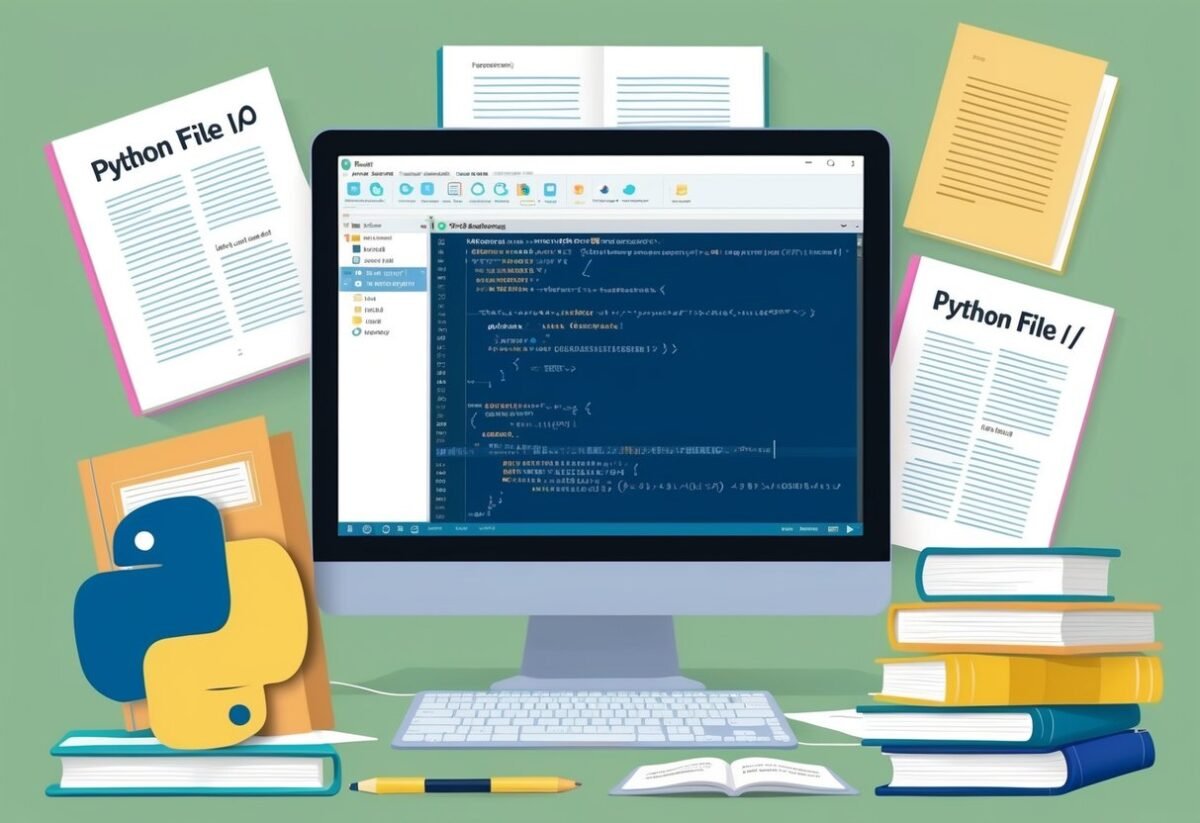
A computer screen displays a Python code editor with a program open, surrounded by open books and papers on Python file I/O

Python programs frequently handle files for storing and retrieving data. File I/O is the process of reading from or writing to a file. Understanding this concept is essential for many applications.

To start working with files, Python provides the open function. This function is used to open files with different modes:

  • ‘r’: Read mode
  • ‘w’: Write mode
  • ‘a’: Append mode

The file must always be closed after operations to free up system resources. This is done using the close() method.

file = open('example.txt', 'r')
content = file.read()
file.close()

A more convenient and safer way is using a context manager that handles opening and closing automatically.

with open('example.txt', 'r') as file:
    content = file.read()

This automatically closes the file when done. The with statement ensures that the file is properly closed even if an error occurs.

Using file I/O allows Python programs to save data for future use. This is crucial as data created during program execution is usually temporary unless stored in a file.

The ability to read and write files makes Python a powerful tool for many programming tasks. For further reading on handling files in Python, the Beginner’s Guide to File Input/Output provides a comprehensive overview.

Frequently Asked Questions

A computer screen displaying a webpage titled "Frequently Asked Questions Learning About Python File I/O" with a list of questions and answers

This section addresses common queries about file input and output in Python, including how to open and close files, different modes available, and error handling. Understanding these principles is essential for efficient file operations in programming.

How do I open and close files in Python?

In Python, files are opened using the built-in open() function, which requires the file name and the mode. Once a file operation is complete, it should be closed using the close() method to free up resources.

What are the different modes for opening a file using Python?

Python provides several modes for file operations. The most common are ‘r’ for reading, ‘w’ for writing, and ‘a’ for appending. Each mode caters to specific needs, with ‘r+’ allowing both reading and writing.

How do I read from and write to a file in Python?

To read from a file, use methods like read(), readline(), or readlines(). Writing to a file involves methods like write() or writelines(). Managing file operations efficiently is crucial for desired results.

What is the ‘with’ statement in Python, and how does it aid in file handling?

The ‘with’ statement simplifies file handling in Python. It ensures files are properly closed after operations, reducing the risk of resource leaks. This context manager is especially beneficial in managing file streams.

How can I handle different types of file errors in Python?

Python offers error handling through try, except, and finally blocks. File-related errors, such as FileNotFoundError or IOError, can be captured and managed, ensuring smooth execution and user-friendly feedback.

Are there any best practices for working with file paths in Python applications?

Using the os and pathlib modules helps manage file paths effectively. These modules offer functions for joining paths, handling cross-platform file operations, and improving code reliability.

Proper path management avoids common errors in file locations.

Categories
Uncategorized

Learning Random Forest History and Motivation: Exploring Origins and Development

Origins and Evolution of Random Forests

A dense forest with a variety of trees and foliage, showcasing the interconnectedness and diversity of the ecosystem

Random forests have transformed machine learning with their innovative use of decision trees and ensemble methods. They became more effective with the introduction of techniques like bagging and bootstrap aggregating, which improved accuracy and robustness. These advancements helped to solve complex classification and regression problems more efficiently.

From Decision Trees to Ensemble Methods

Decision trees are the foundation of random forests. A decision tree classifies data by splitting it into branches based on feature values.

While useful, single decision trees can be prone to overfitting and may not generalize well to unseen data.

Ensemble learning enhances decision trees by combining multiple trees to form a more powerful model. This approach, used in random forests, aggregates the predictions of many trees, reducing errors and increasing accuracy. The idea is to make the final prediction more stable and less sensitive to variations in individual trees.

The Introduction of Bagging and Bootstrap Aggregating

Bagging, short for bootstrap aggregating, is crucial to the success of random forests. By generating multiple subsets of data through random sampling with replacement, bagging creates diverse training sets for each tree.

Each tree in the forest learns from a different subset, contributing to reduced overfitting. As a result, the combination of predictions from all trees leads to a more accurate and reliable final output. This process leverages the strengths of individual models while mitigating their weaknesses, making random forests a robust choice for many machine learning tasks.

Random forests utilize bagging to ensure diversity and strength, creating a well-rounded approach to classification and regression problems.

Fundamental Concepts in Random Forests

Random forests use multiple decision trees to improve prediction accuracy and control overfitting. Each tree contributes independently, and their predictions are combined to enhance the model’s performance.

The Architecture of Decision Trees

Decision trees are the backbone of random forests. They consist of nodes representing decisions based on feature values leading to different branches and outcomes.

At each node, the objective is to split the data in a way that results in the most straightforward separation of the target classes. This process continues until a decision path ends at a leaf node with a specific classification or a predicted value for regression.

Decision trees can handle both classification and regression tasks. Their ability to split based solely on feature conditions makes them versatile yet prone to overfitting. However, as part of a random forest, they gain robustness through ensemble learning. By allowing each tree to grow with different data samples and feature sets, randomness introduces variation that enhances overall model stability.

Bootstrap Samples and Their Role

Bootstrap sampling is a technique used to create varied training datasets for each tree in the forest. From the original dataset, each tree receives a random subset where each data point might be used more than once or not at all.

This method, known as bagging (Bootstrap Aggregating), reduces variance by training individual trees on different data views.

This diversity within the data samples ensures that trees do not develop identical structures. It significantly reduces the chance of overfitting, allowing random forests to generalize well to unseen data. Each tree’s differences from bootstrap sampling contribute significantly to the forest’s ability to make accurate predictions on both known and unknown datasets.

Majority Voting in Class Predictions

In classification tasks, the concept of majority voting is crucial for making final predictions.

Each tree in a random forest produces an individual prediction for each input. The class that receives the majority of votes across all trees becomes the forest’s prediction.

This democratic approach works effectively to improve accuracy by incorporating various perspectives from each tree.

The diversity in predictions arises from differences in trees due to varied bootstrap samples and feature selections. Having many models reach a consensus decreases the likelihood of a wrong prediction. In regression tasks, the forest averages the predictions from all trees to provide a final output, ensuring a balanced approach works across multiple prediction type scenarios. This method of combining outputs ensures robust and reliable outcomes.

Algorithmic Framework of Random Forests

Random forests are ensemble methods used in machine learning known for their effectiveness in classification and regression tasks. They operate by creating a forest of decision trees through a process known as tree construction.

A key innovation is the use of random feature selection to enhance model diversity and robustness.

Process of Tree Construction

Tree construction in random forests involves the creation of multiple decision trees, each trained on a different sample of data. This sampling uses a technique called bagging, short for bootstrap aggregating. It involves selecting subsets of data with replacement.

Each tree is developed independently, making the model more robust against overfitting.

As the trees grow, a binary split is made at each node based on criteria such as Gini impurity or information gain. The trees are usually grown without pruning, allowing them to reach maximum depth. Once all trees in the forest are constructed, the model aggregates their predictions to form the final output, averaging in the case of regression and voting in classification.

Random Feature Selection

An important aspect of random forest algorithms is random feature selection.

At each split in a tree, a random subset of features is considered for the split, rather than evaluating all possible features.

This random feature selection introduces variability in trees, which is crucial for the ensemble’s success. It ensures that the trees in the forest do not become overly similar. This technique enhances predictive power and overall model accuracy.

The randomness in feature selection also helps in dealing with high-dimensional data where many features may be irrelevant, thus improving performance. Researchers have noted how random forests handle complex datasets by creating diverse trees due to feature randomness.

Mathematical Foundations of Random Forests

A forest with various types of trees arranged in a random pattern, with mathematical equations and formulas floating in the air above them

Random Forests rely on mathematical tools to make predictions and decisions. For classification tasks, they use the concept of Gini Impurity and Information Gain, while for regression tasks, they utilize Mean Squared Error (MSE). These concepts help build decision trees by optimizing how data is split and ensuring accurate predictions.

Gini Impurity and Information Gain

In classification tasks, random forests use Gini Impurity and Information Gain to split the data at each node of a decision tree.

Gini Impurity measures how often a randomly chosen element would be incorrectly classified. It is calculated as:

[ text{Gini} = 1 – sum_{i=1}^{n} p_i^2 ]

Where ( p_i ) is the probability of choosing element ( i ). The goal is to select splits that minimize Gini Impurity, indicating purer subsets.

Information Gain is the reduction in impurity or entropy when a dataset is split into branches. It helps determine the best way to divide the data. By selecting the attribute with the highest information gain, a tree becomes more efficient at categorizing data accurately, leading to improved model performance.

Mean Squared Error for Regression Trees

For regression tasks, random forests use Mean Squared Error (MSE) to evaluate the quality of a split in a decision tree.

MSE measures the average squared difference between the predicted values and the actual values. It is calculated as:

[ text{MSE} = frac{1}{n} sum_{i=1}^{n} (y_i – hat{y}_i)^2 ]

Where ( y_i ) is the actual value, and ( hat{y}_i ) is the predicted value. Small MSE values indicate high accuracy.

When building a regression tree, random forests aim to select splits that result in a lower MSE, improving the precision of the model’s predictions and reducing error in estimating continuous variables.

Assessing Random Forest Models

Evaluating random forest models involves understanding how accurately they predict outcomes and the importance of different variables within the dataset. This section outlines key aspects of variable importance measures and techniques for evaluating model accuracy.

Variable Importance Measures

Random forest models offer insights into which variables contribute most significantly to predictions. They employ techniques like the Gini index and permutation importance.

The Gini index measures how a variable reduces uncertainty in the model. Higher values indicate greater importance.

Permutation importance involves randomly shuffling values of a variable and assessing the change in model performance. Larger drops in performance signify higher variable importance. This method helps identify which variables have genuine predictive power, aiding model refinement.

Model Accuracy and Cross-Validation Techniques

Ensuring that a random forest model delivers accurate predictions is crucial.

One way to assess this is by using cross-validation techniques. Cross-validation involves dividing data into several parts, using some for training and others for testing. This process ensures the model performs well across different data subsets.

Common techniques include k-fold cross-validation, where the dataset is split into ‘k’ parts. The model is trained on ‘k-1’ parts and tested on the remaining part, repeated ‘k’ times. This practice provides a reliable estimate of predictive performance and helps in avoiding overfitting, ensuring the model generalizes well to new data.

Technical Aspects of Random Forests

A dense forest with various types of trees, showcasing the complexity and diversity of the ecosystem. The scene conveys the concept of randomness and complexity in the context of random forests learning

Random forests use multiple decision trees to improve prediction accuracy and control overfitting. Understanding how to fine-tune their settings and analyze their complexity is crucial for effective implementation.

Hyperparameters Tuning

Tuning hyperparameters in random forests can greatly affect model performance. Key hyperparameters include the number of trees, maximum features, and minimum samples required to split a node.

  • Number of Trees: Increasing the number of trees tends to improve accuracy but comes with higher computation cost. A common choice is around 100 trees.

  • Maximum Features: This parameter controls the number of features considered for finding the best split at each node. Using the square root of the total features is a popular choice in scikit-learn for classification tasks.

  • Minimum Samples: Adjusting the minimum number of samples required to split a node helps prevent overfitting. A higher value generally leads to simpler models.

Effective tuning requires experimentation and sometimes grid search to find the optimal combination.

Tree Depth and Complexity Analysis

Tree depth in a random forest impacts both the complexity and the risk of overfitting. Each tree is typically grown to its maximum depth and then pruned based on the complexity requirements.

  • Depth: While deeper trees can capture more intricate patterns, they also risk becoming too complex and overfitting the data. Limiting depth helps manage this risk.

  • Complexity: Complexity analysis involves evaluating how tree depth and other parameters contribute to model performance. It is crucial to maintain a balance between accuracy and generalization.

Random forests with shallow trees offer simpler models, which might not capture all patterns but ensure faster computations. This makes controlling tree depth a critical aspect of model design.

Advantages of Using Random Forests

A dense forest with a variety of trees, representing the diverse decision trees used in random forests. The trees are interconnected, symbolizing the collaborative nature of the algorithm

Random forests provide strong predictive performance by combining multiple decision trees. This technique is especially valuable due to its abilities in handling missing data and providing reliable results. These features make random forests a preferred choice in many machine learning tasks.

Robustness to Missing Values

Random forests are noted for their robustness in dealing with missing values. Unlike some models that struggle when data points are incomplete, random forests can handle these situations elegantly.

Each tree in the forest makes predictions independently. This design helps in dealing with gaps in the data without a significant loss in accuracy.

Moreover, random forests use multiple trees to minimize the risk of bias or variance that a single decision tree might encounter when faced with missing information. This robustness ensures that predictive accuracy remains high. By using an ensemble of trees, they mitigate the issues that missing values might cause, leading to more reliable outcomes in data analysis.

Model Performance and Reliability

The predictive performance of random forests is one of their standout features. This comes mainly from the way they average the outcomes of individual decision trees to strengthen their predictions.

By having multiple predictors, random forests reduce the risk of overfitting that can occur with an individual decision tree.

With their ensemble nature, random forests provide consistent and dependable results across various datasets. They also handle variable interactions and nonlinearities effectively, which helps improve the reliability of predictions.

This robustness, combined with scalability, allows random forests to be an excellent choice for large datasets or complex problems where model accuracy is paramount.

Challenges and Limitations

A dense forest with tangled underbrush, towering trees, and dappled sunlight filtering through the leaves

Understanding the challenges and limitations of random forests is crucial for anyone using this powerful machine learning tool. This section explores the complexities and trade-offs that users may encounter when applying random forests to their data projects.

Overfitting in Complex Models

Random forests, known for their accuracy, can still fall prey to overfitting. Overfitting happens when the model captures noise instead of actual patterns in the data.

This problem is more likely when the number of trees is very large, as it can lead to memorizing the training data rather than generalizing new data effectively, despite the model’s ensemble nature. A sign of overfitting might be high accuracy on training data but poor performance on test data.

Avoiding overfitting requires careful tuning of the model’s parameters. This might include limiting tree depth or adjusting the number of features considered at each split.

Users should also monitor model performance on a validation set to ensure it generalizes well. Employing cross-validation techniques can further help in setting the right balance to mitigate overfitting risks.

Interpretability and Model Insights

One common criticism of random forests is their lack of interpretability. This algorithm operates through numerous decision trees, making it difficult to extract human-readable rules from the model.

For many businesses and scientific applications, understanding why a model makes certain predictions is just as important as the accuracy of those predictions.

Efforts to improve interpretability include using techniques such as feature importance scores and partial dependence plots. Feature importance reveals which variables have the most influence on predictions, providing some level of insight.

However, these methods still don’t offer the clear insight that a simple decision tree might provide, creating a trade-off between interpretability and predictive power. Concerns about interpretability often lead users to consider simpler models when insights are critical.

Comparative Analysis with Other Algorithms

A forest clearing with various trees, each representing a different algorithm. A historical timeline weaves through the scene, symbolizing the evolution of random forest

Random Forests are a popular technique in ensemble learning, known for their versatility and effectiveness. They are often compared to other ensemble methods like boosting and hold a significant place within the larger field of machine learning algorithms.

Against Other Ensemble Methods like Boosting

Random Forests and boosting methods, such as AdaBoost, are both ensemble learning strategies to improve prediction accuracy. Random Forests utilize multiple decision trees and average their results to mitigate overfitting and provide stability. They focus on reducing variance through randomization.

In contrast, boosting techniques like AdaBoost incrementally adjust the weights of misclassified instances, building models sequentially. This makes boosting more adaptive to errors but potentially more prone to overfitting if not managed carefully.

While boosting usually achieves higher accuracy on certain datasets, Random Forests often offer robustness and ease of use, as they require less parameter tuning and can handle a wide range of data complexities.

Random Forests in the Machine Learning Pantheon

Within the broad landscape of machine learning algorithms, Random Forests stand out for their practicality and adaptability. They perform well across diverse applications, from classification to regression tasks.

The algorithm is highly valued for its ability to handle missing values and maintain accuracy with multiclass targets.

Compared to singular models like Support Vector Machines (SVM) or k-Nearest Neighbors (k-NN), Random Forests generally provide superior performance on larger datasets and when dealing with high variability. Its tendency to prevent overfitting and interpretability makes it a staple for practitioners seeking reliable results without extensive computational costs. This positions Random Forests as a favored choice in both academic research and practical implementations.

Random Forests in Practice

Random forests are widely used in various fields due to their effectiveness in handling large datasets and their ability to improve prediction accuracy. They are particularly valuable in data mining and data analysis, as well as in practical applications like medical diagnosis and scientific research.

Application in Data Mining and Data Analysis

In the world of data mining, random forests provide a robust method for classification and regression tasks. They are less likely to overfit due to the random selection of features for each split. This feature makes them ideal for exploring large volumes of data to discover hidden patterns and insights.

Random forests also excel in data analysis by offering a means to assess variable importance. They can handle missing values and maintain accuracy even with diverse data, making them a powerful tool for data mining and analysis.

The ensemble nature of random forests often results in better predictive performance compared to single decision trees.

Use Cases: From Medical Diagnosis to Scientific Methodology

In medical fields, random forests are employed for diagnostic purposes, analyzing complex datasets to assist in predicting diseases. Their capability to handle multi-dimensional data makes them suitable for medical research where accuracy is critical. For example, they are used to classify types of cancer based on patient data.

Scientific methodology benefits from random forests through their use in predictive modeling, which helps in understanding and forecasting natural phenomena. By analyzing observational data, researchers can make informed predictions and decisions.

This method enables scientists to gain insights into complex systems, turning raw data into actionable knowledge and aiding in experimental design.

Future Directions in Random Forest Research

A lush forest with interconnected trees and diverse plant life, representing the complexity and interconnectedness of random forest research

Future research in Random Forests is focused on enhancing performance through several avenues. Exploring trends in ensemble learning and adapting to asymptotic conditions are critical areas where future progress is expected.

Trends in Ensemble Learning

Random Forests, a key player in ensemble methods, have been instrumental in boosting classification and regression tasks. There is ongoing research to refine how these methods work together.

Innovations may involve improving the creation of base classifiers or enhancing the way trees interact within a forest. Techniques like boosting and bagging are being explored to further strengthen accuracy and efficiency. Researchers are also examining hybrid models that combine Random Forests with other algorithms to exploit strengths and minimize weaknesses.

Adaptations to Asymptotic Conditions

Asymptotic conditions refer to the behavior of algorithms as they handle large datasets. For Random Forests, enhancing adaptability under such conditions is crucial.

This involves refining the selection of features and optimizing the size of decision trees. Techniques for better scalability and efficiency will be vital, particularly in big data contexts.

New methods are being tested to dynamically prune unnecessary parts of the forest, ensuring quicker processing and reduced computational cost. Future work may also focus on adaptive methods that adjust parameter settings in real-time to maintain performance as data size increases.

Frequently Asked Questions

Random forest is a powerful machine learning algorithm used for classification and regression. It works by building multiple decision trees and combining their outputs to improve accuracy and stability. Below are key points about its history, function, uses, and more.

What is the historical development of the random forest algorithm?

The random forest algorithm was introduced by Leo Breiman in 2001. It evolved from decision tree models and aimed to address overfitting by using an ensemble of trees.

How does the random forest algorithm function in machine learning?

In machine learning, random forest works by creating numerous decision trees. Each tree is trained on a random subset of data. The algorithm then averages or votes on the results of these trees to make final predictions. This process helps enhance both accuracy and generalization.

What are the main uses and motivations behind adopting random forest models?

Random forest models are popular because they provide high accuracy and robustness without requiring extensive data preprocessing. They are used in applications like medical diagnosis, financial forecasting, and risk management. The motivation comes from their ability to handle large datasets and maintain performance with noisy data.

Can you explain the concept of a random forest in simple terms for non-experts?

A random forest can be thought of as a group of decision trees. Imagine asking multiple experts their opinion and then taking a vote to make a decision. This helps in getting a more reliable result, just like how random forest combines various decision trees to improve prediction accuracy.

What distinguishes random forest from other machine learning algorithms?

Random forest differs from other algorithms by using ensemble learning. Unlike a single decision tree that might overfit to data noise, random forest reduces this by combining the outputs of many trees. This makes it more flexible and accurate for variety of tasks.

How do ensemble methods like random forest contribute to improved prediction accuracy?

Ensemble methods like random forest improve prediction accuracy by averaging outcomes over multiple models.

Each tree in the forest provides a unique perspective, and their joint predictions reduce errors. This collective voting approach minimizes the chance of a single model’s errors impacting the final decision.

Categories
Uncategorized

Learning About Shell Sort and How to Implement in Python: A Comprehensive Guide

Understanding Shell Sort

Shell Sort is a unique sorting algorithm designed to improve the performance of insertion sort by using a sequence of gaps. It reduces the number of shifts required, making it more efficient for medium-sized data sets.

Conceptual Overview

Shell Sort, named after its creator Donald Shell, enhances the insertion sort algorithm by segmenting the list of elements to be sorted into smaller sublists. These sublists are sorted using insertion sort, but the key difference is the use of gaps between elements, which allows for more efficient sorting.

Initially, the gap is large and decreases gradually. As the gap reduces, elements are moved closer to their final position. This method of sorting allows the algorithm to overcome the limitations of simple insertion sort when dealing with larger, unsorted data sets.

Comparing Shell Sort to Other Sorting Algorithms

Shell Sort stands out among sorting algorithms due to its use of variable gaps for sorting, as opposed to comparing adjacent elements used in bubble or insertion sort. Unlike Quick Sort or Merge Sort, which have more predictable time complexity, Shell Sort’s performance can vary based on the gap sequence used.

Shell Sort is more efficient than bubble sort due to fewer comparisons and swaps. It is less efficient than algorithms like Quick Sort in terms of average time complexity, especially for larger data sets. Shell Sort finds its niche in situations where memory usage is more critical than sorting speed.

Algorithm Complexity

The time complexity of Shell Sort is primarily influenced by the choice of gap sequence. The complexity can range from O(n^2) down to O(n log n).

Commonly used sequences, such as the halving method, provide a good balance of efficiency and simplicity.

In terms of space complexity, Shell Sort is quite efficient, using O(1) extra space, as it sorts the list in place. This makes it suitable for systems with limited memory and places it alongside other in-place sorting algorithms, providing a balance between performance and resource usage.

The Mechanics of Shell Sort

Shell Sort is an enhancement of insertion sort that optimizes sorting by allowing the comparison and exchange of elements separated by a gap. This method expeditiously arranges data to bring widely spaced items closer, simplifying the final sorting phase.

Gap Sequence Introduction

In Shell Sort, the gap sequence is crucial. It defines how far apart the elements being compared are. An effective gap sequence can significantly improve the efficiency of the sort.

Typically, the sequence starts large and decreases throughout the process.

Commonly, the sequence may halve each time. For instance, if starting with 8 elements, initial comparisons occur with a gap of 4. Then, it reduces to 2, ultimately leading to a gap of 1. The initial gaps help organize distant elements that insertion sort alone might not handle quickly.

Designing the right gap sequence is key. A popular choice is using Knuth’s sequence, which is calculated as (h = 3h + 1). This sequence optimizes performance for practical use cases, addressing larger datasets effectively by ensuring the elements are gradually brought into order.

Gapped Insertion Sort

Shell Sort uses a variation of insertion sort known as gapped insertion sort. This stage involves sorting elements separated by a specific gap. Instead of comparing adjacent elements, elements are compared based on the current gap value.

Consider using a gap of 3: This involves sorting elements at positions 0, 3, 6, etc., separately from those at 1, 4, 7, etc. This division ensures that elements that are far apart are placed in better positions relative to each other.

Gapped sorting gradually reduces disorder in the data structure. By moving elements closer together within their gaps, a partially sorted structure emerges, paving the way for a simpler final pass of insertion sort. This strategic arrangement increases efficiency as the sort progresses.

Gap Reduction and Final Stages

Reducing the gap size is vital for Shell Sort’s effectiveness. As the gap narrows, the array elements become more ordered. Each reduction in the gap gets the array closer to a sorted array, making final sorting passes quicker.

For example, if the gap sequence is 4, 2, 1, sorting with a gap of 1 resembles a standard insertion sort on an almost-sorted array. This final pass often requires fewer operations within a more organized dataset, boosting efficiency significantly.

Gap reduction fine-tunes the disorder remaining within the array. With smaller gaps, fewer elements remain out of order, allowing the algorithm to zero in on any persistent misplacements and efficiently complete the sort.

Implementing Shell Sort in Python

Shell Sort is a versatile algorithm that enhances the performance of insertion sort by using a sequence of gaps to arrange elements. This section will guide you through setting up your environment, provide a Python code snippet, and walk through its implementation step-by-step.

Setting Up the Environment

To begin coding Shell Sort in Python, you need a Python interpreter. Python 3 is recommended for its advanced features and compatibility. Install Python from the official Python website if not already installed.

Using a text editor or an Integrated Development Environment (IDE) like Visual Studio Code or PyCharm is beneficial. These tools offer features like code highlighting and debugging aids. Ensure your editor or IDE can execute Python scripts.

You may want to set up a virtual environment, especially for larger projects, to manage dependencies and package installations without affecting system-wide settings. This is often done using tools like venv or virtualenv.

Python Shell Sort Code Snippet

Below is a basic implementation of Shell Sort in Python. This snippet demonstrates Shell Sort’s ability to manage gaps effectively:

def shellSort(arr):
    n = len(arr)
    gap = n // 2
    while gap > 0:
        for i in range(gap, n):
            temp = arr[i]
            j = i
            while j >= gap and arr[j - gap] > temp:
                arr[j] = arr[j - gap]
                j -= gap
            arr[j] = temp
        gap //= 2

This function uses a sequence of gaps that reduce with each pass. The array is initially organized by larger intervals, decreasing as sorting progresses. This improves efficiency compared to traditional insertion sort, especially for large datasets.

Walkthrough of the Python Implementation

The Shell Sort algorithm begins by defining a gap, usually half the size of the array, and sorts elements that are gap distance apart.

  • Gap Initialization: The gap is initialized to half the length of the array. This reduces with each iteration, eventually leading to a standard insertion sort.

  • Inner Loop: In each iteration, elements spaced gap apart are compared and sorted. This process is similar to insertion sort but works over larger distances initially.

  • Gap Reduction: The gap is halved after each pass until it becomes zero. This gradual reduction helps in fine-tuning the order of elements, ending with a final pass using a gap of one.

The Python code shown demonstrates how Shell Sort efficiently handles larger data sets by minimizing the distance over which data is moved early in the process, thereby distributing out-of-place elements more intuitively before the final insertion sort pass is needed.

Key Factors in Shell Sort Efficiency

Shell sort’s performance hinges on several critical factors, most notably the selection of an appropriate gap sequence, as well as the algorithm’s behavior in different performance scenarios such as best, worst, and average cases. Understanding these factors can provide insights into optimizing shell sort’s efficiency.

Choosing the Right Gap Sequence

The choice of gap sequence greatly influences shell sort’s efficiency. Gap sequences control how elements are compared and sorted. Common sequences include Pratt’s and Knuth’s formula.

Pratt’s sequence involves powers of 2 and 3, which are less common but can provide optimized performance. Knuth’s sequence, defined as (3^k – 1), ensures elements are evenly distributed, helping boost efficiency in many cases.

Every gap sequence has its trade-offs. Some improve performance for specific data distributions. Testing various sequences on different datasets can help determine the most efficient choice for a given application. The gap directly affects the number of passes and comparisons, impacting the algorithm’s overall speed and workload.

Best Case vs Worst Case Scenarios

In shell sort, the best case occurs when the data is already nearly sorted, requiring minimal passes and movements. In this scenario, shell sort approaches (O(n \log n)) time complexity. The worst case, however, might involve data structured in ways that maximize necessary movements, resulting in a time complexity that can degrade to (O(n^2)).

Understanding these scenarios helps anticipate shell sort’s performance limits. It’s important for developers to recognize data patterns that might impact efficiency. Best-case optimizations can include pre-sorting data or choosing an adaptive gap sequence that minimizes worst-case performance.

Analyzing Average Case Complexity

The average time complexity of shell sort is often more critical for real-world applications. Typically, it ranges between (O(n^{3/2})) to (O(n^{7/6})), heavily dependent on the gap sequence and initial data arrangement.

Balancing between computing resources and desired speed is crucial for achieving optimal average performance.

Practical analysis involves examining how shell sort behaves with different data types and distributions. Testing can help identify how varying conditions affect sorting times, which can guide adjustments in gap sequence choice or implementation strategy to achieve better efficiency across typical use cases.

Comparison of Insertion-Based Sorting Methods

Shell sort, insertion sort, and bubble sort are all important insertion-based sorting algorithms. Each has its unique approach and efficiency level. Below is a detailed look into how these methods compare against each other.

Shell Sort vs Insertion Sort

Shell sort is an extension of insertion sort. It handles larger gaps first to sort elements that are far apart from each other, which reduces the amount of work needed in the final stages. This makes it more efficient than insertion sort for medium to large datasets.

Insertion sort, on the other hand, is simpler. It works well with smaller arrays or arrays that are already partially sorted. While shell sort offers better performance due to its gap sequence, insertion sort is easier to implement and understand for educational purposes. For more details on how shell sort functions, see its implementation explained by the The Research Scientist Pod.

Shell Sort vs Bubble Sort

Bubble sort is another simple algorithm, but it is generally less efficient than shell sort. Bubble sort repeatedly steps through the list, compares adjacent pairs, and swaps them if necessary. This process has a high time complexity, making it less suitable for large arrays.

Shell sort improves on this by allowing the exchange of far-apart elements early in the sorting process. This approach significantly reduces the number of swaps required, leading to improvements in performance. For an overview of bubble sort’s complexities, refer to the GeeksforGeeks analysis.

Advancements in Shellsort

Advancements in shellsort focus mainly on the choice of gap sequences. These sequences determine how elements are haggled during the sorting process and can significantly influence the algorithm’s performance. Various sequences like Hibbard, Sedgewick, and Ciura have been studied, each offering different levels of efficiency.

The choice of sequence can impact how quickly the array is sorted and the complexity of the code’s implementation. Researchers continue exploring optimal gap sequences to enhance shellsort’s capabilities further, making it a preferred choice over insertion-based sorts for particular datasets. For a detailed guide on implementing these sequences, check out this comparative guide.

Advanced Sorting Algorithm Comparisons

In this section, different sorting algorithms like Shell Sort, Quick Sort, Merge Sort, and Heap Sort are compared. Key factors include efficiency, complexity, and ideal use cases.

Shell Sort and Quick Sort

Shell Sort is an in-place comparison-based sorting algorithm. It generalizes insertion sort by allowing exchanges of far-apart elements.

By reducing the gap between compared elements, Shell Sort becomes efficient for medium-sized datasets.

Quick Sort, on the other hand, is a divide-and-conquer algorithm. It selects a pivot element and partitions the array into two halves, sorting each independently.

Quick Sort is known for its efficient average-case performance, making it a popular choice for large datasets.

The main difference between these two is in their approach and performance characteristics. Quick Sort is often faster on average due to its divide-and-conquer method, but it can suffer from poor worst-case performance if a bad pivot is consistently chosen.

Merge Sort and Its Differences with Shell Sort

Merge Sort is another divide-and-conquer algorithm that stands out for its stable sorting nature. It continuously splits the list into halves, sorts them, and then merges them back. This ensures a consistent running time of O(n log n) regardless of data distribution.

Shell Sort is less predictable in performance due to its dependence on the chosen gap sequence. It optimizes insertion sort to handle elements further apart, which can be beneficial for specific datasets.

The primary contrast between Merge Sort and Shell Sort is that Merge Sort’s consistent time complexity makes it ideal for data needing stable sorting, while Shell Sort shines with certain patterns or medium-sized arrays.

Heap Sort and Its Comparison to Shell Sort

Heap Sort transforms an array into a heap data structure, then repeatedly extracts the maximum element to achieve a sorted order. This algorithm is in-place but not stable.

Shell Sort’s efficiency varies with the choice of gap sequence and is typically used for intermediate-sized arrays.

In contrast, Heap Sort is more suited for applications needing O(n log n) performance without requiring additional memory for merging.

The key factor in choosing between these algorithms involves considering whether stability or in-place sorting is more critical, and how sensitive the application is to time complexity variations.

Shell Sort Variants and Enhancements

Shell sort is a versatile sorting algorithm that can be enhanced through different techniques. Variants and optimizations often focus on the properties of h-sorted arrays and choosing efficient gap sequences. Different implementations in languages like C and C++ also showcase unique features.

H-Sorted Arrays and Their Properties

An array is considered h-sorted when it is sorted with a specific gap size, denoted by “h.” Each element in an h-sorted array is in order relative to other elements that are h positions apart.

This property significantly reduces the number of element swaps needed in further sorting stages. H-sorted arrays are key because they simplify the final insertion sort phase, making it more efficient.

Understanding h-sorted arrays helps in grasping why shell sort can be faster on average compared to simple insertion sort.

By breaking down the array into smaller h-sorted sections, large amounts of disorder can quickly be reduced.

Optimized Gap Sequences

The choice of gap sequence is crucial for shell sort’s performance. Traditional shell sort uses a sequence like (N/2, N/4, …, 1), but optimized sequences have been developed to improve efficiency.

Popular sequences include Hibbard’s, Sedgewick’s, and Pratt’s sequences. These alternatives are known for minimizing the total number of comparisons and swaps.

For example, using Hibbard’s sequence offers a balance between simplicity and performance by reducing the gap logarithmically.

In contrast, Sedgewick’s sequence is more complex but offers even fewer swaps and comparisons.

Fine-tuning the gap sequence is essential for optimizing sorting speed and efficiency.

Variations in Shell Sort Implementations

Shell sort can be implemented in many programming languages, including C and C++. The core algorithm remains the same, but syntax and language features can impact performance and ease of implementation.

For instance, creative use of loops and conditionals in C allows for tight control over memory usage and execution speed.

In C++, object-oriented features can provide more modular shell sort function designs. Shell sort in these languages can also be enhanced using arrays or vectors, which are efficient data structures for maintaining sorted elements.

Adapting shell sort to specific languages or use cases includes selecting a suitable data structure and considering the trade-offs of handling larger datasets.

Analyzing Time Complexity

Shell sort’s time complexity can vary based on the sequence and size of the data. Each case provides unique insights into how efficiently the algorithm can sort the array. This section explores best, worst, and average cases to offer a comprehensive understanding.

Understanding Best Case Complexity

In the best-case scenario, shell sort performs very efficiently. This occurs when the array is already sorted.

For shell sort, the time complexity in this case is often close to O(n log n). This efficiency stems from the fact that minimal swaps and comparisons are needed.

The best-case performance is more favorable when using certain gap sequences. For instance, when using smaller gaps earlier in the process, fewer operations are required to finalize the sort.

This efficiency highlights why shell sort can be beneficial for lists already nearing a sorted state.

Delving into Worst Case Complexity

The worst-case complexity of shell sort can be much higher, reaching up to O(n²) according to GeeksforGeeks. This occurs when the array is in reverse order or requires maximum swaps to sort completely.

Shell sort uses varying intervals to rearrange elements, and in a poorly arranged list, many passes are needed. The choice of interval sequences can impact this greatly. Some sequences can help maintain the complexity closer to O(n log n), but generally, the worst case results in less efficiency compared to algorithms like quicksort.

Average Case Complexity Insights

On average, shell sort shows better performance than simple sorts like insertion or bubble sort. The average time complexity usually lies between O(n log² n) and O(n²). This variance results from different sequences and distribution of elements in the list.

Average case performance is highly dependent on the chosen gap sequence, as noted by sources like Programiz. Some sequences allow for fewer comparatives and shifts, improving average performance.

Still, the time complexity remains generally lower than that of simpler sorting methods, making shell sort a compelling choice for mid-sized arrays.

Space Complexity of Shell Sort

Shell Sort is known for its minimal memory usage. This section explores why its space complexity is low and how it compares to other sorting algorithms in terms of memory efficiency.

In-Place Sorting and Memory Usage

Shell Sort operates as an in-place algorithm, meaning it rearranges elements within the initial data structure without needing extra space.

The primary memory consumption comes from the algorithm itself, which is constant and denoted as O(1). This makes Shell Sort particularly efficient for large datasets when memory capacity is a concern.

Because it uses the original array to make swaps and comparisons, it keeps auxiliary space use to a minimum. This aspect of Shell Sort reduces overhead, optimizing performance in memory-limited environments.

Comparing to Other Algorithms

When compared to other sorting algorithms, Shell Sort’s space complexity is more efficient.

Unlike Merge Sort, which requires additional space for merging subarrays, Shell Sort performs all operations within the existing array.

Its space complexity is lower than that of quicksort in its worst-case scenarios, where additional stack space may be required.

This makes Shell Sort suitable for environments where memory usage needs to be minimized.

For datasets where in-place sorting offers a distinct advantage, Shell Sort stands out due to its ability to handle large data efficiently without incurring extra space costs.

Applications of Shell Sort

Shell sort is a versatile sorting algorithm that can be useful in specific scenarios. It optimizes the simple insertion sort by comparing elements that are far apart, gradually reducing the gap between comparisons. This approach can be advantageous when dealing with specific data structures or constraints.

Suitable Use Cases for Shell Sort

Shell sort excels in situations where resources are limited, like embedded systems, due to its in-place sorting with minimal memory use. It is a preferred choice in older systems where recursion limits affect other algorithms.

Additionally, it can be effective when there is a potential of having already partially sorted data, as the algorithm can quickly finish sorting for such datasets.

In applications such as libraries, like the uClibc library, shell sort is utilized due to its balance of complexity and efficiency.

Also, when dealing with data compression tools such as the bzip2 compressor, shell sort helps arrange data efficiently without requiring substantial computational power.

Limitations and Considerations

While useful, shell sort may not be the best for every situation. Its worst-case time complexity is less efficient than more advanced algorithms like quicksort or mergesort for large datasets.

Therefore, in cases requiring guaranteed fast performance on large data sizes, it may not be the first choice.

Shell sort’s performance is also highly influenced by the chosen gap sequence. Different sequences can lead to varied results, and finding an optimal sequence may not be straightforward.

This makes it more challenging when precision performance tuning is needed, as the algorithm’s efficiency could vary greatly with different implementations.

Best Practices in Shell Sort Implementation

Implementing shell sort in Python can significantly improve the performance of sorting tasks. This section covers essential practices for efficient coding and effective debugging to enhance the use of shell sort.

Code Optimization

Optimizing shell sort code involves selecting the appropriate gap sequence and minimizing unnecessary calculations.

One common approach is using the sequence by Donald Knuth, which generates the gap sizes as ( (3^k – 1) / 2 ) to provide balanced performance.

Reducing the use of nested loops is also advantageous. Python’s list comprehensions or built-in functions like enumerate can help replace some of these loops.

Indentation and comments should be used to enhance code readability, ensuring anyone familiar with Python can easily understand the logic.

It’s also beneficial to avoid redundant operations. For instance, store values that need recalculating repeatedly.

This not only makes the code cleaner but also saves on computation time, directly impacting the performance.

Testing and Debugging

Testing is crucial for any code implementation. Shell sort should be tested with various arrays, including edge cases like empty and sorted arrays.

Using the unittest module in Python allows for a systematic approach to testing shell sort code.

In debugging, using the pdb module is effective for stepping through the code.

Break down the code to test individual parts when integrating shell sort into larger systems. Ensure that boundary conditions are well handled, and use assertions to catch potential errors early.

By identifying gaps in logic or performance, the code can then be iteratively improved.

Shell Sort in Different Programming Languages

Shell sort is a versatile sorting algorithm that can be implemented in various programming languages. Each language has its nuances in implementation. The core algorithm remains similar, but language-specific syntax and features lead to some differences.

Shell Sort in C

Shell sort is implemented in C using loops and control statements. It involves setting a gap size, sorting elements using this gap, and then reducing it.

A function is typically defined where an array and its size are passed as parameters.

In C, the control over memory and pointer arithmetic allows efficient use of resources, making the implementation faster.

Developers can leverage C’s procedural style to iteratively update gap values and perform comparisons. The basic loop structure keeps this implementation straightforward, highlighting C’s low-level operations capability.

Translating Shell Sort to C++

Translating shell sort from C to C++ involves a few changes mostly due to C++’s object-oriented features.

While one can still use similar logic with loops and gap reduction, C++ provides advantages like using templates for generic programming. This allows the same code to sort different data types.

Additionally, C++’s Standard Template Library (STL) can be utilized to enhance functionality. For instance, vector data structures can replace arrays for dynamic sizing.

The presence of classes and objects in C++ provides opportunities for encapsulating the sorting logic, making the code more modular and easier to maintain.

Differences Across Languages

Though the fundamental algorithm remains the same across languages, there are important differences.

C provides fine-grained control over resources, making it suitable for performance-critical applications.

C++ extends on this with object-oriented features, allowing developers to implement more reusable and modular code.

In Python, shell sort can be implemented using its high-level constructs, making the code more readable and concise.

Python’s list slicing and dynamic typing offer flexibility in handling data, but may not match C or C++ in performance. Each language’s unique features influence the readability, performance, and complexity of shell sort implementations.

Frequently Asked Questions

Shell Sort is an important algorithm in computer science because it helps organize data more efficiently by sorting elements using a series of gaps. This section addresses specific questions about implementing and understanding Shell Sort.

What are the steps to implement Shell Sort in Python?

To implement Shell Sort in Python, start by choosing an initial gap sequence, usually half the size of the list.

Compare elements spaced by the gap and sort them as smaller gap sizes are used.

Repeat this process by reducing the gap until it becomes zero and the entire list is sorted.

Could you provide an example of a Shell Sort implementation in Python?

Sure, here is a simple implementation:

def shell_sort(arr):
    n = len(arr)
    gap = n // 2

    while gap > 0:
        for i in range(gap, n):
            temp = arr[i]
            j = i
            while j >= gap and arr[j - gap] > temp:
                arr[j] = arr[j - gap]
                j -= gap
            arr[j] = temp
        gap //= 2

What are the advantages and disadvantages of using Shell Sort?

Shell Sort is faster than simple quadratic algorithms like Insertion Sort, especially for larger datasets, due to its use of gaps.

It is a straightforward algorithm that’s easy to understand and implement. However, it does not perform as well as more advanced algorithms like Quick Sort or Merge Sort for extremely large datasets.

How does the efficiency of Shell Sort compare to other sorting algorithms like Heap Sort?

Shell Sort is generally less efficient than Heap Sort in the worst-case scenario.

Heap Sort typically has a time complexity of O(n log n), while Shell Sort’s complexity varies based on the gap sequence. In practice, Shell Sort can be faster for specific data sequences or smaller datasets.

In Python, how does the Shell Sort algorithm differ from the built-in sort function?

Python’s built-in sort function uses Timsort, a hybrid sorting algorithm derived from Merge Sort and Insertion Sort.

Timsort is optimized for various real-world data sets and usually more efficient than Shell Sort, especially for larger lists.

Shell Sort is more educational and manually controlled while Timsort is robust and well-optimized.

Can you explain the concept of ‘gap’ and how it influences the Shell Sort process?

The ‘gap’ is the interval at which adjacent elements in the list are compared and sorted.

Unlike Insertion Sort, Shell Sort allows for comparison and movement of elements that are far apart.

Reducing the gap size throughout the sorting process helps distribute small sections into the correct positions, eventually leading to a fully sorted list when the gap is zero.

Categories
SQL

Retrieving SQL Data: Master the Art of Database Querying

In the realm of database management, retrieving SQL data is an essential skill that can significantly streamline your workflow. You’re likely already familiar with how crucial it is to extract precise and relevant information from your database tables. Whether you’re a seasoned SQL user or just getting started, understanding how to craft an effective SQL query can be the difference between a smooth project operation and hours of frustrating troubleshooting.

Let’s take for instance when you need a particular column value from your ‘patients’ database table or perhaps, the complete file path from an offline cube file in your IBM DB2 database. This necessitates constructing a specific query string with appropriate parameters such as type varchar or segment column aliasing where necessary. Also, imagine needing to execute complex queries involving multiple departments within your PostgreSQL Oracle Teradata Access databases. Here, crafting precise native database queries becomes not only beneficial but paramount.

Don’t forget about security while handling sensitive data like customer table details or accessing JDBC/ODBC connection strings which require proper authentication methods and encryption with customer options enabled for safety reasons. Furthermore, consider situations where you have to handle large collections of items requiring dynamic arrays or implementing advanced connector options for efficient execution time management – all these underscore why mastering SQL data retrieval is invaluable.

Understanding SQL Data Retrieval

Diving into the world of SQL, you’re soon to discover a powerful tool at your fingertips: data retrieval. It’s integral to managing databases effectively and is often the first step when dealing with database management. You’ll find that understanding this process can significantly enhance your ability to manipulate and analyze data stored in various types of databases such as IBM DB2, PostgreSQL, Oracle, or Azure SQL.

Let’s think about a typical scenario. Imagine you have an array of update counts in a “patients” database table; each column value represents specific patient information. With a well-crafted SQL query, you can retrieve any piece of information from this table within no time! The key lies in constructing your query string correctly.

Consider yourself needing details about patients who were admitted after a certain date. Your native database query might begin like this: SELECT * FROM Patients WHERE AdmissionDate > 'specified-date'. Here, ‘SELECT’ is your project operator indicating what data should be retrieved – ‘*’ means all columns in the table. The ‘FROM’ clause specifies which table – ‘Patients’, and the ‘WHERE’ clause sets conditions for retrieval – only patients admitted after a specified date are needed.

You can even go further by adding more advanced options to your SQL filter string for more complex queries. For instance, if you need information on patients from not just one but multiple departments (say Cardiology and Neurology), you could make use of nested queries or join operations.

Mastering these basic steps surely requires practice but it’s worth every effort considering the power and flexibility it brings along. One crucial aspect here involves ensuring secure access through proper authentication method; often using JDBC or ODBC database connections with valid user credentials.

SQL also provides flexibility around column data types (like varchar) and allows setting default column type according to needs. This becomes especially useful when working with large datasets where different columns may hold diverse kinds of data.

In conclusion, understanding how to retrieve SQL data is a fundamental skill that can dramatically improve your efficiency while working with databases. Whether it’s obtaining specific column values from an extensive database table producttable or navigating through intricate layers of complex queries – mastering SQL retrieval will put you ahead in any game involving significant amounts of data.

Essential SQL Commands for Data Retrieval

Diving right into the heart of any database operation, you’ll find SQL commands. They’re like the magic spells that summon data from your tables and present it to you in an organized manner. Now we’ll explore some of these essential SQL commands that you need for retrieving data.

First off, the SELECT command is your go-to tool for pulling data out of a database table. Let’s say you’ve got a column named ‘product’ in your ‘productTable’. To retrieve all values from this column, your SQL query would look something like this:

SELECT product 
FROM productTable;

Easy enough, isn’t it? Now if only one particular row interests you, perhaps where the type is VARCHAR or another specific column value, then WHERE clause comes into play. Here’s how:

SELECT * 
FROM productTable
WHERE type = 'VARCHAR';

For more complex queries involving multiple conditions, AND and OR operators are at your disposal. You can even sort retrieved data using ORDER BY clause as shown below:

SELECT * 
FROM productTable
WHERE type = 'VARCHAR'
AND price > 50
ORDER BY price DESC;

In addition to these fundamental commands, there are advanced options such as JOINs and UNIONs that allow fetching data across multiple tables – truly powerful features when dealing with large databases.

It’s important to note that while crafting these queries might seem daunting at first glance – especially if you’re dealing with native databases like IBM DB2 database or Oracle database – practice makes perfect. The more familiar you become with SQL syntax through hands-on experience, the smoother your journey in mastering data retrieval will be.

Remember to always safeguard sensitive information by securing your database user credentials and employing encryption methods where necessary.

Now armed with knowledge of these vital SQL commands, it’s time for action! Just fire up that JDBC or ODBC database connection and start retrieving!

Retrieving Data Using Select Statement

Let’s dive into the heart of SQL: the SELECT statement. It’s your go-to tool when you need to retrieve data from a database table. This powerful command allows you to specify exactly what information you’re after, right down to the column value.

You might be wondering how it works. Well, imagine your SQL query as a question you’re asking your database. “Could I have all the records from the customer table?” or “What are all the products under $20 in my productTable?” These questions translate into SQL SELECT statements. The answers depend on how well you ask – and that’s where understanding complex queries comes in handy.

Here is an example of a simple SELECT statement:

SELECT columnName1, columnName2 FROM tableName;

This will fetch all rows for columnName1 and columnName2 from the table named tableName.

Now consider working with multiple columns, different data types, or multiple tables at once – things can get tricky fast! You’ll find yourself needing more advanced options like WHERE and JOIN clauses to refine your queries further.

Think about this scenario: You’ve got an IBM DB2 database, a PostgreSQL database, an Oracle Database, and even an Azure SQL Database all housing different parts of your organization’s data. It becomes essential then to use select statements efficiently across these varying environments while considering each native database’s unique syntax and quirks.

But don’t fret! With some practice and patience (and perhaps a bronze badge or two earned along the way), we assure you that navigating through various databases with precise select statements becomes second nature!

Finally, keep security in mind too! Be sure always to handle your database user credentials carefully when running any sort of native database query. Ensuring secure JDBC or ODBC connections should always be part of good database management practices.

In sum? The SQL Select statement is mighty indeed—a true workhorse for retrieving exact collections of items from vast databases quickly and securely.

Advanced Techniques: Join and Union Operations

Diving into the world of SQL, you’ll often find yourself needing to extract data from multiple tables. That’s where ‘Join’ and ‘Union’ operations come in handy. They’re designed to help you manipulate and retrieve data more efficiently.

When dealing with complex queries, ‘join’ operations are your best friend. This technique allows you to combine rows from two or more database tables based on a related column between them. Imagine, for instance, having a customer table and an orders table. With a ‘join’, you can merge these tables using a common identifier like ‘customer id’. Now, instead of running two separate queries, you’ve got all the needed info in one fell swoop.

But what if you want to merge results from different SELECT statements into one result set? That’s when the Union operation steps in. It combines rows from different SQL queries into a single result but doesn’t duplicate any rows even if they’re identical.

Let’s take an example using two database tables named Employees and Departments:

  • Table: Employees
    EmployeeID Name Department
    1 John Doe IT
  • Table: Departments
    DepartmentID Name
    1

Using JOIN operation:

SELECT Employees.Name, Departments.Name 
FROM Employees 
JOIN Departments ON Employees.Department = Departments.DepartmentId;

The above SQL query would return “John Doe, IT”

For UNION operation:

SELECT column_value FROM table1 
UNION 
SELECT column_value FROM table2;

The above query fetches unique column_values from both table1 and table2.

While these advanced techniques might seem daunting at first glance, don’t be discouraged! There’s no denying that mastering JOINs and UNIONs can significantly enhance your database management skills. Also remember that while this article mainly discusses native SQL implementations, similar concepts apply across various DBMS platforms including PostgreSQL Database, Oracle Database or even Azure SQL Database.

Filtering and Sorting Retrieved SQL Data

Diving deeper into the world of SQL, you’ve likely come across the need to filter and sort data. It’s a common task when dealing with databases, whether you’re working with an IBM DB2 database or an Azure SQL database. But how exactly do you go about it? Let’s discuss.

To filter data in your queries, you’ll use a WHERE clause. This allows you to specify conditions that must be met for rows to be included in the results. For example, if you have a patients database table and want to retrieve only those who are over 60 years old, your query string might include “WHERE age > 60”. You can also combine conditions using AND/OR operators for more complex queries.

Sorting is another crucial part of managing your data efficiently. By using the ORDER BY clause in your sql query, you can arrange rows based on one or more columns’ values from your database table. Let’s say we have a productTable with columns including ‘productName’, ‘productPrice’, and ‘productCategory’. If we wanted our output sorted by price in descending order, we’d add “ORDER BY productPrice DESC” at the end of our query.

But what happens when column values are strings and not numbers? Well, by default, sorting treats all column data types as strings unless specified otherwise. So if numbers are stored as type varchar (for instance), they’ll be sorted lexicographically – meaning ‘100’ comes before ’20’. To avoid this issue, ensure numeric data should always stored as numeric types.

SQL also offers flexibility when it comes to case sensitivity during filtering and sorting; however this depends on the default settings of your specific DBMS like PostgreSQL or Oracle Database etc.. If lowercase letters are treated differently than uppercase ones (known as collation), then “WHERE name = ‘john'” will not return rows where name is ‘John’. However most databases offer functions such as LOWER() or UPPER() which allow consistent comparisons regardless.

Finally remember that while SQL gives us amazing power over our data through its native database queries , these techniques can sometimes lead to long execution times especially for larger datasets or complex queries . One way around this could be creating views or indexes tailored towards frequent queries but that is beyond scope of our current discussion.

Implementing Subqueries for Complex Data Retrieval

In the realm of SQL, subqueries serve as an essential tool to solve complex data retrieval problems. These nested queries allow you to retrieve data in a more flexible and efficient manner from your database tables.

Imagine yourself working with a customer table in your PostgreSQL database where each row represents distinct customer information. There might be times when you need to retrieve customers who have spent more than the average expenditure of all customers. In such instances, subqueries can be your silver bullet.

A typical subquery structure would look like this:

SELECT column_value 
FROM customer_table
WHERE column_value > (SELECT AVG(column_value) FROM customer_table);

Here, the inner query calculates the average expenditure while the outer query retrieves customers who exceed that average.

Subqueries can be used not only in WHERE clause but also with other SQL constructs like SELECT and FROM. Consider another scenario where you’re dealing with an item table in your Azure SQL Database, holding data about different product items. You may want to fetch item details along with their respective highest sales price from a productTable. A suitable subquery for this task could look something like:

SELECT item_name, (SELECT MAX(price) FROM productTable WHERE productTable.item_id = item.id) AS highest_price 
FROM item;

In this example, the inner query retrieves the maximum price for each item by matching item_id from both tables and assigns it as highest_price, using column alias feature of SQL.

Remember that executing complex queries involving multiple subqueries might increase execution time due to added computational overheads. Therefore, always ensure your queries are well-optimized and consider indexing common columns utilized frequently in WHERE clauses or JOIN conditions for faster query time.

Bear in mind that implementing subqueries requires careful consideration over simpler methods depending upon factors such as complexity of requirement, size of dataset and native database capabilities among others.

Optimizing Performance in SQL Data Retrieval

You’re knee-deep in the world of SQL, looking to optimize your data retrieval performance. You’re not alone. Database management is a vital part of any business operation, and it’s crucial to know how to retrieve data quickly and efficiently.

Let’s start with the basics: your SQL query. It’s akin to a tailor-made request ticket for your database table, asking for specific column values based on the conditions you set in your query string. But remember, efficiency is key here. Including unnecessary columns or using complex queries can slow down your execution time significantly.

Perhaps you’ve noticed that some database tables are case-sensitive. A column value starting with a lowercase letter might not return results if requested with an uppercase one, especially if the column type is varchar or similar. That’s why it’s important to ensure consistency when dealing with native databases like IBM DB2 database or PostgreSQL database.

When it comes to performance optimization, don’t overlook connection options either – JDBC and ODBC connections have their own pros and cons depending on your specific situation. Maybe you need advanced connector options for an Azure SQL Database or perhaps default connection settings work perfectly fine with an Oracle Database.

Now onto more complex matters: handling large datasets from multiple sources like CSV files or PDF files could be challenging but fret not! Efficient use of array functions and select operators can help streamline data collection from various sources into one coherent dataset without sacrificing speed.

Lastly, let’s talk about authentication – nothing slows down progress like stumbling over user credentials for each database entry point. Whether it’s Windows Authentication mode or another method entirely depends on the security requirements of your organization.

In summary, optimizing SQL data retrieval isn’t just about writing efficient queries—it involves understanding every step of the process from connecting to native databases all the way through handing off secure credentials. By keeping these points in mind as you navigate through this essential task, you’ll be well-equipped to expedite data retrieval while maintaining high-quality results.

Conclusion: Mastering SQL Data Retrieval

You’ve come a long way on your journey to mastering the art of retrieving SQL data. From understanding basic SQL queries to working with complex ones, you’ve unlocked the potential of your database tables and gained control over your column values.

Your grasp on query strings has grown stronger. With each character typed, each lowercase letter used in your type varchar columns, you’ve earned another bronze badge in this realm of data management. You’re no longer merely executing native database queries, you’re crafting them, molding them to suit every demand.

Database user credentials have become more than just keys to access databases like IBM DB2 Database, PostgreSQL Database, Oracle Database, Teradata Database or an Azure SQL Database. They are now tools that empower you to manage any kind of database data type effectively.

In dealing with different types of file details – be it from a CSV file or a PDF file – you have learned how to extract complete file paths and handle content files from their default location. You can now confidently work around various column headers in an SQL table column and understand different column data types.

Your knowledge extends beyond just knowing what a connection string is; it’s about manipulating the string var1 for advanced connector options based on the authentication method required by your external data source.

Through detailed steps and basic steps alike, you’ve learned how arrays function within an SQL context whether they be cell arrays or dynamic arrays which hold an array of update counts. The execution time spent running these queries has given you insight into optimizing their performance through careful consideration of parameters’ values among other things.

From customer tables to department database tables like productTable, every aspect is within reach as long as one remains patient and meticulous during the process. Whether it’s setting up JDBC or ODBC database connections or handling offline cube files from various sources – there’s nothing standing between you and efficient data retrieval anymore.

In essence, by mastering these concepts—from managing credentials options for various authentication modes like feedRequiresWindowsAuthentication down to understanding host variables—you’ve become proficient at navigating any native database environment out there today including those that use IBM Db2 databases all the way down through Teradata databases using JDBC drivers or driver packages as needed during project operations involving select operators for example!

Such mastery doesn’t just make retrieving items from collections easier; it also paves the way towards creating accurate reports that reflect current positions within organizations accurately while ensuring any additional parameters necessary are included appropriately when generating URLs in exact format required by clients—whether they require encryption with customers’ details included specifically upon request only!

Categories
Uncategorized

Learning T-SQL – Window Functions: A Comprehensive Guide for Mastery

Understanding Window Functions

Window functions in SQL are powerful tools that allow users to perform calculations across a set of table rows.

Unlike aggregate functions that collapse data into a single result, window functions maintain the underlying data structure.

The syntax for using window functions usually involves the OVER() clause. This specifies how rows are divided, or partitioned, for the calculation.

For example, the ROW_NUMBER() function gives a unique number to each row based on the order defined in the OVER() clause. This is crucial when you need precise control over data ranking in your SQL queries.

Window functions also include aggregate functions like SUM(), AVG(), or COUNT(). They can calculate cumulative totals or moving averages without grouping rows into one result. This makes them ideal for reporting and dashboards.

In T-SQL, using window functions helps in breaking complex queries into manageable parts.

They are essential in business scenarios to calculate rankings, percentages, or running totals.

Window functions include ranking functions and analytical functions. Functions like RANK(), DENSE_RANK(), and NTILE() help to rank data efficiently. Learn more about T-SQL window functions for further insights.

The versatility and depth of SQL window functions allow data analysts to handle complex data problems with ease, improving both analysis and reporting capabilities significantly.

Fundamentals of SQL Window Functions

SQL window functions are a powerful tool for processing data. They allow users to perform calculations across a set of rows related to the current row within the same query.

Unlike aggregate functions, window functions do not collapse rows into a single output.

Key Concepts:

  • SELECT Statement: Used to define which columns to include in the query result set. The window function is often a part of a larger SELECT statement.
  • OVER() Clause: Critical for window functions. It specifies the window partitions or divides the result set into groups to apply the window function accordingly.

Window functions are ideal for tasks such as ranking, averaging, or calculating running totals. They enable a detailed level of data analysis by showing both individual row data and aggregate results in a single, seamless query.

Common Window Functions:

  • RANK: Provides a unique rank to each row within a partition of a result set.
  • ROW_NUMBER(): Assigns a unique sequential integer to rows within a partition.
  • SUM(), AVG(), COUNT(): Perform aggregations over specific windows of a data set.

Examples:

  • Calculating moving averages.
  • Ranking rows within partitions to determine top performers.

When using window functions, it’s essential to ensure that the database compatibility level supports them.

For example, using the WINDOW clause requires compatibility level 160 or higher in SQL Server 2022.

The Over Clause Explained

The OVER clause in T-SQL is used with window functions to perform calculations across a set of table rows related to the current query row. This clause enhances data analysis by allowing you to define window frames dynamically.

Partition By Usage

The PARTITION BY clause in SQL creates subsets, or partitions, within your data set where window functions operate independently.

This is crucial when you want calculations to restart within these subgroups, giving each partition its distinct results.

For instance, if you have sales data, using PARTITION BY on a sales rep’s ID allows you to calculate totals or averages for each rep separately.

In a window function, PARTITION BY splits the data into segments, ensuring accurate and relevant calculations. Without it, calculations would run over the entire data set, which might not be useful in all cases.

Order By Significance

Using the ORDER BY clause within the OVER clause specifies the order in which the function processes rows.

This order is crucial for functions like ranking or finding running totals because results depend on which record is processed first.

ORDER BY allows you to define direction—ascending or descending—ensuring the sequence suits the analysis.

For example, when calculating running totals, ORDER BY determines the sequence in which totals accumulate. Ignoring ORDER BY would lead to unpredictable results as the calculation could occur in any order.

Implementing ORDER BY ensures a logical progression through data, enabling meaningful output such as cumulative sums over time periods.

By combining PARTITION BY and ORDER BY within the OVER clause, complex analyses on data sets become far more manageable, enabling precise and targeted reporting.

Types of Window Functions

Window functions in T-SQL enhance data analysis by allowing calculations across a set of table rows. They provide detailed insights through aggregate, ranking, and value functions, which are essential for modern data handling and reporting tasks.

Aggregate Window Functions

Aggregate window functions deal with calculations performed over a specified range of rows.

Common functions include SUM, AVG, COUNT, MIN, and MAX. These functions enable summary data calculations such as total sales or average grades while retaining individual row data in the result set.

For example, the SUM function can calculate total sales for each employee in a monthly report. These functions are crucial in scenarios where insights are needed without collapsing group data into single rows.

Ranking Window Functions

Ranking window functions assign a rank or a number to each row within a partition of a result set.

Common ranking functions are ROW_NUMBER(), RANK(), DENSE_RANK(), and NTILE().

The ROW_NUMBER() function helps assign a unique identifier to rows within a partition of a dataset. Unlike RANK(), which can skip numbers if two rows have the same rank, DENSE_RANK() will not, making it more suitable for reports where ties should not affect the subsequent rank numbers.

Thus, ranking functions are essential for order-based tasks.

Value Window Functions

Value window functions return column values from other rows without collapsing the result set.

Functions like LEAD(), LAG(), FIRST_VALUE(), and LAST_VALUE() help provide values based on positions, such as previous or next row within a partition.

LEAD() can show a future row’s value, while LAG() provides a previous one, helping in trend analysis.

These functions are especially useful in scenarios needing comparative data over time, such as financial forecasting or analyzing sequential data patterns.

Row Numbering Functions

Row numbering functions in T-SQL help organize data by assigning numbers to each row based on specific criteria. These functions include ROW_NUMBER(), RANK(), DENSE_RANK(), and NTILE(). Each function provides unique benefits, such as ordering, ranking, or dividing rows into a set number of groups.

Row Number

The ROW_NUMBER() function assigns a unique number to each row within a result set. It orders rows based on a specified column. This is done using the ORDER BY clause inside an OVER() clause.

For example, to number rows by a name column, use:

SELECT ROW_NUMBER() OVER(ORDER BY name ASC) AS RowNumber, name FROM employees;

This assigns sequential numbers, helping identify row positions. It is particularly useful when paging through a large set of results. For example, displaying rows 51-100 when a page size of 50 is applicable.

Rank and Dense Rank

RANK() and DENSE_RANK() are similar but handle ties differently. Both assign rankings to rows based on specified criteria.

  • RANK() assigns the same rank to ties, but leaves gaps in the rank sequence. If two rows are ranked first, the next row is ranked third.
  • DENSE_RANK() also assigns the same rank to ties but continues with the next consecutive rank, so after two first-ranked rows, the next will be second.

These functions help identify the order of items within a partition, such as ranking employees by sales amounts in a company.

NTile Function

The NTILE() function distributes rows into a specified number of approximately equal groups. Each row is assigned a group number.

SELECT NTILE(4) OVER(ORDER BY sales DESC) AS Quartile, name FROM employees;

This divides the result set into four parts, or quartiles, based on sales figures. It’s useful for statistical analysis where distributing data across segments is necessary, such as measuring top 25% performers.

By using NTILE, data is evenly distributed into groups, making it easier to analyze trends and patterns within the set.

Aggregate Window Functions

Aggregate window functions allow calculations such as averages and running totals over a set of data rows. They provide insights into data trends without collapsing rows.

This section focuses on calculating averages and determining sums and running totals.

Calculating Averages

The AVG() function calculates the average of specific column values. When used as a window function, it can find the average within defined partitions of data.

It’s similar to the way other aggregate functions like COUNT() and SUM() can be applied within partitions. This approach is useful in situations like evaluating average sales per month across different store locations.

By using the OVER() clause, one can specify the rows to be included in the calculation, altering the partitioning and ordering.

For example, AVG(salary) OVER (PARTITION BY department ORDER BY employee_id) would compute the average salary for each department while maintaining the order by employee ID.

This helps in understanding variations in averages over categorical divisions.

Sum and Running Totals

The SUM() function, when used in a window context, offers a cumulative total across a set of rows. It helps in analyzing growth over time or monitoring cumulative metrics.

When paired with the OVER() clause, SUM() seamlessly calculates running totals over specified partitions.

For instance, calculating the running total of daily sales provides insights on sales performance trends.

Example: SUM(sales) OVER (ORDER BY date ROWS BETWEEN UNBOUNDED PRECEDING AND CURRENT ROW) determines the total sales up to each point in time.

Other functions like MIN() and MAX() can also be applied similarly to track the smallest or largest values over sequences.

Hence, aggregate window functions extend versatility by providing detailed cumulative and comparative data without disrupting the original dataset structure.

Advanced Ranking Techniques

Advanced ranking functions help arrange data in a meaningful way. These functions are essential for complex data analysis and offer insights that simple queries might miss.

Four key techniques include PERCENT_RANK(), CUME_DIST(), quartiles, and general ranking.

PERCENT_RANK() calculates the relative rank of a row. Its values range from 0 to 1. This function is useful when there’s a need to understand the rank percentage of a specific row within a dataset.

CUME_DIST() gives the cumulative distribution of a row in a set. It reflects the fraction of all rows that are ranked lower or equal. This is helpful for identifying how a particular row compares to the rest in terms of distribution.

Quartiles divide data into four equal parts. Each quartile represents a different segment of the dataset, which can be used to see where data points fall in the range. This method is useful for understanding the spread and central tendency of data.

General Ranking functions like RANK(), DENSE_RANK(), and ROW_NUMBER() are vital. RANK() assigns a rank with possible gaps. DENSE_RANK(), similar to RANK(), doesn’t skip ranks when ties occur. ROW_NUMBER() provides a unique number for each row, which is essential when each entry needs a distinct identifier.

These advanced techniques are crucial tools in the realm of SQL window functions, offering analysts a way to perform refined and precise data ordering.

Window Frame Options

In T-SQL, window functions are powerful tools for performing calculations across a set of table rows related to the current row. One essential aspect is the window frame, which defines the range of rows used for the calculation.

The window frame can be set with different options to suit specific needs. These options include UNBOUNDED PRECEDING, which means the frame starts from the first row of the partition. Use UNBOUNDED FOLLOWING to extend the frame to the last row.

The CURRENT ROW option restricts the frame to only the row being processed. It is a handy choice when each calculation depends solely on the current row without considering others.

Customizing the frame is possible with options like n PRECEDING or n FOLLOWING. These options allow setting the frame to a specific number of rows before or after the current row. This flexibility is useful for creating focused calculations within a specified range.

Example frame definitions:

  • ROWS BETWEEN UNBOUNDED PRECEDING AND CURRENT ROW
  • ROWS BETWEEN 1 PRECEDING AND 1 FOLLOWING

Different frame options affect how window functions process sets of rows. Understanding each choice aids in efficiently writing queries for complex data analysis.

Practical Applications of Window Functions

Window functions in SQL provide essential capabilities for analyzing data across various rows while retaining the row values. They enable efficient data manipulation and facilitate complex calculations that would otherwise require multiple queries or subqueries. These functions enhance insights and streamline processes within database systems.

Data Manipulation Insights

Window functions are pivotal in transforming raw data into meaningful insights. They allow users to perform operations like ranking, partitioning, and calculating running totals directly in the SQL query.

For example, ranking functions like ROW_NUMBER() assign unique ranks to each row based on specified criteria. This can be used in scenarios like creating leaderboards or identifying top performers in datasets.

Moreover, using window aggregates such as SUM() or AVG(), users can compute cumulative totals or moving averages, crucial for time-series analysis. These calculations provide insights on trends and patterns in data.

By partitioning data with PARTITION BY, SQL users can segment datasets into groups, which are essential for comparative analysis, like monitoring performance across different departments or regions.

Complex Calculations in Queries

Window functions simplify complex calculations that involve multiple rows or need data from related subsets. Often reducing the need for cumbersome subqueries, they enhance query performance and readability.

For instance, analytic functions like LAG() and LEAD() help access data from subsequent or previous rows. This is particularly valuable in scenarios requiring a comparison between rows, such as finding the difference in sales between two months.

Additionally, window functions enable analysts to calculate the percentage contribution of each entry relative to the total dataset, aiding in proportional analysis. They provide insightful solutions without repetitive data retrieval, making them indispensable in advanced data processing tasks. For more detailed exploration of window functions, refer to resources like Introduction to T-SQL Window Functions.

Performance Considerations

T-SQL window functions are used to improve the efficiency of SQL queries, making them more precise and often faster. Compared to older methods like self-joins, window functions like LAG and LEAD provide better alternatives. They reduce the complexity of queries by allowing operations on rows related to the current row, without additional self-joins.

To achieve optimal performance, it’s crucial to understand how window functions handle data. These functions require data to be sorted and often grouped before results are calculated. This can sometimes be resource-intensive, especially with large datasets. Using indexes effectively can help mitigate the performance hit from sorting.

The SQL optimizer plays a vital role in improving query performance when using window functions. It decides the best plan to execute a query, considering factors like sorting and data retrieval methods. Analyzing execution plans can provide insights into how the optimizer is interpreting a query.

Another aspect to consider is the clarity of the code. Window functions can make a query more readable by eliminating the need for complex subqueries or temporary table structures. By simplifying the logic, they help developers understand the intended operations better.

When benchmarking performance, tools like test harnesses can help compare window functions against traditional methods. For example, a test harness running a query on 1,000,000 rows can highlight the time difference between window aggregates and traditional aggregations, providing measurable performance data.

Window Functions Cheat Sheet

Window functions in SQL allow users to perform calculations across a set of rows related to the current query row. Unlike aggregate functions, window functions don’t collapse data into a single result. Instead, each row retains its details.

Components of Window Functions:

  • Expression: Determines the calculation performed on the data set.
  • OVER() clause: Defines the window or set of rows for the function.

Here are some common window functions:

  • ROW_NUMBER(): Assigns a unique number to each row within a partition.
  • RANK(): Provides a rank number for each row, with ties receiving the same number.
  • DENSE_RANK(): Similar to RANK() but without gaps for ties.

Example Usage:

SELECT name, 
       score, 
       RANK() OVER (PARTITION BY competition ORDER BY score DESC) AS rank
FROM results;

In this query, the RANK() function calculates the rank of each competitor’s score within their respective competition.

Aggregate vs. Window Functions:

  • Aggregate Functions: Collapse multiple rows into a single value.
  • Window Functions: Retain all rows, only adding calculated output.

Window functions are powerful for analyzing trends and details without losing individual row information. For a comprehensive guide, explore the SQL Window Functions Cheat Sheet.

Working with Sample Databases

When working with T-SQL, sample databases are essential for practice and learning. These databases often include tables with data on customers, sales, and products. T-SQL allows users to explore a variety of data analysis techniques on this data. 

The AdventureWorks2017 database is a popular option. It contains detailed tables for working with complex queries. Users can manipulate tables containing customer information and calculate metrics like total sales amount.

Here’s a helpful breakdown of key tables:

Table Name Purpose
Customers List of all customer data
Sales Information on sales transactions
Products Catalog of product details

Using these tables, users can write queries to extract insights. For example, calculating total sales amount for each customer is a common task in analytics using T-SQL window functions.

Another way to build skills is by running queries to filter specific sales data or generate reports summarizing customer activities. Sample databases provide a controlled environment to test these strategies safely.

Frequently Asked Questions

Window functions in T-SQL are powerful tools for analyzing data sets with high efficiency. They allow users to perform calculations across rows related to the current query row. Understanding how and when to use window functions, along with their types and considerations, enhances the data querying capabilities.

How do I use window functions in T-SQL?

To use window functions in T-SQL, it is important to incorporate the OVER clause, which defines the window or set of rows each function works on. The function can perform operations such as ranking, aggregating, and offsetting relative to other rows.

Can you provide examples of common window functions in T-SQL?

Common functions include ROW_NUMBER(), which assigns a unique number to each row within a partition, and SUM() used with OVER() to calculate running totals. Functions like RANK() and DENSE_RANK() provide ranking capabilities.

When should I use window functions instead of aggregate functions in T-SQL?

Window functions are ideal when calculations need to be performed across a specific set of rows but also require retaining individual row-level detail. Aggregate functions collapse data into a single result set, while window functions allow for more detailed analysis within the data context.

What are the different types of window functions available in T-SQL?

T-SQL offers ranking functions such as NTILE(), windowed aggregates like SUM(), and analytic functions including LEAD() and LAG(). The functions are versatile and designed for a variety of relational data operations.

How can window functions be applied to partitioned data sets in T-SQL?

By using the PARTITION BY clause within a window function, data can be divided into subsets for analysis. This enables performing calculations like averages or ranks independently across different groups, such as by department or region.

What are the performance considerations when using window functions in T-SQL?

Window functions can affect performance, especially on large datasets, due to their computational nature.

It’s crucial to optimize queries using indexing strategies, reviewing execution plans, and limiting the scope of the window to improve efficiency.

Categories
Uncategorized

Learning Power BI – Row-Level Security Explained for Effective Data Management

Understanding Row-Level Security (RLS) in Power BI

Row-Level Security (RLS) in Power BI is a feature designed to protect data access based on user roles. It controls which data a user can view or interact with.

By setting up RLS, organizations can ensure data confidentiality and restrict access to sensitive information.

In Power BI, RLS is configured by defining roles and specifying DAX (Data Analysis Expressions) filters. These filters help ensure only certain rows of data are visible to users in specific roles.

Data security is crucial for businesses handling sensitive information. With RLS, companies can manage data access efficiently, allowing users to see only the data they need, without exposing other critical information.

For example, a sales manager might see all sales records, while a sales representative sees only records related to their clients. This targeted data access can be set up using RLS, ensuring effective data security.

Implementing RLS also improves audit compliance. By restricting data access, businesses can keep track of who accessed what data, helping in regulatory compliance and maintaining data confidentiality.

Setting Up Basic RLS in Power BI Desktop

Setting up Row-Level Security (RLS) in Power BI Desktop involves creating security roles and using DAX expressions to manage data visibility. This ensures users access only the data they are permitted to view.

Defining Security Roles

In Power BI Desktop, defining security roles helps manage who can see specific data within a report. Roles are essentially sets of permissions assigned to users or groups.

To define a role, navigate to the “Modeling” tab and select “Manage Roles.” Here, you can create a new role by clicking “Create” and naming it appropriately.

Once a role is created, specify the tables and filters associated with it. Filters limit the data set a user can view, based on their assigned role.

When defining roles, consider user responsibilities and data sensitivity to set appropriate access levels.

Creating DAX Expressions for Filters

DAX (Data Analysis Expressions) is crucial when creating filters for RLS. DAX expressions define how data is filtered for each role.

For instance, to allow a role to view only sales data for a specific region, use a DAX expression like [Region] = "North America".

Start by opening the “Manage Roles” window. Select a role and apply the necessary DAX formula to the relevant tables.

This expression ensures users with the role see only filtered data.

Mastering DAX expressions allows precise control over data visibility, enhancing security within Power BI Desktop.

Note: Testing your DAX expressions is vital. Use the “View As Role” feature in Power BI Desktop to ensure data is correctly filtered before deployment.

Implementing RLS in Power BI Service

Implementing Row-Level Security (RLS) in Power BI Service involves setting up roles and permissions to control data access. This ensures that different users can view only the data relevant to them.

Publishing Reports with RLS

To apply RLS in Power BI, reports must first be designed with defined roles and rules. These roles are created in Power BI Desktop, where row-level filters limit access to specific data.

Once roles are set, the report can be published to Power BI Service.

In Power BI Service, the RLS settings remain active, managing what data each user can access based on their assigned role.

Importantly, the report’s designer ensures that roles are both relevant and secure, aligning with the organization’s governance policies. This ensures each user sees only the data they’re permitted to view, maintaining data confidentiality.

Managing Roles and Members Online

Managing roles and members in Power BI Service is crucial for maintaining up-to-date security.

Admins can assign and update user roles directly in the Power BI Service interface. This allows for the agile management of permissions as team structures and responsibilities evolve.

By accessing the “Manage Roles” option, admins can view existing roles, add new members, or modify current roles.

This process streamlines how users interact with RLS-protected data, ensuring they have appropriate access.

Effective role management also involves regular reviews and updates to reflect organizational changes, ensuring that data access continues to align with current security requirements.

The roles can be adjusted without needing to re-publish the report, offering flexibility in maintaining data security.

Configuring Dynamic Row-Level Security

Dynamic Row-Level Security (RLS) in Power BI allows data visibility to be tailored to individual users, ensuring they see only what’s relevant to their role. This involves using DAX functions and the USERNAME() function to filter data based on user identity.

Leveraging USERNAME() and DAX Functions

The USERNAME() function is essential in establishing dynamic RLS. It identifies who is accessing the report and enables filtering data accordingly.

This function works seamlessly with DAX to implement security measures.

DAX functions like FILTER and LOOKUPVALUE are pivotal in creating specific row-level permissions.

For instance, if a sales team member needs access to their sales data only, a DAX formula using USERNAME() could filter rows where the sales representative matches the current user’s identity.

Such configurations ensure sensitive information is safeguarded while providing relevant insights.

Dynamic RLS Based on User Roles

Dynamic RLS can also be configured based on user roles, offering a more role-centric approach to data security.

Instead of filtering by individual users, data access is granted based on predefined roles, such as ‘Sales’ or ‘Manager.’

Power BI allows role definitions through DAX functions, associating them with specific data access permissions.

For example, a ‘Manager’ role might have complete access to department data, while a ‘Sales’ role only sees specific sales figures.

This method streamlines access management, reducing manual updates when users change roles.

Advanced RLS Techniques and Best Practices

Advanced Row-Level Security (RLS) in Power BI involves using dynamic roles and DAX expressions to tailor access at a granular level. Two critical areas include maximizing the efficiency of DAX calculations and ensuring the scalable performance of RLS implementations.

Effective Use of DAX for Complex Security Rules

To implement complex security rules, the DAX Editor is essential. DAX allows for the creation of dynamic rules that adjust access based on user roles or data attributes.

Utilizing DAX functions such as USERPRINCIPALNAME and LOOKUPVALUE can enforce rules that change dynamically according to the user’s data access rights.

These functions help in creating flexible security logic, enabling row-level data access under specific conditions.

Organizing DAX expressions to avoid redundancy is crucial for maintaining efficiency.

When setting up dynamic RLS, ensure that the calculations are simplified to reduce processing time.

It’s helpful to test these expressions under different scenarios to validate correctness and optimize performance.

Optimizing RLS for Performance and Scalability

Ensuring that RLS rules do not degrade report performance is vital. Performance can be impacted by complex DAX expressions or large datasets.

First, use efficient RLS designs by minimizing the number of roles within the model. This reduces the processing overhead during data access.

Leverage Power BI’s caching capabilities, which reuse query results to decrease load times for repeat queries.

Additionally, evaluate the scalability of your RLS rules with your dataset size and user load in mind.

Ensure that the Power BI Premium capacity, if used, aligns with your data model’s needs for high concurrency and large data volumes.

This alignment supports maintaining performance and efficiency as the dataset grows.

Implement strategies for managing role-based permissions effectively to increase scalability while preserving performance and security.

Managing Data Security with RLS Filters

Managing data security in Power BI is crucial for organizations handling sensitive information. Row-Level Security (RLS) filters can help control access to data by setting rules on individual rows within a dataset. This ensures that users see only the data they are authorized to view, enhancing security.

Applying Security Filters in Both Directions

RLS filters provide flexibility in managing data security by allowing filters to apply in both directions within a data model.

When security filters are enabled, they can control both the data a user can see and the data the user cannot see. This is essential in scenarios where relationships are bidirectional.

Applying security filters in both directions helps maintain the integrity of the data model. It ensures that no unexpected data is accessible through indirect queries.

Power BI users can apply these filters by configuring the settings in the RLS roles. Clear rule definitions prevent unauthorized access and maintain consistency across datasets.

Engaging this feature can be especially useful in complex models with multiple relationships and dependencies.

Understanding the Impact of RLS on Visualizations

Row-Level Security has a direct impact on how visualizations are displayed in Power BI. RLS determines the scope of data accessible to users, which affects the charts and graphs shown.

Each user may see different results based on their access permissions. This ensures personalized and secure data representation.

Visualizations must be designed with awareness of RLS to function correctly. Developers should test reports under various RLS configurations to ensure accurate representation for all users.

Misconfigurations can lead to incomplete or biased data views.

It’s crucial to understand the interaction between RLS and visualization tools to optimize report performance and data accuracy.

Testing and Validating RLS Configurations

Using ‘Test as Role’ for Accuracy

The “Test as Role” feature in Power BI allows developers to emulate the data access of different user roles. By using this tool, you can see what data is available to a specific user. This ensures that only the appropriate rows are visible based on the RLS rules set up.

This method helps in catching any discrepancies in data visibility early. By doing so, developers can adjust RLS settings before a report is published. It ensures that any unintended data exposure is mitigated, maintaining strict control over who can see what information on Power BI dashboards.

Moreover, the feature is user-friendly, allowing for a seamless testing experience. It plays a vital role in maintaining accurate RLS configurations without data replication, crucial for applications such as medical record segregation in data marts.

Verifying Security with DirectQuery

DirectQuery in Power BI offers a method to keep real-time connections with SQL Server databases. By using DirectQuery, users can ensure that any changes in database roles reflect immediately in Power BI, providing an up-to-date security posture.

This verification method ensures that RLS configurations remain effective even as underlying data changes. It also aids in stress testing the maximum query throughput, as discussed in research on database row level security.

By leveraging DirectQuery, testers can validate the responsiveness and security of RLS setups. Ensuring that performance does not degrade by examining queries in real time is essential for maintaining robust data security.

Incorporating RLS into Data Governance Strategies

Incorporating Row-Level Security (RLS) into data governance strategies enhances data visibility and security. By managing access to data at a granular level, organizations can ensure that users only see what they are authorized to view. This minimizes the risk of data breaches and helps maintain compliance with regulations.

RLS supports data privacy by restricting access to sensitive information. Implementing RLS in data governance frameworks allows organizations to protect information while providing necessary data for decision-making. This balance is crucial for maintaining trust and compliance.

A key advantage of RLS is its ability to enhance data security without duplicating data. For example, the integration of RLS into systems such as i2b2 can segregate medical records into data marts efficiently. Similarly, using RLS in Power BI ensures that users have access only to the data relevant to their roles.

Incorporating RLS also supports compliance initiatives by aligning data practices with legal requirements. By ensuring data access adheres to policies, organizations can demonstrate accountability and transparency. This is especially important in industries with strict regulations, such as healthcare or finance.

RLS with SQL Server Analysis Services and Azure Analysis Services

Row-Level Security (RLS) in SQL Server Analysis Services and Azure Analysis Services provides a method to control access to data. It allows users to see only the information they are permitted to view, which enhances data security.

SQL Server offers robust security features through RLS by defining roles that determine data visibility. This is done within the Semantic Model, ensuring that sensitive information is accessible only to authorized users.

Azure Analysis Services, a cloud-based service, also supports RLS. It utilizes models that manage and control who can see specific data rows. This flexibility helps businesses secure their data in the cloud while maintaining performance.

RLS in both services can be configured using Dynamic Security. This technique adjusts data access rights based on the user’s identity or attributes, allowing for customized security measures.

To implement RLS:

  1. Define security roles and filter expressions.
  2. Assign users to these roles.
  3. Test to ensure data visibility meets requirements.

Both SQL Server and Azure Analysis Services use these steps to apply RLS effectively, enhancing data protection without compromising user experience. Learn more about how RLS impacts SQL Server and Azure Analysis Services by exploring detailed technical guides and examples.

Strategies for Managing User Experience with RLS

A person using a computer to set up row-level security in Power BI, with various data sources and visualizations on the screen

Effective management of Row-Level Security (RLS) in Power BI is crucial for enhancing user experience. When users access data, they should only see what they are permitted to view. Ensuring that RLS is set up correctly is key.

Dynamic RLS allows for a flexible setup. This approach adjusts permissions based on user roles. By using dynamic RLS, businesses can ensure data is easily accessible to the right users without compromising security.

Balancing RLS with Object-Level Security strengthens data protection. This combination restricts access not only to specific rows but also to entire tables or columns. This layered approach can lead to improved user experience by minimizing data overload.

Implementing permissions correctly is vital. Users need access only to the data necessary for their roles. This careful configuration reduces risk and enhances decision-making efficiency.

Providing users with an improved user experience involves clear communication. Offering training and support helps users understand how RLS impacts their data view. When users are informed about these security layers, they navigate the system more confidently.

Regular audits of RLS policies are beneficial. These audits help identify any gaps or outdated rules that might affect user experience. By keeping policies current, organizations maintain a seamless experience for all users.

Finally, considering user feedback is essential. Listening to users’ experiences with RLS can highlight areas for improvement. Adjustments based on feedback ensure that RLS policies both protect data and cater to user needs effectively.

Scaling RLS for Large Organizations

Implementing Row-Level Security (RLS) in large organizations requires careful planning and execution. It’s essential to manage security efficiently, scale the RLS to handle numerous users, and ensure that country-specific regulations are met. This involves strategic use of security groups and thoughtful deployment to accommodate high user volumes.

Handling RLS with Security Groups and Admins

For large organizations, managing RLS effectively often involves using security groups. Security groups streamline the management of user access by grouping employees with similar access needs. This reduces the need for individual security adjustments, making the system more scalable.

Admins play a crucial role in RLS implementation. They are responsible for setting up and maintaining security settings. By clearly defining roles and access levels, admins can ensure that users can only view data relevant to their position or region.

Deploying RLS with security groups minimizes administrative overhead while maximizing security. In addition, using existing organizational structures helps in aligning security protocols with company policies, thereby enhancing overall data security.

Deployment Considerations for High Volume Users

When deploying RLS for many users, consider the organization’s data access needs. High-volume environments require robust systems that handle multiple access requests simultaneously without compromising performance.

Integrating RLS smoothly involves balancing server load and ensuring fast data retrieval. Configuring servers to manage this efficiently can be done by optimizing resources based on the number of users and their access patterns.

It’s also important to consider potential country-specific regulations. Different countries may have varied data privacy laws, so RLS settings should comply with these. This ensures both compliance and security across different regions. Properly organizing data and access by region can simplify this process and maintain adherence to regulations.

Frequently Asked Questions

Row-level security (RLS) in Power BI helps control access to data at a fine level by restricting data based on the user’s identity. It involves setting up filters so that different users can see only the data relevant to them.

How do you implement row-level security in Power BI?

Implementing RLS involves creating roles within Power BI Desktop. To set up RLS, use the “Manage roles” feature to define filters that limit data visibility. These roles are later published to the Power BI service, ensuring users see only the data they are authorized to view.

Can you use USERPRINCIPALNAME to filter data in Power BI’s row-level security?

Yes, the USERPRINCIPALNAME function can be used to filter data based on the current user’s email or username. This function is helpful for creating dynamic RLS filters, allowing data visibility based on user identity, as retrieved from the service.

What are some examples of dynamic row-level security setups in Power BI?

Dynamic RLS setups can include creating relationships between user tables and data tables. For instance, using a mapping table that links users to specific rows allows dynamic filtering based on user identity. This setup can adjust automatically as user data changes.

How do multiple conditions affect row-level security in Power BI?

Multiple conditions can be implemented using logical operators like AND or OR to create complex filters. For example, providing access to certain data based on both department and region can achieve more precise control over what data users can see.

What’s the difference between row-level and object-level security in Power BI?

Row-level security focuses on data within a table, restricting row access based on defined roles. In contrast, object-level security involves hiding or showing entire tables, columns, or measures from the dataset. Object-level security encompasses more significant data structures, while RLS targets individual rows.

How can page-level security be configured alongside row-level security in Power BI?

Page-level security is not directly supported like RLS. However, it can be mimicked by careful design and linking of report filters. By applying filters at the report level or leveraging bookmarks and buttons, visibility of specific report pages can be controlled based on user roles in combination with RLS implementations.

Categories
Uncategorized

Integrating SQL with Visualization Tools: Enhancing Data Insights

Understanding SQL and Its Role in Data Analysis

A computer screen showing SQL code and a data visualization tool side by side

SQL, or Structured Query Language, is essential in the world of data analysis. It is primarily used to manage and manipulate relational databases.

Analysts use SQL to extract, organize, and process data in a structured manner.

SQL queries are at the heart of data retrieval. The SELECT statement allows users to specify the exact columns they need. It is often combined with clauses such as WHERE to filter rows based on specific conditions.

Example:

SELECT name, age FROM users WHERE age > 18;

To further refine results, the ORDER BY clause can be used to sort data.

For more complex operations, JOIN statements merge data from multiple tables, allowing analysts to combine information efficiently.

Grouping data is achieved through GROUP BY, which helps in summarizing information like averages or counts. The HAVING clause refines results further after grouping, offering control over aggregated data.

Example:

SELECT department, COUNT(*) FROM employees GROUP BY department HAVING COUNT(*) > 10;

Subqueries, or nested queries, provide additional flexibility. They allow for filtering based on results from another query, making complex data manipulations more manageable.

Fundamentals of Data Visualization

Data visualization involves converting data into graphical formats, such as charts and graphs, to make it easier to spot patterns, trends, and outliers.

By selecting the right visualization techniques, data professionals can effectively interpret and communicate complex datasets.

Choosing the Right Chart Types

Selecting the appropriate chart type is crucial to convey the data’s message accurately.

Bar charts are best for comparing quantities across different categories. They are simple yet powerful, highlighting differences effectively.

Line charts excel in showing trends over time. They illustrate changes and patterns, helping to reveal ongoing trends and forecasts.

Pie charts are used to show proportions and percentages. They are ideal for presenting a part-to-whole relationship in a clear visual format.

Knowing when to use each type ensures the data’s story is told clearly and accurately. By understanding the strengths and weaknesses of each chart type, data visualization becomes more meaningful and insightful.

Identifying Data Patterns and Trends

Uncovering data patterns and trends is a key aspect of effective visualization. Trends reveal the general direction in which data points move over time, such as upward or downward shifts.

Patterns can include cycles, seasonal variations, or other recurring movements in the data.

Using tools like line charts helps identify long-term trends and short-term patterns, making it easier to draw insights.

Spotting these trends and patterns can be crucial for data analysts looking to forecast future behavior or outcomes.

Visual cues provided in well-chosen charts enable quick comprehension and support data-driven decision-making.

Addressing Outliers and Data Anomalies

Outliers are data points that stand significantly apart from others in a dataset. They can skew results and may indicate errors, anomalies, or novel phenomena worth investigating.

Handling outliers correctly is essential for accurate data interpretation.

Visualization techniques like scatter plots can help identify these outliers quickly, highlighting any unusual data patterns.

Recognizing and addressing outliers involve assessing whether they result from data errors or represent significant new insights.

By visualizing outliers clearly, analysts can decide how to treat them effectively—either by investigating further or adjusting analyses accordingly.

Integrating SQL with Data Visualization Tools

Seamless integration between SQL and data visualization tools is crucial for optimizing data exploration and analysis. Key aspects include establishing connections with data sources and managing real-time data transformations.

SQL Queries and Data Source Connectivity

To start with data visualization, establishing a robust connection between SQL databases and visualization tools is essential.

These tools can extract real-time data through SQL queries, which allows analysts to work with live data. Understanding how to configure these connections improves data accessibility and analysis speed.

Flexible connectivity options are important.

Many tools, such as Looker Studio, offer built-in connections to popular databases like SQL Server. Ensuring compatibility with existing data infrastructure enhances performance and reduces the setup time for data analysts.

Real-Time Data Transformation and Management

Real-time data management is vital for accurate and timely insights.

SQL helps in transforming data before visualization, playing a crucial role in data preparation.

Transformation capabilities include data filtering, aggregation, and joining tables to prepare datasets that are ready for visualization.

Data visualization tools often provide customization features that can handle real-time data updates.

Tools like Power BI allow users to create dynamic dashboards that reflect the latest data. This capability ensures that users can interact with real-time data, making quick decisions based on current information.

Exploration of Popular Visualization Tools

A person using SQL to connect and visualize data with popular visualization tools

In the realm of data visualization, several tools stand out for their unique capabilities and features. These tools offer powerful options for creating interactive dashboards, customizing reports, and performing advanced data analysis.

Tableau: Interactive Dashboards and Security Features

Tableau excels in creating visually engaging and interactive dashboards. It allows users to connect with a wide array of data sources, making it a versatile choice for data professionals.

Security is a priority in Tableau, with options for role-based permissions and user authentication.

Users can track performance metrics and generate detailed visual reports. The tool’s ability to handle large data sets efficiently makes it ideal for organizations that require scalable solutions.

The interface is designed to be intuitive, encouraging users to explore data insights freely.

Power BI: Business Intelligence and Customization

Power BI is known for its robust business intelligence capabilities and extensive customization options.

It integrates seamlessly with SQL databases and other data platforms, allowing users to create dynamic and interactive visualizations.

Customization is a highlight of Power BI. Users can tailor dashboards to fit specific business needs, incorporating branding elements and personalized layouts.

The tool provides real-time analytics for immediate decision-making, making it a powerful ally in business strategy. Its cloud-based service ensures accessibility, enabling teams to collaborate on data projects efficiently.

Looker and QlikView: Advanced Analysis Capabilities

Looker and QlikView provide advanced data analysis features, catering to professionals who need in-depth analysis capabilities.

Looker integrates well with SQL databases, offering real-time data modeling and visual reporting. It helps teams gain insights by sharing interactive dashboards across the organization.

QlikView focuses on in-memory data processing, allowing rapid analysis of large datasets. Its associative data model encourages exploration without predefined hierarchies.

This unique approach facilitates quick insights, making it suitable for businesses that require agile data analysis.

Both tools offer strong data visualization capabilities, ensuring that users can present complex data in a comprehensible format.

Enhancing BI with SQL-Based Data Manipulation

A person using a computer to manipulate data in SQL and integrate it with visualization tools

SQL plays a vital role in boosting business intelligence by offering advanced data manipulation capabilities. It allows for efficient handling of complex datasets through operations such as filtering and sorting. These operations refine data, making it more suitable for analysis.

Joining Tables
A powerful feature of SQL is the ability to join tables. This can merge data from different sources and provide a more complete picture.

By using tables from multiple sources, businesses can uncover insights that might otherwise remain hidden.

Improving Data Quality
Data quality is crucial for meaningful analysis. SQL excels at cleaning and transforming data to ensure its accuracy and consistency.

Tasks such as removing duplicates and correcting inconsistencies help improve the reliable use of data in BI tools like Power BI.

Integrating SQL with BI tools enhances visualization by providing cleaned and well-structured data.

Tools such as Power BI and Tableau can easily connect with SQL databases, simplifying the process of creating dynamic reports and dashboards.

Integrating SQL with Bi tools like Power BI adds value to BI processes.

Interactive Reports and User-Friendly Design

A computer screen displaying a dynamic visualization of SQL data with user-friendly design elements

Creating interactive reports involves balancing user engagement with straightforward design. Tools like Looker Studio and Power BI emphasize a user-friendly interface through features like drag-and-drop mechanisms and customizable reports which benefit data analysts. The importance of a smooth learning curve and engaging interactive elements ensures effective data visualization.

Designing for a Smooth Learning Curve

When adopting new visualization tools, a critical factor is how easily users can learn and operate them.

Tools with a drag-and-drop interface are especially beneficial, allowing users to arrange data intuitively without coding skills. This usability is vital for both beginners and experienced analysts, making the transition seamless.

Power BI and Looker Studio excel in this area by offering pre-built templates and intuitive layouts. Templates guide users in designing reports efficiently, reducing the time needed to adapt.

Moreover, these interfaces focus on providing all necessary visualization options without overwhelming the user, enabling quick adaptation and improved productivity.

Interactive Elements: Tooltips and Drill-Down Features

Interactive elements in reports elevate the user experience by providing deeper insights without clutter. These include tooltips, which give users additional information on hover, and drill-down features that allow users to explore data points in detail. Such interactivity makes reports dynamic and informative.

For example, tooltips reveal detailed metrics when a user points over a chart element, enhancing data comprehension. The drill-down feature allows navigation from general to specific data layers, which is crucial for thorough analysis.

SQL visualization tools like Tableau and Power BI integrate these elements, helping analysts uncover trends and insights effectively.

These features not only make reports more engaging but also support thorough and interactive data exploration.

Data Security and Privacy in SQL and Visualization

A computer screen displaying a secure SQL database connected to visualization tools, with a lock icon symbolizing data security and privacy

Data security and privacy are crucial when integrating SQL with visualization tools. Data encryption plays a vital role in protecting sensitive information. By encrypting data, organizations can ensure that even if unauthorized access occurs, the information remains unreadable.

Access control is essential for maintaining data privacy. It involves setting permissions to restrict who can view or modify specific data. This ensures that only authorized personnel can access sensitive information, reducing the risk of data breaches.

Governance ensures that data handling complies with regulations. Organizations implement governance policies to manage how data is used, shared, and stored. This helps maintain data integrity and trust among stakeholders.

It’s important to address data privacy concerns, especially with increasing data collection. Visualization tools must integrate privacy-preserving techniques to minimize risks.

For example, using anonymized datasets can help protect individual identities.

To combine SQL and visualization, businesses must prioritize security measures. Secure integration methods should be adopted to safeguard databases and visualizations.

This includes implementing robust security protocols to prevent unauthorized access to both SQL servers and visualization platforms.

Focusing on these security aspects can help businesses effectively protect their data while benefiting from the powerful insights provided by SQL and visualization tools.

SQL for Aggregating and Analyzing Complex Data

A computer screen displaying SQL code alongside a chart and graph visualization tool

SQL plays a vital role in the manipulation and analysis of complex datasets. It offers tools like GROUP BY and ORDER BY to sort and categorize data efficiently.

These commands help transform raw data into meaningful insights.

When dealing with aggregating data, SQL’s ability to perform calculations such as sums or averages helps in summarizing data effectively. Commands like SUM, AVG, COUNT, and MAX are crucial for this purpose.

Window functions are a powerful feature in SQL, allowing analysts to perform calculations across a set of table rows related to the current row. These functions are useful for tasks like calculating running totals or moving averages.

A CASE statement in SQL provides flexibility in data analysis by allowing users to create conditional logic in queries. It can be used for categorizing or transforming data based on certain criteria.

These SQL tools are essential for processing, analyzing, and extracting insights from complex data. This makes it easier for analysts to deliver clear, data-driven conclusions.

Advanced SQL Techniques for Data Exploration

A computer screen displaying a complex SQL query alongside a dynamic visualization tool, with various data points and charts

Advanced SQL techniques can significantly boost data exploration capabilities. By using Common Table Expressions (CTEs), analysts can break complex queries into simpler parts. This makes it easier to read, debug, and maintain code.

CTEs are especially useful when dealing with recursive queries or when a subquery is used multiple times.

Another powerful tool is the WHERE clause, which allows for precise data filtering. By using logical operators like AND, OR, and NOT, complex conditions can be set.

This makes it possible to focus on specific data subsets that meet certain criteria, enabling a more targeted exploration process.

Data cleaning is a critical step in data exploration. SQL offers several functions and expressions to facilitate this process. Techniques such as using TRIM() to remove whitespace or employing CASE statements for data standardization can make datasets more manageable and easier to analyze.

Lists are useful for outlining concepts:

  • Common Table Expressions simplify complex queries.
  • WHERE clause helps filter datasets.
  • Functions like TRIM() aid in data cleaning.

By mastering these techniques, analysts enhance their ability to extract meaningful insights efficiently. This contributes to better decision-making and more accurate conclusions drawn from data.

Reporting and Sharing Insights with Decision Makers

A computer screen displaying a dashboard with charts and graphs, while a person points to key insights during a presentation

Effective reporting is key to communicating data insights to decision-makers. Using SQL with visualization tools allows data teams to create clear and understandable reports.

These reports help in data-driven decision-making by highlighting trends and patterns.

Interactive dashboards play a crucial role in this process. They offer a dynamic way to view data, enabling users to explore the information through filters and drill-downs.

This interactivity aids in better analysis and supports more informed decisions.

Sharing insights across teams helps foster collaboration. By making reports accessible to different departments, everyone can align their strategies based on shared data insights.

This improves cooperation and ensures that decisions are backed by comprehensive data.

A strong collaboration between IT and data departments ensures that the right tools and data sets are available for the users. Together, they can create and maintain effective dashboards that adapt to the evolving needs of the organization.

In today’s data-centric world, having well-designed dashboards and reports ensures that decision-makers have the necessary tools to make informed choices. This not only enhances efficiency but also supports the overall business strategy.

Some SQL visualization tools provide real-time insights, which are crucial for swift decision-making in fast-paced environments. For instance, Seek offers real-time insights with natural language queries. This allows decision-makers to get timely updates and act accordingly.

By integrating SQL data into visualization tools, organizations can transform raw data into actionable insights, streamlining the decision-making process. This approach fosters a culture of continuous learning and adaptability within teams.

Artificial Intelligence and Machine Learning Integration

A computer screen displaying data visualization tools connected to a database through SQL, with artificial intelligence and machine learning algorithms running in the background

AI and ML technologies are revolutionizing data workflows by offering new levels of automation and insight. They enhance the power of SQL and visualization tools, providing predictive analytics and simplifying data analysis tasks.

Predictive Analytics and Visualization

Predictive analytics transforms raw data into valuable insights using AI and machine learning. Python and R, programming languages well-suited for data tasks, are integral in building models to predict future trends and outcomes.

These models use historical SQL data to identify patterns and project future scenarios.

Visualization of these predictive insights helps in understanding complex data at a glance. AI and ML enhance dashboards by embedding model outputs directly, making it easier to view predicted trends through intuitive charts and graphs.

The combination of SQL’s data management capabilities with AI-powered analytics creates a comprehensive system for exploring and forecasting data-driven insights. More information can be found here.

Automating Data Analysis with AI and ML

Using AI and ML automates various stages of data analysis, speeding up processes that typically require significant human effort. For example, machine learning algorithms can handle tasks like data preparation, cleaning, and sorting.

This automation lets analysts focus on interpreting data instead of getting bogged down with manual tasks.

SQL can be enhanced with AI and ML by embedding code that processes large datasets quickly. Stored procedures using machine learning models can, for example, classify or predict data trends seamlessly.

Integrating these technologies into an SQL environment reduces the time spent on routine data handling, making the analysis quicker and more efficient. Learn more about how AI and ML streamline operations.

Scalability and Performance Optimization

A server room with multiple interconnected computers and data visualization tools

Scalability is a key factor when integrating SQL with visualization tools. A system that scales well can handle growing amounts of data efficiently.

When planning for scalability, it’s important to consider how the system will perform as data volumes increase. SQL editors and business intelligence platforms must support this growth without sacrificing speed or functionality.

Performance optimization is crucial for fast data processing. Techniques such as query rewriting and using execution plans can enhance SQL query performance.

These methods help identify and eliminate bottlenecks, which is essential for maintaining a responsive system.

Optimizing SQL queries can significantly reduce costs associated with data processing.

Key Aspects of Optimization:

  • Execution Plans: Understanding query performance.
  • Query Rewriting: Avoid unnecessary joins.
  • Indexing: Consider column cardinality and data types.

Business intelligence platforms benefit from optimized data pipelines. These tools enable organizations to make data-driven decisions quickly.

By ensuring scalability and performance optimization, businesses can better leverage their SQL databases for real-time analytics.

Incorporating real-time analytics into SQL environments also relies on the systems’ ability to handle rapid data changes. The integration of SQL with visualization tools should support seamless data flow and analysis, ensuring users always have access to the latest insights.

Frequently Asked Questions

Integrating SQL with visualization tools involves using specific methods and technologies to enhance data analysis and presentation. Various SQL databases support direct visualization, and numerous tools help in leveraging SQL data effectively.

How can data visualization be achieved directly within SQL databases?

Some SQL databases offer built-in tools for visualization. For instance, a data grid can display database tables in a user-friendly format. This feature allows users to visualize data without exporting it to another platform, providing a straightforward way to view and analyze data.

Which tools are considered most efficient for visualizing data from SQL databases?

Tools such as Tableau, Power BI, and Looker stand out for their efficiency. They provide powerful visualization capabilities and integrate well with SQL databases, allowing users to create dynamic and interactive reports.

What techniques are available for embedding SQL query visualizations in Databricks dashboards?

In Databricks, SQL query visualizations can be embedded using custom widgets and display functions available in the platform. These techniques help integrate SQL query results directly into dashboards, making it easy to present data insights.

Can artificial intelligence assist in generating SQL queries for data analysis tasks?

AI can significantly assist in generating SQL queries. By using AI-driven tools, users can automate the creation of complex queries, thus streamlining the data analysis process and reducing the need for deep technical expertise.

How does BlazeSQL enhance the integration of SQL databases with visualization capabilities?

BlazeSQL enhances integration by simplifying the data workflow between SQL databases and visualization tools. It optimizes query execution and provides seamless connectivity, allowing users to focus on data insights rather than technical challenges.

What are the advantages of using tools like Tableau or Power BI for SQL database visualizations?

Tableau and Power BI provide interactive and aesthetically pleasing visualizations.

These tools allow for real-time data updates and are highly customizable, giving users flexibility in presenting their SQL database data effectively.

Categories
Uncategorized

Learning Lead and Lag Functions in SQL: Mastering Data Analysis Techniques

Understanding Lead and Lag Functions

The LEAD and LAG functions in SQL are important tools for accessing data from subsequent or previous rows. Both functions belong to the family of window functions.

These functions help in analyzing sequential or time-series data without needing complex joins.

LEAD retrieves data from a row that follows the current row, while LAG accesses data from a row preceding the current one.

Syntax Examples:

  • LEAD:

    LEAD(column_name, offset, default_value) OVER (ORDER BY column_name)
    
  • LAG:

    LAG(column_name, offset, default_value) OVER (ORDER BY column_name)
    

Components Explained:

  • column_name: The column to retrieve data from.
  • offset: The number of rows forward or backward from the current row.
  • default_value: A value to return if no lead or lag value exists.
  • ORDER BY: Specifies the order of data for determining lead or lag.

Use Cases:

  • Comparing Row Values: Identify trends by comparing sales figures from month to month.
  • Time-Series Analysis: Evaluate changes in data points over time.

By allowing users to grab values from different rows within a partition, LEAD and LAG simplify queries and enhance data insight without self-joins.

These functions are versatile and can be combined with other SQL functions for more dynamic data analysis. For more comprehensive insight into SQL’s usage of these functions, consult resources on LEAD and LAG functions.

Exploring Window Functions in SQL

Window functions in SQL offer powerful tools for analyzing and processing data. They let users perform calculations across a set of rows related to the current row, based on conditions defined within the query.

Defining Window Functions

Window functions are a special type of SQL function that performs calculations across a range of rows related to the current query row. Unlike aggregate functions, they don’t group the results into single output values but instead partition the results as defined by the user. This capability is especially useful for tasks like ranking, calculating running totals, or comparing row-wise data.

Each window function operates within a specified “window” determined by the PARTITION BY clause, if present. Without this clause, the function is applied to all rows in the result.

Functions like LAG and LEAD allow users to fetch data from rows that are outside of the current row’s immediate dataset, which proves beneficial for analyses involving trends over time.

Window Function Syntax and Parameters

The typical syntax of window functions includes the function name, an OVER clause, and optionally PARTITION BY and ORDER BY clauses. Here’s a basic format:

function_name() OVER (PARTITION BY column_name ORDER BY column_name)
  • PARTITION BY divides the result set into partitions and performs the function on each partition. Without this, the function applies to the entire dataset.
  • ORDER BY specifies how the rows are ordered in each partition. This is crucial because some functions, like RANK and ROW_NUMBER, require specific ordering to work correctly.

The OVER clause is mandatory for all window functions. It defines the borders for each function to operate within.

These syntaxes are essential for ensuring accurate and efficient data processing using window functions in SQL.

The Basics of Lead Function

A computer screen displaying SQL code with lead and lag functions

The LEAD function in SQL is a window function that allows you to access subsequent rows within a specific dataset without the need for a self-join. It helps analysts identify trends and patterns by comparing current and future data points.

Syntax of Lead Function

The syntax of the LEAD function is straightforward, yet powerful. It typically uses the format:

LEAD(column_name, offset, default_value) OVER (PARTITION BY partition_column ORDER BY order_column)

Parameters:

  • column_name: This is the column from which you want future values.
  • offset: Specifies how many rows ahead the function should look. By default, this is 1 if not specified.
  • default_value: Optional. This is the value returned when no future row exists.
  • PARTITION BY: Divides the results into partitions to which the function is applied.
  • ORDER BY: Determines the order in which rows are processed in each partition.

Each part plays a significant role in how data is analyzed, allowing for precise control over the calculations.

Using Lead() in Data Analysis

Using the LEAD function can greatly enhance data analysis efforts by offering insights into sequential data changes.

For instance, it can be useful in tracking sales trends where the next sale amount can be compared to the current one.

Consider a sales table where each row represents a transaction. By applying LEAD to the sales amount, an analyst can see if sales increased, decreased, or stayed the same for the following transaction.

SQL query examples help illustrate this further by showing practical applications, such as:

SELECT sale_date, sale_amount, LEAD(sale_amount) OVER (ORDER BY sale_date) AS next_sale_amount FROM sales;

In this example, analysts can observe how sales change over time, offering valuable business insights.

The Fundamentals of Lag Function

A computer screen displaying SQL code with lead and lag functions, surrounded by reference books and notes

The Lag function in SQL is a window function that accesses data from a previous row in the same result set without using self-joins. It is especially useful in data analysis for observing trends over time.

Syntax of Lag Function

The Lag function has a straightforward syntax that makes it easy to use in SQL queries. The basic structure is LAG(column_name, [offset], [default_value]) OVER (PARTITION BY column ORDER BY column).

  • column_name: Specifies the column from which data is retrieved.
  • offset: The number of rows back from the current row. The default is 1.
  • default_value: Optional. Used if there is no previous row.

Examples illustrate syntax usage by pulling data from previous rows.

For instance, using LAG(sale_value, 1) OVER (ORDER BY date) returns the sale_value of the prior row, helping track day-to-day changes.

The presence of offset and default_value parameters allows customization based on query needs.

Applying Lag() in Data Analysis

In data analysis, the Lag() function is instrumental for observing temporal patterns and comparing current and previous data values.

For instance, companies can use it for sales analysis to examine periodic performances against past cycles.

Consider a table of sales data: by applying Lag(), one can easily calculate differences in sales transactions over time. This function aids in discovering trends, such as monthly or yearly growth rates.

For example, using LAG(total_sales, 1) OVER (ORDER BY month) reveals each month’s change compared to the previous one’s total.

Practical applications in businesses and analytics may involve tracking user activity, financial trends, and other datasets where historical comparison is crucial. This turns the Lag function into a powerful tool for deriving meaningful insights from sequential data.

Ordering Data with Order By

A computer screen displaying a SQL query with the "ORDER BY" clause, alongside a chart illustrating the use of lead and lag functions

In SQL, the ORDER BY clause is crucial for organizing data in a meaningful way. It allows you to sort query results by one or more columns, making the data easier to read and analyze.

The syntax is simple: ORDER BY column_name [ASC|DESC];. By default, the sorting is in ascending order (ASC), but descending (DESC) can also be specified.

When using ORDER BY, multiple columns can be listed, and the sorting will be applied in sequence.

For example, ORDER BY column1, column2 DESC will first sort by column1 in ascending order and then sort by column2 in descending order if there are duplicate values in column1.

Using Offset in Lead and Lag Functions

A computer screen displaying SQL code with lead and lag functions

The LEAD() and LAG() functions in SQL are used to access data in a different row from the current one. The concept of offset is key to both functions.

Offset determines how many rows forward (LEAD) or backward (LAG) the function will look. By default, the offset is 1, meaning the function looks at the next or previous row.

Here is a quick example:

Employee Salary Next Salary Previous Salary
Alice 50000 52000 NULL
Bob 52000 53000 50000
Charlie 53000 NULL 52000

In this table, Next Salary is found using LEAD(Salary, 1). Similarly, Previous Salary is determined using LAG(Salary, 1).

Custom Offsets can also be used:

  • LEAD(Salary, 2) would skip the next row and take the value from two rows ahead.
  • LAG(Salary, 2) would pull from two rows back.

These functions were introduced in SQL Server 2012, enhancing query capabilities by eliminating complex joins.

Using offset with LEAD and LAG simplifies data analysis, allowing users to easily compare values across rows without creating extra joins or subqueries.

Partitioning Data with Partition By

A computer screen displaying SQL code with partition by, lead, and lag functions

When using SQL, dividing data into sections or groups is often necessary. The PARTITION BY clause helps achieve this. It’s used with window functions like LEAD() and LAG() to process rows in specific partitions of a data set.

Tables can be partitioned by one or more columns. For example, partitioning sales data by region helps analyze sales performance in each area separately.

Column Name Data Type
Region String
Sales Decimal

When combined with the ORDER BY clause, PARTITION BY ensures data is not just grouped but also ordered within each group. This is essential for functions that depend on row sequence, such as ROW_NUMBER() and RANK().

Using PARTITION BY improves query performance. By breaking down large data sets into smaller, more manageable pieces, it allows for more efficient querying and analysis.

An example is analyzing employee salaries by department. Here, each department is its own partition, and functions can compare salary figures within each department.

The use of PARTITION BY is important in window functions to focus analysis on relevant data subsets, aiding in precise and meaningful data insights. Take a look at how partitioning data can improve performance.

Understanding the structure of the data set, including how partitions are defined, plays a vital role in leveraging PARTITION BY effectively, enabling clear and targeted data analysis.

Analyzing Time-Series Data

A computer screen showing a SQL query with time-series data and lead/lag functions

Analyzing time-series data is crucial for understanding trends and making forecasts.

Time-series data points are collected or recorded at specific intervals, allowing for an analysis of how values change over time.

Stock prices, weather temperatures, and sales figures are common examples.

SQL’s LEAD() and LAG() functions are invaluable tools for this type of analysis. They allow users to access data from previous or upcoming rows without complicated queries.

This makes it easier to spot patterns, such as an increase or decrease in values over time.

LEAD() accesses data from the upcoming row. For instance, it can help forecast future trends by showing what the next data point might look like based on current patterns.

This is particularly useful in financial and sales data analysis where predicting future outcomes is essential.

LAG() provides data from the previous row. This helps identify past trends and see how they relate to current values.

It’s especially handy when assessing how past events influence present performance, such as analyzing historical sales performance.

A simple example in SQL could be:

SELECT 
    date,
    sales,
    LEAD(sales, 1) OVER (ORDER BY date) AS next_sales,
    LAG(sales, 1) OVER (ORDER BY date) AS previous_sales
FROM 
    daily_sales;

This query helps extract insights into how sales figures trend over time. Window functions like LAG() and LEAD() make such analyses more efficient and informative. They’re important in time-series data analysis for both recognizing past patterns and predicting future trends.

Default Values in Lead and Lag Functions

A database diagram with lead and lag functions in SQL

In SQL, the LEAD() and LAG() functions are used to compare rows within a dataset. These functions can access data from a subsequent or previous row, respectively.

When there is no row to reference, a default value can be provided. This ensures that no data is missing from the output.

For example, LEAD(column_name, 1, 0) sets 0 as the default when there is no next row.

Using a default value helps maintain data integrity and avoids null entries.

By specifying a default, analysts ensure clarity in results, especially when the dataset has gaps or the number of entries varies.

Here’s a simple illustration:

Function Behavior
LEAD() Accesses the next row’s value
LAG() Accesses the previous row’s value

Understanding default values in the context of LEAD() and LAG() functions can aid in constructing more reliable SQL queries. With these defaults, users can handle data efficiently without worrying about missing values.

Lead and Lag Functions in SQL Server

A computer screen displaying SQL code with lead and lag functions

SQL Server introduced the LEAD and LAG functions in SQL Server 2012. These functions are useful for accessing data from a row at a specified physical offset from the current row within the same result set.

LAG allows you to access data from a previous row. It is helpful for comparing current values with the previous ones without using complex operations like self-joins.

LEAD fetches data from the next row, which can be handy for forward-looking calculations in reports or analytics.

Both functions are window functions, and their syntax includes the OVER clause, which defines the data partition and order.

Here’s a simple syntax example:

LAG (scalar_expression [, offset] [, default]) 
OVER ( [ partition_by_clause ] order_by_clause )

Practical Example: Suppose there is a table Sales with data on daily sales amounts. Using LAG and LEAD, you can calculate differences between consecutive days to track sales trends.

These functions simplify queries by removing the need for complex subqueries or self-joins. They help make code more readable and efficient while analyzing data that requires information from adjacent rows. More information on how these functions work can be found in articles like the one on LearnSQL.com.

Working with Lead and Lag in MySQL

A MySQL database diagram with lead and lag functions being used in SQL queries

MySQL provides two powerful functions, LEAD() and LAG(), that help in accessing data from other rows in a result set. These functions simplify tasks that require examining sequential data.

LEAD() retrieves values from the next row in a dataset. This is particularly useful for making comparisons or finding trends between consecutive entries. For example, tracking year-over-year sales growth can be simplified using LEAD().

LAG() allows access to the data from the previous row. This can be helpful when there is a need to look back at earlier records to compare results or find differences.

These functions are commonly used in MySQL’s window functions. They provide a more efficient way to analyze sequential data without needing complex subqueries or self-joins.

Usage Example:

Consider a sales table with columns for employee ID and sales amount.

Employee Sales Current Leads Previous Lags
Alice 5000 5500 NULL
Bob 5500 7000 5000
Carol 7000 NULL 5500

LEAD() extracts future sales data, while LAG() retrieves past sales data.

For those interested in practical applications, detailed guides for using these functions in MySQL can be found at resources such as GeeksforGeeks and Sling Academy.

Real-World Examples and Analysis

A computer screen displaying SQL code with lead and lag functions, surrounded by data analysis charts and graphs

In the realm of data analysis, SQL’s LEAD and LAG functions are pivotal. They allow for insights across adjacent rows without complex joins. These functions simplify data examination, enabling users to analyze trends or patterns efficiently.

E-commerce Transactions
In an e-commerce dataset, the LEAD function can anticipate future sales. For example, if a particular product sells for $20 on Monday, LEAD can show Tuesday’s sale price next to it. This helps predict price trends or demand changes.

Stock Market Analysis
Analyzing stock trends is another area where these functions shine. Analysts use the LAG function to compare a stock’s current price with its previous day’s price. This approach helps in understanding market fluctuations and spotting investment opportunities.

Performance Tracking
For monitoring employee performance, both functions are beneficial. By using LAG, a manager could compare an employee’s current performance metrics to their previous results, identifying improvements or declines over time.

Here’s a simple table illustrating how LEAD and LAG function:

Employee Current Score Previous Score (LAG) Next Score (LEAD)
Alice 85 82 88
Bob 78 85 80

This table makes it easy to track progress or identify areas that may need attention. Using these functions ensures that data evaluation is both streamlined and effective.

Frequently Asked Questions

SQL users often have questions about utilizing the LEAD and LAG functions. These functions are critical for accessing data from different rows without complex joins. Here, common questions cover their differences, practical uses, and how they function in various SQL environments.

How do you use the LEAD function in conjunction with PARTITION BY in SQL?

The LEAD function can be combined with PARTITION BY to divide the data into sections before applying the LEAD operation. This makes it possible to access the next row’s data within each partition, facilitating comparisons or calculations within a specific group of records.

What are the differences between the LEAD and LAG functions in SQL?

LEAD and LAG functions both access values from other rows. The LEAD function fetches data from rows following the current one, while the LAG function retrieves data from rows that precede it. This makes the functions particularly suitable for analyzing trends over time or sequential records.

Can you provide an example of using the LAG function to find differences between rows in SQL?

Yes, the LAG function can calculate differences between rows by comparing current and previous row values. For instance, in a sales table, LAG can compare sales figures between consecutive days, allowing analysis of daily changes.

How do LEAD and LAG functions work in SQL Server?

In SQL Server, LEAD and LAG are implemented as window functions. They help perform calculations across a set of table rows related to the current row. These functions require an ORDER BY clause to define the sequence for accessing other row data.

What are some practical applications of LEAD and LAG functions in data analysis with SQL?

LEAD and LAG functions are widely used in time-series analysis and trend monitoring. They are instrumental in financial calculations, inventory tracking, and any scenario where changes over a sequence must be calculated or visualized. They simplify analyzing data progression over time or categories.

How are LEAD and LAG functions implemented in MySQL compared to Oracle SQL?

In MySQL, LEAD and LAG functions are similar to those in Oracle SQL but vary slightly in implementation syntax.

They offer seamless access to adjacent row data in both systems, enhancing analysis efficiency and reducing the need for complex query-building.